Listed from the MCP registry; nobody on Odel publishes it.

Mcpwp
MCP for WordPress — connect Claude, Cursor, or Windsurf to any WordPress site.
Runs on your machine from its package; the steps are below.
What it does
- Reads
- Writes
- High impact
At most: creates or changes data: records, files, settings.
What it costs
FreeOdel charges nothing per call. The publisher may charge for its own service.
Runs locally over stdio
This server isn't hosted — your MCP client launches it from a package registry. Use one of the commands below, or drop the config into your client (e.g. Claude Desktop).
Run
npx -y @mcpwp.net/mcpwp
MCP client config
{
  "mcpServers": {
    "mcpwp": {
      "command": "npx",
      "args": [
        "-y",
        "@mcpwp.net/mcpwp"
      ]
    }
  }
}
MCPWP
WordPress MCP server. 190+ tools free, 300+ with Pro. Works with Claude, ChatGPT, OpenClaw, Hermes, Cursor, and any MCP client.
Install • Connect • Tools • Agency • Blueprints • Website








MCPWP turns any WordPress site into an MCP server. AI assistants manage site operations through natural language — pages, Elementor layouts, media, SEO, menus, approvals, analytics, and more. 190+ tools free (300+ with Pro) across 20 tool categories, live-discovered on connect.
You: "Build a landing page with a hero, 3 feature cards, and a CTA"
AI:  wp_build_page → full Elementor page with styled sections, flex grid, shadows, hover effects
How It Works
graph LR
    A[🤖 AI Agent] -->|MCP JSON-RPC| B[MCPWP Plugin]
    B -->|REST API| C[WordPress]
    B -->|Document API| D[Elementor]
    B -->|WC API| E[WooCommerce]

    subgraph "Your WordPress Site"
        C --- F[Pages & Posts]
        C --- G[Media Library]
        C --- H[Menus & Settings]
        D --- I[Layouts & Widgets]
        D --- J[Templates & Parts]
        E --- K[Products & Orders]
    end

    subgraph "AI Clients"
        L[Claude Code / Desktop] --> A
        M[OpenClaw] --> A
        N[Hermes Agent] --> A
        O[Cursor / Windsurf] --> A
        P[ChatGPT Custom GPT] --> A
        Q[Gemini] --> A
    end
What MCPWP covers
MCPWP is a WordPress plugin that exposes a site to AI clients over MCP. Scope that exists in this repository today:
- Content and builders: posts, pages, media, menus, Gutenberg blocks and Elementor pages (build, edit, templates, theme parts), with render verification after Elementor saves.
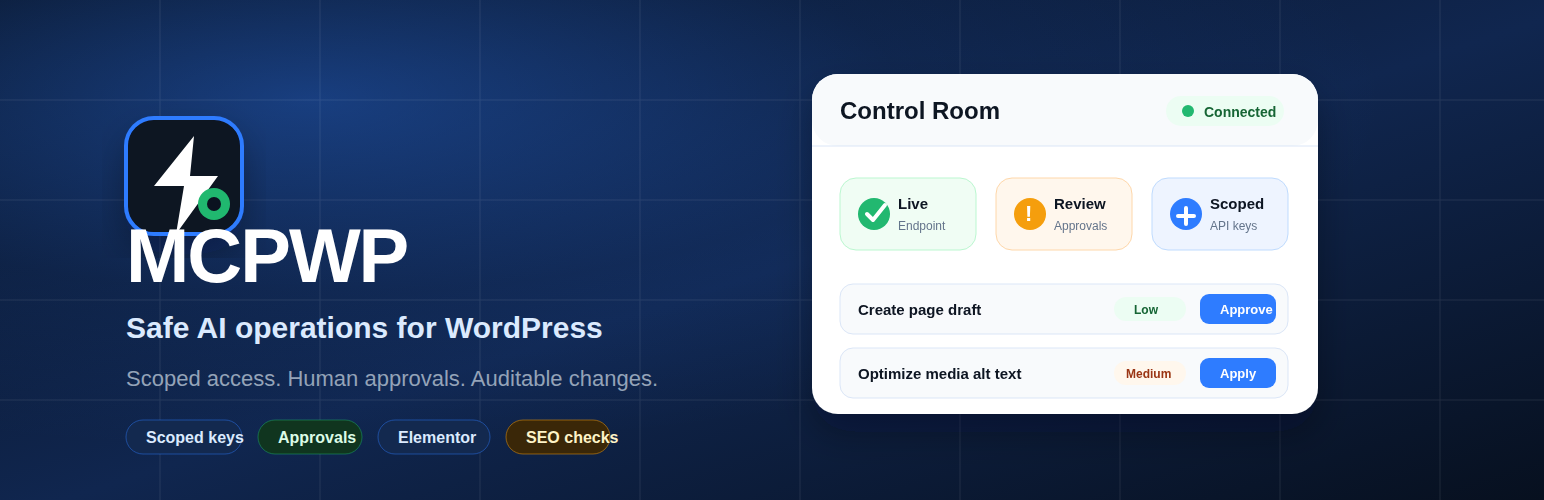
- Safety: role-scoped API keys, an approval workflow (request, approve, apply, rollback), and an action log.
- Site knowledge: persistent site memory, site health signals, a site graph, and SEO audit and flag tools.
- Distribution: self-hosted and agency builds, an updater served from
updates.mcpwp.net, and a stdio proxy (mcp-server/) for clients that need it.
For the full, current tool list, call wp_introspect on a connected site or see the documentation. If you are comparing options, see the WordPress MCP alternatives guide. This section describes MCPWP only and makes no comparison with other plugins.
Install
wp plugin install https://updates.mcpwp.net/mcpwp-latest.zip --activate
Or download from mcpwp.net and upload via WP Admin → Plugins → Add New.
Generate an API key after activation: WP Admin → MCPWP → Setup → Generate API Key.
Connect
Claude Code / Claude Desktop
{
  "mcpServers": {
    "mcpwp": {
      "url": "https://your-site.com/wp-json/mcpwp/v1/mcp",
      "headers": { "X-API-Key": "mcpwp_your_key_here" }
    }
  }
}
OpenClaw
A pre-configured ClawHub skill is available:
openclaw skill install mcpwp
Or configure manually:
openclaw mcp add mcpwp \
  --url "https://your-site.com/wp-json/mcpwp/v1/mcp" \
  --transport streamable-http \
  --header "X-API-Key: mcpwp_your_key_here"
Hermes Agent (Nous Research)
{
  "mcp": {
    "servers": {
      "mcpwp": {
        "url": "https://your-site.com/wp-json/mcpwp/v1/mcp",
        "transport": "streamable-http",
        "headers": { "X-API-Key": "mcpwp_your_key_here" }
      }
    }
  }
}
Hermes auto-discovers every tool the site exposes. With Tool Search enabled, large tool catalogs see 25–50% accuracy gains on tool selection.
Cursor / Windsurf / Zed
Add as a custom MCP server — same URL and key in your MCP settings.
ChatGPT
Follow the Connect ChatGPT to WordPress guide.
Or build your own using the OpenAPI schema.
Tools
MCPWP uses live tool discovery — the exact tools/list result adapts to active plugins, license plan, and API key scope. Marketing-facing counts are generated in docs/tool-counts.json (php scripts/gen-tool-counts.php; enforced by ToolCountsSourceOfTruthTest). Always call wp_onboard first on a new connection — it returns a full site briefing with content inventory, active integrations, and recommended first actions.
| Category | Tools |
|---|---|
| content | Pages, posts, drafts, bulk ops, search, clone, template |
| elementor | Get/set full data, edit sections/widgets, patch, find-replace |
| elementor-build | Build pages from section blueprints |
| elementor-templates | Templates, archetypes, reusable parts |
| elementor-theme | Theme builder, conditions, custom code |
| elementor-info | Widget schemas, help, CSS regeneration |
| site | Menus, options, CSS, design refs, guides, workflows |
| media | Upload file/URL/base64, screenshot, AI alt text |
| seo | Audit, issues, autofix, search performance, structured data |
| memory | Persist brand rules and decisions across sessions |
| blueprints | Deploy starter sites, extract current structure |
| approvals | Request → approve → apply → rollback any change |
| taxonomy | Categories, tags, custom terms |
| gutenberg | Blocks, patterns, block types, serialize/parse |
| webhooks | Create, test, monitor event deliveries |
| admin | API keys, rate limits, settings, updates, analytics |
| woocommerce | Products, orders, categories (when WooCommerce active) |
| learnpress | Courses, lessons, quizzes (when LearnPress active) |
Agency Features
MCPWP includes a multi-site agency stack for managing client sites at scale.
1 MCP token → N client WordPress sites
Multi-Site Proxy
One Cloudflare Worker fronts all registered client sites. Claude (or any agent) lists sites and addresses them by domain:
wp_list_sites()
wp_get_page(_site: "client.com", id: 5)
wp_set_elementor(_site: "client.com", id: 5, elementor_data: [...])
Audit Log + Rollback
Every MCP write logged to DB with timestamp, tool, args, before/after state snapshots. One-click rollback from Control Room. CSV export for compliance. Configurable log retention (default 90 days).
White-Label
Agency branding in the WP admin: logo, colors, custom chat greeting. [mcpwp_chat] shortcode embeds a branded AI chat widget on any page or Elementor layout.
Site Memory
AI decisions and brand rules persist across sessions in typed namespaces:
wp_remember(namespace: "brand", key: "tone", value: "professional, no jargon")
wp_recall(namespace: "brand", key: "tone")    →  "professional, no jargon"
wp_list_memories(namespace: "brand")
wp_forget(namespace: "brand", key: "tone")
Namespaces: brand, design, seo, decisions, custom.
Proactive Signals
WordPress surfaces issues without being asked:
wp_get_signals() → [
  { severity: "high",   message: "3 pages have broken Elementor data" },
  { severity: "medium", message: "12 posts not updated in 6+ months" },
  { severity: "low",    message: "Plugin updates available: Elementor 3.26" }
]
Signal types: stale content, broken Elementor, missing featured images, draft accumulation, plugin updates, SEO issues.
Site Blueprints
Deploy a full multi-page site structure from a starter, or snapshot your current site as a reusable blueprint.
Starter blueprints: law-firm, restaurant, saas, real-estate, portfolio
wp_deploy_site_blueprint(id: "saas")   →  creates all pages + nav menu
wp_extract_site_blueprint()            →  snapshot current site as a blueprint
wp_list_site_blueprints()              →  list starters + saved blueprints
wp_create_site_blueprint(name: "...")  →  save a custom blueprint
Approval Workflow
Every write can go through a human gate:
wp_create_approval_request(tool: "wp_set_elementor", params: {...})
→ appears in Control Room for review
→ wp_apply_approval(id: 42)    applies the change
→ wp_rollback_approval(id: 42) undoes it
Elementor
- Section blueprints — hero, features, cta, pricing, team, portfolio, services, 20+ more
- Validation — auto-fixes missing IDs, wrong widget keys, nesting errors
- Fuzzy matching — "headng" → "Did you mean 'heading'?"
- Partial edits —
wp_edit_widget,wp_edit_section,wp_patch_elementor - CSS regeneration — auto-rebuilds CSS, purges SiteGround/WP Rocket/LiteSpeed caches
- Container + classic mode — works with both Elementor layout modes
Role-Scoped API Keys
graph TD
    A[API Key] -->|role| B{Role}
    B -->|admin| C["🔓 all licensed tools"]
    B -->|designer| D["🎨 Elementor + media + site"]
    B -->|editor| E["✏️ content + design + SEO"]
    B -->|author| F["📝 content + media"]
    B -->|custom| G["⚙️ pick categories"]
Create keys via WP Admin → MCPWP → Setup, or wp_create_api_key(label, role).
Roadmap
Current release: see GitHub Releases. Full history in mcpwp/CHANGELOG.md.
3.11 "Truth & Reliability" — the plugin must never report a change that did not happen:
- 3.11.0: batch-weighted rate limits, idempotent tool calls (
_meta.request_id), option-access policy with secret-preserving writes, terms and meta on post writes, approval by default for deletes with no undo. - 3.11.1: 7-character Elementor element ids with opt-in repair,
wp_batchand a per-request spend budget, atomic feedback-relay admission, encryption key integrity and versioned secrets, Figma and SEO market data gated on Pro everywhere, WooCommerce purchasability, webhook log redaction, explicit analytics consent on Free.
Next:
- 3.12 "Elementor edits you can trust" (in progress): undo through WordPress revisions, validation against Elementor's live controls, patch-operation fixes, dry runs that exercise the save path, cache purge and complete render verification.
- 3.13: consistent list/search responses, field projection on large reads, one parameter name per concept, better post-meta reads.
Plans: docs/ROADMAP-3.11.md (3.11–3.13) and docs/ROADMAP-4.0.md (gateway architecture and release engineering).
Contributing
See CONTRIBUTING.md for setup and contribution guidelines.
Security
See SECURITY.md for our vulnerability disclosure policy.
Links
- Website: mcpwp.net
- OpenClaw skill: integrations/clawhub/
- ChatGPT schema: integrations/chatgpt/ (coming in v2.9)
- WordPress.org: not a distribution channel for MCPWP (owner decision, #931) — the wp.org listing "Mumega MCP" is a separate, reduced edition
- Download: mcpwp.net
License
GPL v2 or later. See mcpwp.net for current packaging, pricing, and plan terms.
Built by Mumega