Listed from the MCP registry; nobody on Odel publishes it.

grafta
Talk to any Figma file with your AI: ask what's in it, change it, or turn it into code.
Runs on your machine from its package; the steps are below.
What it does
- Reads
- Writes
- High impact
At most: creates or changes data: records, files, settings.
What it costs
FreeOdel charges nothing per call. The publisher may charge for its own service.
Runs locally over stdio
This server isn't hosted — your MCP client launches it from a package registry. Use one of the commands below, or drop the config into your client (e.g. Claude Desktop).
Run
npx -y grafta
MCP client config
{
  "mcpServers": {
    "grafta": {
      "command": "npx",
      "args": [
        "-y",
        "grafta"
      ]
    }
  }
}

grafta
Talk to your Figma.
Install In Figma Tools Docs Website

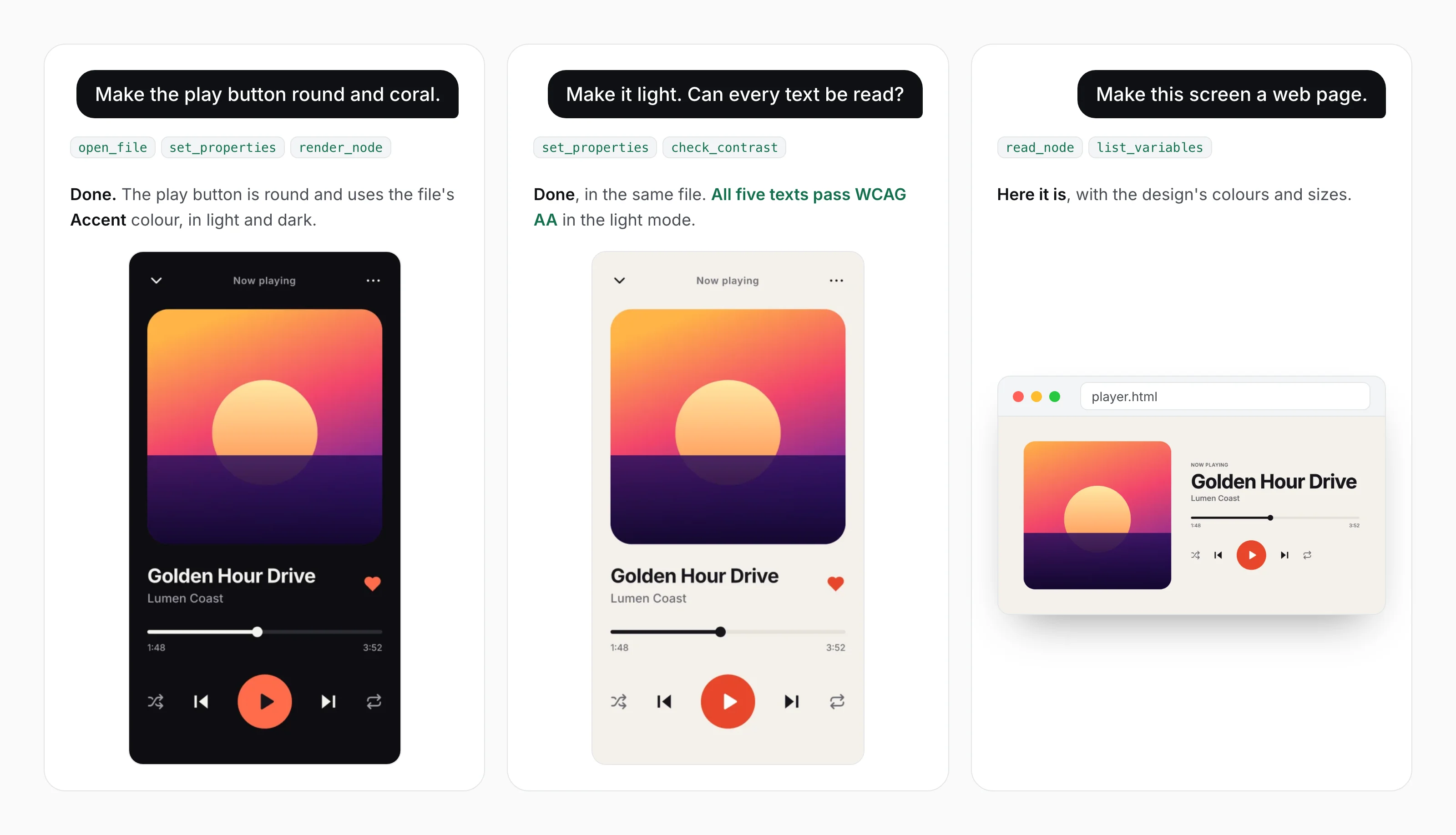
Talk to your Figma files through the AI you already use. Ask Claude, ChatGPT, Cursor or OpenCode what's in a design, ask it to change something, or to turn it into code. You write in words; grafta lets your AI open the file, read it exactly and change it.
It works on your computer, with no internet and no Figma account. With its panel in Figma's desktop app, it works on the file you have open too, and you see each change as it is made.
What you get
- Ask what's in a design. Its screens, colours, variables and components, in plain words.
- Change it by asking. Colours, text, layout, a dark mode, a new screen. Your AI draws the result to check it.
- Turn it into code. In your stack, with the file's exact sizes, colours and icons.
- Never guessed. Every value comes from the file. When grafta leaves something out, it says so.
- Your files stay yours. Changes are saved as a new file, never over yours.
- Every Figma product. Figma Design, Slides, FigJam and Sites files.
- Free and open source. MIT licence, no account, no API key.
Install
| Your AI app | Run |
|---|---|
| Claude Desktop | download grafta.mcpb and open it |
| Claude Code | /plugin install grafta --marketplace n0ss4/grafta |
| ChatGPT desktop, Codex | codex plugin marketplace add n0ss4/grafta@main && codex plugin add grafta@grafta |
| OpenCode | opencode mcp add grafta --global -- npx -y grafta mcp |
Then ask, in words: Using grafta, what have I selected in Figma?
Cursor, VS Code, the program for macOS, Linux and Windows, and what each needs: Install. For the file you have open, add grafta's panel to Figma's desktop app.
"What's the catch?"
None. grafta is free and open source, needs no account and makes no network call. It does not interpret designs: your model does, so how good the code is depends on your model. What it cannot do yet is in Limits.
Documentation
- Install
- In Figma: the panel for the file you have open
- What to ask
- Tool reference
- Examples
- From a web page and from a terminal
- Limits and Troubleshooting
Contributing
Read CONTRIBUTING and ARCHITECTURE. Where it is going: ROADMAP. Report a vulnerability as SECURITY says.
Licence
MIT. grafta is not affiliated with Figma.






