
Purl
Save anything. Ask questions. Get answers.
Live preview: https://purl.nublson.com
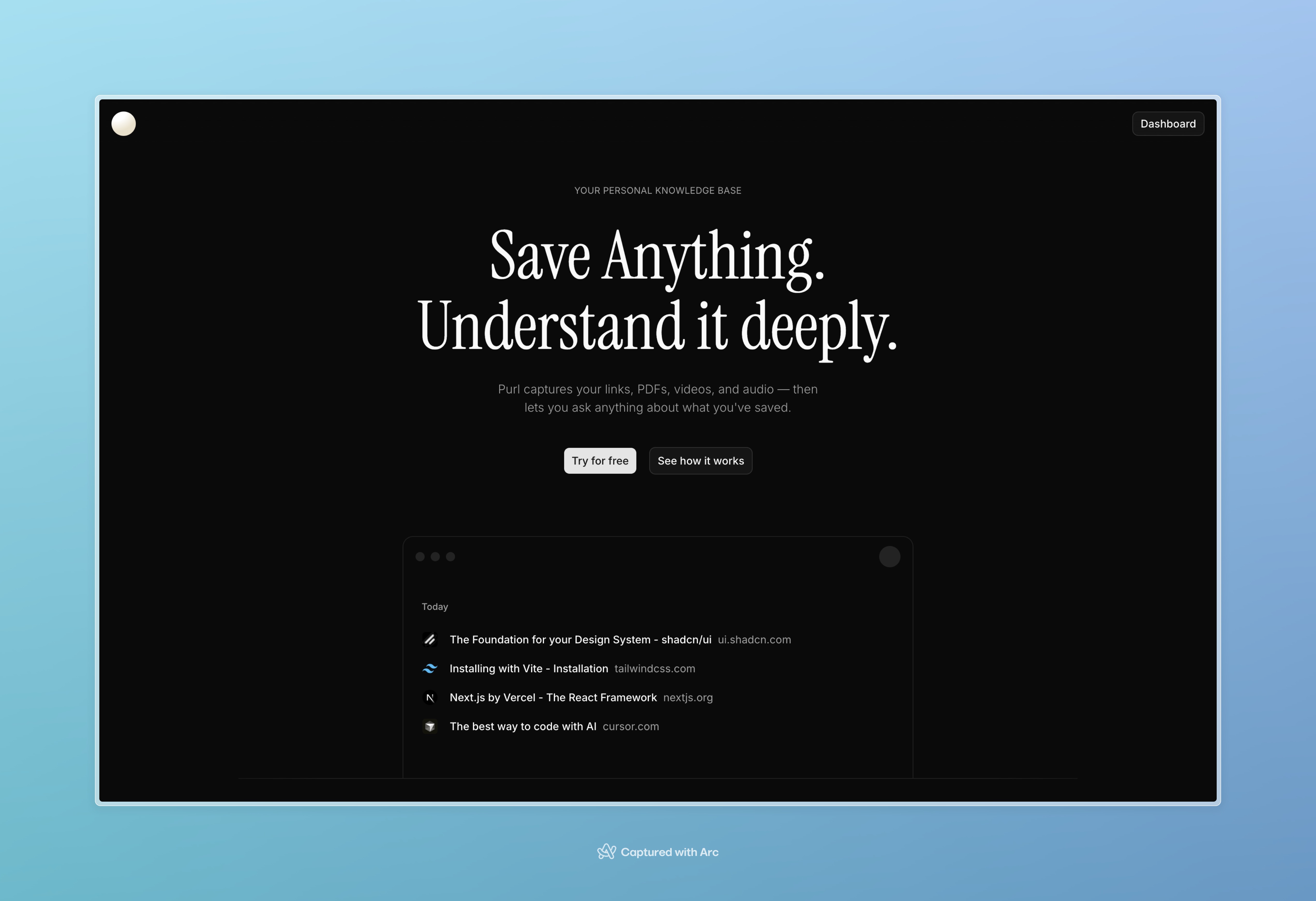
Purl is an AI-powered read-it-later app and personal knowledge base. You paste URLs (or upload files): web pages, PDFs, YouTube videos, and audio. Purl ingests the content, stores chunked text with vector embeddings, and answers questions by searching what you saved — optionally scoped with @ mentions to specific items.
Plans: Free, Pro, and BYOK are enforced server-side (see docs/commercial-model.md). New signups get a 7-day Pro trial (no card required). Stripe Checkout handles the one-time Pro payment; webhooks sync status to Postgres.
The product goal: one place to stash material you care about, then query it later with citations instead of digging through bookmarks.
Plans (summary)
| Feature | Free | Pro ($39 one-time) | BYOK (free) |
|---|---|---|---|
| Save links (100 lifetime cap) | Yes | Unlimited | Unlimited |
| Full-text search | Yes | Yes | Yes |
| AI extraction & embeddings | No | Yes (150/mo) | Yes (unlimited) |
| Semantic search | No | Yes | Yes |
| PDF/audio upload | No | Yes | Yes |
| AI chat | No | 300 msg/mo | Unlimited |
Exact limits are in docs/commercial-model.md.
Implemented today
- Marketing site — Landing page with hero, features, supported content types, pricing section, and FAQ.
- Authentication — Email/password (and related flows) via Better Auth; optional email verification through Resend.
- Save & organize
- Add items by URL with automatic content-type detection (web, PDF, YouTube, audio).
- File upload for PDF and audio (size limits enforced server-side).
- Links grouped by relative time (e.g. Today, This Week, Last Month).
- Preview metadata (title, description, favicon, thumbnail where available).
- Ingestion pipeline — Fetches or extracts text (including transcripts for YouTube/audio), chunks it, embeds via Vercel AI Gateway (
openai/text-embedding-3-small), stores in Postgres with pgvector; tracks per-link ingest status (pending, processing, completed, failed, skipped for edge cases like heavy SPAs). - AI providers — Vercel AI Gateway for streaming chat (Claude) and embeddings (
openai/text-embedding-3-small). OpenAI directly for Whisper transcription only (OPENAI_API_KEY). Keys live in server environment variables only. - AI Gateway observability — Chat, ingest embeddings, and the chat tool’s semantic search send
providerOptions.gatewaywith the signed-inuserid andtagsso the Vercel AI dashboard can filter spend and usage by person and surface (feature:chat,env:…fromVERCEL_ENV/NODE_ENV;feature:ingeston save pipelines;feature:semantic-searchwhen the model runs vector search over saved chunks). - Hardened outbound fetch — Server-side
safeFetchwith optional proxy/DNS controls (seeAGENTS.md). For reliable YouTube transcripts on Vercel, configureSAFE_OUTBOUND_HTTP_PROXYin production. - Realtime list sync — Supabase Realtime so saves and updates propagate across tabs/devices quickly.
- AI chat
- Streaming replies (Anthropic Claude) with tool use: list saved items (filters by date/type) and search over stored chunks.
@mentions to focus the model on specific saved links; mentions persist on messages.- Multiple chats, titles, and message history stored in the database.
- Link actions — Open original, copy URL, edit metadata, re-ingest, delete, add to chat context from the list.
- Operational extras — Optional Upstash-backed API rate limiting, optional Sentry, Vitest coverage for critical paths.
- PWA (installable app) — Web App Manifest plus a Serwist service worker (
src/app/sw.ts) that builds topublic/sw.js(generated onpnpm build, gitignored). Enables Install in Chrome/Edge and similar where the platform supports it, with runtime caching via Serwist's Next.js defaults and a static offline shell at/~offline. Serwist is disabled inpnpm devto avoid service-worker cache surprises during development — usepnpm build && pnpm start(or your production URL) to exercise installability and the SW.
Ingestion flow
Saving a link is synchronous through metadata resolution and the database row; heavy work runs afterward so the API can return quickly.
- Input —
POST /api/linkswith a URL, orPOST /api/uploadwith a PDF/audio file (files go to Supabase Storage; theLinkstores the public URL). - Classify & decorate — Server-side
detectContentType(SSRF-safeHEAD/ sniff) plusscrapeLinkMetadata(Open Graph HTML, PDFContent-Disposition/ size, YouTube oEmbed). Duplicates of the same URL refresh metadata and reset ingestion. - Persist — A
Linkrow is created (defaultPENDING) with title, favicon, thumbnail, domain, andcontentType(WEB,PDF,YOUTUBE, orAUDIO). - Schedule —
prepareIngestForLinkenforces plan limits, then uses Next.jsafter()to run the right handler:ingestWeb,ingestPdf,ingestYoutube, oringestAudio. Free accounts skip extraction (metadata-only; ingestSKIPPED). - Pipeline (each handler) — Set
PROCESSING→ fetch or extract plain text → split into chunks (with a synthetic metadata chunk first) → Vercel AI Gateway embeddings (openai/text-embedding-3-small) → replaceLinkContentrows and attach pgvector values →COMPLETED. Failures setingestFailureReason(SCRAPE_FAILED,LINK_NOT_FOUND,OTHER, etc.) alongsideFAILED. Re-ingest reuses the same pipeline without re-scraping listing metadata.
Web pages (WEB). Article-style HTML is fetched with safeFetch, parsed in jsdom, and the main content is extracted with Mozilla's Readability (scrapeWebContent). That matches how Firefox's reader mode chooses "the article," but it is not universal: many SPAs and other client-rendered sites return a thin HTML shell to crawlers, so Readability finds little or nothing and ingest may FAIL. A small set of hosts that need a full browser are rejected early (UnsupportedSpaError → ingest SKIPPED).
Realtime subscribers get updates when ingestion finishes via notifyLinksAfterIngest (which calls broadcastLinksChanged).
flowchart TB
  subgraph save["Save path (responds to client)"]
    A(["URL or file upload"]) --> B["/api/links or /api/upload"]
    B --> C["detectContentType + scrapeLinkMetadata (safeFetch)"]
    C --> D["Insert Link — ingestStatus PENDING"]
    D --> E["after() → prepareIngestForLink by contentType"]
  end

  subgraph work["Background ingest"]
    E --> F["ingestStatus PROCESSING"]
    F --> G{"Extract text"}
    G --> W["WEB — jsdom + Mozilla Readability"]
    G --> P["PDF — page text"]
    G --> Y["YOUTUBE — transcript"]
    G --> A2["AUDIO — transcription"]
    W --> H["Chunk + metadata header"]
    P --> H
    Y --> H
    A2 --> H
    H --> I["Gateway embeddings"]
    I --> J["Write LinkContent + pgvector"]
    J --> K{"Outcome"}
    K --> K1["COMPLETED"]
    K --> K2["FAILED (+ ingestFailureReason)"]
    K --> K3["SKIPPED (known SPA hosts)"]
  end

  K1 --> R["Realtime: list refresh"]
  K2 --> R
  K3 --> R
Not implemented yet
These are called out explicitly because the repo is going public:
- Settings breadth — Settings include account deletion; broader account preferences (profile edits, password change, notification settings, etc.) are not implemented yet.
Marketing vs. product: The landing page copy mentions ideas such as collections and a weekly digest. Those are not built in the current schema or app — treat them as roadmap, not shipped features.
Tech stack
- Web: Next.js (App Router), React, TypeScript
- UI: Tailwind CSS, shadcn/ui
- Auth: Better Auth
- Database: PostgreSQL + Prisma (with vector column for embeddings)
- AI: Vercel AI Gateway (Claude chat + OpenAI embeddings through gateway) and OpenAI (Whisper transcription direct) via the Vercel AI SDK — server environment variables
- Email (optional in dev): Resend for verification emails
- Realtime: Supabase client (anon + service role on server)
- PWA: Serwist (
@serwist/next), web manifest + precache / offline fallback
CI / GitHub Actions
Automation lives under .github/workflows/. Every PR and manual release is gated by these pipelines.
PR checks — pr-checks.yml
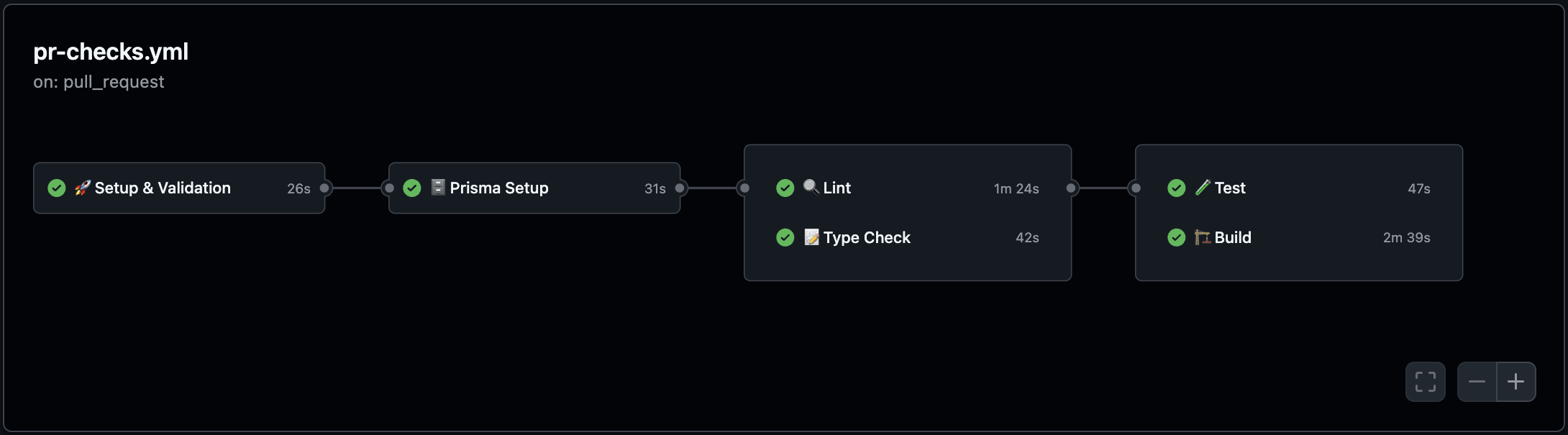
Runs on pull_request to develop and main: Setup & validation → Prisma (generate client + type fixes) → Lint and type check (in parallel) → Tests and production build (in parallel, after lint and type check pass). Concurrency is per-PR so new pushes cancel stale runs.
Release — release.yml
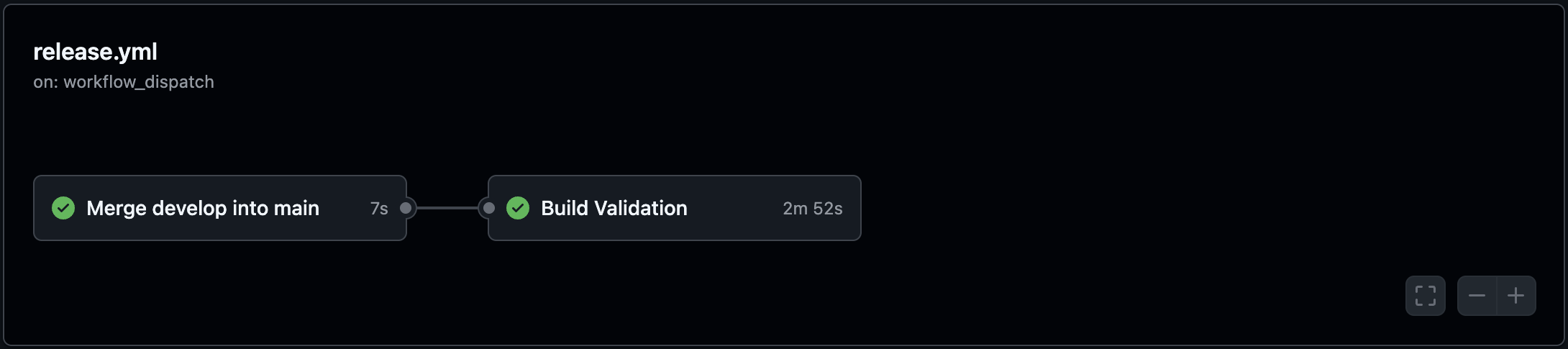
Runs on workflow_dispatch (manual): Merge develop into main, then build validation so production is only promoted after a green build.
Security
Purl is built around untrusted input (arbitrary URLs and uploaded files). A few layers matter in production:
- SSRF-aware outbound fetches — User-supplied URLs are not passed to raw
fetch. Ingest, OG/thumbnail probes, PDF fetch, content-type sniffing, and similar paths go throughsafeFetch: HTTP(S) only, blocked private/link-local/reserved targets, redirect handling with per-hop host checks, DNS resolution pinned before connect (mitigates classic DNS rebinding against the pre-check), optional response size caps (e.g. PDF proxy). Optional egress proxy and custom DNS servers are documented inAGENTS.md. - Authentication & route gating — Better Auth sessions; Next.js
proxyredirects unauthenticated users away from private routes and can require email verification before app access. - API authorization — Sensitive routes (
/api/chat,/api/links,/api/upload, chats, etc.) resolve the session server-side and scope work to the signed-in user (e.g. chat mention IDs are validated against ownership). - Server-managed AI keys — Chat and embeddings route through Vercel AI Gateway (
AI_GATEWAY_API_KEYorVERCEL_OIDC_TOKENaftervercel env pull). Whisper transcription still calls OpenAI directly viaOPENAI_API_KEY. These keys are never exposed to the client. - Rate limiting — When
UPSTASH_REDIS_REST_URLandUPSTASH_REDIS_REST_TOKENare set, the proxy applies per-IP limits to/api/auth/*,POST /api/chat,POST /api/links, andPOST /api/upload(seeproxy-rate-limit.ts). Without Upstash, limits are disabled — fine locally, not ideal for production. - Secrets & client exposure —
SUPABASE_SERVICE_ROLE_KEYand similar values are server-only. The browser uses the Supabase anon key for Realtime only;.envstays gitignored. - Upload bounds — Audio uploads enforce a maximum size server-side; PDF proxy streaming is capped (see
safe-outbound-fetch/ upload limits in code).
Reporting a vulnerability: use GitHub Security Advisories for this repository so details stay private until patched.
Stripe (one-time payment)
Billing uses Stripe Checkout (POST /api/billing/checkout) for the one-time Pro payment, Customer Portal (POST /api/billing/portal), and webhooks (POST /api/billing/webhook). Plan entitlements and usage limits are enforced in-app from Postgres (see src/lib/entitlements.ts); webhooks keep the plan row in sync.
Env (see .env.example): STRIPE_SECRET_KEY, STRIPE_PUBLISHABLE_KEY (server-only), STRIPE_WEBHOOK_SECRET, STRIPE_PRICE_PRO (one-time price ID), optional ADMIN_TOKEN for POST /api/admin/grants.
Local webhook testing: create a one-time Pro price in Stripe Test mode, put the price ID in .env, then:
stripe listen --forward-to localhost:3000/api/billing/webhook
Copy the CLI signing secret into STRIPE_WEBHOOK_SECRET for that shell session. Trigger flows with stripe trigger checkout.session.completed (and exercise checkout from the app). Go-live: recreate the product and a Live webhook endpoint; rotate keys and webhook secret per environment.
Setup (local development)
Prerequisites
- Node.js: recent LTS
- Package manager:
pnpm(this repo includespnpm-lock.yaml) - Postgres: local or hosted (Supabase works well with pgvector)
1) Install dependencies
pnpm install
2) Configure environment variables
Create a .env file in the repo root. See .env.example for the full list; minimum for core behavior:
DATABASE_URL="postgresql://USER:PASSWORD@HOST:5432/DBNAME"

# AI (server-side): gateway for chat + embeddings; OpenAI key for Whisper only
AI_GATEWAY_API_KEY="..." # or use VERCEL_OIDC_TOKEN from `vercel env pull`
OPENAI_API_KEY="sk-proj-..."

# Supabase Realtime — cross-device instant link list sync (same project as Postgres)
NEXT_PUBLIC_SUPABASE_URL="https://YOUR_PROJECT.supabase.co"
NEXT_PUBLIC_SUPABASE_ANON_KEY="eyJ..."
SUPABASE_SERVICE_ROLE_KEY="eyJ..."

# Optional (used for email verification on signup)
RESEND_API_KEY="re_..."
RESEND_FROM="Purl <onboarding@resend.dev>"
Notes:
DATABASE_URLis required (Prisma + Better Auth).AI_GATEWAY_API_KEY(orVERCEL_OIDC_TOKENon Vercel / aftervercel env pull) is required for chat and embeddings (ingest + semantic search) via AI Gateway. Enable AI Gateway in the Vercel project settings for OIDC-based auth. Optional: configure per-user limits in the project AI Gateway settings; the app passes the Better Auth user id on gateway calls.OPENAI_API_KEYis required for Whisper transcription (audio ingest / URLs). Omit only if you do not use audio transcription.- Supabase env vars are required for realtime link list sync. Use Project Settings → API in the Supabase dashboard. The service role key must stay server-only.
- Resend is optional for local dev: if
RESEND_API_KEYis not set, signup can still work, but verification emails will not send. - Better Auth secrets and URLs are in
.env.example— copy those keys for a working auth setup.
3) Run database migrations
pnpm prisma migrate dev
4) Generate Prisma client (if needed)
pnpm prisma generate
5) Start the dev server
pnpm dev
Open http://localhost:3000.
PWA / install: With pnpm dev, the service worker is not active. After a production build, public/sw.js exists locally; run pnpm start and open the app in Chromium to use Install or to test offline navigation to /~offline.
Testing
Tests use Vitest and focus on critical logic (formatters, link grouping, auth routing, API behavior, ingest pipeline). They intentionally avoid shallow UI-only wrappers.
pnpm test        # run once
pnpm test:watch  # watch mode
Useful commands
pnpm lint
pnpm build
pnpm start
pnpm test
More contributor notes (Prisma, Sentry, outbound proxy env): see AGENTS.md.