Listed from the MCP registry; nobody on Odel publishes it.

gknowledge
Search, read and grow a Karpathy-style LLM wiki of linked Markdown pages, with cited answers.
Runs on your machine from its package; the steps are below.
What it does
- Reads
- Writes
- High impact
At most: creates or changes data: records, files, settings.
What it costs
FreeOdel charges nothing per call. The publisher may charge for its own service.
Runs locally over stdio
This server isn't hosted — your MCP client launches it from a package registry. Use one of the commands below, or drop the config into your client (e.g. Claude Desktop).
Run
uvx gknowledge-mcp
MCP client config
{
  "mcpServers": {
    "gknowledge": {
      "command": "uvx",
      "args": [
        "gknowledge-mcp"
      ]
    }
  }
}

gknowledge
English · 简体中文 · Italiano · Français · Português (BR) · Español · বাংলা
Karpathy's LLM Wiki as a native GNOME app.
Drop in your documents. Get a linked wiki that an LLM keeps up to date.
A native GNOME app. Offline by default, plain Markdown on disk, Obsidian-compatible.
Bring your own brain: a local model, any OpenAI-compatible endpoint, or your own ChatGPT plan.

















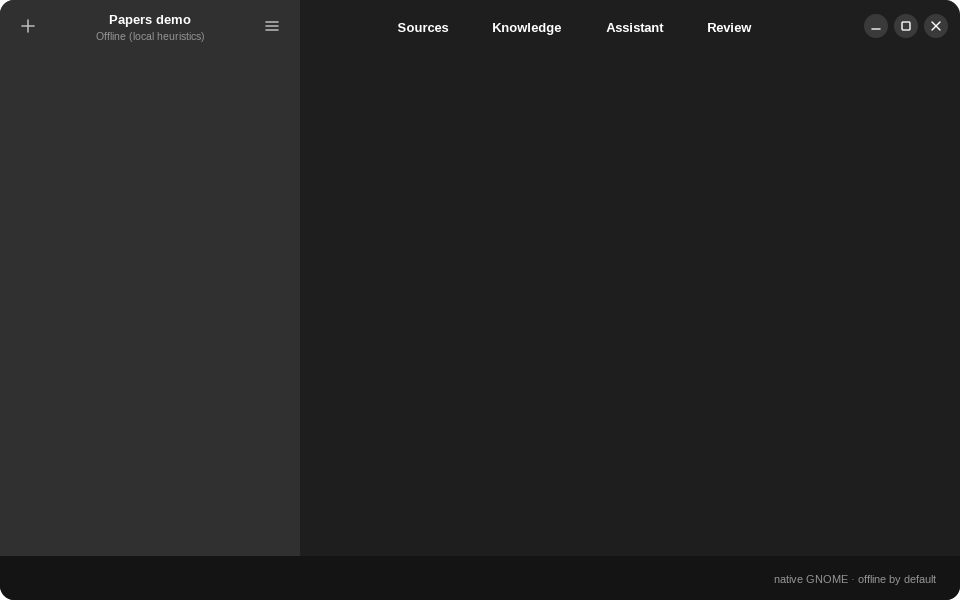
Real output of the offline engine on six AI papers (data/demo/papers), no API key.
Regenerate with make demo-svg.
Install
One line, on Ubuntu 24.04+ and Debian 13+. It adds the signed gknowledge APT repository, so updates arrive with apt upgrade (other distributions get a per-user install):
curl -fsSL https://github.com/openapi/gknowledge/releases/latest/download/install.sh | bash
Or add the APT repository yourself. apt also pulls GTK 4, Libadwaita and PyGObject:
sudo curl -fsSLo /usr/share/keyrings/gknowledge.gpg https://openapi.github.io/gknowledge/gknowledge.gpg
sudo curl -fsSLo /etc/apt/sources.list.d/gknowledge.sources https://openapi.github.io/gknowledge/gknowledge.sources
sudo apt update && sudo apt install gknowledge
On any distribution, with Flatpak (the GNOME runtime comes from Flathub):
flatpak install --user https://openapi.github.io/gknowledge/io.github.openapi.Gknowledge.flatpakref
Both repositories are described at openapi.github.io/gknowledge.
Then open gknowledge from the app grid. To remove it: sudo apt remove gknowledge (or flatpak uninstall io.github.openapi.Gknowledge).
Other distributions, from source, and release builds
- Fedora, Arch and others: install PyGObject, GTK 4 and Libadwaita with your package manager, then run the one-line installer above. It installs into
~/.localwithout root. - From source:
git clone https://github.com/openapi/gknowledge && cd gknowledge && make install. - Single files: every version's
.deband Flatpak bundle is on the Releases page, e.g.sudo apt install ./gknowledge_all.debafter downloading gknowledge_all.deb.
Why gknowledge
If you have used LLM Wiki, Tolaria, OpenKnowledge, Reor or Khoj, you already know the loop: ingest sources, let the model build and maintain a wiki, then ask questions against it. gknowledge does the same thing as a real GNOME application.
- Native, not a web view. GTK 4 and Libadwaita, built to follow the GNOME HIG. No Electron, no Tauri, no browser engine.
- Works with no account. A built-in heuristic engine ingests and answers offline. Add a model when you want better synthesis.
- Your data stays yours. Markdown with YAML frontmatter plus a readable SQLite index. Open the folder in Obsidian or any editor.
- Cited, reviewable, incremental. Every generated page records its sources, answers cite pages, and a review queue keeps you in control.
The workflow you already know
| You know this from… | What it is | In gknowledge |
|---|---|---|
| Karpathy's LLM Wiki, LLM Wiki | Ingest: read a new source, update the pages it touches | Done: two-step extraction with provenance |
| Reor, Khoj | Ask: questions answered from your notes, with citations | Done: lexical search plus graph expansion, citations, saved answers |
| LLM Wiki, OpenKnowledge | index.md and log.md, [[wikilinks]], Obsidian-compatible vault | Done |
| LLM Wiki, Tolaria | Review AI changes before they stick | Review queue done, Git diff planned |
| Karpathy's LLM Wiki, OpenKnowledge | Lint: orphans, contradictions, stale pages | Planned |
| LLM Wiki | Knowledge graph, clusters, gaps | Planned |
| Tolaria, OpenKnowledge, LLM Wiki | MCP server so agents can read and write the wiki | Done: gknowledge-mcp |
| LLM Wiki | Web clipper, folder watch, deep research | Planned |
See ROADMAP.md for dates and TODO.md for the backlog.
Karpathy's LLM Wiki, native on GNOME
In April 2026 Andrej Karpathy described the LLM Wiki pattern: instead of re-reading raw documents on every question, an LLM builds and maintains a persistent wiki that compounds over time. gknowledge implements it as a desktop app.
What we kept
- Three layers: immutable
sources/, the generatedknowledge/wiki, and settings that tell the engine how to work. - The operations: ingest (read a source, update the pages it touches) and query (answer from the wiki, with citations). Lint is next.
index.mdas the catalogue andlog.mdas the append-only history.- Plain Markdown with
[[wikilinks]]and YAML frontmatter, so the folder opens in Obsidian. - The human curates, the model maintains.
What we changed and added
- A native app instead of an idea file. GTK 4 and Libadwaita, with sources, wiki, assistant and review in one window.
- Works with no model at all. An offline engine ingests and answers; a model makes it better.
- Bring your own brain. Your ChatGPT plan through Sign in with ChatGPT, Ollama, or any OpenAI-compatible endpoint.
- Two-step ingest with provenance. Analysis first, then pages; every page records its sources.
- No empty pages, no duplicates. Pages are created only with real content, names are merged across sources ("Kasparov" and "Garry Kasparov"), minor names stay as mentions until a second source cites them.
- A review queue for what the model is unsure about.
- An MCP server, so Claude Code, Codex or Cursor can search, read and grow the same wiki.
Use your wiki from Claude Code, Codex or Cursor
gknowledge ships an MCP server. Point any agent at a project folder:
claude mcp add gknowledge -- gknowledge-mcp ~/Knowledge/my-project     # Claude Code
codex mcp add gknowledge -- gknowledge-mcp ~/Knowledge/my-project      # Codex CLI
For Cursor or other clients, add this to the MCP configuration:
{ "mcpServers": { "gknowledge": { "command": "gknowledge-mcp", "args": ["/home/you/Knowledge/my-project"] } } }
| Tool | What the agent can do |
|---|---|
search_wiki | find pages by keyword |
read_page | read a page with its sources and backlinks |
list_pages | list pages by type |
ask | get a cited answer, optionally saved back into the wiki |
add_source | import and ingest a file |
recent_activity | see what changed recently |
Try it from source
sudo apt install python3-gi gir1.2-gtk-4.0 gir1.2-adw-1   # Ubuntu / Debian
git clone https://github.com/openapi/gknowledge && cd gknowledge
make start      # opens a demo project with six AI papers already ingested
make start also restarts the app whenever you edit the source, which makes it the fastest way to hack on gknowledge. Install it for daily use with make install.
Bring your own brain
| Provider | Needs | Notes |
|---|---|---|
| Offline (default) | nothing | Heuristic extraction and extractive answers. Fully private. |
| ChatGPT plan | A Plus or Pro account | Preferences, Provider, Sign in with ChatGPT. Usage is charged to your own plan, no API key. |
| Ollama / LM Studio / vLLM | A local server | Any OpenAI-compatible endpoint on your machine. |
| OpenAI-compatible cloud | An API key | OpenAI, OpenRouter, Together, and similar. |
Nothing is sent anywhere unless you pick a provider that is not offline.
How it compares
| gknowledge | LLM Wiki | Tolaria | OpenKnowledge | Reor (archived) | Khoj | |
|---|---|---|---|---|---|---|
| Native GNOME / GTK 4 | yes | Tauri | Tauri | Electron | Electron | web + Electron |
| Works offline, no key | yes | needs a model | AI optional | agent-driven | local model | self-host |
| Plain Markdown vault | yes | yes | yes | yes | yes | reads yours |
| Linux packaging | .deb, Flatpak | .deb, AppImage | AppImage, .deb | .deb, .rpm | AppImage | pip, Docker |
| License | MIT | GPL-3.0 | AGPL-3.0 | GPL-3.0 | AGPL-3.0 | AGPL-3.0 |
Details and history of each project are in DISTRIBUTING.md.
gknowledge is an alternative to…
gknowledge sits at the intersection of LLM-powered knowledge bases, local-first note tools, and document RAG systems. If you have used any of the tools below, you already understand the shape of the problem — gknowledge addresses it as a native GNOME/GTK application that is local-first, provider-agnostic, and usable fully offline (no API key required, thanks to a built-in heuristic extraction engine).
LLM wiki / auto-knowledge-base builders (the closest peers, several studied in NOTES.md):
- LLM Wiki (
nashsu/llm_wiki) — Tauri desktop app implementing Karpathy's incremental "LLM builds and maintains a wiki" pattern - Tolaria — files-first, git-first Markdown knowledge base with AI-assisted editing
- WeKnora (Tencent) — enterprise RAG + agents + auto-wiki framework
- OpenKnowledge (Inkeep) — WYSIWYG Markdown editor with agent/MCP integrations for LLM wikis
- Reor — local-first AI note-taking that auto-links related notes
- Khoj — self-hostable AI "second brain" over your documents
Not a peer: Google NotebookLM offers a similar cited-notebook experience but is closed-source and cloud-only.
Document RAG / "chat with your knowledge" engines:
Local-first / networked-thought note tools (which gknowledge complements with automated ingestion and provenance):
- Obsidian (+ Smart Connections / Copilot plugins), Logseq, SiYuan, Trilium Notes, Zettlr, Foam, Dendron, Joplin, Notion, Tana, Capacities, Heptabase, RemNote
Document / reference managers with growing AI features:
How gknowledge differs
- Native to GNOME, not Electron/Tauri or web-first — GTK 4 + Libadwaita, HIG-aligned, Flatpak-friendly.
- Offline-first and provider-agnostic — a local heuristic engine ships in the box; OpenAI-compatible endpoints (OpenAI, Ollama, LM Studio, vLLM, OpenRouter, …) are optional, swappable, and configured per project.
- Inspectable, user-owned format — knowledge is plain Markdown with YAML frontmatter (Obsidian-compatible) plus a readable SQLite index; nothing is locked behind a sync service.
- Incremental, not stateless RAG — sources are ingested once into a persistent, cross-linked knowledge space with provenance, rather than re-retrieved from scratch on every question.
- Human-in-the-loop — generated content is clearly marked and a review queue keeps you in editorial control.
Project docs
ROADMAP.md— milestones and the features we are borrowing from peersTODO.md— actionable backlogDISTRIBUTING.md— positioning and distribution study of comparable projects (Italian)CONTRIBUTING.md— how to contributedocs/DESIGN.md— the original product and design documentCHANGELOG.md— what changed in each release
License
MIT. Contributions are welcome, see CONTRIBUTING.md.
Star history
If gknowledge is useful to you, a star helps other GNOME users find it.







