Listed from the MCP registry; nobody on Odel publishes it.

droidprobe
Read-only MCP server to inspect an Android device over ADB: hardware, packages, permissions, logs.
Runs on your machine from its package; the steps are below.

What it does
- Reads
- Writes
- High impact
At most: only reads or looks up information.
What it costs
FreeOdel charges nothing per call. The publisher may charge for its own service.
Runs locally
This server runs on your machine over stdio, but its source registry didn't list a distribution package. Check the source repository for setup instructions.
Modular Rust toolkit for inspecting an Android device over ADB (USB debugging).
One shared core powers two front-ends: a terminal UI (droidprobe) and an MCP
server (droidprobe-mcp) for agents.
See ARCHITECTURE.md for the full design and phased plan.
Screenshots
| Overview | Packages | Logs |
|---|---|---|
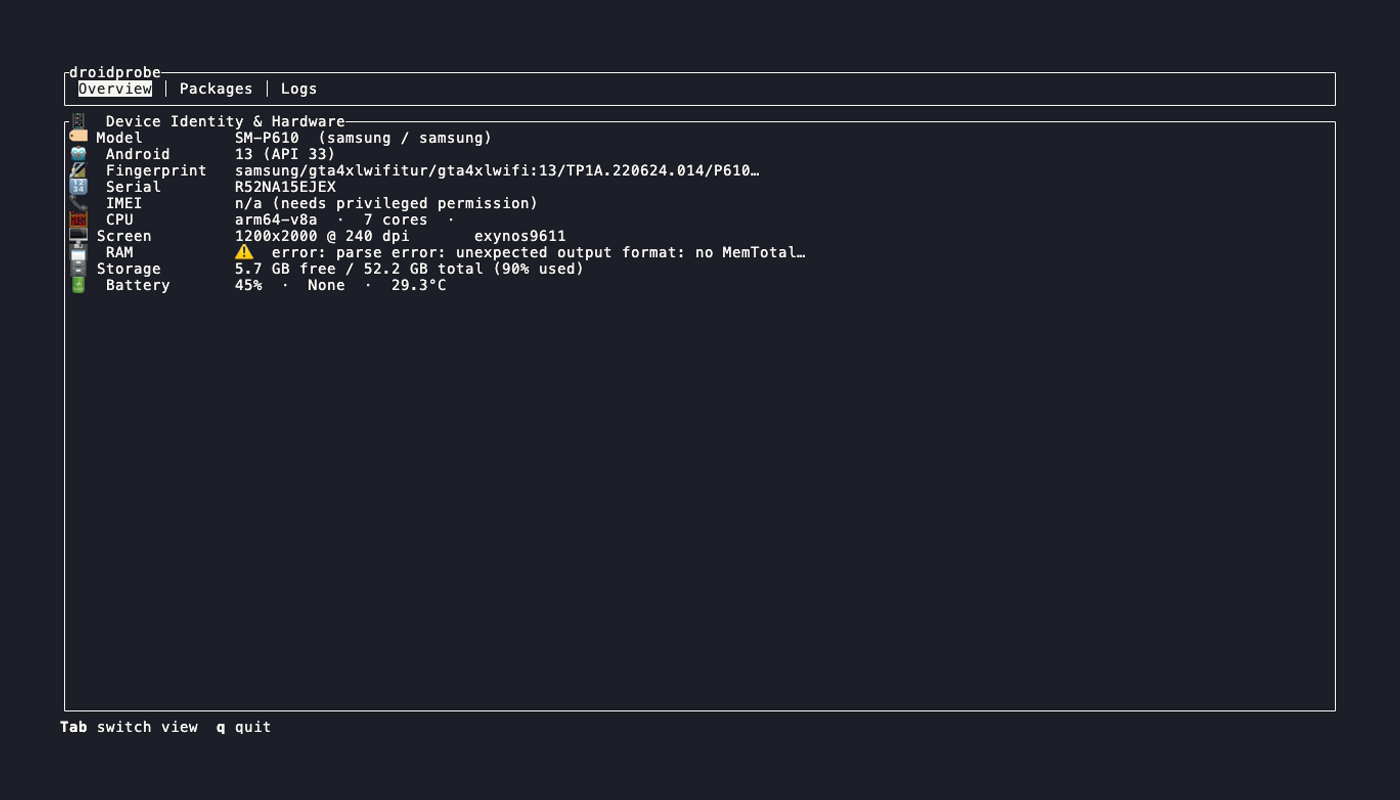 | 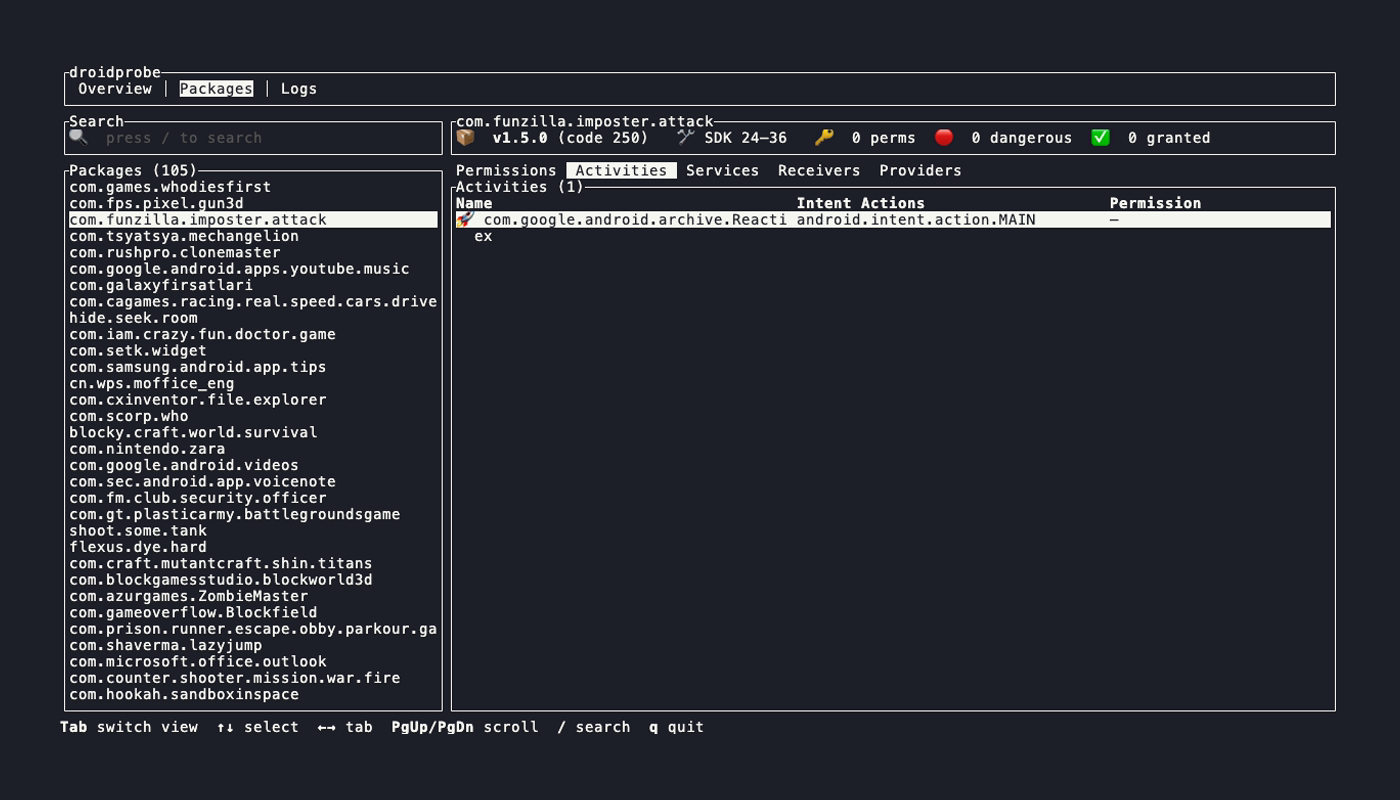 |  |
Workspace layout
droidprobe/
├── Cargo.toml                      # workspace + shared dep versions
├── ARCHITECTURE.md
└── crates/
    ├── droidprobe-parser/   # raw text -> structured data (pure, no I/O)
    ├── droidprobe-command/  # Command trait, Transport, built-in catalog
    ├── droidprobe-core/     # Registry + Engine + Poller
    ├── droidprobe-tui/      # ratatui binary  (bin: `droidprobe`)
    └── droidprobe-mcp/      # rmcp binary     (bin: `droidprobe-mcp`)
Prerequisites
- Rust 1.82+ (
rustuprecommended) - A running
adbserver (adb start-server) and a device with USB debugging enabled and authorized.
Build & test
cargo build --workspace
cargo test  --workspace        # parser + command tests run without a device
Run the TUI
cargo run -p droidprobe-tui
# Tab switches views, q quits. Logs are written to ./droidprobe.log
Run the MCP server
cargo run -p droidprobe-mcp # speaks MCP over stdio
Register it with an MCP client (e.g. Claude Desktop / Claude Code) by pointing the client at the built binary as a stdio server. Tools are read-only.
Register with Claude Code
cargo build -p droidprobe-mcp --release
claude mcp add droidprobe -- "$(pwd)/target/release/droidprobe-mcp"
claude mcp get droidprobe        # should show "Status: ✔ Connected"
This must run on the same machine as the adb server and the USB-attached
device — the server has no way to reach a device it can't adb shell into,
so there's no meaningful way to run it detached on remote infrastructure
unless you tunnel adb back to it.
Register with Claude Desktop
Add to claude_desktop_config.json:
{
  "mcpServers": {
    "droidprobe": {
      "command": "/absolute/path/to/target/release/droidprobe-mcp"
    }
  }
}
Distributing droidprobe-mcp
Publish to crates.io
Path-dependent crates must publish in dependency order — each one needs its
predecessors already live on crates.io before cargo publish will resolve:
cargo login                                    # one-time, needs your crates.io API token
cargo publish -p droidprobe-parser
cargo publish -p droidprobe-command            # only after droidprobe-parser is live
cargo publish -p droidprobe-core               # only after droidprobe-command is live
cargo publish -p droidprobe-mcp                # only after droidprobe-core is live
cargo publish -p droidprobe-tui                # optional, same dependency floor as mcp
crates.io indexes new releases within a minute or two; cargo publish for a
downstream crate will fail with "no matching package found" if you run it
too soon after the one before it. Once droidprobe-mcp is published, anyone
with Rust installed can run:
cargo install droidprobe-mcp
Prebuilt binaries (no Rust toolchain needed)
.github/workflows/release.yml cross-builds both droidprobe (TUI) and
droidprobe-mcp for macOS (Intel + Apple Silicon), Linux x86_64, and Windows
x86_64 whenever a v*.*.* tag is pushed, and attaches the archives to a
GitHub Release:
git tag v0.1.0
git push origin v0.1.0
List in the MCP registry
The official MCP registry
publishes via a dedicated CLI and validates namespace ownership through
GitHub OAuth. A starter server.json is included in this repo
— update its version to match each crates.io release, then:
brew install mcp-publisher
mcp-publisher login github
mcp-publisher publish        # validates server.json and submits it
Adding your own command
Implement Command, wrap it in TypedDyn, and register it:
let mut registry = droidprobe_core::registry::Registry::with_builtins();
registry.register(Box::new(droidprobe_command::TypedDyn(MyCommand)));
Status
10 tested parsers, 10 built-in commands, the registry/engine/poller, a TUI with Overview/Packages/Logs tabs (package search, permissions, and activity/service/receiver/provider component tabs), and a 10-tool MCP server covering the same device/package/log surface. Phases 2–6 (parser breadth, TUI depth, ATK command parity, MCP polish, robustness) are described in ARCHITECTURE.md.
License
MIT






