Listed from the MCP registry; nobody on Odel publishes it.
Is this yours? Claim it
AMH Cloudflare Ops MCP by WT
Approval-gated Cloudflare ops for agents: DNS, email auth, Pages, cache, Turnstile, tokens.
One address for any MCP client. No sign-in needed on this server.

What it does
12 read18 act20 other
Grouped by tool name. At most: only reads or looks up information.
What it costs
FreeOdel charges nothing per call. The publisher may charge for its own service.
Tools
50 · grouped by tool name · checked 24 Nov 2026Read · 12Look things up
- scan_zone
- verify_domain
- list_tokens
- pages_branch_check
- pages_list_deployments
- pages_get_deployment
- pages_read_file
- repo_list
- repo_read
- repo_search
- d1_query
- list_tasks
Act · 18Change something
- apply_dns_record
- delete_dns_record
- set_dmarc_policy
- create_turnstile_widget
- mint_scoped_token
- revoke_token
- pages_deploy
- pages_patch
- repo_commit_push
- repo_merge_pr
- pages_create_project
- pages_add_domain
- worker_deploy
- d1_create
- d1_exec
- post_task
- cancel_task
- worker_patch_grant
Other · 20Neither hinted nor named
- plan_email_auth
- setup_bimi
- setup_email_routing
- pages_cutover
- purge_cache
- who_serves_domain
- account_doctor
- walo_diagnostic_repair
- apiary_cache_repair
- apiary_worker_deployments
- apiary_worker_version
- apiary_r2_objects_list
- pages_rollback
- wrangler_doctor
- pages_special_files
- repo_open_pr
- site_views
- my_tasks
- claim_task
- finish_task

The WT walrus, the Walrus Tusk mascot.
-/\-\ M H // WT
WT WALRUS TUSK
 WALO · 🦣 Walrus Tusk home · FAQ · Docs · Agent Board
🔌 PlugComb MCP Finder · Git Finder (PCGF)
Find more tools for your AI: 5,800+ MCP servers that answered a live test, and the top open-source on GitHub ranked by stars.
AMH WT (Walrus Tusk) — by Austin Little / Artificial Mind Hive
AMH WT lets your AI work on your Cloudflare sites and GitHub repos safely: it looks first, shows you the change, waits for your yes, then publishes and checks it's really live. Your AI never gets your raw account keys.
Three easy ways in:
-
📱 Just text it — no PC, no terminal. Send the job to WALO on WhatsApp. A cloud agent (Claude, ChatGPT/Codex, Grok or Gemini) does it with WT and texts you back the checked result. Grok Bot app bots and PC agents can join the same crew.
-
🤖 In your AI app. Add WT as a custom connector in Grok, Claude or ChatGPT on your phone or computer, or in any MCP client, local models included (get your key), then say "list my sites". Cloudflare is optional: connect GitHub, Cloudflare, or both.
-
💻 On your PC, if you want. Claude Code, ChatGPT's Codex or the
cfopscommand line use the same tools and the same approval rules. -
Private Agent Harness: a front-desk agent (Jack, the built-in office manager) takes your job, splits it into small pieces, hands each piece to a specialist agent, watches the limits, and tells you who did what. Reusable profiles mean you set an agent up once and call it again by name. 14 skill playbooks switch on by themselves when the job matches: deploy without breaking the live site, check the live site on phone and desktop, put a broken landing page back, prove an email really arrived, hand work to another agent in a short note, review security, reach private tools safely, research with real sources, publish to NothingUnseen, keep each agent briefed on the owner's setup, catch errors early, and ask Claude for a second opinion.
-
SafeTry controls (the safety rails): agents can only look until you say yes. Nothing that changes your account happens without your approval. Agents get small, specific tools, never an open command line. Each user's data stays separate from everyone else's, old records are cleaned up on a schedule, and every action is written to a log that shows if anyone tampers with it.
-
Verified deploy gate: checks the public target for an explicit 2xx status, rejects redirects, and optionally requires an expected release marker before reporting success.
-
Deterministic site health: zero-AI HTTP checks remain useful for small valid pages and can require an expected text marker to catch a 200 response serving the wrong site.
-
Self-catching email loopback: exercises the configured sending/routing path and records delivery evidence; it does not claim to prove placement in a provider's inbox tab.
-
Cloudflare-native connections: optional OAuth connectors for the official Cloudflare API, Workers Builds, Bindings, Observability, and Docs MCP services, plus Wrangler-based Worker deployment and secrets.
-
Guarded operations: Turnstile, DNS, SPF/DMARC/BIMI, Email Routing, Pages cutovers, cache purge, scoped tokens, and account diagnostics stay dry-run or approval-gated where they write.







🆕 New (October 2026): run your whole AI crew from one text
WT is the shared toolbox; WALO is the phone. Together they let several AIs work as one crew, each using its own login and the same approval-gated tools.
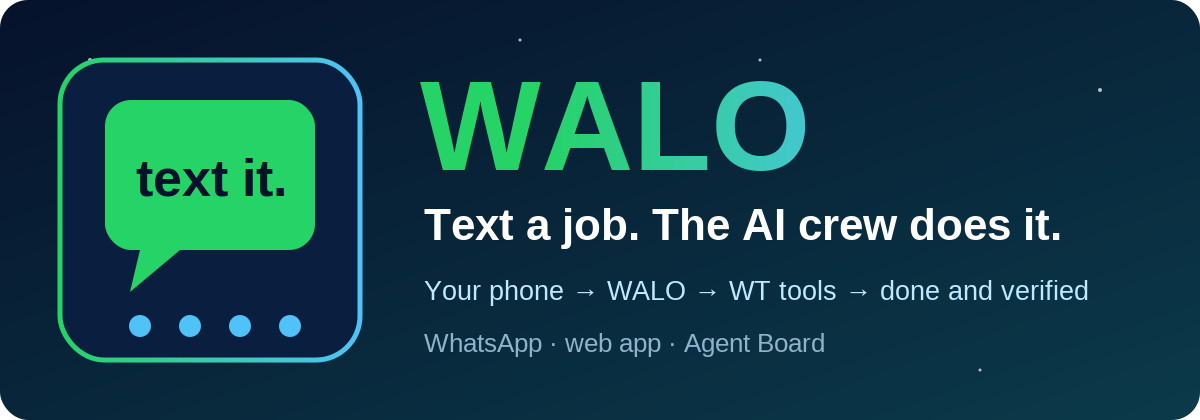
WALO banner: you text a job, the AI crew does it, and WT is the toolbox behind it.





Buttons: open WALO, sign up, pick your AI, connect WT, and see the Agent Board.
WALO is your AI crew on your phone.
Text a job. The crew does it, checks it, and texts you back.
WT is the toolbox. WALO is the phone. Together: one text, a live and verified result.
In plain English: WALO is an assistant you text, like a friend who knows your tools. You send a short message ("fix the footer on my site") on WhatsApp or in the WALO app. WALO passes the job to the right AI helper, the helper does it through WT's guarded tools, and you get the result back on your phone with a check that it is really live. Anything that changes your account waits for your yes first.
WALO + WT: which do you need?
- WALO alone — your AI assistant in the WALO app and WhatsApp: chat, pictures, books (QuickBooks), SEO checks, food log, your own AI. No WT needed.
- WT alone — Cloudflare + site tools inside an AI app or a terminal (MCP). Works great there, but not from a phone by itself: the phone part is WALO.
- Together — phone → WALO → WT tools → the whole AI crew. Text a job, get it done and verified, see it on the Agent Board.
Set up in a minute — no download (do it now or any time later):
- Sign up for WALO — email or Google, one tap. The WALO app is a web app: open it on your phone and Add to Home Screen.
- Pick your AI (optional) — use WALO's free brain, or paste your own Grok / ChatGPT / Claude / Gemini key. WALO tests it before saving.
- Connect WT (optional) — sign in with your own Cloudflare account (OAuth, one tap). Your keys stay yours; WT never shows them to any AI.
- WhatsApp: early access while Meta finishes verifying WALO's number — link your number and you'll be in as soon as it opens. Until then, everything works in the WALO app.
Use it from wherever you are:
-
📱 Phone only — no PC, no terminal. Text WALO on WhatsApp (or use the WALO app). Jobs run on cloud runners; results come back to your phone and email.
-
💻 Terminal, if you like. Claude Code, Codex CLI and other MCP clients connect to the same WT hub with one config entry.
-
🤖 Your AI app. Grok, Grok Bot, ChatGPT or Claude apps that support custom MCP connectors can use WT directly, then hand longer jobs to the crew.
-
🔐 Yours, not ours. Each user connects their own Cloudflare account, their own AI subscriptions and their own chat. Your agents read your context only; no one else's keys, chats or notes are shared.
-
One agent or the whole crew. Text
codex fix the footer,gemini research X, oreveryone: draft a landing idea. Leave some out:team but claude and gemini: …. Every agent texts when it starts (with a time estimate) and when it's done or blocked. -
Vote and a director. Add
voteand the agents score each other's work; then a director agent picks the best (or merges the best parts) and lands it through WT with live verification. -
Answer in one word. Agents end with numbered next steps. Reply
yes,1,1 and 3, or2 but make it blue.stop,pauseandcontinueact on your last job; a plain follow-up within minutes goes to the same agent. -
Nothing hangs silently. A job that never starts or runs too long triggers a notice, and one reply hands it to another agent. Checked when activity happens, not by a constant cron.
-
See every brain.
brainsshows which AIs are on, which are out of credit and why, and what each did last. -
Bring outside agents in through MCP. Any MCP client (for example Grok Bot app bots or an AI on your PC) can check in with a one-time code, take jobs from the shared board on its own schedule, hand work to another bot, and report results back to your phone.
Honest limits: each AI runs on its own account and usage; when one is out (credit or free daily limit), WALO says so and another agent takes the job. Some app-hosted bots expose no outside API, so they only act when they check the board. Jobs that need a specific PC (local models, Unreal) need that PC on.
Latest update - v0.14.1: run it from WhatsApp through WALO: text a job, a cloud agent (Claude, ChatGPT/Codex, Grok or Gemini) picks it up through WT and texts back the checked result, with your PC off. When an agent says it published something, the runner checks the link is really live and tells you (✅ or ⚠️, and a failed claim is handed to another agent to fix). The hosted hub now has 51 built-in tools, 120 with the linked services: Pages deploy, patch and rollback, Workers deploy, GitHub branches and pull requests, D1 databases and the shared agent board.
Earlier - v0.5.3: the owner-supplied WT Connected OAuth setup UI is now the only success-page renderer. Every release runs it in Chromium under the production security policy and verifies the WT/AMH identity, all four copy controls, phone layout, images, and legacy-link removal. See the latest release.
AMH WT scans Cloudflare configuration, computes a diff of desired vs current DNS / Email Routing / BIMI / DMARC / SPF / Pages / cache / Turnstile setup, and applies fixes only after explicit approval. It is built for people who want an AI agent to help with Cloudflare safely: scan first, show the plan, then write only when the owner approves.
6 ways to run it (hosted hub 0.15.0 · download 0.5.3):
- CLI: download the code from GitHub, then run the WT command line (
cfops) on your computer with a limited Cloudflare token. - WhatsApp via WALO: text the job from your phone. Cloud agents (Claude, ChatGPT/Codex, Grok, Gemini) do it through WT and text back the checked result, so no PC or terminal is needed. Grok Bot app bots and PC agents (ChatGPT's Codex, Claude Code) join the same crew.
- Library: use the zero-dependency engine from GitHub inside your own app.
- Your AI app (MCP): add WT as a custom connector in Grok, Claude, ChatGPT or any MCP app (get your key), then say "list my sites". Your Cloudflare token stays yours and is never shared.
- Self-hosted MCP Worker: run your own copy on your Cloudflare account with Wrangler. The self-host version (0.5.3) covers the core DNS, email, cache and Turnstile tools; the newest tools run only on the hosted service for now. Set your own domain and storage first (see SETUP.md).
- Private Agent Harness: add the optional private helper (version 0.1.4) next to your own copy, behind the MCP Worker's
AGENT_HARNESSservice binding. It runs small jobs, site checks, schedules and an action log, with a sign-in-protected console (console.artificialmindhive.com/console). Set your own domain in its settings first.
For repository-connected deployments, see GIT-INTEGRATION.md. The recommended route uses Cloudflare Workers Builds' GitHub App authorization; the MCP does not store a GitHub token.
Machine discovery is available at robots.txt, sitemap.xml, llms.txt, and walrus-tusk.md. These describe the public landing and documentation; authenticated MCP and OAuth callback routes remain excluded from crawling.
AMH WT is especially useful for Cloudflare operators who need repeatable DNS hygiene across many zones: SPF cleanup, DMARC enforcement, BIMI records, MX checks, DKIM discovery, Cloudflare Email Routing, TXT verification records, safe DNS upserts, and audit logs for every approved write.
Unofficial Cloudflare tool. AMH WT is made by AMH - Artificial Mind Hive, operated by Service Pricer LLC. It is independent, third-party, open-source software. It is not affiliated with, endorsed by, sponsored by, or made by Cloudflare, Inc. "Cloudflare" and "Wrangler" are referenced only to describe compatibility with Cloudflare's platform and official developer tooling. You are responsible for every DNS, Email Routing, DMARC, BIMI, SPF, or Worker change you approve and apply.
No owner's API key in Git or in your client. Public users authorize Cloudflare directly. OAuth access and refresh tokens stay server-side in KV; the connector key is stored only as a SHA-256 hash and is bound to one OAuth grant.
From your phone to a live site
Created by Austin Little / Artificial Mind Hive. Start in a connected AI app, or use WALO and its configured WhatsApp route. Shared jobs, handoffs and results are visible on the WALO Agent Board.
 Grok
Claude
ChatGPT / Codex
WALO and the AI apps it can hand work to. Names show compatibility, not endorsement.
- AI app: configured MCP client → WT Ops → authorized Cloudflare change → live verification.
- WhatsApp: configured WALO connection → named agent task → WT Ops → result and task log.
- Git is optional for a direct Pages patch. It can separately preserve source or wake a runner; direct publishing does not automatically commit source.
- PC off: cloud-hosted jobs can run remotely. A local model, local CLI or local Blender job needs its host running.
The owner’s recorded handoff test published this page through Grok and Codex, with Claude checks. Client support and account permissions vary; this is not a promise that every AI app supports every tool. Direct MCP calls do not automatically become WALO chat entries. Provider names identify compatibility/contributors, not endorsement. Grok and Groq are separate.
Examples: change a heading and verify it live; fix code with a bounded review; generate an asset with an available image tool and publish it; add a sourced research note to Prime Hunt. Read the phone workflow details, Superposition, and AMH Academy.
What AMH WT handles
AMH WT is focused on the Cloudflare tasks that regularly break launches, email trust, bot checks, cache freshness, brand display, and AI-agent workflows:
- DNS record scan, lookup, create, update, no-op detection, and guarded delete.
- SPF detection and planning so you do not accidentally create multiple SPF records.
- DMARC parsing and policy updates that only change the fields you asked for.
- BIMI TXT setup with a DMARC enforcement gate.
- DKIM discovery so the report can tell whether sender keys exist.
- MX and Cloudflare Email Routing checks.
- Email Routing destination/rule setup with verified-destination protection.
- Audit logs for applied changes.
- Cloudflare Pages DNS cutovers and cache purge operations.
- Turnstile widget planning/creation for bot checks.
- MCP endpoint deployment on Cloudflare Workers with Wrangler secrets.
- AI-agent safety defaults: dry-run first, diff display, no token in tool args, no accidental deletes.
This is not meant to replace every Cloudflare feature. It is the narrow, safe lane for common Cloudflare ops an operator or AI agent should be allowed to do.
Examples are operator recipes
The examples below are intentionally direct. They are not toy examples. They show the exact dry-run -> review -> apply pattern users should follow when fixing real domains.
Cloudflare Pages DNS cutover
Use this when an old registrar, parking page, Vercel app, HugeDomains page, or stale A/AAAA records are blocking a Cloudflare Pages custom domain.
Dry-run first:
cfops pages example.com --target project.pages.dev
Apply only after reviewing the delete/create plan:
cfops pages example.com --target project.pages.dev --apply
What it changes:
- Deletes conflicting apex A/AAAA/CNAME records.
- Deletes conflicting www A/AAAA/CNAME records and www NS delegations.
- Adds proxied CNAME records for apex and www pointing at the Pages target.
- Leaves TXT, MX, SPF, DKIM, DMARC, BIMI, and other delegated subdomains alone.
- Leaves wildcard records alone unless you explicitly add
--wildcard.
Options:
--no-wwwonly cuts over the apex domain.--wildcardalso removes conflicting*.example.comA/AAAA/CNAME records.
Do you need Wrangler?
Not to use the hosted hub. The hub at mcp.artificialmindhive.com talks to Cloudflare's own API directly, from the cloud: pages_patch changes only the files you name on top of the live site (dry run first, then a health check, and an automatic rollback if the check fails), pages_deploy ships a whole built site, and worker_deploy puts up new Cloudflare Workers. No Wrangler, no PC, and Git is optional.
Wrangler is Cloudflare's official developer CLI, and it is the right tool when you run your own copy: it deploys the Worker, stores secrets, tails logs, and manages Cloudflare bindings from the same toolchain Cloudflare documents.
Use Wrangler when you want:
- a hosted MCP endpoint for agents and teammates;
- server-side OAuth client secrets and optional private admin fallback secrets;
- Cloudflare Pages/Workers deployment checks;
- observability through Cloudflare logs;
- a repeatable production setup instead of local-only scripts.
Use the plain CLI when you only need one local terminal to scan or fix a zone.
Current release notes
|
Agent-safe Cloudflare writes AMH WT keeps the write path narrow: scan the target, show the diff, wait for explicit approval, then apply only the requested DNS, DMARC, BIMI, SPF, Email Routing, Pages, cache, or Turnstile change. |
|
Per-user OAuth isolation Public users connect their own Cloudflare account and receive an opaque |
|
Email trust diagnostics The scanner reports SPF, DKIM discovery, DMARC policy, BIMI readiness, MX records, and Cloudflare Email Routing status so an agent or operator can see what is missing before touching production DNS. |
|
Other highlights
|
Safety model (the whole point)
- Dry-run by default. Every mutating function takes an options object and
only writes when
{ apply: true }is passed. The CLI is dry-run unless you add--apply. A dry-run returns the planned change plus a before/after diff and writes nothing. - Scan before write. Apply paths re-fetch current state and return a before/after diff, so you always see exactly what will change.
- Never delete as a side effect. Deleting a DNS record requires an explicit
deleteDnsRecord(..., { confirm: true })call (CLI:--force). Anapplynever deletes anything. - Token hygiene. The Cloudflare API token is read only from
process.env.CLOUDFLARE_API_TOKEN. It is never logged, never written to the audit log, and never included in thrown error messages - any token-looking substring is redacted defensively. - Scoped token only. Use a least-privilege scoped API token. Do not use the Global API Key.
- BIMI precondition.
setupBimifirst checks the domain's DMARC policy. Ifpis missing ornone, it refuses to write in apply mode (BIMI is not honored below enforcement) unless you pass{ force: true }. In dry-run it warns. - Audit log. Every apply appends one JSON line to an audit log
(default
./cloudflare-ops-mcp-audit.log) with{ ts, action, domain, record, before, after }- never the token.
Quick setup
For the fastest path, start with SETUP.md. It explains the CLI path, the Wrangler-hosted MCP path, and how users provide their own Cloudflare credentials safely. See PHASES.md for the rollout model, OAUTH.md for hosted Cloudflare OAuth, and ROADMAP.md for the next upgrades.
How a user actually uses it
- Visit Get your key (one tap; or go straight to Connect Cloudflare).
- Approve the Cloudflare permissions shown on the consent screen.
- Copy the one-time MCP configuration into Claude, Codex, Cursor, or another Streamable HTTP MCP client.
- Restart or reconnect the client. It calls MCP
initializeandtools/listautomatically—users do not need to memorize tool names. - Ask for the outcome in plain language.
Example prompts:
Scan example.com and explain the DNS and email-auth problems. Do not write anything.

Check DMARC, SPF, DKIM, BIMI, MX, and Cloudflare Email Routing.

Show me a dry-run to move example.com to project.pages.dev. Preserve email records.

Plan a cache purge for these three URLs. Do not apply it.

Apply exactly the change I just approved, then verify the live result.
The agent chooses the appropriate MCP tool from its schema. Read-only calls run immediately. Mutation tools return a dry-run diff unless the caller explicitly sends apply: true; users should approve only after reading that diff.
The live hub (v0.15.0, 60 tools) covers DNS, email authentication/routing, Pages cutover, cache purge, Turnstile, token operations and account diagnostics, and now also Pages deploy / rollback / patch, GitHub (read, commit, open and merge PRs), Worker deploy, D1 databases, the shared agent board, emailing the owner, and research agents — plus the AMH WT Agent Harness (agent/): a private companion Worker for bounded research, verification, UI checks, and zero-AI site-health watches. Fourteen native process folders under skills/ are selected automatically and recorded in each job packet, covering safe deploys, live verification, landing restore, mail verification, context handoff, security review, private MCP access, source research, NU publishing, operator context, error detection, and optional Claude review. One Durable Object per user keeps a tamper-evident audit chain, friendly reusable agent profiles, a Continuity Keeper briefing with automatic 4/7/30-day retention, daily model-call limits, schedules, and candidate revisions that never self-apply. The default Free profile uses JSON-mode-compatible @cf/meta/llama-3.1-8b-instruct-fast in separate primary and verifier passes; @cf/moonshotai/kimi-k2.6 is an explicit Workers Paid or eligible prepaid-credit profile. The authenticated AMH console and optional local dashboard show live handoffs, names, skills, limits, alerts, and exact recorded model calls without spending another inference. Official Cloudflare API, Workers Builds, Bindings, Observability, and Docs MCP connectors use each operator's own OAuth grant. See AGENT-HARNESS.md, CLOUDFLARE-MCP.md, MAIL-LANDING-GUIDE.md, and RELEASE-GATE.md.
Case sample: land it, prove it, remember the right part
Request: “Deploy my Worker, make sure the nav does not 404 on phone, and verify the confirmation email really comes back.”
- The coordinator attaches
cfops-safe-deploy,cfops-live-verify,cfops-email-loopback, andcfops-context-handoffto the bounded work instead of creating permanent extra agents. - SafeTry runs tests, a Wrangler dry-run, a Git checkpoint, and an exact public version-marker gate. A successful upload alone is not accepted.
- Live verification checks the changed route, redirect policy, expected text, and phone interaction. A 200 response serving the wrong app fails.
- Mail verification sends a one-use challenge through the production sender, public MX, Cloudflare Email Routing, and the inbound Worker. It records confirmed, expired, or failed without exposing the message credential.
- The handoff keeps the release commit, deployment receipt, verified facts, and next safe action; stale chatter expires. If the same correction recurs, the agent files a revision against the responsible skill for review and testing.
For current research, cfops-google-research opens and traces primary sources instead of trusting snippets. Hard claims may also use cfops-claude-verifier as an independent second opinion when the operator has configured that provider; the user's key is never included in the repository.
Install
git clone https://github.com/pain2hustle/AMH-Cloudflare-Ops-MCP-by-WT
cd AMH-Cloudflare-Ops-MCP-by-WT
npm link        # adds the cfops command (not published on npm yet)
cfops scan example.com
Requires Node.js >= 18 (for the built-in global fetch). No other
dependencies.
Create a scoped Cloudflare API token (least privilege)
- Cloudflare dashboard -> My Profile -> API Tokens -> Create Token.
- Choose Create Custom Token.
- Under Permissions, add exactly these three:
- Zone -> Zone -> Read
- Zone -> DNS -> Edit
- Zone -> Email Routing Rules -> Edit
- Under Zone Resources, select Include -> Specific zone -> your domain (not "All zones").
- (Recommended) set a TTL and/or Client IP Address Filtering.
- Continue -> Create Token, then copy the token value once (it is shown only at creation; if lost, roll it).
Do not use the Global API Key - it has access to everything, cannot be scoped or time-limited, and there is only one per account.
Provide the token
Put it in your environment (never in a CLI argument or in code):
export CLOUDFLARE_API_TOKEN="your-scoped-token"
or copy .env.example to .env and fill it in:
cp .env.example .env
# then load it however you prefer (e.g. `set -a; . ./.env; set +a`)
cloudflare-ops-mcp reads CLOUDFLARE_API_TOKEN from the environment only.
Hosted OAuth connector — users never receive the owner's API token
For the public hosted service:
- Open https://mcp.artificialmindhive.com/oauth/cloudflare/start.
- Approve only the Cloudflare scopes shown on Cloudflare's consent screen.
- Copy the one-time
cfops_connector key from the success page. - Put that connector key in your MCP client's
Authorizationheader.
The connector key is not a Cloudflare API token. Its SHA-256 hash maps to one server-side OAuth connection, so it cannot select another user's grant. Cloudflare access and refresh tokens never enter Git, chat, an issue, or the MCP tool arguments.
Claude Desktop or Cursor-style configuration:
{
  "mcpServers": {
    "cloudflareOps": {
      "url": "https://mcp.artificialmindhive.com/mcp",
      "headers": {
        "Authorization": "Bearer cfops_YOUR_CONNECTOR_KEY"
      }
    }
  }
}
Codex CLI:
codex mcp add cloudflare-ops --url https://mcp.artificialmindhive.com/mcp \
  --bearer-token-env-var CFOPS_CONNECTOR_KEY
Then set CFOPS_CONNECTOR_KEY in your own environment. Do not commit it. See OAUTH.md for status, revocation, refresh behavior, and self-hosting.
Public-use credential model
AMH WT does not ship with an API key, shared account, hosted proxy token, or any hidden credentials. Every operator must bring one of these:
- a scoped Cloudflare API token in their own environment for local CLI/library use;
- a scoped Cloudflare API token stored as their own Worker secret for self-hosted MCP use;
- a per-user Cloudflare OAuth connection stored server-side by the Worker for hosted MCP use;
- an OAuth/token-vault integration built by their own host app, with approval gates before writes.
Do not ask users to send tokens through chat, issues, logs, or screenshots. If a token is exposed, rotate it in Cloudflare and create a new scoped token.
The token vending machine (mint down, never up)
Wrangler consumes tokens. The official Cloudflare MCP consumes tokens. Nothing in the toolchain manufactures least-privilege tokens on demand — so everyone ends up doing agent work with one big long-lived key. This is the gap mint_scoped_token closes:
- You hold one bootstrap token (needs
User > API Tokens > Edit). It stays a Worker secret or env var — it never travels through a chat or an agent transcript. - An agent asks for a task token:
mint_scoped_token { domain: "example.com", preset: "dns-zone", ttl_seconds: 3600 }. Dry-run first, like every mutating tool here — you see the exact policy JSON before anything is created. - The minted token is confined to ONE zone, with preset permissions, and auto-expires (default 1 hour, hard-capped at 24 h unless
confirm_long=true). Presets:zone-read,dns-zone,cache-purge. There is deliberately no super or account-wide preset — mint down, never up. - Hand it to whatever does the work — a cheaper model, a cron job, even Wrangler itself (
CLOUDFLARE_API_TOKEN=<minted> wrangler ...). When it leaks or lingers, it's a key to one zone's DNS that dies within the hour. list_tokensshows what's outstanding (never values),revoke_tokenkills one early.
Orchestrator + cheap-agent pattern
This is the flow the vending machine is built for: a strong orchestrator model plans, a cheap model executes.
- The orchestrator (Claude, or your pick) decides what needs doing and calls
mint_scoped_tokenfor exactly that scope. - A cheap tool-calling model (Kimi K2, Groq-hosted Llama, anything OpenAI-compatible) gets the minted token + the MCP endpoint and grinds the routine work — DNS fixes, DMARC rollouts, cache busts — through the same dry-run-gated tools.
- Every mutating call still requires
apply: true, so the cheap agent's mistakes surface as diffs, not damage.
MCP is model-agnostic by design: any MCP client can point at the hosted Worker endpoint, and any tool-calling LLM can drive that client.
Doctor tools (the questions Cloudflare makes you assemble by hand)
Read-only diagnostics for the failure modes that actually burn multi-account operators:
who_serves_domain— domain → zone → Worker routes, Worker custom domains, and Pages projects that claim it, with a warning when several products fight over one hostname. Answers "what is ACTUALLY serving this URL?" without four dashboard tabs.account_doctor— which accounts this token can see, whether the account you meant is among them (wrong-token detection), and same-name Pages projects across accounts — the decoy that lets a deploy "succeed" into the wrong account while production never changes.pages_branch_check— the project's production branch vs the branch you're about to deploy. Catches the silent "git saysmaster, project saysmain, every deploy lands on a preview" failure before it eats an afternoon.
CLI usage
cfops <command> <domain> [options]
| Command | What it does |
|---|---|
scan <domain> | Full read-only snapshot: DNS, SPF, DKIM, DMARC, BIMI, Email Routing. |
plan <domain> [--inbox x@y] | Report desired vs current email-auth posture (no writes). |
dns <domain> --type T --name N --content C [--ttl n] [--proxied] [--record-id id] [--apply] | Upsert a DNS record (create / update / no-op). If several records share the name it refuses and asks for --record-id, so nothing gets overwritten. |
email <domain> --forward a@b=to@c [--forward ...] [--catch-all to@c] [--apply] | Plan/apply Email Routing forward rules + catch-all. |
dmarc <domain> --policy quarantine [--rua mailto:x] [--pct 25] [--apply] | Change only the DMARC p= (and rua/pct), safely. |
bimi <domain> --logo <url> [--vmc <url>] [--apply] [--force] | Set default._bimi TXT (refuses if DMARC=none unless --force). |
purge <domain> [--everything] [--url <abs-url> ...] [--apply] | Purge the Cloudflare cache: the whole zone (default) or specific URLs. Needs Zone > Cache Purge. |
pages <domain> --target <project.pages.dev> [--no-www] [--wildcard] [--apply] | Point the domain at Cloudflare Pages: removes conflicting apex/www records and adds proxied CNAMEs. |
turnstile <domain> [--name N] [--mode managed|non-interactive|invisible] [--also d2 ...] [--apply] | Create a Turnstile bot-check widget; prints the public sitekey and the secret (once). Needs Account > Turnstile (Edit). |
verify <domain> | Verify the API token, then resolve the zone. |
Global flags: --apply (perform the write; default is dry-run), --force
(BIMI DMARC override / delete), --audit <path> (audit log location),
-h/--help.
Token: set CLOUDFLARE_API_TOKEN to a scoped token with Zone (Read) + DNS (Edit) + Email Routing Rules (Edit), plus Cache Purge or Turnstile only if you use those commands. Never use the Global API Key.
Everything is a dry-run until you add --apply. BIMI needs a hosted
SVG Tiny-PS logo URL that you supply via --logo (and, for Gmail/Apple Mail
display, a VMC/CMC via --vmc).
Worked example - three real jobs
Assume a scoped token is exported and each domain is a zone in your account.
(a) Add default._bimi TXT to example.com
First, dry-run (writes nothing - shows the diff):
cfops bimi example.com --logo https://example.com/bimi/logo.svg
BIMI for example.com (DMARC p=quarantine, enforcing=true):
  new record: v=BIMI1; l=https://example.com/bimi/logo.svg
  action: create (dry-run)
  record: TXT default._bimi.example.com
  - before: (record does not exist)
  + after:  content="v=BIMI1; l=https://example.com/bimi/logo.svg" ttl=1
  warn: No VMC/CMC supplied (a=). Gmail and Apple Mail require a VMC/CMC to display the logo; Yahoo/AOL do not.

Dry-run only. Re-run with --apply to write this change.
Then apply:
cfops bimi example.com --logo https://example.com/bimi/logo.svg --apply
If
example.com's DMARC were still atp=none, the apply would be blocked with an error telling you to raise DMARC first (or pass--force). Fix DMARC, then set BIMI.
(b) Add default._bimi TXT to example.org
Dry-run:
cfops bimi example.org --logo https://example.org/bimi/logo.svg
Apply once the diff looks right:
cfops bimi example.org --logo https://example.org/bimi/logo.svg --apply
(For broad display in Gmail/Apple Mail, host a VMC/CMC and add
--vmc https://example.org/bimi/vmc.pem.)
(c) Change _dmarc.example.org from p=none to p=quarantine
Dry-run first - note it changes only p, preserving your existing rua:
cfops dmarc example.org --policy quarantine --rua mailto:dmarc@example.org --pct 25
DMARC none -> quarantine for example.org:
  new record: v=DMARC1; p=quarantine; rua=mailto:dmarc@example.org; pct=25
  action: update (dry-run)
  record: TXT _dmarc.example.org
  - before: content="\"v=DMARC1; p=none; rua=mailto:dmarc@example.org\"" ttl=1
  + after:  content="\"v=DMARC1; p=quarantine; rua=mailto:dmarc@example.org; pct=25\"" ttl=1
  changed fields: content

Dry-run only. Re-run with --apply to write this change.
Then apply:
cfops dmarc example.org --policy quarantine --rua mailto:dmarc@example.org --pct 25 --apply
Ramp safely. Only flip to
quarantineafterp=none+ruareports show all your legitimate mail is authenticating with alignment. Then widen--pct 25 -> 50 -> 100over a couple of weeks before ever consideringp=reject.pctis honored today but is being removed in the in-progress DMARCbis revision - treat it as current best practice, not forever.
Library usage (host apps)
cloudflare-ops-mcp exposes clean named exports so a host app can import and wrap it
(add your own auth, approval UI, or multi-tenant token vault) - but it has
no dependency on any host and runs perfectly standalone.
import {
  CloudflareClient,
  scanZone,
  applyDnsRecord,
  setDmarcPolicy,
  setupBimi,
  setupEmailRouting,
  planEmailAuth,
  appendAudit,
} from "cloudflare-ops-mcp";

const client = new CloudflareClient(); // reads CLOUDFLARE_API_TOKEN from env
// (you may also inject { token, fetch } - useful for tests)

// Read-only snapshot:
const snapshot = await scanZone(client, "example.com");

// Plan a DMARC flip (dry-run - writes nothing):
const plan = await setDmarcPolicy(client, "example.com", "quarantine", {
  rua: "mailto:dmarc@example.com",
  pct: 25,
});

// Apply it, then record the change yourself (you supply the timestamp):
const applied = await setDmarcPolicy(
  client,
  "example.com",
  "quarantine",
  { rua: "mailto:dmarc@example.com", pct: 25 },
  { apply: true }
);
appendAudit("./cloudflare-ops-mcp-audit.log", {
  ts: new Date().toISOString(),
  action: "dmarc.policy",
  domain: "example.com",
  record: applied.record,
  before: applied.before,
  after: applied.after,
});
Every mutating export is dry-run unless you pass { apply: true }, and pure
logic never calls Date.now() - you (or the CLI) supply audit timestamps.
Public exports
CloudflareClient,CloudflareError,redactTokenresolveZoneId,resolveZone,scanZonelistRecords,findRecord,applyDnsRecord,deleteDnsRecordgetRoutingStatus,enableRouting,listDestinations,addDestination,listRules,getCatchAll,setupEmailRoutingparseDmarc,buildDmarc,parseSpf,getDmarc,setDmarcPolicy,quoteTxt,unquoteTxtparseBimi,buildBimi,validateBimiSvgUrl,setupBimiplanEmailAuthappendAudit,AUDIT_DEFAULT_PATH
Embedding in a platform
cloudflare-ops-mcp is a generic, open tool. A larger platform can import it to
automate zone hygiene for its users (wrapping it with per-account tokens and an
approval step), but it is completely standalone - the library and CLI run on
their own with nothing but a scoped Cloudflare token.
Remote MCP server for Cloudflare DNS agents
worker/ is an optional Model Context Protocol
server (a Cloudflare Worker) that exposes the same engine as tools over a URL, so
any MCP client - an agent, Claude, Cursor - can scan_zone, plan_email_auth,
set_dmarc_policy, setup_bimi, etc. by pointing at it.
Four deliberate hardening choices:
- Every public user has an isolated OAuth connection. The browser callback generates a random connector ID and a random
cfops_key. Only the key hash is stored. - The Cloudflare token is server-side, never a tool parameter. It does not travel through MCP tool arguments, Git history, or an agent transcript.
- Authorization fails closed. Unknown, missing, revoked, or cross-user connector keys receive
401. Only the private owner admin key can use the optional fallback token. - Every mutating tool is dry-run by default. The caller must pass
apply: trueafter seeing the diff. BIMI keeps its DMARC precondition.
cd worker
npx wrangler secret put CLOUDFLARE_OAUTH_CLIENT_ID
npx wrangler secret put CLOUDFLARE_OAUTH_CLIENT_SECRET
npx wrangler secret put CLOUDFLARE_OAUTH_REDIRECT_URI
npx wrangler deploy
Users visit /oauth/cloudflare/start, complete Cloudflare consent, and copy the one-time connector configuration. The MCP endpoint is /mcp. Private self-hosters may additionally set MCP_ACCESS_KEY and CLOUDFLARE_API_TOKEN as an owner-only fallback; never distribute that admin key.
The core library has zero dependencies; the Worker is an optional surface - you never need it to use the CLI.
Development
npm test # node --test (mock fetch, no live network calls)
Maker
Made by -/-\ M H // WT — AMH, Artificial Mind Hive, operated by Service Pricer LLC.
Contact / company
- Artificial Mind Hive: artificialmindhive.com
- Walrus Tusk (WT): artificialmindhive.com/WalrusTooth · FAQ · Docs
- Company: Service Pricer LLC — servicepricer.app
- GitHub: https://github.com/pain2hustle/cloudflare-ops-mcp
- AMH on GitHub: @pain2hustle
- Project policies: Privacy · Terms · Security · MIT License
License
MIT (c) 2026 Service Pricer LLC — AMH, Artificial Mind Hive. Authored and maintained by Austin ("Pain2HuStle").
AMH current endeavor: WT
WT is AMH's current operator-safety effort: a guarded agent middle layer connecting Cloudflare Agents, MCP, and Wrangler. The goal is to let capable orchestrators and correctly labeled free or paid tool-calling agents inspect, plan, request approval, deploy, verify, and recover—without handing them raw Cloudflare tokens or letting stale agents overwrite newer work.
Watch for the stateful AMH Agent Coordinator, Cache Guardian, Change Guardian, Playwright phone/UI checks, and allowlisted Wrangler doctor, deployment, log, rollback, binding, and storage-health tools. The execution rule stays the same: check → diff → approve → apply → verify.
Stained-glass walrus with the motto "In Tusk We Trust".
The WT walrus logo.
-/\-\ M H // WT · YOUR CLOUDFLARE STAYS YOURS

The AMH (Artificial Mind Hive) wordmark; links to artificialmindhive.com.
     /\        |\    /|      |    |
    /--\       | \  / |      |----|
   /    \      |  \/  |      |    |

             A M H  //  W T