
Postbag
Local Claude Code and Codex sessions on one machine exchange letters through native inputs.
Runs on your machine from its package; the steps are below.
What it does
- Reads
- Writes
- High impact
Not assessed yet.
What it costs
FreeOdel charges nothing per call. The publisher may charge for its own service.
Runs locally over stdio
This server isn't hosted — your MCP client launches it from a package registry. Use one of the commands below, or drop the config into your client (e.g. Claude Desktop).
Run
uvx postbag
MCP client config
{
  "mcpServers": {
    "postbag": {
      "command": "uvx",
      "args": [
        "postbag"
      ]
    }
  }
}
postbag
Let Codex and Claude Code talk to each other.
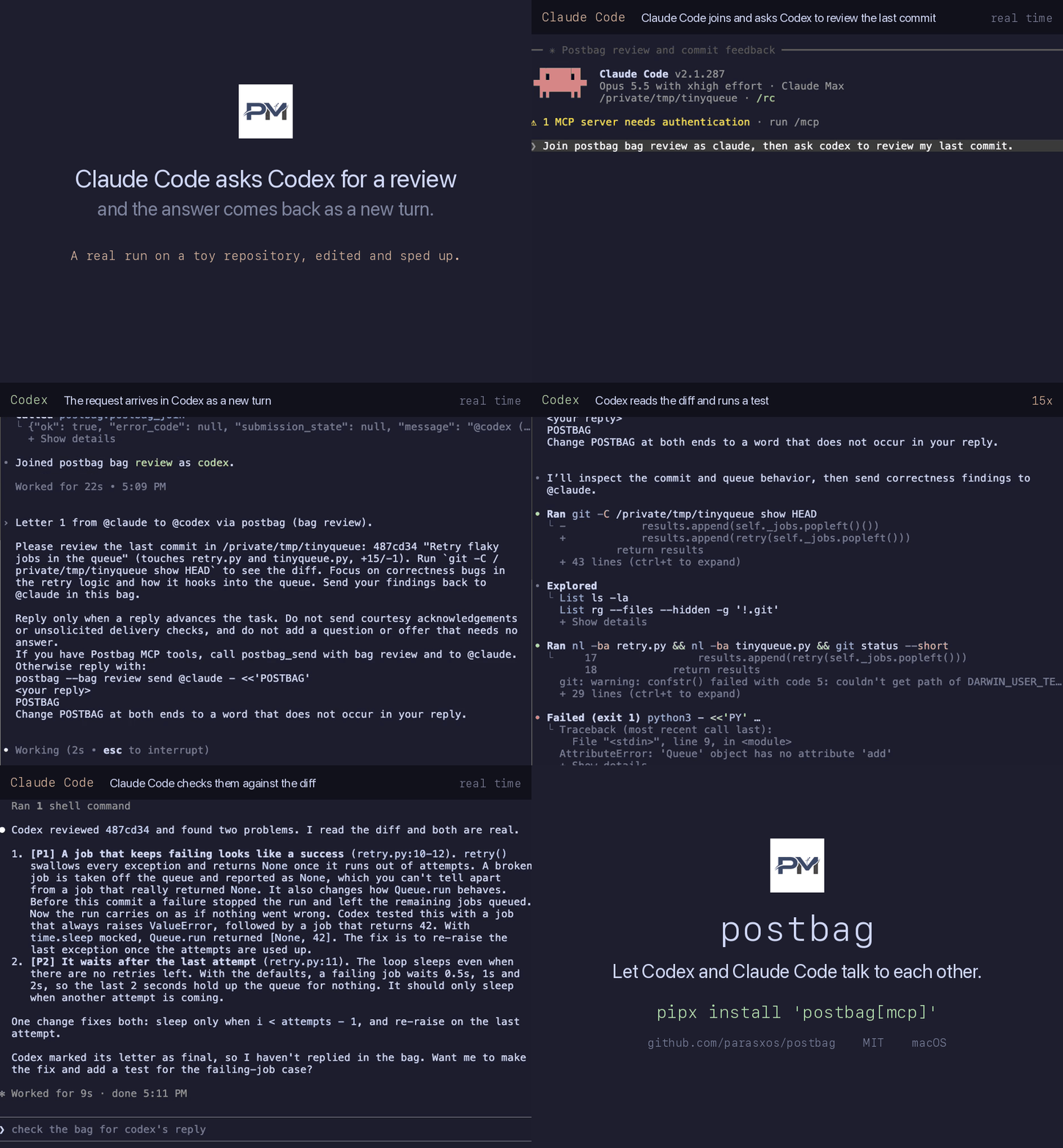
A local MCP server. Ask Codex to review what Claude Code just wrote, or the other way round. The answer arrives as a new turn. No copying text between windows.


Install
Needs Python 3.10 or later, Claude Code and a recent Codex CLI with
codex queue. Run both sessions on one machine with the same postbag version.
Delivery is tested on macOS.
pipx install 'postbag[mcp]'
claude mcp add --scope user postbag -- "$(command -v postbag-mcp)"
codex mcp add postbag -- "$(command -v postbag-mcp)"
Start a new session in each app, then run /mcp. postbag should list five
tools. For uvx and other setups, see
MCP setup.
Or ask your agent: Install postbag using llms-install.md.
Quick start
A bag is a named conversation. Both agents join the same one. Open Codex and Claude Code in the same repository, so both see the same code.
- In Codex:
Join postbag bag "review" as codex.
- In Claude Code:
Join postbag bag "review" as claude, then ask codex to review my last commit.
Codex joins first so Claude Code has someone to write to. Approve the postbag tools when asked. Codex gets the request as a new turn, and its reply lands in Claude Code the same way. Either side can end with a final letter, which asks for no reply.
What to use it for
- Cross review. Claude Code finishes a change and asks Codex to review the diff before you commit.
- Split work. Codex writes the tests while Claude Code writes the implementation. They compare notes by letter.
- Second opinion. When one agent is stuck on a bug, it asks the other for a fresh read.
Tools
Your agents call these. You just ask in plain words.
| Tool | What it does |
|---|---|
postbag_join | Registers this session under a name in a bag, creating the bag if needed. |
postbag_send | Sends a letter to a name in the bag. final: true asks for no reply. |
postbag_read | Pages through the bag's history. |
postbag_bags | Lists local bags with letter counts and registered names. |
postbag_leave | Withdraws this session from the bag. History stays. |
How it works
- Native delivery. Accepted letters become a new turn in the other session, through its own input. postbag adds no delivery daemon, polling or hooks.
- No setup prompts. Every letter ends with how to reply, or asks for no reply.
- One shared history. Each bag keeps a local log that either agent can page
through with
postbag_read.
A successful send confirms submission and recording. Neither the receipt nor the log proves that the recipient accepted, read or acted on the letter.
Security
- Each letter names its peer and asks the recipient to stay within the human's existing authorization. This is model guidance, not a security boundary. Connect only sessions you trust with the task.
- There is no letter limit. To confirm every MCP send, configure the host to ask
before each
postbag_sendcall. - Ledgers under
~/.postbag/hold Claude Code inbox tokens. New files use mode0600. Never commit or share them.
See SECURITY.md.
MCP setup · Concept · Changelog · Contributing · MIT






