Listed from the MCP registry; nobody on Odel publishes it.

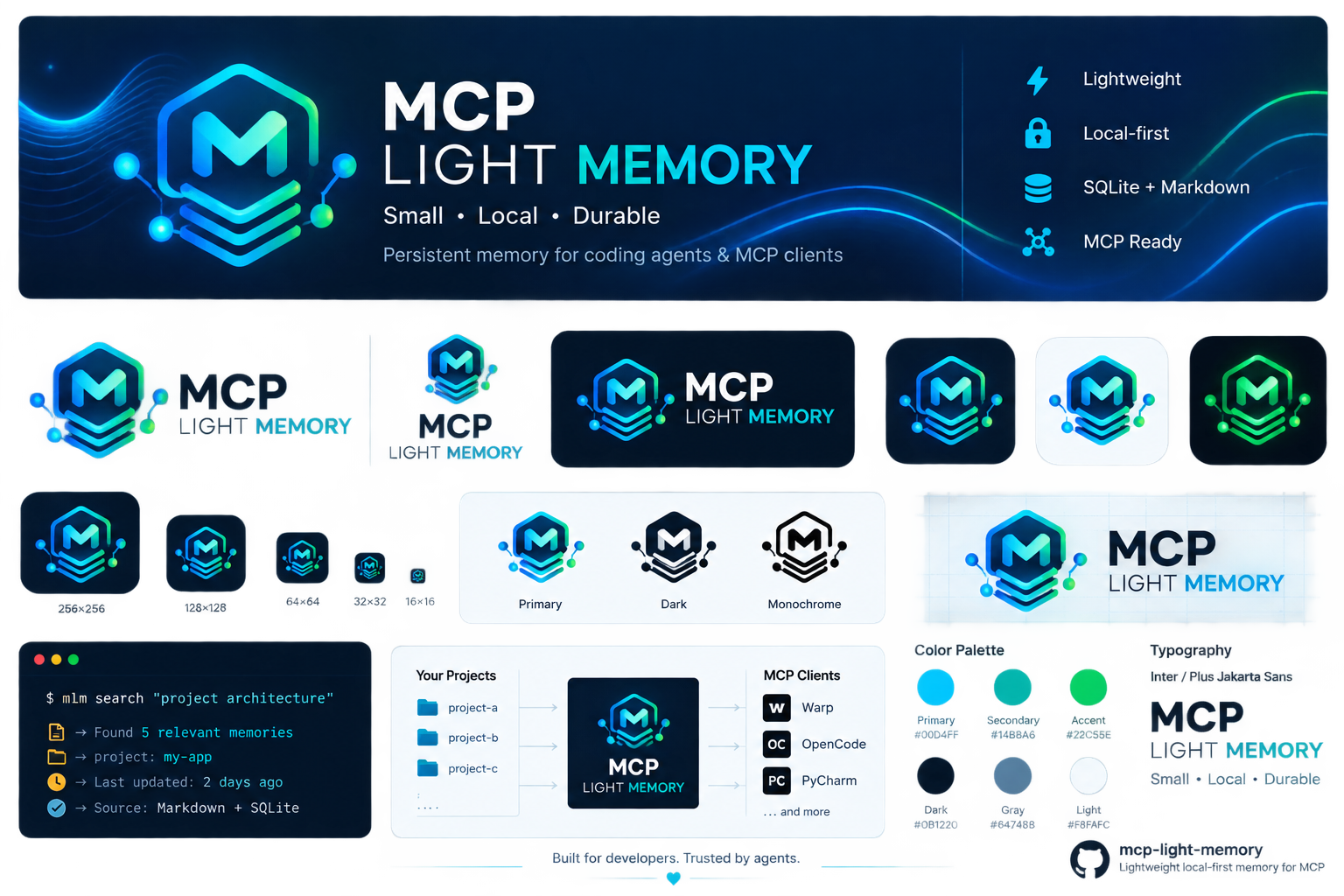
MCP Light Memory
Local-first persistent memory for coding agents and MCP clients.
Runs on your machine from its package; the steps are below.
What it does
- Reads
- Writes
- High impact
At most: creates or changes data: records, files, settings.
What it costs
FreeOdel charges nothing per call. The publisher may charge for its own service.
Runs locally over stdio
This server isn't hosted — your MCP client launches it from a package registry. Use one of the commands below, or drop the config into your client (e.g. Claude Desktop).
Distributed as an MCP bundle (`https://github.com/PeterPirog/mcp-light-memory/releases/download/v1.8.1/mcp-light-memory-1.8.1.mcpb`) — download it and import the bundle in your MCP client.

MCP Light Memory
Lightweight local-first persistent memory for coding agents and MCP clients.
formerly internal-rag




What is this?
MCP Light Memory is a lightweight, local-first, persistent memory system for coding agents and MCP clients (Warp, OpenCode, JetBrains AI Assistant / PyCharm, Claude Code, Cursor). It acts as a checkpoint + retrieval layer — it stores the minimum durable state needed to resume complex work across sessions, without keeping the full conversation in the model's context window.
When your agent starts a task, it calls context and gets back relevant past decisions, gotchas, constraints, and hypotheses — ranked, deduplicated, and trust-bounded. When it finishes, it checkpoints the working state. Next session, even after a restart, the memory is there.
Why use it?
| Problem | How MCP Light Memory solves it |
|---|---|
| Agents forget everything between sessions | Markdown files persist on disk; the agent retrieves them via BM25 + optional embeddings |
| Full session history is too large for context | Only relevant memories are retrieved (token-budgeted, MMR-diversified) |
| Cloud dependency / privacy concerns | 100% local, offline, zero network calls, no daemon |
| Heavy setup / dependencies | Zero required runtime deps (pure Python 3.8+ stdlib); optional sentence-transformers for better semantic retrieval |
| Prompt injection via stored memory | Every retrieved memory is explicitly trust: untrusted evidence with an injection-warning heuristic (ADR-015) |
| Multi-project isolation | Router with registry allowlist, write:false hard boundary, per-call subprocess isolation |
| MCP protocol drift | Dual-era support: modern 2026-07-28 + legacy 2024-11-05…2025-11-25 |
How it works (mechanisms)
- Markdown is the source of truth. Every memory is a
.mdfile with YAML frontmatter (id,type,status,tags,sources,links,valid_from,valid_to,supersedes). Human-readable, diffable, durable. - SQLite is a rebuildable cache. BM25/FTS5 index + optional embedding vectors + usage tracking. Delete it and everything rebuilds from Markdown.
- Retrieval: pure-Python BM25 + optional dense embeddings → RRF fusion → MMR diversification → policy boosts (type/status/temporal) → token-budget cut. Adaptive mode: sparse first, dense only if weak.
- Lifecycle:
remember→update→supersede(links both directions, never deletes history) →forget(archives, never deletes) →timeline(temporal view).search --at YYYY-MM-DDfor historical queries. - Trust boundary: retrieved content is wrapped in
=== BEGIN/END INTERNAL_RAG MEMORY ===with aSECURITY NOTICEheader. Structured JSON/MCP carriestrust: untrusted+ optionalsecurity_flags: ["instruction_like_content"]. - Evidence freshness: each result includes
evidence_state(present/missing/unverifiable) for local path-like evidence — derived at retrieval time, never persisted. - Multi-project router: one MCP stdio server in front of many projects via a JSON registry.
write:falseblocks mutating tools before spawning a child. Per-call subprocess isolation (no shared state).
Setup
Prerequisites
- Python 3.8+ (uses
pylauncher,python, orpython3— the installer auto-detects the real interpreter and rejects the WindowsApps stub) - Git (the target project must be a git repo)
- Optional:
pip install sentence-transformers numpyfor better semantic retrieval
The current version is defined by the VERSION file — check it (or run mlm.py --version) instead of hard-coding an expected number.
Quick start
Clone this repo once, then install into any project:
# Windows (PowerShell)
git clone https://github.com/PeterPirog/mcp-light-memory.git ~/mcp-light-memory
python ~/mcp-light-memory/install.py . --client warp
# Linux/macOS
git clone https://github.com/PeterPirog/mcp-light-memory.git ~/mcp-light-memory
python3 ~/mcp-light-memory/install.py . --client warp
The installer:
- copies skill files + creates
INTERNAL_RAG/+AGENTS.md - runs
init+checkpoint+validate(soguardisOKimmediately) - auto-registers the MCP server in the client config when it can do so safely (or reports
MANUAL_REQUIRED/ prints JetBrains instructions) - writes the absolute path to the verified Python interpreter (survives Windows PATH issues)
python .agents\skills\internal-rag\mlm.py --version   # reports the installed version
python .agents\skills\internal-rag\mlm.py status       # expect: INTERNAL_RAG ready
python .agents\skills\internal-rag\mlm.py guard        # expect: GUARD OK
Installation matrix
One installer, four clients, two config scopes. Full guide: docs/INSTALLATION.md.
| Client | Project scope | Global scope |
|---|---|---|
| Warp (config write automatic; project activation may require approval) | install.py . --client warp | install.py . --client warp --global |
| OpenCode stable (V1) (automatic for safe JSON config writes) | install.py . --client opencode | install.py . --client opencode --global |
| OpenCode 2 (V2, beta) (automatic for safe JSON config writes) | install.py . --client opencode2 | install.py . --client opencode2 --global |
| JetBrains AI / PyCharm (manual in IDE UI) | install.py . --client jetbrains | install.py . --client jetbrains --global |
--globalchanges the scope of the CLIENT CONFIG (~/.warp/.mcp.jsonvs{repo}/.warp/.mcp.json,~/.config/opencode/opencode.jsonvs projectopencode.json). The server still points at the target project you installed into.- Need one global MCP endpoint for many repositories? Use the multi-project router — docs/MCP-MULTI-PROJECT.md.
- JetBrains/PyCharm is assisted, not fully automatic: the installer prepares the JSON + Working Directory; you add the server in Settings → Tools → AI Assistant → MCP and choose Server level = Project or Global.
- Manual setup (no installer) per client: docs/INSTALLATION.md + client pages (Warp · OpenCode).
Zero-shot: copy-paste prompts for Warp and OpenCode
You can paste one of these directly into the client agent. Replace C:\Projects\App with the real target repository path.
Warp — install for one project:
Install and configure MCP Light Memory (mcp-light-memory) as an MCP server for project C:\Projects\App in Warp, using project scope. Use the repository https://github.com/PeterPirog/mcp-light-memory. If the tool is not cloned yet, clone it to a stable location outside the project; if it already exists, update it with git pull --ff-only. Apply the canonical installation contract from the repository and run install.py with TARGET_PROJECT=C:\Projects\App and --client warp without --global. Do not force-overwrite an existing configuration. After installation, verify from cwd=C:\Projects\App: mlm.py --version, mlm.py status, and mlm.py guard, and confirm that the Warp configuration contains mcp-light-memory and the C:\Projects\App path. Report success only after MCP REGISTRATION: REGISTERED and successful verification. If Warp requires an additional project activation/toggle/approval, state the exact client-side step and do not claim the server is active before it is completed.
Warp — global client config for one project:
Install and configure MCP Light Memory (mcp-light-memory) in Warp globally for project C:\Projects\App. Use the repository https://github.com/PeterPirog/mcp-light-memory. If the tool is not cloned yet, clone it to a stable location outside the project; if it already exists, run git pull --ff-only. Apply the canonical installation contract and run install.py with TARGET_PROJECT=C:\Projects\App, --client warp, and --global. Remember: --global means the global Warp client configuration, while the server must still be bound to C:\Projects\App; do not use the multi-project router. After installation, verify from cwd=C:\Projects\App: mlm.py --version, mlm.py status, and mlm.py guard, and confirm that the global Warp configuration contains mcp-light-memory and the C:\Projects\App path. Report success only after MCP REGISTRATION: REGISTERED and successful verification.
OpenCode — install for one project (stable/V1):
Install and configure MCP Light Memory (mcp-light-memory) as an MCP server for project C:\Projects\App in OpenCode. By "OpenCode" I mean stable/V1, so use --client opencode, not opencode2. Use the repository https://github.com/PeterPirog/mcp-light-memory. If the tool is not cloned yet, clone it to a stable location outside the project; if it already exists, run git pull --ff-only. Run install.py with TARGET_PROJECT=C:\Projects\App and --client opencode without --global. Do not force-overwrite an existing configuration. If the installer returns MCP REGISTRATION: MANUAL_REQUIRED (for example because opencode.jsonc exists), do not report success: safely edit the JSONC while preserving comments and unrelated settings if you have appropriate file-editing tools; otherwise report the exact manual action required. After real registration, verify from cwd=C:\Projects\App: mlm.py --version, mlm.py status, and mlm.py guard, and confirm that the OpenCode configuration contains mcp-light-memory and C:\Projects\App.
OpenCode — global client config for one project (stable/V1):
Install and configure MCP Light Memory (mcp-light-memory) globally in OpenCode for project C:\Projects\App. By "OpenCode" I mean stable/V1, so use --client opencode. Use the repository https://github.com/PeterPirog/mcp-light-memory. If the tool is not cloned yet, clone it to a stable location outside the project; if it already exists, run git pull --ff-only. Run install.py with TARGET_PROJECT=C:\Projects\App, --client opencode, and --global. --global means the global OpenCode client configuration, while the server must still be bound only to C:\Projects\App; do not use the multi-project router. If the installer returns MCP REGISTRATION: MANUAL_REQUIRED, do not report success and follow the safe JSONC instructions. After real registration, verify from cwd=C:\Projects\App: mlm.py --version, mlm.py status, and mlm.py guard, and confirm that the global OpenCode configuration contains mcp-light-memory and the C:\Projects\App path.
For OpenCode 2 / V2, use the same prompts but explicitly say OpenCode 2 / V2 and require --client opencode2. More variants: docs/ZERO-SHOT-SETUP-PROMPTS.md.
Configuration details
Warp
Warp reads MCP server configs from ~/.warp/.mcp.json (global, auto-spawns) or
{repo}/.warp/.mcp.json (project, requires a manual toggle per Warp docs).
Shape: mcpServers.<name> with command, args, working_directory (always set it — the memory store is resolved from it). See examples/warp.example.json and docs/WARP-SETUP.md.
OpenCode stable (V1)
OpenCode reads opencode.json/.jsonc in the project root, or
~/.config/opencode/opencode.json globally. V1 servers are flat under
mcp.<name> (no servers sub-key) with enabled: true and command as an
array — see examples/opencode-legacy.example.json and docs/OPENCODE.md.
OpenCode 2 (V2, beta)
Same config files, different shape: mcp.servers.<name>, command as an
array, and no enabled field (V2 disables via disabled: true) — see
examples/opencode-v2.example.jsonc and docs/OPENCODE.md.
JetBrains AI Assistant / PyCharm
PyCharm does NOT auto-read any MCP config file. The installer prints
ready-to-paste JSON + Working Directory; you add the server in
Settings → Tools → AI Assistant → MCP (STDIO) and choose Server level =
Project or Global. See examples/jetbrains.example.json.
Multi-project router
One MCP connection in front of many projects — registry allowlist, write:false hard boundary, per-call subprocess isolation.
Registry file (projects.json)
{
  "projects": {
    "backend": { "root": "/abs/path/backend", "write": true },
    "shared-lib": { "root": "/abs/path/shared-lib", "write": false }
  }
}
Warp config for the router
{
  "mcpServers": {
    "mcp-light-memory-router": {
      "command": "python3",
      "args": ["/abs/path/mcp-light-memory/.agents/skills/internal-rag/irag_mcp_router.py", "--registry", "/abs/path/projects.json"],
      "working_directory": "/abs/path/mcp-light-memory"
    }
  }
}
See docs/MCP-MULTI-PROJECT.md for details.
Workflow
context --task "current task"
  ↓
recovery, if required (RECOVERY REQUIRED)
  ↓
checkpoint before first change
  ↓
implementation
  ↓
checkpoint after each milestone
  ↓
guard before finishing
Core commands (CLI alias: mlm.py or legacy irag.py):
mlm.py context --task "..."
mlm.py checkpoint --reason "..."
mlm.py search --query "..." --limit 8
mlm.py remember --type decision --title "..." --body "..."
mlm.py show <ref>
mlm.py update <ref> --status superseded
mlm.py status
mlm.py guard
mlm.py validate
mlm.py doctor
Path mapping (rebrand: internal-rag → MCP Light Memory)
| New name | Legacy path (kept for compatibility) |
|---|---|
MCP Light Memory (product) | internal-rag (deprecated product name) |
mlm / mlm.py (primary CLI) | irag.py (legacy alias, still works) |
mcp-light-memory (MCP server name) | internal-rag (legacy, still works in configs) |
mcp-light-memory-router (router name) | internal-rag-router (legacy) |
INTERNAL_RAG/ (storage folder — unchanged) | — |
.agents/skills/internal-rag/ (skill dir — unchanged) | — |
The on-disk folder INTERNAL_RAG/ and the skill directory .agents/skills/internal-rag/ are intentionally kept under their legacy names for zero-migration backward compatibility. See docs/MIGRATION-TO-MCP-LIGHT-MEMORY.md.
Durable memory (CRUD)
remember --type decision --title "..." --body "..." --tags "a,b" --evidence "src/x.py:42" --links "decisions/other.md"
show <path-or-id>
show <ref> --section Knowledge
update <ref> --add-tags "new" --append "New evidence: ..."
supersede <ref> --by <new> --reason "..."
forget <ref>              # archives, does not delete
link --from <ref> --to <ref>
timeline --limit 20
status
history
Types: decision, knowledge, constraint, gotcha, failure, hypothesis, session.
Task stack (interrupts)
mlm.py push --task "interrupted work" --reason "user-priority"
mlm.py tasks
mlm.py resume
mlm.py forget-task <id>   # drop a specific task
mlm.py forget-task         # clear the whole stack
Configuration (.irag.yml, optional)
retrieval:
  limit: 10
  mmr_lambda: 0.4
  min_score: 0.3
  embeddings: auto        # auto | on | off
  profile: english-fast   # english-fast (default) | multilingual (PL/EN projects)
  embeddings_model: null  # explicit model overrides the profile
tokens:
  context_budget: 5000
checkpoints:
  auto_archive_sessions: true
  max_task_stack: 24
mlm.py config shows the effective configuration. mlm.py config --init writes a template.
Optional embeddings (better retrieval)
pip install -r requirements-optional.txt
When the package is available and .irag.yml has embeddings: auto (default), retrieval uses embeddings with fallback to BM25. Override at runtime with --embeddings on|off|auto.
Two retrieval profiles (see docs/EMBEDDINGS.md):
english-fast(default,all-MiniLM-L6-v2)multilingual(intfloat/multilingual-e5-small) — for Polish-English projects
Offline / air-gapped
python pack.py --with-embeddings --profile english-fast
# -> internal-rag-offline-1.8.1.zip   (name from pack.py; 1.8.1 = VERSION file)
# On the air-gapped machine:
unzip internal-rag-offline-*.zip -d internal-rag-offline
pip install --no-index --find-links wheels/ -r requirements-optional.txt
python install.py "/path/to/project" --client <warp|opencode|opencode2|jetbrains>
See docs/OFFLINE.md for details.
Privacy & Git
The default install mode is local-only. The installer uses .git/info/exclude, not the project's .gitignore, so local memory and integration files are not accidentally committed.
Before publishing a project:
python .\privacy_check.py "D:\path\to\project"
Expected: RESULT: PASS
Full removal from a project
python .\uninstall.py "D:\path\to\project"
The uninstaller creates a backup outside the repository, then removes INTERNAL_RAG and its integrations. Use --keep-memory to preserve the memory data.
Documentation
- Installation · Daily usage · CLI reference
- Architecture · Memory lifecycle · Recovery
- MCP · Multi-project MCP
- Architecture decisions (ADR) · Configuration
- Embeddings · Offline · Git hooks
- Privacy & Git · Uninstall · Troubleshooting
- Zero-shot setup prompts · Migration · Branding
Structure in a target project
project/
├── AGENTS.md
├── .irag.yml                    # optional config
├── INTERNAL_RAG/
│   ├── WORKING_STATE.md
│   ├── INDEX.md
│   ├── .checkpoint.json
│   ├── decisions/  knowledge/  gotchas/  failures/  hypotheses/  sessions/  archive/
│   └── exports/
├── .agents/skills/internal-rag/
│   ├── SKILL.md
│   ├── mlm.py                   # primary CLI (forwards to irag.py)
│   ├── irag.py                  # core (legacy alias, still the canonical module)
│   ├── irag_embeddings.py       # optional plugin
│   └── irag_hooks.py            # optional git hooks
└── .opencode/                   # OpenCode integration (optional)
Source of truth
- current user instructions, 2. current code/tests/configuration, 3. specifications/ADRs, 4. verified memory, 5. session notes, 6. hypotheses.
Memory can be stale. Code takes precedence.
License
MIT.
Changelog
1.8.0 — JetBrains manual setup
--client jetbrainsno longer writes a fake config file (PyCharm ignores MCP config files). Prints ready-to-paste JSON + IDE menu instructions instead.--unregister --client jetbrainsprints a reminder to remove in the IDE UI.
1.7.2 — JetBrains cwd + client-specific messages
- JetBrains: writes
working_directoryas a hint + printsWARNINGwith exact path to set inSettings → Tools → AI Assistant → MCP. - Client-specific restart messages (Restart PyCharm / Restart Warp / Restart OpenCode).
Memory store: <path>printed in install output for immediate verification.
1.7.1 — Windows Python stub fix
detect_python()rejects the WindowsApps 0-byte stub; preferspy -0p; verifies each candidate with--version.- Post-register verification: runs
--versionimmediately after writing the config and reportsPASS/FAIL. --unregisterdeletes empty config files + parent dirs (fixes dead.warp/.mcp.jsonskeleton →GUARD STALE).
1.7.0 — Rebrand to MCP Light Memory
- Total rebrand from
internal-ragto MCP Light Memory (mcp-light-memory). New CLI aliasmlm(mlm.py). Logo/icon assets. Migration doc. GitHub rebrand checklist. - Backward-compatible:
irag.py,INTERNAL_RAG/, old MCP server names preserved as deprecated aliases. - 18 rebrand consistency tests.
1.6.1 — Post-v1.6 hardening
- Mutation/lifecycle benchmark (11 scenarios). Trust boundary (ADR-015):
trust: untrusted+security_flags. Evidence freshness (ADR-016):evidence_state. Scale benchmark (100/1k/10k). Router security regressions (+12 tests). Docs consistency test. 249 tests pass.
1.6.0 — Retrieval quality + MCP 2026-07-28
- Memory-quality benchmark (37 cases). MCP
2026-07-28dual-era (server/discover,_meta,structuredContent,outputSchema). Registry strictwrite. Sources in chunk prefix. Adaptive retrieval. Link-aware context.consolidate --prepare. Router latency benchmark. ADR-010…016.
1.5.0 — Abstention gate + multi-project router
- Relevance/abstention gate (
--meta). FTS5 candidate prefilter. Multi-project MCP router. MCP protocol hardening (pure stdout, SDK-verified). 168 tests.
1.4.0 — Chunking + dedup + temporal lifecycle
- Section-aware chunking (schema v3). SimHash dedup. Multilingual PL/EN profile. Temporal lifecycle (
valid_from/valid_to/supersedes/--at).consolidate --dry-run.
1.3.0 — Persistent embedding cache
- Chunk-level float32 BLOBs in SQLite. Multiple models coexist.
index --vacuum/--embed-missing.
1.0.2 — Token budget + privacy
- Token budget enforcement. Stale memory detection. Duplicate detection. Privacy scan at write-time. Auto-checkpoint timer. Offline/air-gapped pack.
1.0.0 — Initial release
- BM25 + MMR retrieval. Full memory CRUD. Task stack. MCP server (JSON-RPC stdio). Git hooks. Diagnostics. Export/import. Token budget.







