Listed from the MCP registry; nobody on Odel publishes it.

localllm
Private or bulk work on the AI model on your own computer: ask, translate, summarize.
Runs on your machine from its package; the steps are below.
What it does
- Reads
- Writes
- High impact
Not assessed yet.
What it costs
FreeOdel charges nothing per call. The publisher may charge for its own service.
Runs locally over stdio
This server isn't hosted — your MCP client launches it from a package registry. Use one of the commands below, or drop the config into your client (e.g. Claude Desktop).
Run
uvx make-localllm-easier
MCP client config
{
  "mcpServers": {
    "localllm": {
      "command": "uvx",
      "args": [
        "make-localllm-easier"
      ]
    }
  }
}make-localllm-easier — run the best local LLM your GPU can handle, in one command


Read this in: English | தமிழ்
localllm checks your GPU, picks the most accurate AI model that fits it in your language, downloads it and starts
a private chat. Offline and free.
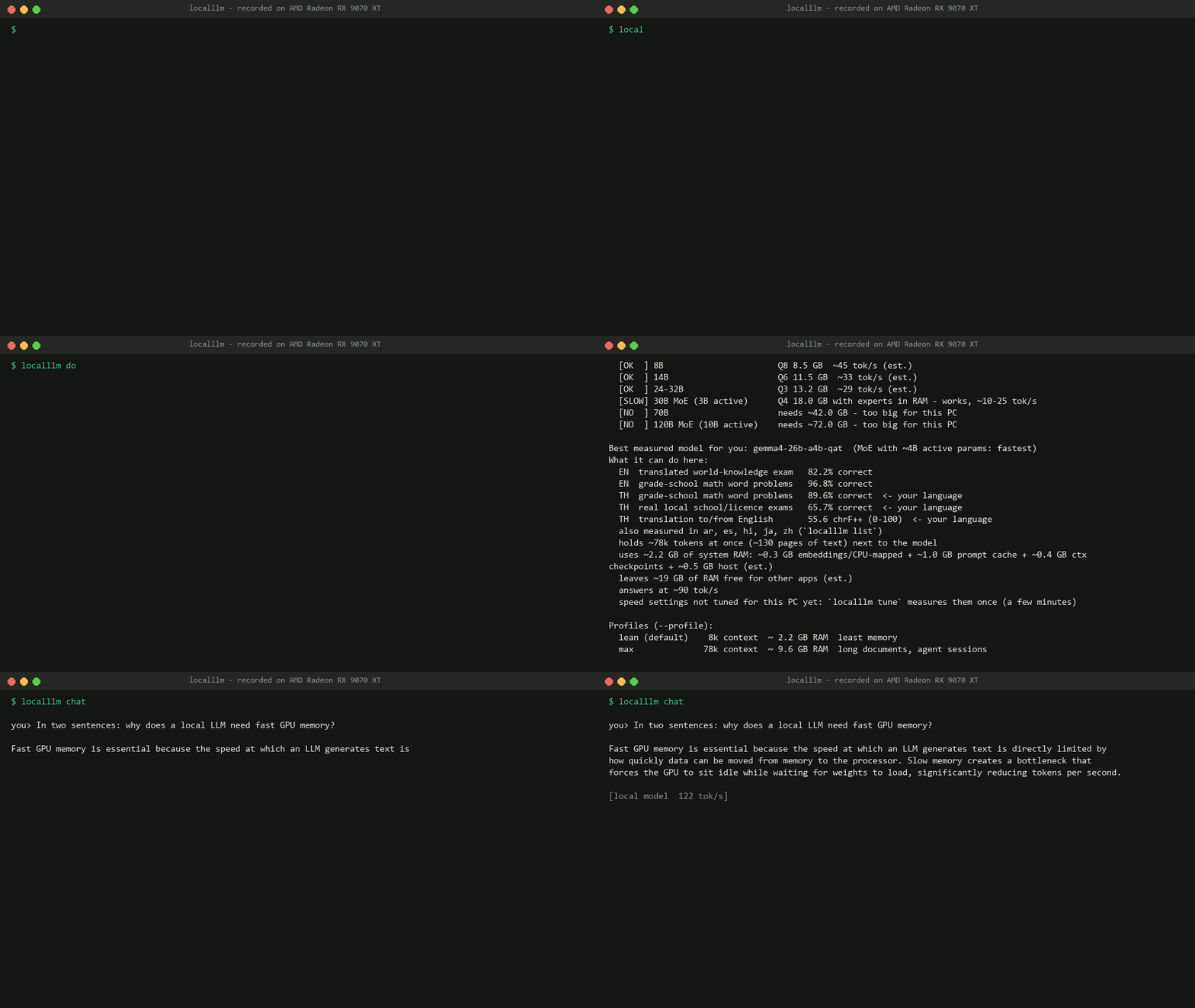
Recorded from a real run with tools/record_demo.py: the text is the commands' own output and the answer streams at the speed llama-server produced it.
Install
pip install make-localllm-easier
localllm
That's it: the first run shows what your PC can run and asks before it downloads the model. No Python? Download the
single localllm file for Windows, macOS or Linux (or the AppImage) from the latest release and run it
from a terminal; SHA256SUMS there lets you check it. winget and Homebrew follow
(packaging/README.md).
Or ask your coding agent (Claude Code, Cursor, Codex): paste
Install localllm: https://raw.githubusercontent.com/phonology024/make-localllm-easier/main/docs/install-for-agents.md.
It checks your PC first without changing anything, and asks before each install or download
(what it may and may not do).
The commands you'll use
localllm            # pick, download and start the best model, open the chat page
localllm chat       # chat in the terminal, any language
localllm doctor     # what this GPU can run: model sizes, speed, RAM
localllm serve      # no browser: the API (OpenAI, Anthropic, Ollama and Gemini formats) and the chat page at http://127.0.0.1:8080
More: localllm list (every measured model), localllm connect hermes (point an agent or Obsidian at it),
localllm eval (score any server in your language). All commands: localllm --help.
Chat with your files. In localllm chat type /attach report.pdf (or a folder); in the chat page, drop a file on
the chat. Each answer comes from the passages that match your question and lists them as sources (file and page),
all on this PC. PDF, DOCX, TXT and MD.
Use it from Claude, Cursor or Codex. localllm mcp is an MCP server: the app
hands private or bulk work (translate, summarize, ask) to the model on your PC, and the text never leaves it. One line
per app in docs/mcp.md.
Why it's different
- It picks for your GPU. It reads your card and RAM and only offers models that fit and run fast on them.
- Measured in your language. Models are ranked by real exam scores in Thai, Hindi, Arabic, Japanese and 20+ more languages, not by English benchmarks alone.
- Uses less RAM. llama.cpp tuned op by op: about 4x less system RAM than its defaults, same speed (below).
- Private. Your chats never leave your PC, there is no account and no telemetry (Privacy).
Less RAM, same speed
Same 30-turn chat, RX 9070 XT, 32 GB RAM:
| model | llama.cpp defaults | localllm | speed |
|---|---|---|---|
| Qwen3.8-27B Q3 | 9.30 GB RAM | 2.37 GB | 35.2 tok/s both |
| gemma-4-26B-A4B QAT | 9.24 GB RAM | 2.21 GB | ~85 tok/s both |
Privacy
Chats, files and settings stay on your PC. localllm only goes online to download llama.cpp and models (each checked
against a pinned SHA-256) and for update notices ("localllm 0.8 is out", "a better model for Thai now fits your PC"):
two small requests a day to the project website, nothing about you is sent, and nothing is installed. Turn them off
with localllm updates off or LOCALLLM_NO_UPDATE_CHECK=1. Cloud routing with your own key is off unless you turn it
on.
Learn more
Website and leaderboard · FAQ · How it works (doctor output, routing, RAM, where it's tested) · APIs and agents · Benchmarks · Research · Roadmap · Stability · Contributing
Have a GPU we haven't measured? localllm tune, localllm eval --langs en,<yours>, then localllm report opens a
prefilled issue (no names, paths or keys) that adds it to the leaderboard.
License
MIT. Models keep their own licenses; benchmark data keeps its own (Apache-2.0). The chat page's font is Poppins by the Poppins Project Authors, SIL Open Font License 1.1 (localllm/fonts/OFL.txt).