Yuva
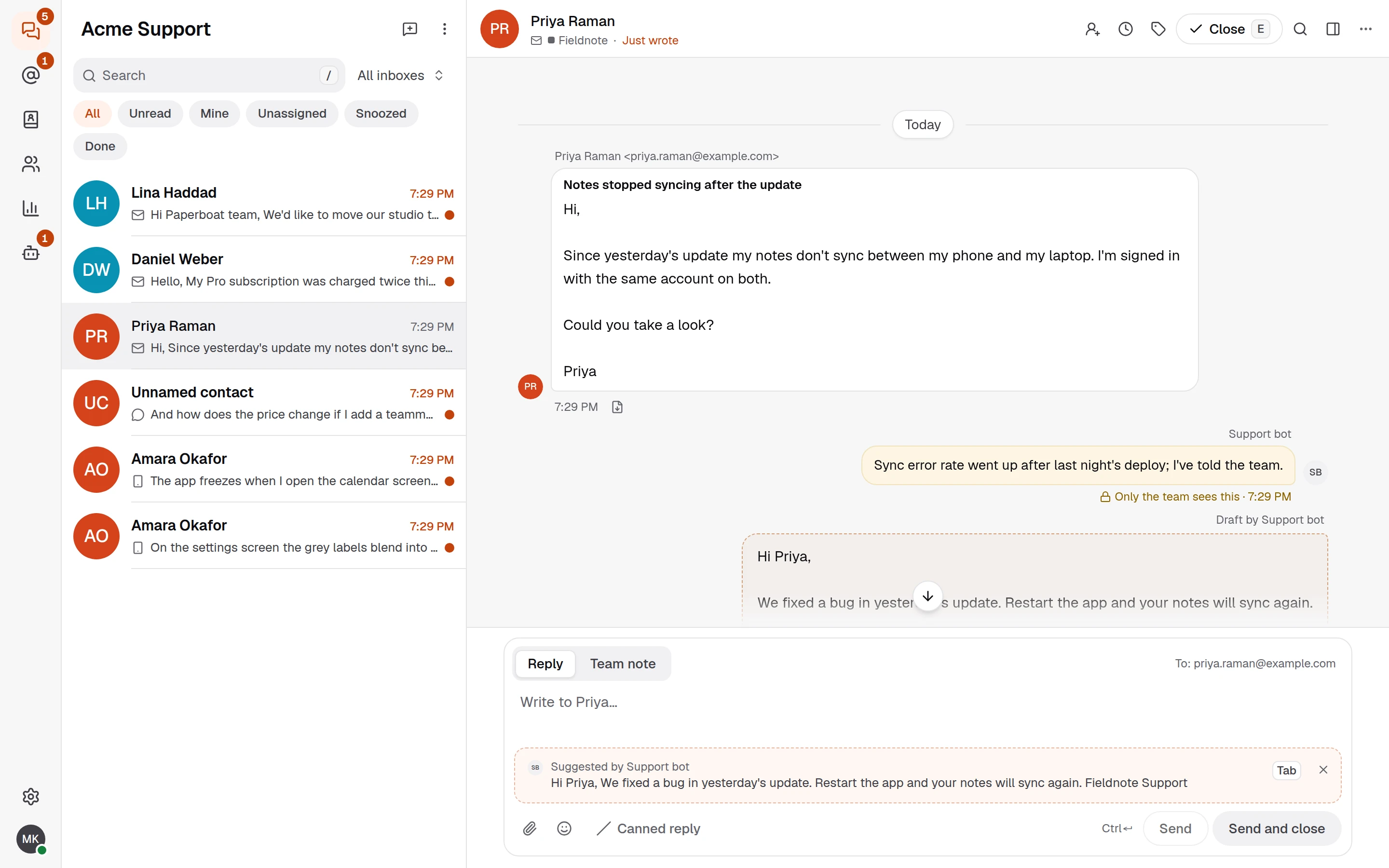
Customer support inbox: search, read, triage and draft replies to e-mail and chat.
Runs on your machine from its package; the steps are below.
What it does
- Reads
- Writes
- High impact
Not assessed yet.
What it costs
FreeOdel charges nothing per call. The publisher may charge for its own service.
Runs locally over stdio
This server isn't hosted — your MCP client launches it from a package registry. Use one of the commands below, or drop the config into your client (e.g. Claude Desktop).
Distributed as an MCP bundle (`https://github.com/productdevbook/yuva/releases/download/v0.0.8/yuva.mcpb`) — download it and import the bundle in your MCP client.





Yuva is an open-source support inbox. Support e-mail, live chat and in-app messages from all your products land in one shared inbox. You host it yourself: one Docker image and Postgres.

Warning
Pre-alpha. The API and database schema can change without migration paths, and the code has not had an independent security audit. Try it with test data, not real customer conversations.
What you get
- One inbox per product, each with its own branding, language, hours and team.
- E-mail, live chat and in-app messages in one conversation: the
<yuva-chat>web component, iOS and Android SDKs, and an API. - Your users stay yours. Your backend signs identity tokens; signed webhooks tell it what happened.
- Build on it with API keys, bots, an event feed and an MCP server for AI assistants.
Quick start
-
Write
compose.yamland.envfrom the install guide. -
Start it:
shdocker compose up -d -
Create the first owner:
shdocker compose exec yuva /yuva bootstrap --email you@example.com --workspace "Example" -
Put it behind HTTPS and sign in with the code that arrives by e-mail.
Documentation
How it is built: architecture. What changed: changelog.
Contributing
Read CONTRIBUTING.md first; contributions are made under the CLA. Report security issues privately as described in SECURITY.md.
License
The server and panel are AGPL-3.0. The SDKs (sdk/) and the API contract (openapi/)
are MIT, so you can ship them in closed-source apps. Details in
LICENSING.md; name and logo in TRADEMARK.md.