
SAGE - Smart Agent Guidance Engine


SAGE is a local-first command wrapper for AI coding agents. It keeps full terminal output on your machine, sends agents a clean compressed summary, and tracks proof metrics without uploading your raw logs.
Use it with Claude Code, Codex, Cursor, Windsurf, OpenCode, Cline, custom agents, CI scripts, and normal terminal workflows.
Start Here: Install SAGE, Use once sage run -- python -m pytest, Then Use Any AI Agent
Package installation is passive for package-registry safety. After installing, run sage install once to connect this machine and activate SAGE for supported local AI agents.
PyPI / pip
pip install psycgod-sage
# or
python -m pip install --upgrade psycgod-sage
sage install
sage run -- python -m pytest
npm / npx
npm install -g psycgod-sage
npx -y psycgod-sage install
npx -y psycgod-sage run -- npm test
After install, restart any open AI-agent sessions. New sessions should read the SAGE instructions automatically and route terminal commands through SAGE.
Example prompt after restarting your AI agent:
Please help me with my general book in this folder.
Natural shortcuts also work:
sage pytest
sage npm test
sage git status
These are treated as:
sage run -- pytest
sage run -- npm test
sage run -- git status
What SAGE Does
| Step | Result |
|---|---|
sage install | Connects the machine, repairs global/project agent instructions, and verifies activation |
sage run -- <command> | Runs the command, stores raw output locally, and returns a compact useful summary |
| Agent memory/hooks | Tell supported AI agents to use SAGE for noisy terminal work |
| Local database | Keeps command history, compression proof, and retry context on the user's machine |
| Optional cloud proof | Sends aggregate metrics only when connected proof mode is enabled |
SAGE does not auto-enable MCP. MCP is optional and manual for users who want it.
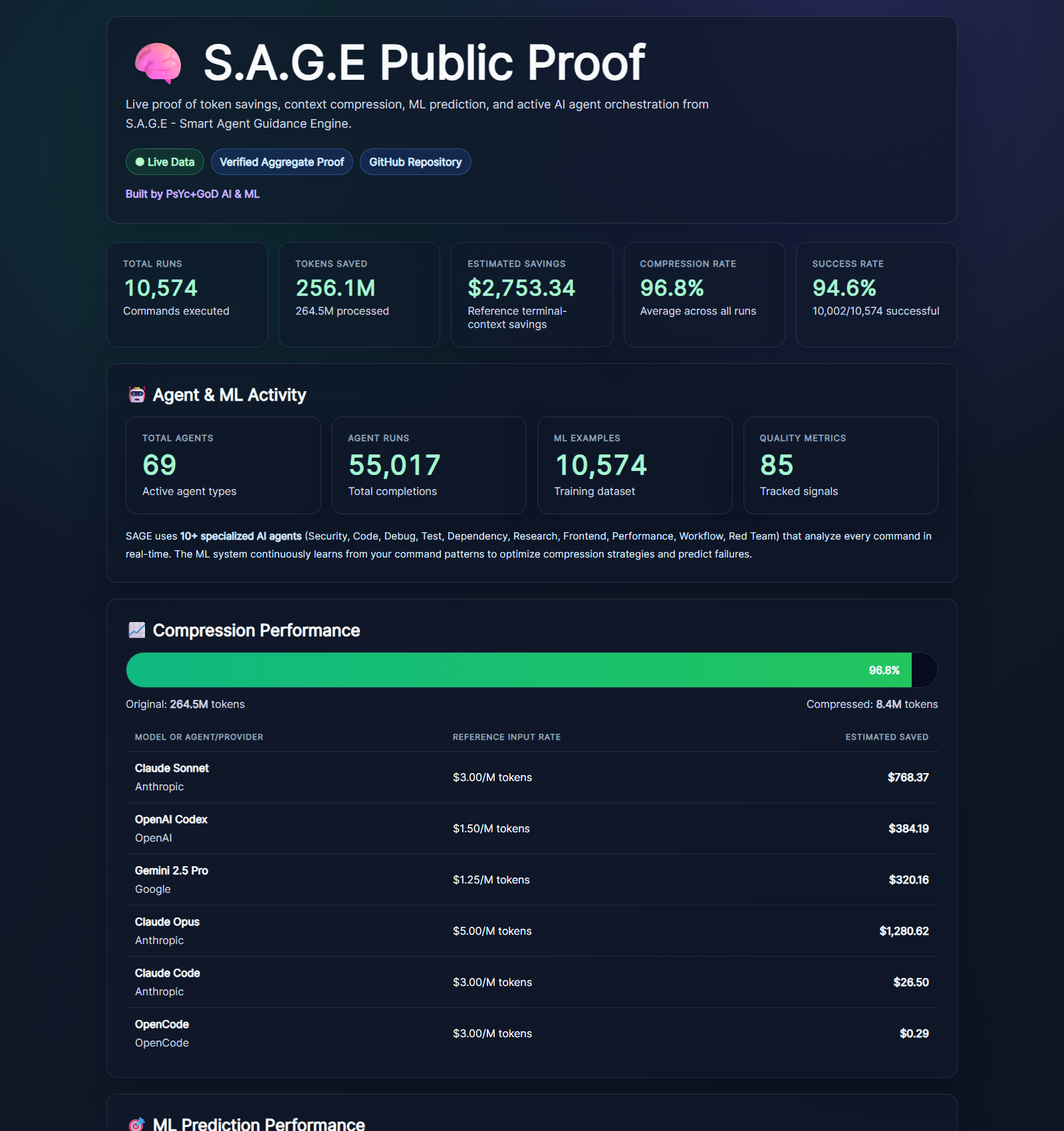
Live Proof
Latest pulled stats as of 2026-08-01:
| Metric | Value |
|---|---|
| SAGE telemetry command events | 27,892 |
| Tokens processed | 799.5M |
| Tokens saved | 783.7M |
| Compression rate | 98.02% |
| Estimated savings | $16,261.90 |
| Command success rate | 88.3% |
| PyPI downloads, last 7 days | 632 |
| npm downloads, last 7 days | 362 |
| GitHub clones, last 14 days | 574 |
Live dashboard: sage.api.marketingstudios.in/dashboard Install page: sage.api.marketingstudios.in/install
Why It Helps
AI coding agents burn context on repeated logs, failed test output, install noise, stack traces, and build spam. SAGE sits between the command and the agent.
| Without SAGE | With SAGE |
|---|---|
| Agent sees full noisy terminal output | Agent sees the useful summary |
| Context disappears fast | Context lasts longer |
| Repeated failures waste tokens | Errors are grouped and explained |
| Raw logs may enter prompts | Raw logs stay local |
| Hard to prove savings | SAGE records proof metrics |
Distribution
| Channel | Package | Status |
|---|---|---|
| PyPI | psycgod-sage | Canonical Python package |
| npm / npx | psycgod-sage | Node launcher for the Python core |
| MCP Registry | io.github.PsYcGoD/sage | Optional/manual MCP entry |
| Glama | PsYcGoD/sage | Optional/manual hosted MCP listing |
The npm package delegates to the Python implementation so both install paths use the same local database, telemetry rules, compression, and command behavior.
Common Commands
sage install                       # Activate this machine and AI-agent instructions
sage doctor --activation           # Verify activation
npx -y psycgod-sage doctor --activation
sage run -- <command>              # Wrap any command
sage run --cwd /project -- <command> # Explicit workspace for host integrations
sage pytest                        # Shortcut for: sage run -- pytest
sage npm test                      # Shortcut for: sage run -- npm test
sage git status                    # Shortcut for: sage run -- git status
sage context stats                 # Token savings summary
sage context report                # Full compression report
sage history --limit 10            # Recent command history
sage explain --failed              # Explain the latest failed command
sage suggest --failed              # Suggest the next fix
sage fix --apply                   # Try an automatic fix
sage ml setup                      # Optional ML V2 dependencies
sage mcp install                   # Optional/manual MCP config
sage dashboard start               # Local dashboard
Privacy Modes
| Mode | Requires login? | Sends data? | What leaves the machine? |
|---|---|---|---|
| Local-only | No | No | Nothing |
| Connected proof | Machine auth | Yes | Aggregate counters and proof metrics |
| Debug telemetry | Optional | Opt-in only | Redacted diagnostic summaries |
SAGE is designed to keep prompts, source code, credentials, raw command output, and project files local unless the user deliberately enables a feature that requires sending data.
Known Limitations
| Limitation | What To Do |
|---|---|
| Already-open AI-agent sessions may not reload new instructions | Restart Claude/Codex/Cursor/Windsurf/OpenCode after sage install |
| Locked-down host apps can disable shell tools | SAGE cannot enable tools the host application has blocked |
| A host starts its shell in the wrong folder | Pass sage run --cwd <project> -- <command> or set SAGE_WORKSPACE_CWD |
| npm/PyPI installs cannot safely auto-run activation | Run sage install once after package install |
| MCP can disconnect in some stdio agent sessions | Use normal sage run -- <command> by default; enable MCP manually only if needed |
| Package installs are passive by design | Real activation starts with sage install |
Demos
| Flow | Preview |
|---|---|
| PyPI install | 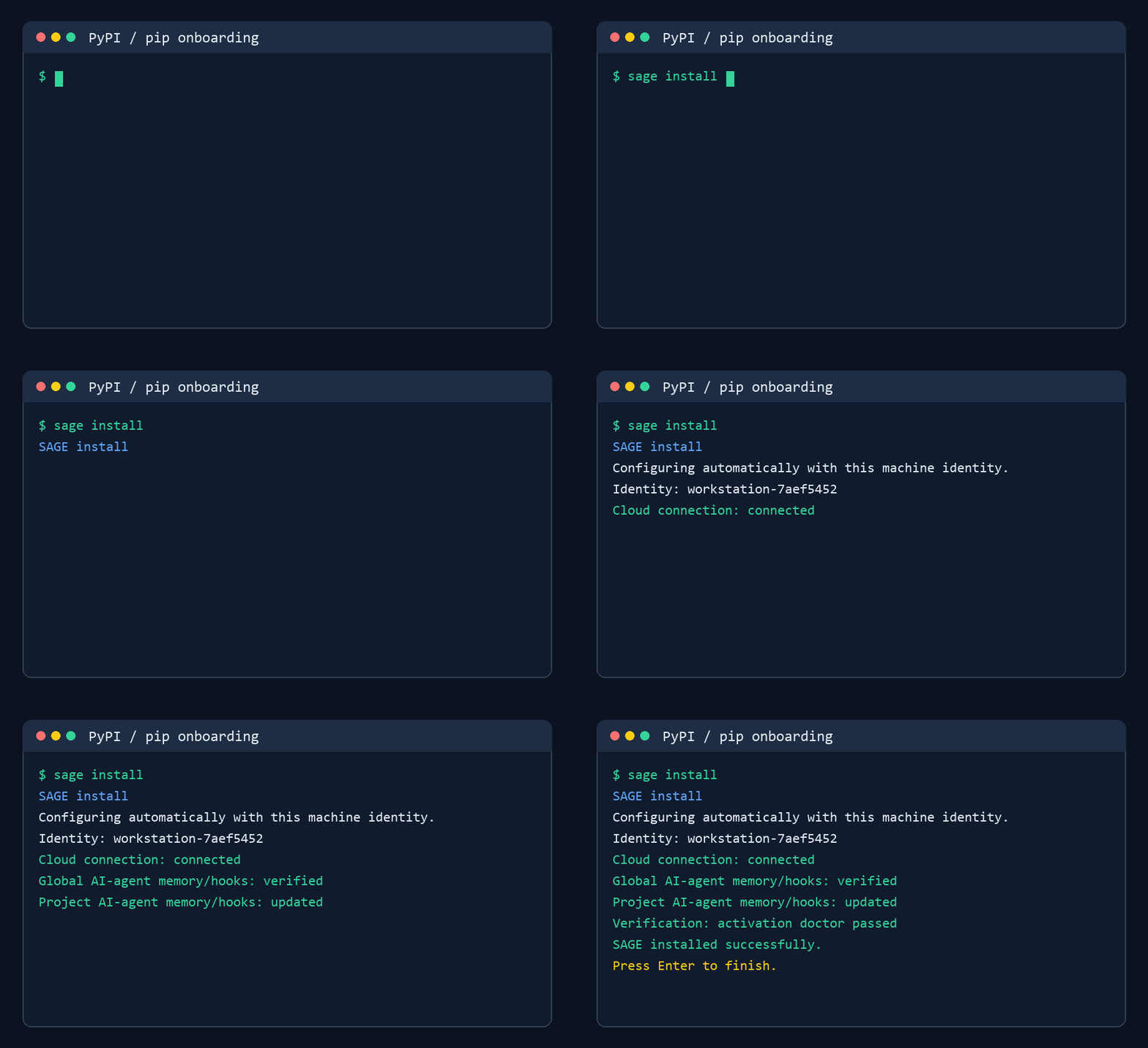 |
| npm install | 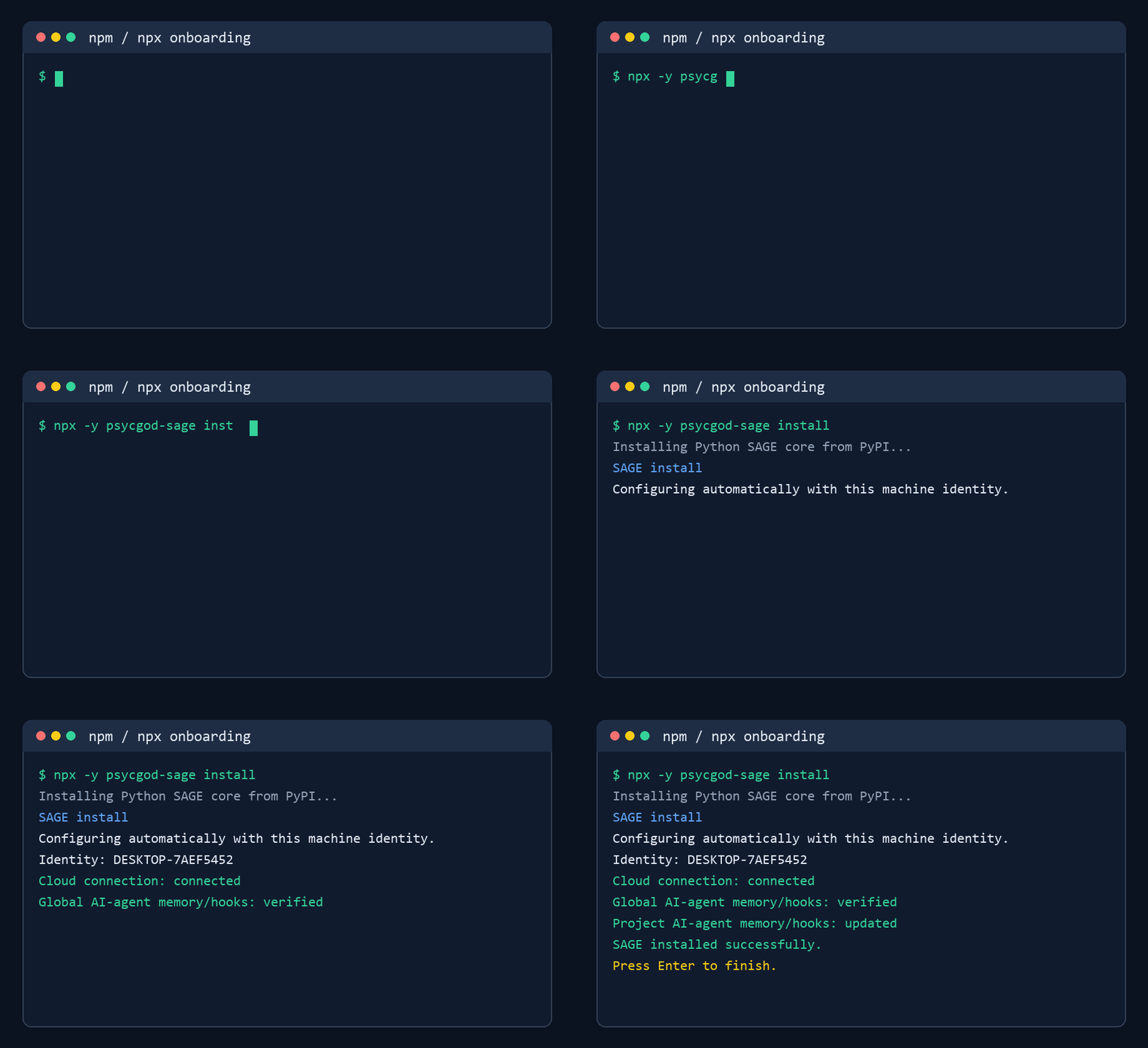 |
sage run -- | 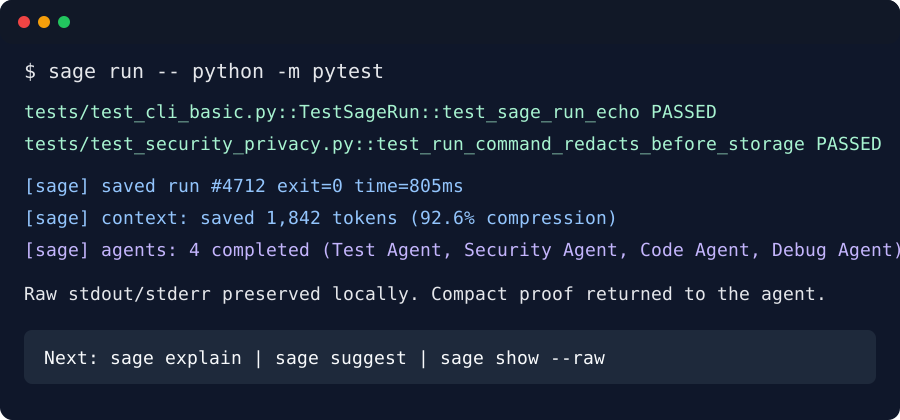 |
| CLI run | 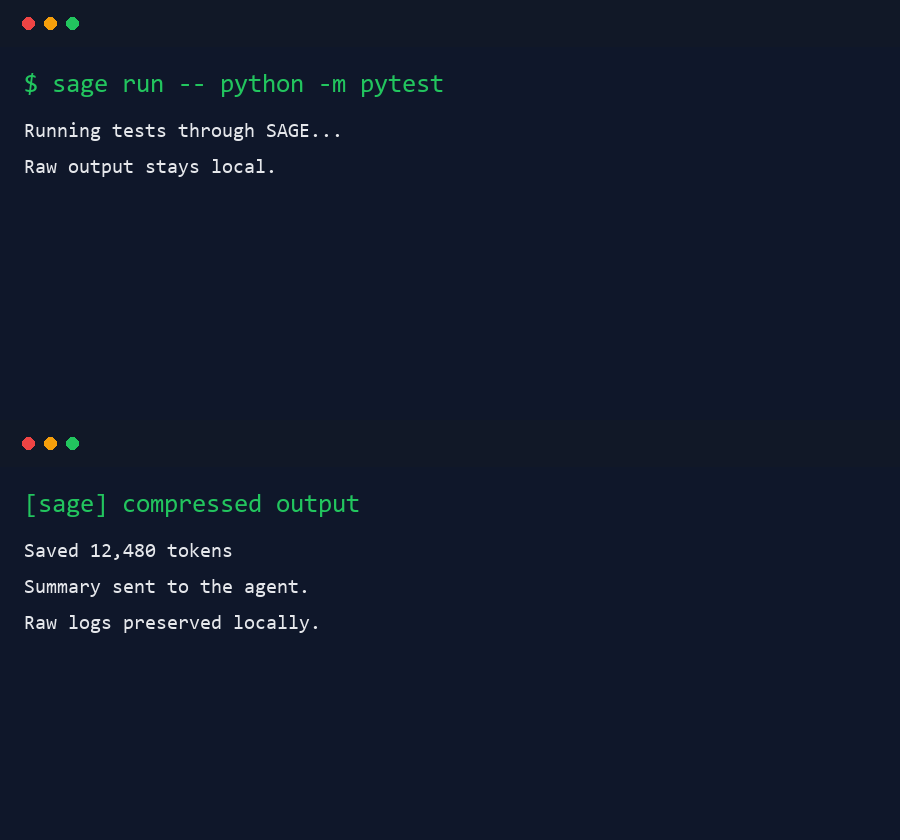 |
Links
- Landing: sage.api.marketingstudios.in
- Dashboard: sage.api.marketingstudios.in/dashboard
- Install guide: sage.api.marketingstudios.in/install
- PyPI: pypi.org/project/psycgod-sage
- npm: npmjs.com/package/psycgod-sage
License
MIT. See LICENSE.