Listed from the MCP registry; nobody on Odel publishes it.
Visiongemma
Local AI vision MCP server for Windows: OCR, chart analysis, scene description. 100% offline.
Runs on your machine from its package; the steps are below.
What it does
- Reads
- Writes
- High impact
At most: only reads or looks up information.
What it costs
FreeOdel charges nothing per call. The publisher may charge for its own service.
Runs locally over stdio
This server isn't hosted — your MCP client launches it from a package registry. Use one of the commands below, or drop the config into your client (e.g. Claude Desktop).
Run
uvx visiongemma-mcp
MCP client config
{
  "mcpServers": {
    "visiongemma": {
      "command": "uvx",
      "args": [
        "visiongemma-mcp"
      ]
    }
  }
}VisionGemma - 本地图片识别 + AI 桌宠
Warning
本项目已淘汰归档,不再维护。保留仓库与 Release 附件仅供已有用户追溯,新用户请勿使用。
在完全本地的 Windows 电脑上运行的开箱即用图片识别工具 + 趣味 AI 桌宠。图片识别全程在本机完成,不上传任何数据。
产品展示
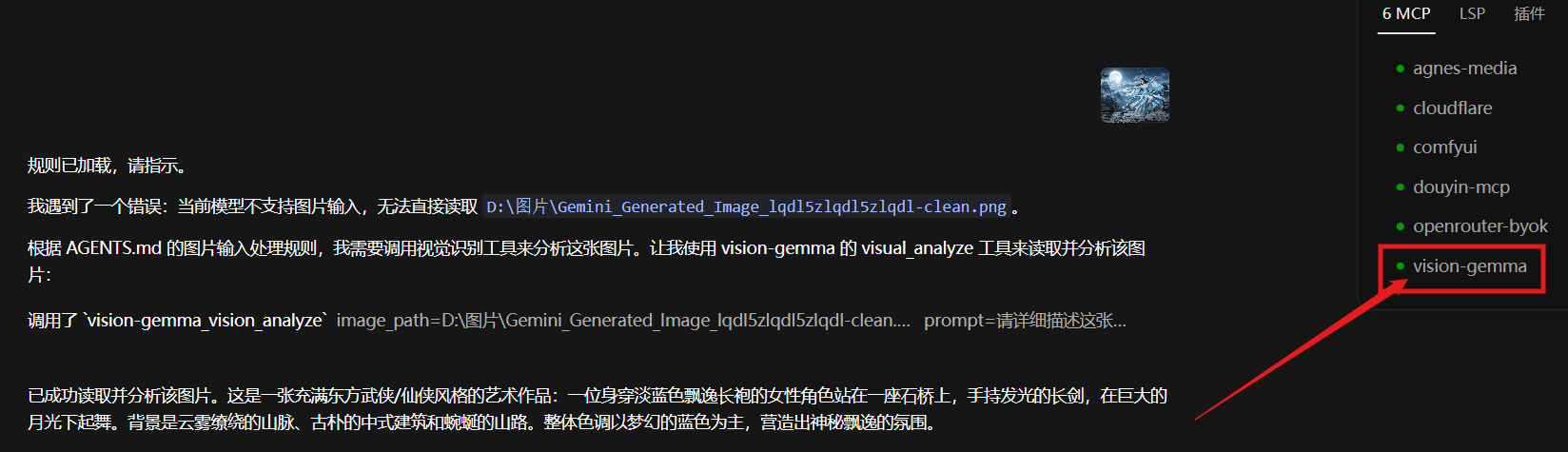
Agent 自动调起识别
当你的 AI 助手遇到图片、又恰好不支持图片输入时,VisionGemma 会作为 MCP 工具被自动调起,把"看图能力"无缝交给它:
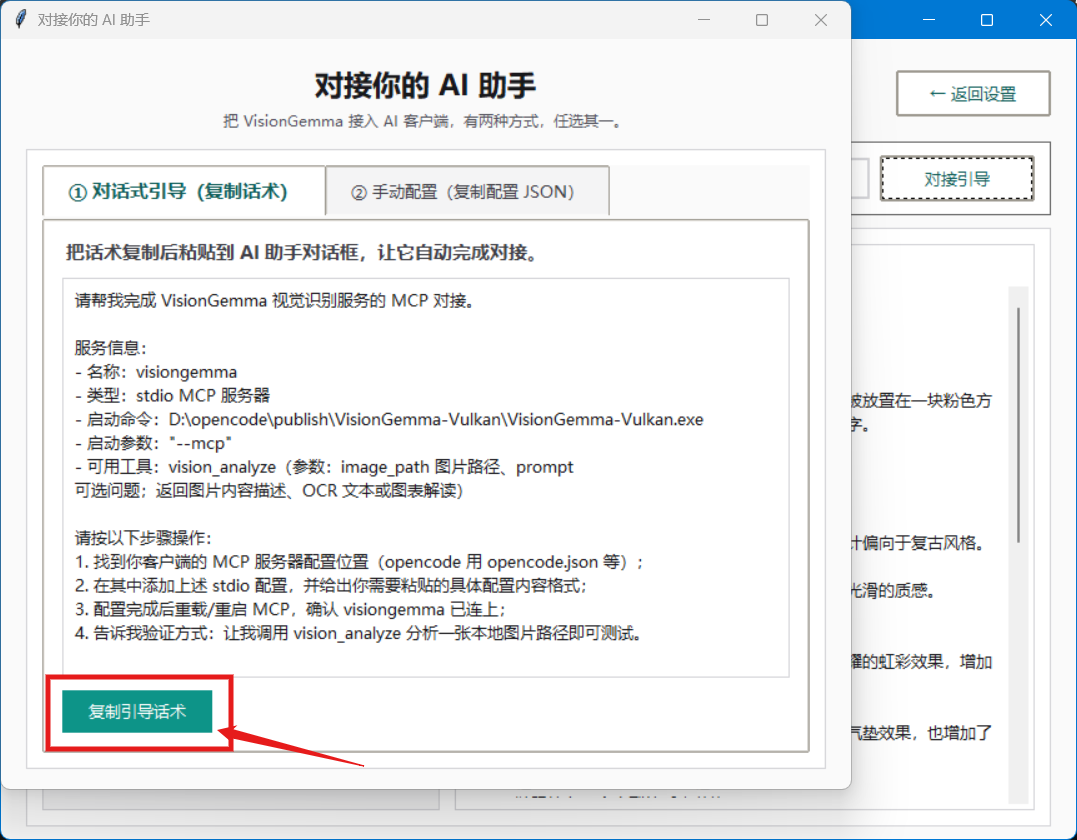
一键接入你的 AI 助手
不用手写配置文件。软件内置对接引导,复制一段话粘贴给 AI 助手,或直接复制配置 JSON,即可完成 MCP 对接:
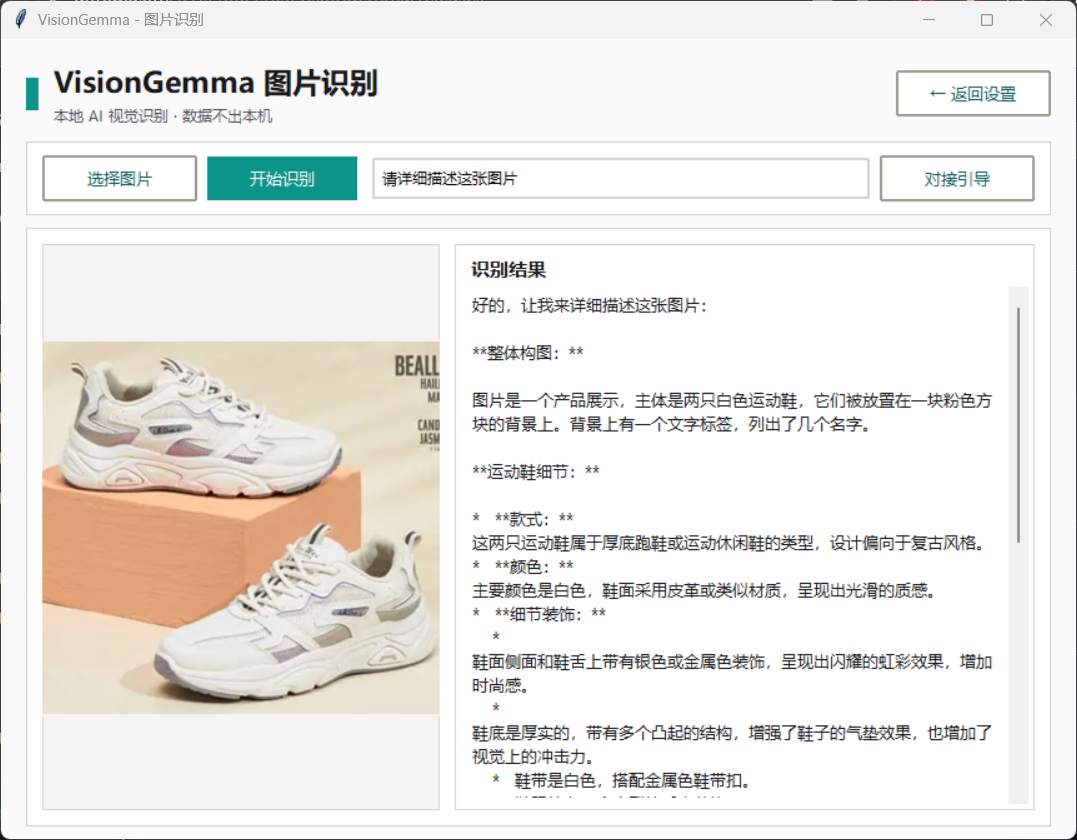
本地精准识别
选图 → 识别 → 得到结构化描述,全程离线。产品图、截图、图表都能看懂:
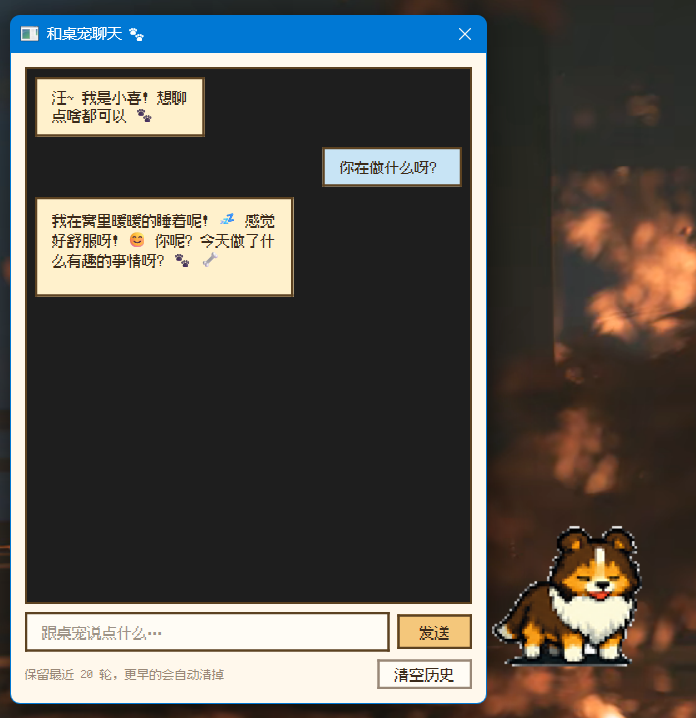
趣味 AI 桌宠
桌面陪伴小宠物,支持自然对话、识别屏幕与图片:
功能特性
- 傻瓜式部署:下载解压,双击运行,自动下载模型并完成配置,零命令行、零环境配置
- Agent MCP 对接:可作为 MCP 服务器接入任意 AI 工具(
vision_analyze工具),让 AI 获得看图能力 - 本地图片识别:图片分析、OCR 文字提取(中英文)、图表解读、场景描述全部在本机完成
- Vulkan 加速:支持 NVIDIA / AMD / Intel 显卡硬件加速;无独显时自动回退 CPU 运行
- 趣味 AI 桌宠:托盘启动可爱桌宠,可对话、可识别屏幕/图片,互动陪伴
- 隐私安全:所有识别完全离线本地完成,不上传任何数据到云端
- 单文件免安装:一个 exe 即完整运行,内置 Vulkan 引擎与桌宠
系统要求
- Windows 10/11 x64
- 显卡支持 Vulkan(NVIDIA / AMD / Intel 均可,推荐硬件加速)
- 无独显时自动回退 CPU 运行
- 磁盘剩余空间 >= 5GB(模型约 3.2GB)
下载
GitHub Release(推荐)
安装包:VisionGemma-20260821.zip SHA256:83C6170BBD7367B1A535A586BEE08F6BAC73F5EAC089736E189B62017532B944
国内镜像
快速开始
- 解压压缩包,双击 VisionGemma.exe,首次运行自动打开配置向导
- 向导引导自动下载模型(约 3.2GB,支持断点续传)
- 下载完成后即可开始使用
趣味桌宠
- 右键托盘图标 →「趣味桌宠」,可快速启动桌宠,自动拉起本地识别引擎
- 桌宠支持对话、选择主题等功能
- 可通过托盘菜单设置开机自启
作为 MCP 服务器使用(接入 AI 工具)
在 AI 工具的 MCP 配置中加入:
{
  "mcpServers": {
    "vision-gemma": {
      "command": "VisionGemma.exe 完整路径",
      "args": ["--mcp"],
      "type": "stdio"
    }
  }
}
然后即可调用 vision_analyze 工具识别图片。更省事的做法:打开软件的「对接引导」,复制话术粘贴给 AI 助手即可。
文件说明
- VisionGemma.exe 主程序(内置 Vulkan 引擎 + 桌宠,单文件免安装)
- 模型存放于 %LOCALAPPDATA%\VisionGemma\models
隐私说明
所有图片识别完全在本地完成,不上传任何数据。
售后支持
- QQ:1023884985
- 微信:13147295520
- 邮箱:1023884985@qq.com