Listed from the MCP registry; nobody on Odel publishes it.

Agent Cost Analyzer
Local, read-only analysis of agentic coding costs, caching and sessions from your own logs.
Runs on your machine from its package; the steps are below.
What it does
- Reads
- Writes
- High impact
Not assessed yet.
What it costs
FreeOdel charges nothing per call. The publisher may charge for its own service.
Runs locally over stdio
This server isn't hosted — your MCP client launches it from a package registry. Use one of the commands below, or drop the config into your client (e.g. Claude Desktop).
Run
npx -y agent-cost-analyzer
MCP client config
{
  "mcpServers": {
    "agent-cost-analyzer": {
      "command": "npx",
      "args": [
        "-y",
        "agent-cost-analyzer"
      ]
    }
  }
}Last changed: 2026-11-19 · Source: https://github.com/raulkivi/agent-cost-analyzer



Independent project; not affiliated with or endorsed by GitHub, Microsoft, Anthropic or the pi project. Product names are trademarks of their owners.
See where the tokens and money go when an AI agent writes code for you. This repository gives you two products that read the logs your coding agents already write on your own machine and show every session turn by turn:
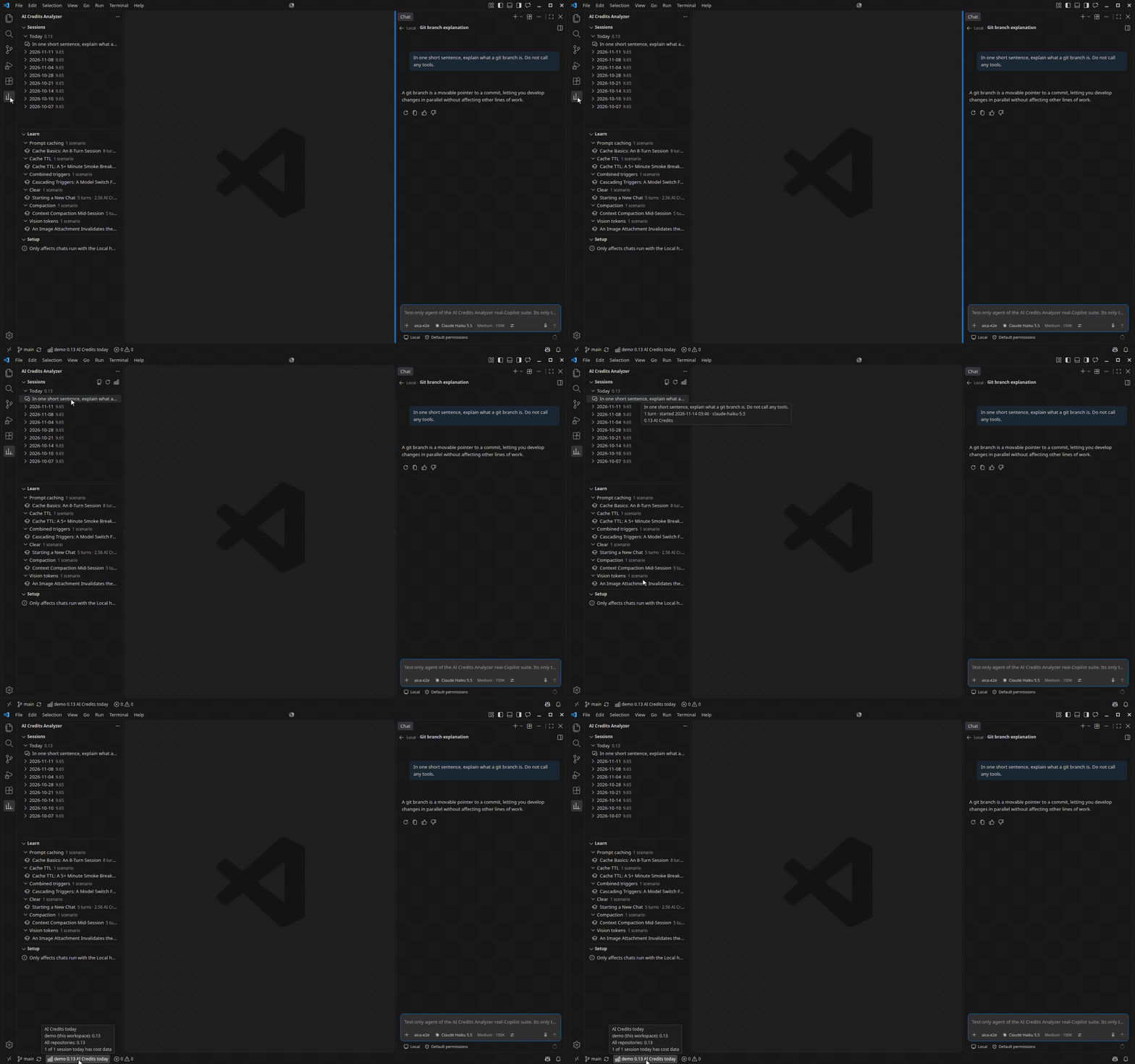
- AI Credits Analyzer is a VS Code extension for GitHub Copilot Chat and its AI Credits.
- Agent Cost Analyzer is a standalone app for Claude Code, GitHub Copilot and the pi coding agent.
Both run locally and are read-only. Nothing leaves your machine.
What you can find out
- What a session, a repository or a project cost, and how that changed over time.
- Why a cost changed: more usage, a price change, or a different model mix.
- What a real session would have cost on another model.
- Which tool calls failed and why, which commands were risky, and which sessions look unusual.
- Which changes would lower your spend: the Savings report ranks them, each with an estimated weekly range or "up to" figure. The standalone app covers all its sources; the extension covers GitHub Copilot sessions.
- How much of a monthly AI Credits allowance you have used, in both products. Set the allowance and the extension's status bar, or the standalone app's header in Analyze mode, shows the month to date against it, with a warning near the limit. The extension's Sessions view shows the same figures with the days left; the app's details dialog also gives the days left and the Copilot Chat and Agent Host split, and an MCP tool answers the same question for an AI chat. It counts GitHub Copilot sessions only, on this machine.
- How prompt caching, context compaction and model switches change what a turn costs. Learn mode explains this with sample sessions, so it is useful before you have any data of your own.
- All of the above from an AI chat, through a read-only MCP server (see Ask your AI chat).
Which one do I need?
| You use | Install |
|---|---|
| GitHub Copilot Chat in VS Code | AI Credits Analyzer, the extension |
| Claude Code, pi, or several tools at once | Agent Cost Analyzer, the standalone app (it reads Copilot Chat sessions too) |
Get started: AI Credits Analyzer (VS Code)
- Install AI Credits Analyzer from the VS Code Marketplace, or from Open VSX for VSCodium and similar editors. It needs VS Code 1.146 or later and GitHub Copilot Chat.
- Turn on Copilot Chat's debug file logging, so Copilot Chat records token
and AI Credits data. The extension's Setup view has a Fix button
that opens the setting
(
github.copilot.chat.agentDebugLog.fileLogging.enabled), and a walkthrough opens on first start. Newer chats that run through Copilot's Agent Host don't need it. - Chat with Copilot as usual, then pick a session in the Sessions view.
Full steps, commands and settings: the extension guide.
Get started: Agent Cost Analyzer (standalone app)
Needs Node.js 22.18 or newer.
npx agent-cost-analyzer

It starts the app on http://127.0.0.1:5199 and opens it in your browser.
npx agent-cost-analyser (British spelling) also works: it is an alias of the same package. The
server listens on your own machine only. If the app is already running, a
second start opens that one; if another program holds port 5199, it takes the
next free port and says which. Options:
--port <n>uses that port only (0takes any free port).--no-openstarts without opening a browser.--helpand--versiondo what they say.npx agent-cost-analyzer@latestruns the newest release.
To keep a fixed version, or to start it without the npm registry, install it
once with npm install -g agent-cost-analyzer and run agent-cost-analyzer
(or agent-cost-analyzer mcp).
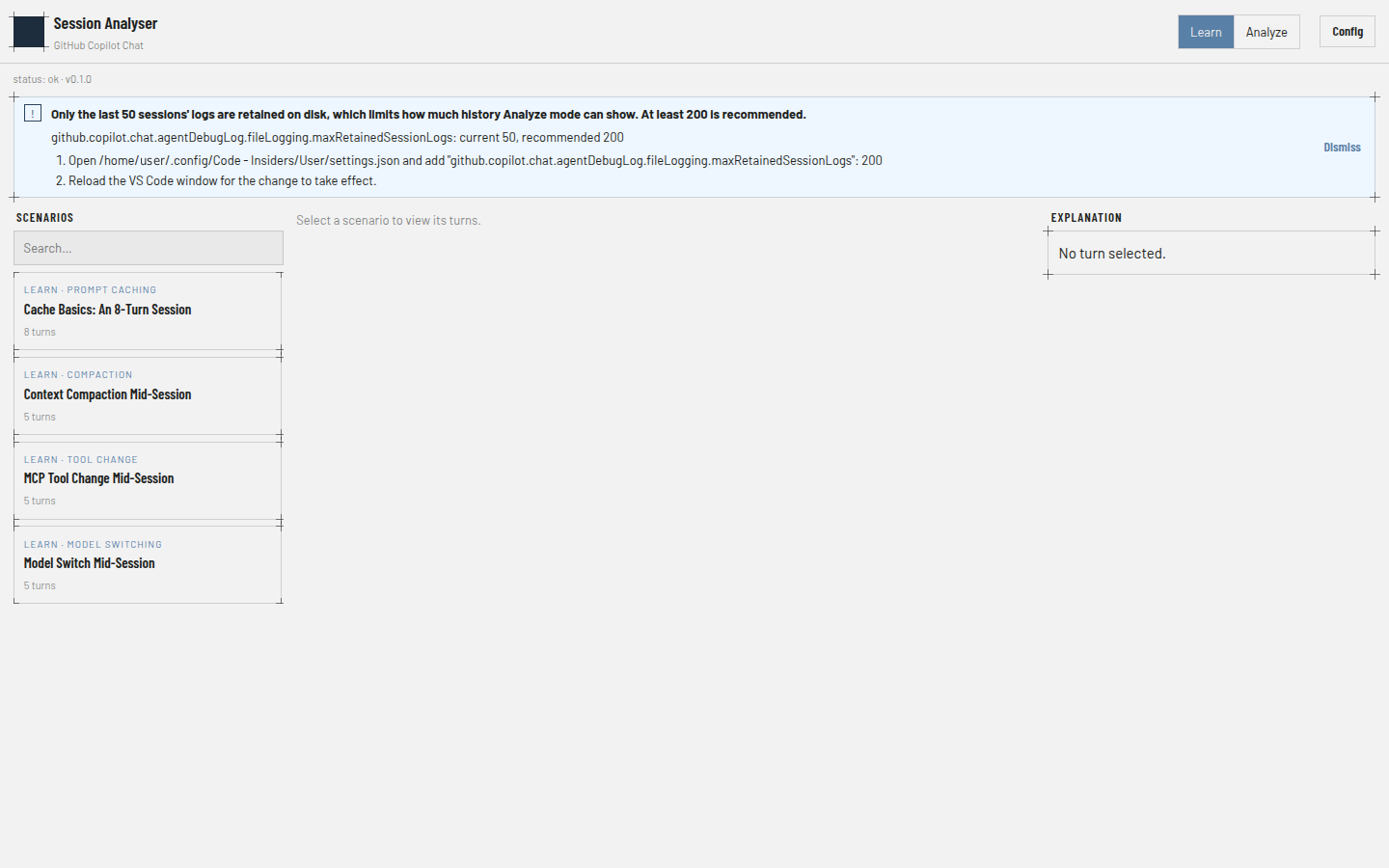
Learn mode works straight away. Switch to Analyze mode and pick a source (VS Code Copilot Chat, Claude Code or pi) to see your own sessions. Claude Code and pi need no setup, because the app reads their session files directly.
The app writes only its own settings folder: ~/.config/agent-cost-analyzer
on Linux (or under XDG_CONFIG_HOME),
~/Library/Application Support/agent-cost-analyzer on macOS and
%APPDATA%\agent-cost-analyzer on Windows. It holds your chosen provider,
the retention threshold, your projects file and issued statements.
To ask an AI chat about your sessions, connect the app's MCP server: see Ask your AI chat.
From source (contributors)
To work on the app, or to install the pi logger, run it from a clone. This needs the whole dev tree (Vite, Playwright, esbuild).
git clone https://github.com/raulkivi/agent-cost-analyzer.git
cd agent-cost-analyzer
npm install
npm start
npm start runs the Vite dev server and the API with reload, and opens
http://127.0.0.1:5173.
More: setup and data sources (where each tool keeps its logs, the Copilot Chat settings, a one-paste setup prompt for an AI coding agent) and the User Guide (a screen-by-screen tour).
Ask your AI chat
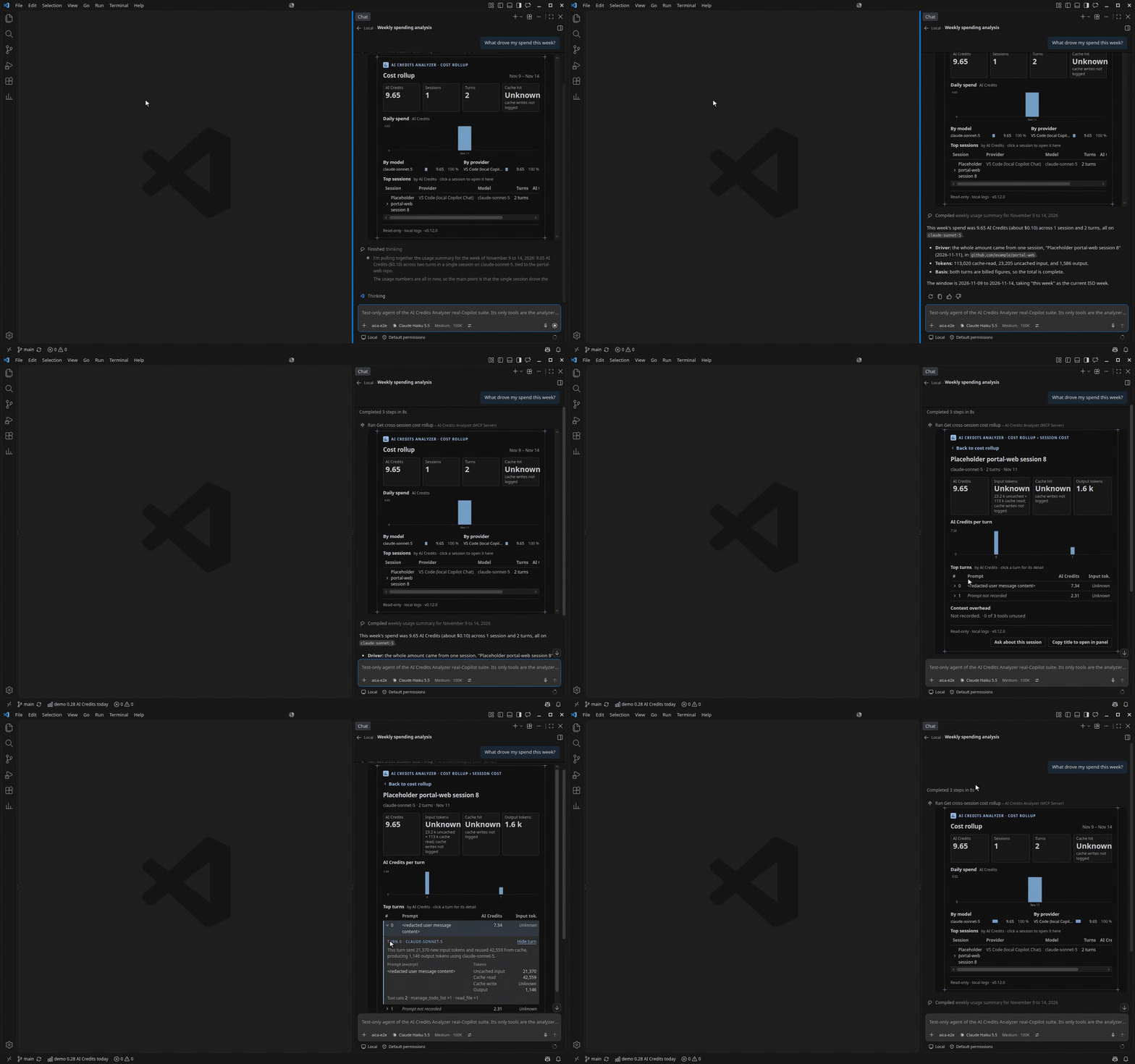
Both products include a local, read-only MCP server. Connect it to Claude Code, Claude Desktop or Copilot Chat and ask "what drove my spend this week?" or "which commands failed most?". In hosts that support MCP Apps, such as Claude Desktop and VS Code Copilot Chat, the cost and findings answers also show interactive views.
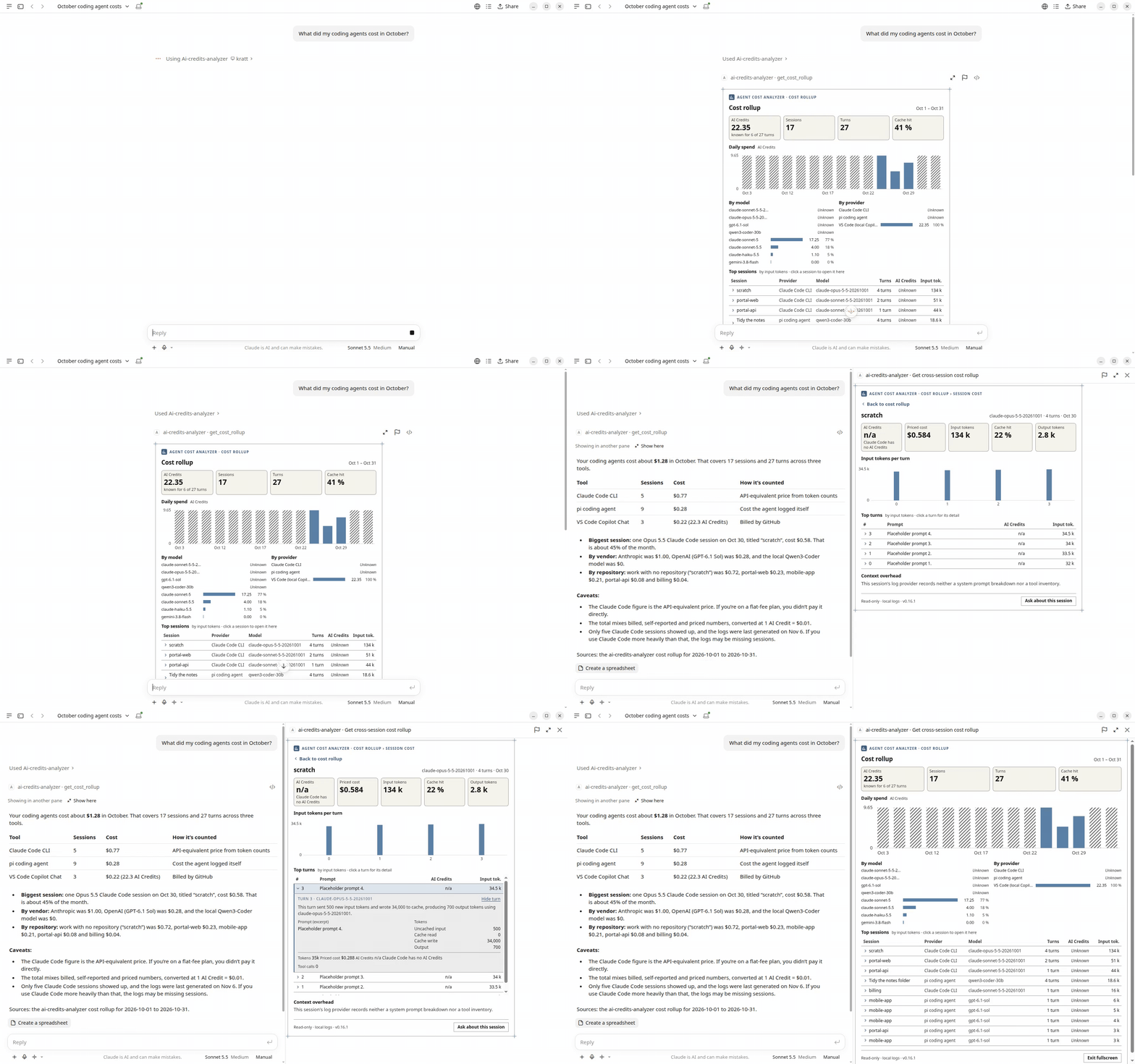
Claude Desktop shows a month's cost for every provider at once, and opens the view in a side pane.
To connect the standalone app's server:
npx agent-cost-analyzer mcp install
- It finds Claude Code, Claude Desktop, Cursor, VS Code, Codex and Gemini
CLI on your machine, shows each command and file it will change, and asks
first. It backs up each config file it edits;
mcp uninstallremoves the entry again andmcp statusshows where it is registered. - The app's Connect an agent button shows the same setup per client, to copy and run yourself.
- Other options: a Claude Code plugin, a Claude Desktop
.mcpbbundle and the MCP Registry listing.
Every option, setup by hand, Windows and offline use: Connecting an AI chat (MCP) in the User Guide.
For the extension, turn on the aiCreditsAnalyzer.mcp.enabled setting. See
the MCP server for Copilot agent mode.
Privacy and your data
- Everything runs on your machine. Neither product sends your data anywhere or reports telemetry.
- They only read: your tools' own session logs (Copilot Chat's session store
and debug logs,
~/.claude/projects/,~/.pi/agent/sessions/, and optionally, mitmproxy captures you export yourself). They never change those files or your tools' settings. The one exception ismcp installandmcp uninstall, which edit your MCP clients' config when you run them. - Exporting a session for AI advice copies metadata only (token usage, cache efficiency, tool usage, AI Credits). It never includes your chat text.
What the extension reads, file by file: Privacy and what the extension reads.
Learn more
- User Guide: the standalone app, screen by screen.
- Extension guide: install, use and configure the extension.
- Standalone app setup and data sources
- npm package
- Extension changelog and app changelog
- Releases
- Report a problem or ask a question
License
Contributing / developer documentation: CONTRIBUTING.md and docs/README.md.