Runs on your machine from its package; the steps are below.
What it does
- Reads
- Writes
- High impact
At most: creates or changes data: records, files, settings.
What it costs
FreeOdel charges nothing per call. The publisher may charge for its own service.
Runs locally over stdio
This server isn't hosted — your MCP client launches it from a package registry. Use one of the commands below, or drop the config into your client (e.g. Claude Desktop).
Run
docker run -i --rm ghcr.io/scbrown/quipu:0.12.0
MCP client config
{
  "mcpServers": {
    "quipu": {
      "command": "docker",
      "args": [
        "run",
        "-i",
        "--rm",
        "ghcr.io/scbrown/quipu:0.12.0"
      ]
    }
  }
}
quipu
🪢 A memory for your agents that refuses facts that break your rules



Quipu is a knowledge graph for AI coding agents and the people who run them.
It stores what your agents learn as facts, checks every write against rules you
declare (SHACL shapes), and refuses the facts that break them, so bad knowledge
never gets in. It keeps every version of every fact, so you can ask what was
true last Tuesday, and it answers standard SPARQL 1.1. It comes as a command-line
tool, a REST server, and a Rust library, and agents connect through Quipu’s
own MCP server (quipu mcp for stdio or quipu-server over HTTP).
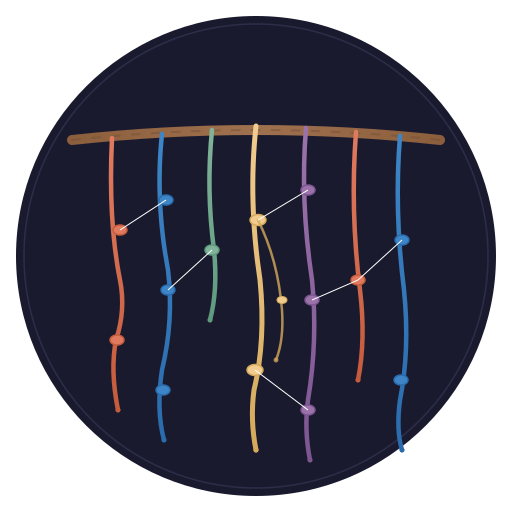
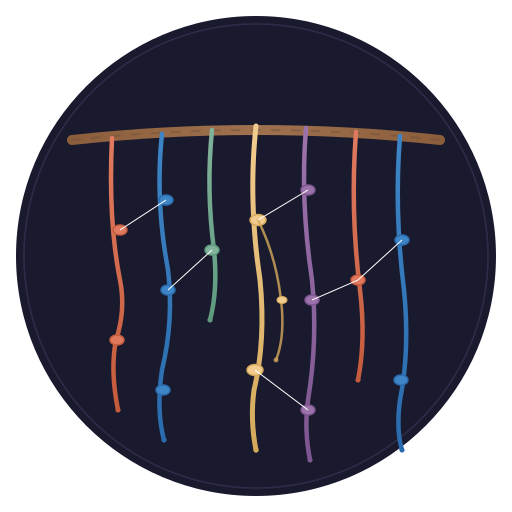
A quipu is the Andean knotted-cord record: cords are entities, knots are facts.
Why you would want it
- Bad facts are refused, not cleaned up later. A write that breaks a shape fails with the rule it broke, so an agent can correct it on the spot.
- Nothing is overwritten. Every fact carries when it was recorded and when it was true, so you can query the graph as it was at any moment.
- Standard, and scored. Its SPARQL 1.1 conformance is measured against the Working Group–approved W3C tests, class by class with every exception named, and scored alongside other stores in the conformance report.
The long form (sharing between stores, the feature list, the architecture and a comparison): Why Quipu.
Install
Linux (x86_64, arm64) and macOS (Apple Silicon, Intel): download the checksummed release.
V=0.11.1
case "$(uname -s)-$(uname -m)" in
  Linux-x86_64)  T=x86_64-unknown-linux-gnu ;;
  Linux-aarch64) T=aarch64-unknown-linux-gnu ;;
  Darwin-arm64)  T=aarch64-apple-darwin ;;
  Darwin-x86_64) T=x86_64-apple-darwin ;;
  *) echo "no release for this platform; build from source below"; exit 1 ;;
esac
A="quipu-quipu-ai-v$V-$T"
curl -fsSLO "https://github.com/scbrown/quipu/releases/download/quipu-ai-v$V/$A.tar.gz"
curl -fsSLO "https://github.com/scbrown/quipu/releases/download/quipu-ai-v$V/$A.tar.gz.sha256"
if command -v sha256sum >/dev/null 2>&1; then
  sha256sum -c "$A.tar.gz.sha256"
else
  shasum -a 256 -c "$A.tar.gz.sha256"
fi
tar -xzf "$A.tar.gz"
mkdir -p ~/.local/bin
install -m 755 "$A/quipu" "$A/quipu-server" ~/.local/bin/
Keep quipu and quipu-server side by side: quipu mcp runs the companion
quipu-server --mcp-stdio from the same directory.
Anywhere else, build from source (needs a Rust toolchain):
cargo install quipu-ai --locked --features full
The crate is quipu-ai; it installs quipu and quipu-server, plus two test
utilities (quipu-shacl-conformance, seed-fixtures) you can ignore.
Check it:
quipu --version
quipu 0.11.1
If that prints an older version, another copy is earlier on your PATH:
which -a quipu.
First success in three commands
Write a rule (every Person needs a name), two people who follow it, and one
who does not:
mkdir quipu-demo && cd quipu-demo
printf '@prefix sh: <http://www.w3.org/ns/shacl#> .\n@prefix ex: <http://example.org/> .\nex:PersonShape a sh:NodeShape ; sh:targetClass ex:Person ;\n  sh:property [ sh:path ex:name ; sh:minCount 1 ] .\n' > shapes.ttl
printf '@prefix ex: <http://example.org/> .\nex:alice a ex:Person ; ex:name "Alice" ; ex:knows ex:bob .\nex:bob   a ex:Person ; ex:name "Bob" .\n' > people.ttl
printf '@prefix ex: <http://example.org/> .\nex:carol a ex:Person .\n' > carol.ttl
Then load the good facts, ask a question, and try the bad one:
quipu knot people.ttl --shapes shapes.ttl --db demo.db
quipu read 'SELECT ?who ?name WHERE { ?who <http://example.org/name> ?name }' --db demo.db
quipu knot carol.ttl --shapes shapes.ttl --db demo.db
SHACL validation passed
knotted 5 facts from people.ttl (tx 1)
who	name
----------------------------------------
http://example.org/alice	"Alice"
http://example.org/bob	"Bob"

2 results
SHACL validation failed: 1 violation(s)
  Violation on http://example.org/carol: MinCount(1) not satisfied
The last command exits 1 and writes nothing: Carol breaks the rule, so she never enters the graph. That refusal at write time, with the reason attached, is what Quipu is for.
On your own data
| you want to | run |
|---|---|
| load Turtle, checked against your shapes | quipu knot <file.ttl> --shapes <shapes.ttl> |
| bulk-load a lot of data at once, validated before it touches your graph | quipu share --output <dir> from a scratch store, then quipu import <dir> (staged and shape-checked; failures are quarantined), then quipu import promote <share-id> (one transaction into ROOT) |
| migrate or move a dataset between stores | the same three steps: share, import, import promote |
| ask a SPARQL question | quipu read '<sparql>' |
| see the graph as it was on a date | quipu read '<sparql>' --valid-at 2026-09-01 |
| see what depends on an entity | quipu impact <entity-IRI> |
| keep shapes in the store, so every write is checked | quipu shapes load <name> <shapes.ttl> |
| explore it in a browser, or over HTTP | quipu-server --db <file> --bind 127.0.0.1:3030 |
For a bulk load, a migration or a backfill, use import + promote, not
thousands of knot or SPARQL Update writes. import validates the whole dataset
in its own staging graph and never touches ROOT. promote then admits it in a
single transaction, and one fork rollback undoes it. Walkthrough:
Bulk loads and migrations.
Every command and flag: CLI reference. The HTTP endpoints: REST API.
Wire it into your agent
Agents can connect directly: quipu-server serves streamable HTTP at /mcp, and
quipu mcp --db store.db provides stdio using the companion server binary.
Build both with cargo build --release --features full. Protected stdio writes use
--mcp-token-file /path/to/private-token; HTTP writes use the existing bearer policy.
Quipu defines 48 MCP tools (50 with owl), from one shared schema manifest.
Bobbin's knowledge_* tools and existing REST-backed proxies remain compatible.
See the connection and authentication guide.
claude mcp add quipu -- /absolute/path/to/quipu mcp --db /absolute/path/to/store.db
No binaries? Quipu is in the MCP Registry,
so VS Code's @mcp Extensions search (and other registry-aware clients) can
install it in one click. That runs the published image, which needs Docker and
nothing else:
docker run -i --rm -v quipu-data:/data ghcr.io/scbrown/quipu:latest
The graph lives at /data/quipu.db in the quipu-data volume, so it survives
restarts and starts empty. Change the volume name in your client's MCP config to
keep one graph per project.
- MCP Registry name:
mcp-name: io.github.scbrown/quipu
Setup and every tool: bobbin's Quipu integration guide and Quipu's MCP tools reference. Any other client can use the REST API directly.
Before you start
Platforms. Releases ship Linux (x86_64, arm64) and macOS (Apple Silicon, Intel) archives. Anywhere else, build from source; it needs a Rust toolchain and nothing else.
What each build includes. quipu needs the shacl feature and
quipu-server needs shacl, onnx and server. --features full, as in the
source install above, turns on all of them. The feature list:
Installation.
What's next
- The Quipu book: concepts, tutorials and reference, in reading order
- Docs map: every design note and document in this repository, routed
- Quick Start: the library, the REST server and the reasoner, step by step
🧺 The stack
Caboodle installs these together and proves each one works; every tool also stands alone.
| tool | what it gives your agents |
|---|---|
| caboodle | one wizard that installs the stack and proves it works |
| quipu (you are here) | a knowledge graph that refuses facts that break its rules |
| camayoc | the starter vocabulary, and how new knowledge earns its way in |
| bobbin | search and context over your repositories, served over MCP |
| yupana | which code calls which: the blast radius before an edit |
| desire-path | the tool calls your agents get wrong, so you can fix them |
| seeds | the work your agents track, as facts in the graph with full history |
Contributing
just build
just test
just check   # every quality check (the pre-push gate)
See RELEASING.md for how a release is cut.
📜 License
Licensed under the Apache License, Version 2.0 (see LICENSE). Releases up to and including quipu-ai v0.11.0 were MIT-licensed and remain available under MIT.