Listed from the MCP registry; nobody on Odel publishes it.

Nusk
Project management for AI agents: work items, sprints, Gantt schedules, RAID logs and wiki pages.
Runs on your machine from its package; the steps are below.
What it does
- Reads
- Writes
- High impact
At most: moves money, runs code or commands, deletes data, or sends messages for you.
What it costs
FreeOdel charges nothing per call. The publisher may charge for its own service.
Runs locally
This server runs on your machine over stdio, but its source registry didn't list a distribution package. Check the source repository for setup instructions.

Nusk MCP
Let your AI agent read and update your projects.
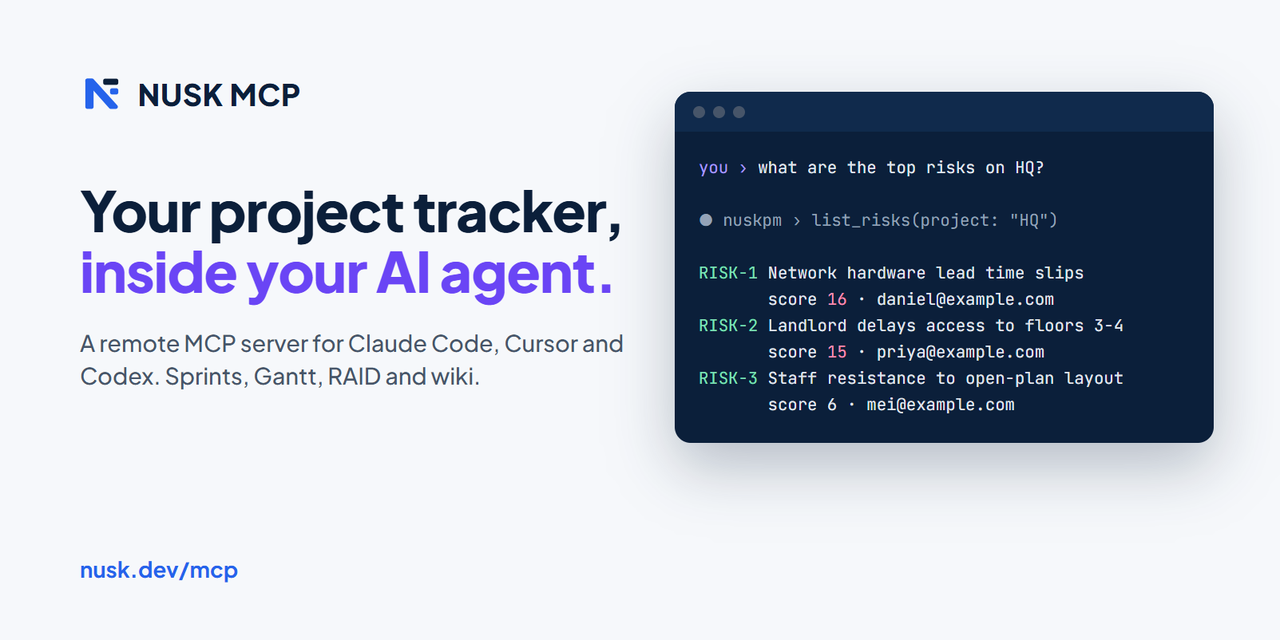
A remote MCP server for Nusk, a project management tool with sprints, Gantt schedules, RAID logs and a wiki.




What this is
Nusk is where your team keeps tasks, schedules, risks and docs. This server lets an AI agent, such as Claude Code, Cursor or Codex, work with that same data from your editor or terminal. You skip the copy and paste between the tracker and the chat.
Ask things like:
- "What is on my plate this week?"
- "What are the top risks on project HQ?"
- "Which tasks are on the critical path?"
- "Create a task under HQ-12 for the login timeout bug and add it to the current sprint."
The server runs on nusk.dev. This repository holds the setup guide, config examples and the registry file. There is no code to install.
Quick start
You need a Nusk workspace. If you don't have one, create one.
1. Connect your agent. Replace YOUR-WORKSPACE with your workspace name (the part after nusk.dev/ in the address bar). There is no token to create: you sign in through your browser.
Claude Code:
claude mcp add --transport http nuskpm https://nusk.dev/YOUR-WORKSPACE/api/mcp
Then type /mcp in Claude Code, pick nuskpm and choose Authenticate.
Cursor, VS Code and other clients that read mcp.json (file):
{
  "mcpServers": {
    "nuskpm": {
      "url": "https://nusk.dev/YOUR-WORKSPACE/api/mcp"
    }
  }
}
2. Sign in. The client opens a Nusk page in your browser. Check the client name, choose Read only (start here) or Read and change, and click Allow.
With a personal access token
Use a token for Codex, scripts, CI, or any client that can't open a browser sign-in. In Nusk, open Profile → API tokens, create one (start with read-only) and copy it; it is shown once.
Claude Code:
claude mcp add --transport http nuskpm \
  https://nusk.dev/YOUR-WORKSPACE/api/mcp \
  --header "Authorization: Bearer nusk_..."
Clients that read mcp.json: add "headers": { "Authorization": "Bearer nusk_..." } next to url.
Codex, in ~/.codex/config.toml (file):
[mcp_servers.nuskpm]
url = "https://nusk.dev/YOUR-WORKSPACE/api/mcp"
bearer_token_env_var = "NUSKPM_TOKEN"
Any client that supports remote HTTP MCP servers should work: with OAuth sign-in (RFC 9728 and 8414 discovery, dynamic client registration, PKCE S256) or a bearer header. Support for adding servers by URL in web apps such as claude.ai varies by app and plan.
3. Ask a question. Try list my projects. If the agent answers with your project codes, you're connected.
Self-hosting Nusk? The address is https://<your-server>/api/mcp.
What it looks like
These are real screens from the sample workspace the tools read from.
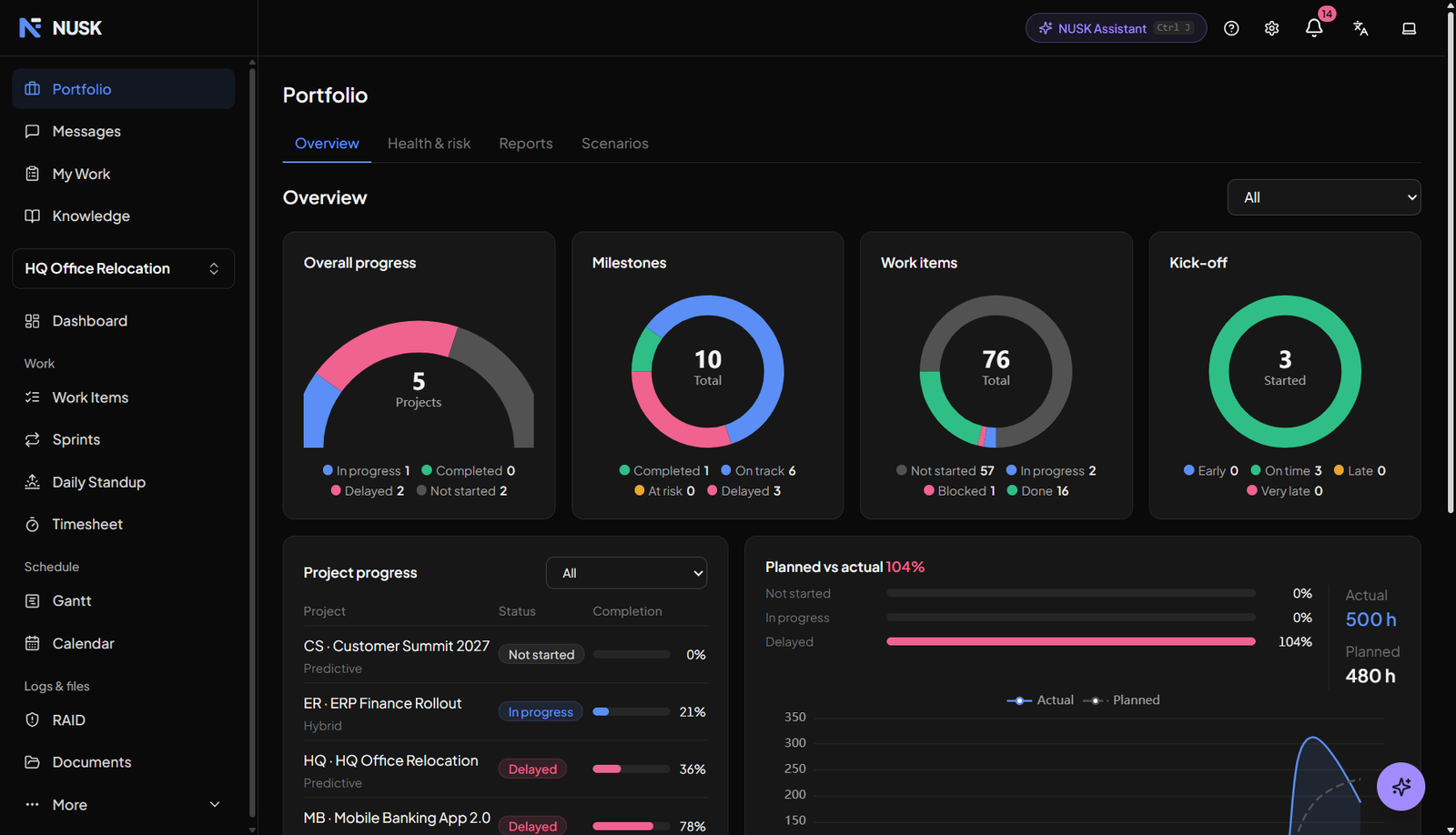 | 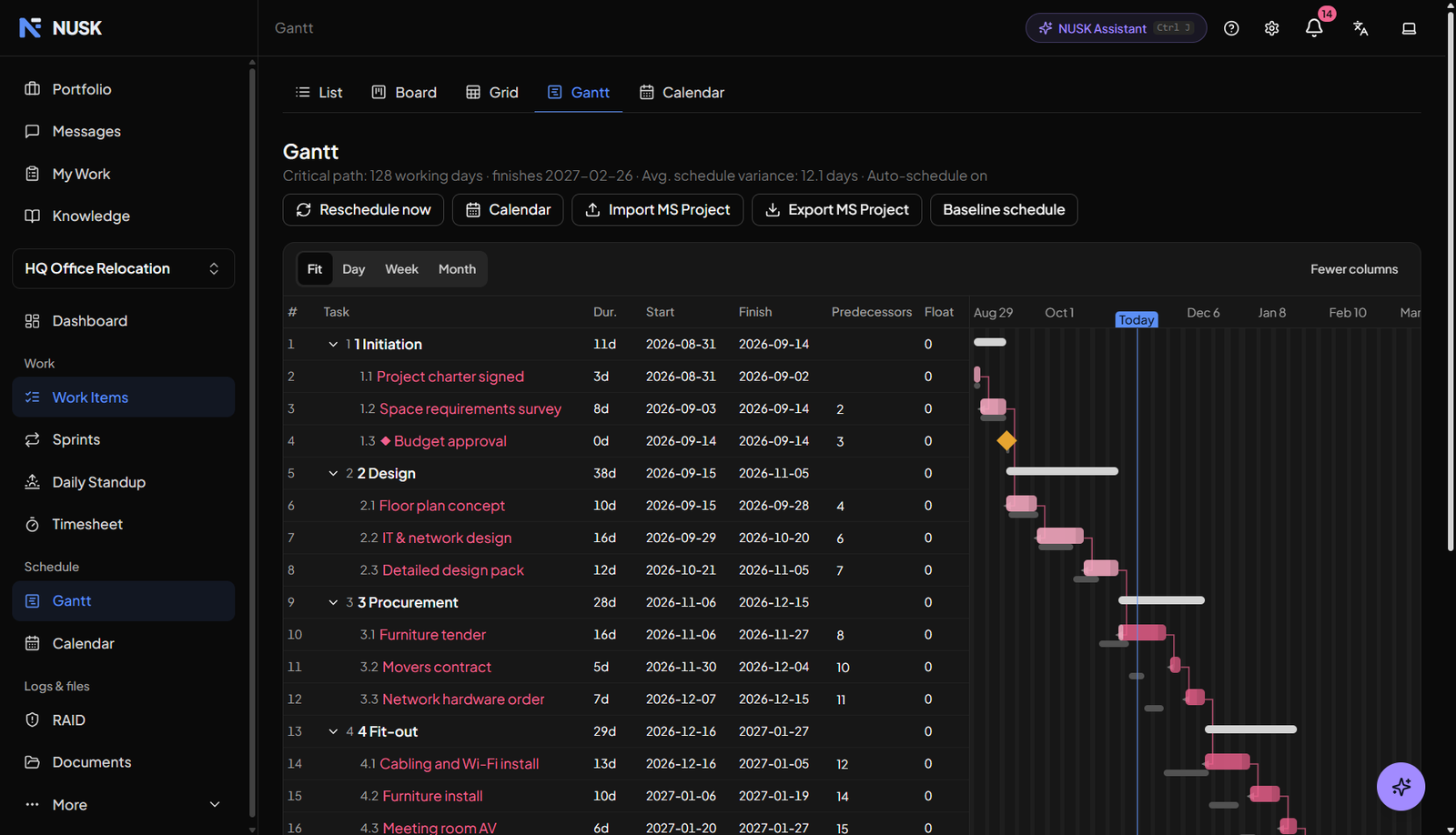 |
| Portfolio. Progress across all projects. | Gantt. Dependencies, float and critical path (get_schedule). |
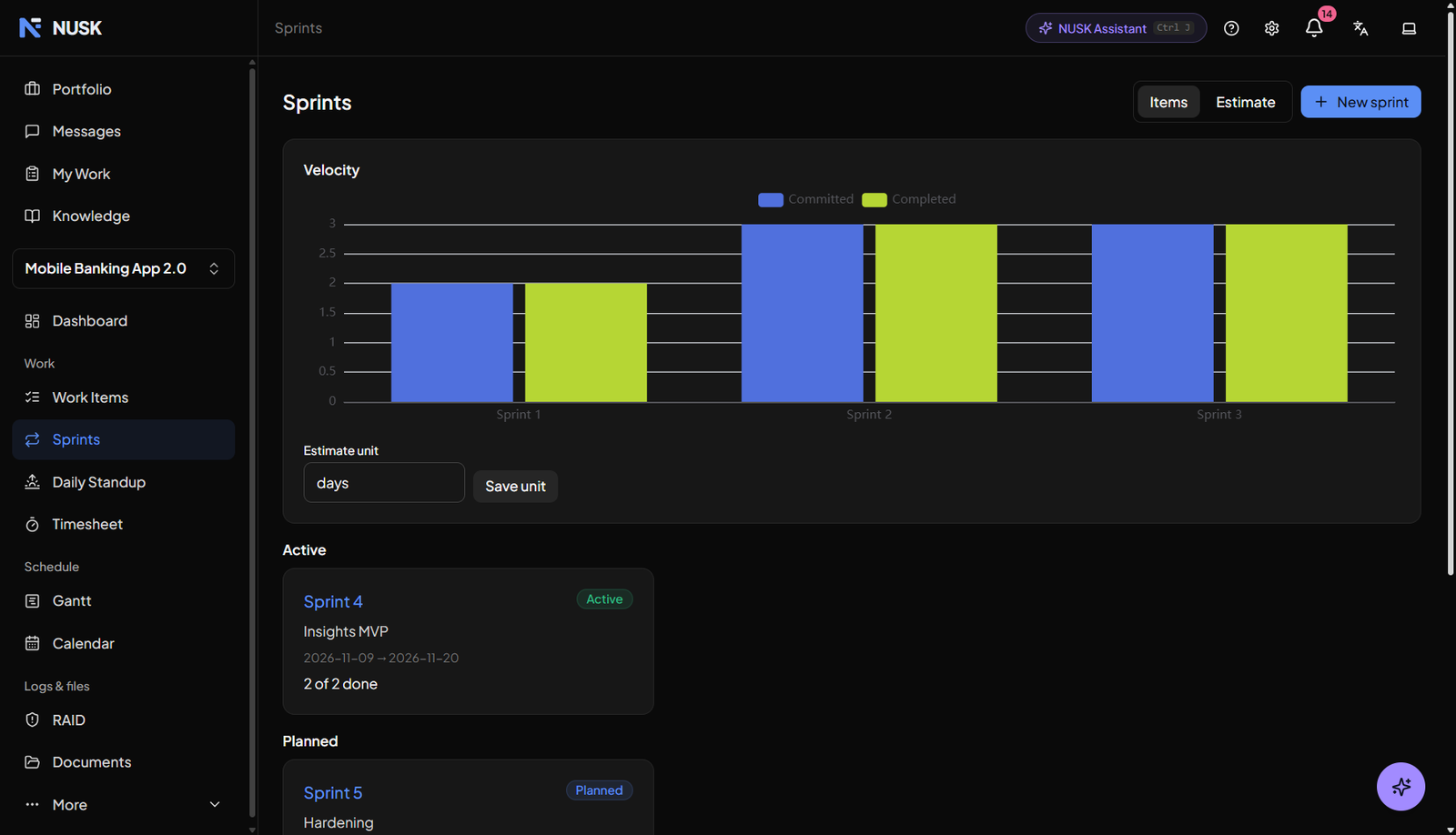 | 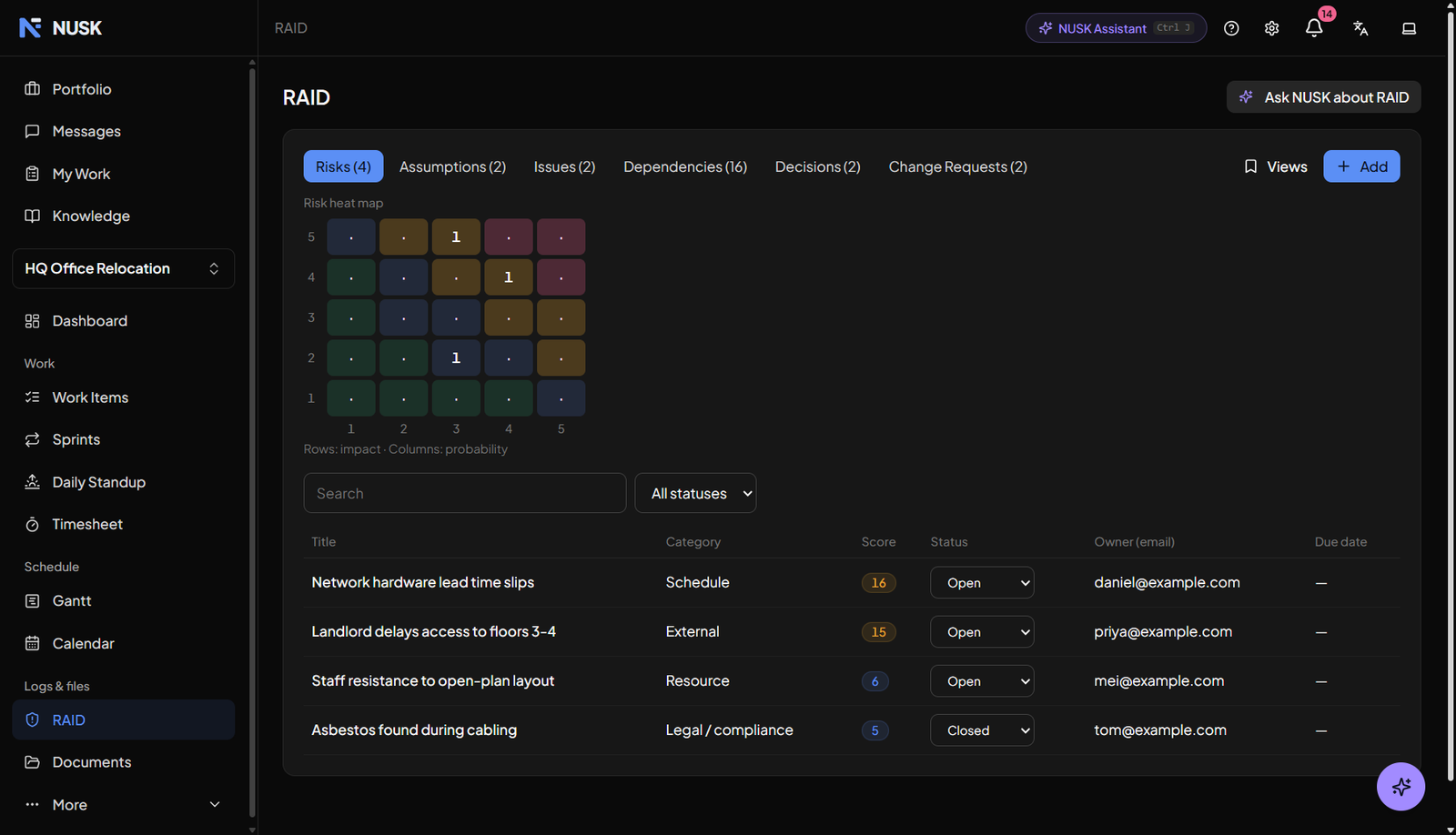 |
Sprints. Velocity and sprint contents (list_sprints). | RAID. Risks, issues, assumptions, dependencies (list_risks). |
Tools
30 tools. Sixteen only read data. Fourteen change data and are hidden when you use a read-only token.
Read
| Tool | What it does |
|---|---|
list_projects | Projects you belong to, with your role |
list_templates | Built-in and saved project templates |
my_work | Your open work items, soonest due first |
search | Find work items by words in the title or key |
list_work_items | Work items, filtered by status, owner, sprint or type |
get_work_item | One item in full: description, acceptance criteria, parent, children, comments |
work_item_options | Allowed types, priorities and statuses |
list_sprints | Sprints with dates, status and done/total counts |
list_risks | Risks, highest score first |
list_issues | Issues |
list_assumptions | Assumptions |
list_dependencies | Dependencies |
get_schedule | Dates, durations, float and critical flags, plus the work calendar |
list_wiki_pages | The wiki page tree |
get_wiki_page | One page, its path, child pages and backlinks |
import_status | Recent imports and whether they were rolled back |
Write
| Tool | What it does |
|---|---|
create_project | Create a project. You become its admin |
create_work_item, create_work_items | Create one or many work items |
update_work_item | Change fields on an item |
move_to_iteration | Move items between sprints |
add_comment | Comment on an item |
add_risk, add_issue, add_assumption, add_dependency | Add RAID entries |
create_minutes_action_items | Turn meeting-minute actions into tasks |
create_wiki_page | Create a wiki page, optionally from a template |
reschedule_project | Recalculate dates from dependencies and the work calendar |
delete_work_item | Delete one item. Needs the delete permission |
Projects are named by their two-letter code, for example HQ. Work items use keys such as HQ-0012.
Safety
- The agent is you. It has your project roles and nothing more. It cannot see or change what you can't.
- Read-only access (chosen at sign-in, or a read-only token) exposes only the read tools.
- Short-lived sign-in. A browser sign-in gives a one-hour access token that renews itself with a rotating 30-day refresh token. It appears under Profile → API tokens as
OAuth: <client>; delete it to end the connection. - Tokens expire. For personal access tokens you choose the expiry, and you can revoke one any time under Profile → API tokens.
- Changes are traceable. Edits made through MCP are marked "via AI agent (MCP)" in revision history and can be reverted.
- Rate limit: 600 requests per minute per token.
Treat a personal access token like a password. Don't commit it. Use an environment variable where your client supports it, as in the Codex example.
Troubleshooting
| You see | Fix |
|---|---|
Sign in with OAuth, or use a personal access token (Profile > API tokens) | Not signed in yet. In Claude Code, run /mcp and authenticate; otherwise add a Bearer nusk_... header. |
| Sign-in page says the request is not valid or has expired | Start the connection again from your agent; the request lasts a few minutes. |
No project XX (list_projects shows yours) | Wrong project code, or you aren't a member. Run list_projects. |
| Agent only offers read tools | The token is read-only. Create a read-and-write token. |
| 404 on the URL | Check the workspace name in the address. |
Try Nusk without installing anything
- Live demo: a sample workspace with three projects, no signup. It lasts one hour. Connecting an agent needs your own workspace.
- Full MCP guide
- Features
- Jira alternative: how Nusk compares and how to import your Jira issues
- Self-hosted option: run Nusk on your own servers
- Learn project management
Feedback
Missing a tool? Something broke? Open an issue. A bug report with the tool name and the error text gets fixed fastest. If Nusk is useful to you, a star helps other people find it.
License
The docs and examples in this repository are MIT licensed (LICENSE). The Nusk service, name and logo are not part of that license.