Unreachable. The endpoint has not answered since 10 Oct.



tokcalc MCP Server
LLM serving capacity planner: VRAM, KV cache, GPU topology, latency, and cost.
One address for any MCP client. No sign-in needed on this server.
What it does
- Reads
- Writes
- High impact
At most: only reads or looks up information.
What it costs
FreeOdel charges nothing per call. The publisher may charge for its own service.
Tools
None listed · checked 10 Oct 2026Odel could not list its tools without signing in.
tokcalc
The open-source LLM serving capacity planner
Plan your LLM deployment before you rent the GPUs.




Switch model → multi-GPU → long-context capacity planner → Build vs Buy → Reference catalog → Live GPU pricing
tokcalc turns your LLM traffic, context length, latency SLOs, cache behavior, and model choice into a defensible serving topology and cost plan — with transparent formulas and cited benchmarks.
It's the engineering-grade pre-deployment decision layer for LLM inference. Not another static "tokens per second" calculator.
Try it now
tokcalc.vercel.app — no signup, no tracking, no paywall.
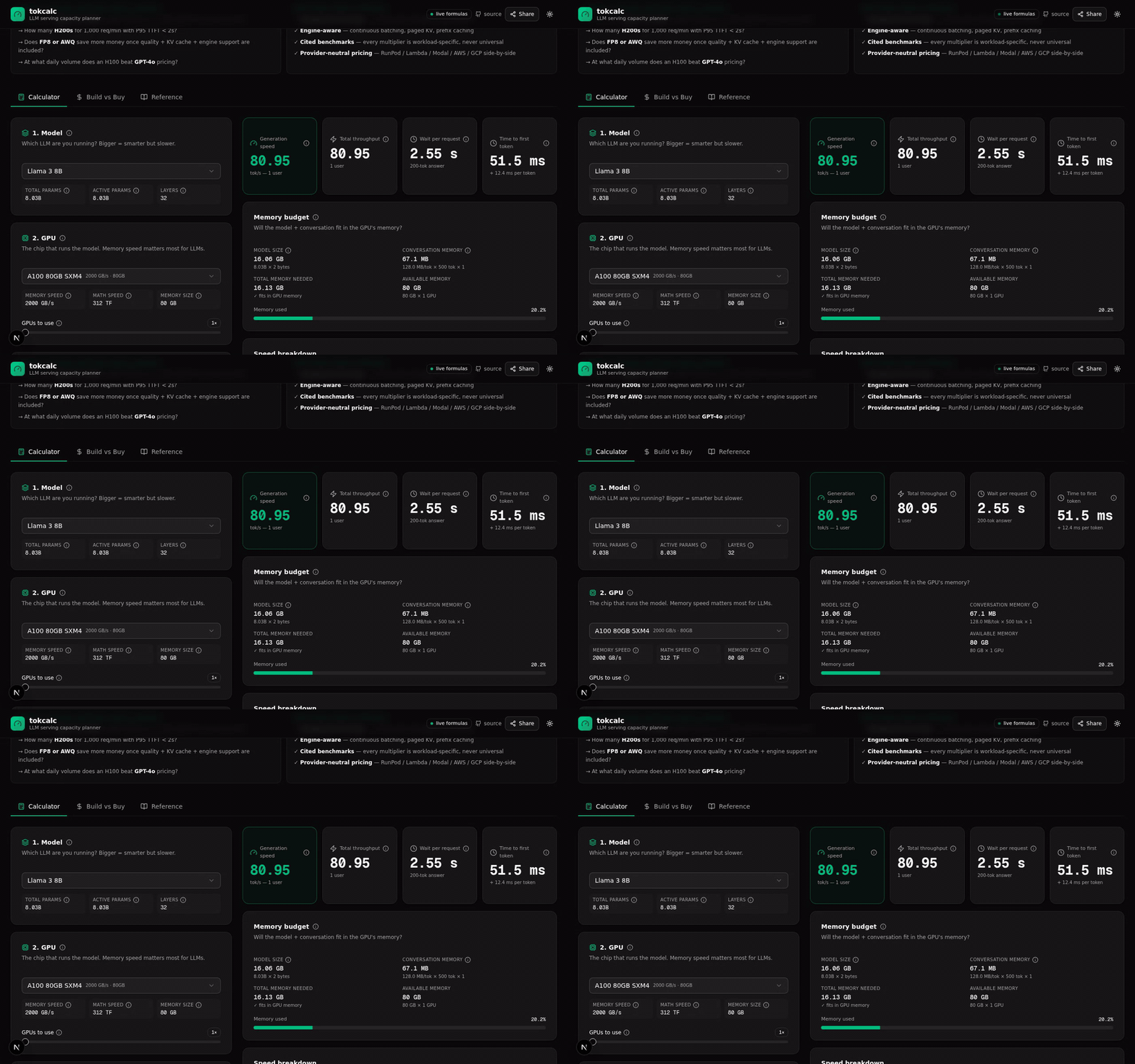
Pick a model, a GPU, and a workload. Get an instant capacity plan:
- Generation speed (tok/s)
- Time-to-first-token (TTFT) + inter-token latency (ITL)
- VRAM budget with KV-cache sizing
- Multi-GPU topology recommendation (Single GPU → TP×2/4/8 → Context Parallel)
- Monthly cost + break-even vs API pricing
- Live GPU pricing across Azure + AWS + GCP + Vast.ai marketplace (fetched in parallel)
- Shareable URL — your config encoded in the URL hash, send to colleagues
- Copy as Markdown — paste the full result into GitHub issues / Slack / docs
GitHub Action — plan on every PR
If your repo declares a serving plan, tokcalc can check it. Drop a
.tokcalc.json at the repo root:
{
  "model": "llama3-70b",
  "gpu": "h100-sxm",
  "quantization": "fp8",
  "numGpus": 2,
  "contextTokens": 32768,
  "concurrency": 16
}
Then add this to .github/workflows/plan.yml:
name: tokcalc
on:
  pull_request:
    paths: [".tokcalc.json"]

jobs:
  plan:
    runs-on: ubuntu-latest
    steps:
      - uses: stevecrates489-commits/tokcalc@v0.3.0
        with:
          fail-on-infeasible: true
Every PR that touches the plan gets a comment with the VRAM budget, KV-cache sizing, throughput, TTFT/ITL, and cost — so a reviewer can check the model/GPU choice without leaving the diff.
Pin to a release tag (as above) rather than
@main, so the action can't change under you between runs.
The action runs tokcalc's own src/lib/token-calc.ts from this repository, so
the numbers it reports are the same ones the site and the MCP tools produce.
There is no second implementation to drift.
Any field can be overridden per-run, or you can skip the config file entirely:
- uses: stevecrates489-commits/tokcalc@v0.3.0
  with:
    model: mixtral-8x7b
    gpu: h200-sxm
    quant: fp8
    gpus: 2
    context: 32768
    concurrency: 32
Run the same thing locally without the action:
npx @tokcalc/mcp-server plan --config .tokcalc.json
npx @tokcalc/mcp-server plan --model llama3-70b --gpu h100-sxm --quant fp8 --format json
Exit code is 0 when the plan fits, 2 when it does not, 1 on a usage error
— so it works as a CI gate.
Why tokcalc?
The market has dozens of "tokens per second" calculators and self-host-vs-API break-even tools (induwara.lk, gigagpu, kickllm, cloudparity, curlscape, profitable.ai). None of them are unified capacity planners — and none show their math.
What tokcalc answers that competitors can't
"Can I serve Qwen 2.5 72B at 128K context on 2× H100 with 20 concurrent users?"
"How many H200s do I need for 1,000 req/min with P95 TTFT < 2s?"
"Does FP8 or AWQ save more money once quality, KV cache, and engine support are included?"
"At what daily volume does an H100 beat GPT-4o pricing?"
"What's the cheapest H100 right now across Azure / AWS / GCP / Vast.ai?"
"What happens to cost and latency if an agent makes 8 model calls, has 3 tool calls, and its context grows by 5K tokens each turn?"
"Would prefix caching, continuous batching, or PD disaggregation save more for this workload?"
Features
Calculator tab
| Feature | What it computes |
|---|---|
| Model fit / VRAM | Will the model + KV cache fit in the GPU's memory? |
| Throughput | Decode tok/s (per-stream) + aggregate (batched) + prefill tok/s |
| Latency split | Time-to-first-token (= prefill) + inter-token latency (= decode) |
| Continuous batching | User-tunable 1.0–4× multiplier (cited 1.5–4× SOSP range) |
| Reasoning tokens | Hidden reasoning budget added to billed output (o1 / R1 / Claude thinking) |
| Prompt caching | Self-hosted vLLM APC + Anthropic 5m/1h TTL + OpenAI 50%-off cached tokens |
| Speculative decoding | User-tunable 1.2–4× boost factor |
| Multi-GPU TP | 1× → 8× tensor parallel with NVLink efficiency factor |
| Long-context capacity | KV memory + max concurrency + prefill time at 4K → 1M context |
| Topology recommendation | Single GPU → TP×2 → TP×4 → TP×8 → TP×8 + Context Parallel (RingAttention) |
| Cost economics | GPU $/hr → $/M output tokens → $/request → monthly cost |
| Observed benchmark calibration | Paste vLLM/SGLang/TRT-LLM JSON → see formula accuracy verdict (validated / underestimated / overestimated) |
Build vs Buy tab
Independent calculator (separate state) that compares:
- Self-host: model + GPU + quant + utilization + batch → $/M tokens + monthly cost
- API: 13 providers (OpenAI / Anthropic / Gemini / Groq / DeepSeek / Mistral / Together)
- Verdict: Self-host cheaper / API cheaper / Not enough volume — with break-even reqs/day
Reference tab
6 sub-tables — fully transparent, every record source-linked where available:
- Models (35 entries: Llama 4 Scout/Maverick, Qwen 3 family, DeepSeek V3/R1, Pixtral, BGE-M3, ...)
- GPUs (30 entries: H100/H200/B200/B300, AMD MI300X/MI325X, Intel Gaudi 3, TPU v5p/Trillium, Groq LPU, Cerebras WSE-3, Apple M2/M3/M4 Ultra, ...)
- Quantization (16 formats: FP16/BF16, GGUF Q2_K→Q8_0, GPTQ, AWQ, EXL2, FP8, NVFP4)
- API pricing (13 models with input/cached/output + retired/current status)
- Cloud GPU pricing (all GPUs with $/hr > 0 + typical providers — static curated)
- 🔴 Live pricing (real-time fetch from Azure + AWS + GCP + Vast.ai in parallel — LIVE badges + timestamps)
The long-context capacity planner (the differentiator)
This is the formula the Perplexity research brief called "the most important tokcalc should visibly expose":
$$ \text{KV bytes/request} = 2 \cdot L \cdot T \cdot H_{\text{kv}} \cdot D_h \cdot B $$
For dense attention, prefill cost grows superlinearly with context length:
$$ \text{prefill FLOPs} = \underbrace{2 \cdot N \cdot T}{\text{linear}} + \underbrace{T^2 \cdot H{\text{kv}} \cdot D_h \cdot L}_{\text{attention}} $$
tokcalc shows you:
- Max concurrent users at 4K / 8K / 16K / 32K / 64K / 128K / 256K / 512K / 1M context
- KV memory per request at each context length
- Prefill time (with superlinear attention correction beyond 32K)
- Required topology (Single GPU → TP×2/4/8 → TP×8 + Context Parallel)
- RingAttention citation when CP is needed
Live GPU pricing (NEW)
The 🔴 Live pricing sub-tab in Reference fetches real-time GPU prices from 4 providers in parallel via Promise.allSettled:
| Provider | API | Auth | Cache TTL |
|---|---|---|---|
| Azure | Retail Prices API | None (public) | 24h |
| AWS | EC2 bulk pricing file | None (public) | 24h |
| GCP | Cloud Billing Catalog API | GCP_API_KEY env var | 24h |
| Vast.ai | Marketplace bundles API | None (public) | 5m (spot prices change rapidly) |
Each provider shows a LIVE badge with timestamp + cache state. The comparison table shows the cheapest price per GPU across all 4 providers (highlighted in emerald) + per-provider breakdown.
If any provider fails (e.g., GCP_API_KEY not set), the others still work — graceful degradation per provider.
The math, transparently
Every number above comes from a formula you can inspect. No black boxes.
Decode tokens/sec (memory-bandwidth bound)
$$ \text{decode tok/sec} \approx \frac{\text{HBM BW} \cdot \eta_{\text{mem}} \cdot \text{quant_eff}}{\text{model size}} $$
Where:
HBM BW= GPU memory bandwidth (e.g., 3350 GB/s for H100 SXM)η_mem = 0.65= typical real-world memory utilization (35% overhead)quant_eff= dequantization efficiency multiplier (1.0 for FP16, 1.5 for FP8 on H100, 0.85 for INT4)model size = active_params × bytes_per_param(uses ACTIVE params for MoE, not total)
Refs: PagedAttention paper (arxiv.org/abs/2309.06180)
Prefill tokens/sec (compute bound)
$$ \text{prefill tok/sec} \approx \frac{\text{GPU FLOPS} \cdot \eta_{\text{compute}}}{2 \cdot \text{active params}} $$
Where:
GPU FLOPS= dense FP16/BF16 TFLOPS (sparse values not used)η_compute = 0.50= typical compute utilization- Factor of 2 = one multiply + one add per parameter per token
For long context (>32K), the superlinear attention correction above applies.
Continuous batching multiplier (workload-specific)
$$ \text{aggregate tok/sec} = \text{decode tok/sec} \cdot \text{batch size} \cdot \text{continuous batching multiplier} $$
Critical caveat: There is no universal continuous batching multiplier. vLLM reported 14–24× vs HF Transformers (extreme), 2.2–2.5× vs TGI. SOSP paper finds 2–4× typical vs FasterTransformer/Orca. tokcalc defaults to a conservative 1.5× and lets you tune.
Refs:
Prompt caching economics (Anthropic / OpenAI)
For shared prefix of length $T_p$, suffix of length $T_u$, output $O$, cache hit rate $h$:
$$ \text{API input cost} = N \cdot \left[ (1-h) \cdot T_p \cdot P_{\text{write}} + h \cdot T_p \cdot P_{\text{read}} + T_u \cdot P_{\text{input}} \right] $$
Anthropic multipliers (verified 2025-2026):
- 5-minute cache write: 1.25× base input
- 1-hour cache write: 2.0× base input
- Cache read: 0.1× base input (90% savings)
OpenAI: cached input discounted 50%, no separate write fee.
Refs:
Multi-GPU topology recommendation
$$ \text{total needed} = \text{model weights} + (\text{KV per request} \cdot \text{batch size}) $$
Walk the smallest topology that fits:
- Single GPU: total ≤ VRAM × 1
- Tensor Parallel ×2/4/8: total ≤ VRAM × N (weights + KV split evenly)
- TP×8 + Context Parallel: total > VRAM × 8 — use RingAttention to shard KV across nodes
Refs: RingAttention paper
Self-host vs API break-even
$$ \text{self-host $/M tokens} = \frac{\text{GPU $/hr}}{3600 \cdot \text{effective tok/s} \cdot \text{utilization}} \cdot 10^6 $$
$$ \text{break-even req/day} = \frac{\text{monthly self-host cost}}{30 \cdot \text{API cost per request}} $$
The decisive term is effective utilization — not peak throughput. A GPU running at 10% utilization pays 10× more per token than the theoretical minimum.
Comparison with adjacent tools
| Capability | induwara / techfuelhq / pcmasterstudio | gigagpu / kickllm / cloudparity | HF Open LLM Leaderboard / MLPerf | tokcalc |
|---|---|---|---|---|
| Model × GPU × quant tok/s | ✓ | some | some | ✓ |
| Model-fit / VRAM | basic | rare | rare | ✓ |
| KV-cache by context + concurrency | — | — | implicit | ✓ |
| Prefill vs decode split (TTFT/ITL) | — | — | engine-specific | ✓ |
| Continuous batching / paged attention | — | — | docs only | ✓ |
| Long-context (128K–1M) planning | — | — | — | ✓ |
| Topology recommendation (TP/CP) | — | — | partial | ✓ |
| Prompt-cache economics | — | partial API only | — | ✓ |
| Reasoning tokens (o1/R1/Claude thinking) | — | — | — | ✓ |
| API vs self-host break-even | some | ✓ | — | ✓ |
| Live cloud GPU pricing (4 providers) | — | — | — | ✓ |
| Observed benchmark calibration | — | — | — | ✓ |
| MCP server for AI agents | — | — | — | ✓ |
| Public hosted MCP endpoint + self-serve keys | — | — | — | ✓ |
| Transparent formulas / open source | mixed | usually no | mixed | ✓ |
| Cited benchmark evidence per config | rare | rare | ✓ (not planning) | ✓ (in progress) |
| Shareable URL per config | — | — | — | ✓ |
| Copy result as Markdown | — | — | — | ✓ |
Roadmap
Shipped
- ✅ 39 models, 31 GPUs, 16 quantization formats
- ✅ Continuous batching, reasoning tokens, prompt caching
- ✅ TTFT/ITL split, long-context superlinear attention
- ✅ Long-context capacity planner + topology recommendation
- ✅ Build-vs-Buy calculator (13 API providers with retired/current status)
- ✅ Reference catalog (6 sub-tables including live pricing)
- ✅ Live GPU pricing (Azure + AWS + GCP + Vast.ai parallel fetch with LIVE badges)
- ✅ Observed benchmark calibration (paste vLLM/SGLang/TRT-LLM JSON → verdict)
- ✅ MCP server v0.2.9 — 11 read-only tools, stdio + Streamable HTTP transports
- ✅ Single-core MCP architecture — one
src/lib/mcp/core.ts, shimmed into both the hosted endpoint and the npm package, so the two surfaces cannot drift - ✅ Published to the MCP Registry and kept
current by an OIDC workflow on every
v*tag - ✅ Correct MoE accounting — resident (full) weights and active (per-token) parameters reported separately, instead of conflating them
- ✅ Strict tool schemas — Zod 4 native JSON Schema; unknown parameters are rejected with the valid names suggested back
- ✅ Public hosted MCP endpoint at
tokcalc.vercel.app/api/mcpwith bearer auth + Upstash Redis rate limiting - ✅ Self-serve API key generation at
tokcalc.vercel.app/mcp(email → instant key) - ✅ 4 SEO landing pages:
/compare/h100-vs-h200,/compare/gguf-q4-k-m-vs-q5-k-m,/self-host-vs-openai-api,/mcp(install docs) - ✅ Share URL + localStorage persistence
- ✅ GitHub Action — drops a capacity + cost plan straight onto your PR
- ✅ Copy result as Markdown (for GitHub issues / Slack / docs)
- ✅ Dark mode toggle
- ✅ Plain-English glossary (28 terms with hover tooltips)
- ✅ OG image + Twitter card + social metadata
- ✅ Plausible Analytics (privacy-friendly) + Sentry error monitoring
Next 30 days
- ⏳ Versioned price + benchmark provenance — source URL + retrieval date on every rate and benchmark
- ⏳ P/D disaggregation planner (separate prefill + decode pools)
- ⏳ Engine-aware presets (vLLM / SGLang / TensorRT-LLM / llama.cpp) — UI integration
- ⏳ Multi-turn / agentic economics — growing context and tool-call turns in the cost model
Next 90 days
- ⏳ Multi-LoRA capacity planner (Punica / S-LoRA economics)
- ⏳ VLM image-token accounting (per-model patch/tile tokenization)
Deliberately not doing
i18n (Chinese / Japanese / Korean)— permanent translation maintenance across 39 models × 30 GPUs × 11 tools, and traffic is currently overwhelmingly CI and agent installs rather than human readers. Revisit only if CJK traffic shows up in analytics.OAuth 2.1 / PKCE— auth infrastructure for a product with one user. Self-serve key issuance plus Upstash rate limiting already covers the real need. Revisit on demand.Training/fine-tuning FLOPs, energy/carbon, embedding mode— each of these is a separate product in a separate domain. "Capacity planner" is a sharp position; widening it into a general AI-infra calculator suite costs more than it earns.
Open core model
tokcalc is open core — the calculator and catalog are open source; the cloud/data/team features are paid.
| Asset | License | Notes |
|---|---|---|
| Source code | Apache 2.0 | This repo. Free to use, modify, distribute |
| Model/GPU/quant catalog | CC0 1.0 | Public domain data. Anyone can use, no attribution required |
| Benchmark provenance data | CC-BY-SA 4.0 | Anyone can use, but must attribute + share-alike |
| Documentation | CC-BY 4.0 | Attribution required if copied |
| "tokcalc" name + logo | Trademark | Even without formal registration, common-law rights apply |
| Cloud SaaS layer | Proprietary | Real-time pricing API, benchmark DB, team workspaces (coming soon) |
Why this structure
- Trust: Open-source formulas build credibility vs opaque competitors
- Community: Contributors can submit models, GPUs, quants, benchmarks
- Defensibility: Trademark + cloud features + URL-share viral loop protect against forks
- Revenue: Cloud tier funds ongoing development + pricing/benchmark data maintenance
Contributing
We welcome contributions! See CONTRIBUTING.md for:
- How to add a model (with HuggingFace config.json as source)
- How to add a GPU (with critical guardrails for B200/B300 null FP16 fields)
- How to add a quantization format (with measured file sizes as source)
- How to submit a benchmark (3-tier confidence model)
- How to improve a formula (cite the source, no magic numbers)
Most-needed contributions
- 🟢 New models (Qwen 3, Mistral Large 4, Llama 4 variants as they release)
- 🟢 New GPUs (B300, AMD MI400, Apple M5 Ultra when shipping)
- 🟢 New quantization formats (mxFP8, MXFP4, BitNet 2)
- 🟢 Real benchmark data (run vLLM benchmarks and submit with provenance)
- 🟢 Translations (especially Chinese, Japanese, Korean)
MCP server — use tokcalc from AI agents
tokcalc ships an MCP (Model Context Protocol) server that lets AI agents (Cursor, Claude Desktop, Cline) call tokcalc during design reviews.
npm package: @tokcalc/mcp-server (latest: v0.2.9)
Public endpoint: https://tokcalc.vercel.app/api/mcp (Streamable HTTP, bearer auth, rate-limited)
Install docs: https://tokcalc.vercel.app/mcp
11 read-only tools
| Tool | What it does |
|---|---|
estimate_capacity | VRAM/KV/throughput/latency/cost for one config |
compare_gpus | Ranked GPU comparison for one workload |
recommend_topology | TP/CP topology recommendation |
estimate_api_vs_self_host | Break-even analysis |
list_models | Discover supported model IDs |
list_gpus | Discover supported GPU IDs |
get_mlperf_benchmarks | Curated MLPerf Inference v4.1 audited reference configs |
find_config_for_slo | Inverse planner — SLOs + traffic → feasible configs ranked by cost/throughput/value |
plan_deployment | One-call decision brief — memory + perf + build-vs-buy + risks + next steps |
fetch_model_spec | Diff the catalog against live HuggingFace config.json (24h cache) |
record_measured | Store real tok/s measurements; future estimates self-calibrate |
All tools are read-only — no side effects, no cloud credentials, no deployments.
Option A: Public hosted endpoint (recommended — no install)
Point Cursor or Claude Desktop at the public endpoint. Get an instant API key at /mcp:
{
  "mcpServers": {
    "tokcalc": {
      "url": "https://tokcalc.vercel.app/api/mcp",
      "headers": { "Authorization": "Bearer <your-api-key>" }
    }
  }
}
Features:
- ✅ Bearer API key auth (constant-time comparison via
crypto.timingSafeEqual) - ✅ KV-backed rate limiting via Upstash Redis (30 req/min per IP, 120 req/min per key)
- ✅ Self-serve key generation — enter email at
/mcp, get instant key (5 per IP per day limit) - ✅ Keys expire after 90 days of inactivity
- ✅ SHA-256 key hashing (never stored raw)
Option B: Self-hosted stdio (for local Cursor / Claude Desktop)
{
  "mcpServers": {
    "tokcalc": {
      "command": "npx",
      "args": ["-y", "@tokcalc/mcp-server"]
    }
  }
}
No API key needed for stdio (local install). Cursor spawns the process via npx.
Option C: Self-hosted HTTP (for air-gapped / custom infra)
npm install -g @tokcalc/mcp-server
tokcalc-mcp-http  # defaults to port 3000
Set MCP_API_KEY, UPSTASH_REDIS_REST_URL, UPSTASH_REDIS_REST_TOKEN env vars for auth + rate limiting.
Example agent prompt
"I need to serve Llama 3.3 70B at 32K context for 50 concurrent users. What GPU topology do you recommend, and how much will it cost per month?"
The agent calls list_models → list_gpus → recommend_topology → estimate_capacity → returns a structured plan with VRAM, throughput, latency, cost, and confidence.
Development & testing
# Typecheck (must stay at zero errors)
bunx tsc --noEmit

# Golden-number suite (33 tests) — hand-verified oracle values
bun test tests/mcp-golden.test.ts

# Surface-parity suite (9 tests) — every surface advertises the same 11 tools
bun test tests/mcp-surface-parity.test.ts

# Build the npm server dist + prepublish guard (freshness + version sync)
cd mini-services/mcp-server && bun run build && node scripts/prepublish-check.js

# 35-check black-box stdio QA battery against the freshly built dist
cd ../.. && node tests/qa-live-probe.mjs local
# …or against the PUBLISHED npm tarball:
node tests/qa-live-probe.mjs 0.2.9

# 20-check HTTP smoke probe against the hosted /api/mcp surface
MCP_API_KEY=<key> EXPECTED_VERSION=0.2.9 node tests/http-smoke.mjs http://localhost:3001
# …or against production:
MCP_API_KEY=<key> node tests/http-smoke.mjs https://tokcalc.vercel.app
GitHub Actions runs all of the above (except the published-tarball mode) on every push — see .github/workflows/ci.yml.
Tech stack
- Framework: Next.js 16 with App Router (Turbopack)
- Language: TypeScript 5
- Styling: Tailwind CSS 4 + shadcn/ui (New York)
- Charts: Recharts
- State: React hooks (useState + useEffect + useMemo)
- Theme: next-themes (dark mode default)
- MCP SDK:
@modelcontextprotocol/sdkv1.30.1 (Streamable HTTP transport, stateless mode) - Auth:
crypto.timingSafeEqual(constant-time bearer key validation) - Rate limiting:
@upstash/ratelimit+@upstash/redis(sliding window, 30/min per IP, 120/min per key) - Analytics: Plausible (privacy-friendly, no cookies)
- Error monitoring: Sentry
- Database: None for core; Upstash Redis for API key storage + rate limiting
Project structure
tokcalc/
├── src/
│   ├── app/
│   │   ├── api/
│   │   │   ├── mcp/route.ts          # Public MCP endpoint (Streamable HTTP)
│   │   │   ├── keys/route.ts         # Self-serve API key generation
│   │   │   └── pricing/              # Live GPU pricing proxies
│   │   │       ├── aws/route.ts
│   │   │       ├── azure/route.ts
│   │   │       ├── gcp/route.ts
│   │   │       └── vast-ai/route.ts
│   │   ├── compare/                  # SEO landing pages
│   │   │   ├── h100-vs-h200/page.tsx
│   │   │   └── gguf-q4-k-m-vs-q5-k-m/page.tsx
│   │   ├── self-host-vs-openai-api/page.tsx
│   │   ├── mcp/page.tsx              # MCP install docs + self-serve key form
│   │   ├── page.tsx                  # Main calculator
│   │   └── layout.tsx
│   ├── lib/
│   │   ├── mcp/
│   │   │   ├── core.ts              # UNIFIED tool core — all 11 tools, both surfaces
│   │   │   ├── server.ts            # thin shim → core (createMcpServer factory)
│   │   │   ├── mcp-version.ts       # MCP_SERVER_VERSION — single source of truth
│   │   │   ├── mcp-store.ts         # per-install store (spec cache + calibration)
│   │   │   └── auth.ts               # validateApiKey (Redis + env var)
│   │   ├── token-calc.ts             # Core calculation engine
│   │   ├── mlperf-curated.ts         # 9 MLPerf v4.1 reference configs
│   │   ├── price-schema.ts           # PriceRecord type + helpers
│   │   ├── benchmark-schema.ts       # BenchmarkRecord + CalibrationResult
│   │   ├── engine-presets.ts         # 5 engine presets (vLLM/SGLang/TRT-LLM/llama.cpp/generic)
│   │   └── url-state.ts              # URL hash + localStorage persistence
│   └── components/
│       ├── benchmark-import.tsx      # Paste JSON → calibrate against estimate
│       └── confidence-badge.tsx      # 🟢🟡⚪ confidence dots
├── mini-services/
│   └── mcp-server/                   # Standalone npm package (for stdio + self-hosted HTTP)
│       ├── server.ts                 # thin shim → src/lib/mcp/core.ts (no duplicated handlers)
│       ├── auth.ts                   # Bearer auth middleware (Node http)
│       ├── rate-limit.ts             # Upstash rate limiter (Node http)
│       ├── http.ts                   # Standalone HTTP entry (tokcalc-mcp-http)
│       ├── index.ts                  # Stdio entry (tokcalc-mcp-server)
│       └── package.json              # @tokcalc/mcp-server npm package
├── public/
│   ├── sitemap.xml                   # 5 URLs (/, /mcp, 3 compare pages)
│   ├── og.png                        # OG image
│   └── manifest.json                 # PWA manifest
├── server.json                       # MCP registry entry (packages + remotes)
├── package.json                      # Web app deps
└── next.config.ts
Acknowledgments
tokcalc builds on the work of:
- vLLM team — PagedAttention, continuous batching (arxiv.org/abs/2309.06180)
- llama.cpp / ggml-org — GGUF format and quantization variants
- MLPerf / MLCommons — standardized inference benchmark methodology
- Stanford HELM — efficiency-aware model evaluation framework
- Anthropic / OpenAI / Google — published prompt-caching pricing rules
- Model Context Protocol team — MCP Streamable HTTP transport spec (2025-03-26)
- NVIDIA / AMD / Intel / Google / Groq / Cerebras — published hardware specs
- Upstash — Redis + rate limiting infrastructure
Every formula has a citation. Every model/GPU/quant entry has a source URL where available. If you spot an unsourced claim, please open an issue.
Star history
Live demo · MCP install docs · Public MCP endpoint · npm package · Contributing · License · Code of Conduct
Made with care by the tokcalc community. Apache 2.0 licensed.


