url-to-pdf
Convert public web pages to PDF, images, Markdown, or JSON using one API key.
One address for any MCP client. No sign-in needed on this server.
What it does
1 read4 other
Grouped by tool name.
What it costs
FreeOdel charges nothing per call. The publisher may charge for its own service.
Tools
5 · grouped by tool name · checked 9 Oct 2026Read · 1Look things up
- list_capabilities
Other · 4Neither hinted nor named
- url_to_pdf
- url_to_screenshot
- url_to_markdown
- url_to_extract
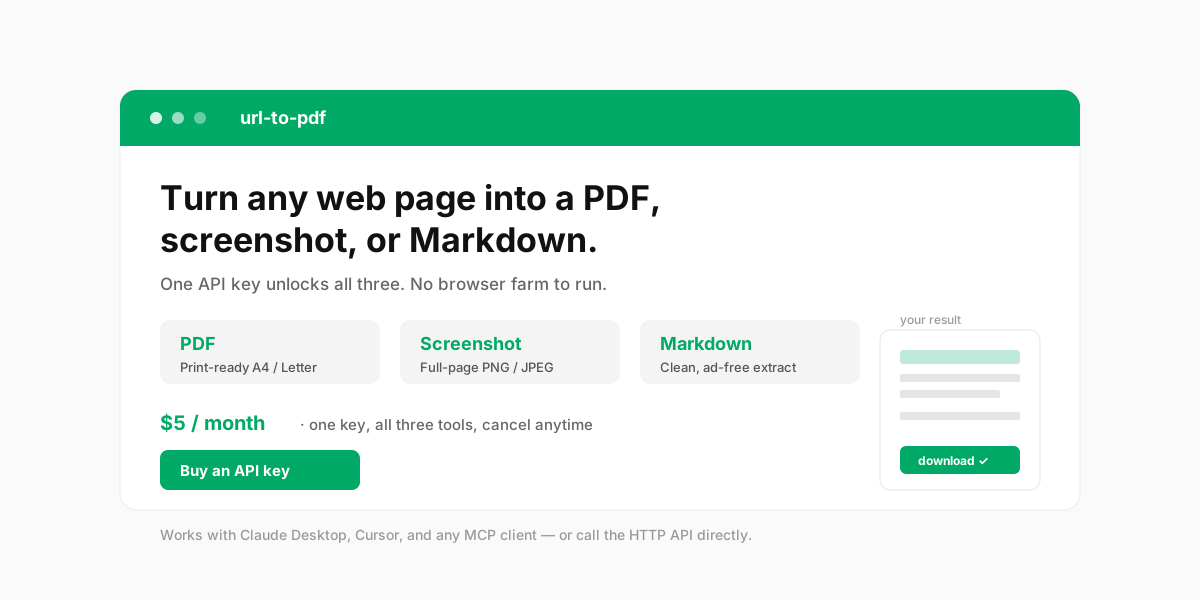
Turn any public web page into a PDF, a full-page screenshot, or clean Markdown — with one API key.
No browser farm to run, no headless Chrome to babysit. url-to-pdf renders pages on Cloudflare's infrastructure and hands you a download link. Use it from any MCP-compatible AI client (Claude Desktop, Cursor, and friends) by just talking, or call the HTTP API directly from your scripts.
Why you'll like it
- Four outputs, one key. PDF (A4 / Letter / Legal, portrait or landscape), full-page PNG/JPEG screenshots, clean Markdown (navigation stripped out), and structured JSON (title, description, canonical URL, language, main text, links).
- Your assistant actually sees the result. Small outputs (≤1 MB) are returned inline — screenshots come back as images the model can look at, not just a link it has to read out loud.
- Every render comes with a receipt. Final URL after redirects, HTTP status, capture time, duration, byte size and a SHA-256 of the artifact, so a result can be quoted and verified later.
- Just talk to it. Connect it as an MCP server and say "turn https://example.com into a PDF" — your client does the rest. No curl, no JSON to hand-write.
- Also a plain HTTP API. Every tool is a single
POSTwith yourx-api-key. Great for scripts, backends, and low-code platforms. - Mobile, retina and dark mode. Set any viewport (320–3840 × 240–2160), device pixel ratio up to 3, and render with
prefers-color-scheme: dark. - SSRF-protected. Only public
http(s)URLs are accepted; internal and reserved addresses are rejected at the edge. - Private by design. Outputs are kept for 1 hour then auto-deleted. We never see your card (Paddle handles payments) and your email is used only to recover your key.
Get your API key
- Go to url-pdf.hammbox.com/buy and complete checkout (Paddle — major credit cards).
- Your key appears on screen the moment payment completes. Copy it and keep it safe.
- Lost it? Recover it anytime at /portal/claim with the email you used at checkout. No password, no support ticket.
Use it as an MCP server (recommended for AI clients)
Add url-to-pdf to your client's MCP configuration. With Claude Desktop, Cursor, or any client that supports Streamable HTTP:
{
  "mcpServers": {
    "url-to-pdf": {
      "type": "http",
      "url": "https://url-pdf.hammbox.com/mcp",
      "headers": { "x-api-key": "YOUR_API_KEY" }
    }
  }
}
That's it — no local install. Then just ask your assistant in natural language:
"Convert https://news.ycombinator.com to a PDF and give me the download link."
The client calls the tool, passes your key, and shows you the result.
Use it as an HTTP API (for scripts & backends)
Every render is a POST to a /tools/* endpoint with your key in the header.
# Web page → PDF
curl -X POST https://url-pdf.hammbox.com/tools/url-to-pdf \
  -H "Content-Type: application/json" \
  -H "x-api-key: YOUR_API_KEY" \
  -d '{"url":"https://example.com","format":"A4"}'

# Full-page screenshot
curl -X POST https://url-pdf.hammbox.com/tools/url-to-screenshot \
  -H "Content-Type: application/json" \
  -H "x-api-key: YOUR_API_KEY" \
  -d '{"url":"https://example.com","fullPage":true,"format":"png"}'

# Extract Markdown
curl -X POST https://url-pdf.hammbox.com/tools/url-to-markdown \
  -H "Content-Type: application/json" \
  -H "x-api-key: YOUR_API_KEY" \
  -d '{"url":"https://example.com"}'

# Structured data as JSON
curl -X POST https://url-pdf.hammbox.com/tools/url-to-extract \
  -H "Content-Type: application/json" \
  -H "x-api-key: YOUR_API_KEY" \
  -d '{"url":"https://example.com","maxLinks":50}'

# Mobile screenshot, retina, dark mode
curl -X POST https://url-pdf.hammbox.com/tools/url-to-screenshot \
  -H "Content-Type: application/json" \
  -H "x-api-key: YOUR_API_KEY" \
  -d '{"url":"https://example.com","width":390,"height":844,"deviceScaleFactor":2,"darkMode":true,"blockAds":true}'
The response includes a downloadUrl valid for 1 hour:
{
  "downloadUrl": "https://url-pdf.hammbox.com/f/pdf/<id>.pdf",
  "contentType": "application/pdf",
  "sizeBytes": 456494,
  "title": "Example Domain",
  "ttlSeconds": 3600,
  "meta": { "format": "A4", "landscape": false },
  "receipt": {
    "renderId": "<uuid>",
    "url": "https://example.com",
    "finalUrl": "https://example.com/",
    "capturedAt": "2026-10-09T06:20:11.482Z",
    "durationMs": 2140,
    "bytes": 456494,
    "sha256": "9f2c…",
    "format": "pdf",
    "httpStatus": 200
  }
}
Over MCP, artifacts of 1 MB or less are additionally returned inline next to the JSON above — as an image content block for screenshots, or an embedded resource for PDF / Markdown / JSON.
curl -O "<downloadUrl>"
Tools & parameters
| MCP tool | HTTP endpoint | What it does |
|---|---|---|
list_capabilities (free) | GET /openapi.json | Lists capabilities, prices, and where to buy a key |
url_to_pdf | POST /tools/url-to-pdf | Render a page to PDF |
url_to_screenshot | POST /tools/url-to-screenshot | Capture a full-page screenshot |
url_to_markdown | POST /tools/url-to-markdown | Extract the page as clean Markdown |
url_to_extract | POST /tools/url-to-extract | Structured JSON: title, description, canonical, language, main text, links |
url_to_pdf — url (required), format (A4 / Letter / Legal, default A4), landscape, printBackground, scale (0.1–2), margin, preferCssPageSize.
url_to_screenshot — url (required), fullPage (default true), format (png / jpeg), quality (0–1), selector (capture one element), clip ("x,y,width,height").
url_to_markdown — url (required), removeSelectors (e.g. ["nav",".ads","footer"]), keepImages.
url_to_extract — url (required), maxTextChars (500–200000, default 20000), maxLinks (0–500, default 100).
Options available on every render tool
| Option | Range / values | What it does |
|---|---|---|
width / height | 320–3840 / 240–2160 | Viewport size (default 1280 × 900) |
deviceScaleFactor | 0.5–3 | Set 2 for retina / HiDPI output |
darkMode | boolean | Render with prefers-color-scheme: dark |
blockAds | boolean | Block requests to major ad and analytics domains |
hideCookieBanners | boolean | Remove cookie-consent looking elements |
clickSelector | CSS selector | Click before capturing (expand, dismiss modal, switch tab) |
waitUntil | load / domcontentloaded / networkidle0 / networkidle2 | Navigation wait condition (default networkidle2) |
waitForSelector | CSS selector | Wait for an element before capturing |
waitMs | 0–10000 | Extra settle time after load |
timeoutMs | 5000–100000 | Navigation timeout (default 45000) |
Pricing
$5 / month — one subscription, one API key, all four render tools included. Billed and managed by Paddle (our Merchant of Record); cancel anytime from your Paddle customer portal.
Fair-use note: rendering runs on Cloudflare Browser Rendering. Under the free tier, a short burst of heavy concurrent load may be briefly rate-limited (HTTP 429) — just retry in a few seconds.
Links
- Live demo: url-pdf.hammbox.com
- Privacy Policy · Refund Policy · Terms of Service (linked from the site footer)
- Contact: feedback@hammbox.com
License
MIT