Listed from the MCP registry; nobody on Odel publishes it.
Is this yours? Claim it
Tectova Runway Records
Runway careers, show casts, fashion-house histories and models by country from Tectova.
One address for any MCP client. No sign-in needed on this server.
What it does
5 read
Grouped by tool name. At most: only reads or looks up information.
What it costs
FreeOdel charges nothing per call. The publisher may charge for its own service.
Tools
5 · grouped by tool name · checked 2 Nov 2026Read · 5Look things up
- search_fashion_records
- get_talent_runway_record
- get_show_cast
- get_brand_runway_history
- get_country_talent
Tectova MCP server




The official Model Context Protocol server for Tectova, the runway record of the fashion industry.
It lets Claude, ChatGPT, Cursor and other AI agents look up models' runway careers, show casts, fashion-house histories and models by country. Every answer links back to the matching page on tectova.com.
- Server URL:
https://tectova.com/mcp(Streamable HTTP) - Docs: https://tectova.com/tools/mcp
This repository holds documentation, the registry metadata (server.json) and a Claude Code
plugin. The server runs on tectova.com.
Tools
| Tool | What it does |
|---|---|
get_country_talent | Models from a country: most cast, new to the runway, the houses and casting directors that cast them, and who walked each fashion week this season. |
get_talent_runway_record | A model's or creative's runway record: seasons, cities, houses, agencies and frequent collaborators. |
get_show_cast | The cast of a runway show. |
get_brand_runway_history | A fashion house's runway shows over time and the faces it keeps casting. |
search_fashion_records | Finds models, creatives, fashion houses and agencies by name, so the other tools can look them up. |
Ask your assistant
| Question | Tool |
|---|---|
| "Which Chinese models walked New York Fashion Week this season?" | get_country_talent |
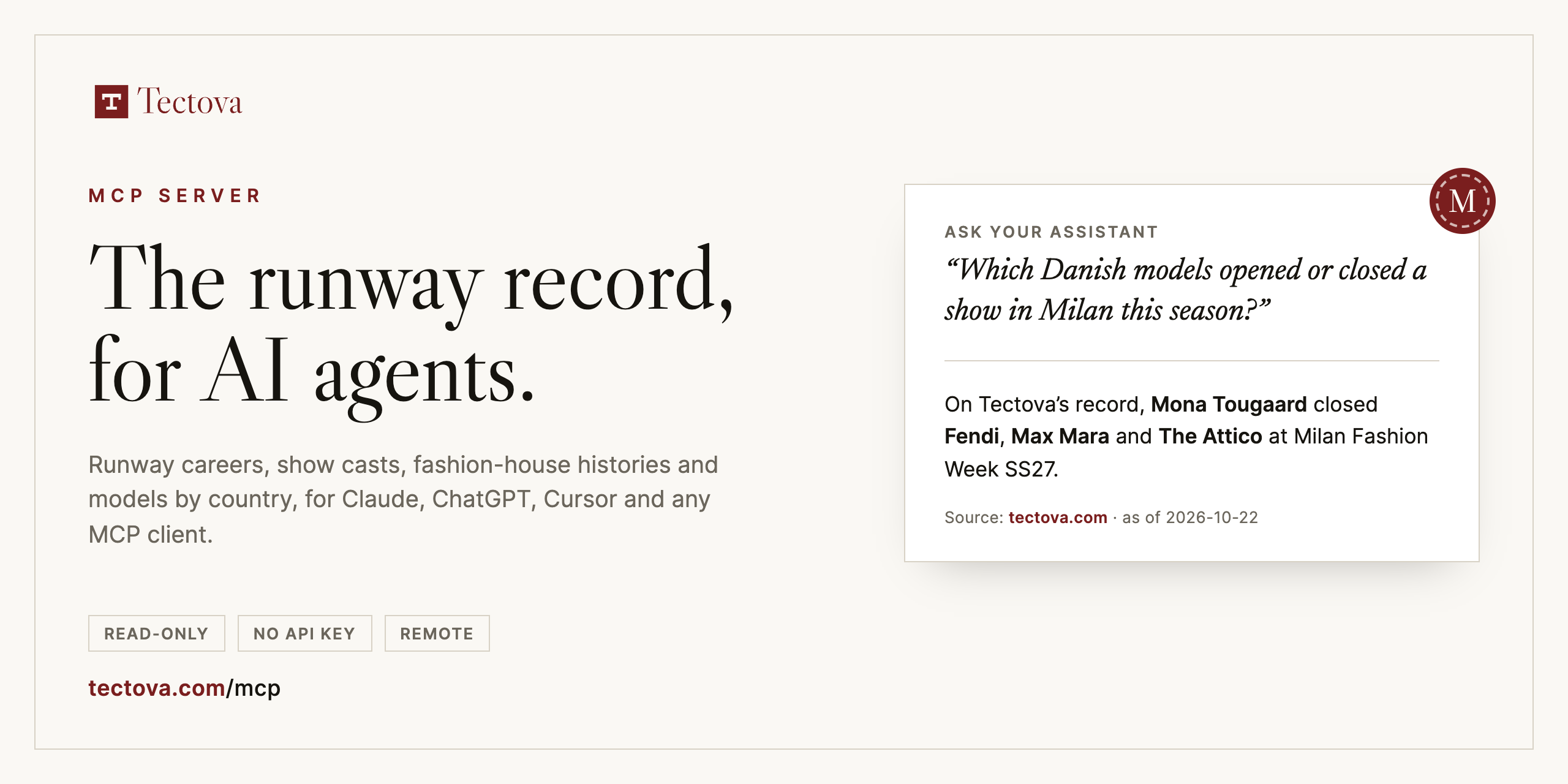
| "Which Danish models opened or closed a show in Milan this season?" | get_country_talent |
| "Which Argentine models are new to the runway?" | get_country_talent |
| "Which casting directors cast Japanese models most often?" | get_country_talent |
| "Who is the most cast Dutch model at Paris Fashion Week?" | get_country_talent |
| "Did Awar Odhiang walk Milan Fashion Week in FW26?" | get_talent_runway_record |
| "Which houses has Julia Nobis walked for most?" | get_talent_runway_record |
| "Which agency represents Awar Odhiang?" | search_fashion_records, then get_talent_runway_record |
| "Who walked for Prada in FW26?" | get_brand_runway_history, then get_show_cast |
| "Who walked Prada's SS27 womenswear show?" | get_show_cast |
| "Which models does Saint Laurent cast again and again?" | get_brand_runway_history |
All tools are read-only. Answers open with one sentence an assistant can quote, followed by the tectova.com link and the date the data is current to.
Connect
Use the server URL https://tectova.com/mcp in any MCP client. Setup for each client:
Claude (claude.ai, Claude Desktop, Claude Code)
In claude.ai or Claude Desktop: Customize → Connectors → Add → Add custom connector, paste
https://tectova.com/mcp and choose No sign in. On Team and Enterprise plans, an owner adds it
under Organization settings → Connectors.
In Claude Code:
claude mcp add --transport http tectova https://tectova.com/mcp
Cursor
Add to ~/.cursor/mcp.json:
{
  "mcpServers": {
    "tectova": { "url": "https://tectova.com/mcp" }
  }
}
VS Code
Add to .vscode/mcp.json:
{
  "servers": {
    "tectova": { "type": "http", "url": "https://tectova.com/mcp" }
  }
}
ChatGPT
On the web: Plugins → + → Add custom MCP server. Paste https://tectova.com/mcp as the Server URL,
choose No authentication, then Create as a plugin.
Install as a Claude Code plugin
The plugin adds the server and a fashion-runway-research skill that tells Claude when to use
the tools and how to cite them. In a Claude Code session:
/plugin marketplace add tectova/tectova-mcp
/plugin install tectova@tectova
On Claude Code 2.1.275 or later, one line does both:
/plugin install tectova --marketplace tectova/tectova-mcp.
What the data covers
- It covers what tectova.com publishes and nothing more. Each answer carries the date the data is current to.
- Counts are the documented record on Tectova, which may not be a complete career. The method is described at https://tectova.com/methodology.
- No images. The server returns facts and links, not photographs.
- Requests are rate-limited per client. Lists are paginated.
Attribution
When you use Tectova's data, credit it with a link: "Source: Tectova (tectova.com)". Bulk redistribution or resale of the dataset isn't permitted. Terms: https://tectova.com/terms.
Privacy and corrections
- What the server logs: https://tectova.com/privacy. It logs the length of any search text, never the text itself.
- To correct or remove a record or an image: https://tectova.com/takedown.
- Contact: support@tectova.com
License
The documentation in this repository is licensed under CC BY 4.0. Tectova's data isn't stored here and isn't covered by this license; see the attribution terms above.