Listed from the MCP registry; nobody on Odel publishes it.
Is this yours? Claim it
sysketch
Polished system design diagrams (SVG/PNG) from a tiny YAML spec, ~18x fewer tokens than raw SVG.
One address for any MCP client. No sign-in needed on this server.
What it does
1 read1 other
Grouped by tool name. At most: creates or changes data: records, files, settings.
What it costs
FreeOdel charges nothing per call. The publisher may charge for its own service.
Tools
2 · grouped by tool name · checked 21 Nov 2026Read · 1Look things up
- list_icons
Other · 1Neither hinted nor named
- render_diagram

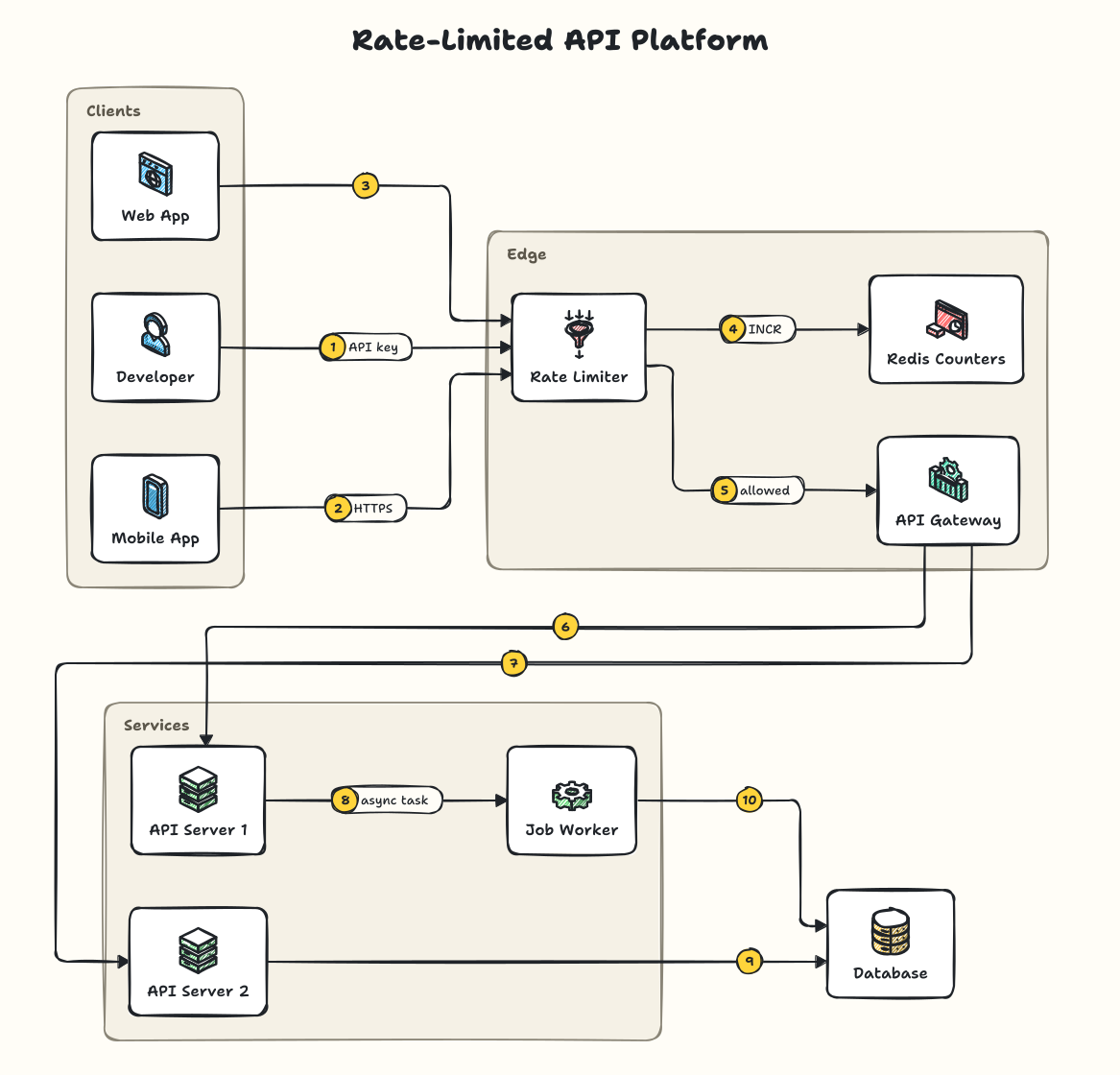
Describe your system in a few lines. Get a clean, hand-sketched architecture diagram.
Works in ChatGPT, Claude, Perplexity and other AI chats, in coding assistants like Claude Code and Cursor, or on its own from the command line.




Why sysketch
When you ask an AI assistant for a diagram, it usually writes every line, box and coordinate by hand. That is slow, uses up a lot of your AI usage, and every diagram looks different.
With sysketch, the AI writes a short description of your system and sysketch draws it.
- Faster and cheaper: 18x fewer AI output tokens and about 9x faster than having the AI draw the image itself (benchmark).
- Consistent: every diagram shares the same polished style, icons and layout rules.
- Easy to change: "add a cache in front of the database" is a one-line edit, not a redraw.
- Works anywhere: SVG or PNG files that look the same in GitHub, Notion, Figma, docs and slides.
Get started
sysketch connects to AI assistants through MCP, the standard way to give them new tools. Pick the option that matches how you use AI.
In your AI chat (nothing to install)
Any web-based AI chat that supports custom connectors (also called MCP servers) can use sysketch, including Claude, ChatGPT and Perplexity. Add a custom connector with this URL. No account or sign-in is needed.
https://sysketch.vercel.app/mcp
- Claude (web, desktop and mobile): Settings → Connectors → Add custom connector.
- ChatGPT: turn on Developer mode (Settings → Apps & Connectors → Advanced), then create a connector with the URL and no authentication. Developer mode is available on paid plans.
- Perplexity and other chats: look for custom connectors or MCP in the settings.
Then ask for a diagram:
Use sysketch to draw a ride-sharing app: rider and driver apps, an API gateway, a matching service, a location service and a trip database.
In Claude and ChatGPT the diagram opens right in the chat, with zoom, fullscreen and PNG/SVG download buttons. Other chats show a preview with links to the full PNG and SVG. To change it, just ask ("add a payment service"). Product names like stripe, kafka or postgres show the product's official logo (from Simple Icons). Nothing is stored on the server: each link contains the diagram's description, so anyone with the link can see that diagram. The AWS, Azure and Google Cloud icon packs and your own company's logos need the local version below. Setup and the connector's limits are in the hosted server guide.
In Claude Code, Cursor and other coding assistants
This runs sysketch on your computer and saves diagrams straight into your project. You need Node.js 20 or newer.
Claude Code: run this once in your terminal:
claude mcp add sysketch -- npx -y sysketch-mcp
Claude Desktop, Cursor and other assistants: add this to the assistant's MCP settings, then restart it:
{
  "mcpServers": {
    "sysketch": { "command": "npx", "args": ["-y", "sysketch-mcp"] }
  }
}
Claude Desktop saves diagrams in a sysketch folder in your home folder. To use another folder, add "--dir", "/path/to/folder" after "sysketch-mcp".
Then ask the same way, for example "use sysketch to draw this repo's architecture as a PNG". The diagram is saved in your project as an image, along with its short description, so you can ask for changes later. This version also supports official logos.
From the command line
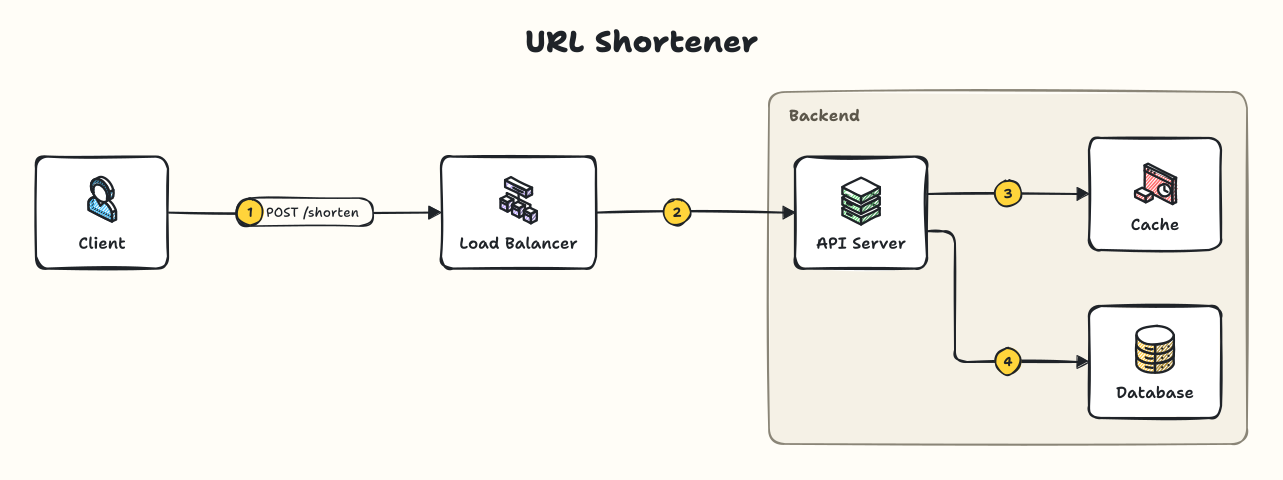
You need Node.js 20 or newer. Write a description of your system in a file called diagram.yaml:
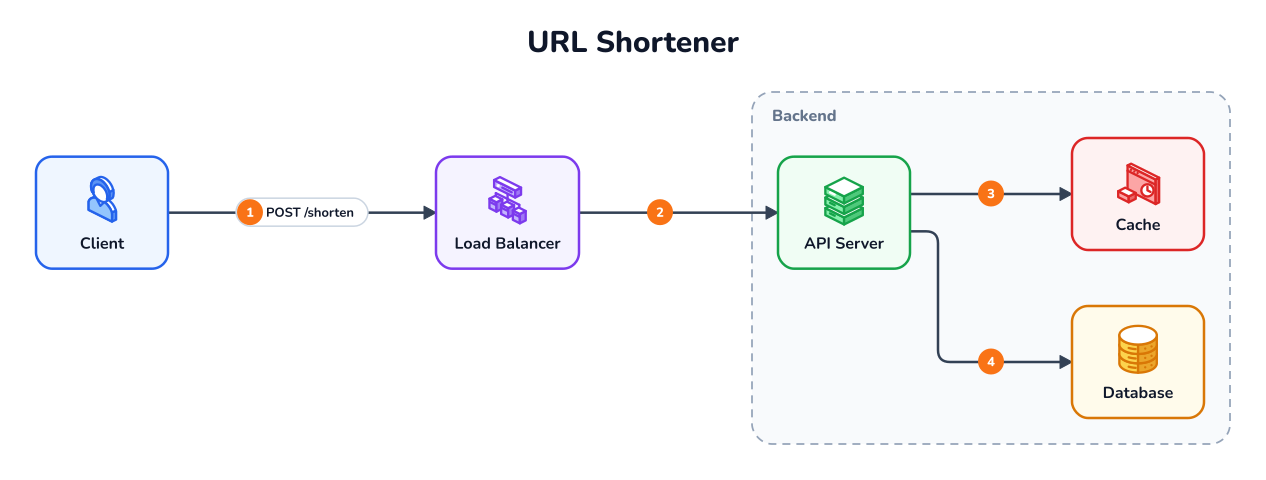
title: URL Shortener
groups:
  Backend: [api, cache, db]
edges:
  - client > lb | POST /shorten
  - lb > api
  - api > cache
  - api > db
Then draw it:
npx sysketch render diagram.yaml
That creates diagram.svg:
Add --png for an image file, or --theme graphite for a different look.
Writing a diagram
A diagram has three parts. Only edges is required.
| Part | What it does | Example |
|---|---|---|
edges | Arrows between parts of your system | client > lb > api | GET /home |
nodes | Optional names, icons and notes | api: server | API Server | 3 replicas |
groups | Optional boxes around related parts | Backend: [api, cache, db] |
Common names like client, api, db, cache, queue, redis, kafka, s3 or stripe pick the right icon automatically. You can also use dashed (..>), two-way (<>), thick (=>) and plain (--) arrows, colors, groups inside groups for cloud networks, a numbered step legend, and type: sequence for sequence diagrams. Everything is in the spec guide.
If something is wrong, sysketch says how to fix it: unknown node "databse". Did you mean: database?
Themes
| Sketch (default) | Graphite | Blueprint | Midnight | Classic |
|---|---|---|---|---|
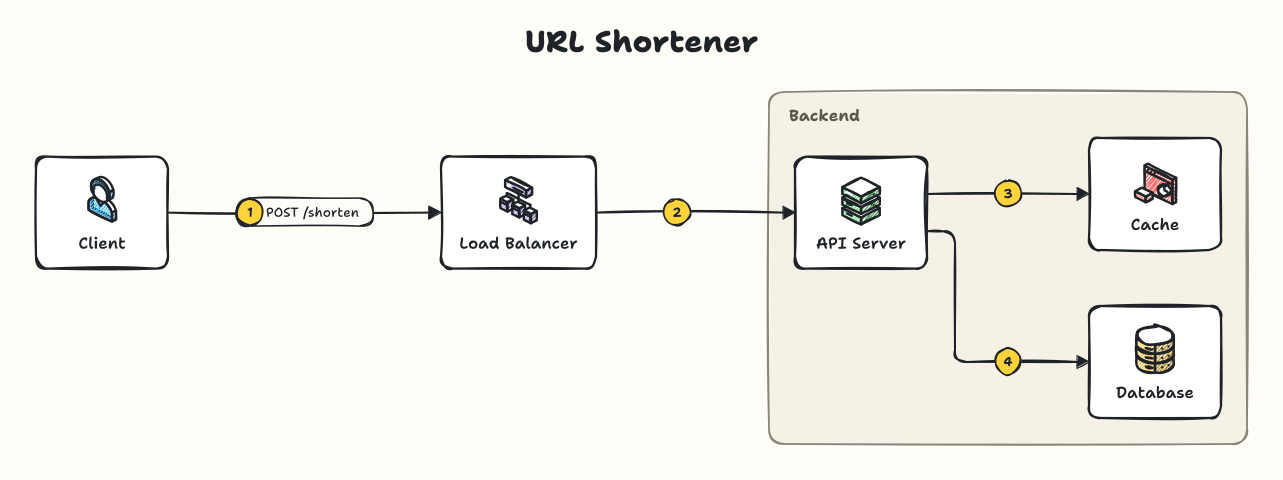 | 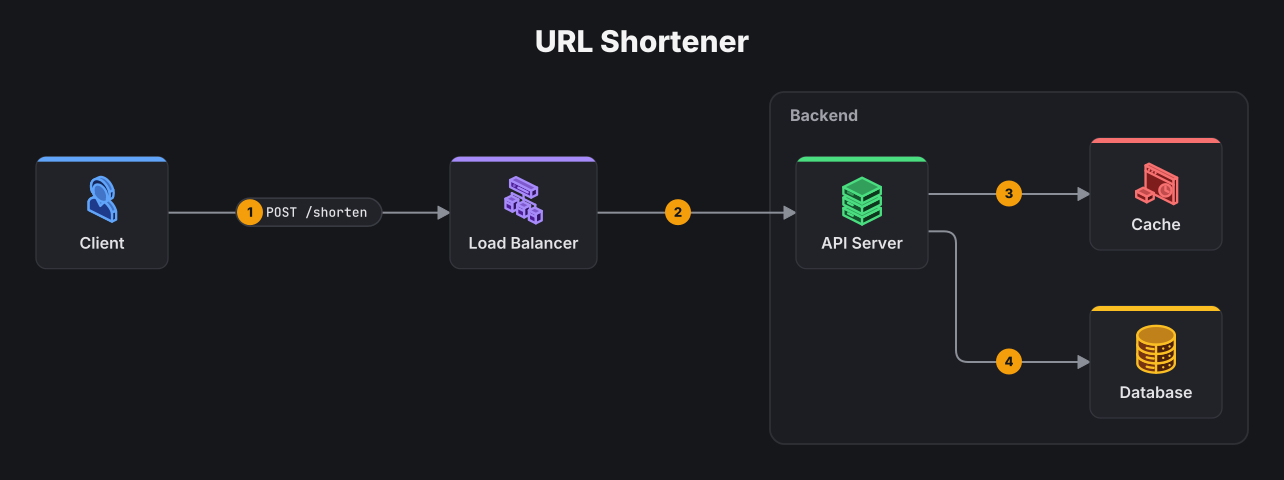 | 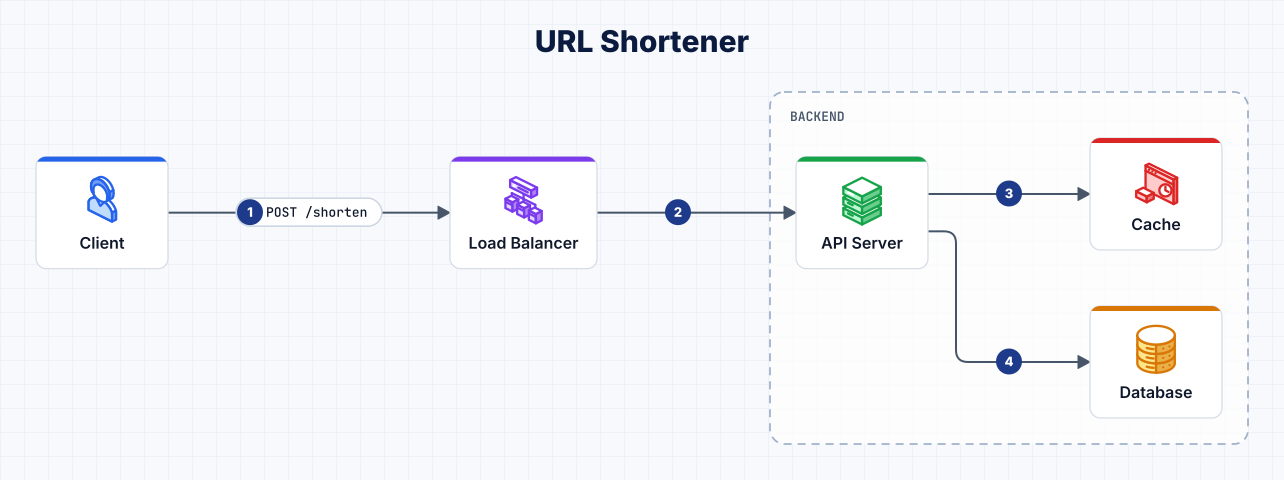 | 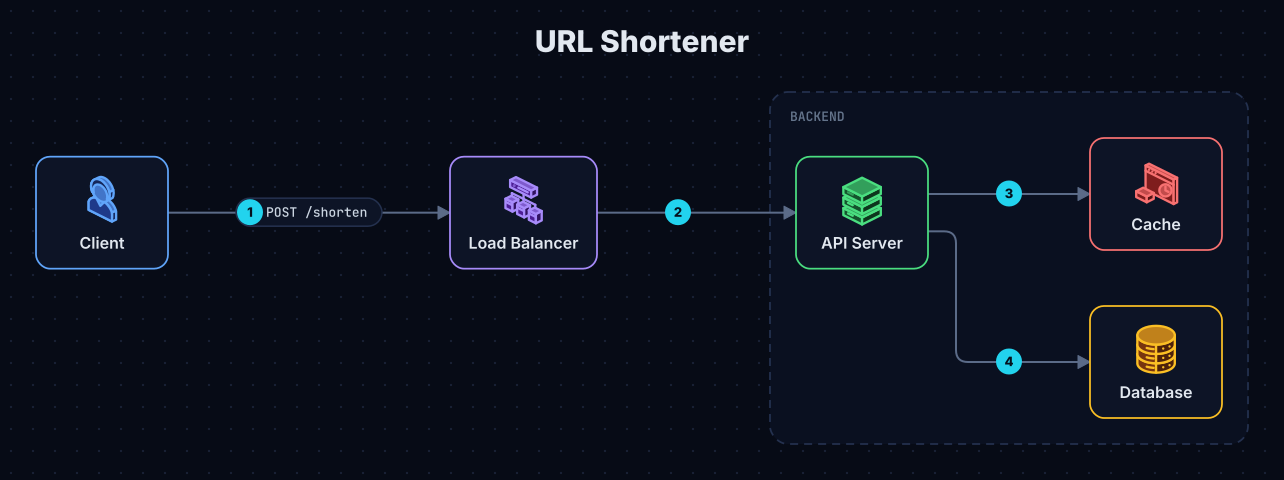 |  |
Pick one with theme: graphite in your diagram file, or ask your assistant for "the blueprint theme". Every diagram includes 61 original icons that adapt to the theme.
Examples
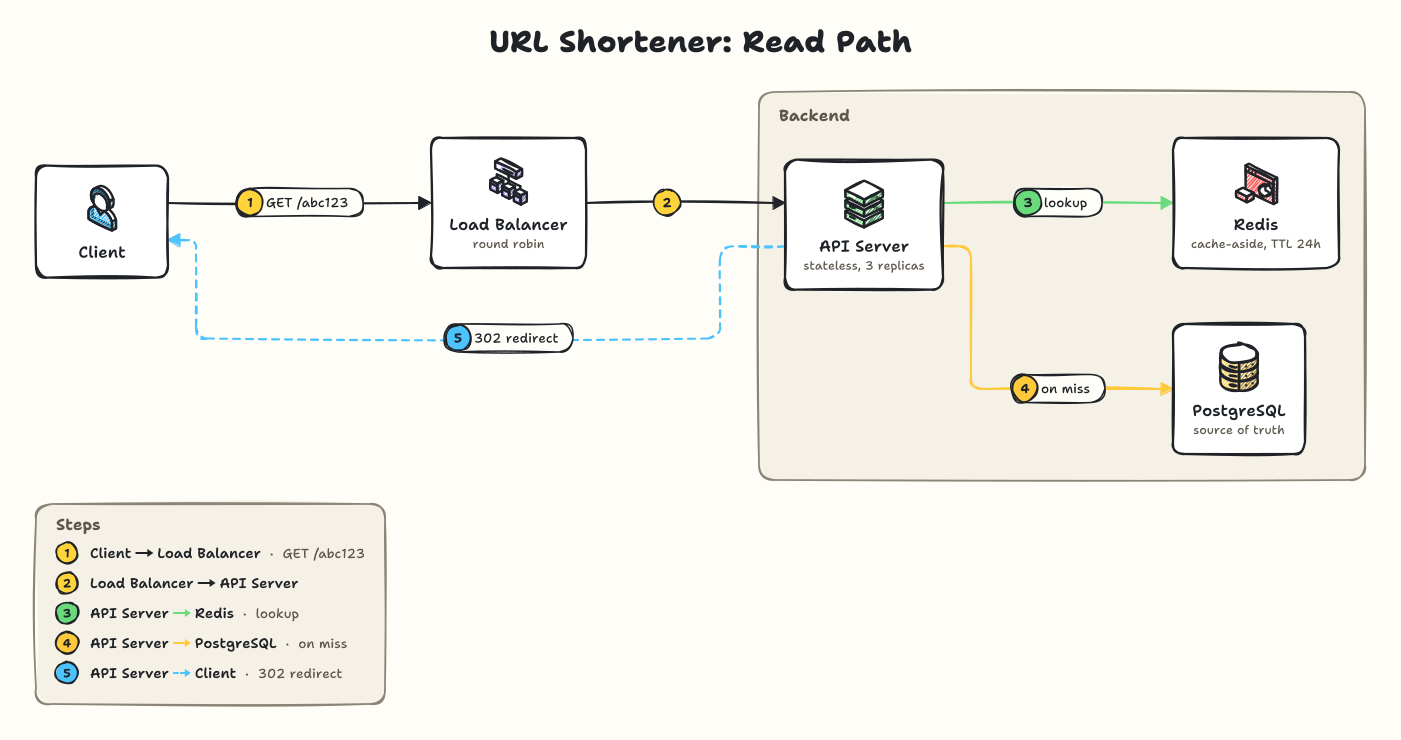 URL shortener: subtitles, colored and dashed arrows, step legend | 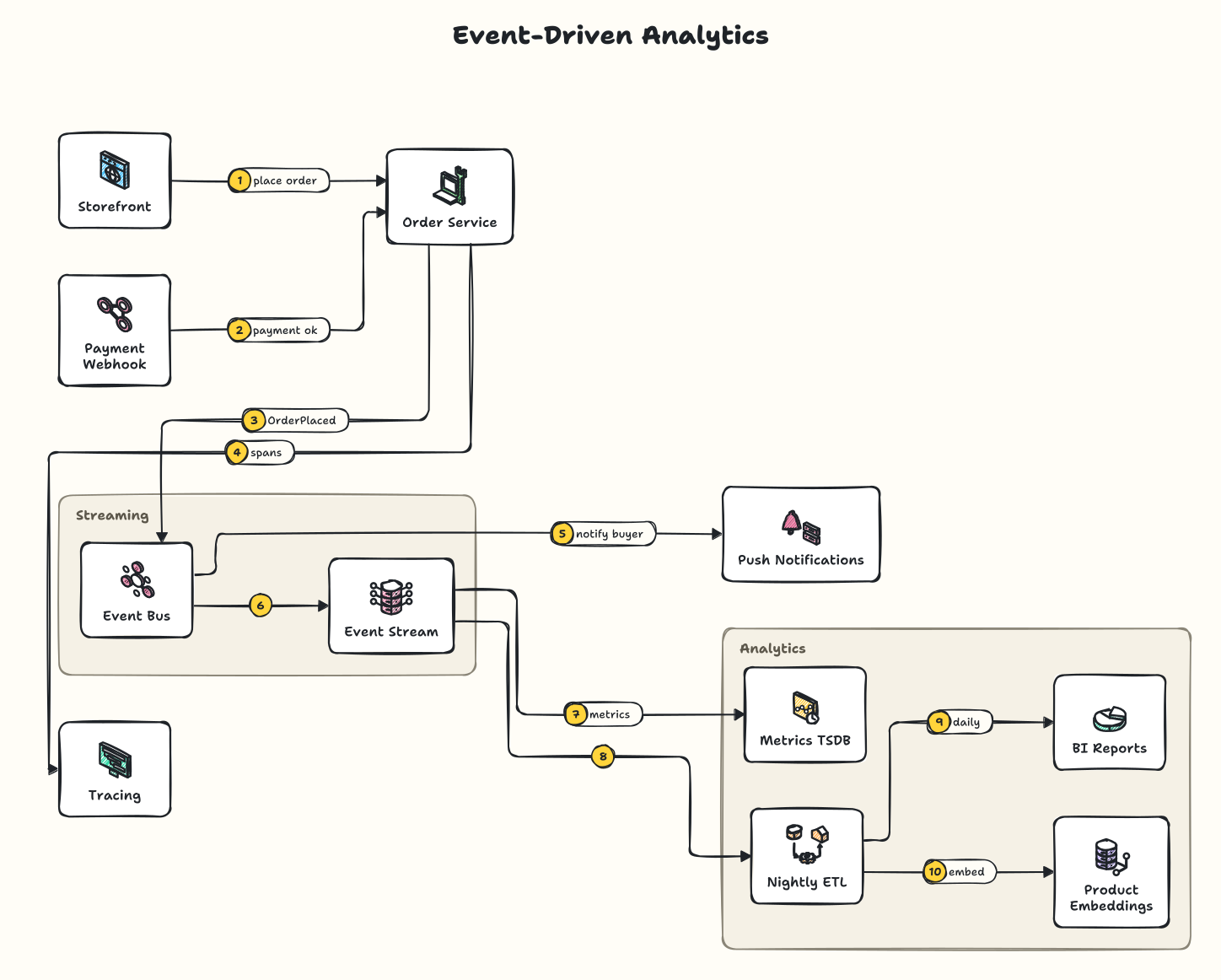 Event-driven analytics: a long flow folded into rows |
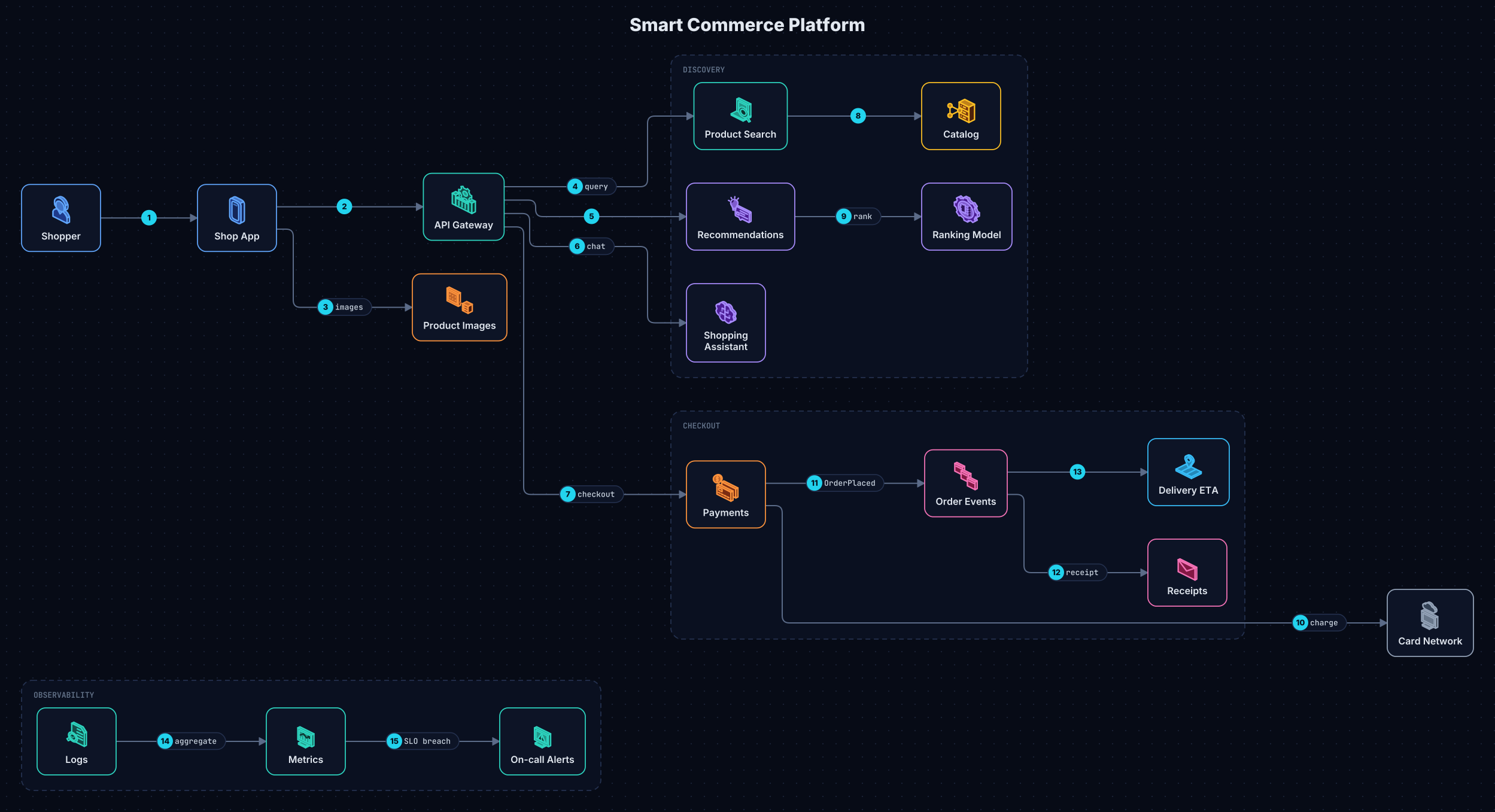 Smart commerce platform in the midnight theme | 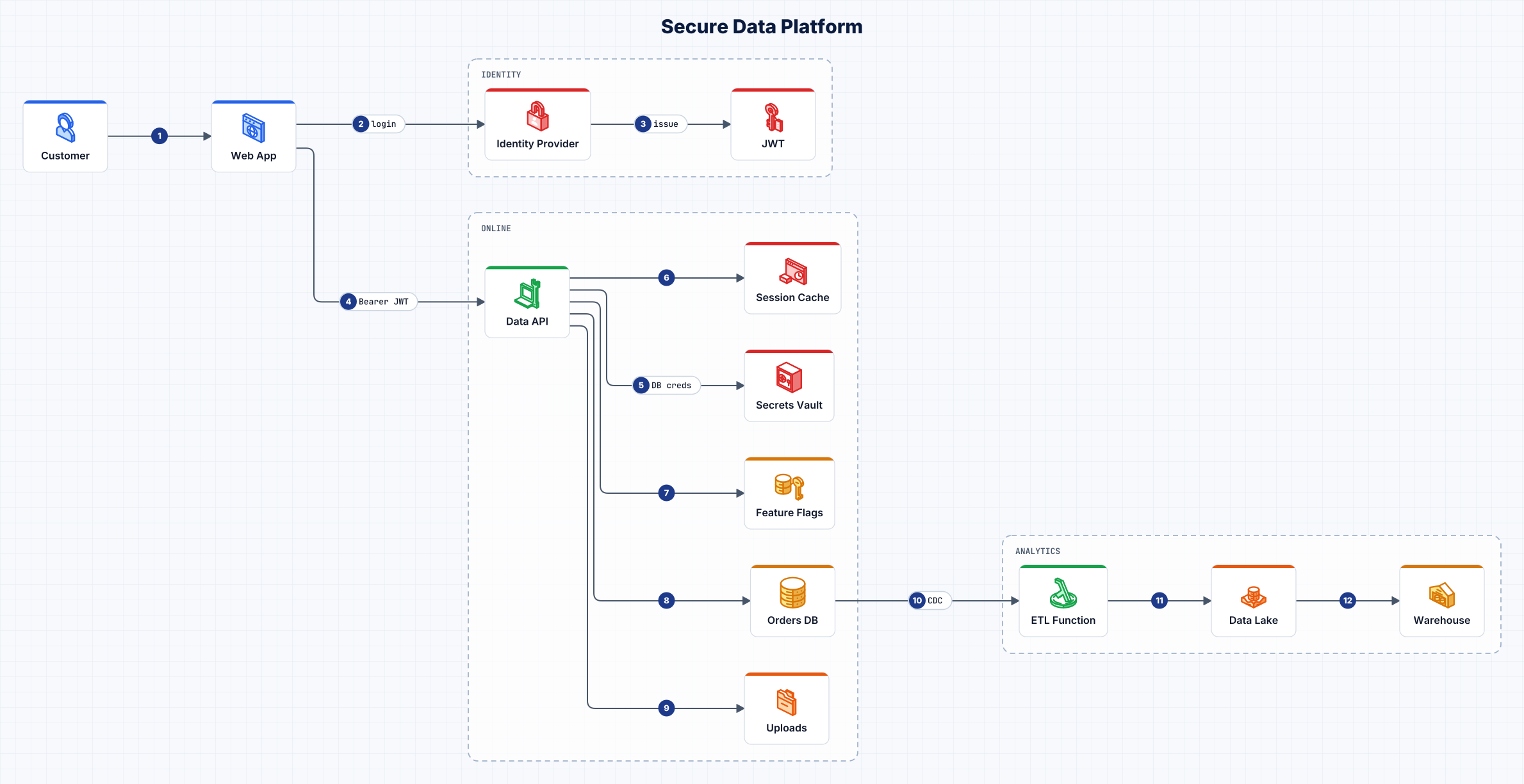 Secure data platform in the blueprint theme |
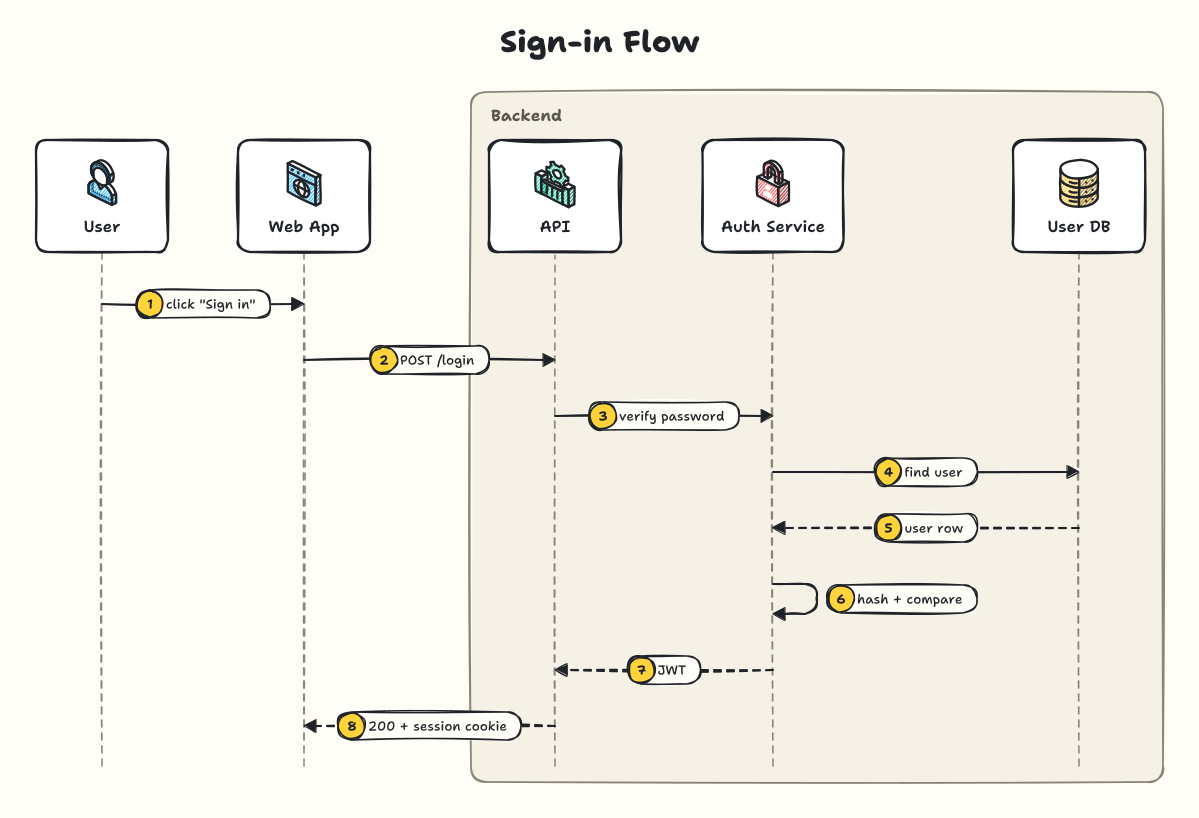 Sign-in flow: a sequence diagram ( type: sequence) | 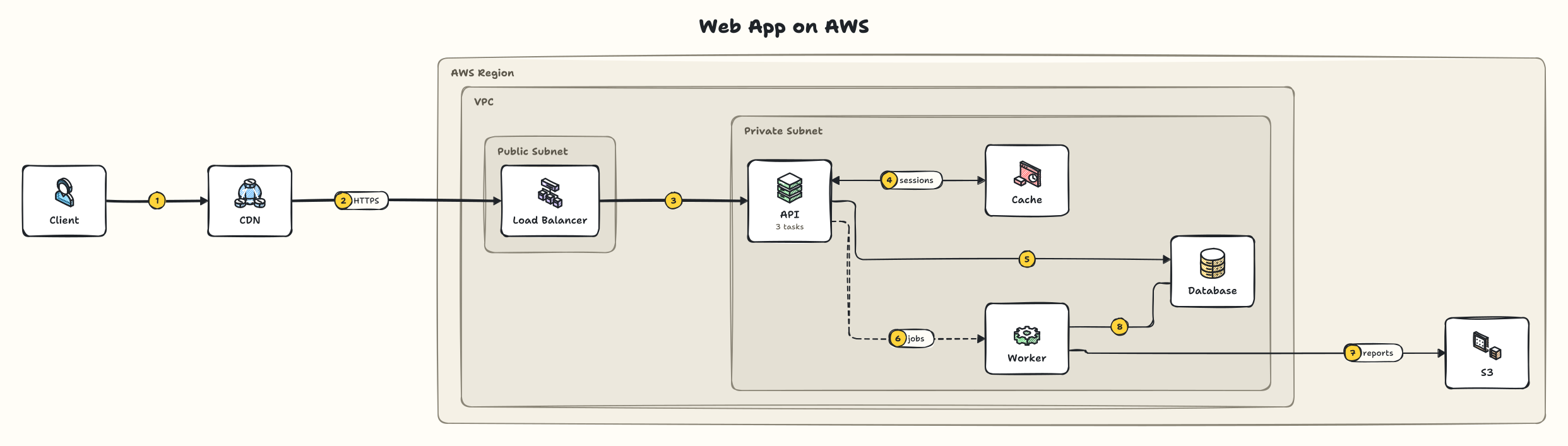 Web app on AWS: groups inside groups, two-way and thick arrows |
Click any diagram to see the description that produced it. More in examples/.
Official logos (optional)
sysketch can show the real logos of the products in your system, mixed with its own icons and your company's logo. You still write plain names like kafka or spark; logos you've installed are picked up automatically.
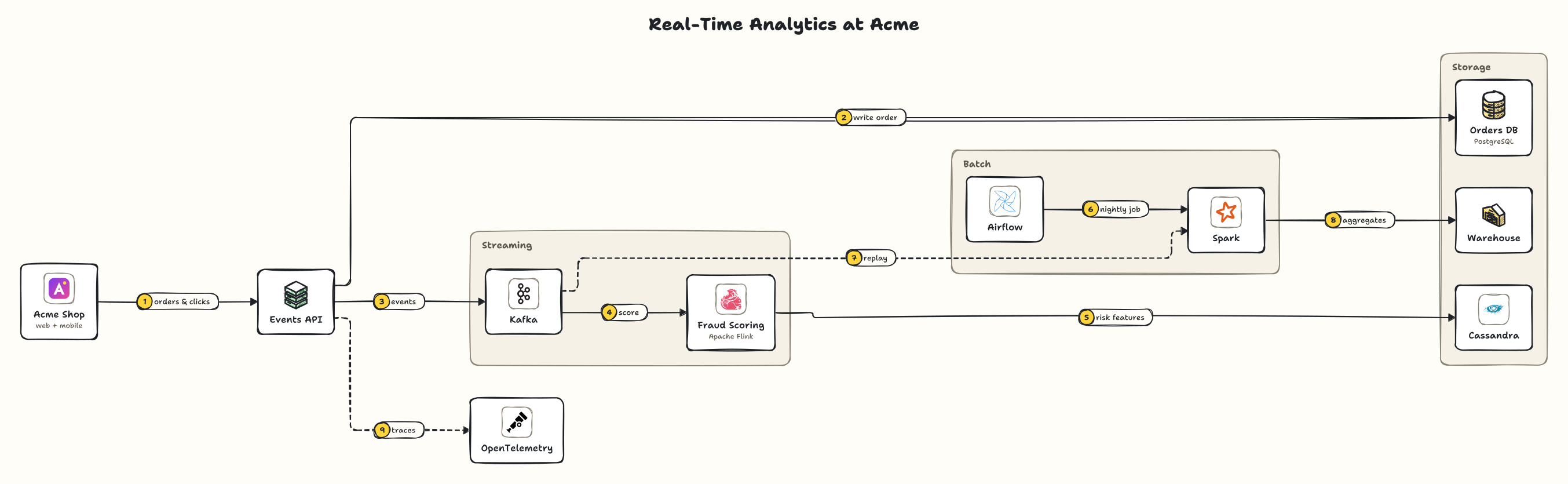
Acme is a made-up company logo (from a folder next to the diagram). Apache Kafka, Spark, Flink, Airflow and Cassandra logos (Apache License 2.0) and the OpenTelemetry logo (CC BY 4.0) via Simple Icons. Names and logos are trademarks of their owners; sysketch is not affiliated with them. The rest are sysketch icons.
sysketch doesn't include any company logos; you install them yourself from the official sources. Product logos take one command (npx sysketch logos install simple-icons), and your own logos go in a folder next to your diagrams. See the logos guide.
AWS, Azure and Google Cloud
The cloud providers publish their own architecture icons as downloadable packs, with their own terms, so they're imported separately. Download a pack from AWS, Azure or Google Cloud, then:
npx sysketch logos import ~/Downloads/<icon-pack>.zip
Names like s3, lambda, cosmosdb or bigquery then show the official icon:
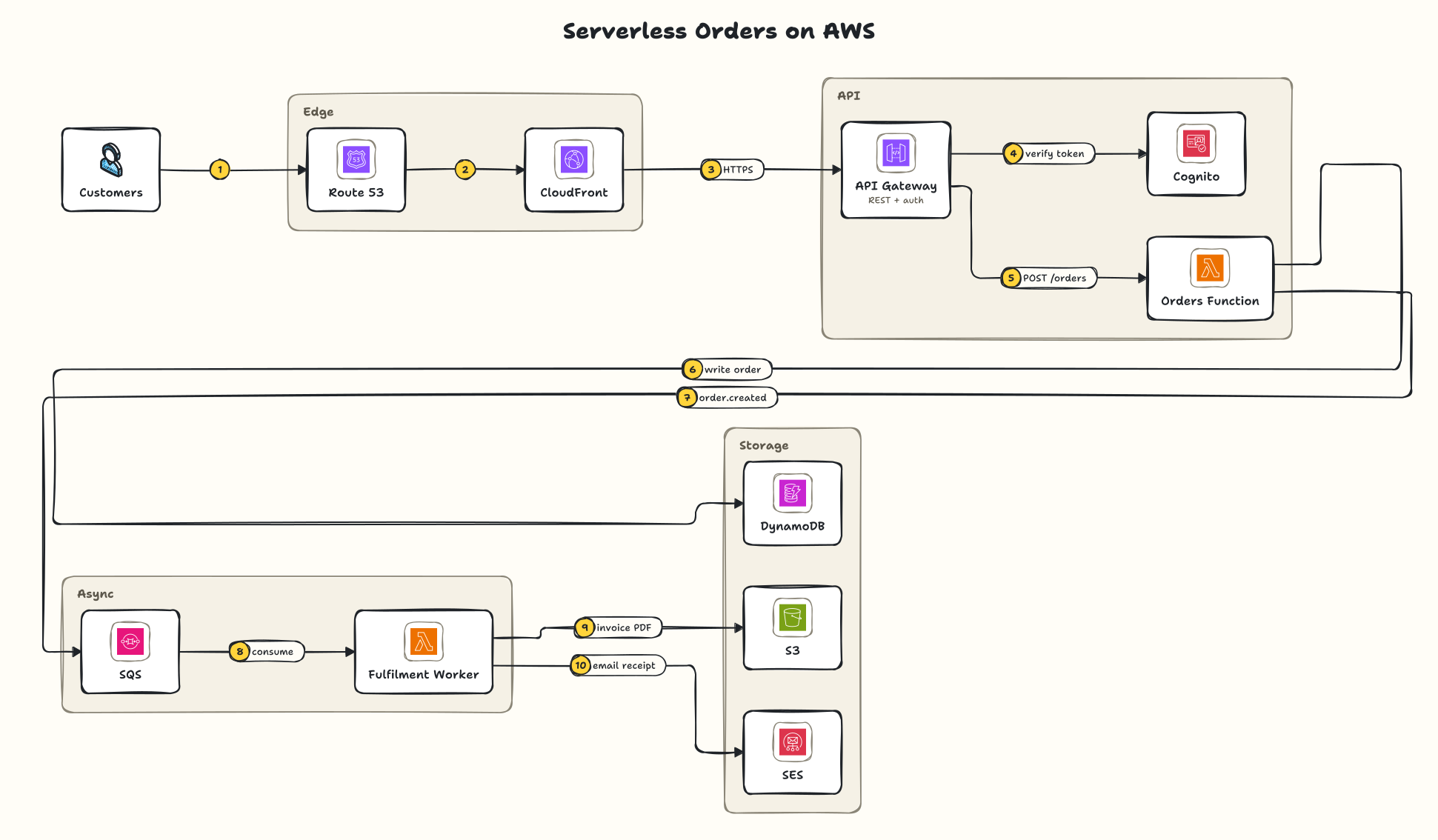
Drawn with the official AWS Architecture Icons, unmodified. AWS is a trademark of Amazon; sysketch is not affiliated with or endorsed by AWS.
Benchmark
Measured with Claude Code (Sonnet) on 5 system design requests, each with one follow-up edit:
| AI draws the image | AI uses sysketch | Difference | |
|---|---|---|---|
| Output tokens to create 5 | 77,518 | 4,352 | 18x fewer |
| Output tokens for 5 edits | 28,919 | 7,746 | 3.7x fewer |
| Cost of all 10 requests | $2.44 | $0.95 | 2.6x cheaper |
| Time to create one diagram | ~99 s | ~11 s | ~9x faster |
Method, prompts and side-by-side images: docs/benchmark.md.
More
- Spec guide: everything you can write in a diagram.
- Logos guide: product logos, your company's logos, and the AWS, Azure and Google Cloud icon packs.
- Icons: the full icon set and how to add your own.
- Hosted server: how the AI chat connector works, its limits, and how to run your own copy for free.
- Use it in code:
npm install sysketch, thenrender(spec)returns the SVG (see the package README). - Contributing: run sysketch from source, tests and releases.
- Security: how sysketch handles your files, and how to report a vulnerability.
- Changelog
Credits
Icons and color palettes are original. Fonts: Shantell Sans, Inter, JetBrains Mono and Nunito (SIL Open Font License). Layout by ELK, hand-drawn style by rough.js, PNG export by resvg.
MIT License.







