
figma-mcp-go
Figma MCP — Local Plugin Integration 


Open-source Figma MCP server with full read/write access via plugin. Turn text into designs and designs into real code. Works with Cursor, Claude, GitHub Copilot, and any MCP-compatible AI tool.
Highlights
- Operates locally via the Figma Plugin API (no REST API token required)
- Real-time execution directly on your local machine
- Read and Write live Figma data via plugin bridge — 60 tools total
- Full design automation — styles, variables, components, prototypes, content, and transactional batch pipelines
- Design strategies included — read_design_strategy, design_strategy, and more prompts built in
Styles, Variables, Components, Prototypes, and Content
https://github.com/user-attachments/assets/eae41471-fc72-4574-8261-4f42c38b8c99
Text to Design, Design to Code
https://github.com/user-attachments/assets/17bda971-0e83-4f18-8758-8ac2b8dcba62
Why this exists
Most Figma MCP servers rely on the cloud-based Figma REST API.
While the REST API is excellent for server-to-server integrations, experimenting with AI tools often involves making hundreds of rapid tool calls per session. A cloud-based approach can introduce network latency and overhead.
This project takes a different approach by running as a local Figma Plugin. By bridging directly to the Figma Plugin API on your desktop, it provides instant, real-time read/write access to your active documents without relying on external cloud APIs or requiring an API token.
Installation & Setup
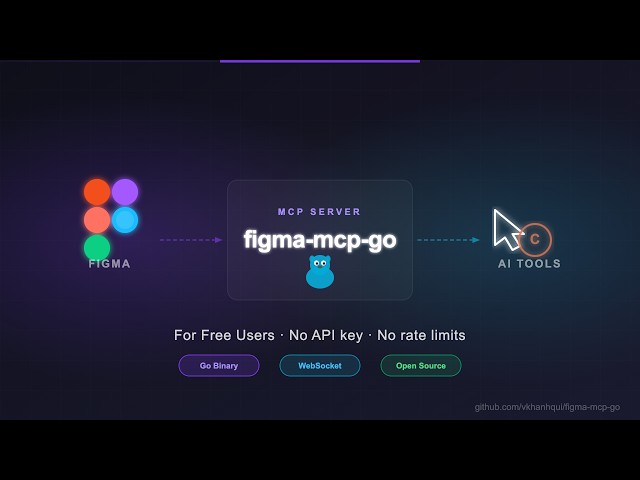
Install via npx or bunx — no build step required. Watch the setup video or follow the steps below.
1. Configure your AI tool
Claude Code CLI
# via npx
claude mcp add -s project figma-mcp-go -- npx -y @tunglt1810/figma-mcp-go@latest

# or via bunx
claude mcp add -s project figma-mcp-go -- bunx @tunglt1810/figma-mcp-go@latest
Codex CLI
# via npx
codex mcp add figma-mcp-go -- npx -y @tunglt1810/figma-mcp-go@latest

# or via bunx
codex mcp add figma-mcp-go -- bunx @tunglt1810/figma-mcp-go@latest
.mcp.json (Claude and other MCP-compatible tools)
{
  "mcpServers": {
    "figma-mcp-go": {
      "command": "npx",
      "args": ["-y", "@tunglt1810/figma-mcp-go"]
    }
  }
}
.vscode/mcp.json (Cursor / VS Code / GitHub Copilot)
{
  "servers": {
    "figma-mcp-go": {
      "type": "stdio",
      "command": "npx",
      "args": [
        "-y",
        "@tunglt1810/figma-mcp-go"
      ]
    }
  }
}
Plugin panel
The panel shows the connected file, the current selection, and what the AI is doing right now. Three controls sit above the connection row:
| Control | What it does |
|---|---|
| Guard | off runs every request (default, and how the plugin has always behaved). confirm holds deletes and bulk rewrites until you allow them. read-only blocks every change while still answering reads. |
| Undo | Reverses the last change. A whole batch_execute_pipeline run is one undo step, not one per action. |
| Log | Opens the activity log — every request with its tool name, duration, and error. Copy dumps it as text for a bug report. |
| Pin | Holds the current selection still. get_selection(source: "pinned") then returns those nodes however the selection moves, so a conversation keeps the same context without copying node ids by hand. |
Guard, log, and the panel's size are remembered per machine. Drag the corner to resize it. The panel follows Figma's light and dark themes.
Dev Mode
Figma's Dev Mode Code panel shows the code you attach to a node with
set_codegen_result. The code lives in the Figma file, so every teammate's Dev
Mode shows it — not only the machine that generated it.
The panel looks for code on the node itself, then on the component an instance
came from, then on its ancestors. Attaching code to a COMPONENT or
COMPONENT_SET therefore covers every instance of it.
This is deliberately not live generation. Generating on demand would mean the Code panel asking your editor for a completion mid-render, which needs MCP sampling — optional in the protocol, and not implemented by the clients this server targets. Writing the code from your editor, where the repository is in front of it, produces better code anyway.
The Code panel has a Language selector. A node often carries several blocks — the component, its styles, the query behind it — and picking a language shows only those. A language with nothing stored for the node falls back to showing everything, so the setting never reads as "this node has no code".
2. Install the Figma plugin
- In Figma Desktop: Plugins → Development → Import plugin from manifest
- Select
manifest.jsonfrom the plugin.zip - Run the plugin inside any Figma file
3. Running more than one AI tool at once (optional)
Every MCP client starts its own copy of the server, but only one process can hold the plugin connection on a given port. There are two ways to share, and they do different things.
Same Figma file, no configuration. Leave the default config everywhere. The first process to bind port 1994 owns the WebSocket to the plugin; the others detect the port is taken and proxy their tool calls to it over HTTP. Every client drives the one file the plugin is open in. If the process holding the port exits, another takes over within a few seconds.
Different Figma files, one port each. Give each client its own port and point a separate plugin instance at it:
{
  "mcpServers": {
    "figma-mcp-go": {
      "command": "npx",
      "args": ["-y", "@tunglt1810/figma-mcp-go", "--port", "1995"]
    }
  }
}
Then open the plugin in the second Figma file and set the port to match under the settings gear. Each client now talks to its own file, with no proxying.
Note that the plugin stores host and port in figma.clientStorage, which is
shared across files — changing the port makes it the default the next time you
open the plugin anywhere, so expect to set it on whichever instance should use
1994.
--ip moves the listener off 127.0.0.1 (use 0.0.0.0 to accept connections
from another machine).
The plugin connection is not authenticated. On the default 127.0.0.1 bind
that costs nothing: only this machine can reach it. Move it off loopback and
anyone who can reach the port can read and edit whatever file the plugin is open
in. The server warns at startup when you do, and the plugin panel turns its
confirm guard on and says so, which gates the destructive tools rather than
the connection. Prefer an SSH tunnel to opening the port.
Upgrading
Re-download the plugin when you update the server. The server updates itself
through npx, but the Figma plugin is installed by hand, so the two can drift
apart. A plugin older than the server will reject commands it does not know with
Unknown request type.
Behaviour changes in 0.3.0
No tool changed its name or its arguments. Five things behave differently:
- Log format. Server logs are now structured
(
time=… level=INFO msg=… component=bridge …) rather than prefixed ([bridge] …). Anything grepping for[bridge]needs updating. Logs still go to stderr; stdout still carries only the MCP protocol. - Log level. Set
FIGMA_MCP_LOGtodebug,info,warnorerror. The default isinfo, and tool parameters — your text, colours and names — now appear only atdebug. - Starting up. A call made before the server has settled on a leader now
says so, instead of failing with
connection refused. A call made while the plugin is reconnecting after a leader handover waits for it rather than reporting the plugin as absent. - Large requests. Sending a large payload — an image, a long pipeline — no longer risks the plugin being disconnected mid-transfer, and no longer blocks other calls that have a shorter deadline of their own.
/pingreturnsrole,connected,pendinganduptimeSecondsalongsidestatusandversion.
Tool consolidation
Eighteen tools were removed by folding each into one that already covered it. No capability was lost — everything possible before is still one call:
| Removed | Replacement |
|---|---|
set_layout_sizing | set_auto_layout({ nodeIds, … }) — it takes several nodes now |
get_node | get_nodes_info({ nodeIds: [id] }) |
get_pages | get_metadata() |
scan_nodes_by_types | search_nodes({ nodeId, types, includeHidden: false }) |
scan_text_nodes | search_nodes({ nodeId, types: ["TEXT"], includeText: true }) |
clear_annotations | set_annotations({ nodeIds, annotations: [] }) |
rename_node | batch_rename_nodes({ nodeIds, name }) |
move_nodes | set_node_properties({ nodeIds, x, y }) |
resize_nodes | set_node_properties({ nodeIds, width, height }) |
set_corner_radius | set_node_properties({ nodeIds, cornerRadius }) |
remove_reactions | set_reactions({ nodeId, removeIndices }) |
get_design_context | get_document({ scope: "selection", detail, dedupe_components }) |
get_screenshot / save_screenshots | export_screenshots({ items }) — an item with an outputPath is written to disk, one without comes back as base64 |
create_variable_collection | manage_variable({ action: "create_collection", name }) |
add_variable_mode | manage_variable({ action: "add_mode", collectionId, modeName }) |
create_variable | manage_variable({ action: "create", name, collectionId, type, value }) |
set_variable_value | manage_variable({ action: "set_value", variableId, modeId, value }) |
delete_variable | manage_variable({ action: "delete", variableId | collectionId }) |
bind_variable_to_node | manage_variable({ action: "bind", nodeId, variableId, field }) |
Two of these gained something in the move. Moving and resizing a node is now
one call and one undo entry rather than two, and get_nodes_info reports
an ID that matched nothing under missing instead of dropping it — which used
to read as "that node has no content".
detail and dedupe_components were selection-only under
get_design_context; they apply to a page or document walk too now.
Four responses changed shape:
set_auto_layoutandset_annotationsanswer{results: [...]}, one entry per node, like every other multi-node tool.get_documentanswers{fileName, scope, currentPage, nodes: [...]}for all three scopes, instead of a bare page tree for one and aDOCUMENTwrapper for another.export_screenshotsanswers{total, succeeded, failed, results: [...]}, each result carrying either anoutputPathor abase64.
Breaking changes in 0.1.0
Eight single-purpose tools were replaced by one. Each took nodeIds plus a
single property, and they are now combinations of set_node_properties:
| Removed | Replacement |
|---|---|
set_visible | set_node_properties({ nodeIds, visible }) |
lock_nodes / unlock_nodes | set_node_properties({ nodeIds, locked }) |
set_opacity | set_node_properties({ nodeIds, opacity }) |
rotate_nodes | set_node_properties({ nodeIds, rotation }) |
set_blend_mode | set_node_properties({ nodeIds, blendMode }) |
set_constraints | set_node_properties({ nodeIds, constraints: { horizontal, vertical } }) |
reorder_nodes | set_node_properties({ nodeIds, order }) |
Properties can be combined, so what used to take several calls and several undo entries now takes one of each.
Eighteen more tools were merged into four, each selecting between the old tools with one argument. An argument belonging to a different variant is rejected with a message naming it, rather than being ignored:
| Removed | Replacement |
|---|---|
create_frame | create_node({ type: "FRAME", … }) |
create_rectangle | create_node({ type: "RECTANGLE", … }) |
create_ellipse | create_node({ type: "ELLIPSE", … }) |
create_star | create_node({ type: "STAR", … }) |
create_polygon | create_node({ type: "POLYGON", … }) |
create_line | create_node({ type: "LINE", … }) |
create_section | create_node({ type: "SECTION", … }) |
set_fills | set_paint({ type: "SOLID", color }) |
set_strokes | set_paint({ type: "SOLID", target: "stroke", color, strokeWeight }) |
set_gradient_fills | set_paint({ type: "GRADIENT_LINEAR" | "GRADIENT_RADIAL", stops, geometry }) |
create_paint_style | create_style({ type: "PAINT", name, color }) |
create_text_style | create_style({ type: "TEXT", name, … }) |
create_effect_style | create_style({ type: "EFFECT", name, effectType, … }) |
create_grid_style | create_style({ type: "GRID", name, … }) |
add_page | manage_page({ action: "add", name, index }) |
delete_page | manage_page({ action: "delete", pageId | pageName }) |
rename_page | manage_page({ action: "rename", pageId | pageName, newName }) |
navigate_to_page | manage_page({ action: "navigate", pageId | pageName }) |
Two things changed behaviour rather than just name. create_node({type:"ELLIPSE"})
honours startAngle, endAngle and innerRadiusRatio, which create_ellipse
declared but ignored — arcs and rings came out as plain ellipses. And name now
works on stars, polygons and lines, which read it but never declared it.
create_effect_style's type argument is effectType under create_style,
because type names the kind of style. Gradients can only target a fill;
set_paint says so rather than accepting target: "stroke" and doing nothing.
Available Tools
Write — Batch & Transactions
| Tool | Description |
|---|---|
batch_execute_pipeline | Execute a transactional batch pipeline of mutation steps in Figma with stateful variable binding and rollback |
Write — Create
| Tool | Description |
|---|---|
create_node | Create a FRAME, RECTANGLE, ELLIPSE, STAR, POLYGON, LINE, or SECTION |
create_text | Create a text node (font loaded automatically) |
import_image | Place an image from a URL or base64 — as a new rectangle, or onto an existing node |
create_component | Convert an existing FRAME node into a reusable component |
combine_as_variants | Combine components into one COMPONENT_SET of variants |
manage_component_properties | Declare what a component exposes — add, edit, delete, and bind properties to its layers |
create_component_instance | Create an instance of a component (local or library) |
create_connector | Create a Connector line between nodes (FigJam only) |
create_vector | Create a vector node from SVG markup — how an icon gets in |
boolean_operation | UNION, SUBTRACT, INTERSECT, or EXCLUDE two or more shapes |
flatten_nodes | Flatten nodes into a single vector |
outline_stroke | Turn a node's stroke into an editable filled vector |
Write — Modify
| Tool | Description |
|---|---|
set_text | Update a TEXT node's content and node-wide settings — wrapping, truncation, alignment, paragraph spacing |
set_text_ranges | Style parts of a TEXT node independently — a bold word, a coloured phrase, a hyperlink, a bulleted list |
set_paint | Paint a node's fill or stroke — solid, linear gradient, or radial gradient |
set_auto_layout | Set or update auto-layout (flex) on frames, components, or instances — direction, padding, gap, alignment, HUG/FILL sizing, min/max bounds, and how each node sits in its parent's layout. Takes several nodes, for a whole row of siblings in one call |
set_layout_grids | Set the column, row, or square grids drawn over a frame |
set_node_properties | Set any combination of position, size, corner radius, visibility, lock, opacity, rotation, blend mode, constraints, z-order, masking, and stroke geometry (weight, alignment, caps, joins, miter limit, dash pattern) on one or more nodes |
set_instance_overrides | Update Component Properties (variants, booleans, text) on a component instance |
set_annotations | Set Dev Mode Annotations on one or more nodes; an empty array clears them (requires paid Dev Mode seat) |
clone_node | Clone a node, optionally repositioning or reparenting |
reparent_nodes | Move nodes to a different parent frame, group, or section |
batch_rename_nodes | Rename nodes — a literal name, or find/replace, regex, prefix, or suffix |
find_replace_text | Find and replace text across all TEXT nodes in a subtree or page; supports regex |
set_selection | Select nodes and scroll the viewport to them, switching pages if needed — use it to show the user what changed |
save_version_checkpoint | Save a named version in the file's version history — a way back that survives the session |
set_codegen_result | Attach generated code to a node so it shows in Figma's Dev Mode Code panel |
manage_plugin_data | Read and write your own metadata on a node, stored in the Figma file |
set_export_settings | Set the export presets on nodes — the entries under Export in the right-hand panel |
Write — Delete
| Tool | Description |
|---|---|
delete_nodes | Delete one or more nodes permanently |
Write — Prototype
| Tool | Description |
|---|---|
set_reactions | Set prototype reactions (triggers + actions) on a node; mode replace or append, or removeIndices to delete them |
Write — Styles
| Tool | Description |
|---|---|
set_effects | Apply drop shadow / blur effects directly on a node (no style required) |
create_style | Create a named PAINT, TEXT, EFFECT, or GRID style |
update_paint_style | Rename or recolor an existing paint style |
apply_style_to_node | Apply an existing local style to a node, linking it to that style |
delete_style | Delete any style (paint, text, effect, or grid) by ID |
Write — Variables
| Tool | Description |
|---|---|
manage_variable | Create, change, delete and apply variables — action selects which: create_collection, add_mode, create, set_value, delete, bind |
Write — Pages
| Tool | Description |
|---|---|
manage_page | Add, delete, rename, or navigate to a page (action selects which) |
Write — Components & Navigation
| Tool | Description |
|---|---|
group_nodes | Group two or more nodes into a GROUP |
ungroup_nodes | Ungroup GROUP nodes, moving children to the parent |
swap_component | Swap the main component of an INSTANCE node |
detach_instance | Detach component instances, converting them to plain frames |
Read — Document & Selection
| Tool | Description |
|---|---|
get_document | Node tree of the selection, the current page, or the whole file — scope chooses; detail, depth, maxNodes and dedupe_components cap it |
get_metadata | File name, page count, current page, and every page with its ID |
get_selection | Currently selected nodes, or the set pinned in the panel with source: "pinned" |
get_nodes_info | One or more nodes by ID; an ID that matches nothing is reported under missing |
search_nodes | Find nodes by name substring and/or type — current page, a subtree, or the whole document; includeText reads the copy, includeHidden: false skips hidden nodes |
get_viewport | Current viewport center, zoom, and visible bounds |
Read — Styles & Variables
| Tool | Description |
|---|---|
get_styles | Paint, text, effect, and grid styles |
get_variable_defs | Variable collections and values |
get_local_components | All components + component sets with variant properties |
get_instance_overrides | Get component properties and current values of an instance |
get_annotations | Dev-mode annotations |
get_fonts | All fonts used on the current page, sorted by frequency |
get_reactions | Prototype/interaction reactions on a node |
Export
| Tool | Description |
|---|---|
get_image_bytes | Original bytes of the images placed on nodes, as base64 |
export_screenshots | Export nodes as images — to disk with an outputPath, as base64 without one, or the current selection with no items at all |
export_frames_to_pdf | Export multiple frames as a single multi-page PDF file saved to disk |
export_tokens | Export design tokens (variables + paint styles) as JSON or CSS |
MCP Prompts
| Prompt | Description |
|---|---|
read_design_strategy | Best practices for reading Figma designs |
design_strategy | Best practices for creating and modifying designs |
text_replacement_strategy | Chunked approach for replacing text across a design |
annotation_conversion_strategy | Convert manual annotations to native Figma annotations |
swap_overrides_instances | Transfer overrides between component instances |
reaction_to_connector_strategy | Map prototype reactions into interaction flow diagrams |
Development
- Go Server: Go 1.27+ (
make test-go,make build-go) - Plugin UI: Bun 1.4+ (
cd plugin && bun install && bun run build) - Testing:
make test(runs Go tests +bun testin plugin) - Logs: stderr, structured.
FIGMA_MCP_LOG=debugto see tool parameters and wire traffic - Layering:
make deps-checkfails the build on an import that crosses the package boundaries the wrong way.internal/is four packages —bridge(the plugin WebSocket),cluster(leader election and routing),figma(domain rules) andtools(the tool table) — and the arrows only point one way:tools → figma,cluster → bridge
On macOS the published binaries require macOS 13 Ventura or later — Go 1.27 dropped support for earlier versions.
Contributing
Issues and PRs are welcome.