Nextcloud Organizer
Manage Nextcloud tasks, calendar events and notes from Claude over CalDAV and the Notes API.
Runs on your machine from its package; the steps are below.
What it does
- Reads
- Writes
- High impact
At most: creates or changes data: records, files, settings.
What it costs
FreeOdel charges nothing per call. The publisher may charge for its own service.
Runs locally over stdio
This server isn't hosted — your MCP client launches it from a package registry. Use one of the commands below, or drop the config into your client (e.g. Claude Desktop).
Run
uvx nextcloud-organizer-mcp
MCP client config
{
  "mcpServers": {
    "nextcloud-organizer": {
      "command": "uvx",
      "args": [
        "nextcloud-organizer-mcp"
      ]
    }
  }
}

nextcloud-organizer-mcp
Let Claude run your Nextcloud tasks, calendar and notes.
A self-hosted MCP server for CalDAV tasks, events and the Notes app.




Real tool calls against a real Nextcloud ·
watch as video
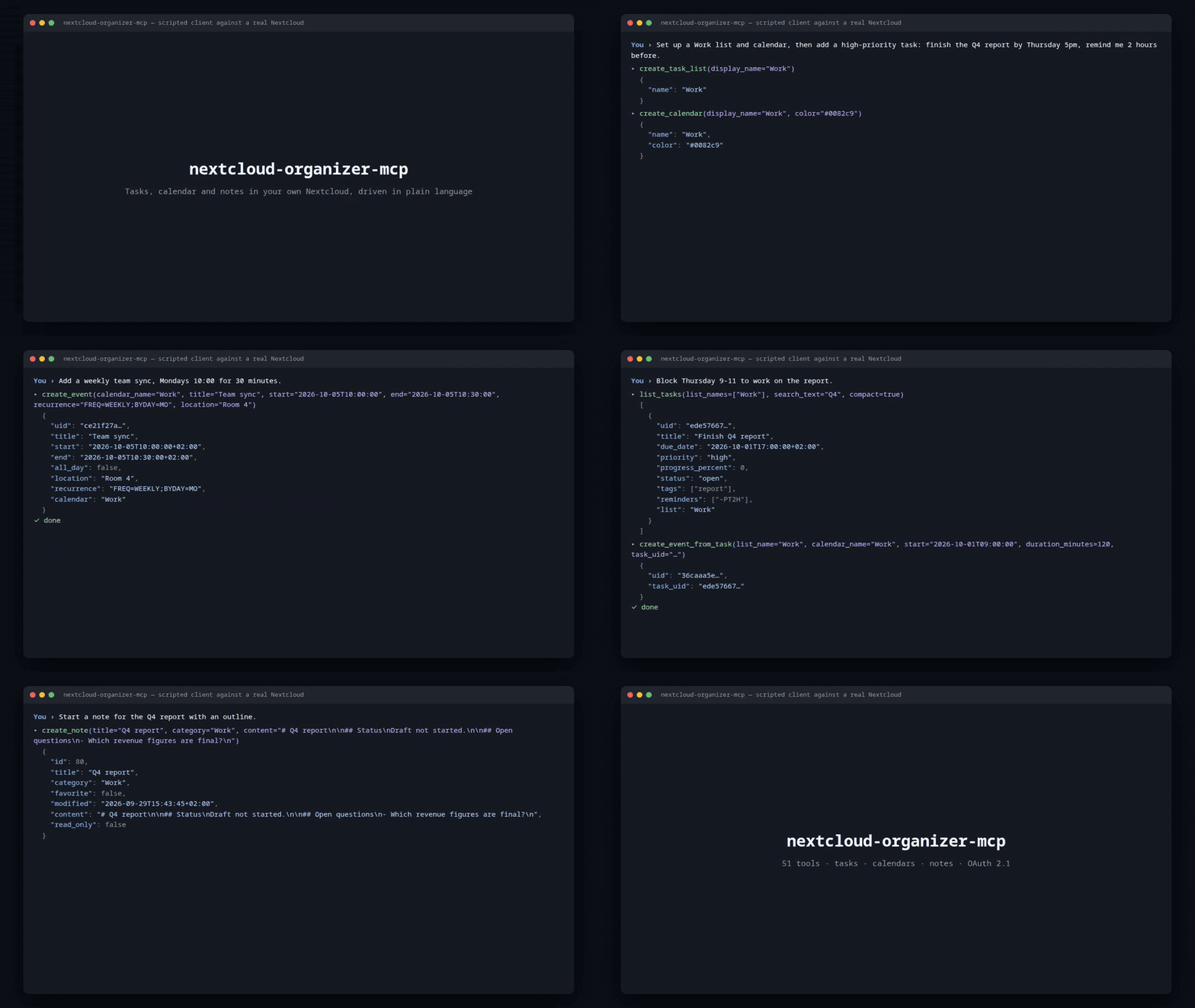
Ask in plain language, and your own Nextcloud changes. No copy-paste, no third-party calendar service: the data stays on your server and the tools talk to it over standard CalDAV and the Notes REST API.
Community project, not affiliated with or endorsed by Nextcloud GmbH. Formerly
nextcloud-task-mcp.
What you can say
| You say | What happens |
|---|---|
| "Add a high-priority task: finish the Q4 report by Thursday 5pm, remind me 2 hours before." | create_task with due date, priority and a VALARM reminder |
| "Add a weekly team sync, Mondays 10:00." | create_event with an RRULE |
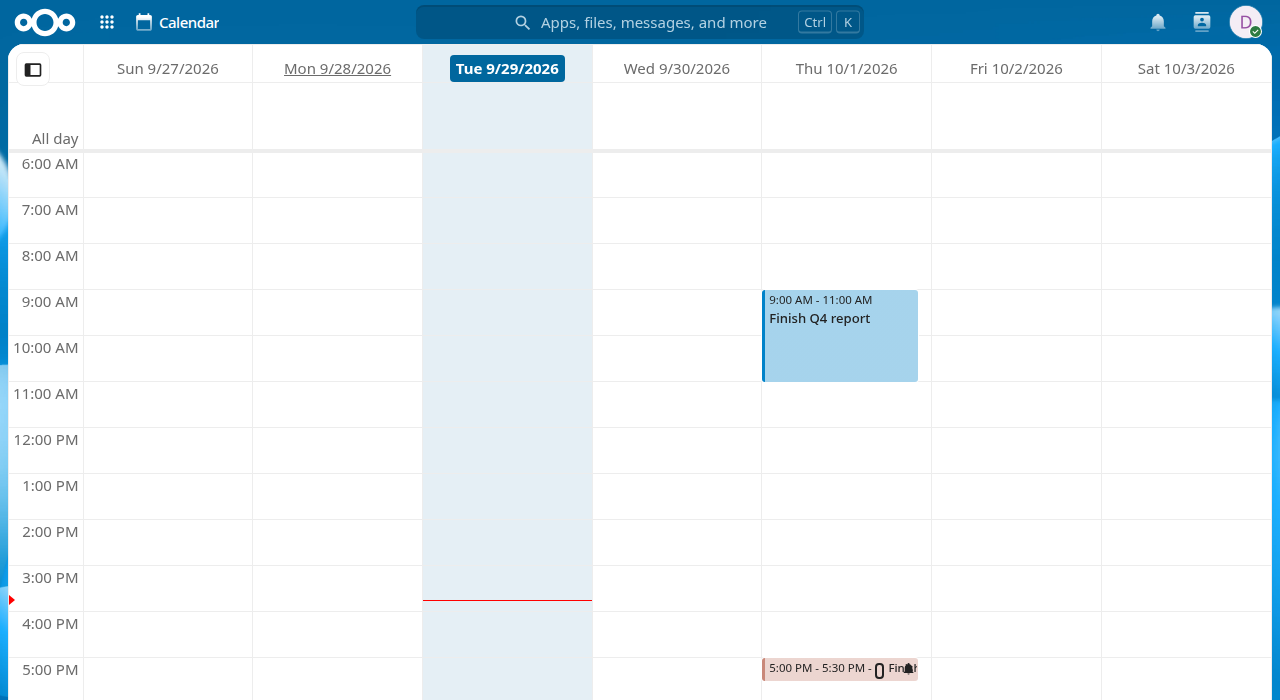
| "Block Thursday 9-11 for the report." | create_event_from_task — a linked time block, task and event stay connected |
| "What does my Thursday look like?" | get_agenda — events (recurring ones expanded) and due tasks in one answer |
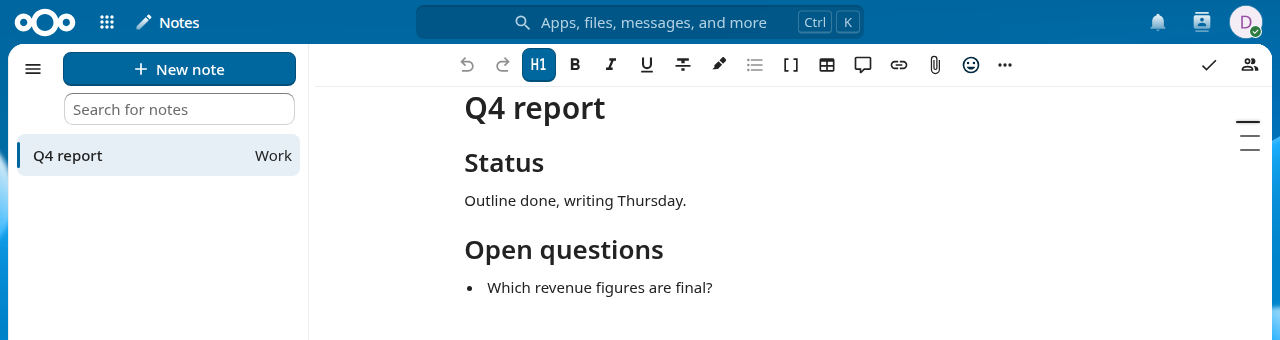
| "Start a note for the Q4 report, then update just the status section." | create_note, update_note_section |
What Claude wrote shows up in the normal Nextcloud apps, immediately:

Features
- Tasks (VTODO): priorities, tags, reminders, subtasks, recurrence with exception dates, four-state status, batch update/delete/move.
- Calendars and events (VEVENT): recurring events, attendees and RSVP, free/busy, sharing, ICS import/export, birthdays, batch operations, trash bin.
- Timeboxing: turn a task into a calendar block and keep both linked.
- Notes: create, search, append, replace a passage or a single Markdown section.
- Combined day agenda: events and due tasks together.
- Safe by default: OAuth 2.1 with a password consent page,
https://enforced for Nextcloud, clean error messages instead of stack traces. - 51 tools in total, documented in the tool reference.
Compatibility
| Client | Status |
|---|---|
| Claude (claude.ai web) as a custom connector | Supported, connector and consent flow tested against claude.ai |
| Claude mobile and Cowork | Use the same connector as web; not tested separately |
Claude Desktop via mcp-remote | Documented in the deployment guide |
| Other MCP clients and model providers | Not tested yet, planned |
The server speaks standard Streamable HTTP MCP with OAuth 2.1 (Dynamic Client
Registration + PKCE), so other clients may work. The OAuth redirect allow-list
defaults to claude.ai and claude.com; other clients need
MCP_OAUTH_ALLOWED_REDIRECT_DOMAINS set. Reports from other clients are welcome.
Quick start
Requires Python 3.10+ and a Nextcloud with the Calendar/Tasks and Notes apps.
uv tool install nextcloud-organizer-mcp # or: pipx install nextcloud-organizer-mcp
Create an app password under Settings → Security → Devices & sessions (never your account password), then set:
export NEXTCLOUD_BASE_URL=https://cloud.example.com
export NEXTCLOUD_USERNAME=your-username
export NEXTCLOUD_APP_PASSWORD=your-app-password
export PUBLIC_BASE_URL=https://your-host.ts.net   # the URL clients use
export MCP_OAUTH_PASSWORD=a-long-random-password  # required unless local
nextcloud-organizer-mcp # listens on 127.0.0.1:8000, path /mcp
From a checkout instead: uv sync && cp .env.example .env, edit .env, then
uv run nextcloud-organizer-mcp. Every setting is documented in
.env.example. NEXTCLOUD_BASE_URL must be https:// unless it
points at a local address.
Then expose the server (the deployment guide uses Tailscale
Funnel for TLS) and add it in Claude under Settings → Connectors → Add custom
connector with the URL <PUBLIC_BASE_URL>/mcp. Leave Client ID and Secret blank
and enter your MCP_OAUTH_PASSWORD on the consent page that opens. Details:
Authentication.
How it works
Claude ── HTTPS + OAuth 2.1 ──► your server (this project) ── CalDAV / Notes API ──► Nextcloud
- One CalDAV connection is opened at startup and reused for every request.
- No tool or CalDAV logic runs until a request carries a valid access token.
- The server binds to a local HTTP port and does not handle TLS itself.
- Timestamps use
MCP_DEFAULT_TIMEZONE(defaultEurope/Berlin); naive inputs are interpreted in it.
Documentation
- Deployment guide — Ubuntu LXC + Tailscale + systemd + Claude connector setup
- Authentication — OAuth model, consent page, local security patches
- Tool reference — all tools with parameters, examples and error messages
- Architecture — module layout, request flow, design decisions
- Contributing — dev setup, checks, branches (
mainreleased,devactive) - Changelog · Security policy