Listed from the MCP registry; nobody on Odel publishes it.
Is this yours? Claim it
Vivid MCP
Open a Vivid Business account from your AI chat via MCP.
One address for any MCP client. No sign-in needed on this server.
What it does
1 other
Grouped by tool name. At most: creates or changes data: records, files, settings.
What it costs
FreeOdel charges nothing per call. The publisher may charge for its own service.
Tools
1 · grouped by tool name · checked 22 Oct 2026Other · 1Neither hinted nor named
- build_onboarding_link
Vivid MCP

Open a business account right from your AI chat
Tell your AI to open a Vivid Business account.
Share your company details, and your account is ready — no tab switching required.



 How it works
|
1. Share your company info Upload registration documents or describe your business in chat |
2. AI handles the rest Details are extracted and your account is created automatically |
3. Account ready Everything is pre-filled. Verify your identity and start banking |
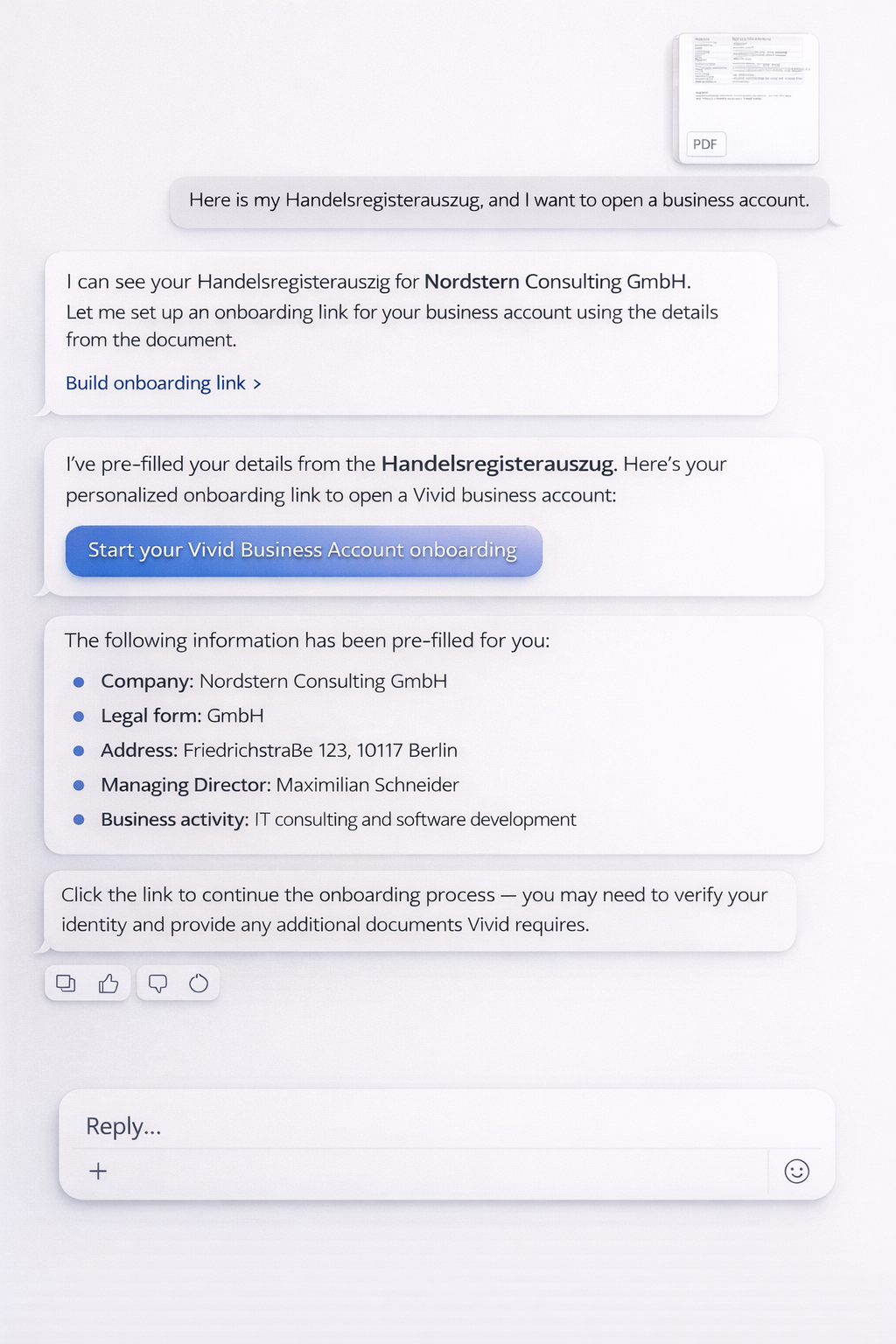
┌─────────────────────────────────────────────────────────────────────────────┐
│  AI Chat                                                                    │
├─────────────────────────────────────────────────────────────────────────────┤
│                                                                             │
│  You: 📎 Handelsregisterauszug_GmbH.pdf                                     │
│       I want to open a business account                                     │
│                                                                             │
│  AI:  I've read your document — Nordstern Consulting GmbH, Berlin.          │
│       Setting up your Vivid Business account with pre-filled details...     │
│                                                                             │
│       ✓ Your account is ready. Complete verification to start banking.     │
│                                                                             │
└─────────────────────────────────────────────────────────────────────────────┘
🚀 Get Started
MCP Server
https://api.prime.vivid.money/mcpNo API key required. Works with any MCP-compatible client.
Claude Connectors
- Go to claude.ai/settings/connectors
- Click Add custom connector
- Paste:
https://api.prime.vivid.money/mcp
ChatGPT Apps
- Open Settings → Apps → Advanced
- Click Create App
- Paste:
https://api.prime.vivid.money/mcp
Cursor

Replit
Any MCP Client
Add a remote HTTP MCP server with URL:
https://api.prime.vivid.money/mcp
| Protocol | Transport | Authentication |
|---|---|---|
| Model Context Protocol | HTTPS (streamable) | Not required |
Features
| Feature | Status |
|---|---|
| Open a business account | ✅ Live |
| Account balances | Soon |
| Transaction history | Soon |
| Card management | Soon |
| Spending insights | Soon |
🧩 Skills
This repository includes ready-to-use skills compatible with Claude Code, OpenClaw, and AgentSkills standard.
skills/
└── business-account-opening/
    └── SKILL.md
Claude Code (marketplace)
/plugin marketplace add vivid-money/vivid-mcp
/plugin install vivid-mcp@vivid-mcp
Claude Code (local) —
claude --plugin-dir ./vivid-mcpOpenClaw —
cp -r skills/business-account-opening ~/.openclaw/skills/