Tanpin
Item-by-item inventory that reorders itself: per-SKU forecasts, purchase orders and ETAs.
Runs on your machine from its package; the steps are below.
What it does
- Reads
- Writes
- High impact
At most: creates or changes data: records, files, settings.
What it costs
FreeOdel charges nothing per call. The publisher may charge for its own service.
Runs locally over stdio
This server isn't hosted — your MCP client launches it from a package registry. Use one of the commands below, or drop the config into your client (e.g. Claude Desktop).
Run
docker run -i --rm ghcr.io/willykeenan/tanpin:0.1.0
MCP client config
{
  "mcpServers": {
    "tanpin": {
      "command": "docker",
      "args": [
        "run",
        "-i",
        "--rm",
        "ghcr.io/willykeenan/tanpin:0.1.0"
      ]
    }
  }
}Item-by-item inventory that reorders itself. Per-SKU demand forecasts, automatic purchase orders, supplier email and delivery ETAs — with a REST API, an MCP server, a daemon, and a dashboard. Pure Node 22, zero runtime dependencies (node:* built-ins only).
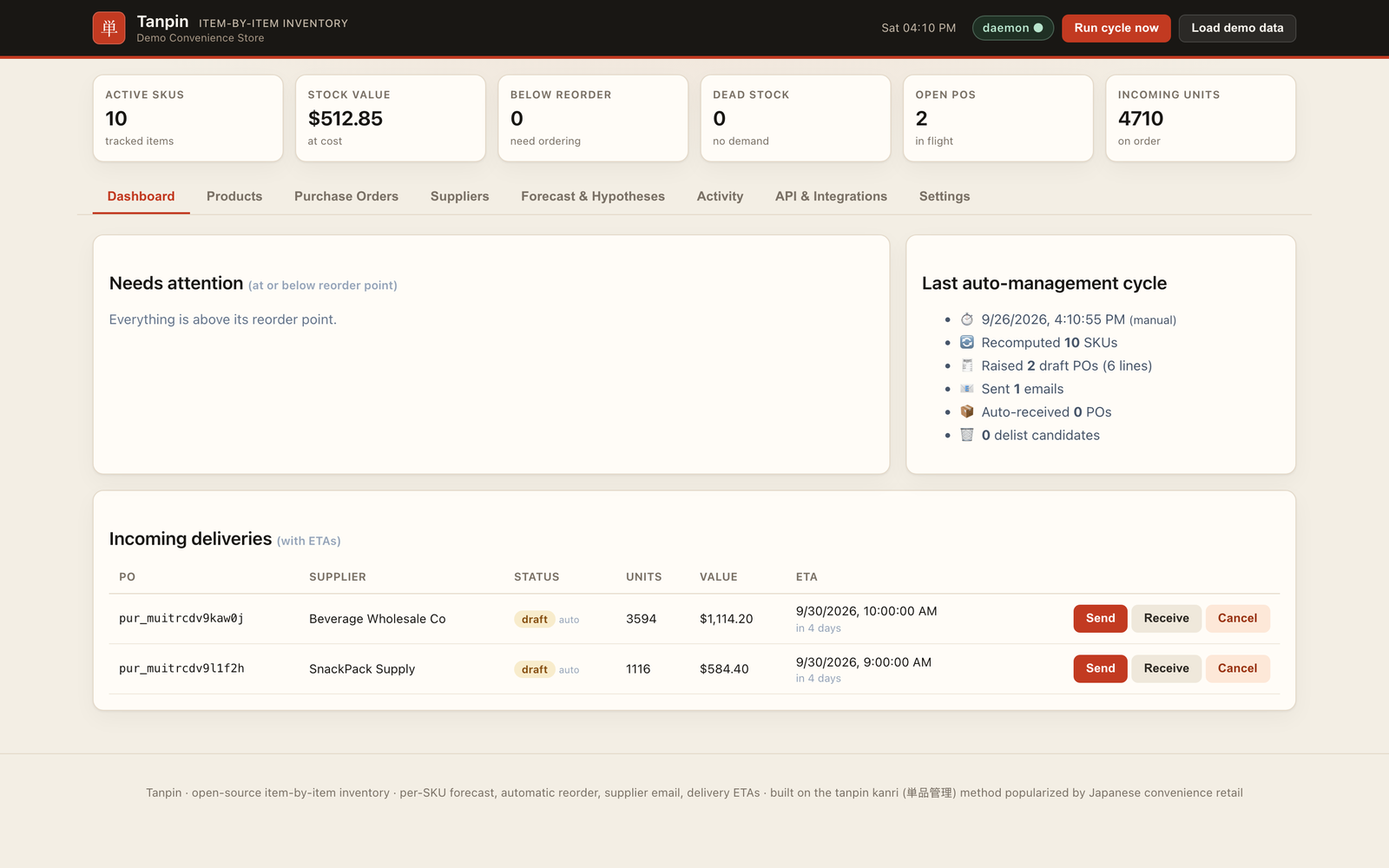
Live demo: huggingface.co/spaces/willykeenan/tanpin (read-only, seeded sample data)
Real screenshot of the demo; the data in it is invented sample data.
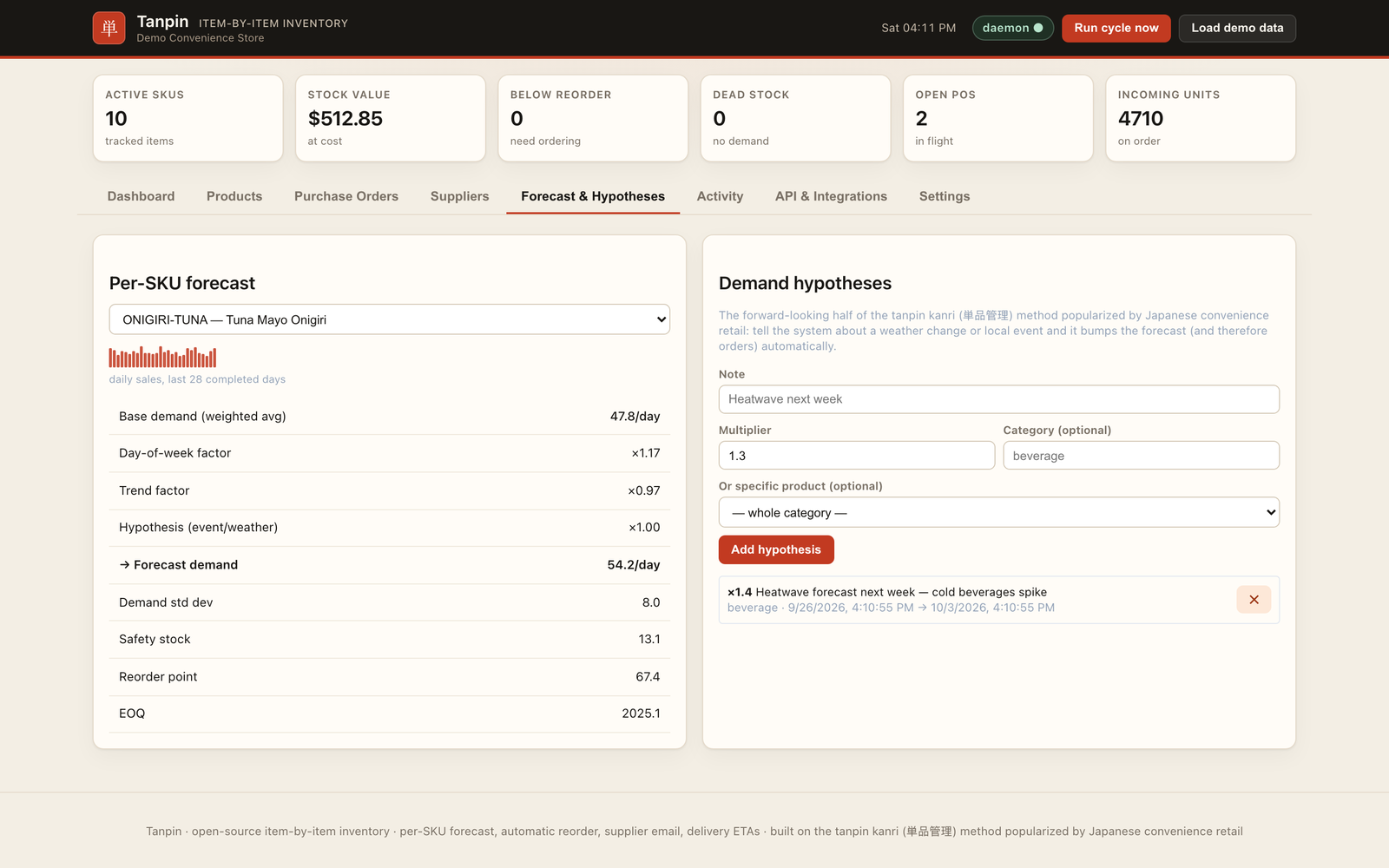 Per-SKU forecast with weekday and trend factors, safety stock, reorder point and a manager hypothesis. | 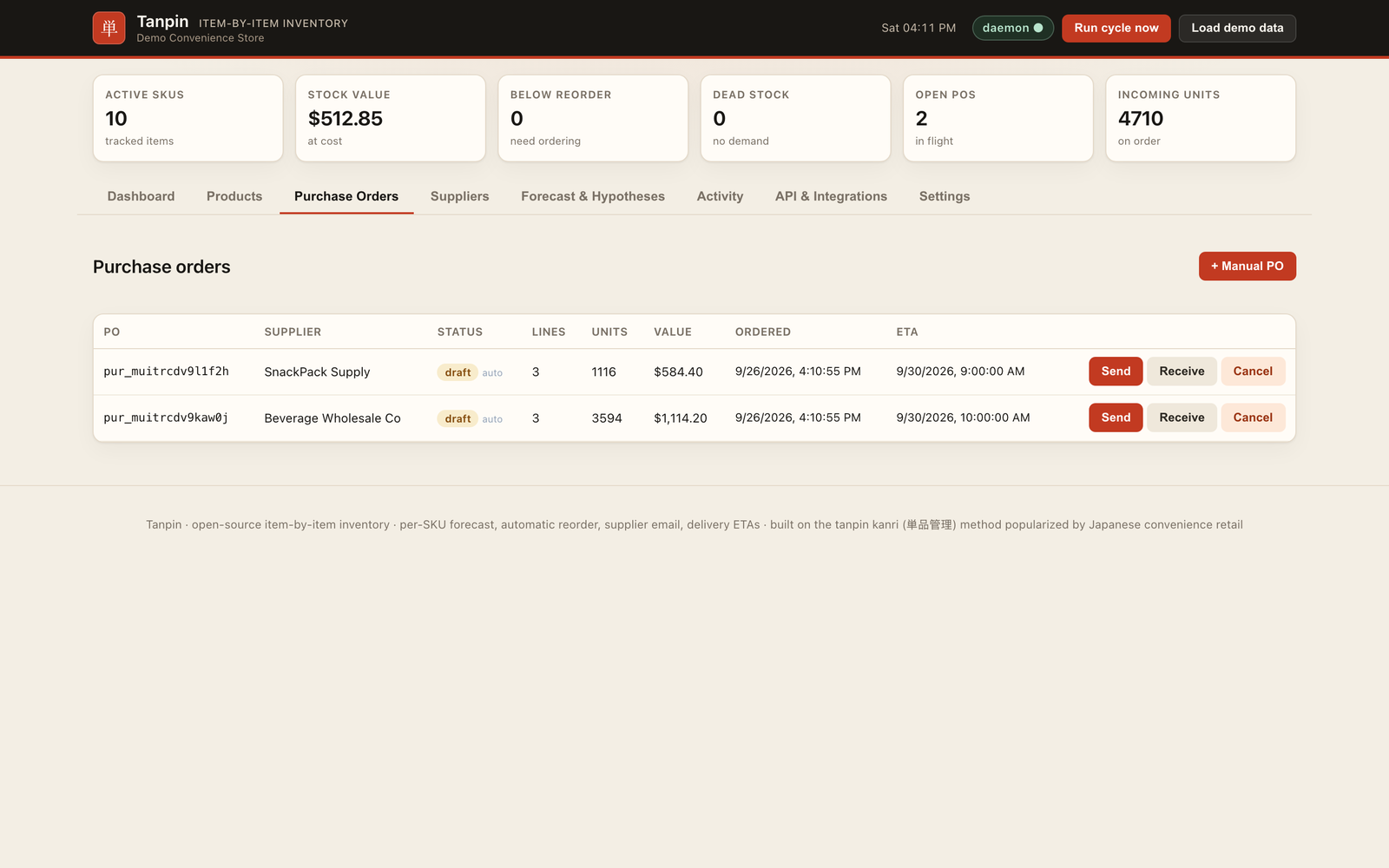 Purchase orders the cycle raised, grouped by supplier. |
Why tanpin kanri
Tanpin kanri (単品管理, “single-item management”) treats every SKU as its own business. A store manager forms a hypothesis about tomorrow’s demand for that item — weather, a local event, day of week — orders against it, then verifies the result against actual sales. High-velocity items get tight control and frequent replenishment. The long tail gets simpler rules, and is the first to be delisted.
Tanpin encodes that loop in software:
- Forecast each SKU from recent sales, weekday seasonality, short-term trend, and manager-entered hypotheses (events, weather, promotions).
- Compute the order — safety stock at a chosen service level, reorder point, EOQ, pack-size rounding, minimum order quantity, and a JIT cap on days of supply.
- Buy and track — purchase orders grouped by supplier, emailed automatically, with a delivery ETA from lead time, cut-off hour, and delivery windows.
- Stop stocking what does not sell — dead and slow SKUs are flagged to delist.
ABC classification follows the same idea: a small set of A items drives most value and gets the freshest reorder cadence; C items are the delist pool.
Features
- Per-SKU forecasting — recency-weighted moving average, day-of-week factors, trend (±40%), compounding hypotheses
- Automatic reorder — safety stock, reorder point, EOQ, pack size, MOQ, max days of supply
- ABC + delist — A/B/C by revenue contribution; dead (no demand) and slow (too many days of supply) flags
- Daemon — every N minutes (default 15): re-forecast, reclassify, raise draft POs, optionally email and auto-receive
- Supplier email — SMTP over implicit TLS (port 465) when
SMTP_HOSTis set; otherwise.emlfiles in the outbox - Delivery ETAs — lead time snapped to the next delivery window, honoring cut-off hours (UTC today)
- REST API — products addressed by SKU, OpenAPI 3.1 at
/openapi.json, agent guide at/llms.txt - MCP server — newline-delimited JSON-RPC over stdio for Claude Code, Codex, Cursor, and any MCP client
- Dashboard — vanilla JS SPA at
/(products, orders, suppliers, forecast, activity, API, settings) - Webhooks — HMAC-SHA256 signed JSON POSTs (
X-Inventory-Signature) - CSV — import/export products; export the movement audit trail
- API keys — stored as SHA-256 hashes, full key shown once
- Idempotency-Key — 24h replay window on sales and purchase-order writes
- Plugins —
TANPIN_PLUGINloads extra HTTP routes and usage limits - Storage — SQLite (
node:sqlite, WAL, incremental row writes;data/inventory.sqlite) shared safely by the server and a standalone daemon; JSON fallback withTANPIN_STORE=json
60-second quickstart
Requires Node.js 22 or newer.
npx github:willykeenan/tanpin serve
Open http://localhost:4173 and click Load demo data. That loads a convenience-store catalog, about 35 days of sales, live forecasts, and reorder recommendations.
From a clone of this repo:
node bin/tanpin serve
Docker
Public demo image (the Hugging Face Space):
docker build -f space/Dockerfile -t tanpin-demo .
docker run --rm -p 7860:7860 tanpin-demo
Open http://localhost:7860. The image runs DEMO_MODE=1 PORT=7860 HOST=0.0.0.0 node bin/tanpin serve: reads are open, writes are limited to the demo catalog (sales, adjustments, POs, hypotheses, seed, cycles) and need no key, webhooks and SMTP are off, and the catalog reseeds every 30 minutes.
Self-hosted image (root Dockerfile / compose.yml): requests reach the container through Docker's port mapping, so they are not "this machine" and every API call needs a key. Start it with a master key and paste that key into the dashboard's prompt:
docker build -t tanpin .
docker run --rm -p 4173:4173 -e TANPIN_ADMIN_KEY="$(openssl rand -hex 24)" -v tanpin-data:/app/data tanpin
# or: echo "TANPIN_ADMIN_KEY=$(openssl rand -hex 24)" > .env && docker compose up
More detail, including the first sale and first purchase order: docs/QUICKSTART.md.
API
Send Authorization: Bearer <key> or X-API-Key: <key>. Requests made on the server's own machine straight to localhost need no key by default; anything through a reverse proxy, a container port mapping, or another browser origin does (see Security model).
Five calls that cover the store:
# Whole world in one response: KPIs, products with live math, open POs, suppliers
curl http://localhost:4173/api/state

# Record a sale (SKU everywhere; Idempotency-Key for safe retries)
curl -X POST http://localhost:4173/api/sales \
  -H 'Content-Type: application/json' \
  -d '{"sku":"COFFEE-HOT","qty":2}'

# Dry run of the ordering engine, grouped by supplier
curl http://localhost:4173/api/recommendations

# Turn a recommendation into a real PO (and email it)
curl -X POST http://localhost:4173/api/purchase-orders \
  -H 'Content-Type: application/json' \
  -d '{"supplierId":"FreshFoods Distribution","fromRecommendations":true,"autoSend":true}'

# Forward-looking demand bump — forecasts and auto-orders adjust immediately
curl -X POST http://localhost:4173/api/hypotheses \
  -H 'Content-Type: application/json' \
  -d '{"note":"heatwave next week","multiplier":1.4,"category":"beverage"}'
Errors are {"error":"<message>","code":"<machine_code>"}. /api/... and /api/v1/... are equivalent.
Full reference: docs/API.md. Live contract: GET /openapi.json. Agent-oriented guide: GET /llms.txt.
MCP
Start the inventory server, then point an MCP client at tanpin mcp. The process speaks JSON-RPC on stdio and calls the HTTP API.
Environment: INVENTORY_URL (default http://localhost:4173), INVENTORY_API_KEY when the server requires a key.
Claude Code
claude mcp add tanpin --env INVENTORY_URL=http://localhost:4173 -- npx -y github:willykeenan/tanpin mcp
Or a project .mcp.json:
{
  "mcpServers": {
    "tanpin": {
      "command": "npx",
      "args": ["-y", "github:willykeenan/tanpin", "mcp"],
      "env": {
        "INVENTORY_URL": "http://localhost:4173"
      }
    }
  }
}
From a local checkout, use "command": "node" and "args": ["src/mcp.js"] (or ["bin/tanpin", "mcp"]) instead of npx.
Codex
In ~/.codex/config.toml (or the project Codex config):
[mcp_servers.tanpin]
command = "npx"
args = ["-y", "github:willykeenan/tanpin", "mcp"]

[mcp_servers.tanpin.env]
INVENTORY_URL = "http://localhost:4173"
Cursor
.cursor/mcp.json:
{
  "mcpServers": {
    "tanpin": {
      "command": "npx",
      "args": ["-y", "github:willykeenan/tanpin", "mcp"],
      "env": {
        "INVENTORY_URL": "http://localhost:4173"
      }
    }
  }
}
Call get_overview first. Typical flow: get_overview → get_reorder_recommendations → create_purchase_order with from_recommendations=true.
Tool list and schemas: docs/MCP.md.
Security model
- Only direct local requests skip the key. A request needs no key only when the TCP peer is loopback, the
Hostheader is a loopback name (localhost,127.x,::1), and there is no forwarding header (Forwarded,X-Forwarded-*,X-Real-IP,Via, ...). A reverse proxy on the same host (nginx, Caddy, cloudflared) therefore does not turn the internet into "localhost". SetTANPIN_REQUIRE_API_KEY=1to require a key on every request. Anywhere a key is needed, the dashboard asks for one. - Cross-origin browser requests (reads and writes, including
TANPIN_CORS_ORIGINSorigins) always need a key. - Secrets are write-only. Webhook signing secrets and provider credentials in
settings.integrationsare never returned by reads (hasWebhookSecret: trueinstead); a webhook's secret is shown once, when it is created. - API keys are created with
POST /api/keys. The plaintext key appears in that response once; the store keeps a SHA-256 hash and a visible prefix. Send the key asAuthorization: Bearer <key>orX-API-Key: <key>. Revoke withDELETE /api/keys/{id}. - Master key.
TANPIN_ADMIN_KEYis an always-valid key compared with a timing-safe hash. Use it for bootstrap, then issue hashed keys. - Webhooks are JSON POSTs signed with
X-Inventory-Signature: sha256=<HMAC-SHA256(secret, raw_body)>. Verify the signature against the raw bytes. Deliveries are fire-and-forget (10s timeout) so a dead receiver cannot break a sale or a daemon cycle. They never go to private, loopback, link-local, CGNAT or reserved addresses (checked on the address actually connected to, so DNS rebinding does not help), never follow redirects, and are off inDEMO_MODE— in the server and the standalone daemon alike. - Idempotency.
Idempotency-KeyonPOST /api/sales,/api/sales/bulk, and/api/purchase-ordersreplays the original response for 24 hours. - Input hygiene. JSON bodies drop
__proto__/constructor/prototypekeys. Static files are confined topublic/. - Email. SMTP is implicit TLS on port 465 (
SMTP_HOST,SMTP_PORT,SMTP_USER,SMTP_PASS). With no SMTP config, mail is written under the data directory as.emlfiles and recorded inGET /api/outbox. - CORS is an allowlist (
TANPIN_CORS_ORIGINS);*is never sent. The server binds127.0.0.1unlessHOSTsays otherwise. Every response carries a Content-Security-Policy without inline script.
Before exposing the port, set TANPIN_ADMIN_KEY (or create keys from localhost). Details: docs/SECURITY-MODEL.md.
CLI
tanpin serve    API + dashboard (PORT, HOST, TANPIN_DATA_DIR / TANPIN_DB)
tanpin daemon   auto-management loop against the same data file (same TANPIN_* env as serve)
tanpin mcp      MCP server on stdio (INVENTORY_URL, INVENTORY_API_KEY)
tanpin seed     replace the data file with the demo store
tanpin serve starts the daemon in-process unless TANPIN_NO_DAEMON=1.
Configuration
| Variable | Used by | Default |
|---|---|---|
PORT | serve | 4173 |
HOST | serve | 127.0.0.1 |
TANPIN_DATA_DIR | serve, daemon, seed | ./data |
TANPIN_DB | serve, daemon, seed | $TANPIN_DATA_DIR/inventory.json (stored as inventory.sqlite) |
TANPIN_OUTBOX | serve, daemon | <dir of TANPIN_DB>/outbox |
TANPIN_REQUIRE_API_KEY | serve | unset (direct local requests open) |
TANPIN_ADMIN_KEY | serve | unset |
TANPIN_NO_DAEMON | serve | unset (daemon on) |
TANPIN_PLUGIN | serve | unset |
TANPIN_CORS_ORIGINS | serve | unset (same-origin only) |
DEMO_MODE | serve, daemon | unset; the Space image sets 1 |
INVENTORY_URL | mcp | http://localhost:4173 |
INVENTORY_API_KEY | mcp | unset |
INVENTORY_DB | legacy alias of TANPIN_DB | unset |
STRIPE_API_KEY / SQUARE_ACCESS_TOKEN | sales integrations | unset (see docs/INTEGRATIONS.md) |
SMTP_HOST / SMTP_PORT / SMTP_USER / SMTP_PASS | outbox files if SMTP_HOST is unset |
Runtime state lives in data/ and outbox/ (gitignored). Settings such as autoManage, autoSend, autoReceive, serviceLevel, timezone, and daemonIntervalMinutes are stored with the data and edited via PUT /api/settings or the Settings tab.
Roadmap
Ships in 0.1.0
- Forecast, reorder math, daemon, REST, MCP, dashboard, webhooks, CSV, API keys, SMTP/outbox, plugin hook
- Security — bind
127.0.0.1by default; CORS allowlist (TANPIN_CORS_ORIGINS); Origin/Host checks; proxy-aware local bypass; masked secrets; webhook SSRF guard with DNS pinning; CSP;DEMO_MODE=1for the public Space - SQLite storage —
node:sqlitedefault backend, WAL, incremental writes, cross-process stock deltas; JSON fallback viaTANPIN_STORE=json - Integrations — inbound Stripe Checkout / Shopify / Square order webhooks (line items fetched from the provider API where the webhook omits them), CSV sales, extra email transports
- Backtest —
GET /api/backtestrolling-origin forecast evaluation (MAPE, sMAPE, bias), run on a worker thread - Timezone — IANA store timezone (
settings.timezone) for calendar days, forecasts, delivery windows, cut-offs and CSV dates
Develop
npm test # node --test --test-concurrency=1 test/
See CONTRIBUTING.md. MIT license — LICENSE.
Run with Docker
The image is published at ghcr.io/willykeenan/tanpin for Apple silicon and Intel.
docker run -d --name tanpin -p 4173:4173 -e TANPIN_ADMIN_KEY="REPLACE_WITH_A_LONG_RANDOM_KEY" -v tanpin-data:/app/data ghcr.io/willykeenan/tanpin
claude mcp add tanpin -- docker exec -i tanpin node bin/tanpin mcp
tanpin mcp calls the running server over HTTP, so it runs inside that container with docker exec, where its requests are local and need no key. A separate docker run ... tanpin mcp container cannot reach the server at localhost:4173.