Listed from the MCP registry; nobody on Odel publishes it.

WormaCeptor
Inspect a running Android debug app: network traffic, crashes, logs, databases and preferences
Runs on your machine from its package; the steps are below.
What it does
- Reads
- Writes
- High impact
At most: creates or changes data: records, files, settings.
What it costs
FreeOdel charges nothing per call. The publisher may charge for its own service.
Runs locally over stdio
This server isn't hosted — your MCP client launches it from a package registry. Use one of the commands below, or drop the config into your client (e.g. Claude Desktop).
Run
npx -y wormaceptor-mcp
MCP client config
{
  "mcpServers": {
    "wormaceptor": {
      "command": "npx",
      "args": [
        "-y",
        "wormaceptor-mcp"
      ]
    }
  }
}





Your AI agent can read your code. Now it can read your running Android app.
WormaCeptor puts network traffic, crashes, logs, databases and preferences one tool call away for Claude Code, Cursor and other MCP clients, and on screen for you. No proxy, no certificates. Ships only in debug builds through Gradle's debugImplementation, so nothing reaches production. Set up the agent in two lines.
Demo
An agent finds and fixes a failing checkout by reading the app's network traffic through WormaCeptor:
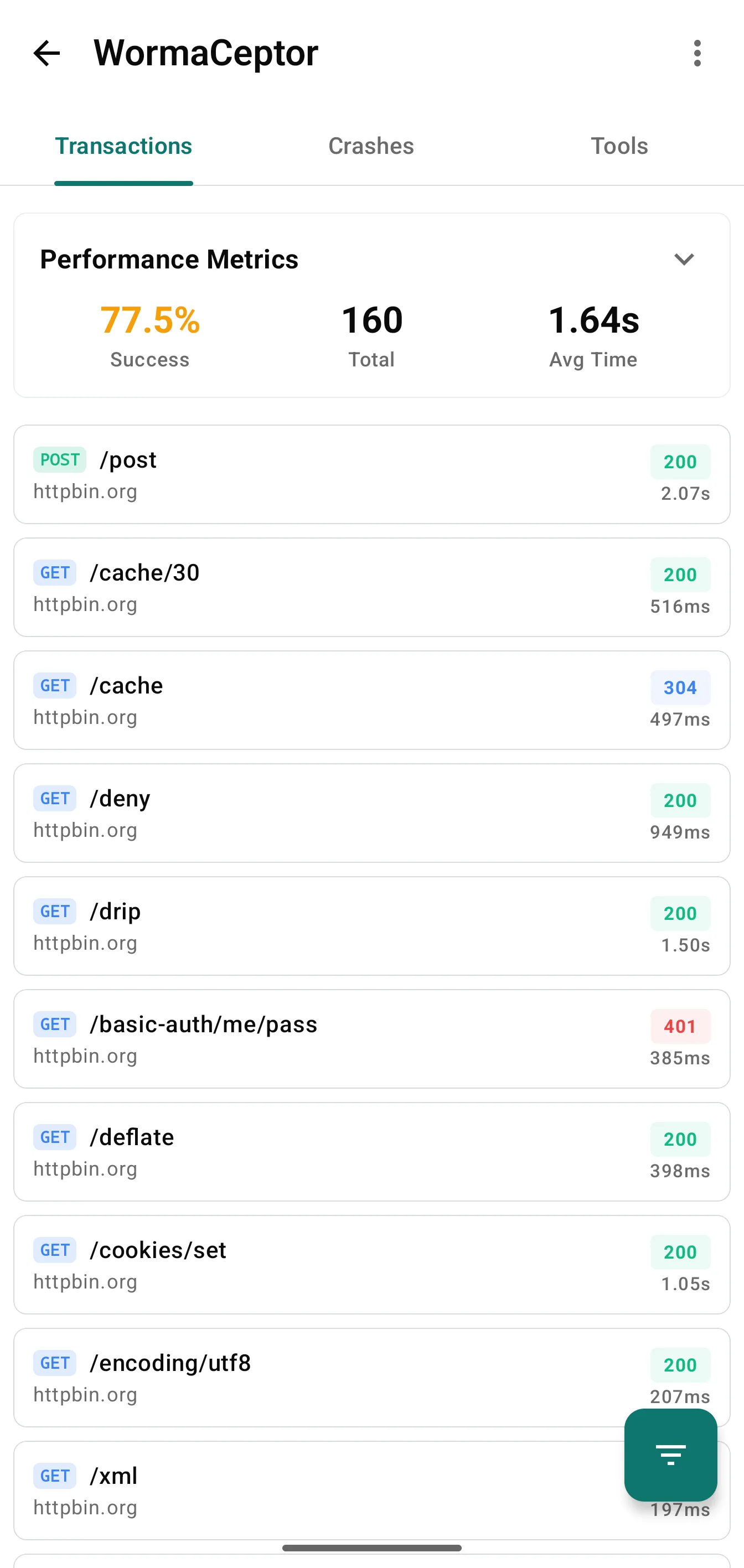
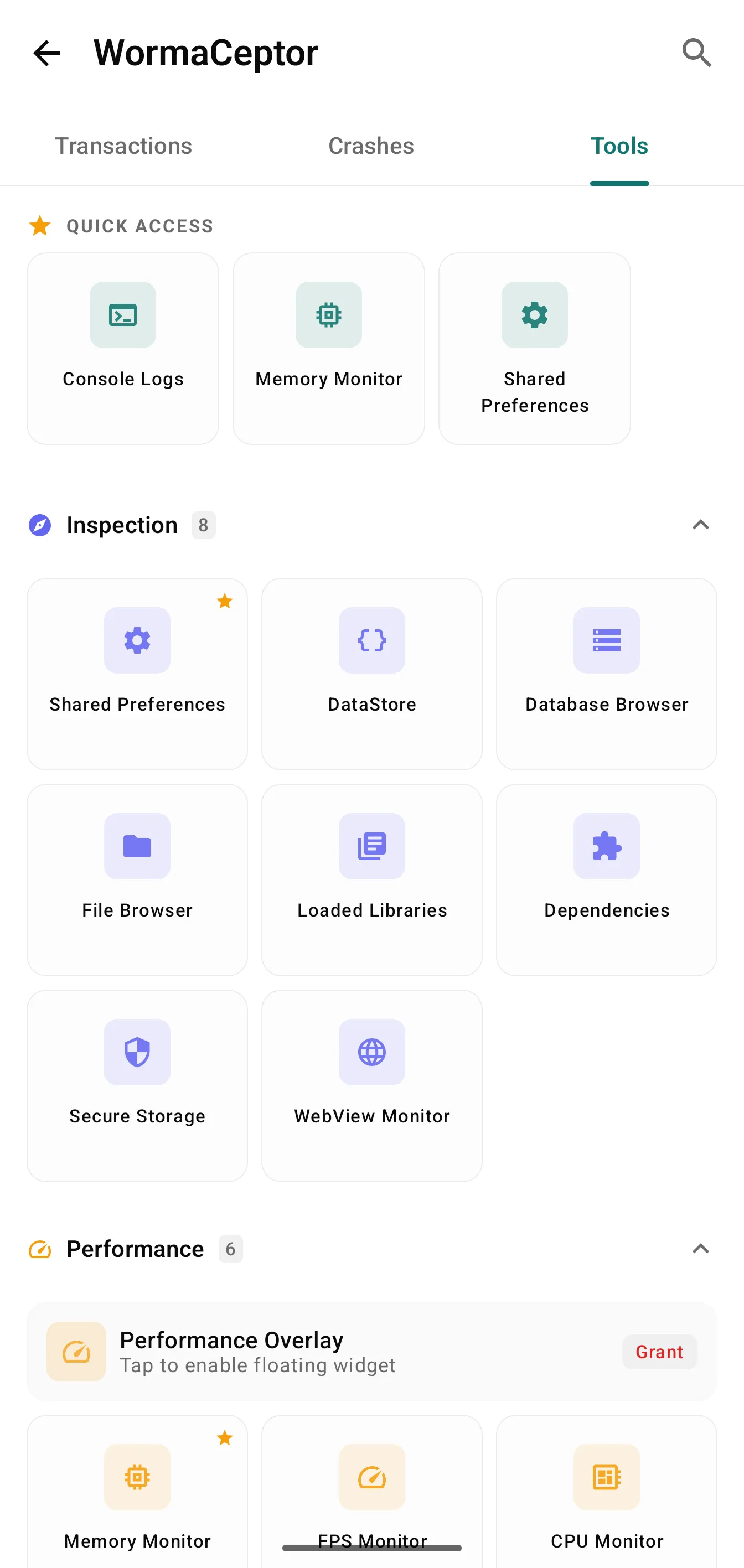
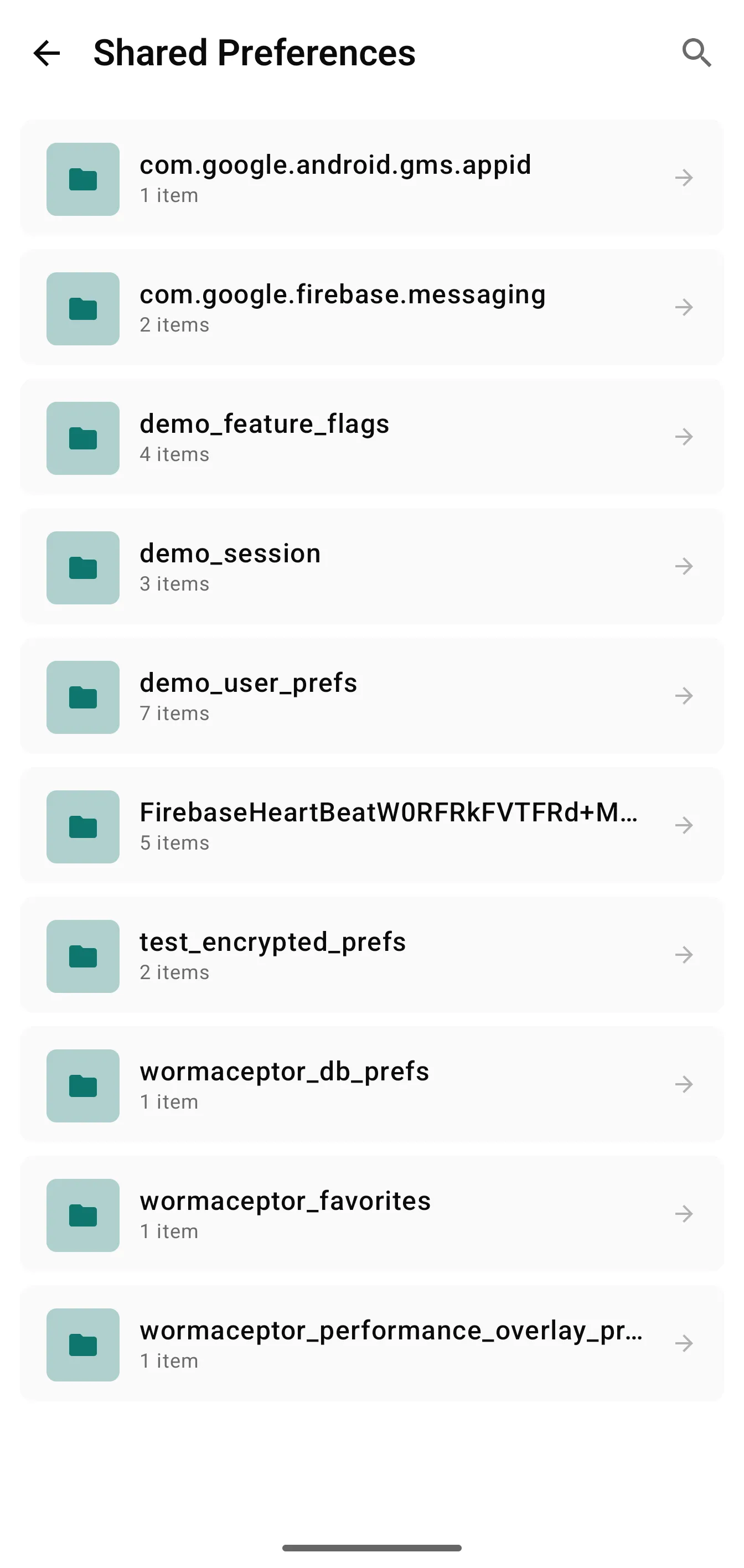
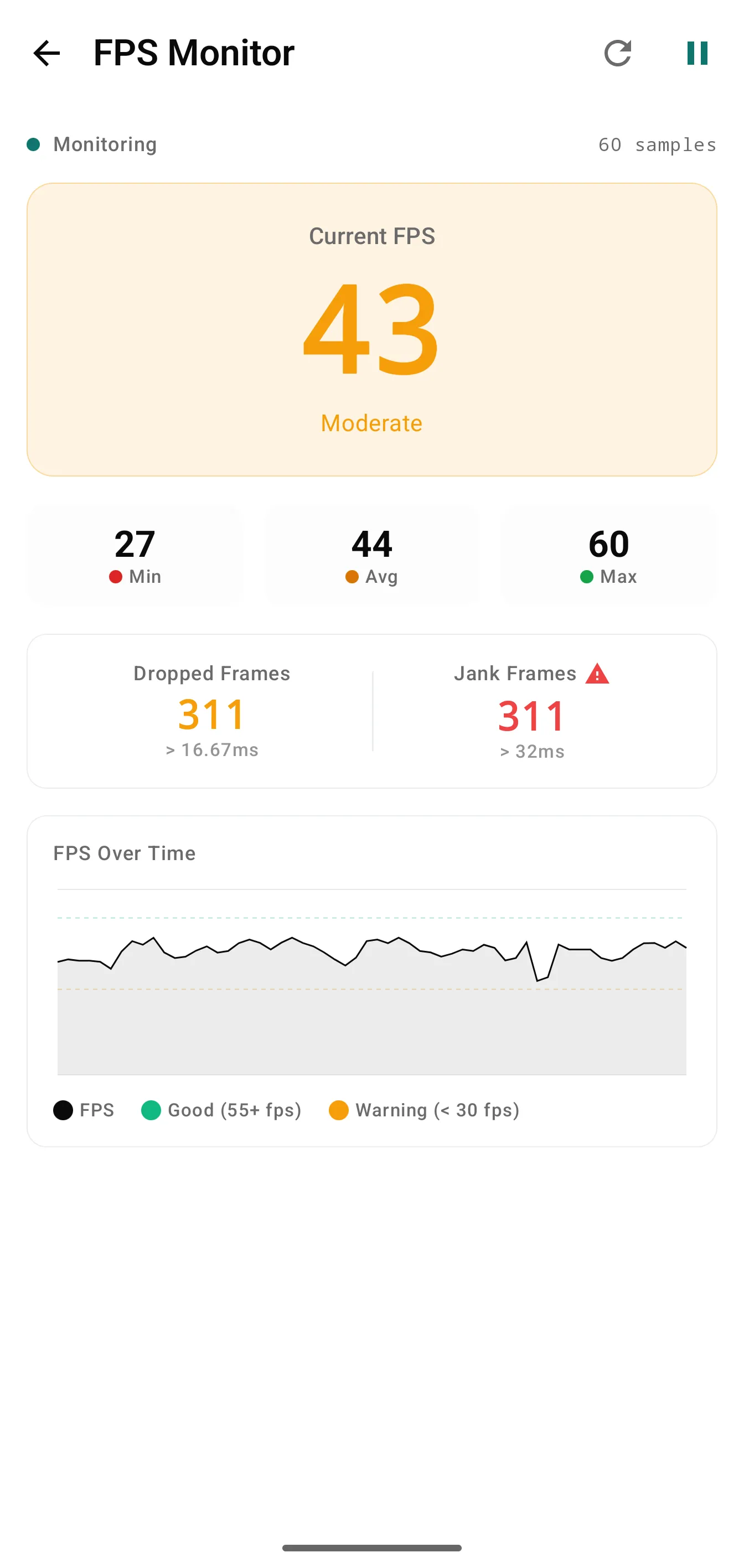
Network inspection, system tools, and performance monitoring side by side:

Quick Start
Make sure mavenCentral() is declared in your settings.gradle.kts (it's in the default Android template):
dependencyResolutionManagement {
    repositories {
        mavenCentral()
    }
}
Add the dependencies in your app's build.gradle.kts:
dependencies {
    implementation("com.azikar24.wormaceptor:wormaceptor-client:3.5.0")
    debugImplementation("com.azikar24.wormaceptor:wormaceptor-persistence:3.5.0")
}
Initialize in your Application class:
import com.azikar24.wormaceptor.api.WormaCeptorApi

class App : Application() {
    override fun onCreate() {
        super.onCreate()
        WormaCeptorApi.init(this)
    }
}
Add the interceptor to your OkHttp client:
import com.azikar24.wormaceptor.api.WormaCeptorInterceptor

val client = OkHttpClient.Builder()
    .addInterceptor(WormaCeptorInterceptor())
    .build()
Open WormaCeptor from anywhere:
startActivity(WormaCeptorApi.getLaunchIntent(context))
You can also enable the shake gesture with WormaCeptorApi.startActivityOnShake(activity). Using Ktor? See the Ktor guide.
Features
Network: Intercept HTTP/HTTPS via OkHttp or Ktor, monitor WebSocket connections and WebView requests, copy URLs or export as cURL, JSON and HAR, throttle with the rate limiter, and mock responses with Mock Rules (turn any captured request into a mock with Add to Mock)
Performance: Track FPS, memory, and CPU in real time with a live overlay, catch memory leaks and StrictMode thread violations, spot excessive Compose recompositions
System: Browse SQLite databases, edit SharedPreferences, inspect DataStore and encrypted storage, explore files, view loaded native libraries and Gradle dependencies, read device info and logcat, capture crash reports
Testing: Fire test push notifications, manage FCM tokens, mock GPS locations, encrypt/decrypt and hash with the crypto tool
AI agents: An optional MCP server lets Claude Code, Cursor, and other MCP clients query the running debug app: 44 tools for transactions, crashes, logs, performance, storage, mock rules, request replay, and actions. See AI Agents (MCP)
Every feature is its own module. Enable exactly what you need at init time, disable the rest. See Feature Toggles.
How It Works
Your release APK never sees debug code. Here's why:
wormaceptor-clientships in all build types. It contains only interfaces and a reflection-based lookup, no debug logic.wormaceptor-persistence(orwormaceptor-imdb) ships only in debug viadebugImplementation. It registers itself through classpath discovery.- In release builds, no implementation exists on the classpath.
wormaceptor-clientfalls back to a no-op automatically. No ProGuard rules, no runtime checks, no dead code.
More details in No-Op Behavior.
Redacting Sensitive Data
Strip credentials and PII before they hit the inspector.
val interceptor = WormaCeptorInterceptor()
    .redactHeader("Authorization")
    .redactJsonValue("password")
    .redactXmlValue("apiKey")
    .redactBody("ssn=\\d{3}-\\d{2}-\\d{4}")
For global redaction that applies across all interceptors, use WormaCeptorApi.redactionConfig. See the Data Redaction guide.
AI Agents (MCP)
Add the MCP device server to your debug build and your AI coding agent can read live app data over MCP instead of you pasting logs.
debugImplementation("com.azikar24.wormaceptor:wormaceptor-mcp-server:3.5.0")
Register the bridge with your client (needs Node.js 18+, Java 17+ and adb; the launcher downloads the matching bridge jar and checks its SHA-256):
claude mcp add --transport stdio wormaceptor -- npx -y wormaceptor-mcp@3.5.0
No Node? Download wormaceptor-mcp-bridge.jar from the latest release and run it with java -jar.
The server listens on an abstract Unix socket that only adb, root and the app itself can connect to, and the bridge reaches it through adb forward. Bearer-token auth is available and off by default; read Security before using it on a shared device. Setup, all 44 tools, and configuration: docs/MCP.md. Walkthrough: docs/MCP_TUTORIAL.md.
Documentation
Full docs at wormaceptor.com: Getting Started
- Installation & Requirements
- Ktor Client Plugin
- WebSocket Monitoring
- WebView Monitoring
- Launching the UI
- Performance Overlay
- Extension Providers
- Migrating from Chucker
- Troubleshooting
Contributing
PRs welcome. See CONTRIBUTING.md for setup, architecture rules and the PR process. To get started:
./gradlew build              # Build everything
./gradlew spotlessApply      # Format code
./gradlew :app:installDebug  # Run the demo app
License
MIT, see LICENSE.