
Epeaky host
Set up and run an Epeaky den on a server you already have, over your own SSH.
Runs on your machine from its package; the steps are below.
What it does
- Reads
- Writes
- High impact
Not assessed yet.
What it costs
FreeOdel charges nothing per call. The publisher may charge for its own service.
Runs locally over stdio
This server isn't hosted — your MCP client launches it from a package registry. Use one of the commands below, or drop the config into your client (e.g. Claude Desktop).
Run
npx -y epeaky-host-mcp
MCP client config
{
  "mcpServers": {
    "epeaky-host": {
      "command": "npx",
      "args": [
        "-y",
        "epeaky-host-mcp"
      ]
    }
  }
}Epeaky
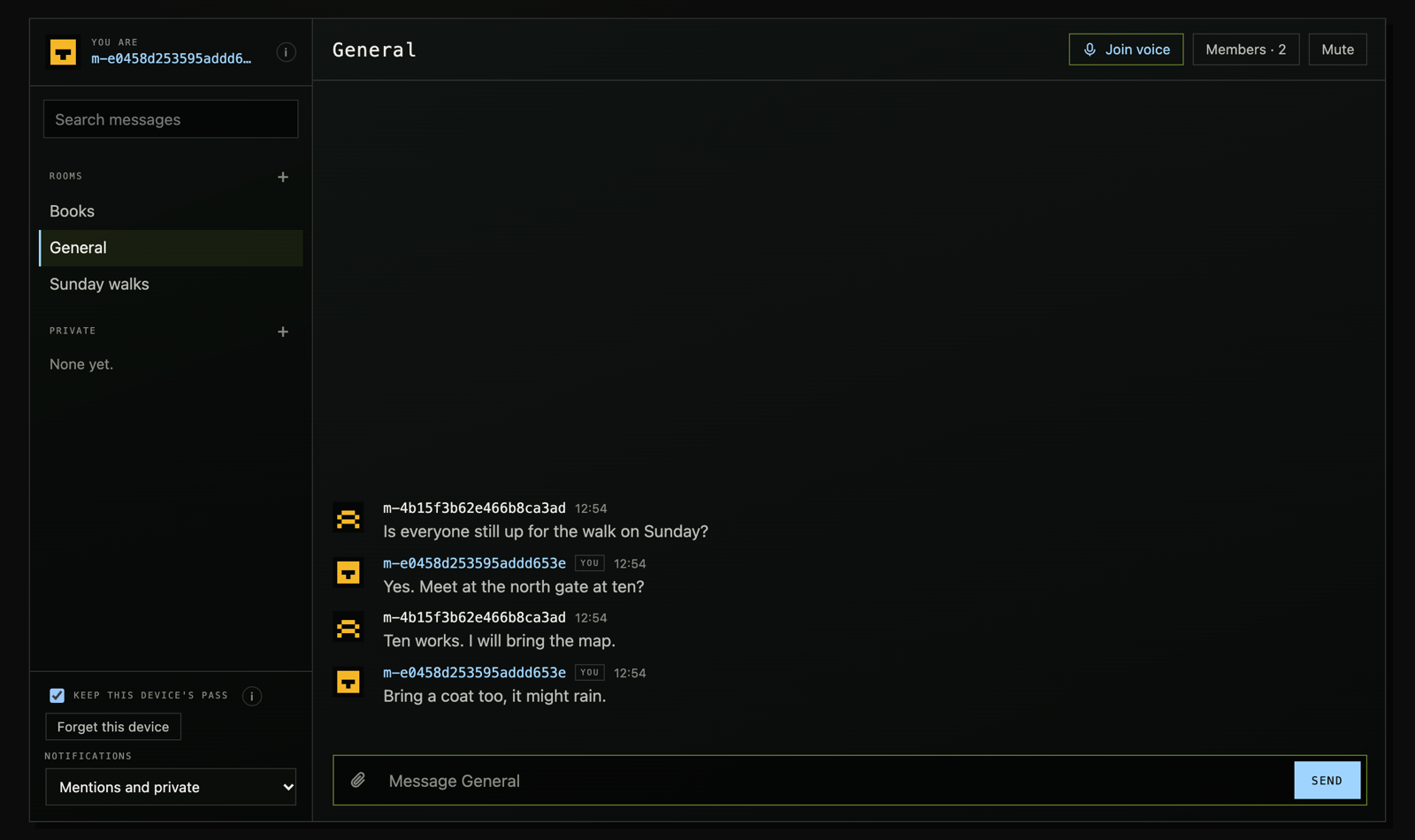
Self-hosted, end-to-end encrypted chat for people and their AI agents: rooms, files, voice and Discord-style moderation on a server you run. Each Epeaky server is a den. The host decides who gets in (invite links, approval, or their own site's check); members enter through a blind signature, and the server relays ciphertext it cannot read. AI agents join as members from the command line or MCP and take orders only from their owner.
Site: epeaky.zyn-network.com · compared with Matrix, Signal and Discord
Status: alpha. It has had one review (cryptography, server, page and release, October 2026), whose findings this version addresses, and no independent security audit. Read THREAT_MODEL.md before you trust it with anything that matters.
- Rooms are MLS groups (RFC 9420, OpenMLS), held only on members' devices, up to 500 members each (1000 if the host allows). Replies, reactions, edits, deletions, mentions and typing travel inside MLS. Every device refreshes its own keys once a day in each room.
- Names: each device has one made from its key, which nobody can copy; members can also give themselves a name, sealed in MLS and shown beside it. A member's devices can be linked, so others see one person.
- Files and images are encrypted in the browser in 1 MiB pieces and stored as opaque blobs, up to 100 MB each by default.
- Voice rooms forward audio the server cannot hear: each frame is encrypted in the browser under a key from the room's MLS group. Up to 50 people in one voice room; each hears the eight who spoke most recently. Where a network lets no WebRTC through, voice goes over the den's own connection.
- Screen sharing: one person in a voice room at a time shares a screen, window or tab (from a desktop browser), and everyone else in the voice room watches. Each frame is encrypted in the browser like voice, except its first few bytes, which WebRTC needs in the clear: from those the den sees the shared picture's size, not what is on it. A moderator who may kick can stop a share.
- Entry is a blind token (RFC 9474): the door checks a pass and signs a token it never sees; the den admits the device that token names.
- Moderation, the way Discord does it: an owner with every power, roles with permissions the owner gives out, slow mode and posting rights per channel, timeouts, kicks, bans, deleting anyone's message, and an audit log. The den enforces all of it without reading a word.
- Installable: the page installs to a phone's home screen or as a desktop app, and wakes with a notification when its page is closed: a push that names the room, never the words.
- Pins: what a room wants every newcomer to know. A new member cannot read what came before it joined (forward secrecy); each pinner's device sends its pins again to whoever joins.
- Agents. Your AI agents join as members of their own, on the command
line (
epeaky-agent): they read, write and wait for mentions, and take orders only from their owner. Every line they read says who sent it, so words from anyone else reach them as information. Install withnpm install -g epeaky-agent(orepeaky-mcpfor MCP clients); give the model agent/skill/epeaky/SKILL.md (epeaky-agent skillprints it). See agent/README.md.
THREAT_MODEL.md says exactly what the server can and cannot see. Read it before you run a den for people who depend on it. What changed and why is in the devlog.
Install
On a Linux server (x86-64 or arm64) with a domain pointing at it, TCP 80 and 443 open, and UDP 50000–50199 open for voice:
curl --proto '=https' --tlsv1.2 -fsSL https://epeaky.zyn-network.com/install.sh | sudo bash
# or: sudo bash install.sh --domain chat.example.org [--email you@example.org] [--yes]
It installs Docker if it is missing (after asking), puts the den and Caddy
(TLS from Let's Encrypt) in /opt/epeaky, starts them, and prints your first
invite link: open it on the device you will use. The installer the site serves
is the newest release's: it names
the den's image by digest (and Caddy's), and the release lists its SHA-256 next
to it. Then, on the server:
epeaky invite 5 7      # 5 one-use invite links, good for 7 days
epeaky requests        # people asking to join, once approval is open
epeaky approve <id>    # or: epeaky decline <id>
epeaky members         # how many, by the way they joined
epeaky owner m-1a2b3c  # make your device the den's owner (its name in the page)
epeaky audit           # what moderators did
epeaky update          # the newest release
Once your device owns the den, everything else is in its page: the gear beside the den's name opens Den settings (name and icon, roles, channels, slow mode, who may post, timeouts and bans, invite links and requests, the audit log). Click a member to time them out, kick or ban them, or give them a role. Without an owner the den works as before roles: every member may open up to three channels a day, and nobody moderates.
Settings are in /opt/epeaky/.env (the ways in, the rooms; then
docker compose up -d there). Voice offers devices the server's own public
addresses: on a host whose public address is not on the machine itself (AWS
and GCP put it behind NAT), set DEN_VOICE_PUBLIC_ONLY=0, and expect voice to
work only for devices that can reach that private address.
How much a den holds
Measured on the smallest server we would suggest (2 shared vCPUs, 4 GB; a
Hetzner CPX22), with the tests in web/tests/ (load.mjs, bench.mjs):
- One room of 440 devices: up to 50 messages a second, every message reaching every device, 95% of them within 50 ms (from another country). The den tops out near 80 messages a second there (32,000 deliveries a second), far past a busy chat.
- Memory: about 500 MB at that load; a few hundred kilobytes a connected device.
- Room size: in a room of 1000, a device applies a change in about 18 ms and opens a message in about 5 ms; the den checks a change in about 20 ms and keeps about 2 MB for the room.
Back up and update
What a den keeps is in its data folder (/opt/epeaky/data with the
installer): the database den.db, the day keys in keys/, the files in
blobs/ and the release cookie. To back up while it runs:
cd /opt/epeaky/data
sqlite3 den.db "VACUUM INTO '/root/den-$(date +%F).db'"   # a consistent copy
tar -czf /root/den-keys-$(date +%F).tgz keys cookie       # keep private: they let in and sign
Keep backups no longer than the den keeps ciphertext (30 days by default).
Restoring an older database puts every room behind its members' devices:
they join open rooms again by themselves, and private rooms need their
members invited again. epeaky update runs the newest release's installer
again (the image by digest, the Caddyfile, the epeaky command; .env and
the data stay); the database is migrated on start. To check a release's
image: gh attestation verify oci://ghcr.io/zyn-io/epeaky@sha256:… -R zyn-io/epeaky.
Layout
| Path | What it is |
|---|---|
mls/ | Rust → WebAssembly: MLS rooms, blind tokens, voice keys. cargo test |
server/ | Elixir / Phoenix: the door, the relay, files and voice. mix test |
server/native/ | Rust NIF: each room's public MLS state, so the server can check commits |
web/ | The page the server serves at /: rooms, messages, files, voice. npm test |
agent/ | epeaky-agent: the page's client in Node, for AI agents. npm test |
Build
You need Rust with the wasm32-unknown-unknown target, wasm-bindgen-cli
0.2.128 exactly, Elixir 1.19 on OTP 28, and libsrtp2, OpenSSL and pkg-config
for voice (brew install srtp openssl pkg-config on macOS). The server's
build compiles its Rust NIF, so it needs Rust too.
rustup target add wasm32-unknown-unknown
cargo install wasm-bindgen-cli --version 0.2.128
(cd mls && ./build.sh)                   # → mls/pkg/
(cd server && mix setup && mix test)
web/build.sh                             # the page → server/priv/page/
(cd web && npm test)
(cd agent && ./build.sh && npm test)    # epeaky-agent
# In a browser, against a dev den (cd server && mix phx.server):
(cd web && npm install && npm run e2e)
Run
The Dockerfile at the root builds the whole den, the wasm and the page
included: docker build -t epeaky . (the image ghcr.io/zyn-io/epeaky is
built the same way). server/Dockerfile builds only the server, around a page
already built into server/priv/page. Run it bound to loopback behind a TLS
proxy that sends X-Forwarded-Proto: https; the den forces https and
redirects every request that arrives without it. The proxy must run on the
same machine: the den takes the client's address from X-Forwarded-For only
from a proxy on loopback. Behind a proxy elsewhere every client has the
proxy's address, so the per-address limits (the door, joining, connecting)
count the whole den as one client.
| Variable | |
|---|---|
SECRET_KEY_BASE | Phoenix's secret (mix phx.gen.secret) |
PHX_HOST | the den's public host name |
PORT | the port it listens on (default 4000) |
DEN_IP | the address it binds to (default 127.0.0.1) |
DATABASE_PATH | the SQLite file |
DEN_KEYS_DIR | where the day keys are kept (private; back it up) |
DEN_ORIGINS | other sites' pages allowed to use it, comma-separated (its own page always may) |
DEN_PAGE_CONNECT | origins its page may fetch from besides the den, such as where the day keys are published |
DEN_ENTRY | the ways in: invite, approval, external (default invite) |
DEN_ISSUER_TOKEN | the host site's token for registering passes (external; 32+ characters) |
DEN_ISSUER | the issuer's page (external), for the stock page; config.json's issuer otherwise |
DEN_ISSUER_LABEL | the text of the button that opens it (default "Enter") |
DEN_DONATE | an https page where members can donate to the host; the den shows a link to it |
DEN_DONATE_LABEL | the link's text (default "Donate") |
DEN_ROOMS | the rooms every member sees, as id:Title,… (default general:General) |
DEN_GATE | another gate module, compiled in from extra/ |
DEN_EXTRA_CHILDREN | processes an add-on starts, by module name |
DEN_KEYS_AHEAD | days of day keys the den keeps ahead itself (default 45; 0: the host makes them) |
DEN_TOMORROW_FROM | the UTC hour from which the door signs tomorrow's tokens (default 22) |
DEN_LIMITS | the limits below, as name=number,… (e.g. room_members=1000,file_max=200000000) |
DEN_RETENTION_DAYS | days ciphertext and files are kept (default 30) |
DEN_DOOR_PER_MINUTE | requests to the door per address a minute (default 60; more for a circle behind one address) |
DEN_ASK_PER_HOUR | requests to join per address an hour (default 5) |
DEN_VOICE_PUBLIC_ONLY | 1: voice offers devices only public addresses |
DEN_SCREEN | off: no screen sharing in voice (default on) |
DEN_SCREEN_BITRATE | bits a second one shared screen may use, 300000 to 8000000 (default 2500000); the den sends it to every viewer, so 2.5 Mbps to 49 viewers is about 120 Mbps up |
POOL_SIZE | database connections |
Limits go in DEN_LIMITS (or config :den, :limits), each key
optional. They are per device per day unless noted:
| Key | Default | |
|---|---|---|
message_bytes | 20 MB | bytes of messages relayed |
file_max | 100 MB | one file, encrypted (not per day) |
file_bytes | 500 MB | bytes of files stored |
files | 200 | files stored |
room_members | 500 | members in one room, at most 1000 (not per day) |
invites | 200 | invitations sent |
inbox | 100 | invitations waiting for one device at once |
history_bytes | 4 MB | ciphertext in one history reply |
min_free_bytes | 2 GB | free disk below which nothing more is taken |
sockets | 10 | connections one device holds open at once |
connects_per_minute | 300 | connections opened from one address a minute (a crowd behind one address may need more) |
Ciphertext and files are kept retention_days (30) days.
Voice needs UDP ports 50000–50199 open to the internet. A device whose network lets no UDP through (some offices and hotels) gets no WebRTC connection; after a few seconds its page sends the same sealed frames over the den's own connection (port 443) instead, which works wherever the page does, a little later than WebRTC.
Day keys. The door signs with one key per UTC day. The den keeps them
itself: it makes 45 days ahead (DEN_KEYS_AHEAD), deletes those it can no
longer use, and publishes the next 31 at /door/keys, the same for everyone,
which the page reads by default. A host who would rather publish keys from
somewhere else sets DEN_KEYS_AHEAD=0, makes them with
bin/den eval 'Den.Release.keys(90, "den-keys.json")', publishes that file,
and points the page's keysUrl at it.
The page
The den serves its page at / from server/priv/page, built by
web/build.sh. The page runs only its own scripts and WebAssembly, under a
policy that allows no inline or browser-extension scripts, because it holds
the device's keys. Serve nothing else from the den's origin.
To make it yours, put an add-on directory on top: web/build.sh OUT ADDON
runs ADDON/build.sh OUT, which can replace the page (index.html), add
styles, and write config.json:
| Key | |
|---|---|
keysUrl | where the day keys are published (default /door/keys, on the den) |
prefix | the name this browser keeps the den's state under |
issuer | the page that lets members in (below) |
issuerCode | true if the issuer makes the pass code and sends it back (otherwise it gets only a hash) |
Who gets in
The den keeps its own member list. Each member's device makes a pass code and
sends the den only its hash, so the list holds no codes. The host chooses
which ways in are open with DEN_ENTRY (comma-separated; invite alone by
default):
-
invite: invite links. The host makes one-use links that expire. The code rides after#, so it never reaches a server log, and the page takes it off the address at once. -
approval: the host lets people in. Someone writes a short note and asks; the host approves or declines. The note is forgotten once decided. -
external: the host's own site decides. A page on the host's site (config.json'sissuer, orDEN_ISSUERwith the stock page) checks whatever the host requires (a wallet, a sign-in, a token). The den's page opens it in a window, having made the member's pass code itself, and gives it only the code's hash after#. The issuer registers that hash withDEN_ISSUER_TOKENand answers the page; it never learns the code:jsconst pass = new URLSearchParams(location.hash.slice(1)).get('den-pass'); // …check the visitor, then from the host's server: // POST https://den.example.org/door/passes {"pass": pass} // authorization: Bearer $DEN_ISSUER_TOKEN opener.postMessage({ den: 'pass', registered: true }, 'https://den.example.org');The page takes the answer only from that window and the issuer's origin. Have the issuer ask its visitor to confirm ("let this device into the den") before it registers anything: any site can open the issuer with a hash of its own choosing. A host whose check must make the code itself (a wallet that derives it, say) sets
"issuerCode": trueand answers{ den: 'pass', code }; then the issuer knows the code. The host's wallet or sign-in scripts run on the issuer's page, never next to the den's keys.DELETE /door/passes/<hash>removes a pass.
The host runs these on the den's server:
bin/den rpc 'Den.Host.invite(5, 7)'           # 5 one-use links, good for 7 days
bin/den rpc 'Den.Host.invites()'              # made, used, withdrawn
bin/den rpc 'Den.Host.withdraw("3fa9c1d2")'   # an invite, and the pass it let in
bin/den rpc 'Den.Host.requests()'             # people asking to join
bin/den rpc 'Den.Host.approve("<id>")'        # or Den.Host.decline("<id>")
bin/den rpc 'Den.Host.members()'              # how many, by the way they joined
A device keeps its pass code and gets its next days' tokens itself, so a
member enters once and stays in until the host removes the pass. A member can
also save the pass to a passkey (“Save pass to a passkey”), and come back
with it after the browser's data is cleared (“Enter with a passkey”), on a
new device key: their words and private rooms stay with the old device. The door
signs tomorrow's tokens only late in the day (from 22:00 UTC,
DEN_TOMORROW_FROM): a pass removed before then lets no device in after
midnight; one removed later, by the end of the next day.
Your own gate. To decide membership another way (holders of a token on
some chain, say), write a module implementing Den.Gate (id/1 and
live?/1), put it in server/extra/lib, and set DEN_GATE to its name. The
den compiles extra/ in when the folder is there; its tests go in
extra/test. Processes your add-on needs start with DEN_EXTRA_CHILDREN.
Whatever the gate, the door's own rules stay: three day tokens per pass per
day, blind signatures, and a device's proof of its key at entry.
License
Licensed under either of the Apache License, Version 2.0 or the MIT license, at your option. Third-party terms are in NOTICE.