Listed from the MCP registry; nobody on Odel publishes it.

bowel
Read and troubleshoot bowel, a mihomo (Clash Meta) proxy client; changes ask you first.
Runs on your machine from its package; the steps are below.
What it does
- Reads
- Writes
- High impact
At most: creates or changes data: records, files, settings.
What it costs
FreeOdel charges nothing per call. The publisher may charge for its own service.
Runs locally over stdio
This server isn't hosted — your MCP client launches it from a package registry. Use one of the commands below, or drop the config into your client (e.g. Claude Desktop).
Distributed as an MCP bundle (`https://github.com/21stware/bowel/releases/download/v0.4.8/bowel-0.4.8.mcpb`) — download it and import the bundle in your MCP client.

bowel
bowel is a mihomo (Clash Meta) client for macOS, Windows, Linux and Android: a native app, not Electron or a WebView.
Download · Website · Docs · Telegram · 简体中文



The desktop interface is built in Go and rendered directly via the GPU, with no WebView. The Android app is built with Flutter and has the same cards and skins.
What's different
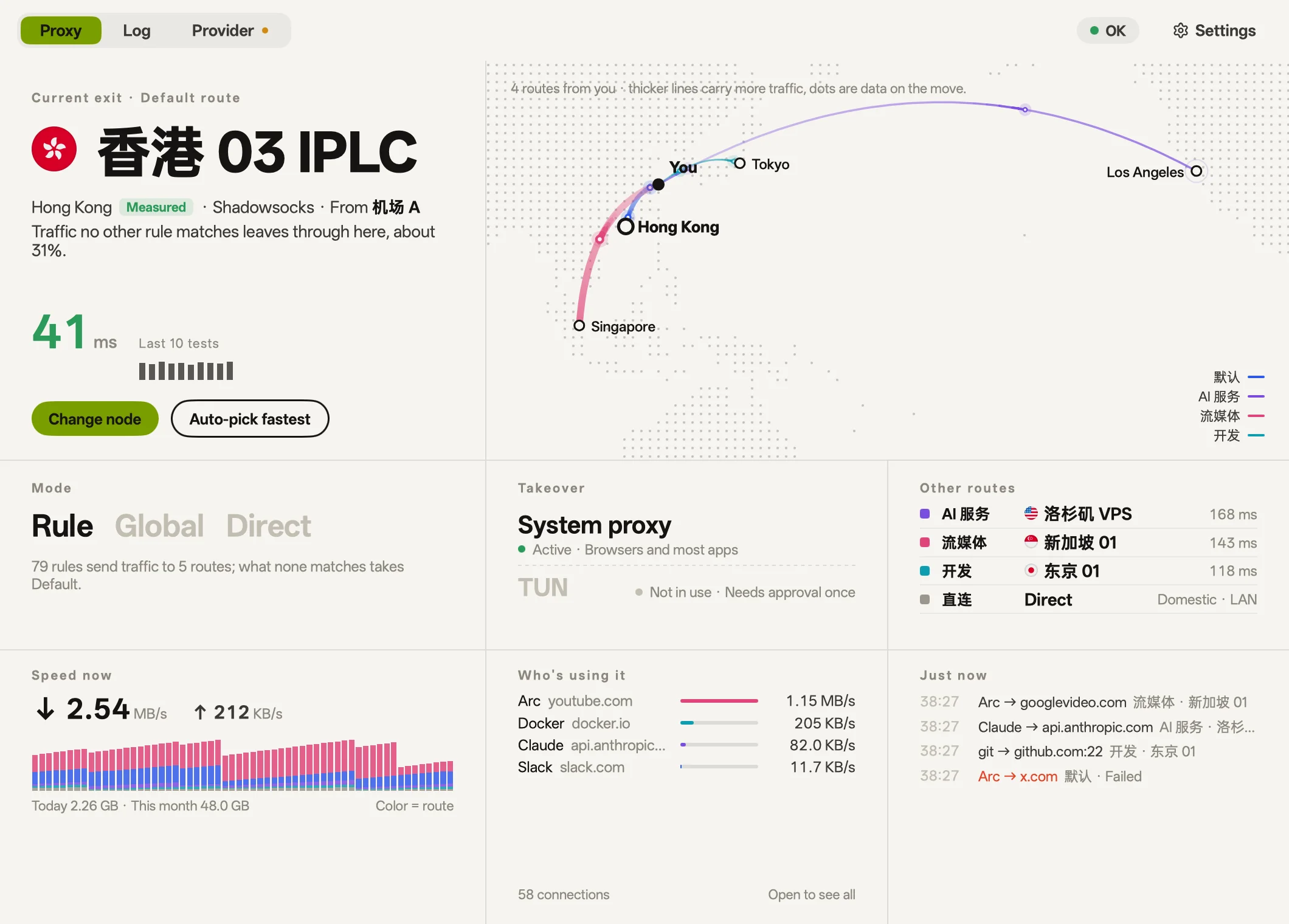
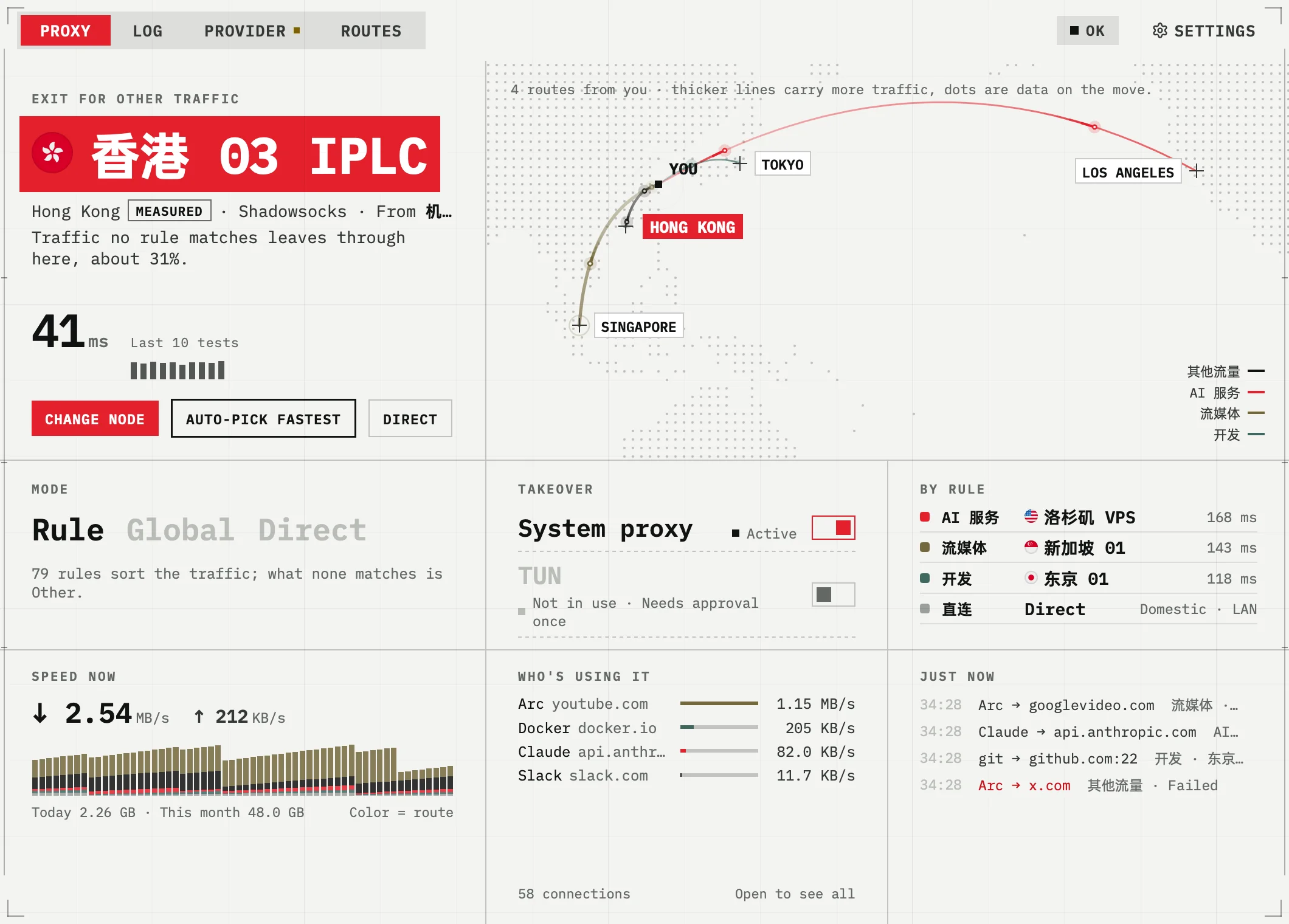
- A node for each purpose. AI services, streaming, development and the rest are separate routes, each with its own node, chosen by hand or by speed.
- Clash configs as they are. Subscription links, node links, QR codes and complete Clash or mihomo configs, which can keep their own groups and rules.
- Built for developers' machines. On macOS and Linux, Docker, the terminal and Git are set up in one click; npm, pip, Go and Cargo mirrors are measured and switched; the LAN, Tailscale and company VPNs go direct.
- A command line, a TUI and a daemon.
boweldrives the running app, with--jsonfor scripts;bowel tuiworks over SSH;bowel daemonruns with no window. - An MCP server for agents. Claude Code and other agents read the state and troubleshoot connections, and ask you before they change anything.
- Gateway mode. One Mac or Linux computer carries the TVs and consoles on the LAN.
Features
The screenshots are from macOS.
Routes
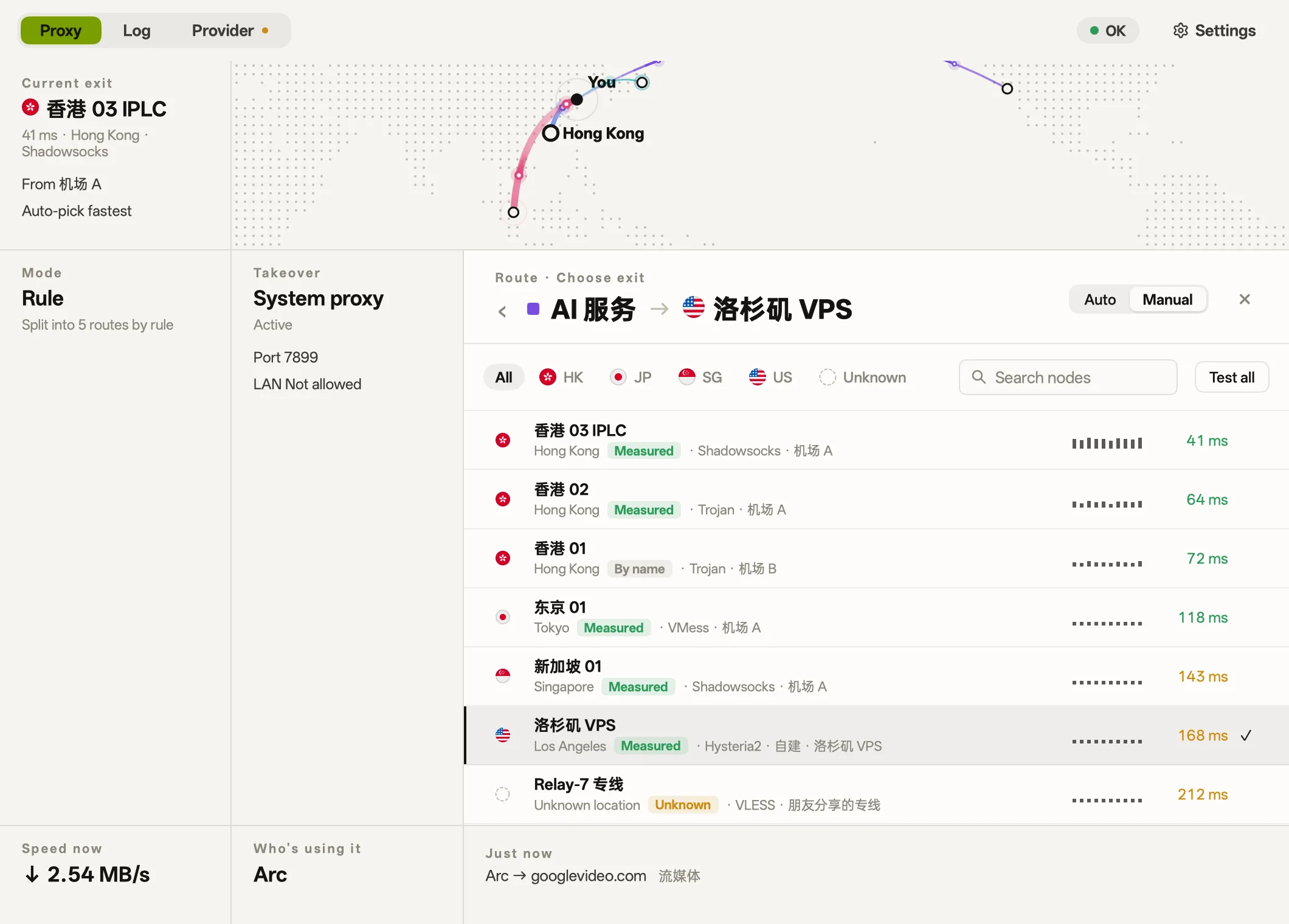
Route traffic by purpose, and select exit nodes manually or automatically by speed. How groups, test sites and the download test work: Route groups and nodes.
Connections
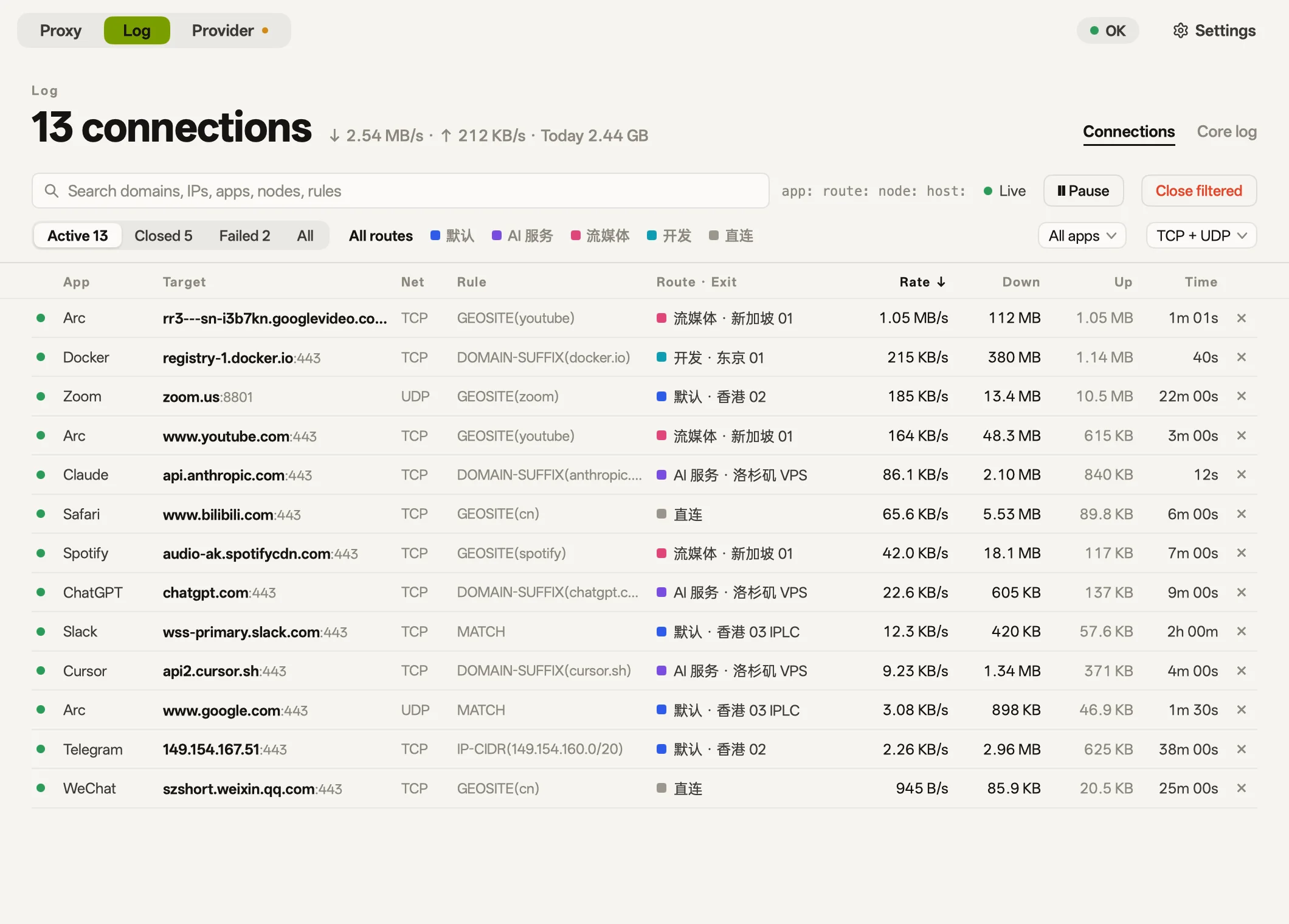
Inspect the app, destination, rule, exit, and speed for each connection, or reroute domains on the fly.
Providers
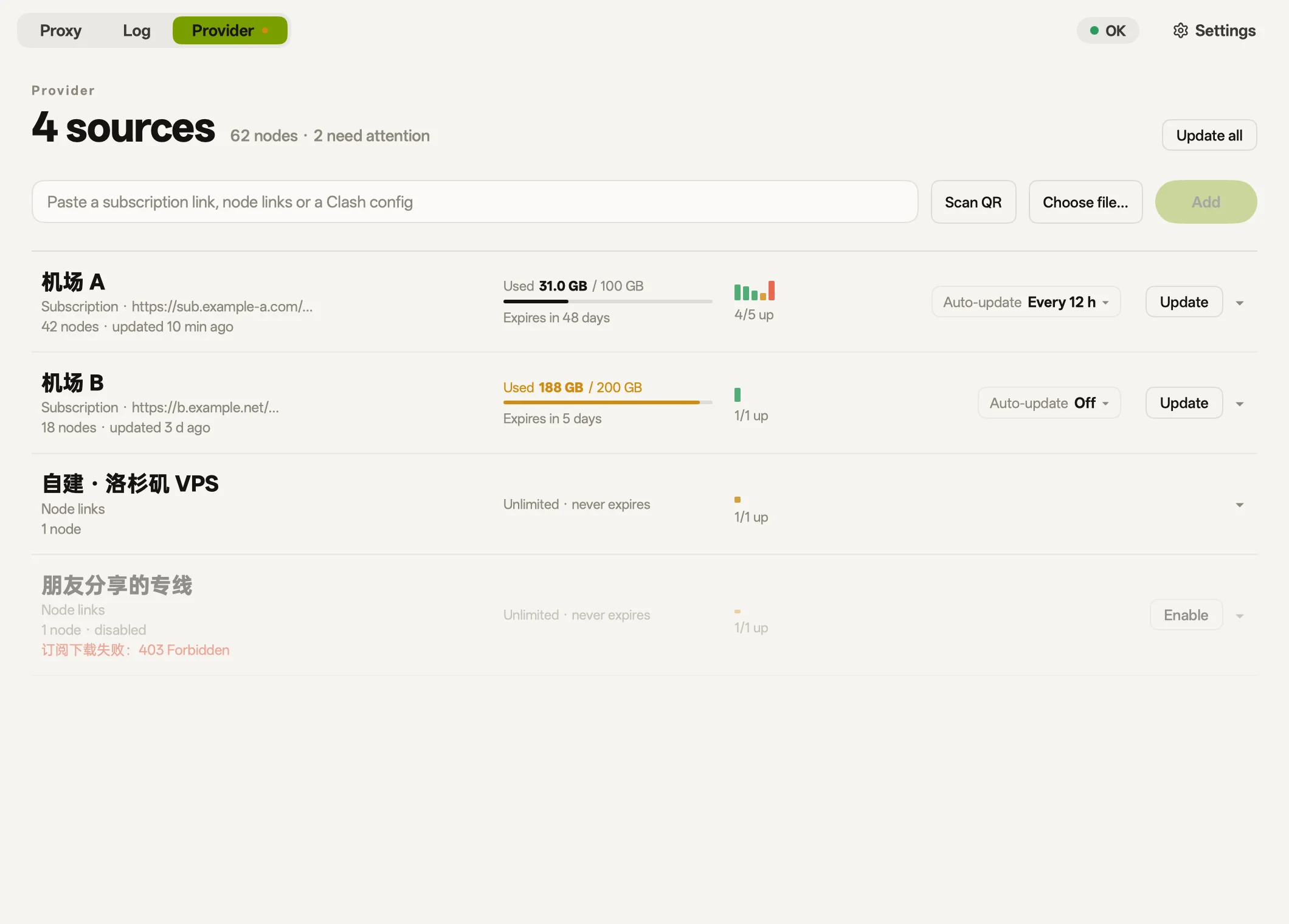
Import subscription links, node URLs, Clash or mihomo YAML configs, or QR codes, with data usage and expiry shown for each source.
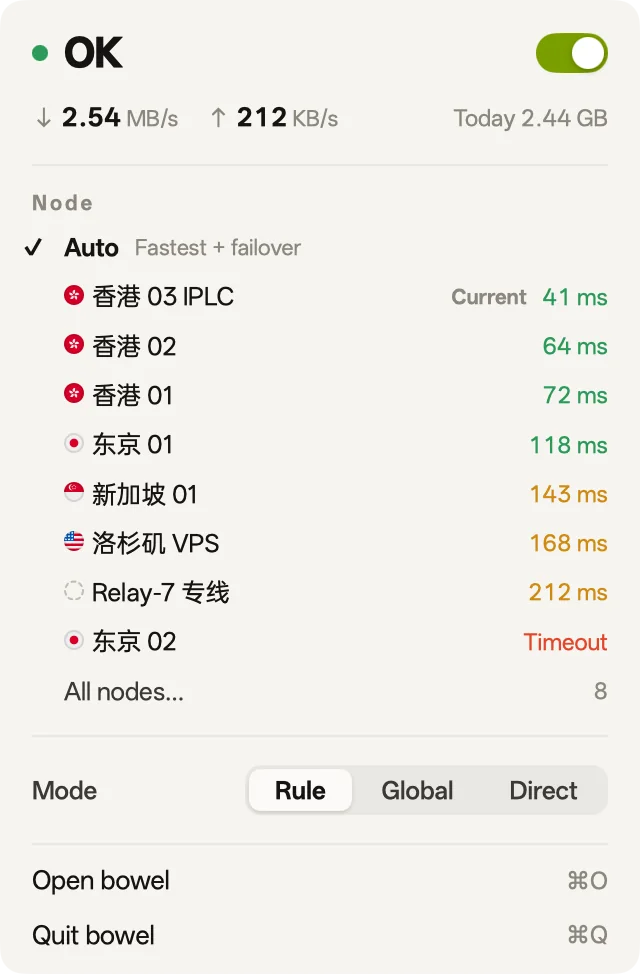
Menu bar
Toggle system proxy takeover, switch proxy modes, and pick the node for traffic no rule matches from the menu bar, or from the system tray on Windows and Linux. On Omarchy, pin bowel's icon in the bar's tray, or it stays folded in the tray's drawer.
Skins
Sixteen skins that change the look of the whole interface.
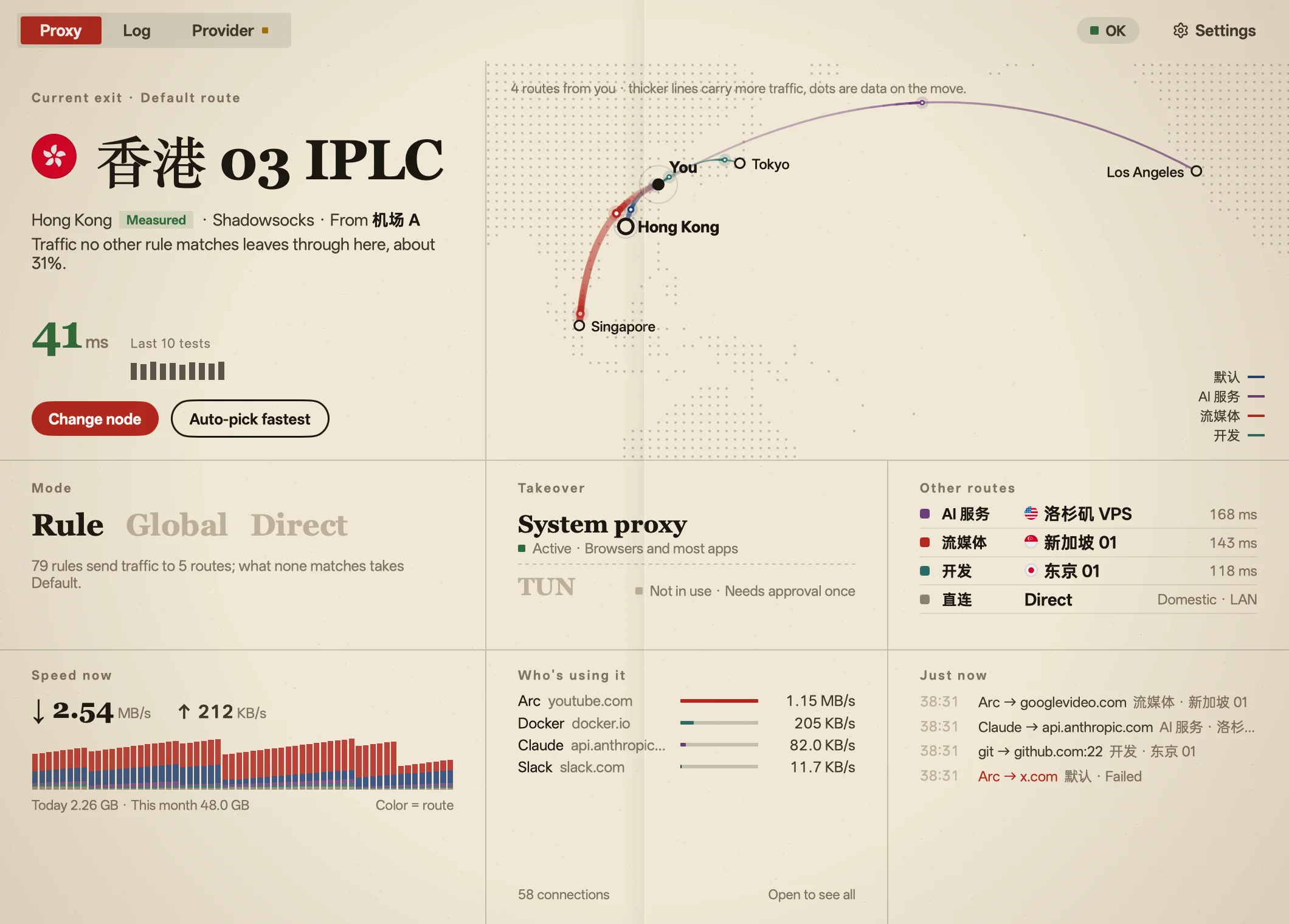 Broadsheet | 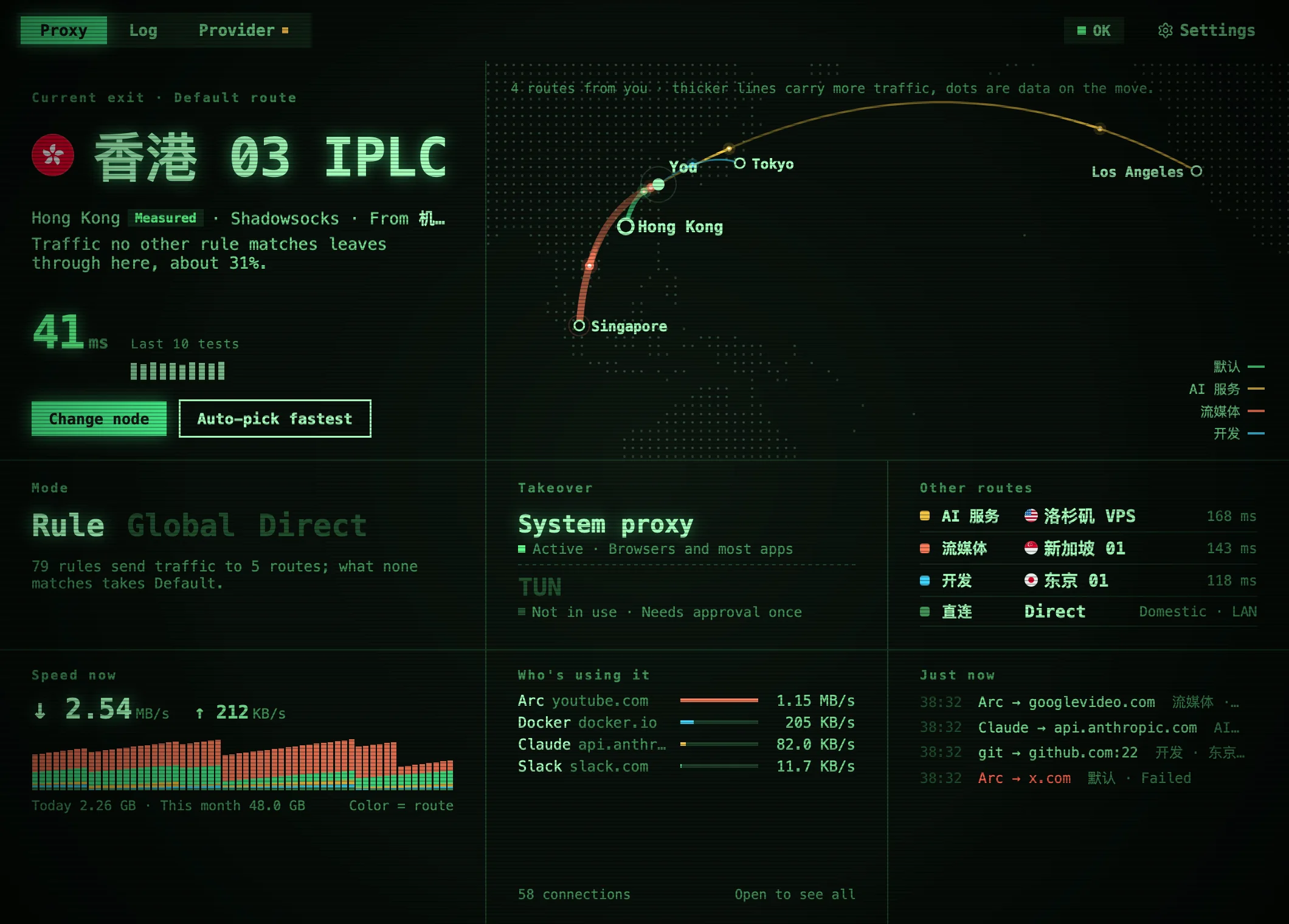 Phosphor | 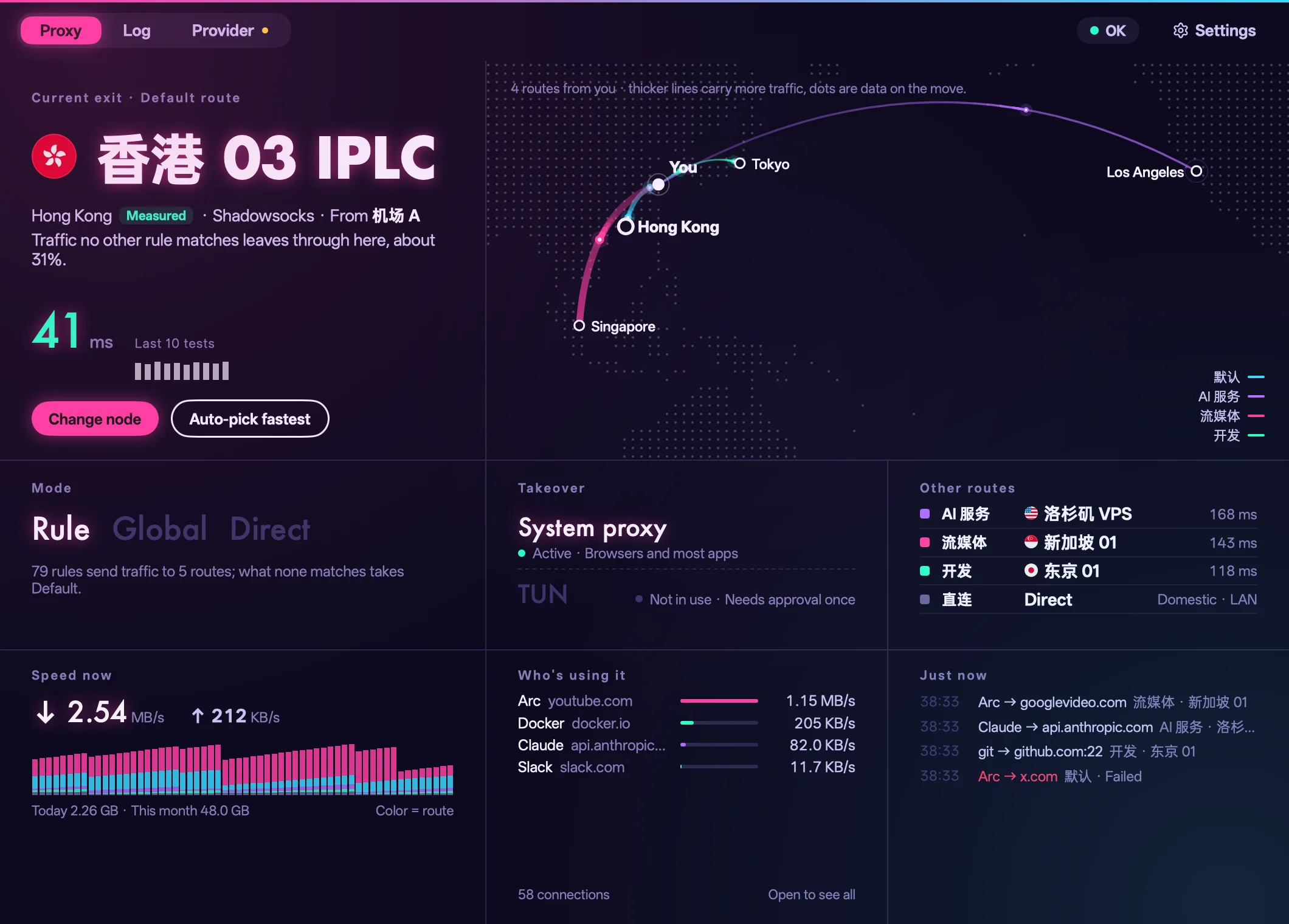 Neon |
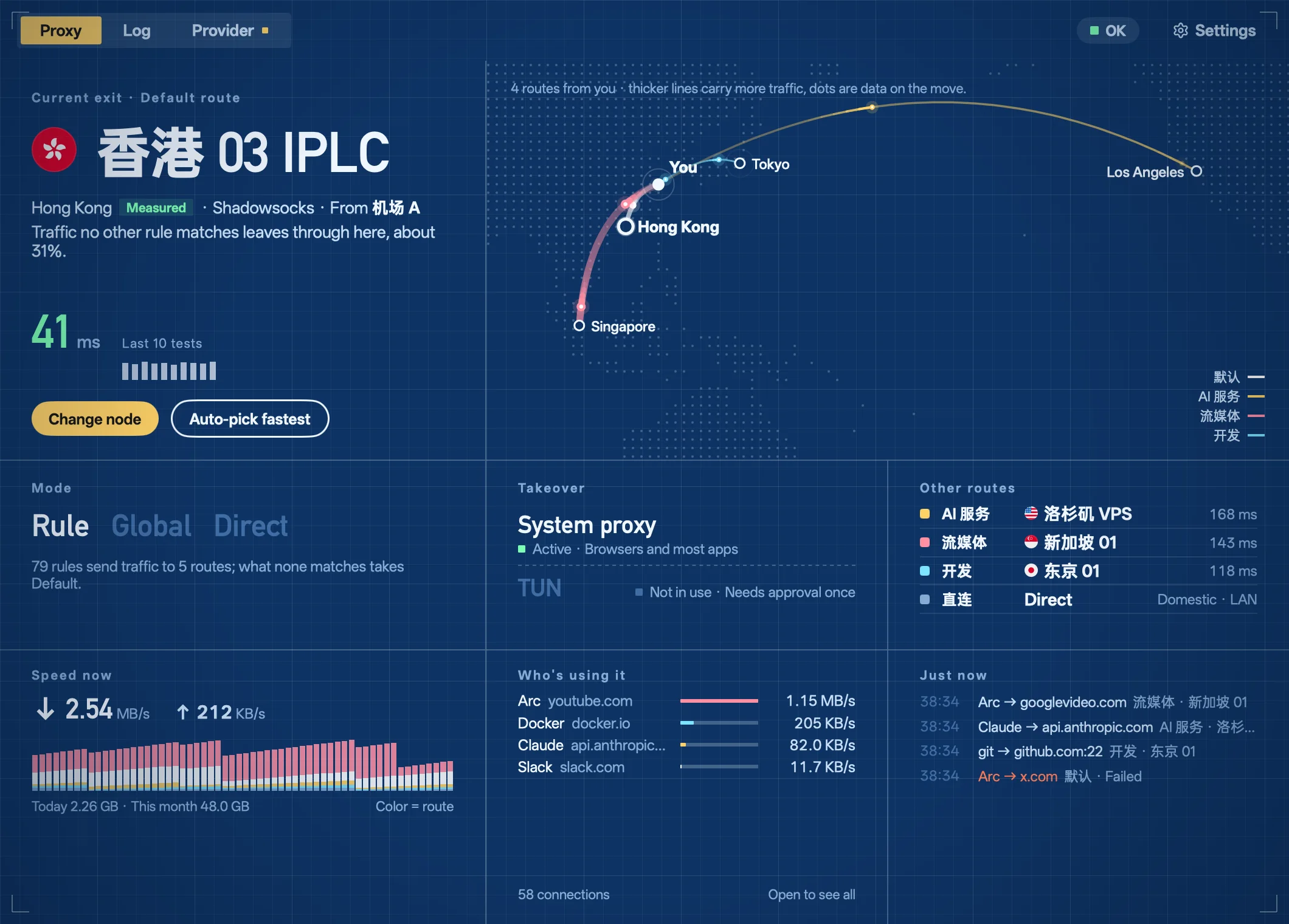 Blueprint | 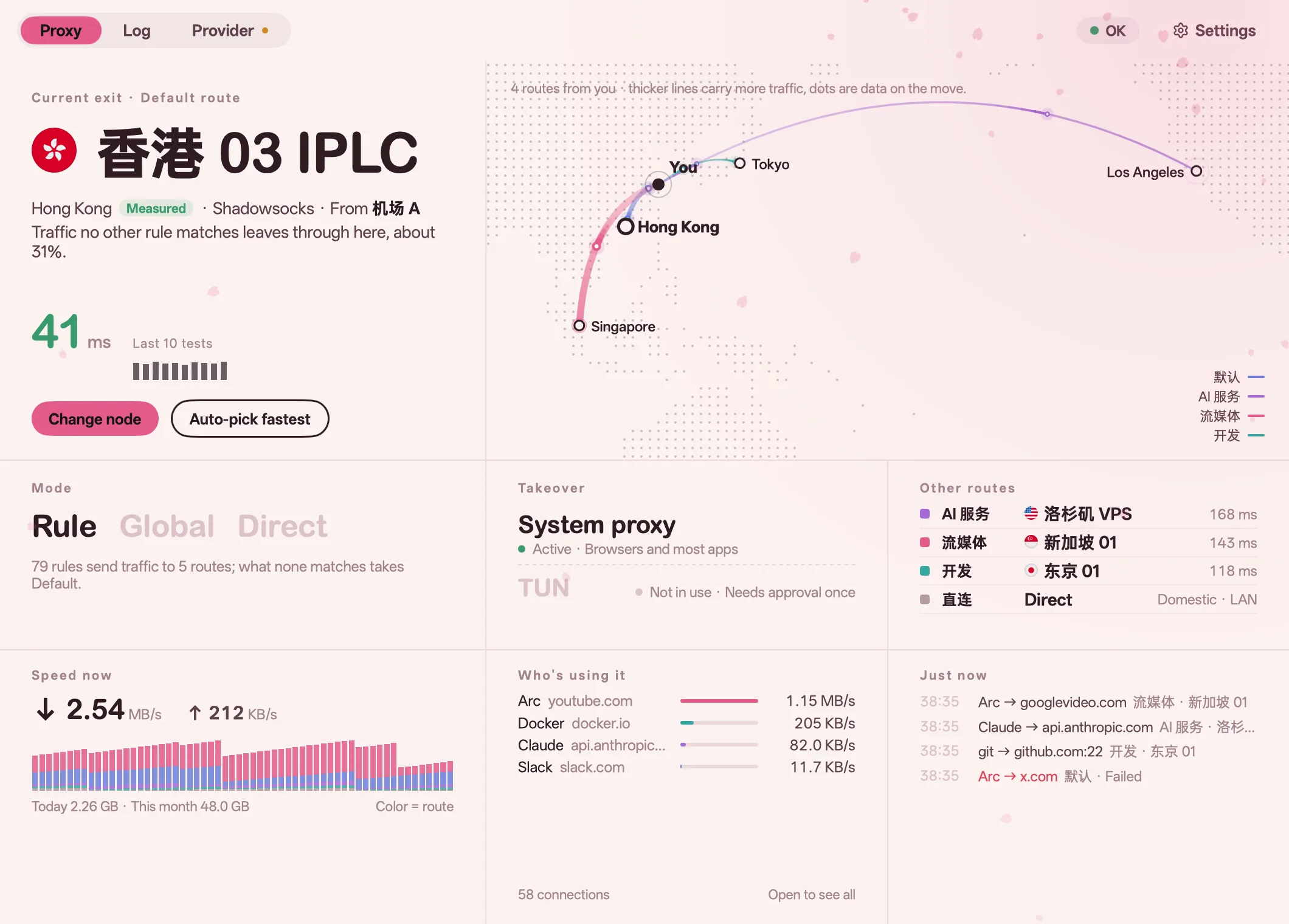 Sakura | 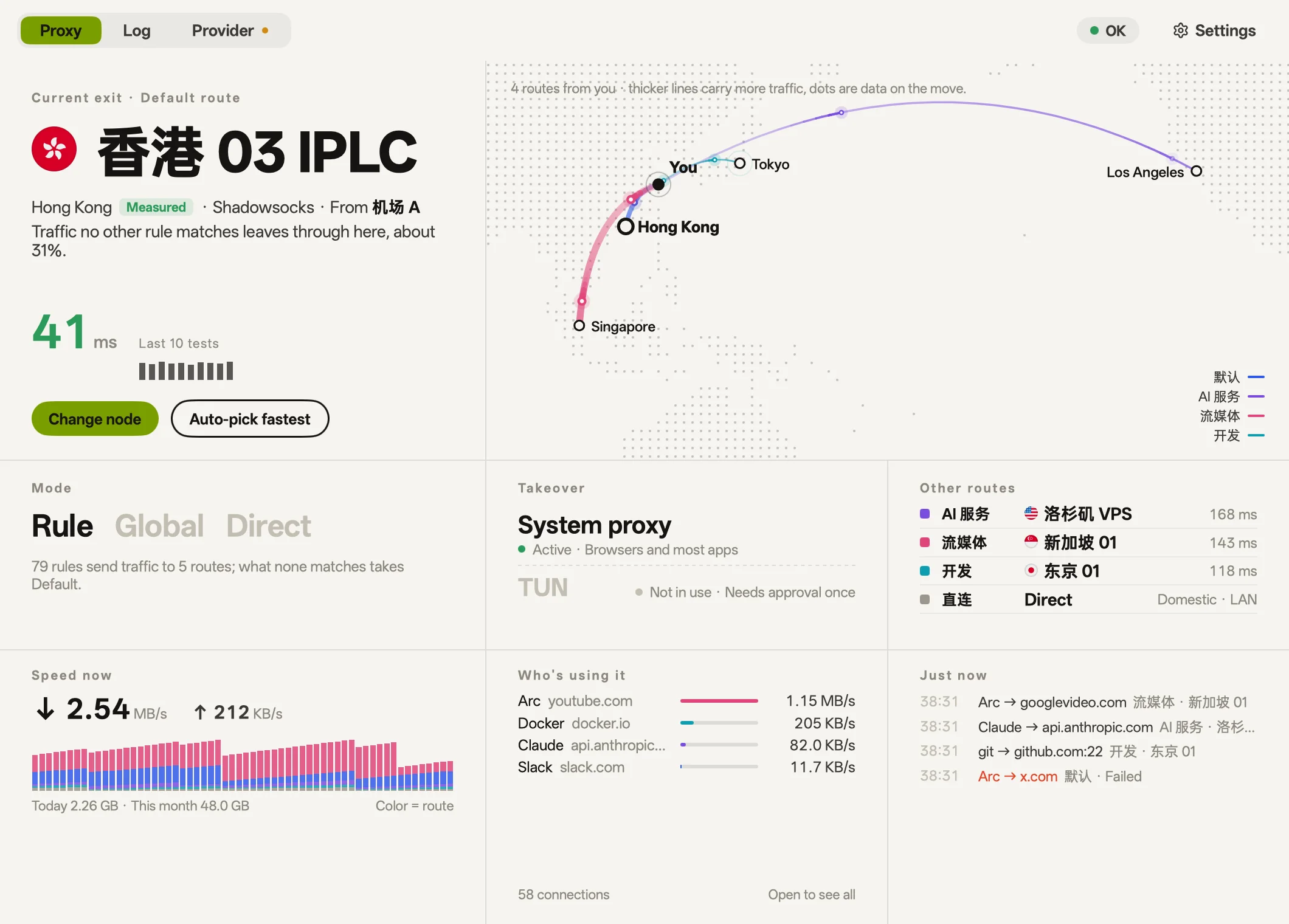 Paper (default) |
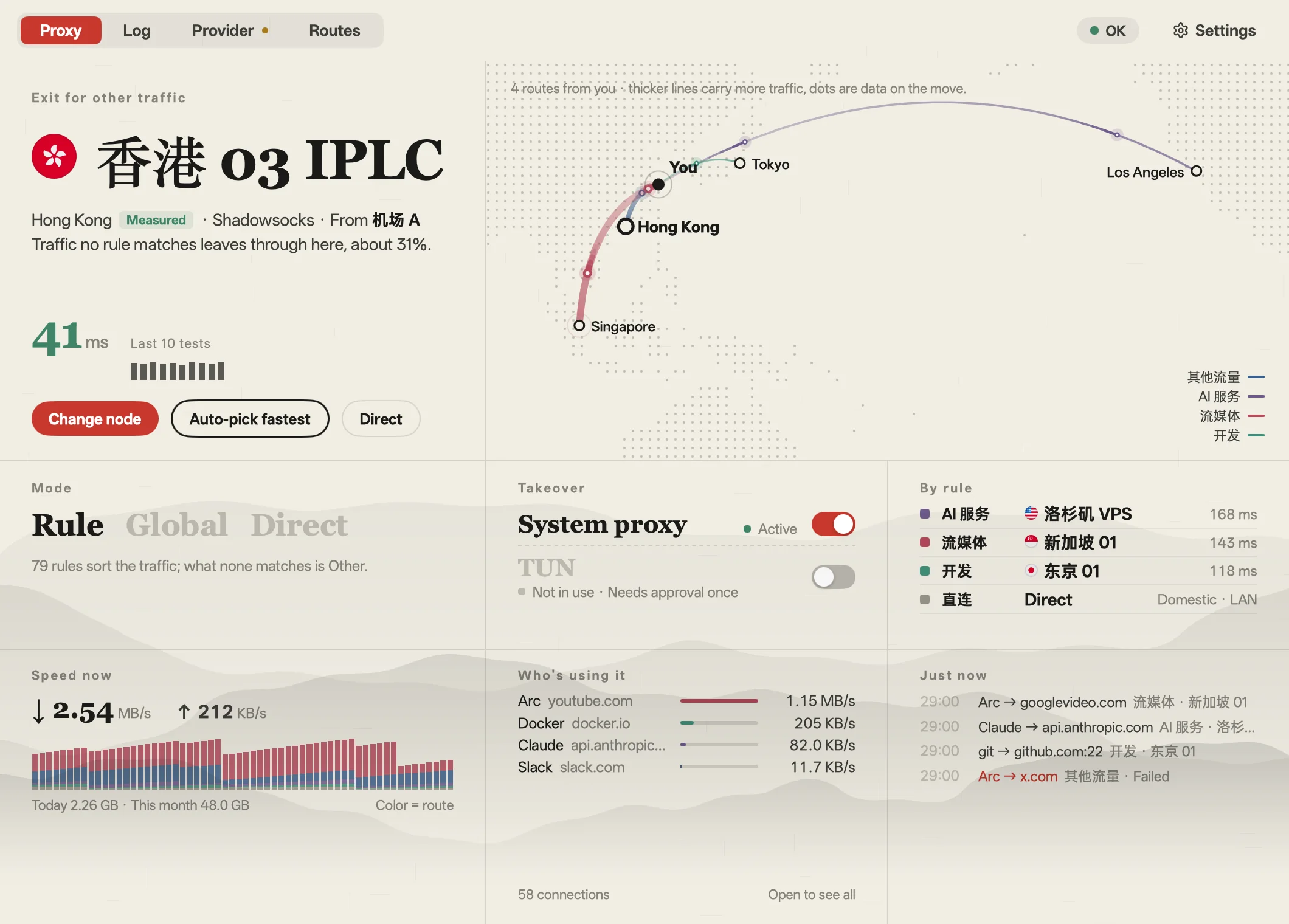 Shanshui | 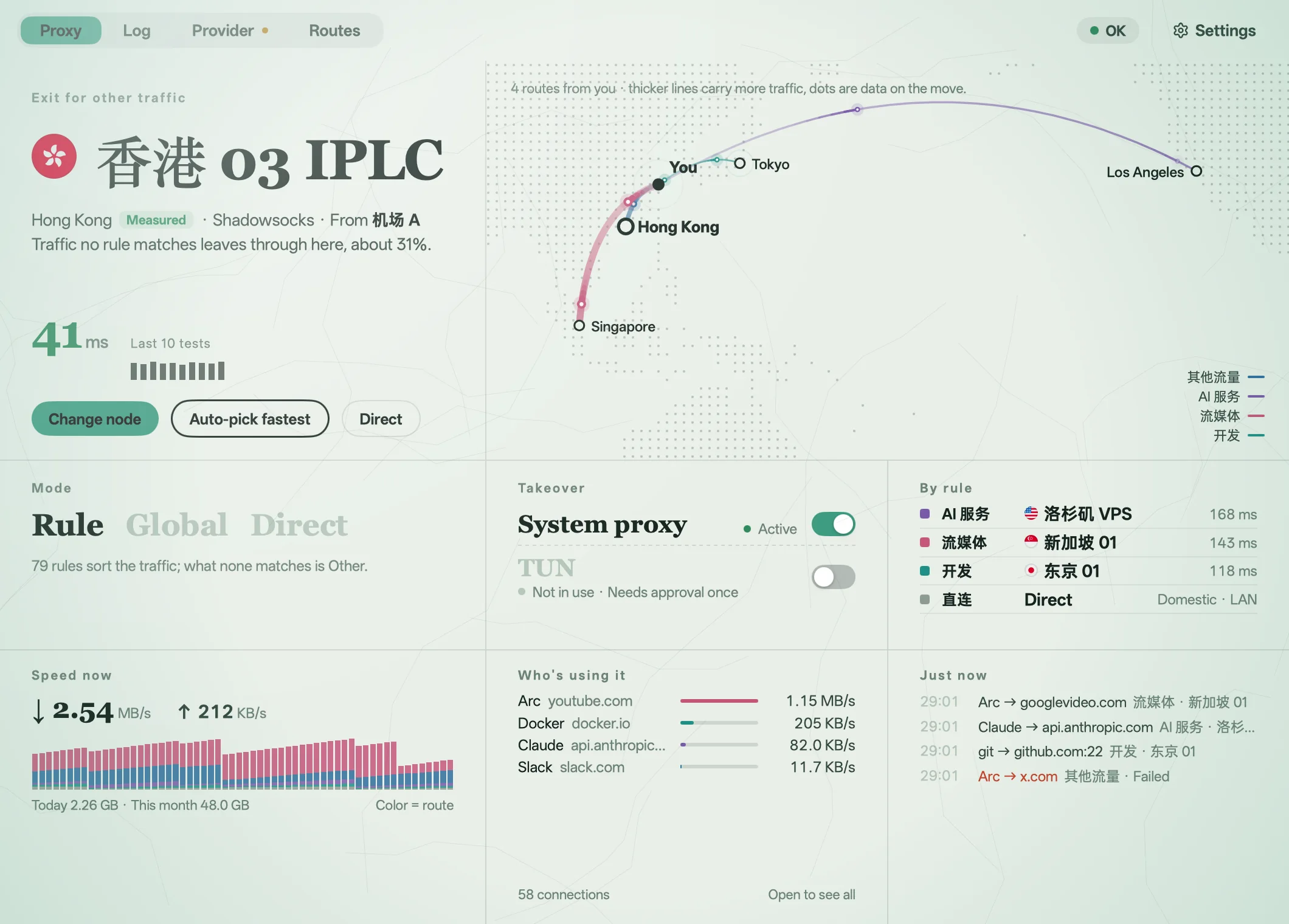 Celadon | 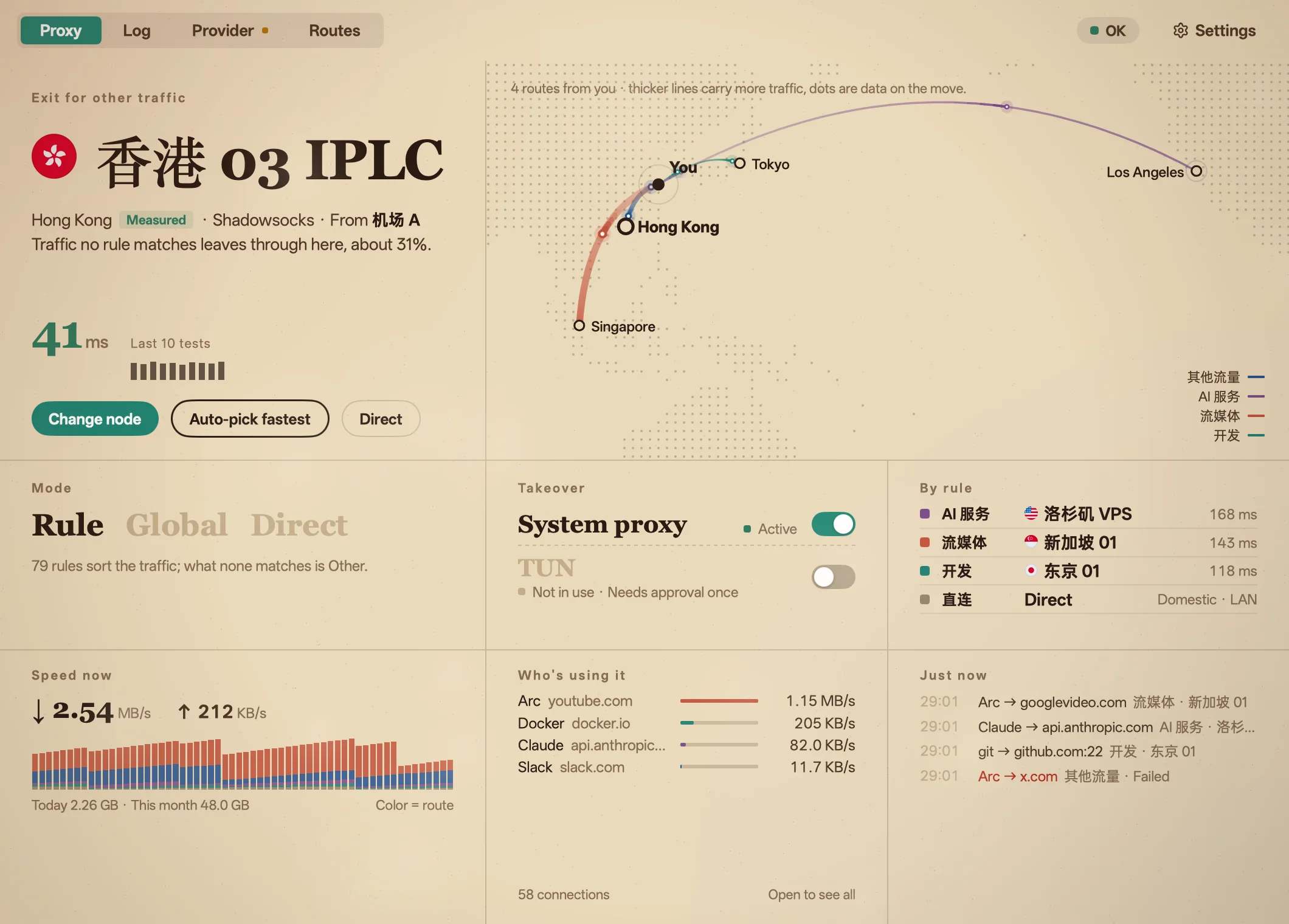 Dunhuang |
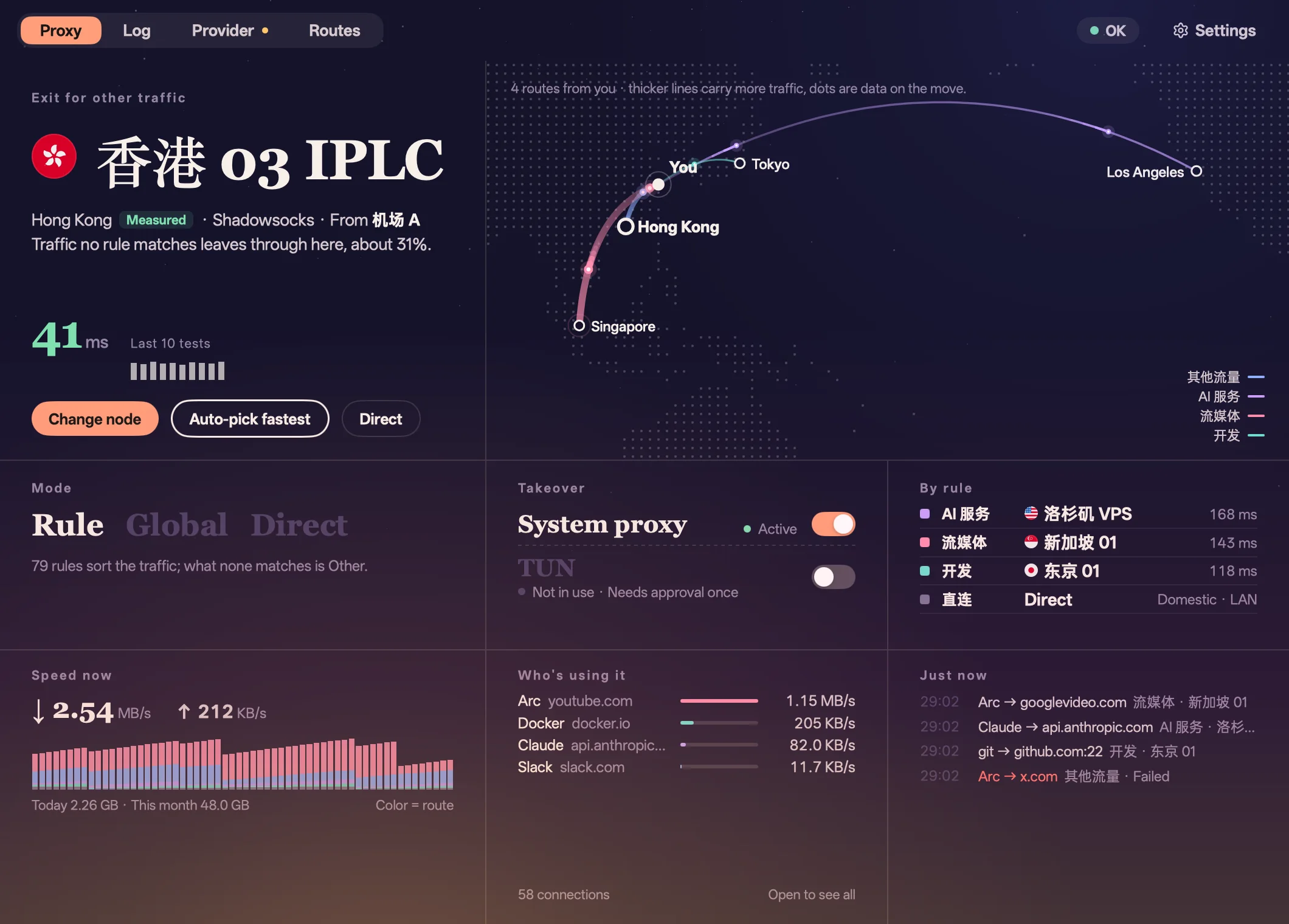 Dusk | 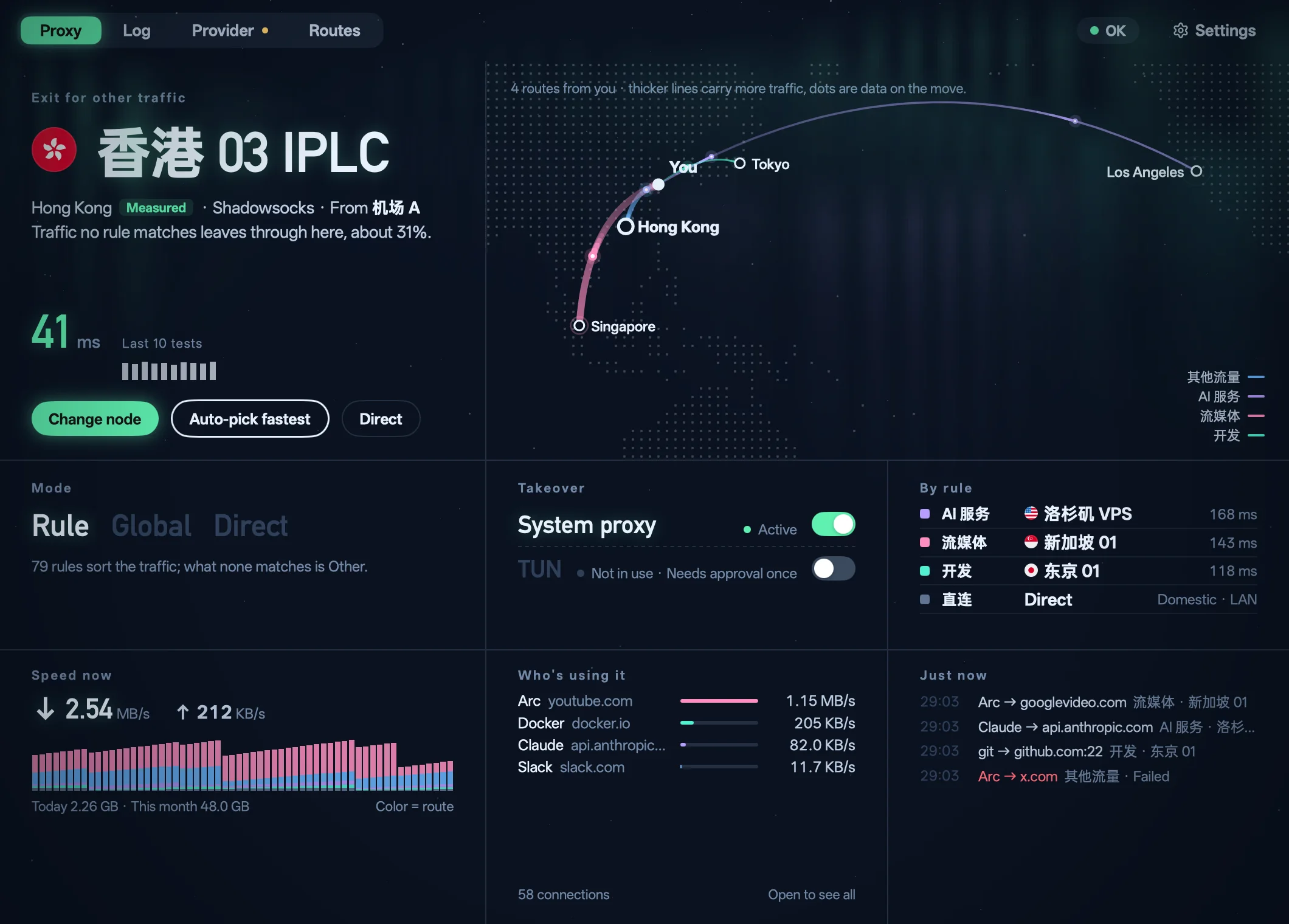 Aurora | 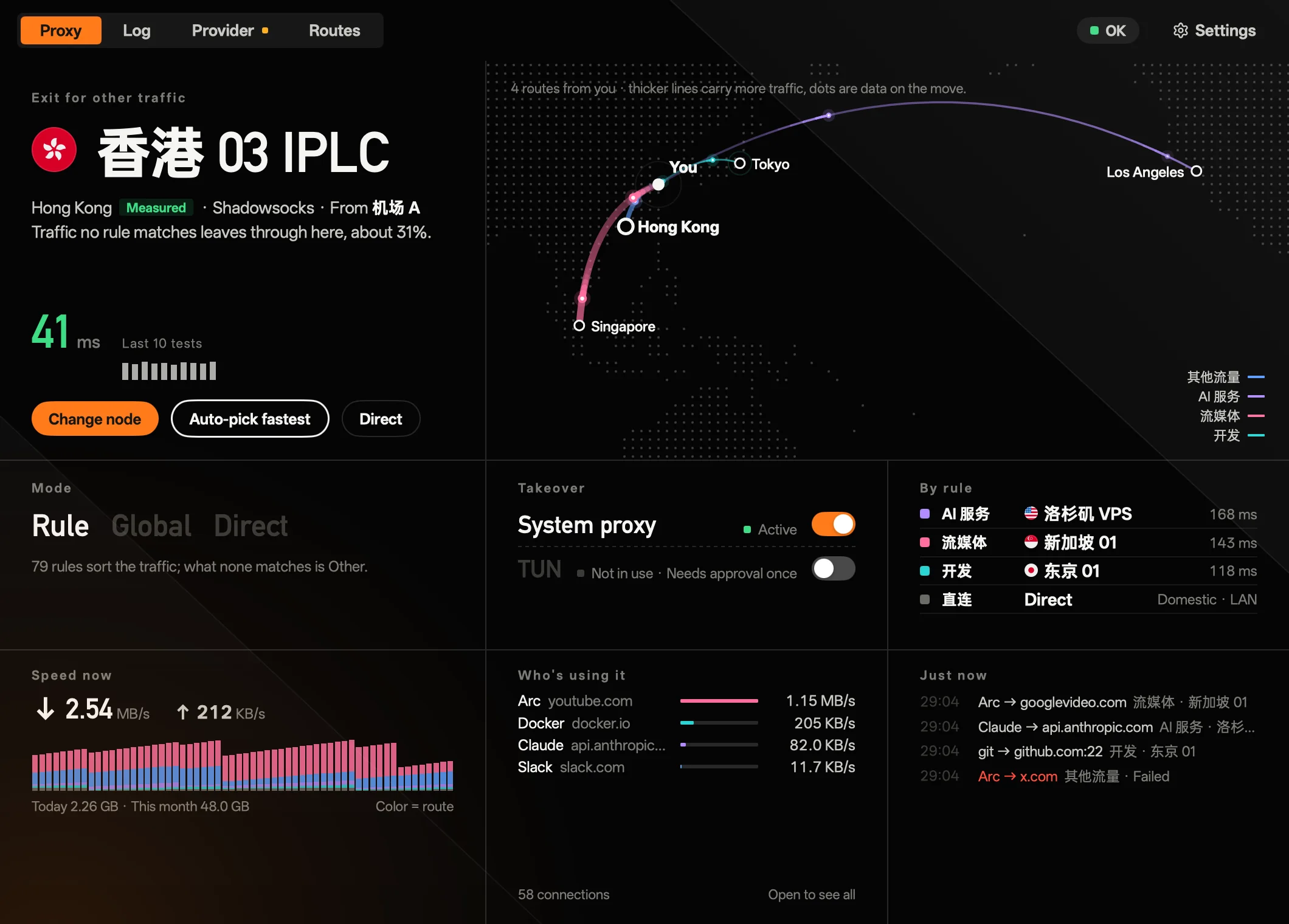 Obsidian |
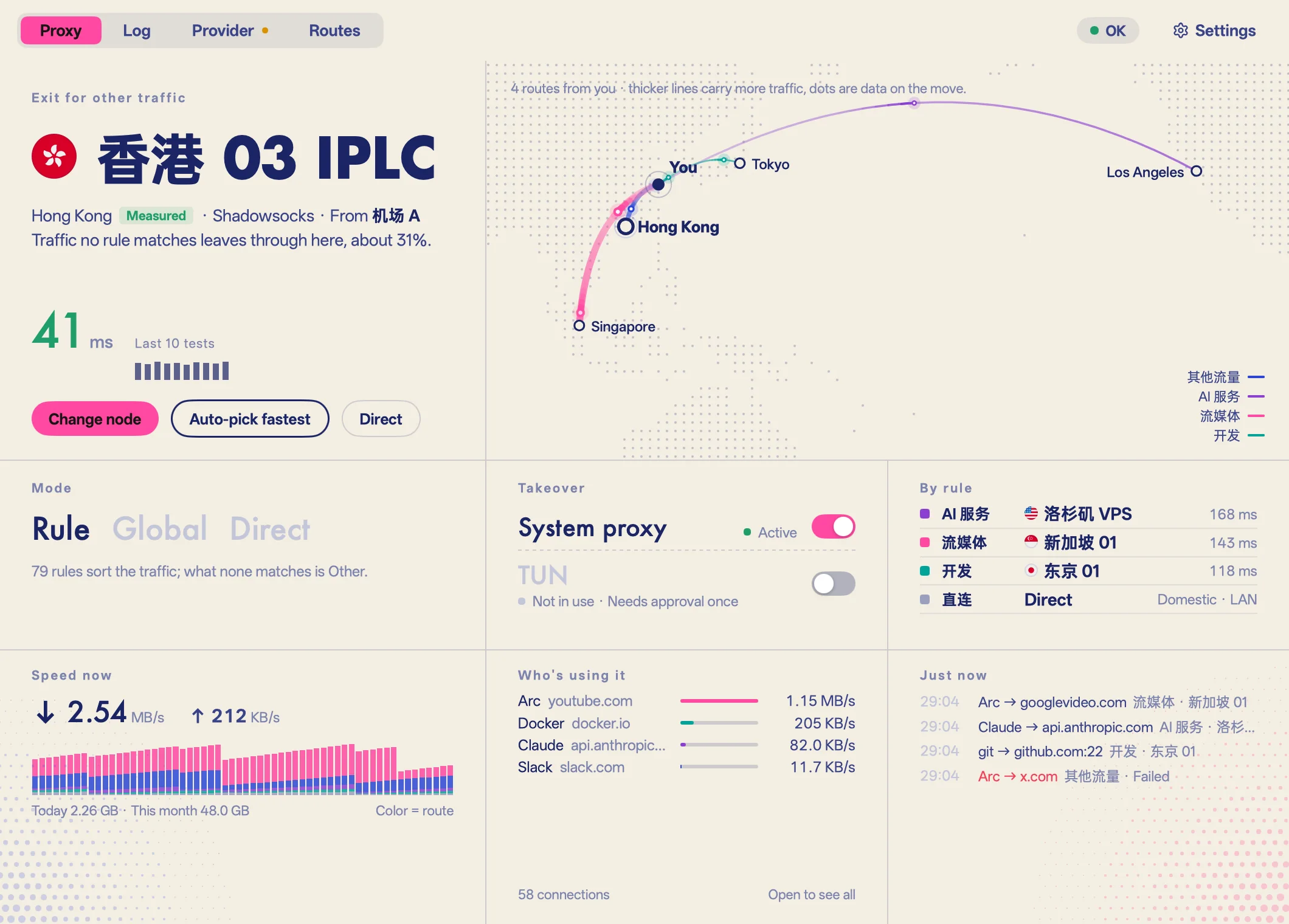 Riso | 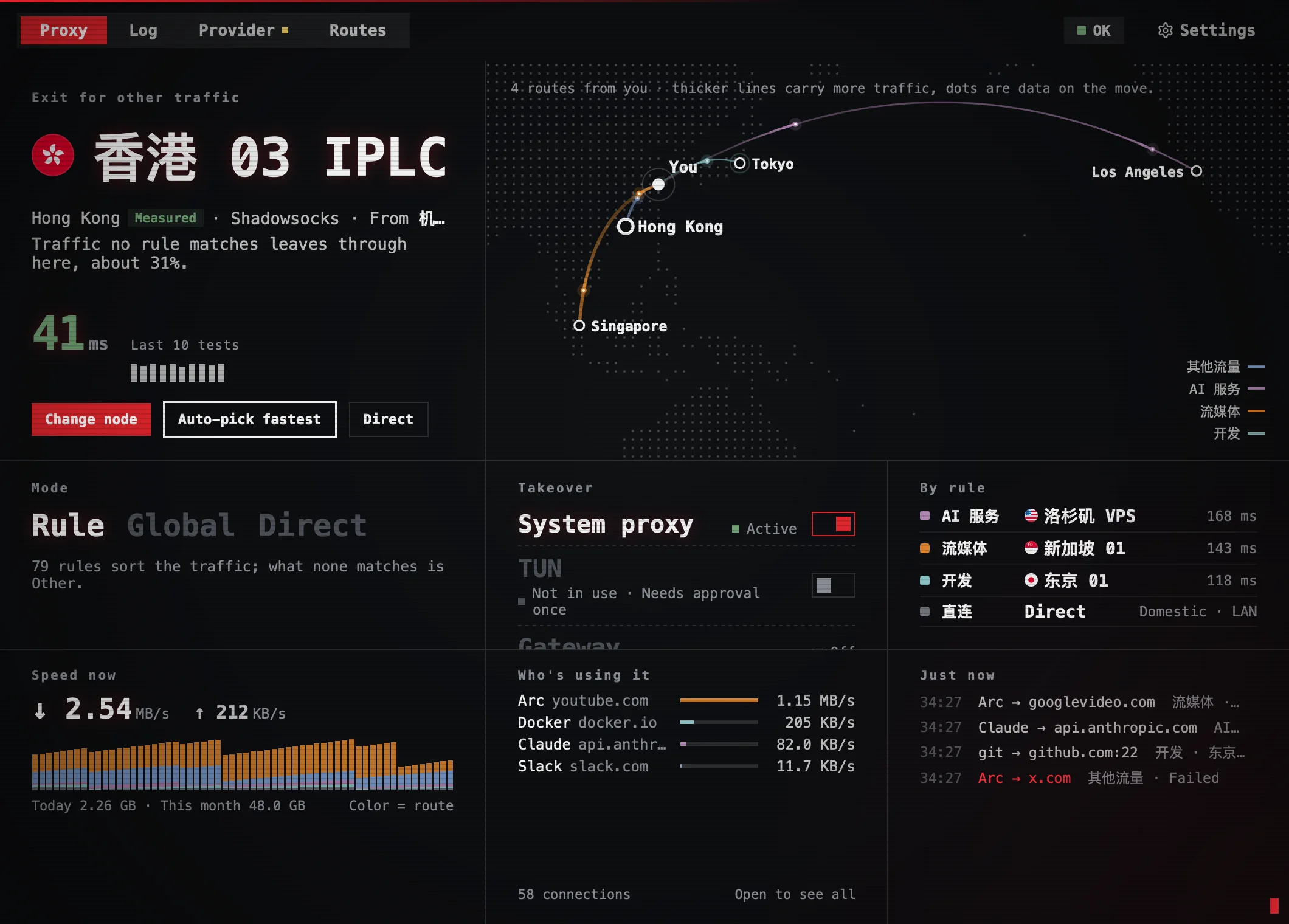 Mr. Robot | 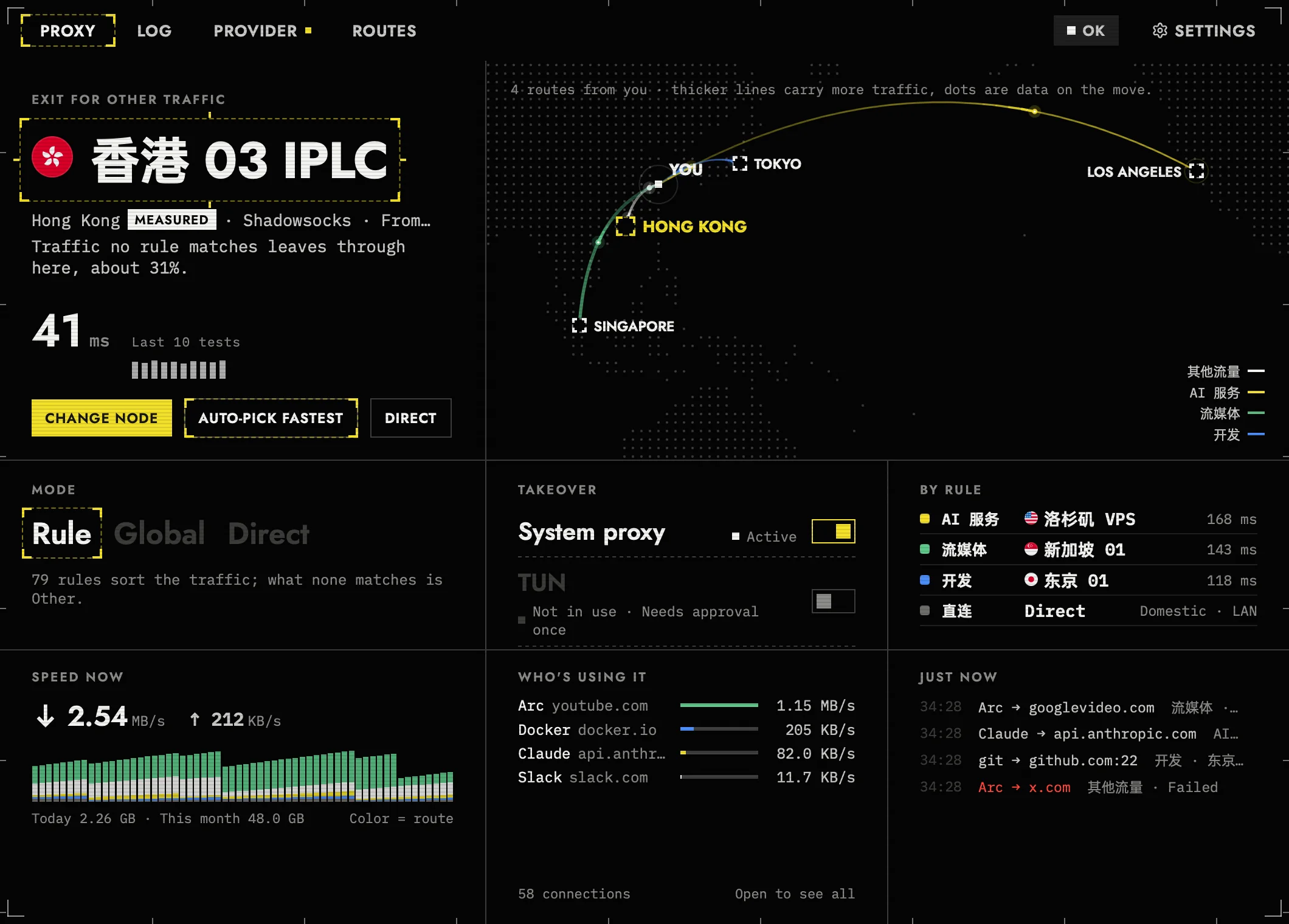 The Machine |
 Samaritan |
Other
- Custom rules: Route specific domains, keywords, or IP ranges, and test where addresses go; on macOS, Windows, Linux and Android 10 or later, route by application too: add an App rule to a route group and all of that app's connections go through it.
- Measured exit locations: Verify true exit locations through Cloudflare trace.
- Gateway mode (macOS, Linux): Turn this computer into a LAN gateway for devices like TVs and consoles. The full guide, for people and agents, is docs/gateway.md.
- TUN (macOS, Windows, Linux): Intercept traffic from applications that ignore system proxy settings.
- Developer tools (macOS, Linux): Docker, the terminal and Git ignore the system proxy. bowel lists which ones aren't connected, writes their own config in one click, and removes it cleanly when you undo.
- Download sources: Measures the official source and each mirror for npm, pip, Go and Cargo, and switches in one click. When the current source stops answering, one click moves you to the fastest one that does, or sends it through a node again.
- Private networks: Addresses on your LAN, Tailscale and company VPN go direct automatically, in global mode too.
- Exit lock: Lock a route group, such as AI, from its page on the board: its traffic then only goes through a node, and is cut rather than sent direct when no node can carry it, in global and direct mode and with takeover off too. Once bowel quits, nothing is refused.
bowel route lock aidoes the same. What it holds with and without TUN, and on Android: Takeover, TUN and the exit lock. - MCP: Built-in MCP server for Claude Code and other agents to read status and troubleshoot connections. It asks you before changing settings by default. The command below is for macOS; on Windows and Linux, use the path of the bowel program.
bash
claude mcp add --scope user bowel -- /Applications/bowel.app/Contents/MacOS/bowel mcp - Settings and languages: Searchable settings (⌘F); English, Simplified Chinese, Traditional Chinese and Japanese; light and dark.
Install
macOS, with Homebrew:
brew install --cask 21stware/tap/bowel
Windows, in PowerShell:
irm https://github.com/21stware/bowel/releases/latest/download/install.ps1 | iex
Debian, Ubuntu and Fedora. This adds a signed package repository, so apt or dnf updates bowel from then on:
curl -fsSL https://21stware.github.io/packages/install.sh | sh
A server, NAS or router with no screen, in Docker (amd64, arm64, armv7). Then docker exec -it bowel bowel tui; TUN, gateway mode, compose files and MCP for agents are in docs/docker.md:
docker run -d --name bowel --restart unless-stopped -p 7899:7899 -v bowel:/data \
  -e BOWEL_SUBSCRIPTION='<subscription URL>' ghcr.io/21stware/bowel
Or download the file for your platform from Releases:
| Platform | File | Needs |
|---|---|---|
| macOS | bowel-<version>-arm64.dmg | macOS 12 or later, Apple silicon |
| Windows | bowel-setup-<version>-amd64.exe or -arm64.exe | x64 or Arm64 |
| Linux | bowel_<version>_<arch>.deb, bowel-<version>-1.<rpm arch>.rpm or bowel-<version>-linux-<arch>.tar.gz | amd64 or arm64 |
| Android | bowel-<version>-android-arm64.apk | Android 8.0 or later, arm64 |
- macOS: Drag bowel into Applications. The app is signed with a Developer ID and notarized by Apple.
- Windows: Run the installer. It isn't code-signed, so Windows may warn you before it runs.
- Linux: Install the
.debor.rpm. For a user install in~/.local, downloadinstall.shand the.tar.gzfrom the same release, then runsh install.sh bowel-<version>-linux-<arch>.tar.gzwithout unpacking the archive. This is separate from the package-repository script above. - Android: Install the APK, allowing your browser to install apps if asked. Android asks for VPN permission the first time you connect.
- iOS: Not released yet.
Then add a provider (a subscription URL, node links or a QR code) and turn on takeover: Install and get started.
Some features depend on the platform:
| macOS | Windows | Linux | Android | |
|---|---|---|---|---|
| Takeover | System proxy or TUN | System proxy or TUN | System proxy (GNOME, KDE) or TUN | System VPN |
| Gateway mode | Yes | No | Yes | No |
| Developer tools | Yes | No | Yes (zsh, bash) | No |
| Scan QR codes on the screen | Yes | Yes | Yes | No |
| Scan QR codes with the camera | Yes | No | No | Yes |
| MCP server | Yes | Yes | Yes | No |
Command line and bowel daemon | Yes | Yes | Yes | No |
| Route by app (rules) | Yes | Yes, never run on a real machine by us | Yes | Android 10 or later |
| Apps that skip bowel (exclusion list) | None | None | None | Yes, applies after a reconnect |
Routing by app is a kind of rule in a route group (App), and on Android the exclusion list is something else: an app on it skips the VPN, where no rule reaches it. Both are in Route groups and nodes.
TUN asks for an administrator once, the first time you turn it on. What it asks on each system, and the system proxy on Linux desktops, are in Takeover, TUN and the exit lock; what each system has and lacks underneath is in docs/platform-parity.md.
Questions
More, such as why the fastest node can't open ChatGPT, are in the docs.
Coming from Clash Verge Rev, Mihomo Party, FlClash, ClashX Meta or Clash for Windows? Add the same subscription link under Providers, or import the config file. When a subscription or a file is a complete config with route groups and rules of its own, bowel asks whether to route by them or only use its nodes. Only one client should take over the system proxy or TUN at a time, so quit the old one first.
Which protocols does it support? Those of the mihomo core: Shadowsocks, ShadowsocksR, VMess, VLESS (with Reality), Trojan, Hysteria and Hysteria2, TUIC, WireGuard, AnyTLS, Snell, Mieru, SOCKS5 and HTTP, from a subscription, a Clash config or node links such as vless://, hy2:// and trojan://.
Does bowel collect any data? No. It has no telemetry, no analytics and no account. Subscription links, nodes and settings stay in bowel's data folder on your device, and nothing about them or your traffic is sent to the project. Updates are checked against this repository's releases.
Is bowel open source? Its source is public, and you can read it and build it. Its license, the PolyForm Noncommercial License 1.0.0, is not an OSI open-source license, though: bowel is free for personal and other noncommercial use, and commercial use, such as work for a company, needs a commercial license.
Command line
The same program is a command line for the running bowel. On macOS, installing with Homebrew puts bowel in your PATH; otherwise it is /Applications/bowel.app/Contents/MacOS/bowel: link it into your PATH (ln -s /Applications/bowel.app/Contents/MacOS/bowel /usr/local/bin/bowel) or use the full path. Run without a command, it opens the app as before.
bowel status                      # the light, mode, takeover, each route's node, traffic
bowel on                          # take over (system proxy); bowel off puts it back
bowel mode global                 # rule | global | direct
bowel routes                      # routes and the node each uses
bowel route use ai auto           # choose a route's node, or auto
bowel nodes --test                # nodes with fresh delays
bowel providers add <url|file>    # also: list, update, remove, enable, disable
bowel rules add openai.com ai     # also: list, remove, test <address>
bowel conns --watch               # connections as they open and end
bowel logs -f --level warning     # follow the core's log
bowel settings set logLevel debug # also: list, get
bowel tun on                      # and: bowel gateway on
bowel tui                         # all of it on a full screen
bowel bar                         # a line a second for a status bar
Every command has --help with examples, and reading commands take --json. The full-screen bowel tui, bowel bar for waybar and other status bars, a proxy port per route group, exit codes, bowel daemon for running with no window, and what agents may do are in docs/cli.md.
Develop
Needs Go 1.27.3+ (GOTOOLCHAIN=auto fetches it). No Node or Bun.
./scripts/fetch-core.sh     # mihomo + GeoSite/GeoIP data into resources/
go tool mygo dev            # the app, rebuilt on every change
go tool mygo build          # bowel.app and a .dmg, signed but not notarized
./scripts/release.sh        # build, notarize and staple: use this for releases
CGO_ENABLED=0 go test ./... # includes tests that start the real core
./scripts/site-shots.sh     # re-render the README's and the website's screenshots (needs cwebp)
To build for Windows or Linux from any desktop system, fetch that platform's core first. The Windows installer also needs NSIS.
GOOS=linux GOARCH=amd64 ./scripts/fetch-core.sh
go tool mygo build -platform linux/amd64 .
The mobile apps are in mobile/ and need Flutter and gomobile; Android also needs the Android SDK and NDK:
./mobile/android/build.sh       # Android: mihomo, the launcher and the bridge
./mobile/bridge/build.sh        # iOS: the bridge and the tunnel
go generate ./...               # the app's translations and skins, from the desktop's
cd mobile/flutter && flutter run
The Flutter app's translation table and skins are written from the desktop's Go, and go test fails when they are out of date. Its own strings, the ones the desktop does not have, are in internal/i18n/flutter.go.
- How it works and where the code is: docs/architecture.md
- The product's information architecture: docs/product-ia.md
- The website is static, in
site/; opensite/index.htmlto preview it. Its docs are made from the Markdown indocs/guide/(anddocs/cli*.md,docs/gateway.md):pip install -r scripts/site-requirements.txt, thenpython3 scripts/build-site.pywrites the whole site tobuild/site/. Changes go live when they reachmain. A change to how bowel is used updates its page indocs/guide/, in both languages, in the same pull request. - To release, set the version in
mygo.jsonand push a matching tag, such asv0.2.0. GitHub Actions builds macOS, Windows, Linux and Android and publishes them as one release. iOS builds only when the workflow is run by hand, and isn't published.
bowel was called Moho. The Go module is still github.com/oboo/moho and the bundle identifier dev.moho.app, which keeps macOS's camera and screen-recording permissions. On first launch the data in ~/Library/Application Support/Moho moves to …/bowel.
Credits
- mihomo: the proxy core, GPL-3.0. The released apps run it as a separate program and do not link it. iOS has to link it, which is why the iOS app isn't released.
- MyGo: the native Go UI toolkit.
- Flutter: the mobile apps' interface.
- OPPO Sans: the interface's typeface.
License
bowel is licensed under the PolyForm Noncommercial License 1.0.0, which allows noncommercial use only. For a commercial license, open an issue.
Linux distributions, package repositories and app stores may build bowel from source and distribute it, whether or not they are a business, under the packaging exception. Its users still get bowel for noncommercial use only.
The bundled mihomo core stays under GPL-3.0. The desktop apps carry its license among their resources (Contents/Resources/licenses/mihomo/ on macOS), the Android app names it in Settings, and each release attaches the matching source. The flag images in assets/flags/ and the fonts in resources/fonts/ are third-party files and keep their own licenses.