Listed from the MCP registry; nobody on Odel publishes it.

ADAM MCP
Read-only access to University of Basel ADAM courses through a local Chrome session.
Runs on your machine from its package; the steps are below.
What it does
- Reads
- Writes
- High impact
At most: only reads or looks up information.
What it costs
FreeOdel charges nothing per call. The publisher may charge for its own service.
Runs locally over stdio
This server isn't hosted — your MCP client launches it from a package registry. Use one of the commands below, or drop the config into your client (e.g. Claude Desktop).
Run
npx -y adam-mcp
MCP client config
{
  "mcpServers": {
    "adam-mcp": {
      "command": "npx",
      "args": [
        "-y",
        "adam-mcp"
      ]
    }
  }
}
ADAM MCP connects MCP-compatible AI clients to your University of Basel ADAM courses.
It runs on your machine and uses a dedicated Chrome session to access the ADAM courses available to your account. An MCP client can list courses, find materials, read approved text, and surface deadlines. See client compatibility for configuration support and verification status.
This is a community project, not a University of Basel service.
0.5.0 is published. It adds typed reads of sessions (date, location, materials), wikis and their pages, glossaries, learning modules, data collections, booking-pool free slots, learning sequences, mediacasts and bibliographies, read-only Private Notes, anonymous exercise peer review, and cross-course reads that finish in the background. 0.4.0 added per-assignment exercise detail, read-only ADAM mail, Dashboard news, tasks and calendar, read-only tutor views, and session and boundary hardening. See the 0.5.0 publication record and the changelog.
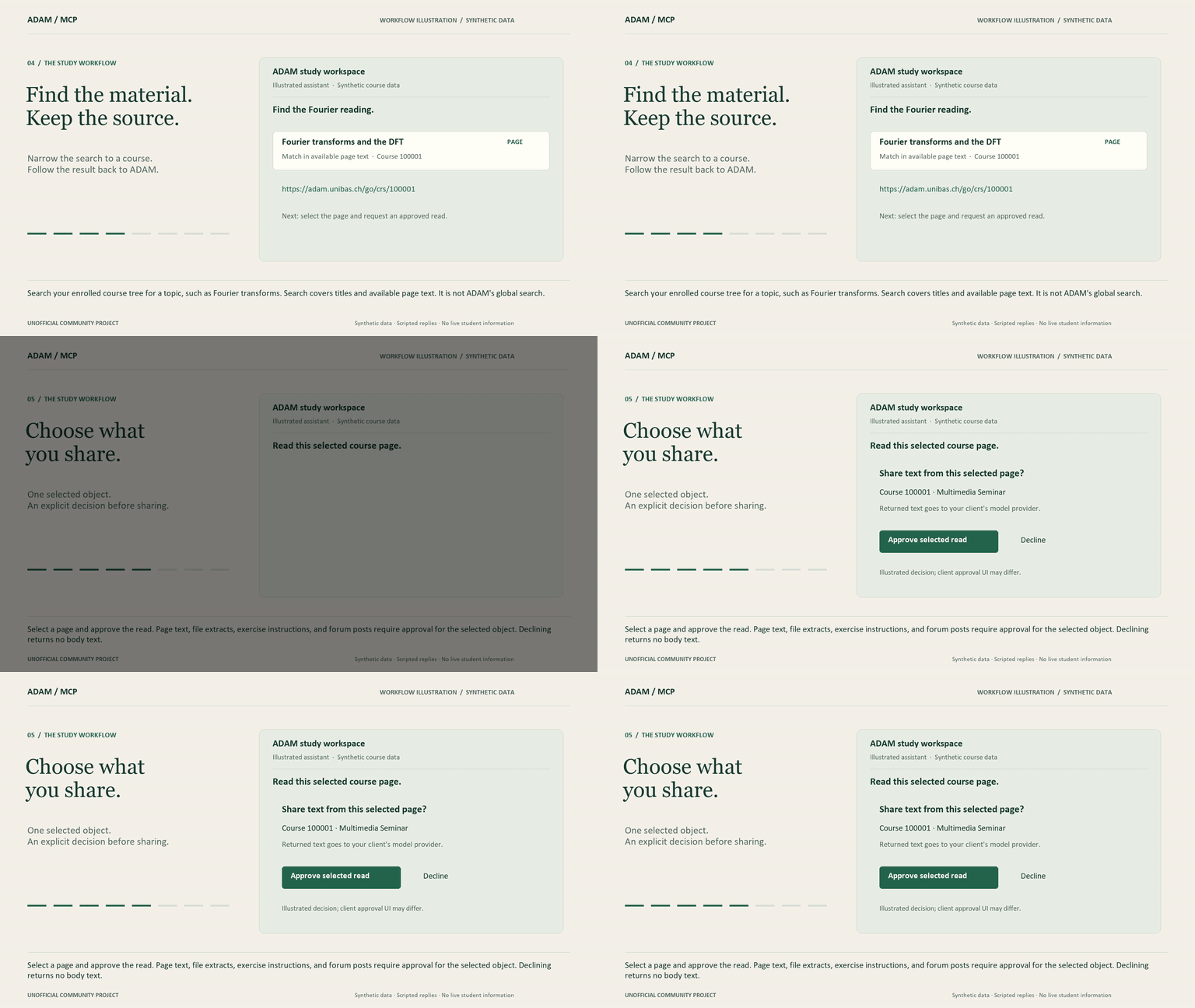
The narrated overview illustrates a study workflow with realistic synthetic course data and scripted responses. It does not record a supported client connected to live ADAM or establish client compatibility.
What you can ask
- Show timestamped course news from this week.
- What deadlines do I have, and what have I already submitted?
- Do I have unread ADAM mail?
- Find the exercise sheet about Fourier transforms.
- Summarize this course page and give me the ADAM link.
- List the material available for this course.
Answers include canonical ADAM URLs (https://adam.unibas.ch/go/...).
Quick start
You need Node.js 22+ and Google Chrome. Use a supported Node.js LTS release.
Install the published package. Guided setup checks your installation, configures one client with a backup, opens Chrome for sign-in, and verifies your course listing.
npm install -g adam-mcp@0.5.0
adam-mcp setup --client codex --write --login
Replace codex with cursor, claude-desktop, windsurf, or vscode. For VS Code, supply --output with the intended workspace's .vscode/mcp.json path. Restart your client, enable adam, then ask: What courses am I in? Include their ADAM links.
Preview without changing settings: adam-mcp setup --client codex. Diagnose a connection: adam-mcp doctor --client codex. Credentials stay in the Chrome sign-in window. Setup never asks for them in the terminal or chat.
See client compatibility for what has been verified and the setup guide for manual configuration, backups, and recovery.
Run without a global install
The published package ships a self-contained CLI:
npx -y adam-mcp@0.5.0
The exact npm version was installed and checked outside the repository. See the publication record for source, integrity, client evidence and limits.
Build from source
git clone https://github.com/Arudchayan/adam-mcp.git
cd adam-mcp
npm ci
npm run setup -- --client codex --write --login
The repository commands below also work from a source checkout. Installed users can use adam-mcp login, adam-mcp status, and adam-mcp logout directly.
Session management
Without a client argument, interactive setup asks which client to use; noninteractive setup prints all supported snippets. Setup previews by default. Add --write to install the selected configuration with a backup, and --login to sign in and verify courses.
- To sign in separately, run
npm run loginand complete ADAM sign-in in Chrome. The window closes after verification; a background Chrome process keeps the session available. After login, checkadam_session_status, then calladam_list_courses.
Restart the client, then ask:
What courses am I in? Include the ADAM URL for each.
Login reuses a valid session without opening Chrome. Close the sign-in window or
press Ctrl+C to cancel; failed attempts close their window. Use
npm run login -- --force for a fresh window, or npm run login -- --timeout-ms 120000 for a
two-minute sign-in wait. npm run logout stops the local session and disables
automatic reconnection until explicit login. npm run logout -- --purge also
removes the dedicated profile; local logout does not sign you out of SWITCH in
other browsers.
Host-specific files (Cursor, Claude Desktop, VS Code, Windsurf, Claude Code, ChatGPT desktop, Codex): docs/setup.md.
Save a selected file locally
Find the file ID using adam_list_files, then run this command in your terminal.
Use an existing directory outside any Git checkout:
adam-mcp download 100011 --output-dir "D:/Study/ADAM" --confirm
100011 is an example; replace it with your selected file ID. This explicitly
saves that file to your computer without sharing its bytes with the model.
The CLI returns its path, source URL, size and SHA-256. Duplicate names receive
a suffix; existing files are preserved. Ctrl+C cancels the transfer. Downloads
are limited to 256 MiB and 120 seconds; empty and HTML-shaped responses are refused.
The destination filesystem must support hard links. This adds no MCP download
tool and does not approve text extraction. Details and cleanup.
How it works
The client starts ADAM MCP as a local process and communicates over stdio. ADAM MCP reads through your dedicated Chrome session at https://adam.unibas.ch. Authentication stays in Chrome; no hosted MCP endpoint is provided.
Architecture · What is in scope · Capabilities · Roadmap
Tools
| Tool | Returns |
|---|---|
adam_list_courses | Enrolled courses and ADAM URLs |
adam_get_course / adam_list_children | Course snapshot and folder contents |
adam_read_page | Page text, plus a typed detail for sessions, wikis, glossaries, learning modules, data collections, booking pools and more; subPage reads one wiki page, module page or bibliography entry (confirm: true OR elicitation) |
adam_list_files / adam_get_file | File metadata and URLs, not bytes |
adam_extract_file_text | Local PDF, text, notebook (.ipynb) and uploaded HTML extract, paged with startPage (confirm: true OR elicitation) |
adam_search | Title matches in enrolled objects |
adam_list_calendar / adam_list_news | Exercise deadlines, Dashboard tasks and events, dated course and Dashboard news |
adam_get_exercise | One entry per assignment with deadline and your status; view reads ongoing, upcoming, past or all; detail: true adds schedule, your submission, instruction-file and sample-solution names, team and tutor evaluation (confirm: true OR elicitation); no submit |
adam_get_forum | Forum meta and thread summaries; post bodies need confirm: true OR elicitation; no post/reply |
adam_list_mail / adam_read_mail | Inbox headers and one selected message body; opening marks it read, as in ADAM; attachment names only (confirm: true OR elicitation); no send |
adam_list_course_members / adam_get_exercise_grades | Tutor and course-admin views of a course's members and an exercise's grade matrix; students get forbidden; lab-verified (confirm: true OR elicitation); no grading |
adam_list_notes | Your own ADAM Private Notes (confirm: true OR elicitation); no editing |
adam_login / adam_session_status | Chrome session in the live runtime |
Document and thread text requires approval for the selected object. Your connected model receives the returned text. See tool contracts for confirmation, pagination, recovery and completeness rules.
For page, file-text, exercise, forum-post, mail and staff-view reads, request the specific object first, then approve the read. Clients with elicitation support can ask for approval interactively; other clients pass confirm: true. Declining or cancelling returns no body text. Forum summaries do not require body-read approval. See tool contracts for the precise contract.
Limitations
- No writes of any kind: no submissions, posts, mail sending, grading or bookings. Exam (
tst) objects are denied. - Sessions, groups, item groups, learning sequences, booking pools, content pages, learning modules, wikis, glossaries, data collections, bibliographies and mediacasts are listed, cited and readable as page text. Their deeper structure (session materials, wiki pages, glossary terms and similar) is not parsed yet (#165).
- Staff views are built from a local ILIAS 10.12 lab and have not been confirmed with an ADAM staff account. They fail closed if ADAM's markup differs.
- Search covers titles and available page text in your enrolled course tree. It does not use ADAM’s global search, and search does not open exercise pages. Calendar dates come from exercise deadlines, the Dashboard Tasks and Calendar blocks, and dated course text. File upload times are not reported as events, and the full ILIAS calendar interface is not read.
- Scanned PDFs are not OCR’d.
- Supported PDFs are parsed page by page, with an 8 MiB transfer cap, 40,000
text characters, and at most 20 pages per call (default eight). Pass
startPage(or the returnednextStartPage) to read later pages. Empty/malformed files fail closed. Formula interpretation and exact visual layout are not guaranteed. - Course pages and complete cross-course walks refresh after one minute. Restart the MCP server for an immediate refresh. Existing pagination retains its original snapshot for ten minutes; expired cursors require restarting the list.
- Cross-course reads have a 25-second elapsed budget, so they answer within 30-second client limits. When the budget is reached they report partial results; asking again within a minute continues from the pages already read (ADR 0061). The browser queue admits at most 32 waiting operations and limits waiting to 30 seconds. Cancelling a request releases its work when nobody else needs it; cached reads reuse navigation and parsing.
- Version 0.3.0 also shares complete discovery walks within each enrolled course. PDF parsing admits at most eight waiting requests and 32 MiB of waiting input; queued requests expire after 30 seconds. Overload returns a retryable error.
- Search, calendar and news accept an enrolled
courseRefIdto narrow discovery. Userefresh: truewithout a cursor for fresh results.snapshotAtidentifies the listing snapshot; each item's provenance records when it was fetched. Partial results include coverage reasons. - News with a cutoff includes only items with a known timestamp. Undated news remains visible without a cutoff. This does not compare file inventories; no matching news is not proof that nothing changed.
- Deadline clock times without an offset use Europe/Zurich. Ambiguous or invalid dates/times are omitted. Date-only evidence uses UTC midnight as a representation, and does not establish a midnight deadline.
Privacy
Tool results go to the model your client is already using. Course content is copyrighted.
Develop
npm test
npm run typecheck
npm run check  # tests, typecheck, build, built-package verification, dependency audit
npm run release:check  # also verifies a clean tarball installation
npm run benchmark:reads  # synthetic cached-read timing; no live ADAM access
npm run benchmark:discovery  # cold/scoped/large trees and queue pressure; synthetic
CONTRIBUTING.md · Release guide · AGENTS.md
License: GPL-3.0-or-later.







