Listed from the MCP registry; nobody on Odel publishes it.

Infimium
Private AI context layer for semantic code search, dependency graphs, memory, and workspaces.
Runs on your machine from its package; the steps are below.
What it does
- Reads
- Writes
- High impact
At most: moves money, runs code or commands, deletes data, or sends messages for you.
What it costs
FreeOdel charges nothing per call. The publisher may charge for its own service.
Runs locally over stdio
This server isn't hosted — your MCP client launches it from a package registry. Use one of the commands below, or drop the config into your client (e.g. Claude Desktop).
Run
npx -y infimium
MCP client config
{
  "mcpServers": {
    "infimium": {
      "command": "npx",
      "args": [
        "-y",
        "infimium"
      ]
    }
  }
}
Infimium
The Private Context Layer & Super Brain for AI Coding Agents.
Persistent episodic memory, deep dependency graphs, and instant AST-compact code context — 100% local, zero cloud dependencies, zero token bloat.


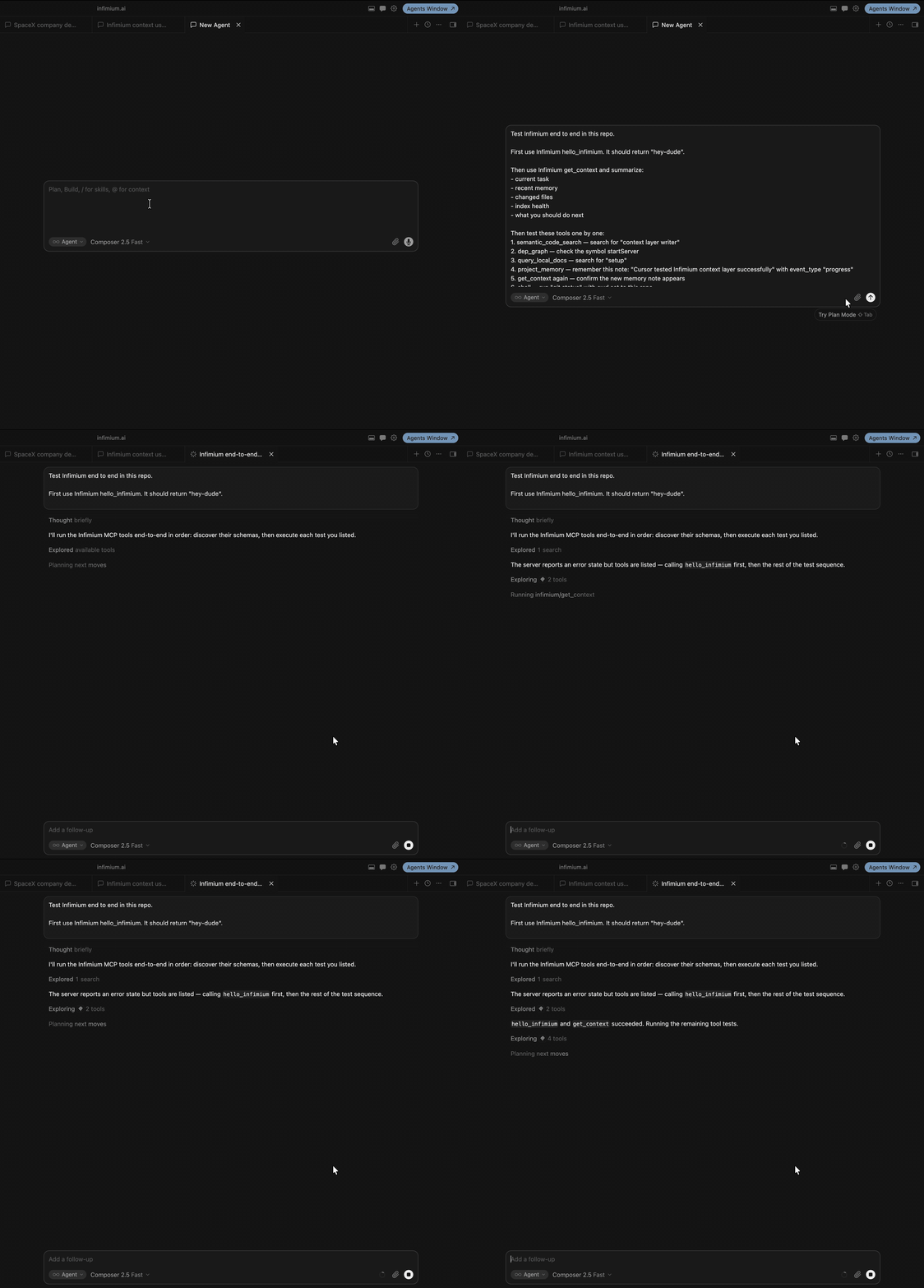
Demo
Why Infimium?
Modern AI coding agents face two core problems:
- Context Window Exhaustion: Reading massive files or dumping entire directory structures burns tokens and triggers model amnesia.
- Session Amnesia: Once an agent session ends, the agent loses track of what it built, why decisions were made, and what tasks remain.
Infimium solves both by acting as a local context and memory layer:
Without Infimium:
  200,000 lines of code -> Agent dumps entire files -> Context blown + slow & expensive
  grep "price calculation" -> Misses calcPropertyValue() in dependent module
  Session resets -> Agent forgets recent architectural decisions and progress

With Infimium:
  semantic_code_search("price calculation logic")
  -> services/property/calc.ts:142 · calcPropertyValue() (compact signature: ~8 tokens)
  -> Callers: getListingPrice(), estimatePropertyTax()
  -> expand_symbol("calcPropertyValue") loads only the exact function needed (~99.5% token reduction)
  -> infimium resume restores the active task, scratchpad events, and durable ledger rules instantly
Architecture Overview
flowchart TD
    subgraph Agent["AI Agents & IDEs"]
        Cursor["Cursor"]
        Windsurf["Windsurf"]
        Claude["Claude Desktop"]
        CLI["Infimium CLI"]
    end

    subgraph Protocol["Interface Layer"]
        MCP["MCP Server (stdio / json-rpc)"]
        CLIEngine["CLI Command Engine"]
    end

    subgraph Core["Infimium Core Engine"]
        ContextWriter["Context Layer (layer.md)"]
        MemoryEngine["3-Tier Memory Store"]
        GraphEngine["AST & Dependency Graph"]
        UpdateWorker["Auto-Update Watcher"]
    end

    subgraph LocalStorage["100% Local Storage (~/.infimium)"]
        SQLite[("Embedded SQLite (WAL Mode)")]
        Ollama["Local Ollama (nomic-embed-text)"]
        TreeSitter["Tree-sitter WASM Grammars"]
    end

    Cursor --> MCP
    Windsurf --> MCP
    Claude --> MCP
    CLI --> CLIEngine

    MCP --> ContextWriter
    MCP --> MemoryEngine
    MCP --> GraphEngine

    CLIEngine --> MemoryEngine
    CLIEngine --> ContextWriter
    CLIEngine --> UpdateWorker

    UpdateWorker --> ContextWriter
    UpdateWorker --> MemoryEngine

    MemoryEngine --> SQLite
    GraphEngine --> TreeSitter
    GraphEngine --> SQLite
    ContextWriter --> SQLite
    Core -.-> Ollama
Quick Start (3 Minutes)
Prerequisites
- Node.js:
>= 22.5.0 - Ollama (Optional, automatically configured): For local embeddings (
nomic-embed-text).
1. Initialize in Your Repository
Run setup from the root directory of the project you want to index:
cd /path/to/your/project
npx infimium@latest setup
What setup does:
- Creates global configuration at
~/.infimium/.env. - Checks/starts Ollama and pulls the fast
nomic-embed-textembedding model. - Indexes your project’s code symbols, local docs, and dependencies.
- Runs
doctorverification checks and launches the local Playground UI.
Note
Run setup inside your project directory, not from your home directory (~). Infimium prevents broad home directory indexing automatically.
If you don't have Ollama installed yet, let Infimium install it:
npx infimium@latest setup --install-deps
Connect Your AI Agent
Add Infimium to your IDE or MCP client configuration:
Cursor, Windsurf, Claude Desktop, & Goose
Add to your mcpServers configuration (mcp_config.json or Claude Settings):
{
  "mcpServers": {
    "infimium": {
      "command": "npx",
      "args": ["-y", "infimium", "serve"]
    }
  }
}
Restart your client. Your agent can now invoke Infimium tools natively:
- "Use Infimium
get_contextto understand this project before making changes." - "Use Infimium
semantic_code_searchto find authentication logic." - "Use Infimium
dep_graphto inspect callers of processPayment." - "Use Infimium
infimium_updateto record progress."
Autonomous Memory & Real-Time Auto-Update
Infimium gives your agent continuous episodic memory that updates while you work.
Enable Background Auto-Updates
Run the watcher in your project terminal:
infimium update start --interval 300
- Immediate Startup Check: Executes an immediate workspace evaluation right upon starting.
- Understands Workspace Changes: Inspects git status and file modification times to generate structured change summaries:
text
[17:05:12] Memory updated: Auto-detected changes in 3 file(s): M lib/auth.ts, A test/auth_test.ts [17:10:12] Workspace clean: No new changes detected. - Live Terminal Logging: Keeps you informed in real-time with timestamped updates.
- Active Scratchpad Sync: Updates
project_state.updated_atand records progress events automatically.
To stop background updates:
infimium update stop
Manual Memory Checkpoints
Force a memory checkpoint or record specific task notes:
# Record progress with a note and active task
infimium update refresh --task "Refactor auth" --note "Implemented JWT validation middleware"

# Attach specific files to the checkpoint
infimium update refresh --note "Updated router" --file src/router.ts --file src/auth.ts

# Inspect update configuration and status
infimium update status
3-Tier Project Memory Model
Infimium structures agent memory into three distinct tiers to avoid context blowup:
| Tier | Purpose | Storage & Lifetime |
|---|---|---|
| Active Scratchpad | Immediate working memory, active task progress, and live file modifications. | Active session; pruned upon session completion. |
| Episodic Archive | Compact summaries of completed tasks, milestones, and blockers. | Long-term SQLite archive. |
| Semantic Ledger | Durable project rules, architecture decisions, and conventions across all agents. | Permanent versioned key-value ledger. |
Recording Decisions & Progress
# Add a progress note to the active session
infimium remember "Added rate-limit middleware" --type progress --task "Rate limiting"

# Record a durable architecture decision into the semantic ledger
infimium remember "Use Redis-backed counters in production" --type decision

# Check current active memory and recent events
infimium resume
Completing & Compacting a Session
When a task is finished, compact the session scratchpad into a permanent milestone:
infimium memory complete
(Uses local Ollama compaction if available, with deterministic fallback).
Token Economics: ~99.5% Initial Token Reduction
Infimium uses an AST-first retrieval strategy. Instead of feeding full function bodies into the agent context, semantic code search returns lightweight AST symbol signatures:
Full implementation payload:  ~1,460 tokens
AST signature skeleton:            ~8 tokens
Initial payload reduction:       ~99.5%
Agents browse compact signatures first and request full bodies on-demand via expand_symbol.
Explore token savings in your repository with the local UI:
infimium playground
Navigate to Token Economics to see actual token differentials calculated across your codebase.
CLI Command Reference
| Command | Usage | Description |
|---|---|---|
setup | infimium setup [--install-deps] | Interactive setup (Ollama, models, SQLite, indexer). |
doctor | infimium doctor | Runs health checks on Ollama, models, parsers, and SQLite. |
status | infimium status | Displays indexed files, symbol counts, and memory state. |
index | infimium index [--verbose] | Scans and indexes the repository or multi-project workspace. |
watch | infimium watch | Continuous file indexer daemon. |
update | infimium update [refresh|start|stop|status] | Records memory checkpoints or runs periodic auto-updates. |
remember | infimium remember "<note>" [--type <t>] [--task <t>] | Adds a progress note, decision, or milestone to memory. |
resume | infimium resume | Displays active task, last update time, and scratchpad events. |
memory | infimium memory [complete|search|ledger] | Compacts sessions, searches ledger, or inspects durable rules. |
get-context | infimium get-context [--refresh] | Outputs the complete tri-zonal context layer (layer.md). |
code-search | infimium code-search "<query>" | Semantically searches code and returns symbol signatures. |
expand-symbol | infimium expand-symbol "<symbol>" | Retrieves the full implementation for an indexed symbol. |
dep-graph | infimium dep-graph "<symbol>" | Displays callers, callees, imports, and HTTP routes. |
docs-search | infimium docs-search "<query>" | Semantically searches local documentation (md, txt, pdf, html). |
plan | infimium plan "<task>" [--dry-run] | Generates an implementation plan grounded in repository context. |
playground | infimium playground | Launches the local interactive web dashboard. |
workspace | infimium workspace | Manages federated multi-project workspaces. |
telemetry | infimium telemetry [on|off] | Enables or disables anonymous privacy-safe lifecycle telemetry. |
MCP Tools Reference
When Infimium runs as an MCP server (infimium serve), it provides these 12 tools to AI agents:
| MCP Tool | Primary Use Case | Key Arguments |
|---|---|---|
hello_infimium | Confirms MCP server connectivity and status. | None |
get_context | Retrieves repository context, active memory, and handoff graph. | refresh (boolean), project_path (string) |
infimium_update | Refreshes episodic memory, logs notes, or configures auto-updates. | action (refresh|start|stop|status), note, task, handoff, files |
semantic_code_search | Finds code symbols by natural language meaning. | query (string), limit (number) |
expand_symbol | Fetches full source implementation for a given symbol. | symbol_name (string), file_path (string) |
dep_graph | Inspects callers, callees, imports, and API routes. | symbol_name (string) |
query_local_docs | Searches Markdown, text, HTML, and PDF documentation. | query (string) |
project_memory | Manages active scratchpads, completes sessions, or queries ledger. | action (resume|remember|complete|search|ledger), summary, task |
plan | Generates a verified implementation plan for a task. | task (string), dry_run (boolean) |
web_search | Performs external web searches (optional, requires Tinyfish API key). | query (string) |
fetch_url | Converts web pages to clean Markdown context. | url (string) |
shell | Executes sandboxed, allowlisted terminal commands with timeouts. | command (string), args (array) |
Multi-Project Workspaces
If your repository contains multiple packages (e.g. monorepo with frontend, backend, and shared libraries):
infimium index
Infimium automatically discovers sub-projects by scanning for package.json, pubspec.yaml, Cargo.toml, and go.mod. It creates infimium.workspace.json and federates cross-project dependency graphs while isolating memory per project.
For non-interactive CI setup:
infimium index --yes --no-playground
Local Architecture & Supported Languages
- Embedded SQLite: Fast local database running in WAL mode for vectors, graphs, checkpoints, and memory. Zero Docker or external database services required.
- Tree-sitter AST Extraction: Native and WASM parsers extract symbols, signatures, docstrings, imports, and call sites.
- Supported Languages:
- Bundled: TypeScript, JavaScript, Python, Dart.
- Dynamic WASM: Go, Rust, Java, Ruby, PHP, C#.
- Boundary-Aware Chunking: Documentation indexing respects Markdown headings, code blocks, and paragraph boundaries.
- Ignore Rules: Honors
.gitignore,.infimiumignore, and built-in rules (excludingnode_modules, build outputs, binaries, and caches).
Privacy Guarantee
Infimium is designed for maximum privacy:
- 100% Local: Source code, documentation, embeddings, dependency graphs, memory notes, and queries never leave your local machine.
- Optional Anonymous Telemetry: Anonymous lifecycle telemetry (
setup_completed,doctor_run) helps improve installation reliability. It contains no code, no paths, no prompts, and no identifiers.
Disable anytime:
infimium telemetry off
or in your environment:
INFIMIUM_TELEMETRY=false
Troubleshooting
Database is locked (Failed to start Infimium: Database is locked)
Another Infimium process (e.g., infimium watch or infimium playground) is currently accessing the database. Stop the running process with Ctrl+C before running manual index migrations.
Health Check Diagnostic
If any tool or index behavior seems unexpected, run:
infimium doctor
Every failed check outputs an exact copy-paste command to fix the issue.
License & Contributing
Infimium is open source under the MIT License. Contributions, bug reports, and pull requests are warmly welcomed via GitHub.







