Listed from the MCP registry; nobody on Odel publishes it.

Chatwoot (Mojood Connect)
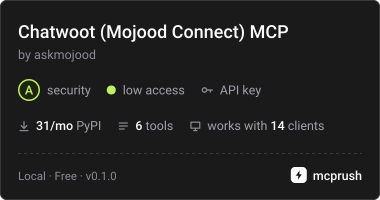
Chatwoot inbox in Claude: find conversations, add private notes, hand over after a yes.
Runs on your machine from its package; the steps are below.
What it does
- Reads
- Writes
- High impact
At most: creates or changes data: records, files, settings.
What it costs
FreeOdel charges nothing per call. The publisher may charge for its own service.
Runs locally over stdio
This server isn't hosted — your MCP client launches it from a package registry. Use one of the commands below, or drop the config into your client (e.g. Claude Desktop).
Run
uvx mojood-chatwoot-mcp
MCP client config
{
  "mcpServers": {
    "chatwoot-mojood-connect": {
      "command": "uvx",
      "args": [
        "mojood-chatwoot-mcp"
      ]
    }
  }
}Chatwoot MCP server
Ask Claude about your customer inbox in plain words: who's waiting longest, what a customer wants, everything a company has asked. Hand conversations to an agent or team, label or resolve them, and leave private notes from the same chat, with a confirmation step before anything changes. There is no tool that sends a message to a customer.
Built by Mojood Connect as a working demo for Chatwoot. It runs against any Chatwoot through its application API. This repository includes a local Chatwoot with SAMPLE data for the customer inbox of a made-up company, Harbor Trading, so you can try it without touching a real account.
Tools
| Tool | What it does | Changes anything? |
|---|---|---|
find_conversations | List conversations by status, words in the messages, label or agent: contact, company, inbox, assignee, team, labels, how long the customer has waited | No |
get_conversation | One conversation with every message in order, private notes marked | No |
contact_overview | A person, email or company and all their conversations; asks which when a name matches people at several companies | No |
needs_attention | Conversations no agent owns, customers waiting for a reply (longest first), urgent ones | No |
add_private_note | A private note for agents, never shown to the customer | Yes, after confirmation |
update_conversation | Hand over to an agent or team, add labels, change status | Yes, after confirmation |
How changes are made safe. A call to add_private_note or update_conversation without a confirmation
changes nothing: it returns a plain summary ("On conversation 1 with Noor Al-Saadi (Bayt Interiors): put it in the
Sales team, assign it to Omar Siddiqui.") and a one-time code. The change happens only when the same request comes
back with that code, within 10 minutes. A code works once, and only for the request it was issued for. The
server's instructions tell the model to show the summary and wait for the user's yes. Notes carry "via Claude
(Mojood Connect demo)", and Chatwoot records every hand-over and label in the conversation under the token's user.
The server acts as the user who owns the access token, with that user's Chatwoot permissions.
Try it locally
Needs Docker (with Compose), uv and Python 3.13.
scripts/reset.sh                         # local Chatwoot on http://localhost:3010, filled with the SAMPLE inbox
uv run --env-file .env chatwoot-mcp      # MCP server on http://127.0.0.1:8004/mcp (Streamable HTTP)
docker/compose.yml follows Chatwoot's own docker-compose.production.yaml (v4.19.1), pinned, with the app on
127.0.0.1 only and the database and Redis not published. scripts/reset.sh generates every password, the account,
its admin and the access token itself and keeps them in the git-ignored files docker/.env and .env; nothing is
printed. scripts/up.sh starts it again after a restart without touching the data.
Claude Desktop: add this to claude_desktop_config.json (Settings › Developer), with the path to this folder:
{
  "mcpServers": {
    "chatwoot": {
      "command": "uv",
      "args": ["run", "--directory", "/path/to/chatwoot-mcp", "--env-file", "/path/to/chatwoot-mcp/.env", "chatwoot-mcp", "--stdio"]
    }
  }
}
Then ask: "Who's waiting longest for a reply?", "What does Noor from Bayt Interiors want?", "Give it to Omar in Sales, and note that her client approves budgets on Thursday."
Your own Chatwoot: set CHATWOOT_URL, CHATWOOT_ACCOUNT, CHATWOOT_TOKEN (the access token from your profile
settings) and CHATWOOT_SAMPLE=0.
The SAMPLE inbox
Harbor Trading's customer inbox: two API-channel inboxes (Website chat, Email), four agents in two teams (Sales, Service), four labels, eight contacts across seven companies and nine conversations. Message times are set relative to the day it is seeded, so there are always customers waiting for hours, two conversations with no owner, an urgent one, pending ones and resolved history. Everyone and everything in it is made up.
Tests
uv run --env-file .env pytest # unit tests (a fake Chatwoot API), plus live tests when the local Chatwoot runs
What a production version adds
This demo signs in with one access token. A production server for Chatwoot customers would add sign-in with each agent's own Chatwoot account, so Claude sees exactly the inboxes they may see; hosting with an audit log of every tool call; and more of the API (canned responses, reply drafts for an agent to send, reports, macros, the help center). That is what Mojood Connect builds.
License
Apache 2.0. Chatwoot is a trademark of Chatwoot Inc.; this project is not made or endorsed by Chatwoot Inc.