Listed from the MCP registry; nobody on Odel publishes it.
MCP Browser
Native macOS browser exposing an MCP server so AI agents can drive a real WKWebView.
Runs on your machine from its package; the steps are below.
What it does
- Reads
- Writes
- High impact
At most: moves money, runs code or commands, deletes data, or sends messages for you.
What it costs
FreeOdel charges nothing per call. The publisher may charge for its own service.
Runs locally
This server runs on your machine over stdio, but its source registry didn't list a distribution package. Check the source repository for setup instructions.
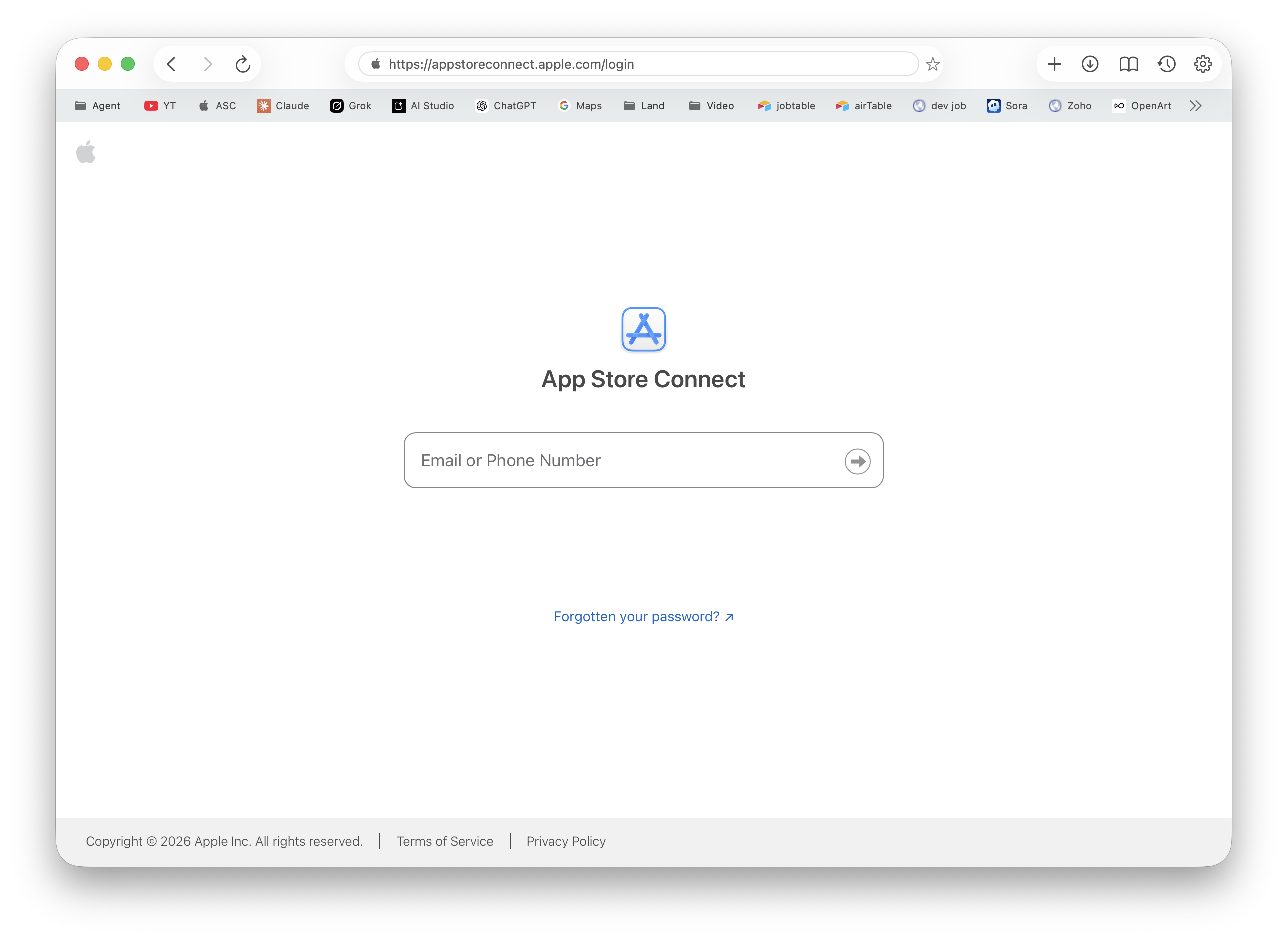
A native macOS web browser that exposes itself as a Model Context Protocol server, so AI agents can drive a real WKWebView the same way a person would — navigate, click, fill forms, read the DOM, take screenshots, run JavaScript, and capture network and console activity.
Built with SwiftUI + WKWebView. The MCP server runs in-process over local HTTP with bearer-token authentication and DNS-rebinding defense.
Download
⬇ Download the latest macOS build — signed, notarised .dmg for Apple Silicon.
After downloading, open the DMG and drag MCP Browser to your Applications folder.
Screenshots
Why
Most "browser-as-a-tool" stories for agents fall into two camps:
- Headless automation (Playwright, Puppeteer) — fast and scriptable, but the agent never sees what you see, can't share your logged-in sessions, and runs in a different browser engine than the one you trust.
- Remote-controlled cloud browsers — your data leaves your machine, and you pay per session.
MCP Browser is the third option: a real browser window on your Mac that you log into, navigate, and use yourself — and that an LLM can drive through MCP when you ask it to. Cookies, history, bookmarks, and downloads stay local. The agent sees the same page you do.
Features
Browser
- WKWebView-backed tabs with a Safari-style tab strip (favicons, hover close, equal-width pills)
- URL bar with history + bookmark autocomplete
- Bookmarks bar, full bookmarks manager, history view, downloads popover
- Find on page, zoom-per-host persistence, picture-in-picture controller
- Bookmark importer (HTML / Safari / Chrome formats)
- Per-tab cookie and network capture
MCP server
- Local HTTP transport on port
8833(configurable) —POST /mcpfor JSON-RPC,GET /mcpfor SSE-style status - Bearer-token authentication with a per-launch token, regeneratable from Settings
- DNS-rebinding defense —
Hostheader validated against127.0.0.1/localhost - Auto-registration with common MCP clients (Claude Desktop, Codex, etc.) via
MCPRegistrar - Tool action log — every tool call is recorded with arguments, result summary, and timing
Tools (current catalog)
- Navigation —
navigate,back,forward,reload,current_url,current_title - Tabs —
list_tabs,new_tab,switch_tab,close_tab - DOM —
click,fill,submit,hover,press_key,type_text,scroll,find_in_page,get_element,accessibility_tree - Page content —
read_text,read_page,page_metadata,screenshot,pdf_export,render_html,eval_js,find,list_links,list_forms - Cookies / storage —
get_cookies,set_cookie,storage,clear_session - Bookmarks —
list_bookmarks,open_bookmark_folder - Inspection —
console_logs,network_log,dialog - Files —
download,upload_file(gated by user permission) - Misc —
wait_for,emulate,resize
See MCP Browser/MCP/MCPToolCatalog.swift for the authoritative list.
Privacy & safety
- Per-launch bearer token — clients without it get
401 Unauthorized - Origin / Host validation — blocks DNS-rebinding attacks from a malicious local web page
- User confirmation for downloads, uploads, and any
dialoginteractions - Local-only by default — server binds to
127.0.0.1, never the public network - Action log in Settings → you can see exactly what an agent has done in your browser
Requirements
- macOS 14+ (Sonoma or later)
- Xcode 16+ to build from source
Getting Started (users)
- Download the latest DMG from the Releases page.
- Drag MCP Browser to
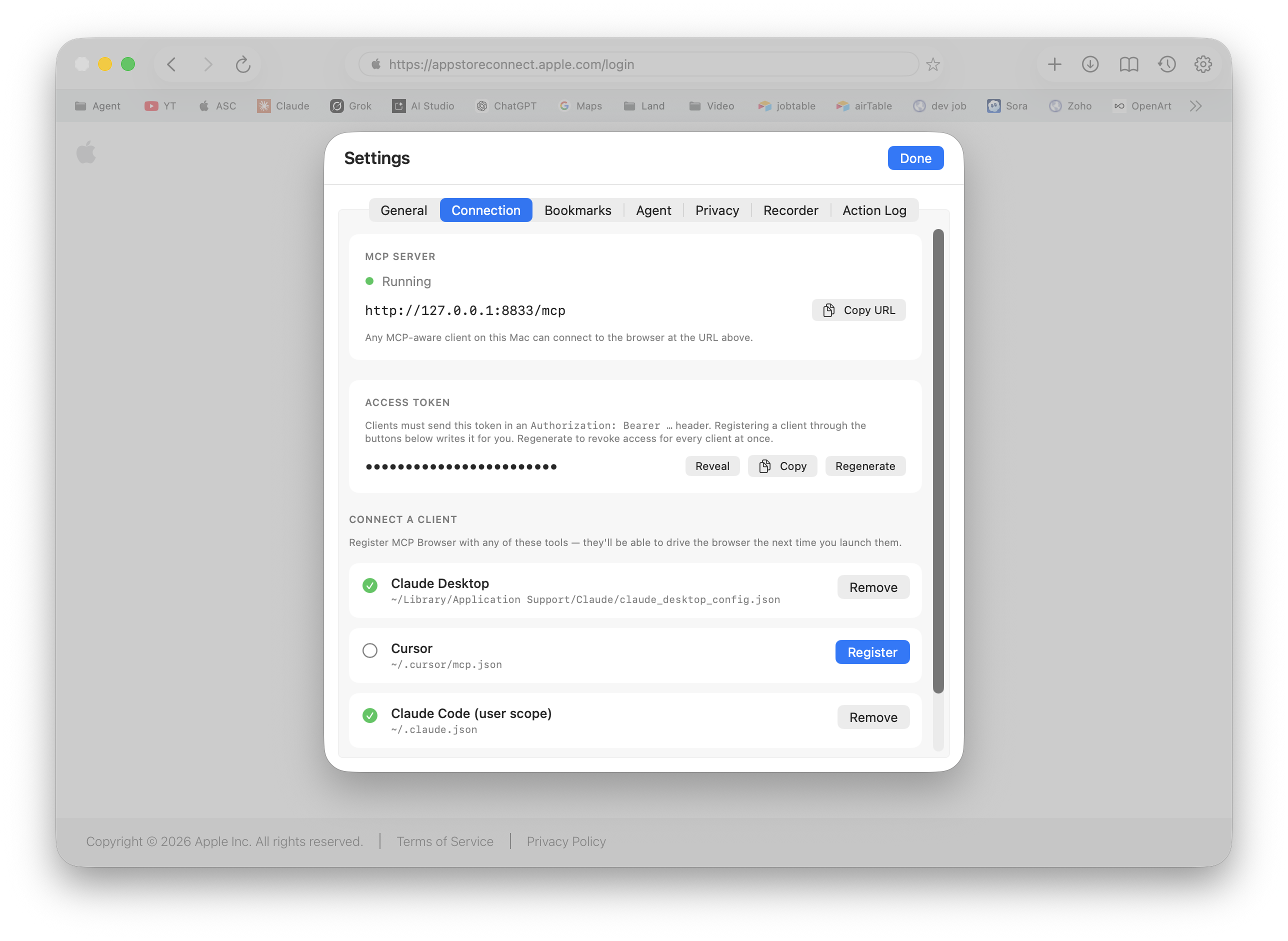
/Applicationsand launch it. - Open Settings → Connection to copy the bearer token and MCP endpoint URL.
- In your MCP client (Claude Desktop, Codex, etc.) add the server. The app's Settings → MCP Clients tab can patch the config for the most common clients automatically.
- Browse normally. When the LLM needs to do something on the web, it calls the tools through MCP and you'll see the action in the log.
Getting Started (developers)
- Clone this repository.
- Open
MCP Browser.xcodeprojin Xcode. - Select the
MCP Browserscheme. - Build and run on My Mac.
CLI build:
xcodebuild -project "MCP Browser.xcodeproj" -scheme "MCP Browser" -configuration Debug build
Building your own fork
The project ships with the original author's signing settings. If you're forking to build and ship your own copy:
- Development team — open the
MCP Browsertarget in Xcode → Signing & Capabilities → pick your own team. This rewritesDEVELOPMENT_TEAMinMCP Browser.xcodeproj/project.pbxproj. - Bundle identifier — change
PRODUCT_BUNDLE_IDENTIFIERfromcom.moosia.mcp-browserto something you own. - No API keys are bundled. MCP Browser doesn't call any LLM provider itself — it only serves tools to whatever client connects.
Configuring an MCP client
Most MCP clients accept an HTTP transport block. Example for claude_desktop_config.json:
{
  "mcpServers": {
    "mcp-browser": {
      "transport": "http",
      "url": "http://127.0.0.1:8833/mcp",
      "headers": {
        "Authorization": "Bearer <token-from-settings>"
      }
    }
  }
}
The bundled MCP Clients settings tab can write this for you for the clients it knows about (Claude Desktop, Codex, etc.) — pick the client, hit Add MCP Browser, and it'll patch the file in place.
The token rotates each time you click Regenerate token in Settings → Connection. Re-patch your clients after rotating.
Data Storage
- Bookmarks, history, zoom-per-host, downloads, and the action log are stored locally with
PersistentStore(file-backed) and SwiftData where appropriate. - The bearer token is stored in
UserDefaults. It's regenerated from Settings → Connection whenever you want to revoke existing clients. - Favicons are cached on disk under Application Support.
- No telemetry. No cloud sync. Nothing leaves the machine unless an MCP tool you invoke causes it to.
Project Structure
MCP Browser/
├── Browser/         WKWebView wrapper, tab model, presenter, scripts, PiP
├── MCP/             MCP server, JSON-RPC, host protocol, tool catalog
│   ├── Registrar/   Auto-config patcher for Claude Desktop / Codex / etc.
│   └── Tools/       Tool implementations (navigation, DOM, content, etc.)
├── Settings/        Settings tabs (general, privacy, connection, recorder, etc.)
├── Storage/         Bookmarks, history, downloads, favicons, action log
├── Views/           Bookmarks bar, bookmarks manager, history, downloads popover
├── ContentView.swift     Top-level window layout, tab strip, URL bar
├── AppCommands.swift     Menu bar commands and keyboard shortcuts
└── MCP_BrowserApp.swift  App entry point and environment wiring
Key files
MCP/MCPServer.swift—NWListener-based HTTP/JSON-RPC server, auth, rebind defenseMCP/MCPCoordinator.swift— routes tool calls to the focused window's active tabMCP/MCPToolCatalog.swift— registry of every exposed toolMCP/MCPSecret.swift— Keychain-backed bearer tokenBrowser/BrowserTab.swift— per-tab@Observablemodel wrappingWKWebViewBrowser/WebViewHost.swift—NSViewRepresentablebridge
Security model
MCP Browser deliberately runs un-sandboxed so it can:
- Patch MCP-client config files in
~/Library/Application Support/~/.config - Drive other apps (e.g. open external schemes) when explicitly asked
It does not:
- Bind any network interface other than loopback (
127.0.0.1) - Accept connections without the per-launch bearer token
- Honor requests whose
Hostheader doesn't match127.0.0.1orlocalhost(DNS-rebinding defense) - Send anything off the machine on its own
If you're audit-minded, the entire HTTP surface is in MCP Browser/MCP/MCPServer.swift and is roughly 400 lines.
Known Limitations
- The action log isn't yet retroactively searchable from the UI.
- Multi-window support exists but the MCP coordinator only routes to the most-recently-focused window.
- The OAuth and basic-auth flows for sites are handled by WebKit; MCP Browser itself does not store passwords. Use the system keychain through Safari/Chrome import for now.
- No mobile/iOS build — this is a Mac-only tool.
Contributing
See CONTRIBUTING.md for how to file bugs, request features, and submit pull requests.







