Listed from the MCP registry; nobody on Odel publishes it.
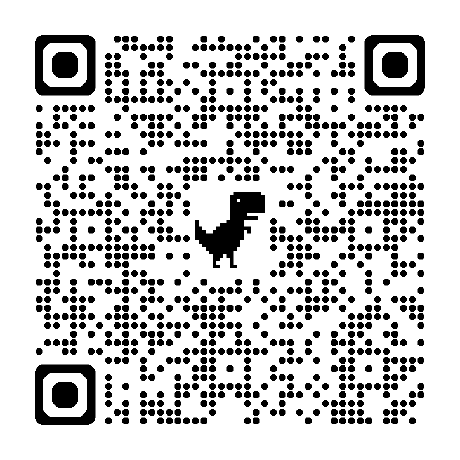
Chromium Style QR Code Generator
MCP server for generating Chromium-style QR codes with optional Dino logo or custom center image
Runs on your machine from its package; the steps are below.
What it does
- Reads
- Writes
- High impact
At most: creates or changes data: records, files, settings.
What it costs
FreeOdel charges nothing per call. The publisher may charge for its own service.
Runs locally over stdio
This server isn't hosted — your MCP client launches it from a package registry. Use one of the commands below, or drop the config into your client (e.g. Claude Desktop).
Run
npx -y @chromium-style-qrcode/mcp
MCP client config
{
  "mcpServers": {
    "chromium-style-qr-code-generator": {
      "command": "npx",
      "args": [
        "-y",
        "@chromium-style-qrcode/mcp"
      ]
    }
  }
}@chromium-style-qrcode/mcp
An MCP (Model Context Protocol) server for generating Chromium-style QR codes with circular modules, rounded locators, and an optional center image (Dino logo or custom).
Features
- Chromium-style rendering — circular dot modules, rounded locator corners, matching the QR codes generated by Google Chrome
- Dino logo — the iconic Chrome Dino is drawn in the center by default
- Custom center image — supply a Base64-encoded image to replace the Dino
- Toggle center image — set
showLogo: falseto generate a plain QR code - MCP-native — communicates over stdio, works with any MCP-compatible client
Installation
Note: The
type: "stdio"field is not required — it's the default transport for MCP servers configured withcommandandargs.
Using npx (recommended)
No installation required:
{
  "mcpServers": {
    "io.github.chromium-style-qrcode/mcp": {
      "command": "npx",
      "args": ["-y", "@chromium-style-qrcode/mcp"]
    }
  }
}
Using bunx
{
  "mcpServers": {
    "io.github.chromium-style-qrcode/mcp": {
      "command": "bunx",
      "args": ["@chromium-style-qrcode/mcp"]
    }
  }
}
Global install
npm install -g @chromium-style-qrcode/mcp
Then configure the MCP client:
{
  "mcpServers": {
    "io.github.chromium-style-qrcode/mcp": {
      "command": "chromium-style-qrcode-mcp"
    }
  }
}
Tool
generate_qr_code
Generate a Chromium-style QR code and return it as a PNG image.
Parameters
| Parameter | Type | Required | Default | Description |
|---|---|---|---|---|
text | string | Yes | — | The text or URL to encode |
showLogo | boolean | No | true | Whether to show a center logo |
customLogo | string | No | — | Base64-encoded image to use as the center logo instead of the Dino |
Examples
Basic QR code with Dino logo:
{
  "text": "https://example.com"
}
Plain QR code (no center image):
{
  "text": "https://example.com",
  "showLogo": false
}
QR code with custom center image:
{
  "text": "https://example.com",
  "customLogo": "<base64-encoded image data>"
}
Development
# Install dependencies
bun install

# Run in development
bun run start

# Build
bun run build

# Lint & format
bun run lint
bun run format
Requirements
- Node.js >= 22.14.0







