Listed from the MCP registry; nobody on Odel publishes it.
Is this yours? Claim it
Creatif Space
Get content approved & published faster: draft, send approval links and publish from your AI chat.
One address for any MCP client. You sign in at api.creatif.space once, after adding it.
What it does
- Reads
- Writes
- High impact
At most: moves money, runs code or commands, deletes data, or sends messages for you.
What it costs
FreeOdel charges nothing per call. The publisher may charge for its own service.
What it asks for at sign-in
| Access to | Read | Change |
|---|---|---|
| Read | ||
| Draft | Not stated: draft | |
| Approve | Not stated: approve | |
| Publish | ||
| Approvals | Not stated: approvals:decide | |
From the sign-in at api.creatif.space, as the endpoint publishes it. You approve it there.
Tools
None listed · checked 25 Nov 2026Odel could not list its tools without signing in.

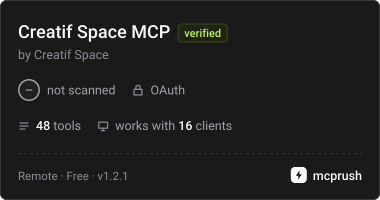





MCP tools
Connector URL https://mcp.creatif.space/mcp (OAuth 2.1 or a cs_live_…
API key). Every plan can use it, Free included. Sending and replying spend
Credits. Free plan limits: posts scheduled at most 7 days ahead, at most 10
queued posts, approval links for one client. Details, scopes and V1 routes are
in mcp/README.md.
| Group | Tool | What it does | Plan |
|---|---|---|---|
| Posts | list_posts | List posts by status, date window and channel | All |
| Posts | get_post | One post: caption, media, schedule, approval, delivery per channel | All |
| Posts | draft_post | Save a draft (never publishes, no Credits) | All |
| Posts | update_post | Change a draft or a post waiting for approval | All |
| Posts | discard_draft | Delete a draft (preview first) | All |
| Posts | schedule_post | Schedule a draft after a preview | All, spends Credits |
| Posts | list_failed_posts | What failed to publish in the last 30 days, and why | All |
| Posts | schedule_posts | Schedule up to 10 drafts after one preview, all or none | All, spends Credits |
| Posts | publish_post | Publish a draft now after a preview | All, spends Credits |
| Posts | retry_post | Send a post's failed channels again after a preview | All, spends Credits |
| Approvals | create_approval_link | Approval link for posts or a Content Plan | All (Free: one client) |
| Approvals | create_content_plan | Content Plan for a date range, emailed to the approver after a preview | All (Free: one client) |
| Approvals | check_approval_status | Where approval stands for a post or a link | All |
| Approvals | list_approval_links | The workspace's approval links and their status | All |
| Approvals | revoke_approval_link | Revoke a client approval link (preview, then confirm) | All |
| Approvals | send_approval_reminder | Email the approver a reminder | All |
| Approvals | get_approval_audit | Every decision on one link, with CSV | All |
| Approvals | get_approval_history | Every decision on one post (email masked) | All |
| Approvals | get_plan_calendar_link | Calendar feed (ICS) URL of a Content Plan | All |
| Approvals | list_waiting_approvals | Posts others sent this user to approve | All (scope approvals:decide) |
| Approvals | decide_approval | Approve or request changes (preview first) | All (scope approvals:decide) |
| Approvals | list_shared_with_me | Content Plans and Insight reports others shared with this user | All (scope approvals:decide) |
| Media | request_media_upload | Step 1: get an upload URL for a new file | All |
| Media | confirm_media_upload | Step 2: check the upload and get the file id | All |
| Media | list_files | Search the file library | All |
| Media | get_storage_usage | Storage used vs quota; kept vs auto-delete | All |
| Media | keep_file | Keep a file from automatic deletion | Pro / Max |
| Media | unkeep_file | Let a kept file go back under the rules | All |
| Channels | list_channels | Connected channels; marks ones to reconnect | All |
| Channels | get_connect_link | App link to connect or reconnect a network (no token) | All |
| Insight | get_insight_summary | Insight numbers for a month or up to 92 days | Pro / Max |
| Insight | list_top_posts | The five most engaging posts of a period, with links | Pro / Max |
| Insight | get_best_times | Best weekday + hour to post per channel, from the user’s own posts | Pro / Max |
| Insight | get_insight_csv_link | 24-hour download link to the Insight CSV (one row per post) | Pro / Max |
| Insight | get_insight_report_link | 15-minute download link to the Insight PDF | Pro / Max |
| Insight | create_insight_share_link | Read-only report link for 30 days; optional recipient (emailed) | Pro / Max |
| Insight | revoke_insight_share_link | Turn a shared report link off | Pro / Max |
| Spaces | list_spaces | The user's Spaces and their status | Pro / Max |
| Spaces | create_space_from_files | New draft Space from library files | Pro / Max |
| Spaces | publish_space | Publish a draft Space after a preview | Pro / Max |
| Credits | get_account_summary | Onboarding in one call: plan, limits left, Credits, channels, storage | All |
| Credits | get_onboarding | The Get started checklist (connect, draft, send, publish) and the one next step to suggest | All |
| Credits | get_credits | Plan, limits, Credits, spend this month, days to renewal | All |
| Engage | list_conversations | Comments and DMs, newest first | All |
| Engage | reply_to_conversation | Reply to a comment or DM after a preview | All, may spend Credits |
| Feedback | send_feedback | Send a bug or idea to the creatif.space team | All |
| Clients | list_clients | List clients with approver and channels | All |
| Clients | create_client | Add a client label | All |
| Clients | update_client | Change a client's name, colour, approver, report email or channels | All |
| Clients | delete_client | Remove a client label (posts stay) | All |
| Clients | set_channel_clients | Set which clients a channel belongs to | All |
| Reports | get_report_settings | When monthly reports are emailed to clients | Pro, Max |
| Reports | update_report_settings | Change the report schedule, sender and clients | Pro, Max |
| Reports | list_client_reports | Scheduled and sent client reports | Pro, Max |
| Reports | get_client_report | Open a client's monthly report | Pro, Max |
| Reports | update_client_report | Edit a report's summary or visibility | Pro, Max |
| Reports | send_client_report | Email a report to the client now | Pro, Max |
| Blog | list_blog_posts | A Blog's posts and their status | Pro, Max |
| Blog | create_blog_post | Write a draft Blog post or press release | Pro, Max |
| Blog | update_blog_post | Edit a Blog post | Pro, Max |
| Blog | publish_blog_post | Publish a Blog post | Pro, Max |
| Blog | send_blog_post_for_approval | Send a Blog post to the client for approval | Pro, Max |
| Spaces | set_post_spaces | Also add a social post to Galleries / Blogs | Pro, Max |
| Settings | get_notification_settings | Which emails the user gets (post missed or failed, approvals, weekly digest) | All |
| Settings | update_notification_settings | Turn those emails on or off | All |
Prompts: plan_week (Plan next week), send_for_approval (Send to client for approval), weekly_results (Weekly results), monthly_report (Monthly report).
Free Tools (https://mcp.creatif.space/free, no sign-in):
| Tool | What it does |
|---|---|
check_caption | Check a caption against each network's limits |
approval_request_template | A ready-to-send client approval message |
connect_guide | What is needed to connect a network, and the steps |
API reference (OpenAPI)
The public v1 API is described as OpenAPI 3.1 at
GET /api/v1/openapi.json,
built from the route table (App\Support\OpenApi), so paths, methods, auth,
API-token scope (x-token-scope) and rate limits (x-rate-limit) are always
current. Each operation's summary lives in resources/openapi/operations.php;
tests/Feature/OpenApiTest.php fails when a v1 route has none. Provider
webhooks and MCP token introspection are left out on purpose.
Approve from your AI chat
Clients can review and decide on posts sent to them from Claude or ChatGPT
through the creatif.space MCP server: list_shared_with_me,
list_waiting_approvals and decide_approval (scope approvals:decide), and
owners can pull the audit trail with get_approval_audit. See
mcp/README.md → Approve from your AI chat
for the rules and an example conversation.
Android app (Capacitor shell)
- Google sign-in:
GET /sanctum/csrf-cookie, thenPOST /auth/google/nativewithX-XSRF-TOKENand{"id_token": "<Credential Manager ID token>", "next": "/spaces"}(nextoptional). Answers200 {"redirect": "…"},422 invalid_token,403 suspended | google_not_linked,429, or503 google_unavailable. The token'saudmust beGOOGLE_CLIENT_ID(the web client, used asserverClientId) or one ofGOOGLE_NATIVE_EXTRA_AUDIENCES. Details:GoogleAuthController::native. - Social connect: send
"client": "android"toPOST /api/v1/social-accounts/auth-url; the return to/social/connectthen carriesshell=android(Outstand only; Post for Me's redirect is fixed per project). - Google Play Billing: the app launches Play Billing with
obfuscatedAccountId= the user'sid(ULID from/api/v1/me), then sendsPOST /api/v1/billing/google/verify(Sanctum, 20/min){"purchase_token": "…", "product_id": "pro_monthly"}. Answers200 {"plan", "period", "status", "current_period_end", "provider": "google"},202 pending(payment not cleared, nothing granted),422 unknown_product | invalid_token,403 account_mismatch,409 active_web_subscription(a Creem plan runs: the purchase is not acknowledged, so Google refunds it), or503 google_unavailable. Same token again = same row (idempotent). While a Play plan runs, Creem checkout/cancel/portal answer409 active_play_subscription./api/v1/mehasbilling_providerand/api/v1/me/subscriptionhasprovider+manage_url(creem= manage at creatif.space,google= "Manage subscription on Google Play").-
Play product ids (Play Console → Subscriptions; overridable by env):
pro_monthly→ Pro monthly,pro_yearly→ Pro yearly,max_monthly→ Max monthly,max_yearly→ Max yearly. -
RTDN: Play Console → Monetization setup → Real-time developer notifications → a Pub/Sub topic with a push subscription to
https://<api>/api/v1/webhooks/google-play, authentication on (service account + audience). Every notification re-readspurchases.subscriptionsv2and applies the same mapping;REVOKED/voided purchases end the plan at once. -
Env:
Variable Meaning GOOGLE_PLAY_PACKAGE_NAMEdefault space.creatif.appGOOGLE_PLAY_SERVICE_ACCOUNT_JSONpath to the service account key file on the server (never committed, never logged); the account needs Play Console access to view financial data / manage orders GOOGLE_PLAY_RTDN_AUDIENCEthe push subscription's audience (exact audof Pub/Sub's OIDC token)GOOGLE_PLAY_RTDN_SA_EMAILthe push subscription's service account email GOOGLE_PLAY_PRODUCT_PRO_MONTHLY/_PRO_YEARLY/_MAX_MONTHLY/_MAX_YEARLYPlay product ids, defaults as above Missing service account → verify answers
503 google_unavailable; missing RTDN audience/email → every push is401.
-
Google Play billing: real-time developer notifications (RTDN)
Play tells us about renewals, cancellations, holds, refunds and voided purchases through Pub/Sub push to POST /api/v1/webhooks/google-play. Each push carries a Google-signed OIDC token. We check its audience and service-account email (GooglePushToken), then re-read the subscription from the Play Developer API and map it (GooglePlayBilling). Nothing secret lives in this repo: the values below are env on the server, and the API key is a file outside the repo.
Rizal-only setup (Play Console + Google Cloud)
Use the Google Cloud project linked to the Play developer account (below: <project>).
-
Pub/Sub topic. Cloud Console → Pub/Sub → Topics → Create topic
play-rtdn. On the topic → Permissions → Add principalgoogle-play-developer-notifications@system.gserviceaccount.comwith role Pub/Sub Publisher. Play needs this to publish to the topic. -
Play Console → Monetize with Play → Monetization setup → Real-time developer notifications.
- Topic name:
projects/<project>/topics/play-rtdn. - Notifications: subscriptions and voided purchases.
- Save, then Send test message (step 6 checks it arrived).
- Topic name:
-
Service account for the push token. IAM → Service accounts → Create
play-rtdn-push(no roles needed). Its email isplay-rtdn-push@<project>.iam.gserviceaccount.com. -
Push subscription. Pub/Sub → Subscriptions → Create subscription on topic
play-rtdn:- Delivery type Push, endpoint
https://api.creatif.space/api/v1/webhooks/google-play. - Enable authentication: service account
play-rtdn-push@<project>.iam.gserviceaccount.com. - Audience = exactly the value you put in
GOOGLE_PLAY_RTDN_AUDIENCE. Use the endpoint URL,https://api.creatif.space/api/v1/webhooks/google-play. - Acknowledgement deadline 30 s; retry policy exponential backoff. Our webhook answers 2xx to everything it has authenticated, so Pub/Sub does not retry forever.
- Delivery type Push, endpoint
-
Play Developer API access (the webhook re-reads each subscription; the app's verify call uses the same access).
- Create, or reuse, a service account for the API, e.g.
play-api@<project>.iam.gserviceaccount.com, and download its JSON key to the server only. - In Play Console → Users and permissions (older consoles: Setup → API access → link the project / grant access), invite that service account email with:
- View financial data, orders, and cancellation survey responses
- Manage orders and subscriptions
- Create, or reuse, a service account for the API, e.g.
-
Server env (production
.env, never committed):GOOGLE_PLAY_PACKAGE_NAME=space.creatif.app GOOGLE_PLAY_SERVICE_ACCOUNT_JSON=/path/on/server/play-api.json GOOGLE_PLAY_RTDN_AUDIENCE=https://api.creatif.space/api/v1/webhooks/google-play GOOGLE_PLAY_RTDN_SA_EMAIL=play-rtdn-push@<project>.iam.gserviceaccount.comThen check that Play's test message arrived. The log shows
google_play.rtdn {"outcome":"test"}. Agoogle_play.rtdn_unauthorizedline means the audience or service-account email does not match step 4.
Product ids default to pro_monthly, pro_yearly, max_monthly and max_yearly (GOOGLE_PLAY_PRODUCT_* overrides them).
Self-test (local / testing only)
php artisan play:rtdn-selftest
This sends a testNotification through the real webhook. It signs a Pub/Sub-style OIDC token with a throwaway key, and Google's JWKS, OAuth and androidpublisher answers are simulated; it never calls Google. It checks against your configured audience and push service account when they are set.
php artisan play:rtdn-selftest --user=<ulid or email> --type=canceled --state=CANCELED
This gives that local user a Play purchase, sends the notification and prints the mapped row: plan, status, period end, grace, auto-renew.
--type:purchased,renewed,canceled,recovered,on_hold,in_grace,paused,revoked,expired,voidedortest.--state: what Google answers,ACTIVE,CANCELED,IN_GRACE_PERIOD,ON_HOLD,PAUSEDorEXPIRED.
The command refuses to run when APP_ENV is production.
Creem webhook replay (QA, before every billing deploy)
php artisan billing:replay-webhooks replays signed Creem test-mode webhooks against the API and checks the account state each one should leave. Run it on staging before every deploy that touches billing. A failed scenario means: do not deploy.
| Scenario | What it checks |
|---|---|
cancel_scheduled | A Pro plan set to cancel stays Pro (active) until its period ends; a replay changes nothing |
change_plan_on_cancel_scheduled | Pro → Max on a plan set to cancel: 409 subscription_not_active with a message, never a 500; still set to cancel, still Pro |
refund | A full refund marks the invoice refunded, once |
credits_topup | A paid top-up adds 10,000 Credits and one ledger row; the same event, or the same checkout under a new event id, adds nothing |
change_plan_active | Pro → Max on an active plan is accepted (202); the Max payment makes the account Max |
checkout_paid | Checkout for Pro: active and paid at once, never trialing (no plan has a trial since 13 Nov 2026) |
On staging (in /www/wwwroot/staging-api, after the deploy script, before deploying billing changes to production):
php artisan billing:replay-webhooks --env-target=staging
php artisan billing:replay-webhooks --env-target=staging --only=credits_topup --only=refund
- Where things go: webhooks go over HTTPS to staging's own
APP_URL+/api/v1/webhooks/creem, signed withCREEM_WEBHOOK_SECRETfrom staging's.env. The signing secret never lives in git; the fixtures inresources/billing/creem-replay/are templates with placeholders only. - The two plan-change scenarios call the checkout endpoint in-process with Creem's answers stubbed. They test what the API does with Creem's reply; nothing is sent to Creem.
- Accounts: each run creates its own throwaway accounts (
creem-replay+<run>-<scenario>@example.com). They stay in the staging database, marked by that address. - When it refuses to run: in production, unless
CREEM_TEST_MODE=true, without a webhook secret, and — for--env-target=staging— unlessAPP_ENV=stagingandAPP_URL's host starts withstaging(e.g.staging-api.creatif.space). It never runs against production. - Exit status: 0 when every scenario passes or is skipped, 1 otherwise. The failed checks are printed under each scenario.
Locally, the same scenarios run in-process: php artisan billing:replay-webhooks --env-target=local (APP_ENV local), and in the test suite (tests/Feature/Billing/CreemReplayTest.php, no network).
About Laravel
Laravel is a web application framework with expressive, elegant syntax. We believe development must be an enjoyable and creative experience to be truly fulfilling. Laravel takes the pain out of development by easing common tasks used in many web projects, such as:
- Simple, fast routing engine.
- Powerful dependency injection container.
- Multiple back-ends for session and cache storage.
- Expressive, intuitive database ORM.
- Database agnostic schema migrations.
- Robust background job processing.
- Real-time event broadcasting.
Laravel is accessible, powerful, and provides tools required for large, robust applications.
Learning Laravel
Laravel has the most extensive and thorough documentation and video tutorial library of all modern web application frameworks, making it a breeze to get started with the framework.
In addition, Laracasts contains thousands of video tutorials on a range of topics including Laravel, modern PHP, unit testing, and JavaScript. Boost your skills by digging into our comprehensive video library.
You can also watch bite-sized lessons with real-world projects on Laravel Learn, where you will be guided through building a Laravel application from scratch while learning PHP fundamentals.
Agentic Development
Laravel's predictable structure and conventions make it ideal for AI coding agents like Claude Code, Cursor, and GitHub Copilot. Install Laravel Boost to supercharge your AI workflow:
composer require laravel/boost --dev

php artisan boost:install
Boost provides your agent 15+ tools and skills that help agents build Laravel applications while following best practices.
Contributing
Thank you for considering contributing to the Laravel framework! The contribution guide can be found in the Laravel documentation.
Code of Conduct
In order to ensure that the Laravel community is welcoming to all, please review and abide by the Code of Conduct.
Security Vulnerabilities
Report a security issue in this app through the contact in https://api.creatif.space/.well-known/security.txt, not in a public issue.
License
The Laravel framework is open-sourced software licensed under the MIT license.







