Listed from the MCP registry; nobody on Odel publishes it.

Google Play Console
Google Play Console listings, releases, rollouts, reviews and vitals, with staged edits and guards
Runs on your machine from its package; the steps are below.
What it does
- Reads
- Writes
- High impact
At most: moves money, runs code or commands, deletes data, or sends messages for you.
What it costs
FreeOdel charges nothing per call. The publisher may charge for its own service.
Runs locally over stdio
This server isn't hosted — your MCP client launches it from a package registry. Use one of the commands below, or drop the config into your client (e.g. Claude Desktop).
Run
uvx play-console-mcp
MCP client config
{
  "mcpServers": {
    "google-play-console": {
      "command": "uvx",
      "args": [
        "play-console-mcp"
      ]
    }
  }
}play-console-mcp
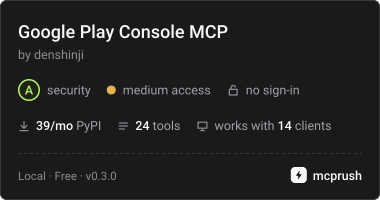
An MCP server for the Google Play Console: store listings, icon, feature graphic, screenshots, app bundle releases, staged rollouts, testers, user reviews, Android vitals (crash and ANR rates and issues), and a read-only view of in-app products and subscriptions. It runs over stdio and works with Claude Code or any other MCP client.
It is built to be safe to hand to an AI agent:
- Changes are staged, never published implicitly. Write tools put their changes in a Play edit and return its
editId. Nothing goes live untilcommit_editis called, so the agent can show youedit_summaryfirst and wait for your approval. - A staged edit is never discarded by accident. Google Play keeps one open edit per app, and opening another deletes it. While an edit the server staged is open, a read or write without
edit_idis refused with that edit's id instead.commit_editchecks production tracks against a snapshot taken when the edit was created, so it never opens a second edit. - Production is locked. Staging or committing a change to the
productiontrack, or to a form-factor production track such aswear:production, is refused unless the server runs withPLAY_ALLOW_PRODUCTION=1. - Package allowlist. The server only touches the packages in
PLAY_PACKAGE_NAMES. - Files stay inside the asset root. Graphics, bundles and listing files must resolve to files under
PLAY_ASSET_ROOT(symlinks are followed before the check), so a prompt cannot make it read or upload an arbitrary file from your machine. The server refuses an asset root that is your home directory or above it. Images are checked against Play's size rules before anything is sent. - Reviews and crash reports are marked untrusted. Review results and error issues carry a note telling the agent that their text is content, not instructions.
reply_to_reviewpublishes immediately, so keep it behind a permission prompt.
Requirements
- uv (installs Python 3.11+ and the dependencies on first run)
- A Google Cloud service account with access to your app in Play Console
Service account setup
- In Google Cloud Console, pick or create a project, open APIs & Services → Library, and enable the Google Play Android Developer API. For
get_vitalsandlist_error_issues, also enable the Google Play Developer Reporting API. - Under IAM & Admin → Service Accounts, create a service account (no Cloud roles needed). In its Keys tab, choose Add key → JSON and download the key.
- Store the key outside any repository:
bash
mkdir -p ~/.config/play-console-mcp && mv ~/Downloads/<key>.json ~/.config/play-console-mcp/service-account.json && chmod 600 ~/.config/play-console-mcp/service-account.json - In Play Console → Users and permissions → Invite new users, add the service account's email. Under App permissions, add only your app and grant what you need:
- View app information (read-only), which also covers Android vitals
- Manage store presence (listings and graphics)
- Reply to reviews
- Release apps to testing tracks (releases, rollouts and testers on testing tracks)
- For
list_one_time_productsandlist_subscriptions, a permission that can view in-app products, such as View financial data; the server never changes products - Leave out Release to production unless you really want the agent near production.
New permissions can take a few hours to apply; until then the API answers 403 The caller does not have permission.
The Play Developer API cannot create apps. Create the app and upload its first bundle in Play Console by hand.
Configuration
| Variable | Default | Purpose |
|---|---|---|
PLAY_PACKAGE_NAMES | (required) | Comma-separated package names the server may manage; the first is the default |
PLAY_SERVICE_ACCOUNT_JSON | ~/.config/play-console-mcp/service-account.json | Path to the service account key |
PLAY_ASSET_ROOT | the server's working directory | Directory that uploaded and synced files must live under; refused if it is your home directory or a parent of it |
PLAY_ALLOW_PRODUCTION | unset | Set to 1 to allow production track changes |
Adding it to Claude Code
From your app's repository, so the asset root is that repository:
claude mcp add play-console --scope local -e PLAY_PACKAGE_NAMES=com.example.app -- uv run --quiet --project /path/to/play-console-mcp play-console-mcp
uv run --project installs the exact dependency versions in uv.lock, so this is the most reproducible setup.
Or in the app repository's .mcp.json, pinned to a release from PyPI:
{
  "mcpServers": {
    "play-console": {
      "command": "uvx",
      "args": ["play-console-mcp@0.3.0"],
      "env": { "PLAY_PACKAGE_NAMES": "com.example.app" }
    }
  }
}
Keep the version pin. Without it, uvx runs whatever release is newest when the server starts. uvx does not read uv.lock, so it resolves dependencies within the ranges in pyproject.toml; the upper bounds there stop a major release of a dependency from slipping in.
The server is also listed in the MCP Registry as io.github.denshinji/play-console-mcp.
Leave commit_edit, reply_to_review, delete_edit and stage_store_dir out of your permission allowlist so each call asks you first.
Agent skill
skills/play-console/SKILL.md tells the agent when to use each tool and how to work safely with them: show edit_summary and wait for approval before committing, keep one edit open at a time, treat review text as untrusted, and confirm reply text before posting. It follows the Agent Skills format, so Claude Code and other agents that support skills can load it.
For Claude Code, copy it into your app repository, or into ~/.claude/skills/ to use it in every project:
mkdir -p .claude/skills && cp -r /path/to/play-console-mcp/skills/play-console .claude/skills/
The skill is plain text in this repository, so you can read what it tells your agent before you install it, and pin it to the same release tag as the server.
What the guards do not cover
The checks above live inside this server. They stop an agent that talks to Play through these tools, and nothing else:
- The key decides what is possible. Anything that can read the key file, including an agent with shell access on your machine, can call the Play API directly and skip every check here. The real limit is the permission set you grant the service account in Play Console, so leave out Release to production and admin rights, and use a separate service account from the one your CI uploads with.
- Permission prompts depend on your client. In Claude Code's auto or bypass permission modes, a tool call may run without asking you. If you use those modes, add
askrules forcommit_edit,reply_to_reviewanddelete_edit(for examplemcp__play-console__commit_edit) so publishing still needs your confirmation. - Data goes to your model provider. Review text, reviewer names and app contact details returned by the tools are sent to whichever model your client uses.
Syncing a store folder
stage_store_dir reads a folder (default docs/store/play) laid out like this:
docs/store/play/
  listing-id.md                  one file per language: listing-<language>.md
  listing-en-US.md
  icon-512.png                   icon*.png             → icon
  feature-graphic-1024x500.png   feature-graphic*.png  → featureGraphic
  screenshots/01-home.png        screenshots/*         → phoneScreenshots, in file-name order
  ja-JP/                         a <language>/ folder holds that language's own graphics
    feature-graphic.png
    screenshots/01-home.png
Graphics at the top of the folder go to the first listing's language (or image_language). A <language>/ subfolder, such as ja-JP/ or en-US/, gives that language its own icon, feature graphic or screenshots; only the sets present in a folder are replaced, so a language without a feature graphic keeps the one on Play. A language cannot have graphics both at the top and in its own folder.
Each listing file has one ## section per field. Headings may be English or Indonesian, and a character count in parentheses is ignored:
## App name (6/30)
Example

## Short description
One line that sells the app.

## Full description
Everything else.
It runs as a dry run by default and only reports what it would change. With dry_run=false it patches every listing and replaces each graphic set in one edit, ready for commit_edit. A typical request:
Sync docs/store/play to Play Console, show me the edit summary, and wait for my go-ahead before committing.
Tools
| Tool | Effect |
|---|---|
get_app_details, list_listings, list_images, list_tracks | Read; pass edit_id to read staged state |
update_listing, upload_images, delete_images, stage_store_dir | Stage in an edit |
upload_bundle, set_track_release | Stage an .aab or a release (default internal, draft) |
update_rollout | Stage a staged-rollout change: raise the fraction, halt, resume or complete |
get_testers, set_testers | Read or stage the tester Google Groups of a testing track |
edit_summary, validate_edit | Inspect an edit before committing |
commit_edit | Publish an edit (send_for_review=false saves without sending for review) |
delete_edit | Discard an edit |
list_reviews, get_review | Read reviews (Play only returns roughly the last week) |
reply_to_review | Publishes immediately, 350 characters max |
get_vitals | Daily crash or ANR rates (overall and user-perceived) against Play's bad behavior threshold |
list_error_issues | Crash or ANR issue clusters with cause, location, affected users and versions |
list_one_time_products, list_subscriptions | Read in-app products and subscriptions (no writes) |
Earnings are not available through Google's APIs; Play only exports financial reports to a Cloud Storage bucket, so this server does not cover them.
Development
uv run pytest -q
Tests use a mocked Play API and need no credentials.