npx-vibe
Read-only npm package and project dependency preflight tools for AI applications.
Runs on your machine from its package; the steps are below.
What it does
- Reads
- Writes
- High impact
At most: only reads or looks up information.
What it costs
FreeOdel charges nothing per call. The publisher may charge for its own service.
Runs locally over stdio
This server isn't hosted — your MCP client launches it from a package registry. Use one of the commands below, or drop the config into your client (e.g. Claude Desktop).
Run
npx -y npx-vibe
MCP client config
{
  "mcpServers": {
    "npx-vibe": {
      "command": "npx",
      "args": [
        "-y",
        "npx-vibe"
      ]
    }
  }
}



Evidence-first npm package reviews before code executes. For developers, coding agents, MCP clients, and CI.
npx-vibe resolves registry packages, downloads and verifies their tarballs without running package code, reads bounded install-time and executable source, and reports Proceed, Caution, or Block with evidence.
3.0.0 is the final planned release. Active maintenance has ended; no further compatibility updates or security patches are scheduled. The package remains available under MIT. Read the maintenance policy and 3.0 migration guide before integrating it.
Website and demos · npm package · Changelog · npm 12 guide
Quick start
Requires Node.js 20 or newer and access to the npm registry. No account, AI model, or API key is needed for the default scan.
# Review only — does not execute the target package
npx --yes npx-vibe@3.0.0 is-number@7.0.0

# Inspect install-time behavior
npx --yes npx-vibe@3.0.0 esbuild

# Review a project's locked production dependency tree
npx --yes npx-vibe@3.0.0 project

# Include development dependencies
npx --yes npx-vibe@3.0.0 project --include-dev
The outer npx installs and runs npx-vibe itself; the review does not execute the target package. You can also install the CLI globally:
npm install --global npx-vibe@3.0.0
npx-vibe is-number@7.0.0
Scanning is the default. Execution requires the separate run command:
npx --yes npx-vibe@3.0.0 run cowsay -- hello
npx --yes npx-vibe@3.0.0 run --bin tsc typescript -- --version
A Proceed result permits the requested run; Caution asks for confirmation in an interactive terminal and otherwise exits without executing. Block prevents execution unless deliberately overridden with --force. Install scripts are ignored by default. Running is not sandboxed and may install unreviewed transitive dependencies; scan the project separately when that wider scope matters.
What is reviewed?
- Exact package versions, registry metadata, and tarball integrity.
- Install hooks, bin entry points, and reachable relative source imports within review limits.
- Signals such as credential reads combined with network calls, downloaded payload execution, suspicious writes, and obfuscation.
- Known vulnerability advisories from OSV, when available.
- Repository activity, maintainers, package history, and download counts as context — not proof of trust and not a score discount.
- Optional model interpretation, with source matching for AI findings.
- Local integrity-keyed review history, without skipping fresh verification.
The archive is parsed in memory rather than extracted or executed. File selection and source analysis are bounded; the tool does not review every source file or recursively inspect all dependencies of a single package.
Verdicts and automation
| Exit | Meaning | Agent action |
|---|---|---|
| 0 | Proceed: no blocking signal in the reviewed scope | continue |
| 2 | Caution: evidence needs review | review |
| 3 | Block: high-risk findings | stop |
| 1 | Error or incomplete requested review | retry |
A completed Proceed scan is not a safety guarantee. An unavailable OSV lookup is shown as unavailable rather than “none found”; OSV is supplementary and its outage does not itself fail a package scan. --no-advisories explicitly disables it.
Project coverage: no silent fallback
Default project scans need package-lock.json with a packages map (npm lockfile v2/v3) for nonempty projects. Generate it without running install scripts:
npm install --package-lock-only --ignore-scripts
npx --yes npx-vibe@3.0.0 project
No lockfile? Choose a narrower review explicitly:
npx --yes npx-vibe@3.0.0 project --direct-only
Workspace/local links, Git sources, aliases, and foreign-registry artifacts are outside this registry-only review boundary. They are reported as skipped, not replaced with a similarly named public package. A skipped package, package limit, or scan failure makes the result incomplete (exit 1). The default limit is 500 packages; --max-packages can raise it to 5,000.
Both registry integrity and any recorded lockfile integrity must match the downloaded artifact. Development dependencies are excluded unless --include-dev is selected.
npm install-script permissions
npx-vibe can review dependencies flagged by the lockfile as having install scripts and recommend approve, review, or deny:
npx --yes npx-vibe@3.0.0 approve-scripts
npx --yes npx-vibe@3.0.0 approve-scripts --all
Recognized local build commands may be approved; network/shell behavior, implicit native builds, and partial source reads require review. High-risk findings are denied. Recommendations are not a guarantee that a build tool or every file it consumes is safe.
To record only unambiguous decisions:
npx --yes npx-vibe@3.0.0 approve-scripts --write
New allowScripts entries are always pinned to the reviewed version. Human-review entries are never silently approved, and incomplete reviews cannot write permissions. Existing broad permissions are preserved: use --all and remove or narrow them yourself. --pin remains a compatibility alias.
Reading and reviewing works with npm 10/11 as well as npm 12; enforcement of allowScripts belongs to compatible npm versions. See the npm 12 guide.
Coding agents
--agent emits the schema 3 decision envelope, disables local history writes, and rejects execution and permission-writing flags:
npx --yes npx-vibe@3.0.0 --agent is-number@7.0.0
npx --yes npx-vibe@3.0.0 project --agent --include-dev
npx --yes npx-vibe@3.0.0 approve-scripts --agent
An abbreviated example (the full result also contains the report):
{
  "schemaVersion": 3,
  "kind": "package-scan",
  "status": "complete",
  "decision": {
    "verdict": "proceed",
    "riskScore": 0,
    "action": "continue",
    "exitCode": 0,
    "mayContinue": true
  },
  "coverage": {
    "scope": "package",
    "complete": true,
    "requested": 1,
    "scanned": 1,
    "skipped": 0,
    "failed": 0,
    "reasons": []
  }
}
Require schema 3, status === "complete", coverage.complete === true, and decision.action === "continue" before continuing an already authorized workflow. On review, ask a person; on stop, do not execute; on retry, resolve missing coverage or errors first. Subject coverage counts do not imply exhaustive source-file coverage.
The removed decision.safeToExecute field is intentionally not replaced with another safety promise.
Install the portable Agent Skill:
npx skills add Devrajsinh-Jhala/NPM-Vibe-check --skill npx-vibe -g
Agent Skill · Agent-readable documentation
MCP support
Run the local, zero-dependency stdio MCP server:
npx --yes --package=npx-vibe@3.0.0 npx-vibe-mcp
Example client configuration (your client's configuration format may differ):
{
  "mcpServers": {
    "npx-vibe": {
      "command": "npx",
      "args": ["--yes", "--package=npx-vibe@3.0.0", "npx-vibe-mcp"]
    }
  }
}
Tools:
| Tool | Purpose |
|---|---|
scan_package | Review one public npm package spec |
scan_project | Review a locked dependency tree; directOnly explicitly narrows scope |
approve_scripts | Read-only install-script permission recommendations |
list_providers | List supported providers and configuration; not live model discovery |
Tools are read-only, schema-backed, and return both JSON text and structured content. Incomplete/error results set MCP isError: true. Protocol support includes 2025-11-25; tool results use schema 3. Credentials are supplied through the server environment, never through tool arguments.
The canonical MCP Registry identity is io.github.Devrajsinh-Jhala/npx-vibe. npm and MCP Registry publication are separate; inspect the registry entry for its available version.
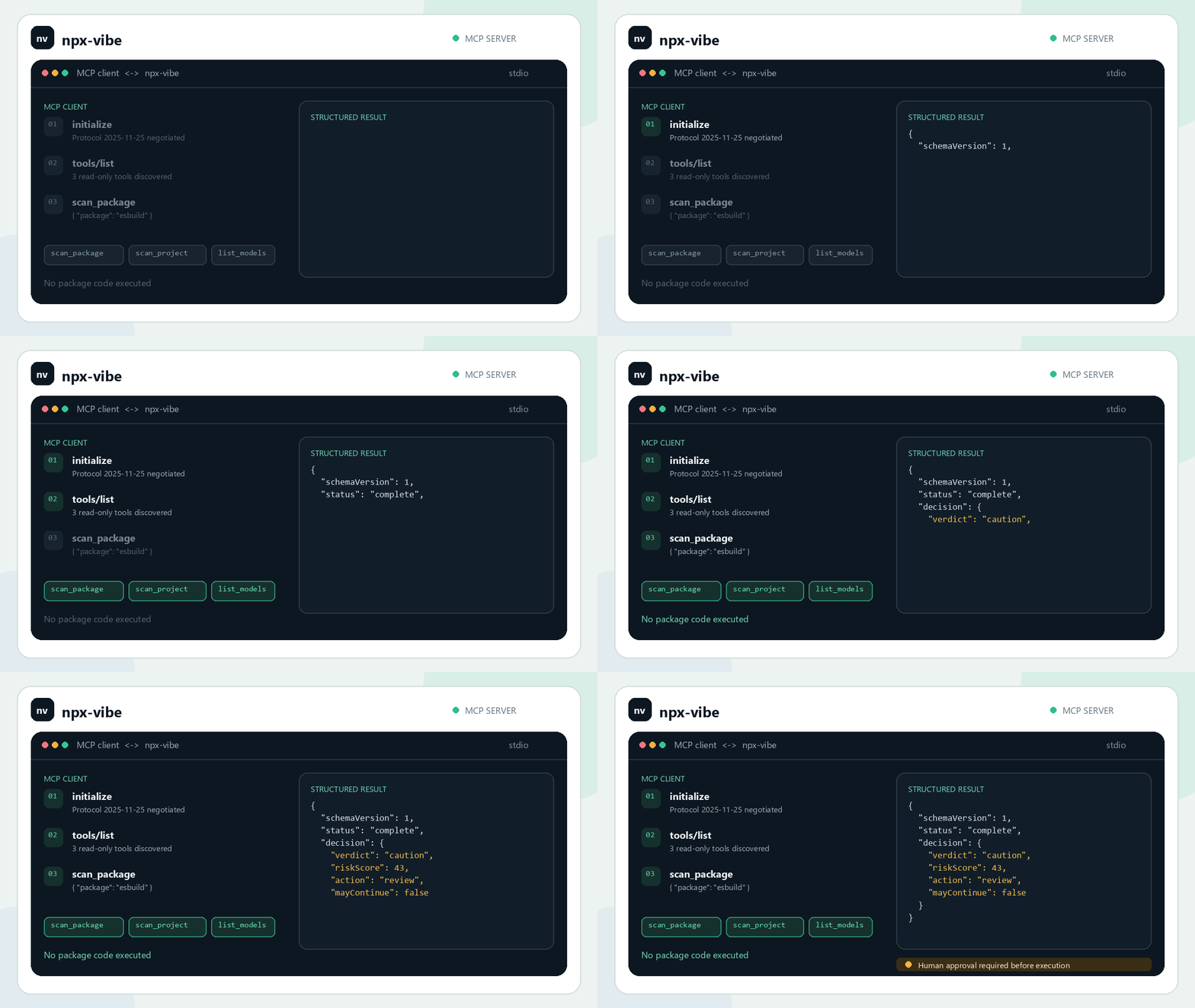
The animation illustrates a Caution review flow. It is an abbreviated result, not a live provider call.
Optional AI review
AI is disabled by default, even when provider-specific keys exist in your environment. Explicit opt-in enables review when heuristic findings justify it.
Online providers include Gemini, OpenAI, Anthropic, OpenRouter, Groq, Together, and custom OpenAI-compatible endpoints. There is no frozen “latest model” list: choose an exact model ID that is available to your account.
npx --yes npx-vibe@3.0.0 --models
npx --yes npx-vibe@3.0.0 --ai online --provider gemini --model <model-id> esbuild
npx --yes npx-vibe@3.0.0 --ai ollama --model <installed-model> esbuild
Replace angle-bracket placeholders; they are not literal shell arguments. Configure provider-specific keys such as GEMINI_API_KEY, OPENAI_API_KEY, or ANTHROPIC_API_KEY in your environment. Explicit --ai off wins over key shortcuts. The dedicated NPX_VIBE_API_KEY and --api-key deliberately opt in; prefer environment variables so secrets do not enter shell history.
Ambiguous direct keys require --provider; they are not silently forwarded to another provider. Custom endpoints additionally require --api-url (the full chat-completions endpoint) and an exact --model. Provider failures are redacted and reported without replacing the deterministic review.
Online review transmits selected package source and bounded metadata to the chosen provider. It does not upload your environment or local project files. Local Ollama review keeps that material on your configured local endpoint. AI is advisory, not a trust authority.
GitHub Actions
Pin both the Action and scanner release:
- uses: actions/checkout@v6
- uses: actions/setup-node@v6
  with:
    node-version: 24
- uses: Devrajsinh-Jhala/NPM-Vibe-check@v3.0.0
  with:
    version: '3.0.0'
    command: project
    include-dev: 'true'
    fail-on: caution
The Action uses an isolated temporary installation, emits annotations and a job summary, and exposes verdict and exit-code. fail-on accepts block (default), caution, or never; errors and incomplete coverage always fail. AI and local history writes are disabled for the Action. A commit SHA provides a stronger pin than a mutable tag.
Marketplace listing · Action inputs
Limits and support
npx-vibe is not a sandbox, antivirus engine, exhaustive audit, or replacement for dependency controls. It may miss conditional, runtime-only, delayed, obfuscated, or transitive behavior and can produce false positives. Archive inspection has size, file-count, and source-selection limits. Network metadata and advisory services can be unavailable or stale.
If you run a package after scanning, npm performs installation separately; a review is not an atomic install or an attestation of everything executed. Provider APIs, model availability, npm behavior, and the MCP ecosystem may change after this frozen release.
Security boundary · Maintenance and forks · Migration
Development
npm install --ignore-scripts
npm run verify
npm run smoke:pack
npm run site:preview
The test suite covers verdicts, archive limits, provider routing and redaction, locked dependency scanning, script permissions, agent schemas, and MCP transport. Packed-artifact checks exercise both CLI and MCP entry points.
License
MIT · Built by Devrajsinh Jhala.