
OpenBrand
Extract brand assets (logos, colors, backdrop images, brand name) from any website URL
Runs on your machine from its package; the steps are below.
What it does
- Reads
- Writes
- High impact
At most: only reads or looks up information.
What it costs
FreeOdel charges nothing per call. The publisher may charge for its own service.
Runs locally over stdio
This server isn't hosted — your MCP client launches it from a package registry. Use one of the commands below, or drop the config into your client (e.g. Claude Desktop).
Run
npx -y openbrand-mcp
MCP client config
{
  "mcpServers": {
    "openbrand": {
      "command": "npx",
      "args": [
        "-y",
        "openbrand-mcp"
      ]
    }
  }
}

OpenBrand
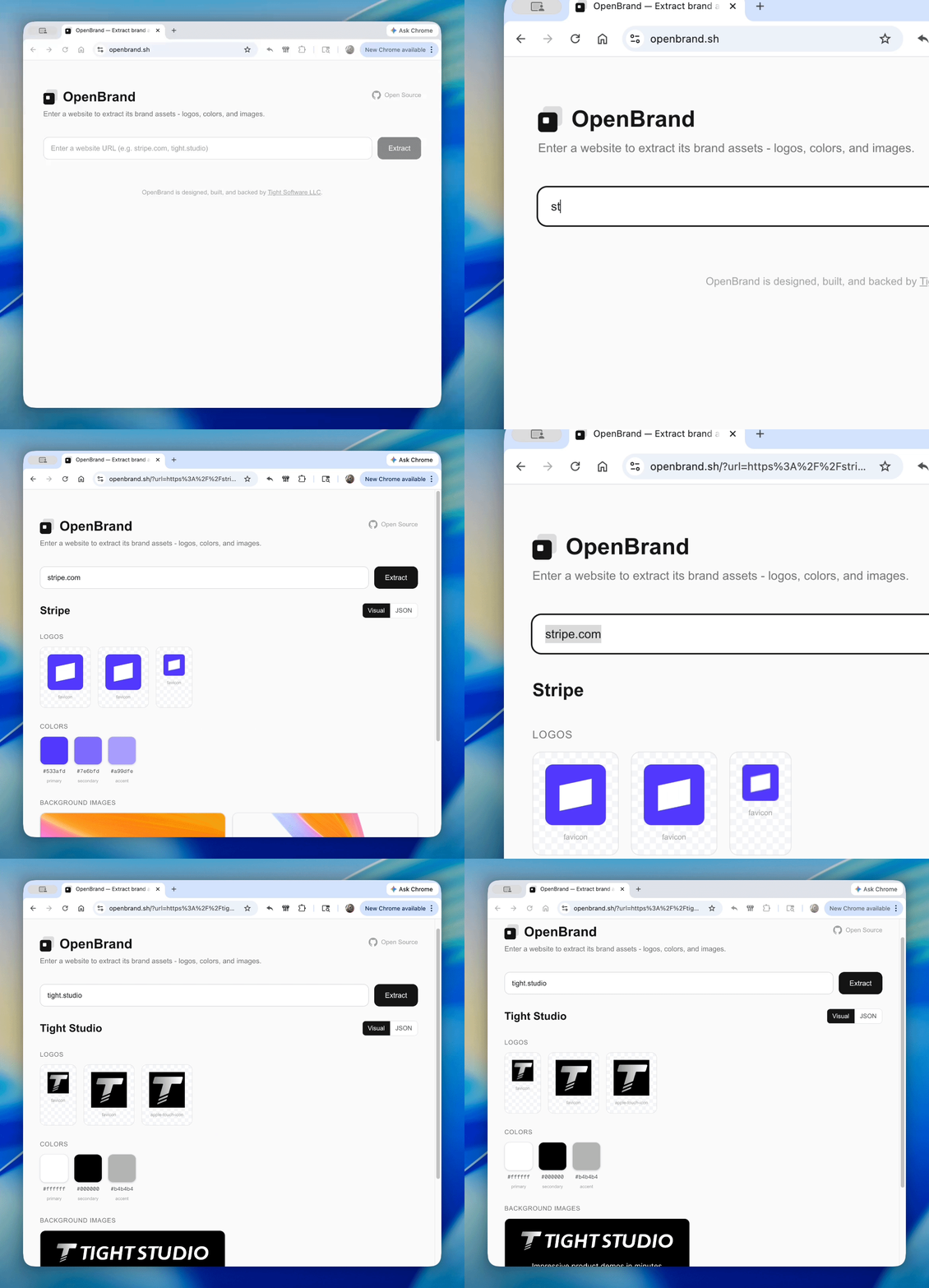
Extract any brand from a URL
Try it out at openbrand.sh
Demo prepared with Tight Studio
Extract brand assets (logos, colors, backdrops, brand name) from any website URL.
As an API call
Get your free API key from openbrand.sh/dashboard.
cURL
curl "https://openbrand.sh/api/extract?url=https://stripe.com" \
  -H "Authorization: Bearer your_api_key"
TypeScript
const res = await fetch(
  "https://openbrand.sh/api/extract?url=https://stripe.com",
  { headers: { Authorization: "Bearer your_api_key" } }
);
const brand = await res.json();
Python
import requests

res = requests.get(
    "https://openbrand.sh/api/extract",
    params={"url": "https://stripe.com"},
    headers={"Authorization": "Bearer your_api_key"},
)
brand = res.json()
As an agent skill
Add OpenBrand to Claude Code, Cursor, Codex, Gemini CLI, and 40+ other agents:
npx skills add tight-studio/openbrand
Once installed, your agent automatically knows how to extract brand assets — just ask it to "extract brand assets from stripe.com".
As an npm package
No API key required. Runs as a library from your server-side code.
npm add openbrand
import { extractBrandAssets } from "openbrand";

const result = await extractBrandAssets("https://stripe.com");
if (result.ok) {
  // result.data.brand_name → "Stripe"
  // result.data.logos → LogoAsset[]
  // result.data.colors → ColorAsset[]
  // result.data.backdrop_images → BackdropAsset[]
} else {
  // result.error.code → "ACCESS_BLOCKED" | "NOT_FOUND" | "SERVER_ERROR" | ...
  // result.error.message → human-readable explanation
}
As an MCP server
Use OpenBrand as a tool in Claude Code, Cursor, or any MCP-compatible client.
- Install the MCP server (no API key needed to install):
claude mcp add --transport stdio openbrand -- npx -y openbrand-mcp
- Get your API key from openbrand.sh/dashboard and add it:
claude mcp add --transport stdio \
  --env OPENBRAND_API_KEY=your_api_key \
  openbrand -- npx -y openbrand-mcp
Or add to .claude/settings.json:
{
  "mcpServers": {
    "openbrand": {
      "command": "npx",
      "args": ["-y", "openbrand-mcp"],
      "env": {
        "OPENBRAND_API_KEY": "your_api_key"
      }
    }
  }
}
Then ask Claude to "extract brand assets from stripe.com" and it will use the extract_brand_assets tool automatically.
Self-hosting the web app
git clone https://github.com/tight-studio/openbrand.git
cd openbrand
bun install
bun dev
No environment variables required. Open http://localhost:3000.
What it extracts
- Logos — favicons, apple-touch-icons, header/nav logos, inline SVGs (with dimension probing)
- Brand colors — from theme-color meta tags, manifest.json, and dominant colors from logo imagery
- Backdrop images — og:image, CSS backgrounds, hero/banner images
- Brand name — from og:site_name, application-name, logo alt text, page title
Tech stack
Next.js, React, TypeScript, Cheerio, Sharp, Tailwind CSS







