
showtime
Local video studio for your coding agent: scenes, voice, music and captions, on your machine.
Runs on your machine from its package; the steps are below.
What it does
- Reads
- Writes
- High impact
At most: moves money, runs code or commands, deletes data, or sends messages for you.
What it costs
FreeOdel charges nothing per call. The publisher may charge for its own service.
Runs locally over stdio
This server isn't hosted — your MCP client launches it from a package registry. Use one of the commands below, or drop the config into your client (e.g. Claude Desktop).
Run
npx -y @faviovazquez/showtime-mcp
MCP client config
{
  "mcpServers": {
    "showtime": {
      "command": "npx",
      "args": [
        "-y",
        "@faviovazquez/showtime-mcp"
      ]
    }
  }
}Distributed as an MCP bundle (`https://github.com/FavioVazquez/showtime/releases/download/v0.4.1/showtime-0.4.1.mcpb`) — download it and import the bundle in your MCP client.

https://github.com/user-attachments/assets/638bfa30-522f-4e7c-ab9e-e77f364e7dc9
The 0.4.1 showreel: 55 seconds, rendered by showtime 0.4.1 in 2 min 23 s on a 64-core CPU with no GPU; seven real showtime films, then the features behind them (about the film).
Download the showreel (full quality, 107 MB). Music: “Supernova” by Scott Buckley, CC BY 4.0. Footage: NASA (public domain); photo: “Godafoss 3” by Tord Dellsen, CC0 (credits).







A local video studio for your coding agent.
Describe a video. Your agent directs. Your machine renders.
Motion graphics, voice-over, music, sound design, captions, footage editing and platform exports, with no cloud AI services, no API keys and no uploads. Works in Claude Code, Codex, Cursor, Devin, OpenCode and any agent that supports Agent Skills.
Quick start · Works with · Gallery · How it works · The crew · Studio · Formats · Docs · Site · Requirements

Quick start
1. Install the two prerequisites (details in Requirements): uv and Node.js 24 or 22 LTS (20 or newer works). Restart your coding agent afterwards so it sees them.
2. Add showtime to your agent. In Claude Code:
/plugin marketplace add FavioVazquez/showtime
/plugin install showtime@showtime
Using Codex, Cursor, Devin, OpenCode or another agent? Works with has the exact
install for each, and npx skills add FavioVazquez/showtime covers any agent that supports Agent Skills.
3. Ask for a video:
Make a 20-second launch video for this repo, with a voice-over and upbeat music.
The first time, your agent checks what is missing, tells you the download size and time (about
0.5 to 0.75 GB to download and 1.4 to 1.8 GB in ~/.showtime once installed, depending on your system,
usually 2 to 6 minutes; outside that folder only uv's and npm's download caches change) and runs setup once
you say yes. Bigger pieces (the transcription model, Manim, music
tracks) come the first time a video needs them, announced with their size. After that, a request in Claude
Code looks like this:

An illustration of a session in Claude Code; other agents show the same steps in their own style. The card's figures are example 01's; render time depends on your machine.
Your agent states its assumptions in one line (it asks only when a request is genuinely open), shows you a
first look (stills or a fast draft) before the full-quality render, then checks the result with
showtime qa. Every request gets its own folder, showtime-out/<name>-<timestamp>/, with final.mp4,
poster.jpg, share.txt, exports/ and work/. Nothing is ever overwritten. Questions about cost, GPUs, disk,
languages or what leaves your machine: the FAQ.
Tip
Say "show me options first" (or "studio") and your agent opens a local board where you pick a concept, a look, a music bed and a storyboard before anything is built. Say "no crew" to keep the whole job in one session.
What's new in 0.4.1 (the list is below, and What's new has one sentence a feature):
- Seven looks and a shutter blur, no GPU needed. Fluted glass, tilt-shift, liquid metal, mesh gradient, god rays,
marble and metaballs in showtime's own WebGL, and
data-st-blursmears a fast move only on the frames it moves. - Talking heads, dressed. Cards appear as the words are said (name tag, list, data callout, pull-quote, side panel), and a big word can stand behind the speaker, cut out on your CPU.
- A long recording to its best clips.
showtime edit momentsranks a podcast, talk or panel's best moments on your machine, andshowtime edit clipsmakes the ones you pick into captioned vertical clips, each through qa. - Claude Design to MP4.
showtime adopt <export.zip>turns a Claude Design animation into a 1080p video with its fonts copied in, ready for music, a voice and captions. - Faster, on any machine. The encoder runs during the capture and an unchanged soundtrack is reused, so a 1 s fix takes 13-21 s instead of 31-54 s on a busy 6-core Intel Mac; without a GPU the browser count follows your cores, and a 30 s launch film renders in 17.6 s instead of 42.0 s on a 64-core machine with no GPU (FAQ).
On the behaviour scoreboard, which anyone can rerun, an agent scored 35/42 with showtime and 25/42 without.
Works with
showtime is a skill, a command line and an MCP server, so it runs in any coding agent that reads Agent Skills and can run shell commands. MCP adds typed tools on top, and the ten crew agents are an optional speed-up for hosts that have custom sub-agents.
Tested with. A real run passed: the agent installed showtime from this repository and made a
5-second test video ("make a 5-second test video that says hello", empty folder), ending in a final.mp4
whose showtime qa verdict had no FAIL.
| Agent | Install route | Crew agents | Tested with |
|---|---|---|---|
| Claude Code | plugin | yes | the primary host |
| OpenAI Codex | plugin | with showtime install | CLI 0.158.0, plugin route |
| Cursor | plugin (reads .claude-plugin/) | yes | CLI 2026.09.28 |
| Devin | plugin (reads .claude-plugin/) | yes (local only) | CLI 3000.11.3 |
| OpenCode | showtime install | yes | 1.18.33, a free model |
Should work with any agent that supports Agent Skills: GitHub Copilot (CLI and VS Code), Gemini CLI, Antigravity, Cline, Kilo Code, Kiro, Zed, Goose, Amp, Factory Droid and Qwen Code. The files each one reads are packaged and were checked with the agent's own tools where possible, but no real video has been made in them yet. If you try one, an issue with what happened helps everyone. Exact steps for every agent, and what the tests covered: docs/agents.md.
Claude Code
/plugin marketplace add FavioVazquez/showtime
/plugin install showtime@showtime
Everything is included: the skill, the ten crew agents, the MCP server and the plugin settings (/config).
Any agent that supports Agent Skills
npx skills add FavioVazquez/showtime
This installs the skill for the agents you pick. Then run setup once from the installed skill folder
(<skills folder>/showtime/bin/showtime setup), and add the MCP server if you want it (below).
Other agents
Agents often run in a sandbox that blocks a large download, so run setup yourself once, in a normal terminal (it prints the size first and resumes if interrupted):
git clone --depth 1 https://github.com/FavioVazquez/showtime ~/showtime
~/showtime/skills/showtime/bin/showtime setup      # Windows: ~\showtime\skills\showtime\bin\showtime.cmd setup
~/showtime/skills/showtime/bin/showtime doctor     # every line PASS (SKIP is fine)
Setup also writes the stable command ~/.showtime/bin/showtime (Windows: showtime.cmd), which keeps working
when a plugin update moves the skill folder. In the commands below, showtime means that command.
showtime install --agent <name> links the skill where the agent looks, writes the ten crew agents in the
agent's own format and adds a showtime MCP server entry; it merges config files (one backup, never a
replacement), and --print, --project and --uninstall are there too.
OpenAI Codex · tested
codex plugin marketplace add FavioVazquez/showtime
codex plugin add showtime@showtime
showtime install --agent codex --no-skill --no-mcp   # optional: the ten crew agents (~/.codex/agents)
Codex reads the root plugin.json and mcp.json; the skill appears as showtime:showtime. In its default
sandbox, allow network access and write access to ~/.showtime (the exact config.toml lines are in
docs/agents.md). Headless: codex exec --skip-git-repo-check "make a 5-second test video that says hello".
Cursor · tested
git clone --depth 1 https://github.com/FavioVazquez/showtime ~/.cursor/plugins/local/showtime   # then restart Cursor
agent --plugin-dir ~/.cursor/plugins/local/showtime                                             # the CLI
Cursor reads .claude-plugin/plugin.json: the skill, the crew and the MCP server all load. Without the
plugin: showtime install --agent cursor.
Devin · tested
devin plugins install FavioVazquez/showtime        # add --local to keep it off your Devin Cloud plugins
devin plugins info showtime                         # skill, 10 agents, MCP server "showtime"
Devin reads .claude-plugin/. The crew works in the CLI and Devin Desktop, not in Devin Cloud.
OpenCode · tested
showtime install --agent opencode
The skill goes to ~/.agents/skills/showtime, the crew to ~/.config/opencode/agents and the MCP server to
~/.config/opencode/opencode.json. Check with opencode agent list and opencode mcp list.
GitHub Copilot (CLI and VS Code) · should work
copilot plugin marketplace add FavioVazquez/showtime
copilot plugin install showtime@showtime
VS Code: run Chat: Install Plugin From Source with https://github.com/FavioVazquez/showtime. Without the
plugin: showtime install --agent copilot.
Gemini CLI · should work
showtime install --agent gemini
Adds the skill, the crew in Gemini's format and the MCP server. The repository is also a Gemini extension
(gemini extensions install https://github.com/FavioVazquez/showtime), which brings the skill and the MCP
server without the crew.
Antigravity · should work
git clone --depth 1 https://github.com/FavioVazquez/showtime ~/showtime
agy plugin install ~/showtime                     # skill, crew and MCP server
Or, without the plugin: showtime install --agent antigravity.
Cline, Kilo Code, Kiro, Zed, Goose, Amp, Qwen Code · should work
showtime install --agent cline      # skill + MCP server (no crew: Cline's sub-agents cannot use MCP)
showtime install --agent kilo       # skill; add the MCP server in Kilo's settings with the command it prints
showtime install --agent kiro       # skill, crew and MCP server
showtime install --agent zed        # skill; it prints the context_servers entry to paste into settings.json
showtime install --agent goose      # skill; it prints the extension block for config.yaml
showtime install --agent amp        # or: amp mcp add showtime -- ~/.showtime/bin/showtime mcp
showtime install --agent qwen       # Qwen reads skills only from ~/.qwen/skills
In the Cline VS Code extension, add the MCP server under MCP Servers > Configure MCP Servers (the command
prints the entry), or let Cline follow llms-install.md.
Factory Droid · should work
droid plugin marketplace add FavioVazquez/showtime
droid plugin install showtime@showtime
Factory translates the .claude-plugin/ layout. Without the plugin: showtime install --agent factory.
MCP only
Any client that starts local (stdio) servers can use showtime's MCP server on its own, without the skill. After setup:
{
  "mcpServers": {
    "showtime": { "command": "/home/<you>/.showtime/bin/showtime", "args": ["mcp"] }
  }
}
(Use the full path to that file in your home folder; on Windows it is showtime.cmd in %USERPROFILE%\.showtime\bin, written out in full.) Two more routes need no clone at all:
{ "command": "npx", "args": ["-y", "@faviovazquez/showtime-mcp"] }
is the same server from npm (@faviovazquez/showtime-mcp,
also listed in the MCP Registry
as io.github.FavioVazquez/showtime and on Smithery), and
showtime-0.4.1.mcpb from
the v0.4.1 release opens in Claude Desktop with a double click. Setup still runs once on your machine: the
models and tools never travel inside a package. Long tools answer with a task id after about 20 seconds when a
client stops calls early; the status tool reports progress and the result. Besides the tools that mirror the commands,
guide reads a reference by the piece and receipt writes a job's receipt (tokens and cost are "not reported by this
agent" through MCP). Ten core tools are listed by default (doctor, status, guide, new_project, render,
check, qa, export_html, deliver_exports, receipt), which keeps the list short. Add
"env": { "SHOWTIME_MCP_TOOLS": "all" } to the server entry to list the voice, music, sound-effect, transcription,
stills and studio-board tools too; the .mcpb sets it for you. Some features have no MCP tool yet and run from the
command line: adopt, footage cutout, edit cards, edit moments, edit clips, pr-video, review open and
review notes, and export html's link-preview flags (showtime.json "share" works through export_html).

Now showing
▶ Watch the 0.2.0 launch film (40 s, plays on the showtime site; made with showtime, every frame from a real example, about the film, download).
Music: “With These Hands” by Scott Buckley, CC BY 4.0 (credits).
Every example was made by an agent acting as a user, and ships with its project sources and a README
that tells the story: the request, the assumptions, the commands, what the critic found and what
changed. Click a preview to open the example. Each one has a card with its prompt and links in
examples/. Previews are silent; the videos have sound.
Data and reports
 Data story · 30 s 146 years of NASA temperature from a CSV. Every number on screen comes from the data. |  Energy report · 60 s, narrated How the US power mix changed, from EIA data. Also an HTML video. |  PDF to summary · 75 s, English + Spanish A two-page USGS PDF on Kīlauea 2018, with the agency's own footage, stabilized. |
Explainers
 How a heat pump heats a home · 45 s A procedural canvas film, narration fitted to the length, a synthesized score. Also an HTML video. |  The same film, in Spanish · 51 s Spanish voice and on-screen text, every cut moved to the new narration. Also an HTML video. |
 A Wikipedia article, explained · 60 s, English + French The honey bee waggle dance, with real research footage. Also as HTML videos. (CC BY-SA, like its source.) |  Why a circle's area is πr² · 70 s + Shorts cut A narrated Manim proof with real animated equations. |
 An explainer that stops and asks · 2:38, narrated The 2026 Nobel Prize in Physics: three questions that stop the HTML video until you answer. |  Nobel Chemistry, in English and Spanish · 2:30 + 2:34 A lab-notebook explainer of the 2026 Nobel Prize in Chemistry, then every word of it in Spanish. |
Product and brand
 Launch video · 20 s A (fictional) notes app: hook cards, its landing page, a scripted recording of the real app. |  showtime's own launch video · 30 s + square cut Real renders, real terminal output, narration made on the rendering machine. |
 Product promo, 1:1 · 20 s + 6 s bumper A museum's CC0 photos of a Christopher Dresser teapot, only facts from the record. Also an HTML video. |  Brand motion pack · sting, lower thirds, stingers A 3D logo sting in three layouts, lower thirds with alpha for an editor, made in studio mode. Also as HTML. |
 Claude Design to MP4 · 12 s + a 20 s loop Two exported designs adopted as they are, sharp at 1080p, each on a music bed that ends on a phrase. |
Footage and audio
 Interview, tightened · 72 s, 9:16 + 16:9 A public-domain NASA interview cut by transcript, face-tracked to vertical, graded and captioned. |  Podcast audiogram · 45 s, 9:16 A NASA podcast clip for Reels, TikTok and Shorts, with speaker names and captions. |
 Talking head, dressed · 55 s, 16:9 + 9:16 Cards that appear as the words are said: name tag, list, data callout, side panel, pull-quote, caption emphasis. |  A long panel, its best moments · 3 clips, 9:16 A 58-minute NASA panel ranked by edit moments; three vertical clips with captions, each through qa. |
Tutorials
 Recorded tutorial · 50 s Recorded from a running app; each click lands on the word that names it. |  Tutorial series · 2 × 90 s Two canvas episodes sharing one kit. Also as HTML videos. |  Tutorial of a real app · 75 s + Shorts cut How to use the showtime studio board, recorded from the real board. |
Social
 Vertical short · 15 s, 9:16 Three shortcuts: a hook in the first second, karaoke captions, effects on every cut. |  Travel slideshow · 45 s + 9:16 Eight CC0 photos cut to the music, with a live map inset. The vertical is a re-layout, not a crop. |
Trailers and montage
 Beat-synced montage · 20 s Public-domain NASA photos cut on the beat of a library track; its CC-BY credit written automatically. |  Studio-mode trailer · 20 s Four concepts on a local board, picks and notes, a storyboard and an animatic, then the final. |  Book trailer · 30 s + 15 s vertical teaser The War of the Worlds, from public-domain illustrations and lines from the novel. |
Looks and motion
 The showreel template in four shapes · 4 × 15 s showtime new showreel as it ships, rendered in four shapes with no edits. |  Twelve looks, one project · 24 s loop One dom project in all twelve look signatures, the look changing every 2 s. |
 Seven looks, no GPU · 18 s demo The seven WebGL looks, one scene each, drawn in showtime's own WebGL on the CPU. |  Shutter blur on fast moves · 7.5 s demo data-st-blur on the word that moves: smeared while it is fast, sharp when it lands. |
For developers
 | Open-source release video · 35 s, no voice What changes in people's code with Black 26.1.0's 2026 stable style: real before-and-after diffs, the install line and the changelog. Point showtime at a repo, a pull request or a changelog and it makes the same kind of video. (An unofficial summary, made as an example.) |
 | A pull request becomes a video · 40 s, one commandshowtime pr-video 7 on showtime's own pull request: the PR's title and words, the files it changed with their +/- counts, a real hunk and its URL, secrets masked, a copy under GitHub's 10 MB attachment limit and the Markdown to paste. |
Two more kinds of developer video have a workflow but no example in this gallery yet: a repo explainer (what the
code does, a map of it, one request traced through real files and lines, every claim tied to a file and a commit) and
a paper explainer (claims tied to pages, figures shown only when their license allows, Manim for the math). Say
"explain this repo" or give your agent a paper's PDF or arXiv link. For a pull request, showtime pr-video <N> reads
it (with gh, or from GitHub's API for a public one) and renders a video under 10 MB to drag into its description
(example 29). For release notes and pull requests with no agent at all,
showtime release-video and the GitHub Action make a short film in CI.
All 22 examples, with their projects and full-quality videos, live in showtime-examples.
Note
The HTML videos are single files you can open in any browser, offline: the same frames as the
MP4, a player with chapters, keyboard shortcuts, links to a moment or to a part that loops, questions
that pause the video until the viewer answers, and no network requests. Make one from any project with
showtime export html. On GitHub, download the file to play it.
The 32 prompts behind the examples: copy one into your agent
| # | Prompt |
|---|---|
| 01 | Make a 20-second launch video for Tidepool from its landing page and the real app UI, with music and subtle sound effects, no voice-over. |
| 02 | Make a 45-second explainer video with voiceover about how a heat pump heats a home in winter. |
| 03 | Now make the Spanish version of the heat pump explainer. |
| 04 | Make a 40-60 second tutorial showing how to create a note, tag it and find it with search in Tidepool. |
| 05 | Make a 15-second vertical short for Reels: 3 keyboard shortcuts that make Tidepool fast. |
| 06 | Cut the ums and long pauses out of this interview clip, add captions, and make a vertical 9:16 version for Reels plus a 16:9 version. |
| 07 | Make a 30-second data story from this CSV. |
| 08 | Make a 20-second beat-synced montage of space photos. |
| 09 | Let's brainstorm a trailer for Tidepool first. Show me options. |
| 10 | Make a 30-second launch video for showtime itself. Show real things: real renders, real terminal commands, the studio board. Plus a square cut-down. |
| 11 | Build a two-episode tutorial series for Tidepool as canvas films: "Capture a note in seconds" and "Find anything with search and tags". |
| 12 | Make a one-minute narrated video from the EIA's electricity generation data showing how the US power mix changed: coal, gas, wind and solar. |
| 13 | Turn the Wikipedia article on the waggle dance into a 60-second animated explainer, and make a French version too. |
| 14 | Here's a USGS PDF about the 2018 Kīlauea eruption. Make a 75-second narrated summary video, and a Spanish version with subtitles. |
| 15 | Make a 35-second what's-new video for Black 26.1.0: show what the 2026 stable style actually changes in people's code. |
| 16 | Cut a 40-second vertical audiogram from this NASA podcast episode for Reels, TikTok and Shorts, with captions and the speakers' names. |
| 17 | Make a 20-second square product promo from these museum photos of Christopher Dresser's teapot: sleek, but only facts from the museum record. Plus a 6-second bumper. |
| 18 | Make a 30-second cinematic book trailer for The War of the Worlds using public-domain illustrations and lines from the novel, plus a vertical 15-second teaser. |
| 19 | Make a 45-second travel slideshow of an Iceland ring-road trip from these CC0 photos, cut to the music, with a little map showing where each place is. Also a vertical version for Reels. |
| 20 | Using our brand, give me a motion pack: a 3D logo sting in wide, square and vertical, four lower thirds my editor can drop into Premiere, and a couple of branded transitions. Show me concepts first. |
| 21 | Record a 75-second narrated tutorial showing how to use the showtime studio board: open it, compare concepts, react, pick one, and send feedback. And a vertical cut for Shorts. |
| 22 | Make a narrated 70-second math explainer showing why the area of a circle is pi r squared, with real animated equations. |
| 23 | Dress up this NASA interview with Sarah Jones about the GOLD mission: name tag, a data callout, a pull-quote, a list or chapter, a side panel and captions with emphasis; a 16:9 and a 9:16 cut. |
| 24 | Find the best 30-60 s moments of this 58-minute NASA panel (Apollo 17 legends and Artemis leaders) and make three vertical clips with captions |
| 25 | Physics 2026 explainer for nobel-2026-lab: a telescope made of ice, ~2 min, three stop-and-ask questions, interactive export, 60 s vertical cut; publish today |
| 26 | Full Chemistry 2026 explainer (~2:10, 16:9) for the nobel-2026-lab: Frank's recipe, Kagan's bend, Soai's copier, the 2003 staircase, the coin flip, our mirror-race toy, caveats, medicines. NOT socratic: no questions to the viewer. American voice (af_bella; not the British female). Paperback lab-notebook look, CC0 bed, showtime credited (corner mark, end card, closing line). Must look great; post soon. |
| 28 | Make 'Showtime Test (12s, 16 9)-html.zip' an MP4, with a music bed. |
| 29 | Turn showtime's pull request #7 into a short video I can paste into its description. |
| 30 | Render the showreel template as it ships, with no edits, at 16:9, 9:16, 1:1 and 4:5. |
| 32 | Show one project in each of the twelve look signatures: a contact sheet of all twelve, and a 24-second loop that changes look every 2 seconds. |
| _looks | Show the seven WebGL looks in one short page, one scene each, rendered without a GPU. |
| _blur | Show the shutter blur on four snaps: a whip, a slam, a scale punch, and the same whip without and with it. |
How it works

Motion graphics are written as HTML, CSS and canvas and rendered frame-exactly in headless Chrome: every frame is a pure function of time, so a render, its preview and its HTML video show the same picture. Math scenes use Manim, and real footage is cut by transcript with ffmpeg.
What runs where

showtime adds no cloud service of its own: no API keys, no accounts, nothing you make is uploaded.
Every model and tool is downloaded once into ~/.showtime, the small ones at setup and the bigger ones the
first time a video needs them. After that it goes online only when you ask for something from the web: public-archive media search (Openverse, Wikimedia Commons, NASA) and website
capture fetch pages and files, and send nothing of yours.
Quiet, checked and on the record
The 0.2.0 benchmark showed where an agent's budget goes with showtime: images kept in its context, long command output and reference files read whole. 0.3.0 trims those without removing a check:
- Check first, then one render.
showtime check(with the phone check and the look-repeat warning) runs before the full render, and a fix re-renders only the seconds that changed (render --from S --to S). - Faster fixes (0.4.1). The encoder runs while the frames are captured and an unchanged soundtrack is reused: on a busy 6-core Intel Mac a 1 s fix spliced into a 15-30 s video went from 31-54 s to 13-21 s, and whole renders from 54-115 s to 56-81 s (best of 2, other jobs running).
- One picture per look.
showtime lookmakes a single 1280 px composite of the key frames plus a brief for a disposable reviewer that answers in text; your agent never has to open the image itself. About 12 images per job is the budget (looking guide). - Short output. Without a terminal,
check,qa,doctorandrenderprint the verdict, the findings with their fixes and the paths; the full report is in a file.--verboseprints everything. - References by the piece. Every guide opens with its rules, and
showtime guide <topic> [section]prints just that part. - A receipt. Each job ends with
receipt.mdandreceipt.json: the request as typed, assumptions, review rounds, full and partial renders, images made for looking, wall time, and tokens and cost when your agent's session log is named. Anything unknown says "not reported by this agent"; nothing is estimated. Claude Code costs are labelled API-equivalent, since a plan does not pay per video (format).
Every finished video gets the full review by default (quality mode: looks, qa and a critic round before delivery).
Say "lean" (or run showtime config mode lean) for a cheaper draft pass without the critic, and "show me options
first" for the full studio.
Benchmark
A small benchmark: one-sentence video tasks, one run each, scored by automatic checks, an AI judge that must prove it looked at every frame, and a blind vote by me. Round 4 compared showtime 0.3.0 in lean mode (the lighter review setting, which was the default when the round ran) with 0.2.0 in its default mode, plain Claude Code on Opus 5.5 and, for the launch video, an open-source tool built only for launch videos.
In my blind vote, 0.3.0 was preferred to 0.2.0 on 4 of 6 tasks and to plain Claude Code on 7 of 8, and its launch
video beat the launch-only tool for the first time in four rounds. The AI judge preferred 0.2.0's polish on most
tasks; that is why 0.3.0 ships with the full review (a critic round on every video) as the default, and that default
was not part of the round. I'm showtime's author, so treat these as anecdotes, not a result. Every number, limit and
loss is in the benchmark report, with each earlier version a
click away; the method and the code to rerun it are in benchmarks/.
Behaviour scoreboard
A cheaper check anyone can rerun with one command: 14 one-sentence requests run through claude plugin eval, each
with showtime and with no plugin at all (same model). Does the skill fire on video requests and stay out of
unrelated ones, does it report a missing file or an unsupported claim instead of inventing around it, and does it
keep its contract? Regex and tool-call checks first, a model grader only where a pattern cannot decide; tokens and
cost per run, and every failure in plain words, are in SCOREBOARD.md.
| Behaviour | Cases | With showtime | Without (same model, no plugin) |
|---|---|---|---|
| Skill fires on a video request | 12 | 36/36 (100%) | - |
| Stays out of unrelated requests | 2 | 6/6 (100%) | 6/6 (100%) |
| Honest about inputs and limits | 7 | 18/21 (86%) | 10/21 (48%) |
| Keeps the contract (questions, card, plan shape) | 7 | 16/21 (76%) | 11/21 (52%) |
| All cases | 14 | 35/42 (83%) | 25/42 (60%) |
claude plugin eval, 2026-10-05, showtime 0.4.0, agent claude-opus-5-5, judge sonnet, 3 runs per case per arm; median tokens per run 65.3k with showtime, 34.7k without; the whole run cost $36.00 at list price. Every case, every failure and how to rerun it: SCOREBOARD.md.
Meet the crew
Your agent is the director. It can hand parts of the job to ten specialist sub-agents that ship with the plugin. Every finished video gets a critic by default (quality mode); say "lean" to skip it (a video you will publish still gets one). A researcher joins when the video states facts or you will publish it, and scene builders when it is long. The rest come with studio mode. Each member gets a written brief, works only in its own folder, never asks you anything, never uploads, and reports back with a short status.
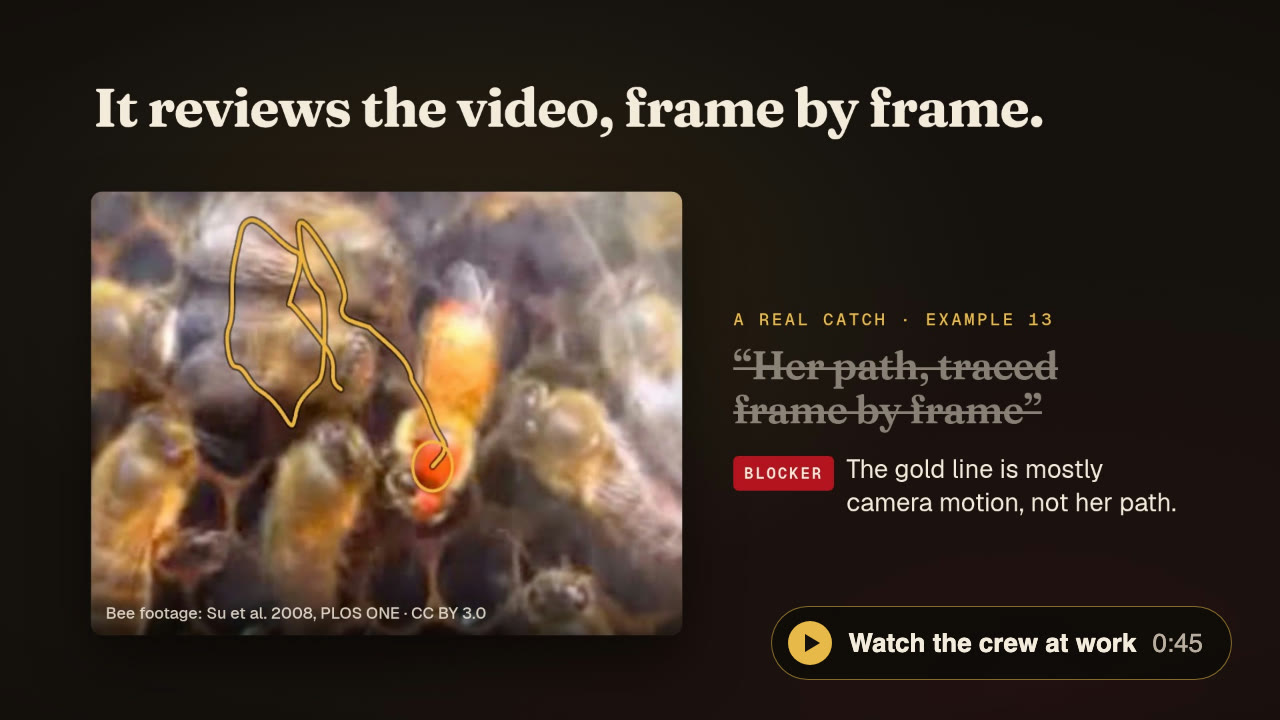
▶ Watch the crew at work (45 s, plays on the showtime site; made with showtime, about the film, download).
Music: “Artemis” by Scott Buckley, CC BY 4.0. Bee footage: Su et al. 2008, CC BY 3.0 (credits).

Who hands what to whom

Let your agent cast it (the usual way). Studio mode brings in the company; for a quick video, your agent adds the critic on its own, and the researcher when the video states facts or you will publish it. Say "no crew" to keep everything in one session.
Let's make a launch trailer for this repo. Show me options first.
Or call one member yourself, by name (Claude Code syntax; in other agents, ask it to "spawn the researcher agent"):
@agent-showtime:researcher check the claims in narration.md against the README
@agent-showtime:critic showtime-out/<job>/review/round-1/CRITIC.md
The agents live in agents/; their briefs, in
skills/showtime/references/crew/, work on any agent host, and the
crew guide has the dispatch rules.
A fix is judged by preference, not by a score. After a fix, showtime review-pack --against best
sets the new render beside the best one so far as a blind pair, and two fresh critics judge it, one in each order.
showtime review-verdict applies the rule: the new render wins only when it is preferred both times; a tie or a split
keeps the older one. There are up to three rounds. Before the job is marked delivered, every blocker and should-fix the
critics raised is fixed or waived with a one-line reason (showtime review-respond), and the receipt lists each waiver
(review guide).
Studio mode
Quick mode is the default: one request in, a video out. Studio is opt-in ("show me options first").
flowchart LR
  R["Your request"] --> Q{"Options first?"}
  Q -->|"no, the default"| QM["Quick mode"]
  Q -->|"yes, studio"| SM["Studio mode"]
  QM --> P{"Facts, or will you publish it?"}
  P -->|"yes"| RS["A researcher joins"]
  P -->|"no"| D["Checked by showtime qa"]
  RS --> D
  SM --> CR["The crew joins"]
  CR --> D
  D --> RC["A critic reviews it (say lean to skip)"]
  classDef st fill:#15100E,stroke:#E9B949,color:#F5EBDC
  classDef hot fill:#B3121F,stroke:#E9B949,color:#FFF7EC
  class R,Q,QM,SM,P,RS,CR,RC st
  class D hot
Quick mode is one sentence in and a video out; studio mode opens a local board first, then builds.
In studio you talk about facts and goals in chat; everything about look, sound and timing is shown on a
board, a local page served on 127.0.0.1 with a token, with lettered options, one recommendation and
buttons you click.

See example 09 and example 21, which is a tutorial of the board itself.
What you get

HTML videos
showtime export html writes one file that plays offline in any browser, with the same frames as the
render. Press ? in the player for the key map. A link can open a moment (#t=18) or loop a part
(#t=10-20; Shift + drag on the scrubber picks one), and questions listed in showtime.json pause the
video until the viewer answers (guide).

The player's keys
| Keys | Action |
|---|---|
| Space or K | play / pause |
| ← / → | back / forward 1 s |
| , / . | one frame back / forward |
| J / L | back / forward 5 s |
| 1 to 9 | jump to a chapter |
| [ / ] | previous / next chapter |
| M | mute |
| F | fullscreen |
| C | copy a link to this moment (#t=), or to the picked range (#t=a-b) |
| Shift + drag on the scrubber | pick a range to loop and link (Shift + click: from the playhead); Esc clears it |
| A-C or 1-3, Enter | while a question is asked: answer it, then continue |
What is in the box
 Voice-over Kokoro, Piper and Supertonic voices, English, Spanish and 30+ more languages, with exact word timings for captions and kinetic type. |  Music and sound 297 produced tracks (Scott Buckley, Kevin MacLeod, a dozen more composers, public-domain recordings) with the credit written for you, a composer that hits exact lengths, 56 synthesized effect types, 1,334 permissively licensed sounds, beat grids, ducking, mastering. |  Captions Five styles, burned |





