Listed from the MCP registry; nobody on Odel publishes it.
Is this yours? Claim it
spicytrade
Options quotes, IV rank and term structure, a catalyst calendar and a daily options brief.
One address for any MCP client. No sign-in needed on this server.
What it does
7 read1 act
Grouped by tool name. At most: moves money, runs code or commands, deletes data, or sends messages for you.
What it costs
FreeOdel charges nothing per call. The publisher may charge for its own service.
Tools
8 · grouped by tool name · checked 23 Nov 2026Read · 7Look things up
- read_price_history
- read_catalysts
- read_daily_brief
- read_watchlist
- read_instrument_quotes
- read_market_metrics
- search_symbols
Act · 1Change something
- sign_in
An options co-pilot your own AI agent can drive. Orders go through your own tastytrade account and are limited to defined-risk trades, and your long-lived broker credential never leaves your machine.
Live at spicy.trade.
What it does
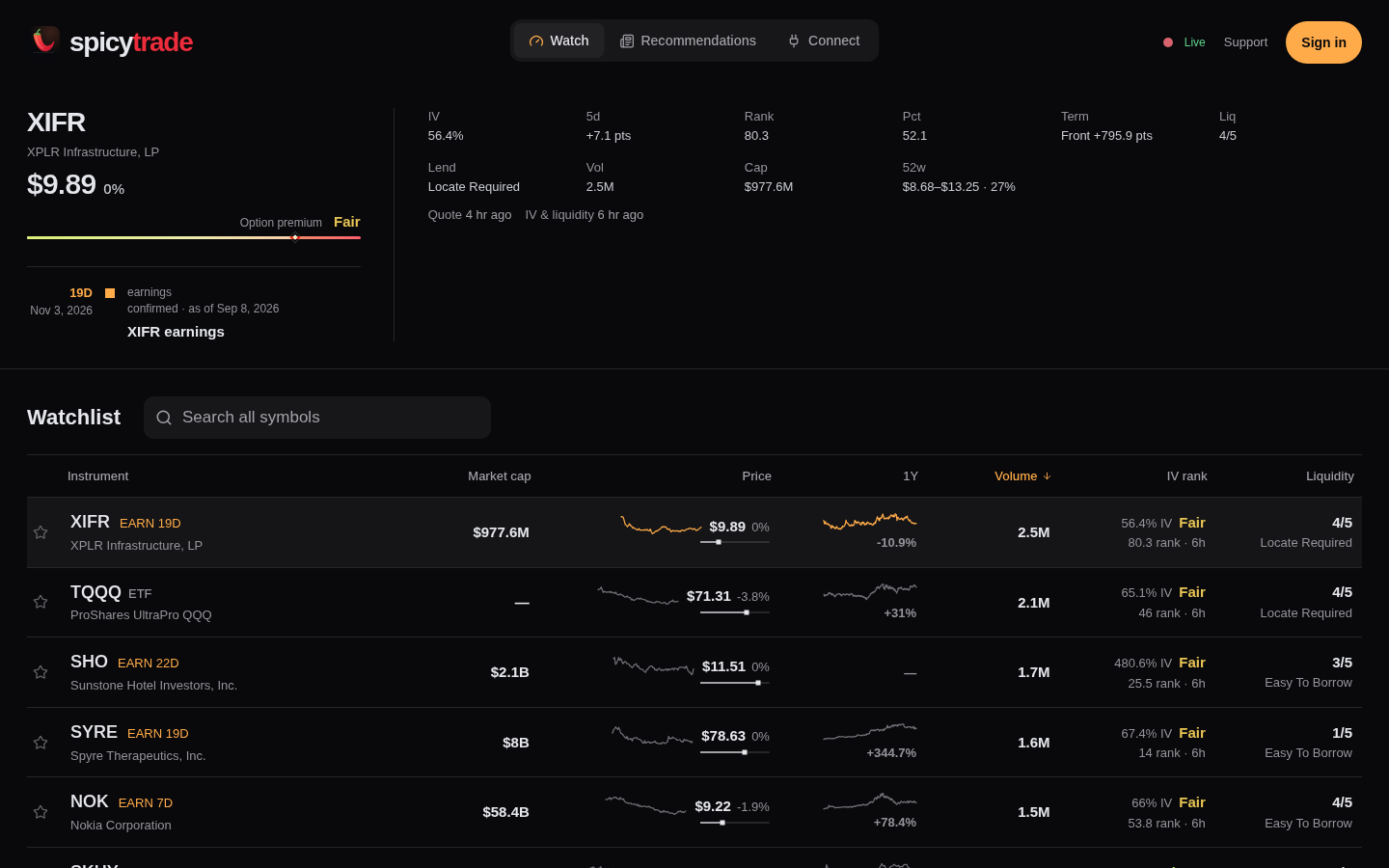
- Watch (/watch): a public market table for a tracked watchlist of US equities and ETFs, with quotes, implied-volatility metrics (IV rank and percentile, term structure), liquidity and a catalyst calendar, plus one symbol's detail. It needs no account.
- Favorites: signed-in members pin their own symbols.
- Daily brief (/recommendations): an options brief with an archive. It is written automatically by an AI model in a separate private workflow and is not personal advice.
- MCP tools at
https://spicy.trade/mcp: any agent can connect with no credential for the public tier (snapshot quotes, catalysts, research reads and the brief). A signed-in member's agent also gets account reads and guarded order placement through their own tastytrade connection. - Local
spicytradeCLI: the command your agent runs in its own shell on your machine (spicytrade tools,spicytrade call). It keeps your broker credential in the OS keyring and exchanges it for a short-lived token per request. Nothing is registered with the agent; a skill file in the folder you connect from tells it the command is there.
How orders stay safe
Every check runs on the server and outranks whatever the model suggests:
- Exact contract resolution from the live option chain, never a contract taken from the model's text.
- Defined risk only: an order is admitted only if it is a debit opening trade or a close of a position verified in your account. Naked short exposure is refused.
- Market guard: the limit price is checked against the current bid and ask, and against the tick size the broker requires.
- Broker dry-run: tastytrade's own dry-run must come back clean before anything is submitted. That is also the buying-power check.
- No automatic retries on ambiguity: if a submission's or replacement's outcome is uncertain, nothing is retried and the account is blocked from further orders until it is reconciled against order history.
- No server-held broker credential: the Worker keeps its own tastytrade credential for market data only. Account paths require the caller's credential and never fall back to it.
spicytrade has no confirmation step of its own; any prompt before an order comes from the agent you run. These checks limit mistakes; they do not make a trade sound. See risk disclosures.
Quickstart for agent users
Use the market data and research with no install: point your MCP client at https://spicy.trade/mcp.
To connect your tastytrade account (macOS or Linux, Node.js 22+; Linux also needs secret-tool for the keyring; Windows is not supported):
curl -fsSL https://spicy.trade/install.sh | bash
That installs one file into ~/.local/share/spicytrade, links ~/.local/bin/spicytrade, then runs spicytrade setup, which prints one link. Approve it in any browser, on that computer or your phone: it signs the computer in and continues to tastytrade's consent page. Run the install again to update. For agent-driven onboarding (the agent runs spicytrade connect itself), use bash -s -- --connector-only and follow the connect guide. Agents can read llms.txt for the full map.
Architecture
- Cloudflare Workers app built with TanStack Start and React, D1 for storage.
src/domain/: pure schemas and logic.src/server/: Cloudflare and provider code.src/routes/api.*: thin HTTP adapters.src/data/: browser persistence.src/components/: product screens.migrations/: D1 schema.ops/: the member's own machine, i.e. thespicytradeCLI, built bytools/build-agent.mjsand installed bypublic/install.sh.- Market data comes from tastytrade. Every account read goes through a
BrokerAdapter; adding a brokerage is an adapter file plus its id. - See AGENTS.md for the rules the code follows.
npm install
npm run dev        # http://localhost:3000
npm test && npm run lint && npm run build
Disclaimer
spicytrade is software run by an individual. It is not a broker-dealer or registered investment adviser, and nothing it shows, including the daily brief, is investment advice. Options are risky and can expire worthless. Data and AI output can be wrong. Read the risk disclosures. Not affiliated with or endorsed by tastytrade.






