Listed from the MCP registry; nobody on Odel publishes it.
Is this yours? Claim it
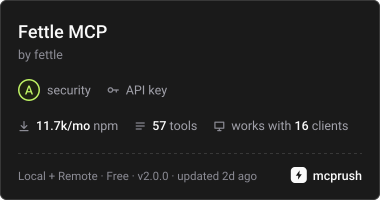
Fettle
Uptime monitoring — monitors, incidents, heartbeats, maintenance windows, status page incidents
One address for any MCP client. You sign in at api.fettle.sh once, after adding it.
What it does
- Reads
- Writes
- High impact
At most: only reads or looks up information.
What it costs
FreeOdel charges nothing per call. The publisher may charge for its own service.
What it asks for at sign-in
| Access to | Read | Change |
|---|---|---|
| Read | ||
| Write |
From the sign-in at api.fettle.sh, as the endpoint publishes it. You approve it there.
Tools
None listed · checked 11 Nov 2026Odel could not list its tools without signing in.
fettle-mcp

Website: fettle.sh · MCP docs: fettle.sh/docs/mcp · Dashboard: dashboard.fettle.sh · Support: support@fettle.sh
MCP server for Fettle — uptime monitoring you can drive from Claude Code, Codex, Claude Desktop, Cursor, Windsurf or anything else that speaks the Model Context Protocol.
Ask your assistant to create a monitor, look up why one went down, acknowledge an incident, check a deploy or draft a status page post — it calls the same public API you would.
"Add an HTTP monitor for https://api.acme.dev, check it every 5 minutes from Europe."
"Which of my monitors had incidents this week?"
"Silence alerts on the checkout monitor for the next 20 minutes — we're deploying."
"We just deployed a1b2c3d — did any of the API monitors get worse?"
In the official MCP registry this
server is sh.fettle/mcp — one entry covering both channels, for clients that
install from the registry rather than from a hand-edited config file.
Requirements
- Node.js 20 or newer
- A Fettle account and an API key (API keys in the dashboard sidebar: https://dashboard.fettle.sh/api-keys)
An API key belongs to one organization and carries either read or write scope. Read-scope keys can list and inspect; the write tools below need a write-scope key.
Install
There is nothing to install — MCP clients run the package with npx on demand.
Add one entry to your client's config and restart it.
Claude Code
claude mcp add fettle --env FETTLE_API_KEY=fettle_your_key_here -- npx -y fettle-mcp
Codex
codex mcp add fettle --env FETTLE_API_KEY=fettle_your_key_here -- npx -y fettle-mcp
Or by hand in ~/.codex/config.toml (.codex/config.toml for one trusted
project):
[mcp_servers.fettle]
command = "npx"
args = ["-y", "fettle-mcp"]

[mcp_servers.fettle.env]
FETTLE_API_KEY = "fettle_your_key_here"
Claude Desktop
~/Library/Application Support/Claude/claude_desktop_config.json on macOS,
%APPDATA%\Claude\claude_desktop_config.json on Windows:
{
  "mcpServers": {
    "fettle": {
      "command": "npx",
      "args": ["-y", "fettle-mcp"],
      "env": { "FETTLE_API_KEY": "fettle_your_key_here" }
    }
  }
}
Cursor
~/.cursor/mcp.json (global) or .cursor/mcp.json (per project):
{
  "mcpServers": {
    "fettle": {
      "command": "npx",
      "args": ["-y", "fettle-mcp"],
      "env": { "FETTLE_API_KEY": "fettle_your_key_here" }
    }
  }
}
Windsurf
~/.codeium/windsurf/mcp_config.json:
{
  "mcpServers": {
    "fettle": {
      "command": "npx",
      "args": ["-y", "fettle-mcp"],
      "env": { "FETTLE_API_KEY": "fettle_your_key_here" }
    }
  }
}
Configuration
| Variable | Required | Default | What it does |
|---|---|---|---|
FETTLE_API_KEY | yes | — | Your API key. The server refuses to start without it. |
FETTLE_API_URL | no | https://api.fettle.sh | Point the server at a different API. You will not normally set this. |
FETTLE_TIMEOUT_MS | no | 30000 | How long one tool call may take before it is abandoned. |
Tools
57 tools, grouped by what they work on. Read-scope keys can call the read ones; everything marked write needs a write-scope key.
Every tool carries the MCP hints readOnlyHint, destructiveHint, idempotentHint and openWorldHint, so a client can tell reads from changes without parsing names and ask for confirmation only where it matters. Only the five delete_* tools are destructive. preview_maintenance_window and check_target are marked read-only although they need a write-scope key: they change nothing. check_now and check_target reach the target host, so they are open-world.
Every tool whose result is a JSON object declares an outputSchema and returns the result as structuredContent as well as text, so a client can read typed fields instead of parsing the text. The three exceptions return the text only: list_monitors (its compact rows) and the two tools whose result is a list — list_active_maintenance and preview_maintenance_window.
Monitors
| Tool | Scope | What it does |
|---|---|---|
list_monitors | read | List monitors compactly; filter by type, status, tags; sort by status, SSL expiry, latency. |
get_monitor | read | Read one monitor's configuration and status by id, with certificate and domain expiry. |
check_target | write | Probe a target once from one region before creating a monitor for it. |
create_monitor | write | Create a monitor that checks a URL, host or port on a schedule; opt in to domain expiry. |
bulk_create_monitors | write | Create up to 100 monitors in one call — all of them or none. |
update_monitor | write | Change an existing monitor's settings. |
bulk_update_monitors | write | Set the same interval, regions, channels or thresholds on up to 100 monitors, all or nothing. |
pause_monitor | write | Stop checking a monitor without deleting it. For a deploy, use a maintenance window. |
bulk_pause_monitors | write | Pause up to 100 monitors in one call, all or nothing. |
resume_monitor | write | Resume checks on a paused monitor. |
bulk_resume_monitors | write | Resume up to 100 paused monitors in one call, all or nothing. |
delete_monitor | write | Delete a monitor: it stops being checked and leaves the monitor list; no tool restores it. |
check_now | write | Check a monitor within seconds instead of waiting out its interval. |
get_exposed_ports_preset | read | Database and admin ports that should not be reachable from the internet. |
Results and uptime
| Tool | Scope | What it does |
|---|---|---|
get_uptime_summary | read | Uptime, average response time and incident counts over 24h / 7d / 30d at once, or over a date range; paused time is left out. |
get_uptime_daily | read | A monitor's uptime for each UTC day, oldest first, for the last N days or a date range; paused time is left out. |
get_response_time_by_region | read | Per-region response time over 24h, 7d, 30d, 90d, 180d or 365d, plus the current slowdown, or over a date range. |
list_check_results | read | Recent raw check results of a monitor (about 3 days), newest first, by region, status or period. |
Incidents
| Tool | Scope | What it does |
|---|---|---|
list_incidents | read | List or search incidents by name, monitor or heartbeat, status, cause, calendar range or period (last 30 days by default). |
get_incident | read | Read one incident with its cause, every alert attempt and how it was acknowledged. |
get_incident_diagnosis | read | What changed around a monitor incident, with a repro command and the next calls to make. |
get_incident_context | read | Per-region checks, a timeline, downtime periods and who acknowledged an incident, by name. |
acknowledge_incident | write | Acknowledge an open incident so it is left out of reminders. |
Deploys and changes
| Tool | Scope | What it does |
|---|---|---|
record_deploy | write | Record a deploy so verify_deploy shows it and a later incident can name it as the suspect. |
verify_deploy | read | Compare monitors before and after a deploy, per region, without running a check. |
list_changes | read | Confirmed DNS answer and certificate changes on monitored targets, since a time or over a span, searchable by monitor name. |
Heartbeats
| Tool | Scope | What it does |
|---|---|---|
list_heartbeats | read | List heartbeat (cron / dead-man's-switch) monitors and when each was last pinged. |
get_heartbeat | read | Read one heartbeat, its ping URL (masked for a read-only key) and when it is due. |
get_heartbeat_uptime | read | A heartbeat's uptime over the last N days or a date range, in total and per UTC day; paused time is left out. |
create_heartbeat | write | Create a heartbeat monitor and get the URL a scheduled job should ping. |
update_heartbeat | write | Change a heartbeat's name, period, grace, channels or tags. |
pause_heartbeat | write | Pause a heartbeat: it is not reported late and its pings are ignored. |
resume_heartbeat | write | Resume a paused heartbeat. |
delete_heartbeat | write | Delete a heartbeat for good; its ping URL stops working. |
Maintenance windows
| Tool | Scope | What it does |
|---|---|---|
list_maintenance_windows | read | List maintenance windows (one-time or recurring, organization-wide or per monitor). |
list_active_maintenance | read | All maintenance windows in effect right now. |
get_maintenance_window | read | Read one maintenance window with its next three occurrences. |
preview_maintenance_window | write | Show the next three occurrences a schedule would produce, without saving it. |
create_maintenance_window | write | Create a window that silences new alerts, once or on an iCal RRULE schedule. |
update_maintenance_window | write | Change a maintenance window. |
delete_maintenance_window | write | Delete a maintenance window; alerts resume at once. |
Tags
| Tool | Scope | What it does |
|---|---|---|
list_tags | read | List every tag in the organization with how many monitors and heartbeats carry it. |
bulk_update_monitor_tags | write | Add and/or remove tags across up to 300 monitors in one call. |
bulk_update_heartbeat_tags | write | Add and/or remove tags across up to 300 heartbeats in one call. |
rename_tag | write | Rename a tag on every monitor and heartbeat that carries it. |
delete_tag | write | Remove a tag from every monitor and heartbeat that carries it. |
Status pages
| Tool | Scope | What it does |
|---|---|---|
list_status_pages | read | List status pages or search them by name or slug, with each page's slug, whether it is published and Telegram publishing. |
get_status_page | read | Read one status page with its groups and components. |
list_status_page_incidents | read | List a status page's incidents or search them by title, posted by a person or opened by Fettle, with their timelines. |
draft_status_page_post | read | Draft the next incident post from the outages behind it; posts nothing. |
create_status_page_incident | write | Open an incident on a status page with a first message. |
post_status_page_update | write | Add a message to a status page incident and set its status; RESOLVED closes it. |
update_status_page_incident | write | Rename a status page incident; subscribers are not notified. |
delete_status_page_incident | write | Remove an incident and its timeline from a status page. |
Organization and platform
| Tool | Scope | What it does |
|---|---|---|
get_plan_usage | read | The organization's plan, its limits, and how much of each is used. |
list_channels | read | Page through or search notification channels, email addresses included (id, type, label, state), to bind to monitors and heartbeats. |
list_regions | read | List the check regions and the codes the regions argument takes. |
The list is not written by hand. It is generated in the Fettle backend from one
registry and served at
/public-api/mcp-tools.json;
this package vendors that file and builds its tools from it at startup, so the
two MCP channels can never offer different tools. The published package also
carries the tools/list answer as tools.json, written by pnpm run build, for
directories that read the package without starting the server.
Agent guide
The server sends this guide to the client in initialize (instructions), so an
agent connected through either channel already has it. It is reproduced here for
humans and for clients that do not surface server instructions.
Fettle is an uptime monitoring service. The tools see only the caller's organization. Channels and status pages are created and configured only in the dashboard (https://dashboard.fettle.sh); members, API keys and billing live only there. Read a tool's description before its first call.

FINDING THINGS
list_monitors gives one short row per monitor. Broken now: status ["DOWN", "DEGRADED"]. Certificates expiring first: type ["SSL"], sort "ssl_expiry". What changed on targets (DNS answers, certificates) since a deploy: list_changes with since.

PLAN LIMITS
Call get_plan_usage before creating anything (null means no limit). A 403 names a broken limit or unknown region: change the request or tell the user; never retry it unchanged.

CREATING MONITORS
- check_target probes a target once before create_monitor.
- regions: unless the user names some, use every limits.allowed_regions code, up to max_regions; SSL, DNS and port-list TCP take one.
- type and target never change after create.
- After create, tell the user the interval and regions chosen; offer to change the interval (update_monitor).
- channel_ids come from list_channels (email addresses are channels too); omitted on create alerts every working channel. If no channel works, the organization's owner is emailed.
- update tools change only the fields you pass; never send null. A monitor's config is replaced whole: resend every field to keep.
- Exposed ports on a server: follow get_exposed_ports_preset.

MANY MONITORS AT ONCE
Create many with bulk_create_monitors. Find ids with list_monitors, then bulk_pause_monitors, bulk_resume_monitors or bulk_update_monitors, all or nothing. There is no bulk delete.

TAGS
Call list_tags first and reuse names, such as env:prod.

HEARTBEATS
A job calls ping_url when it succeeds. Job every N seconds, alert after T seconds of silence: period_seconds = N, grace_seconds = T - N.

MAINTENANCE
Before a deploy or reboot, create_maintenance_window instead of pausing monitors: checks keep running, no incident opens, no down or change alert goes out (certificate and domain warnings still do). Not for heartbeats.

DEPLOYS
After a deploy, offer verify_deploy; run it only if the user agrees, never on your own. If yes: record_deploy, check_now the monitors, wait a minute, verify_deploy with since = deployed_at. Reuse the same deployed_at on every retry. On INSUFFICIENT_DATA wait retry_after_seconds, check_now monitors with needs_fresh_checks, call again; stop when it is null. REGRESSED and FAIL are not monitor statuses. Never roll back without asking.

OUTAGES
list_monitors status ["DOWN"] -> list_incidents (monitor_id, status "open") -> get_incident_diagnosis (READY: follow agent.next_calls; else list_check_results) -> get_incident_context (regions, timeline, who acknowledged) -> get_incident. Pasted Fettle alert or dashboard /incidents/<uuid> link: call get_incident_diagnosis on it. acknowledge_incident leaves an incident out of reminders. create_status_page_incident and post_status_page_update can email subscribers: confirm the text with the user first. draft_status_page_post writes the text for those two; it never publishes.

ERRORS (in a failed call's text)
- "Authentication failed": the credential is missing, revoked or expired, the address is not allowed, or its user lost access. Do not retry; tell the user.
- "This tool requires an API key with write scope" or "needs write access": read-only; tell the user.
- "Invalid argument(s)" or "Invalid request:": fix what it names, retry.
- "Forbidden:": a plan limit, an unknown region, or the user's role; the reason says which.
- "Not found:": unknown id.
- "Rate limited": wait the seconds given. All API keys and app connections share the organization's per-minute budget. One busy integration can use it all.
- "the API returned 5xx": reads: retry once later; writes: check first.
- "does not accept argument(s)": drop them.
- "Request failed with status N": read the reason; do not retry unchanged.
The other channel: remote MCP
If your client supports remote MCP servers over HTTP, you do not need this
package at all — point it at https://api.fettle.sh/mcp. Same tools, same
behaviour, nothing to install or update. The remote channel takes either a
browser sign-in (OAuth) or an API key.
Sign in with OAuth
The client opens fettle.sh in the browser; you sign in, pick the organization and choose Read only or Read and write. No key to create or paste. A connection sees one organization; to switch, connect again. Connections are listed, and can be disconnected, under Settings → Connected apps.
-
claude.ai — Settings → Connectors → Add custom connector, URL
https://api.fettle.sh/mcp. Keep Sign in now and Register automatically selected; "Use Claude's published identity" is not supported. -
Claude Code:
bashclaude mcp add --transport http fettle https://api.fettle.sh/mcpthen run
/mcpand choose Authenticate. -
Codex detects OAuth and opens the browser right away:
bashcodex mcp add fettle --url https://api.fettle.sh/mcpcodex mcp login fettlesigns in again later. -
ChatGPT — Plugins → + → Add custom MCP server, URL
https://api.fettle.sh/mcp, authentication OAuth; create it as a plugin, then open the plugin and install it.
Use an API key
Send the same API key this package takes as a Bearer token. Claude Code:
claude mcp add fettle --transport http https://api.fettle.sh/mcp \
  --header "Authorization: Bearer fettle_your_key_here"
Clients configured through a JSON file take the same two fields:
{
  "mcpServers": {
    "fettle": {
      "url": "https://api.fettle.sh/mcp",
      "headers": { "Authorization": "Bearer fettle_your_key_here" }
    }
  }
}
In ~/.codex/config.toml, Codex reads the key from an environment variable,
so the key itself never sits in the file:
[mcp_servers.fettle]
url = "https://api.fettle.sh/mcp"
bearer_token_env_var = "FETTLE_API_KEY"
When to use this package instead
Use this package when your client speaks only stdio, or when you would rather the credential stayed in a local config file than in a client's cloud configuration. This package authenticates with an API key only.
Rate limits and plans
Tool calls spend the same per-organization request budget as the REST API — the
plan's limit, not a separate one. Every API key and app connection of the
organization shares it, so one busy integration can use it all. A rate-limited call comes back saying how many
seconds to wait. Some tools also have their own cap, counted per calling
address for an API key and per user within the organization for an app connection:
check_now 10 calls per minute, bulk_update_monitor_tags and
bulk_update_heartbeat_tags 10 per minute between them,
create_status_page_incident and post_status_page_update 10 per minute
between them, record_deploy and verify_deploy 10 per minute each, and
check_target its own limit. get_plan_usage shows the organization's request budget as
limits.api_rate_limit_per_minute. Plan limits are listed at
https://fettle.sh/pricing.
Troubleshooting
FETTLE_API_KEY is not set — the client started the server without the
variable. Check the env block of the config above, then fully restart the
client: most clients read MCP config only at launch.
Authentication failed — Fettle rejected the key. If it is wrong, revoked or
expired, create a fresh one under API keys in the dashboard sidebar, put it into
FETTLE_API_KEY and restart the client. If the address is not allowed, call from
an allowed network or use a key that allows this one. If the key's user lost
access, ask an owner of the organization to restore it.
This tool requires an API key with write scope — the key is read-only. Create
a write-scoped key; there is no way to widen an existing key's scope.
The assistant does not see the tools — restart the client, then confirm
Node.js 20+ with node -v. Run npx -y fettle-mcp in a terminal: it should
print the missing-key message and exit, which proves the package itself runs.
Development
pnpm install
pnpm run typecheck
pnpm test
pnpm run build
pnpm run contract:check        # vendored contract vs. production
Adding a tool is a change in the backend's registry, not here: regenerate
the contract there, then re-vendor it with
pnpm run contract:check -- --write and commit the result. No source file in
this package describes a tool.
server.json is the entry the official MCP registry
serves, and it repeats the version — a test fails if it stops matching
package.json, so bump both together.
A release is a version tag: pushing vX.Y.Z runs .github/workflows/publish.yml,
which tests, builds and publishes the package to npm with provenance, then
publishes server.json to the MCP registry.
License
MIT © Fettle







