Listed from the MCP registry; nobody on Odel publishes it.
KopiTehnik Print
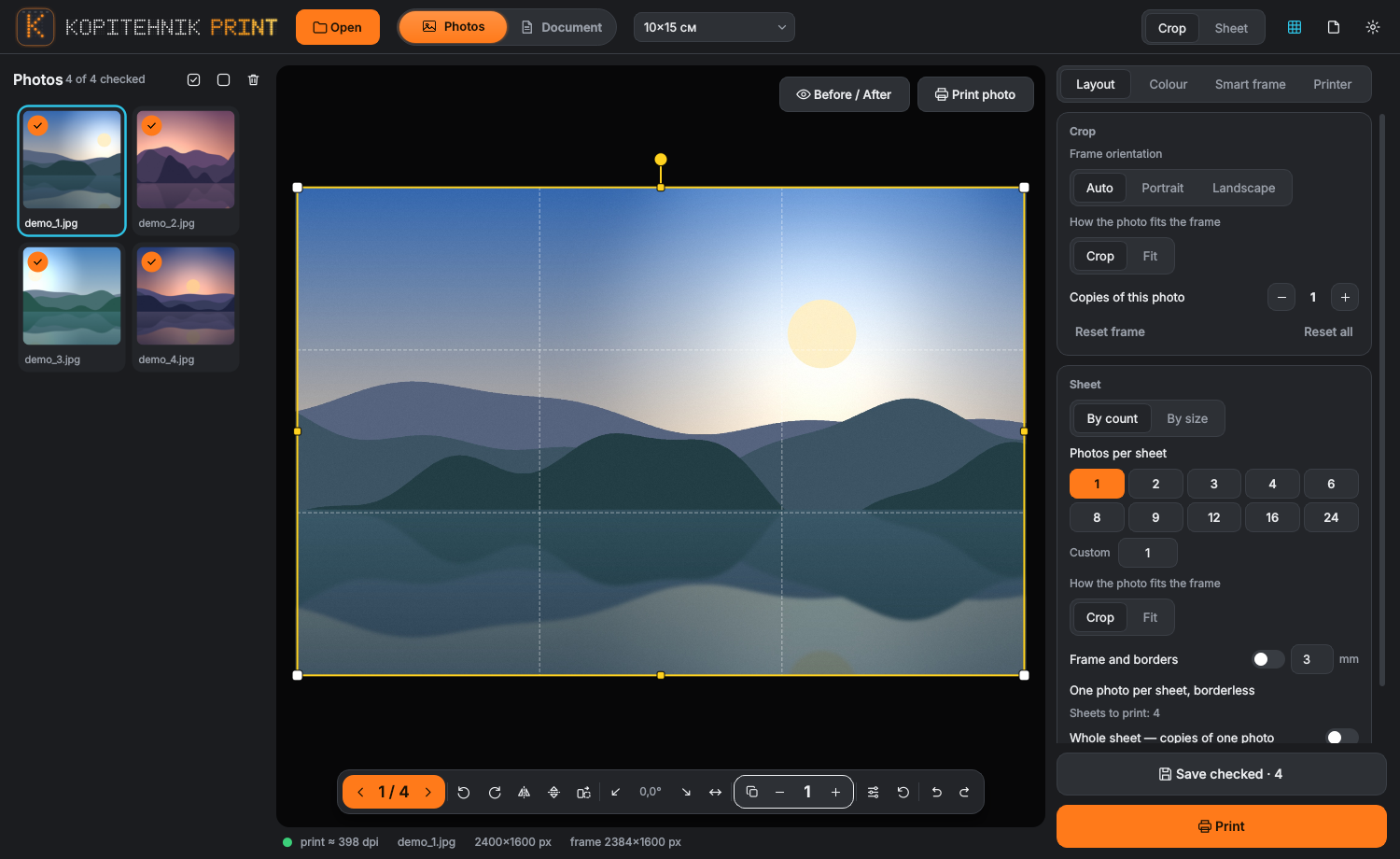
Print photos on a real inkjet printer: ICC colour, borderless, smart crop, sheet layout.
Runs on your machine from its package; the steps are below.
What it does
- Reads
- Writes
- High impact
At most: moves money, runs code or commands, deletes data, or sends messages for you.
What it costs
FreeOdel charges nothing per call. The publisher may charge for its own service.
Runs locally over stdio
This server isn't hosted — your MCP client launches it from a package registry. Use one of the commands below, or drop the config into your client (e.g. Claude Desktop).
Run
uvx kopitehnik-print-mcp
MCP client config
{
  "mcpServers": {
    "kopitehnik-print": {
      "command": "uvx",
      "args": [
        "kopitehnik-print-mcp"
      ]
    }
  }
}English | Русский | Español | 简体中文 | 繁體中文 | Deutsch | Français | Português | 日本語 | 한국어 | Türkçe | Bahasa Indonesia | العربية | हिन्दी | Italiano | Polski | Українська | Tiếng Việt | ไทย | Татарча
KopiTehnik Print






Photo quality on compatible ink. Print software for Windows: accurate colour, borderless printing, smart cropping and order preparation for small copy centers, photo desks and professional printers. Every print costs less.
Free, legal, no cracks, no malware. Free for personal use and for a single workstation: copy shop, studio, workshop or independent printer. Download for Windows · 15 interface languages · no Python needed
Install
| Way | What you get | Command |
|---|---|---|
| Installer | Start-menu shortcut and an uninstaller entry | Download Setup |
| Portable | One exe, nothing written to the registry | Download Portable |
| Scoop | Portable build in ~/scoop, updates with scoop update | scoop bucket add ildargiv https://github.com/ildargiv/scoop-bucket then scoop install kopitehnik-print |
| AI agent (MCP) | The same program driven by Claude Desktop or any MCP client | uvx kopitehnik-print-mcp |
No Python is needed for the app itself: the download is a ready-made Windows build. The PyPI package is only a thin launcher for MCP clients and finds the installed agent.
Why KopiTehnik Print
- Colour as on screen. Printing through the printer's ICC profile for natural colours without manual guesswork.
- A profile for your ink. Compatible ink and paper change the colour. Do not rebuild the profile from scratch: correct the one you have and verify it with a test sheet.
- Exact borderless printing. The photo is not cropped more than needed, with less waste of paper and ink on bad prints.
- Prepared for inkjet printing. Automatic brightness, contrast and shadow tuning so photos print brighter.
- Smart cropping. Faces, people and animals stay in the frame, so important moments are not cut off.
- Connect your own AI agent. It takes the customer's order, prepares the photos and prints through KopiTehnik Print: your agent handles the conversation and the orders, the program does the preparation and printing.
- Photos and documents in one window: PDF, Word, Excel, PowerPoint, a separate profile for every printer.
- Sheet counter by printer and paper size, password protected, CSV export.
License: free for personal use and for a business with one workstation at one location; more workstations, chains and resale need a commercial licence. See LICENSE.
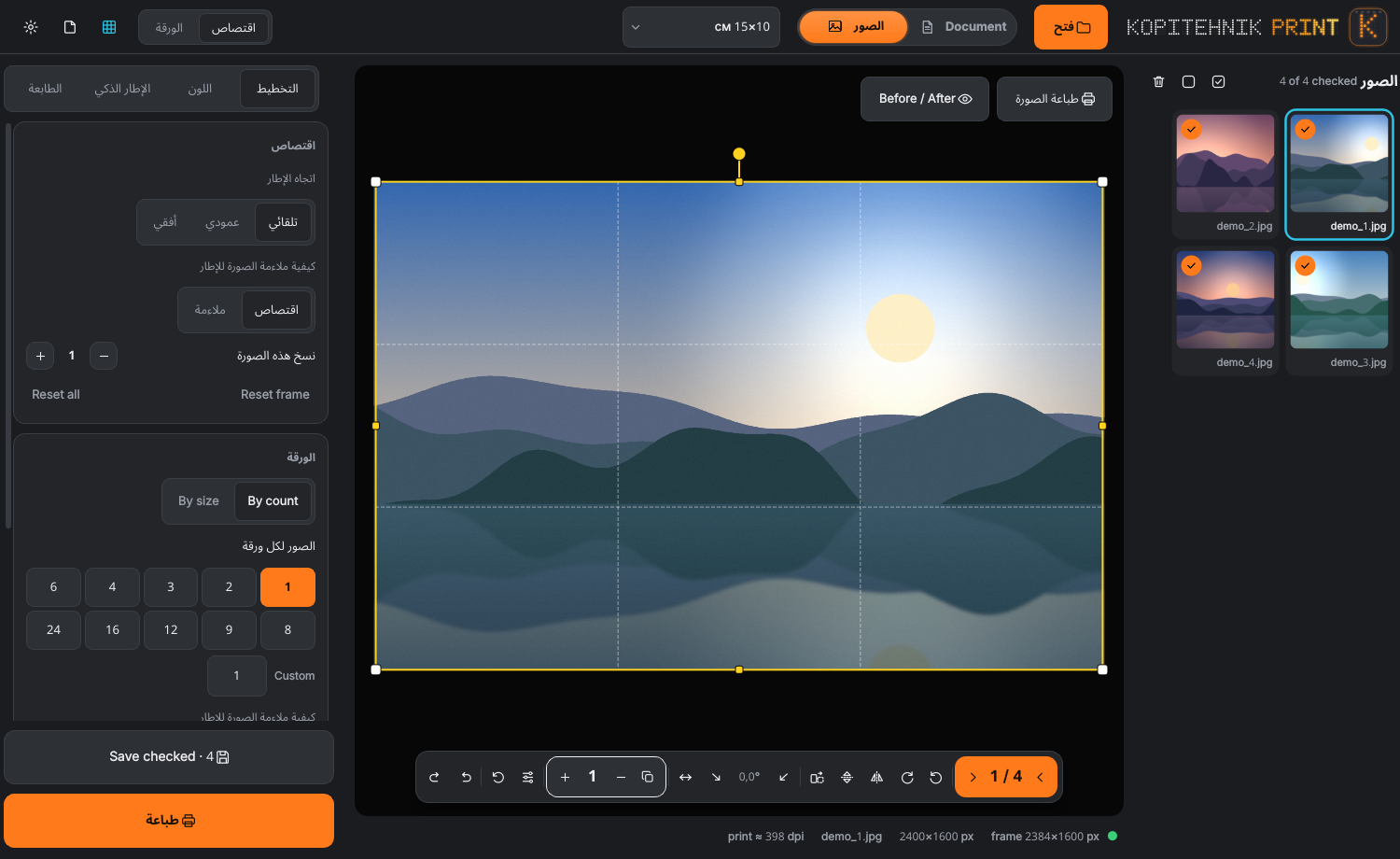
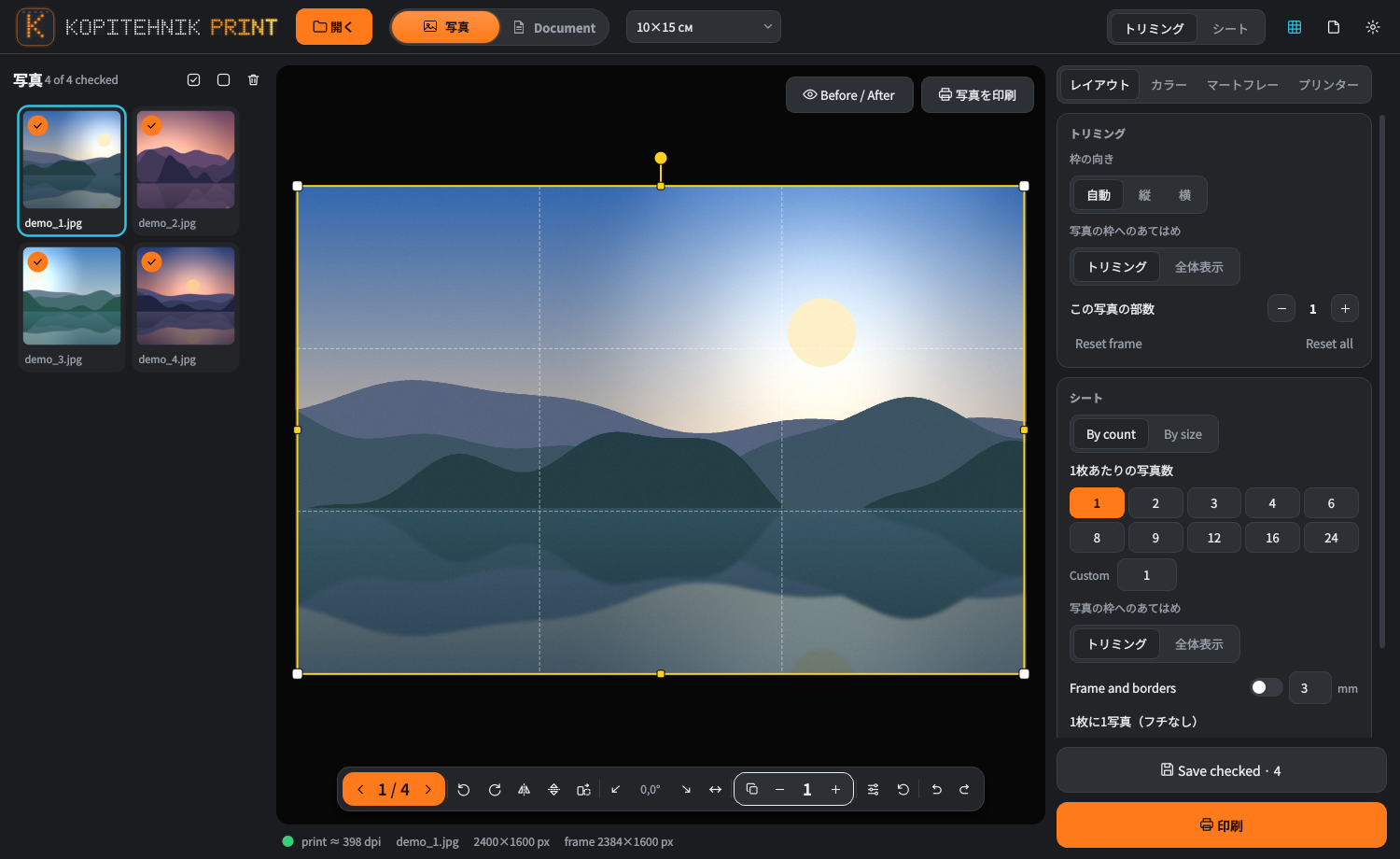
Screenshots

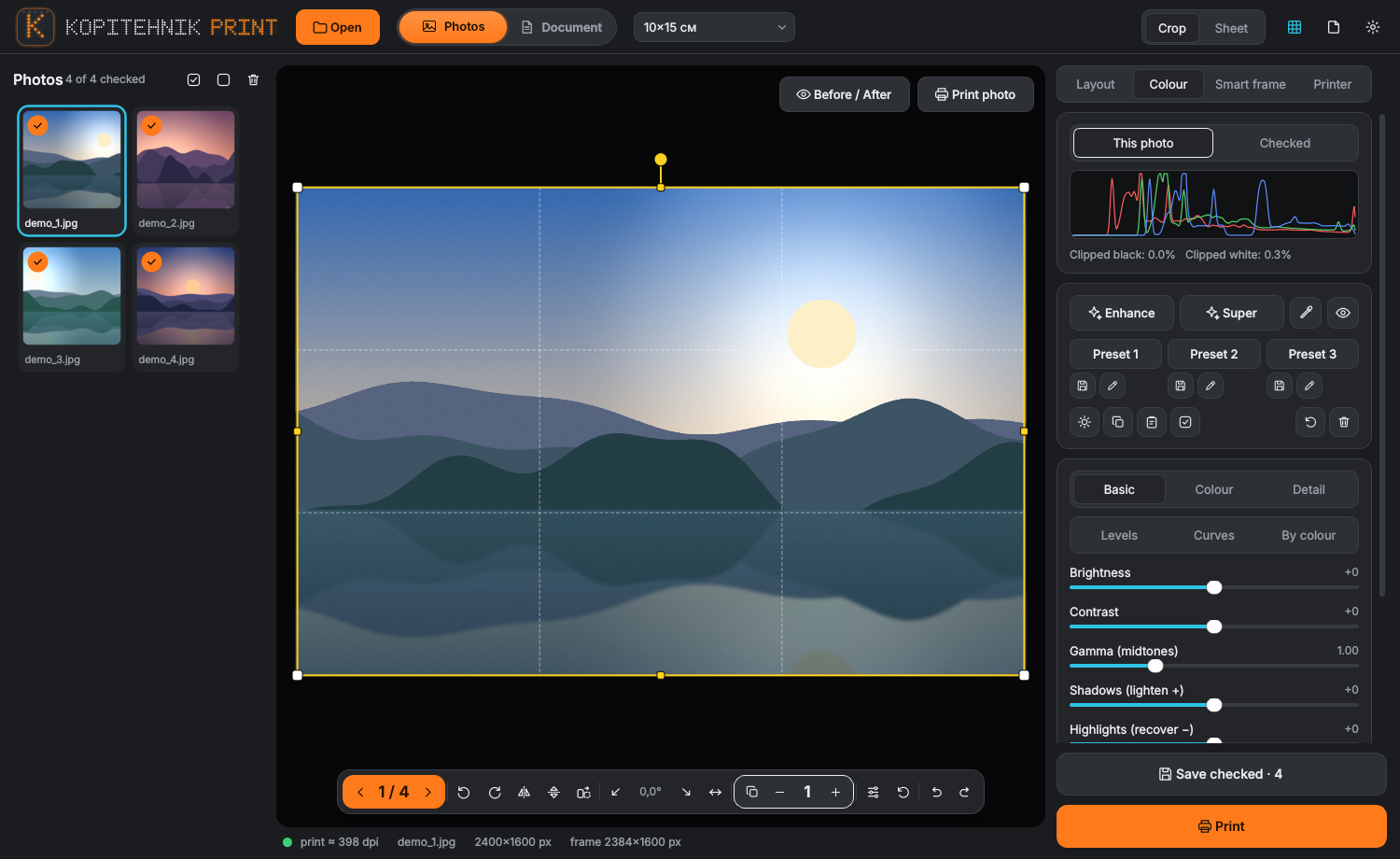
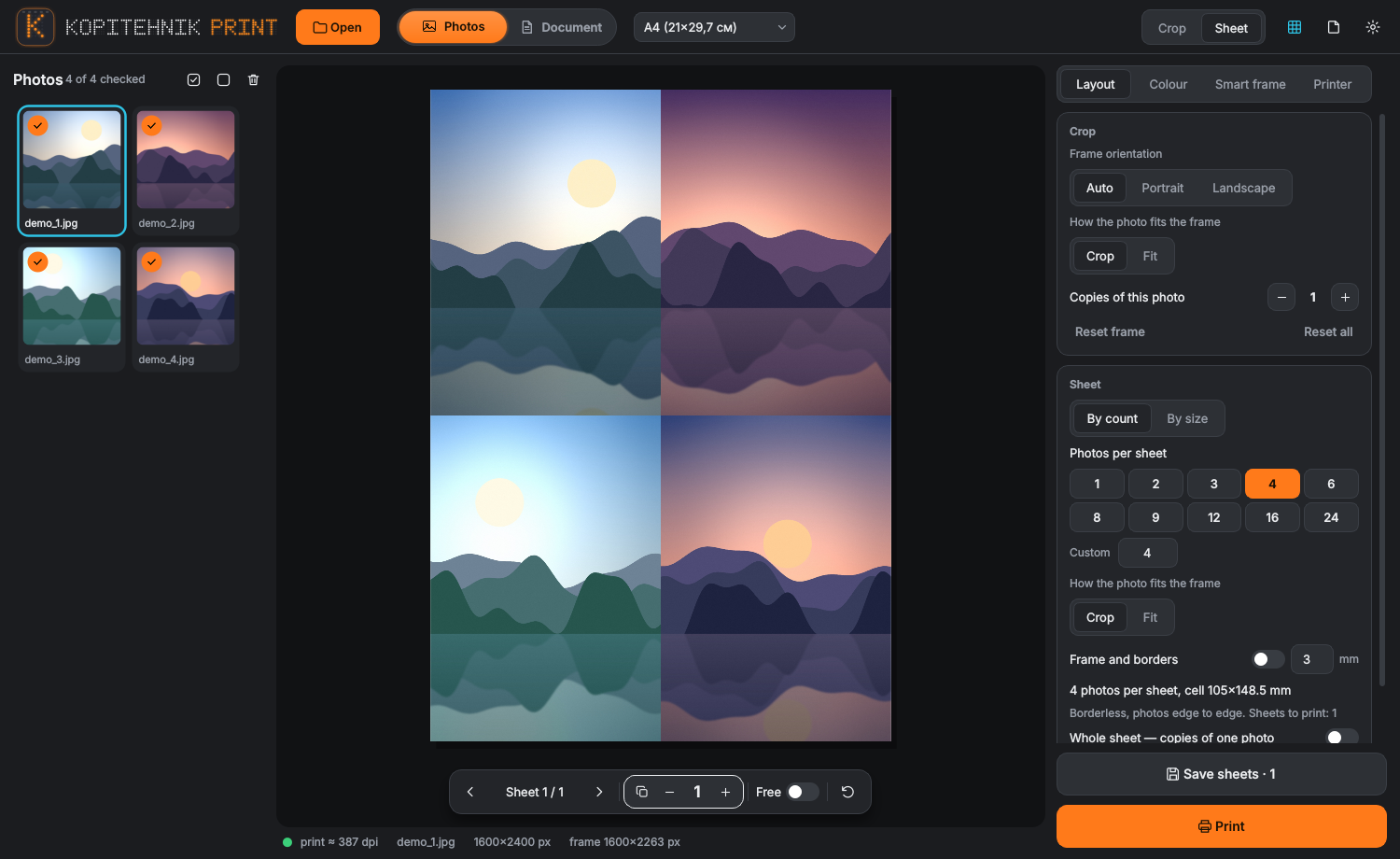
| Arabic (right-to-left) | Japanese |
|---|---|
 |  |
Features
- Print formats: 10×15, 9×13, 13×18, 15×21, 20×30, 30×40 cm, A5, A4, A3, A3+, A2 (crop to fill the sheet or fit the whole photo).
- Smart crop: face detection (YuNet), people and pets (YOLOX), pose model; the frame can also be set by hand.
- Per-photo colour correction: brightness, contrast, gamma, shadows/highlights, saturation, temperature/tint, RGB, auto, black-and-white, sepia, denoise, sharpening.
- Colour management: printer ICC profile and a Windows ICM switch.
- Print planning: several photos per sheet, per-side bleed, one job per sheet with a pause between jobs, pre-print checks (dpi, fit).
- Export to JPEG, TIFF, PNG and PDF.
- Document mode (the PHOTO / DOCUMENT switch at the top): print PDF, Word, Excel and PowerPoint files with their own printer profile and paper settings, page range, copies, fit or fill. Editing and text recognition (OCR) open in the separate KopiTehnik Converter (install it separately; the program finds it by itself).
- Photos per sheet: 1 to 30 (quick buttons for 1, 2, 3, 4, 6, 8, 9, 12, 16, 24 or type any number); orientation of each photo is detected automatically.
- Updates: the program checks the latest GitHub release (switchable in Settings) and offers to open the download page.
- Print counter (Settings): printed sheets today for everyone (photos and documents separately); a detailed journal (by printer, paper size for photos and documents separately, source, last 14 days, CSV export) behind an administrator password with a recovery key. The journal is tamper-evident. It counts sheets sent to the printer from the program and by the AI agent.
- Edge-to-edge test sheet (borderless print check) with captions in five languages.
- AI-agent mode: every step is a command returning JSON (command line or MCP server for Claude Desktop). See AGENT.md (in Russian).
- Interface languages in the Qt version: Русский, English, 日本語, 한국어, Türkçe, Bahasa Indonesia, العربية, हिन्दी, Italiano, Polski, Українська, Tiếng Việt, ไทย, 繁體中文, Татарча (chosen in Settings; by default the system language, Russian for ru, otherwise English; Arabic is right-to-left). The translations cover the main screens and are machine-made, not yet reviewed by native speakers; untranslated strings appear in English.
Installation
- Easiest: download
KopiTehnikPrint-Setup-<version>.exe(installer) orKopiTehnikPrint-Portable-<version>.exe(GUI, no install) orPhotoCropAgent.exe(AI-agent / MCP) from the Releases page and run it. No Python needed. - Windows with Python 3.9+ ("Add python.exe to PATH"), or run
install.bat: it installs Python (if missing), the packages and creates shortcuts. Internet is required. - Manual install:
pip install -r requirements.txt.
Running the Qt version
Double-click run_qt.bat (installs Pillow, pillow-heif, PySide6 and starts photo_crop_qt.py). Self-test: selftest_qt.bat. The older Tkinter window: python photo_crop.py.
Detection models
The YuNet / YOLOX models (~36 MB) are not included in the repository; they are downloaded on first use (or with python smart_crop.py setup) to %APPDATA%\PhotoCrop\models.
Built-in MCP server: let your AI agent run the print desk
KopiTehnik Print has an MCP server built into the app. Connect Claude Desktop (or another MCP client) and your agent can open a folder of photos, set the print format, crop, correct colour, lay out sheets, run the pre-flight check and print. Documents (PDF, Word, Excel, PowerPoint) are supported too.
The agent works in the same window you see: changes appear live, Ctrl+Z undoes them, and a badge shows that the AI agent is working. Your own agent handles the conversation and the orders; the program does the preparation and printing.
Connect Claude Desktop: the installer offers to connect the AI agent (MCP) to Claude Desktop, or do it later in the program Settings. Then restart Claude Desktop.
Other MCP clients: run mcp_config.bat (or python photo_crop.py mcp-config) to get the config block and add it to your client's config (for Claude Desktop: %APPDATA%\Claude\claude_desktop_config.json). For the built exe the mcpServers.photocrop block looks like this:
{
  "mcpServers": {
    "photocrop": {
      "command": "C:\\path\\to\\PhotoCropAgent.exe",
      "args": ["mcp"]
    }
  }
}
Install from PyPI (any MCP client): the same agent is published as kopitehnik-print-mcp, so a client that runs stdio servers can simply use uvx kopitehnik-print-mcp - the package only locates the installed agent and hands it stdio, nothing is reimplemented. Official MCP Registry: io.github.ildargiv/kopitehnik-print. For one-click agent setup there is llms-install.md.
You stay in control. In Settings you choose whether the agent may print, the maximum sheets per print job, and whether it must ask before printing. PHOTOCROP_AGENT_DRYRUN=1 forbids real printing, and PHOTOCROP_AGENT_ROOTS limits the folders the agent can use. Sheets printed by the agent are counted in the print counter.
Example prompts: "Open the folder Client_Ivanov, set 10x15, check the photos and print 3 copies of each." / "Print this PDF on A4."
Main commands: open_folder, set_format, auto_crop, set_crop, set_adjust, select_printer, plan_print, render_sheet, preflight, print. The full list is in AGENT.md (in Russian).
Command line: python photo_crop.py agent set_format format=10x15; python photo_crop.py agent --list lists all commands. State is stored in %APPDATA%\PhotoCrop\agent_state.json.
Building exe files
build_exe.bat builds PhotoCrop.exe (Tkinter window) and PhotoCropAgent.exe (console, for MCP) with PyInstaller. Note: the script deletes build\ and the .spec files afterwards. The Qt version is built with pyinstaller PhotoCropQt.spec → dist\PhotoCropQt.exe. Pushing a tag v* runs the GitHub Actions workflow (.github/workflows/build.yml), which builds PhotoCropQt.exe and PhotoCropAgent.exe and attaches them to a GitHub Release.
License
License: KopiTehnik Print Licence: free for personal use and for a business with one workstation at one location; more workstations, chains and resale need a commercial licence.
Commercial licence (more workstations, chains, resale): there is no public price list yet, terms are agreed individually. To ask for one, open an issue or a discussion.