Listed from the MCP registry; nobody on Odel publishes it.
Kraft
Drive a running local Kraft server from an agent: file work, read the board, act on gates.
Runs on your machine from its package; the steps are below.
What it does
- Reads
- Writes
- High impact
At most: moves money, runs code or commands, deletes data, or sends messages for you.
What it costs
FreeOdel charges nothing per call. The publisher may charge for its own service.
Runs locally over stdio
This server isn't hosted — your MCP client launches it from a package registry. Use one of the commands below, or drop the config into your client (e.g. Claude Desktop).
Run
uvx kraft-sdlc
MCP client config
{
  "mcpServers": {
    "kraft": {
      "command": "uvx",
      "args": [
        "kraft-sdlc"
      ]
    }
  }
}





A local orchestrator that takes your coding agent from spec to merge request, stopping only when a decision is yours.
Try the live demo: the web UI on sample data, in your browser, with nothing to install.
Kraft isn't another coding agent. It runs the one you already use, and adds what a single session can't: a process the agent can't skip, checks it doesn't grade itself on, and a person at the decisions that matter.
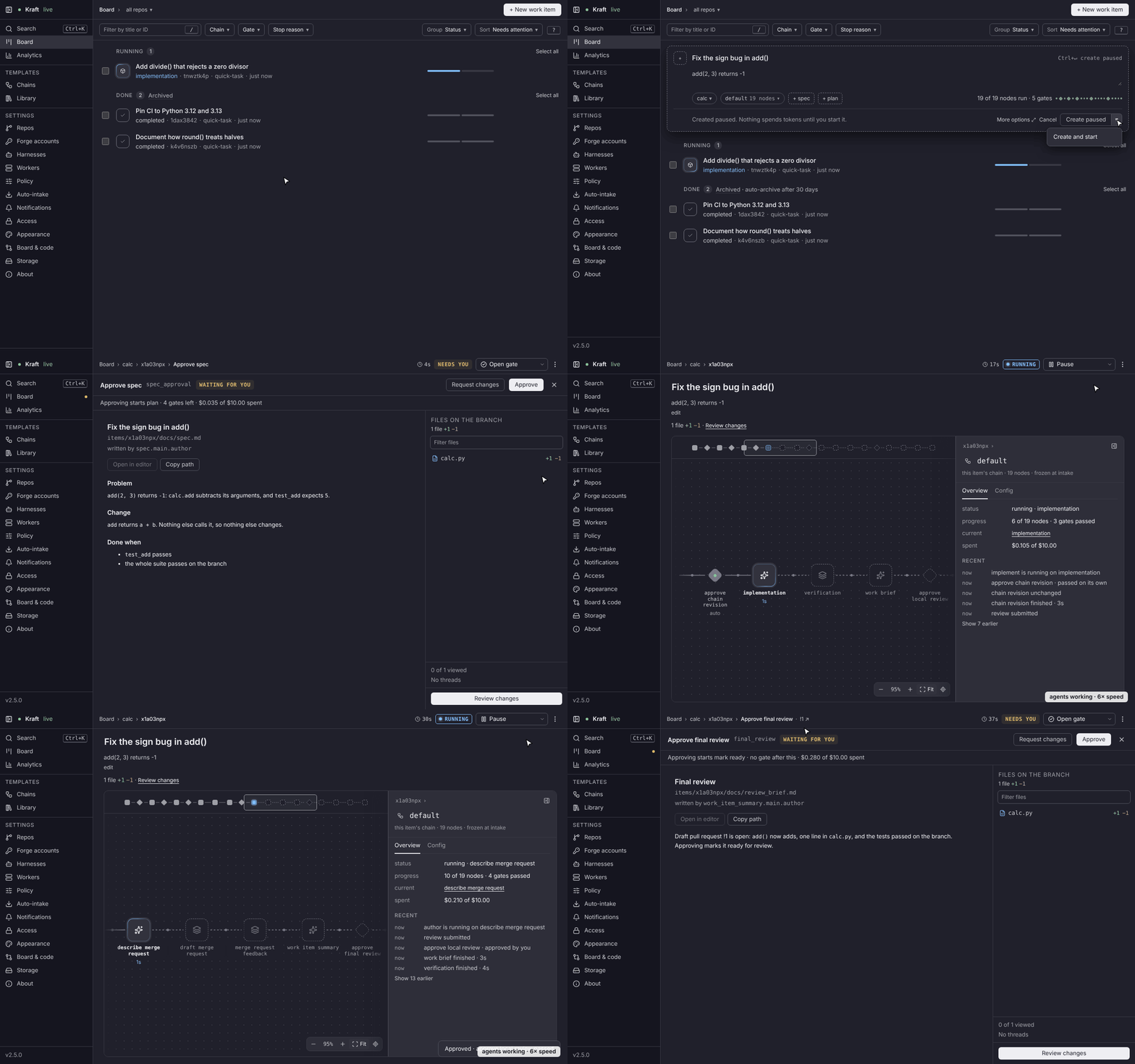
Hand Kraft a task, start it and walk away. You file a task, a work item, from the web UI, a phone or the CLI, and it waits paused until you start it. Your agent then drafts a spec and a plan, stops for your approval of each, builds the change on its own branch and opens a merge request. It's for developers tired of babysitting a session; when not to use Kraft says who it isn't for.
What you get
- A process the agent can't skip. Each work item follows a chain, a YAML file you can read and diff. Its nodes are steps such as write the spec, implement, verify and open the merge request. Some run your agent, some run a command and some stop for you.
- Checks it doesn't grade itself on. Kraft runs your tests in a node of its own, waits for your CI and has a separate reviewer decide whether a fix is done.
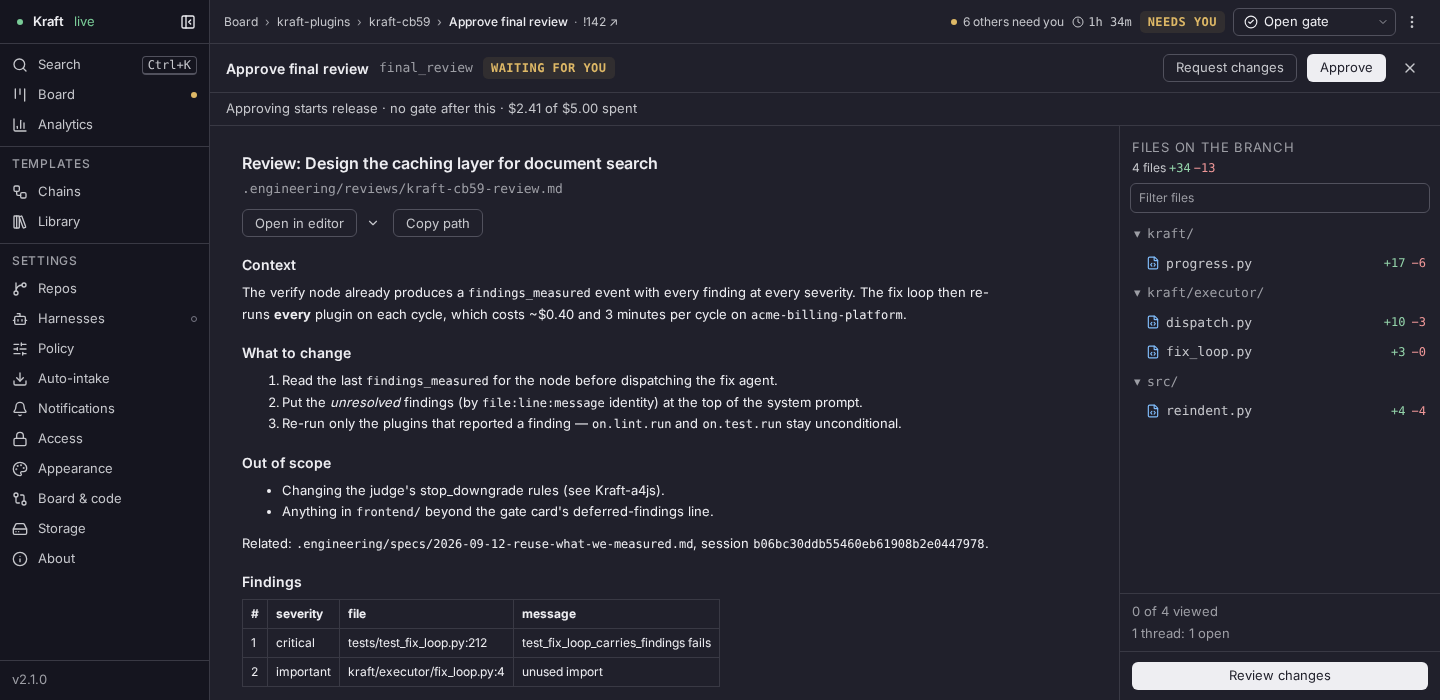
- A person at the decisions. A gate is a node where the chain stops for
you. Read what the agent wrote, then approve it or request changes with a note
that re-runs the node that wrote it. A gate stops the chain until a decision is recorded, and an agent's own calls to decide its gate are refused. Only a sandbox with a
network:policy keeps an agent from deciding its own gates; no sandbox is set by default, and an unsandboxed agent runs as you. Security has the scope. - Capped retries and spend. Attempts, time and dollars are bounded. A capped item stops and hands you the full trace.
- Your checkout stays as you left it. Each item runs on its own branch in its own git worktree, so items run in parallel. Kraft is one local process, bound to loopback, and a tunnel reaches it from a phone.
How the pieces fit
Kraft is the server, the kraft command and the web UI. The
Kraft plugin
gives Claude Code, Codex, Cursor and Antigravity slash commands and Model
Context Protocol (MCP) tools to file work and clear gates from a session.
Kraft Lite runs a chain inside
one session, with no server. Add-ons
share chains, and the VS Code extension
clears gates beside your code.
The extension runs in VS Code and editors built on it, such as Cursor and VSCodium: install it from the VS Code Marketplace or Open VSX.
Requirements
- macOS or Linux. Windows isn't supported, and WSL is untested.
git, withuser.nameanduser.emailset. Kraft commits the agents' work under that identity.- uv, which fetches a Python 3.12 or newer if you have none. Or Homebrew on macOS.
- Claude Code, installed and signed in. The shipped chains run every agent task on it. Codex, Cursor, Gemini CLI, Antigravity, OpenCode and Amp work as harnesses after a chain edit.
ghorglab, signed in, for the nodes that open and merge the merge request on GitHub or GitLab.
Kraft is free and Apache-2.0 licensed. Your agent provider bills the sessions Kraft runs, and the shipped policy caps spend per work item and per day: see Caps and budgets.
Install and run
uv tool install kraft-sdlc
On macOS, Homebrew works too:
brew tap itsOmidKarami/kraft && brew install kraft
To drive Kraft from Claude Code, add the plugin:
claude plugin marketplace add itsOmidKarami/kraft
claude plugin install kraft@kraft
Start the server in its own terminal and leave it running. It listens on
http://127.0.0.1:8765:
kraft
In a second terminal, connect the repo you want Kraft to work on. It proposes the repo's test and setup commands and asks you to accept them:
cd ~/code/my-project
kraft repo connect
Open http://127.0.0.1:8765, then follow
Your first work item: it
files a small change, stops at a gate for your approval and finishes. The
install guide has the other agents,
updating and uninstalling. Coming from 1.4? Read
Upgrade from 1.4 first.
Where to go next
- Why Kraft: what it does that a session, a loop or a skill doesn't.
- Concepts: work items, chains, nodes, gates, caps.
- CLI reference: every
kraftverb. - Security: the threat model; report vulnerabilities as SECURITY.md describes.
- Discussions: questions and ideas.
The releases page says what each version adds. Kraft is young: expect rough edges and frequent releases, and report bugs in GitHub issues.
Kraft is German for force; in English, its cousin craft means skill. Your agent brings the craft; Kraft is the force that carries it from spec to merge request.
Contributing
Set-up, the just recipes, tests and the contribution rules are in
CONTRIBUTING.md. Releases are described in
RELEASING.md. Everyone taking part follows the
Code of Conduct.







