Listed from the MCP registry; nobody on Odel publishes it.

Lazycow Studio
Drive Lazycow Studio by kensaurus: make reels and trip films from your footage, plan and post them.
Runs on your machine from its package; the steps are below.
What it does
- Reads
- Writes
- High impact
At most: moves money, runs code or commands, deletes data, or sends messages for you.
What it costs
FreeOdel charges nothing per call. The publisher may charge for its own service.
Runs locally over stdio
This server isn't hosted — your MCP client launches it from a package registry. Use one of the commands below, or drop the config into your client (e.g. Claude Desktop).
Run
npx -y lazycow
MCP client config
{
  "mcpServers": {
    "lazycow-studio": {
      "command": "npx",
      "args": [
        "-y",
        "lazycow"
      ]
    }
  }
}Distributed as an MCP bundle (`https://github.com/kensaurus/lazycow-studio/releases/download/v0.30.0/lazycow-0.30.0.mcpb`) — download it and import the bundle in your MCP client.

Lazycow Studio
You shot it. Lazycow edits it.




The footage you never edited becomes reels and trip films. You only press Approve.
Lazycow Studio finds the right clips in your photos and videos, cuts short vertical reels on the beat of free music, and builds long YouTube videos in parts, with maps and chapters. Then it books the posts. It runs on your own computer.
Lazycow Studio is made by kensaurus. It is free and open source under Apache-2.0.
- Your footage stays on your computer. Tagging and search run on your own processor. The studio only reads your files. Nothing leaves your computer unless you connect a network or add a key for a paid AI tool.
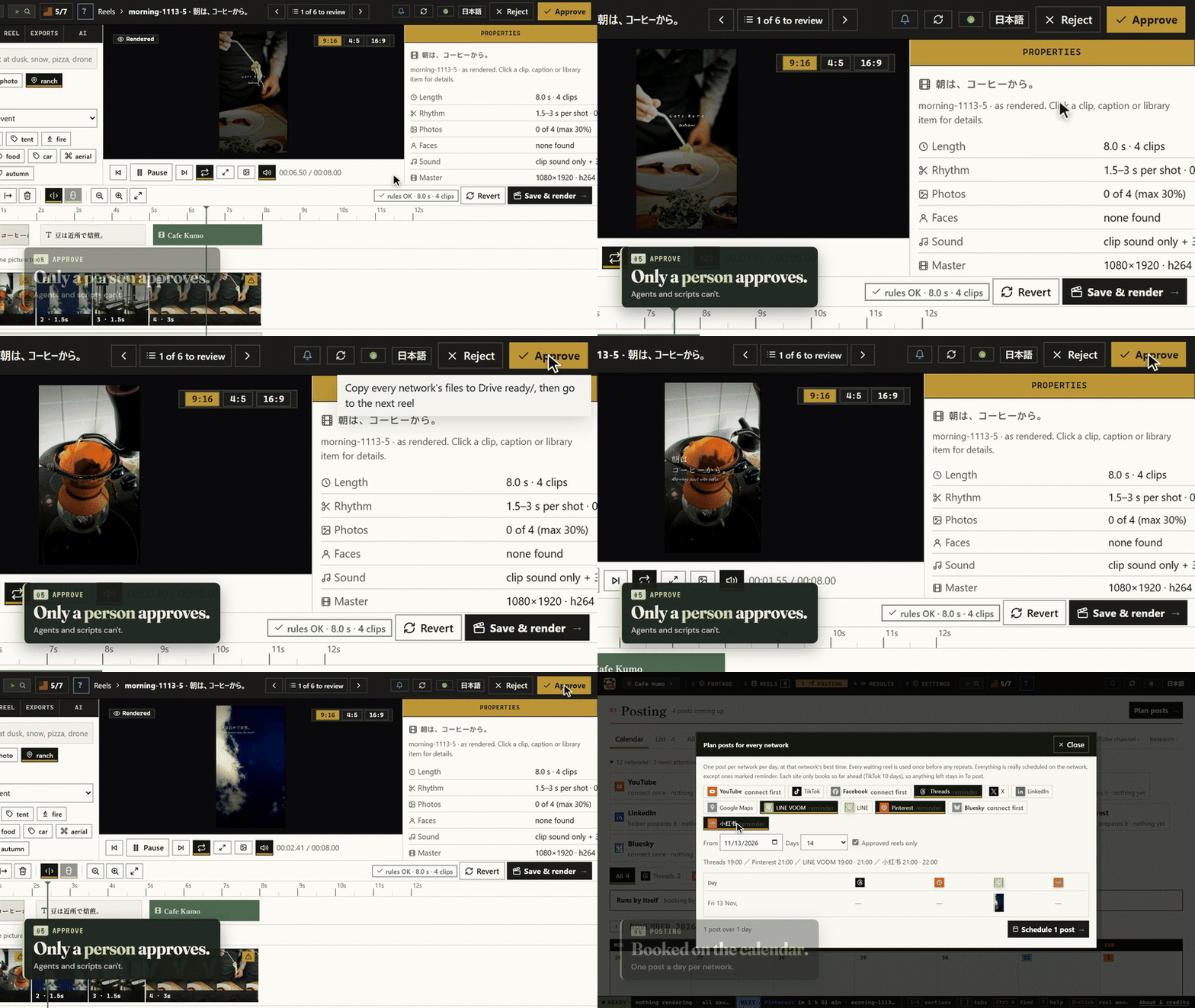
- A person approves every post. Nothing is booked or posted until you press Approve. AI agents can make drafts and post approved reels. They cannot approve.
- Your AI agent can drive it. An MCP server, an HTTP API (OpenAPI) and an npm package. One click connects Claude Desktop, Cursor or VS Code; one line, Claude Code.
Who it is for: a small hotel, guesthouse, café or shop, or a creator, with a folder of footage and no time to edit it. You do not need to code: download, unzip, double-click. It posts to YouTube, Facebook and Bluesky, and fills in the schedulers of X, TikTok, LinkedIn, Google Maps and LINE in your own Chrome.
Download · Quick start · Use it from your AI tool · User guide · Support Lazycow · 日本語
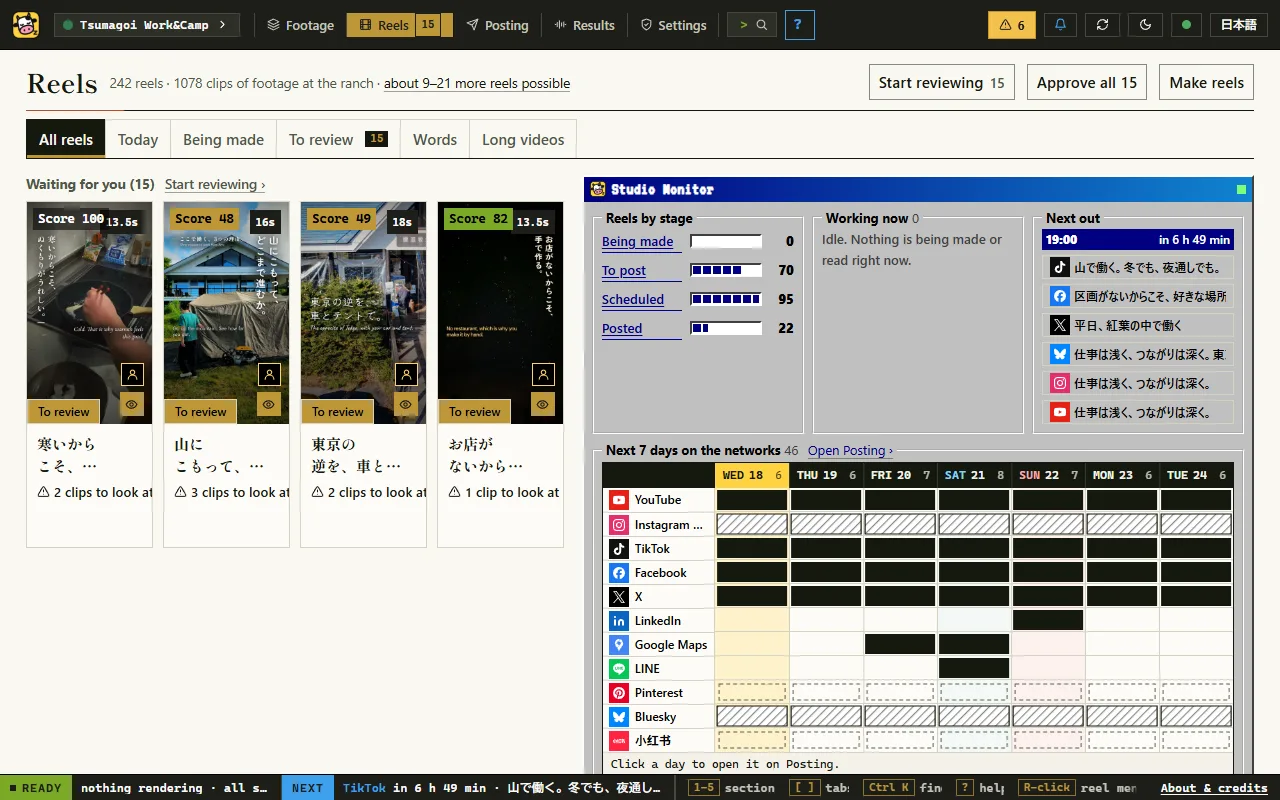
Review, Approve, booked. Recorded in our own studio, which makes the reels for Tsumagoi Work&Camp in Gunma (everyone on camera agreed). ▶ Watch the 40-second demo: its footage, reels being made, a person reviewing, the posting week, results and the workflow.
Use it from your AI tool
Start the studio first. Then add it to your tool in one click, or one line in Claude Code:



claude mcp add lazycow -- npx -y lazycow mcp
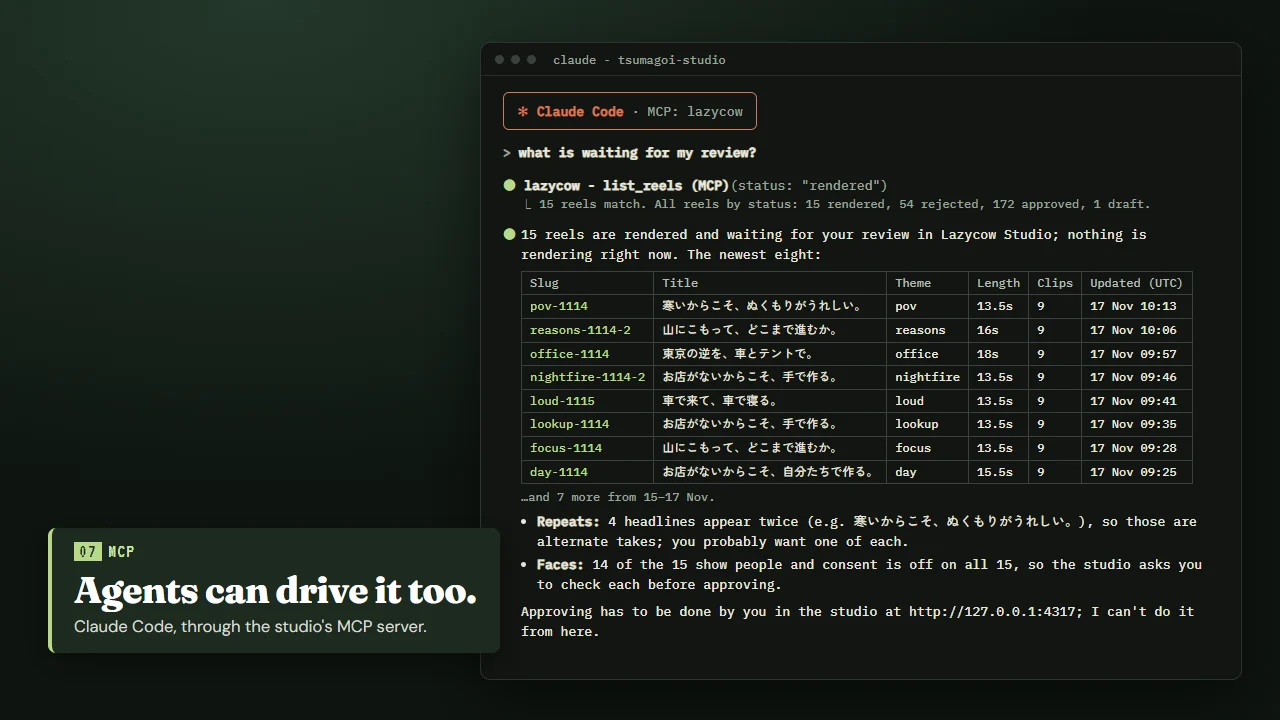
- Claude Desktop: open the downloaded
lazycow.mcpbto install it as an extension. If the double-click setup installed the studio, leave its settings empty: it finds the port and token in the studio's.env. Otherwise, pick the studio folder. - Cursor, VS Code, Claude Code and any other MCP client run
npx -y lazycow mcp({ "mcpServers": { "lazycow": { "command": "npx", "args": ["-y", "lazycow", "mcp"] } } }), which needs Node 20 or newer on your PATH. The double-click setup keeps its own Node out of your PATH, so use the lines in the studio's Settings › Keys & AI › Use with Claude or Cursor instead: they have your paths filled in. - No MCP? The same studio over HTTP: OpenAPI 3.1, or
npx lazycow api GET /api/overview.
The agent can check the studio, make reels, plan posts and publish approved reels. It has no approve tool. Every tool: docs/mcp.md.
Self-host with Docker. From a clone, put an API token of 24 characters or more in .env (the studio will not start without one), then docker compose up -d runs it in a container (image ghcr.io/kensaurus/lazycow-studio). Footage folder, port and updates: docs/self-host.md.
How it works under the hood
The studio has three parts. A Node server (server/review.mjs, listening on 127.0.0.1:4317 only, unless you turn on server mode) serves the page and an HTTP API. A Python engine (python -m studio …) catalogs, tags and picks clips. Remotion and ffmpeg render the reels. Tagging and search use OpenCLIP on your own processor, so the main flow needs no key and no LLM. Cloud AI runs only when you add a key: on OpenRouter, a reviewer and suggested lines; on fal.ai, tools such as slow motion, music and voice. The writing jobs and the picture questions can run on your own model instead: any OpenAI-compatible server, local (Ollama, LM Studio, vLLM, llama.cpp) or hosted (Settings › Keys & AI › Your own AI model, or STUDIO_LLM_BASE_URL in .env). The agent you connect over MCP can use any model.
flowchart LR
  UI["Studio page<br/>server/editor.html"] -- "HTTP" --> N["Node server<br/>server/review.mjs<br/>127.0.0.1:4317"]
  AG["Your AI agent,<br/>any model"] -- "MCP" --> N
  N --> PY["Python engine<br/>python -m studio<br/>CLIP search on your CPU"]
  F[("Footage<br/>read only")] --> PY
  PY --> R["Remotion and ffmpeg<br/>render"]
  PY --> D[("Data folder<br/>catalog, renders, secrets")]
  N -. "approved reels only" .-> P["YouTube, Facebook, Bluesky,<br/>your Chrome for X, TikTok and more"]
  PY -. "only with your keys" .-> C["OpenRouter, fal.ai"]
Read more in Architecture: the reel pipeline, every AI and ML model, run it fully local, use your own LLM and what leaves your computer.
Filming for it? The studio describes each file by three frames and takes at most one 1-4 s shot from a file per reel, so many short takes beat long recordings. How it picks which moments to use · Filming guide: clip length, framing, settings, a checklist.
Contents
- Use it from your AI tool: Claude Desktop, Cursor, VS Code, Claude Code, the HTTP API, Docker
- How it works under the hood: the parts, the models, running fully local
- Quick start
- The building blocks
- How it works
- Every page, in motion: a GIF of each page
- A person approves every post
- Everything stays on your computer
- What you need
- More, when you need it: first run, a made-up brand, costs, accounts, YouTube, a second studio, AI agents
- Documentation
- More from kensaurus: Mushi Mushi, kenji skills, Tsumagoi Work&Camp and the other apps
- Licence, credit and support
Quick start
First: can this computer run it? (10 seconds, nothing installed)
Paste one line. It checks the system, processor, memory, free disk and whether the download sites answer, then says READY, SLOW or BLOCKED with the reason and the fix. Nothing is downloaded.
Windows (PowerShell):
irm https://raw.githubusercontent.com/kensaurus/lazycow-studio/main/scripts/bootstrap/doctor.ps1 | iex
macOS or Linux (Terminal):
curl -fsSL https://raw.githubusercontent.com/kensaurus/lazycow-studio/main/scripts/bootstrap/doctor.sh | sh
Already have Node? npx lazycow doctor does the same and adds a 3-second processor test that estimates the minutes per reel (scaled from 364 real builds, median 357 s, on a 32-thread Ryzen 9 5950X). Add --json for scripts; it exits 0 (ready), 1 (slow) or 2 (blocked). The setup below runs the same check as its step 1 and stops before downloading anything when the answer is BLOCKED (an Intel Mac, for example: PyTorch has had no Intel-Mac builds since 2.2). --force (-Force on Windows) installs anyway.
The easy way: download, unzip, double-click
No terminal, no Node, no Python to install first. Just like 1997, minus the CD.
- Download Lazycow-Studio-<version>.zip from the latest release and unzip it somewhere you will keep it.
- Open README.TXT first. Yes, really. It has the steps, and some jokes.
- Double-click Start Lazycow (Mac: right-click Start Lazycow.command › Open, the first time). If Windows says "Windows protected your PC", choose More info › Run anyway: the file is new, not bad. You can read every line in
scripts/bootstrap/windows.ps1. On Linux, open a terminal in the unzipped folder and runbash scripts/bootstrap/linux.sh(or skip the zip:npx lazycow installdoes all of it). - A blue 1997-style setup screen asks where to keep the studio's work and where your footage is, then downloads pinned copies of Node, Python and ffmpeg (each checked against its SHA-256, kept in your user folder, no admin rights). It takes 10 to 30 minutes and downloads about 1.3 GB in all: about 0.65 GB during setup, and the 0.6 GB footage-search model the first time it searches.
- The studio opens, and Lazy Kenji shows you around. Next time, double-click Lazycow Studio on your desktop.
Windows 10/11 (64-bit), a Mac with Apple silicon and macOS 14+, or 64-bit Linux (x86_64 or ARM) with glibc 2.35+ (Ubuntu 22.04, Debian 12, Fedora 36 or newer; no sudo, and the menu entry goes in ~/.local/share/applications). If anything goes wrong, double-click Start Lazycow again: it carries on where it stopped, and setup.log says what happened. How it works: scripts/bootstrap/README.md.
For developers: the terminal way
You need Node 20+, Python 3.12+ and a current ffmpeg (details).
-
Get the code:
git clone https://github.com/kensaurus/lazycow-studio.git cd lazycow-studio npm ci -
Set up this computer. This writes
.env, makes the Python environment, and fetches the picture-quality model and some free music:npm run setup -
Start the studio:
npm run review -
Open http://127.0.0.1:4317. The first load takes 10 to 20 seconds while the search model starts. Follow the Getting started list on the page.
npm run setup ends with a list of anything still missing and the exact fix. Usually that is ffmpeg 5.1 or newer: put ffmpeg and ffprobe (.exe on Windows) in the data folder's bin, install one on your PATH (brew install ffmpeg; sudo apt install ffmpeg on Debian 12 or Ubuntu 24.04 and newer), or point STUDIO_FFMPEG and STUDIO_FFPROBE at one. Run it again any time. npm run setup -- --check only reports.
To choose where things go on a first run:
npm run setup -- --data D:\studio-data --footage "D:\My Footage"
Both are optional. By default everything the studio makes goes in ./data beside the code. Your footage is never moved or changed.
The building blocks
| Building block | In plain words | You use it by… |
|---|---|---|
| Project | One brand, client or trip, with its own footage, words, accounts and reels | pressing the project name beside the logo, then New project |
| Footage | Your photos and videos. The studio reads them and never changes them. | Footage › Add a folder, or Add from Google Photos |
| Theme | The story of a reel: a headline, two or three true lines, and the kind of shots each line needs | Reels › Make reels › New theme |
| Reel | One short vertical video (9:16), with files cut for each network | Make reels, then Review |
| Reel style | The type pairing, colours, how the words arrive, and the colour grade. Each new reel draws its own. | the reel editor's Type, colours and motion, or Surprise me |
| Approve | Your yes. Only approved reels are booked or posted. | Approve in the editor, after you watch the reel |
| Booking | A post held for a set time, on the network or by the studio | Posting › Plan posts, or Runs by itself |
| Version | A better cut of a reel that is already booked, made beside the live one | Posting › Versions › Use the new version or Keep the live one |
| Swap | The studio replaces an older booking with the newest approved render, at the same time slot | Swap them by themselves on the Posting page |
| Long video | A 5 to 15 minute (10 by default), 16:9 YouTube video from a trip, in parts with chapters | Reels › Long videos |
| Photo post | A carousel (and a Story to share it) made from your photos in one of 22 looks, previewed per network with its captions | Reels › Photo posts |
| Chrome link | The studio fills in the X, TikTok, Google Maps, LINE and LinkedIn schedulers in your own signed-in Chrome | Settings › Keys & AI › Chrome link (how) |
| MCP | A way for an AI agent (Claude Code, Claude Desktop, Cursor) to use the studio. It cannot approve. | claude mcp add lazycow -- npx -y lazycow mcp (how) |
How it works
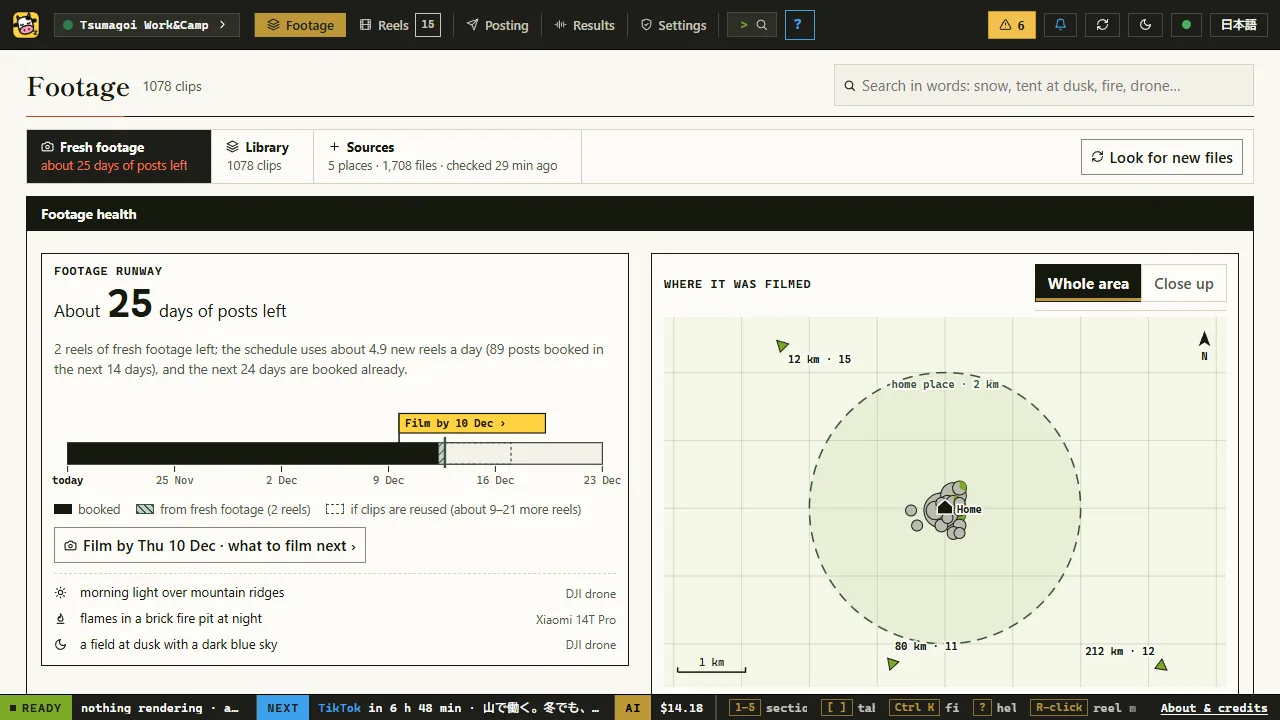 1. A folder of footage. Point the studio at it. It only reads the files, tags them on your computer and finds them by words. | 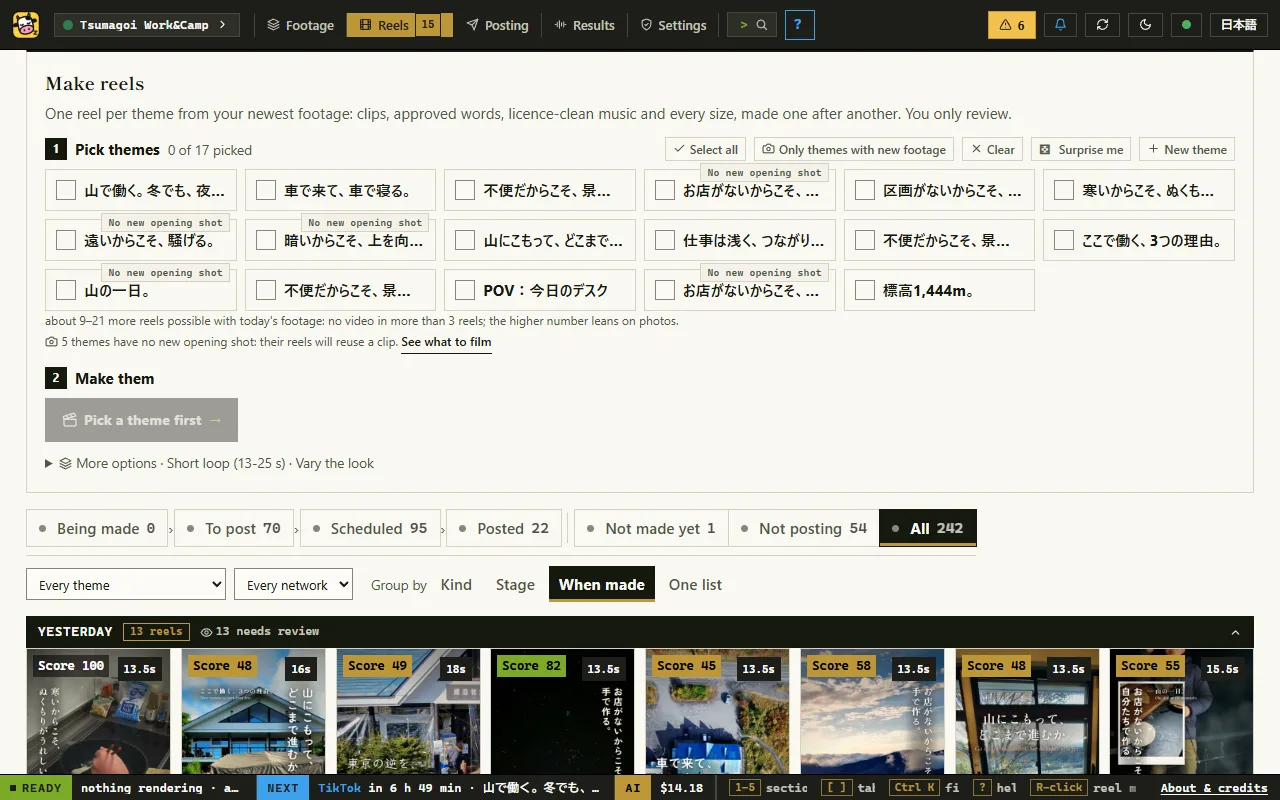 2. Make reels. Pick a theme or two. Each reel gets clips that fit its words, licence-clean music and every size the networks want. |
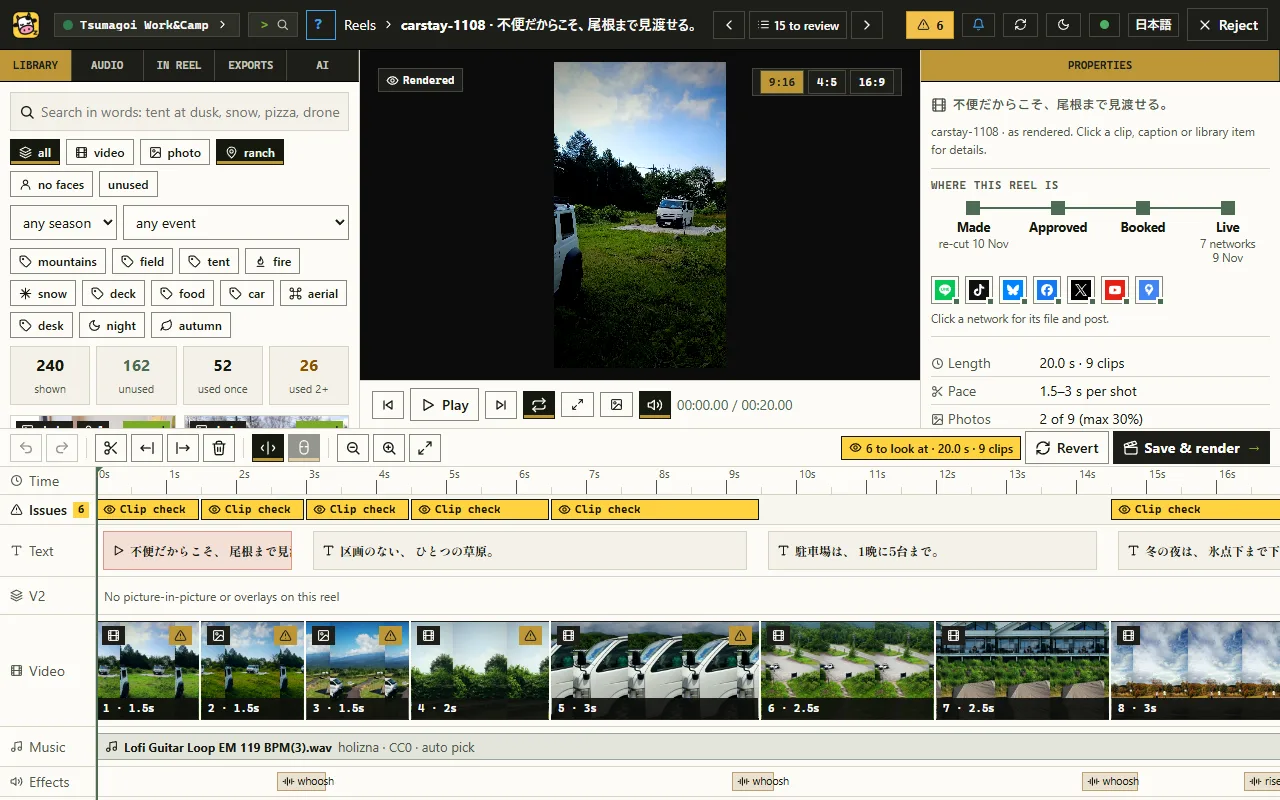 3. You review. Watch it, trim it, swap a clip, change the words. The timeline shows every clip, caption, sound and effect. | 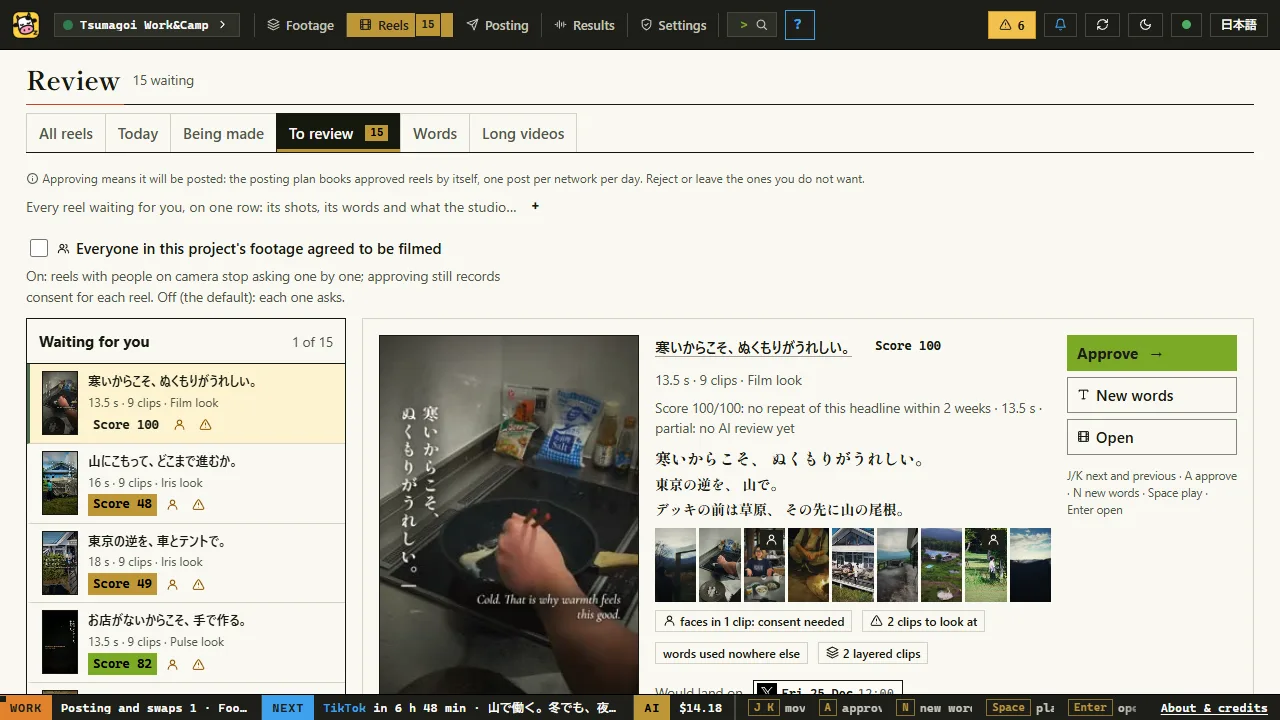 4. You approve. Nothing goes anywhere before this. Faces need Consent OK first. |
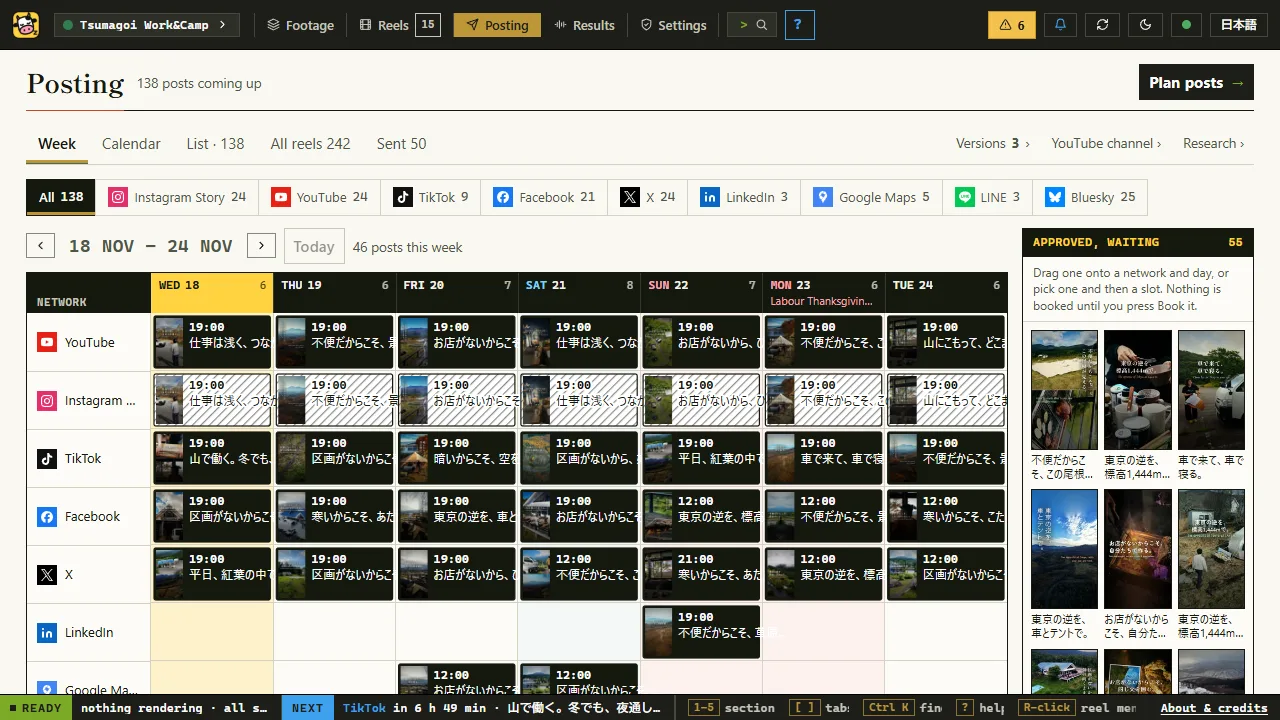 5. Booked. One post a day per network at the hour your audience is awake. Results come back a few days later. | 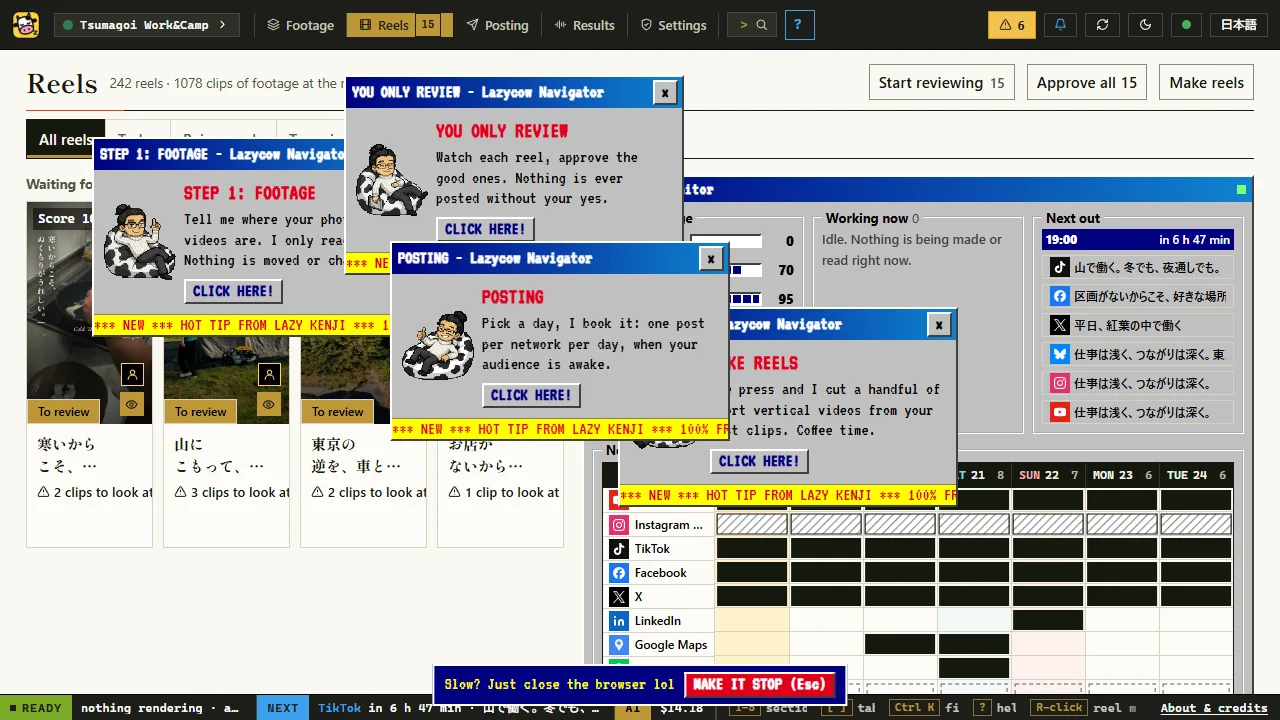 6. Help when you want it. A guided tour, the Getting started list, Ctrl K to find anything, and a Problems list that says what went wrong. |
flowchart LR
  F[(Your footage<br/>read only)] --> T[Tag and search<br/>on this computer]
  T --> M[Make reels<br/>theme, approved words,<br/>a style of its own]
  M --> R{A person<br/>reviews}
  R -- Reject or edit --> M
  R -- Approve --> B[Book<br/>one post a day<br/>per network]
  B --> P[Posted<br/>YouTube, Facebook, Bluesky,<br/>X, TikTok, LINE ...]
  B -. a better cut is made .-> V{Versions:<br/>a person picks}
  V -- Use the new version --> S[Swap the bookings<br/>same time slot]
  S --> P
  T --> L[Long videos<br/>a trip in 16:9 parts]
  L --> Y[YouTube<br/>private, unlisted, public<br/>or on a schedule]
Three programs run on one computer: a Node server and the studio page (server/), a Python pipeline (py/studio/), and Remotion for the words on screen (src/). More in docs/architecture.md.
Every page, in motion
Recorded in the author's own studio, which makes the reels for 嬬恋牧場Work&Camp in Gunma (everyone on camera agreed). Each GIF opens, scrolls and plays a page; none of them presses Approve, Book or Apply.
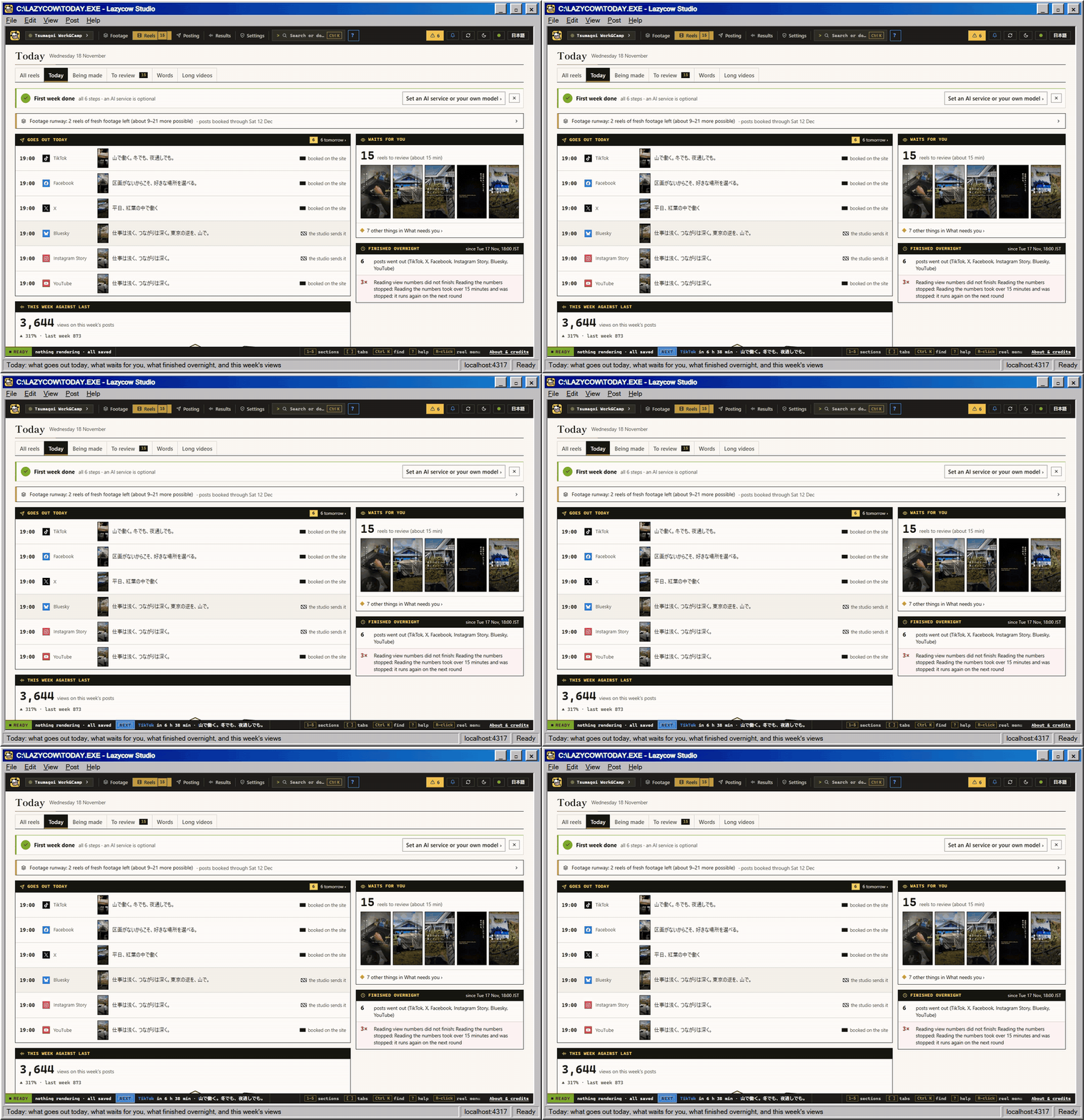 Today. What goes out today and how, what waits for you, what finished overnight, this week's views against last week's, and how much footage is left. | 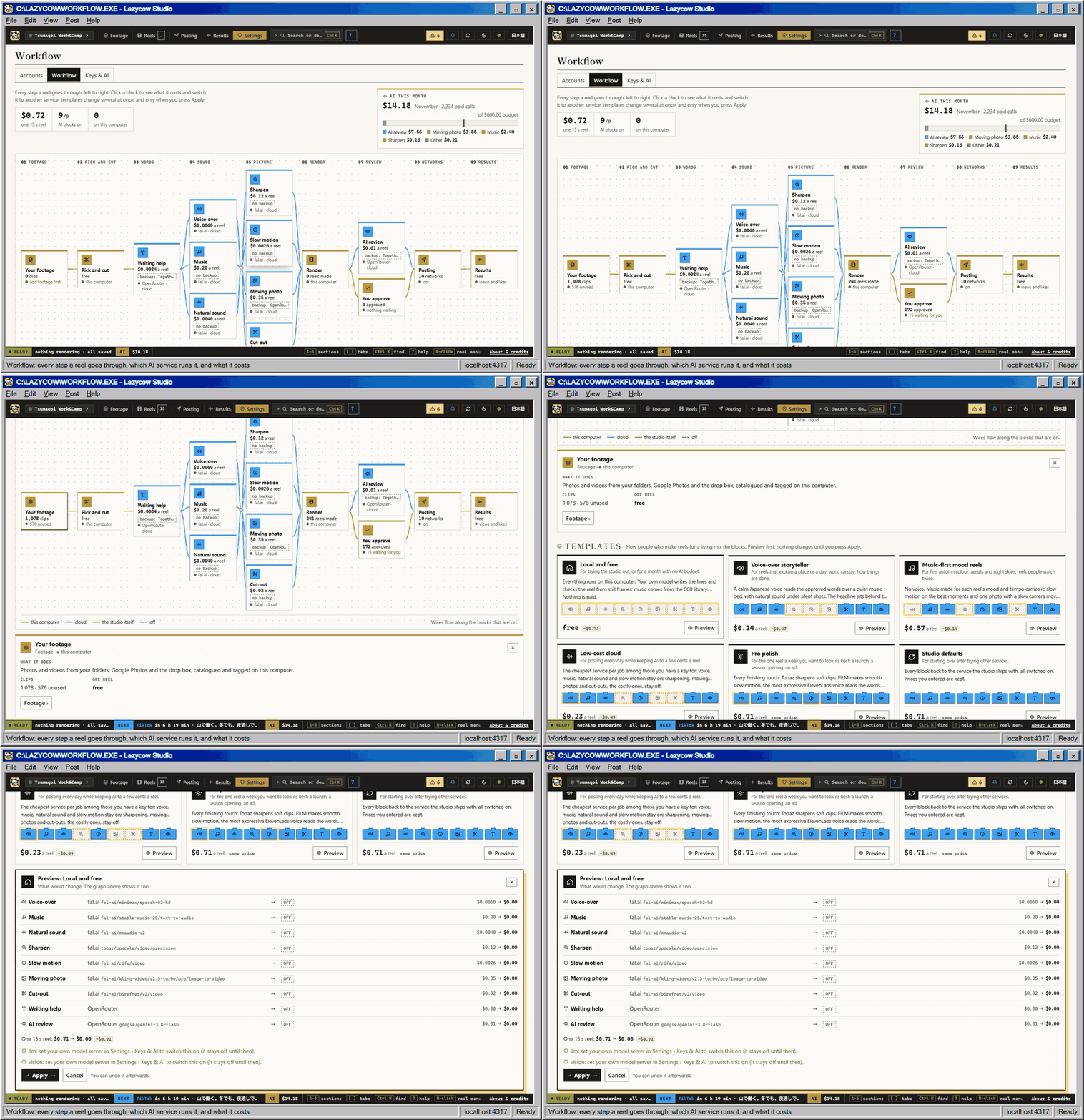 Workflow. Every step a reel goes through, as blocks: which AI service runs each one, local or cloud, and its cost per reel. Click a block to switch its service. Templates such as "Local and free" or "Pro polish" show what would change and the cost before you apply them. |
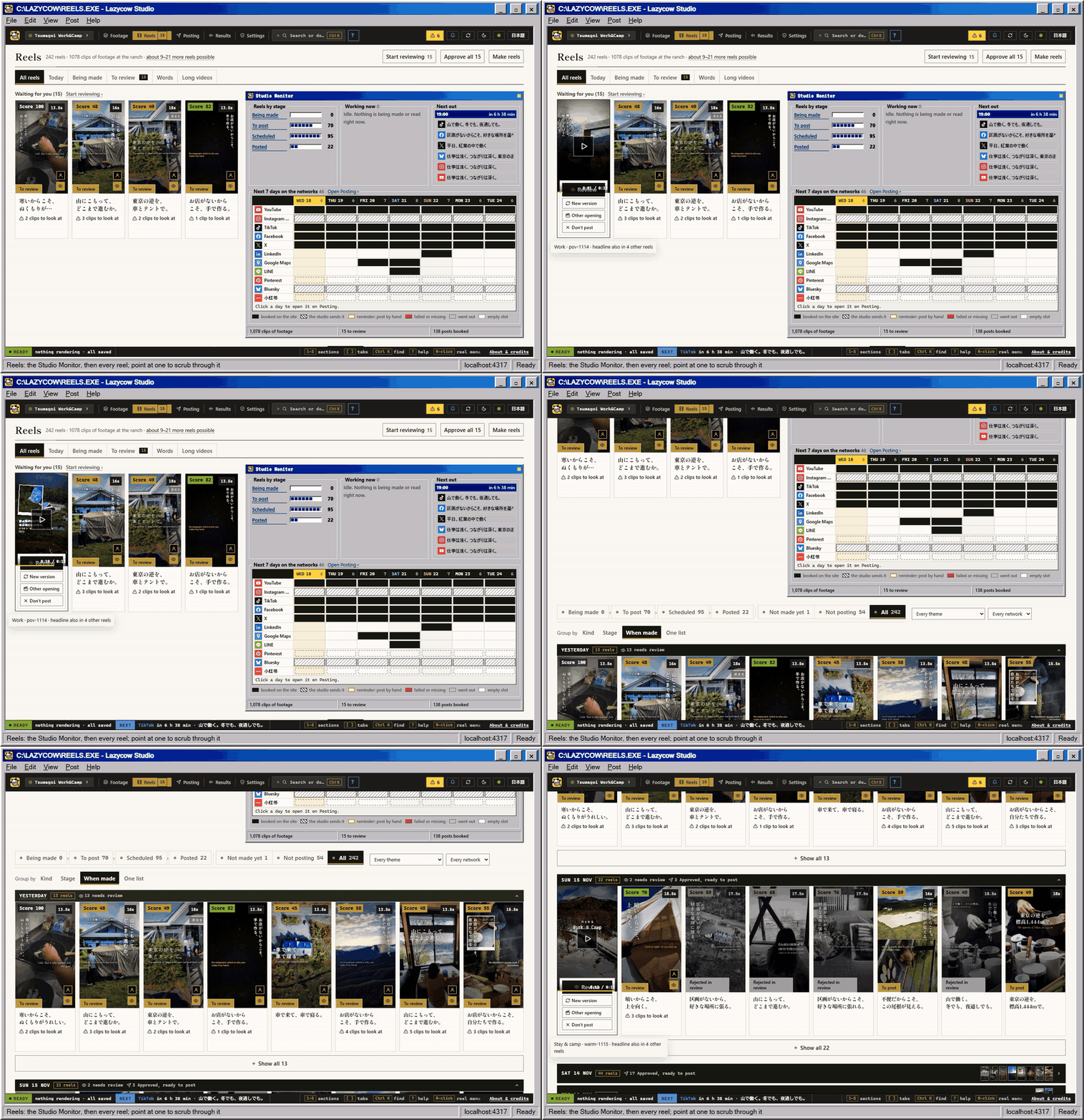 Reels. The Studio Monitor shows reels by stage, the next posts, and a 7-day grid coloured by state. Point at any reel to scrub through it. Below, every reel, grouped by the day it was made. | 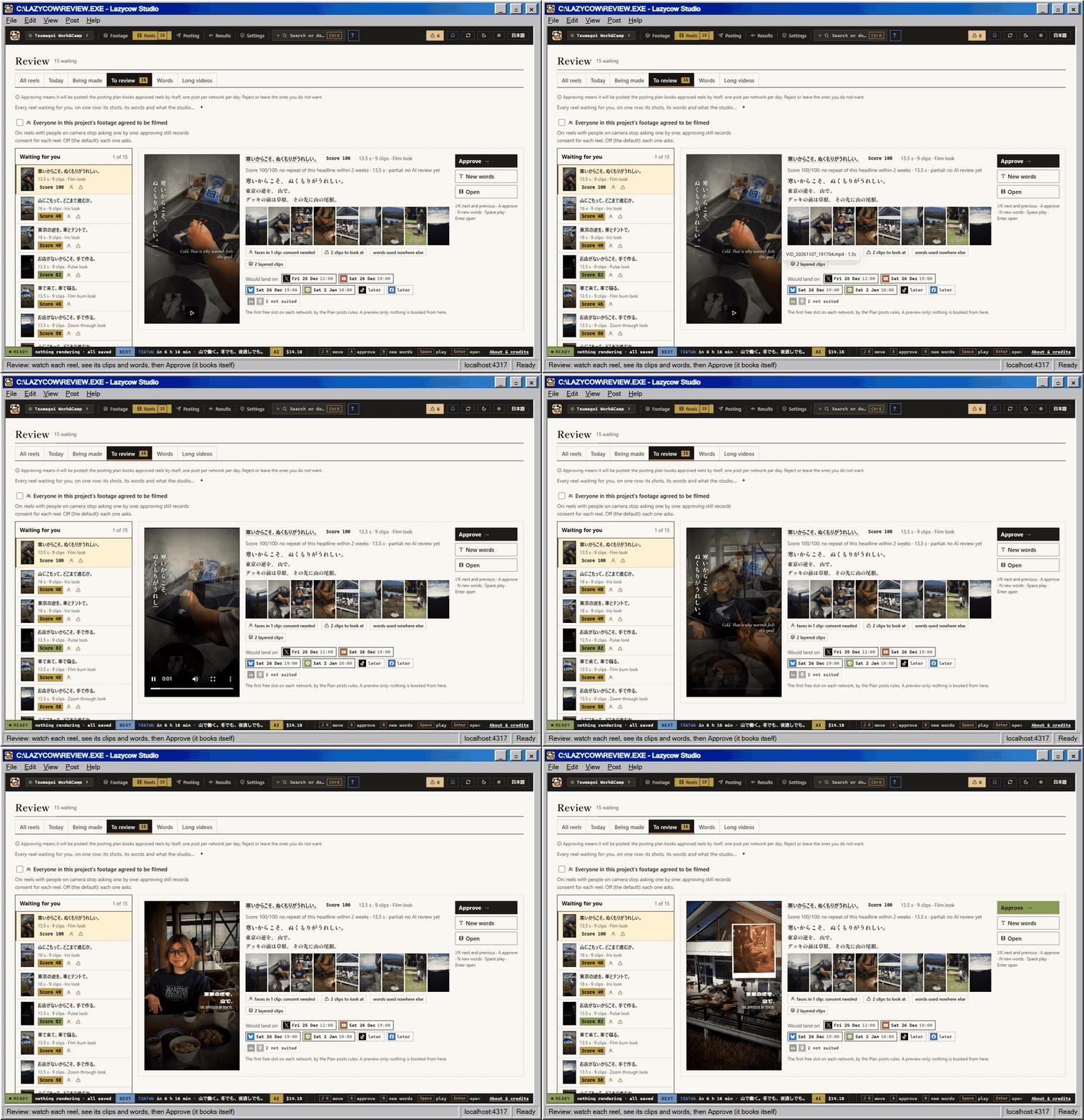 Review. Watch each reel beside its clips and its words. Chips name the networks and the first free day it would land on. |
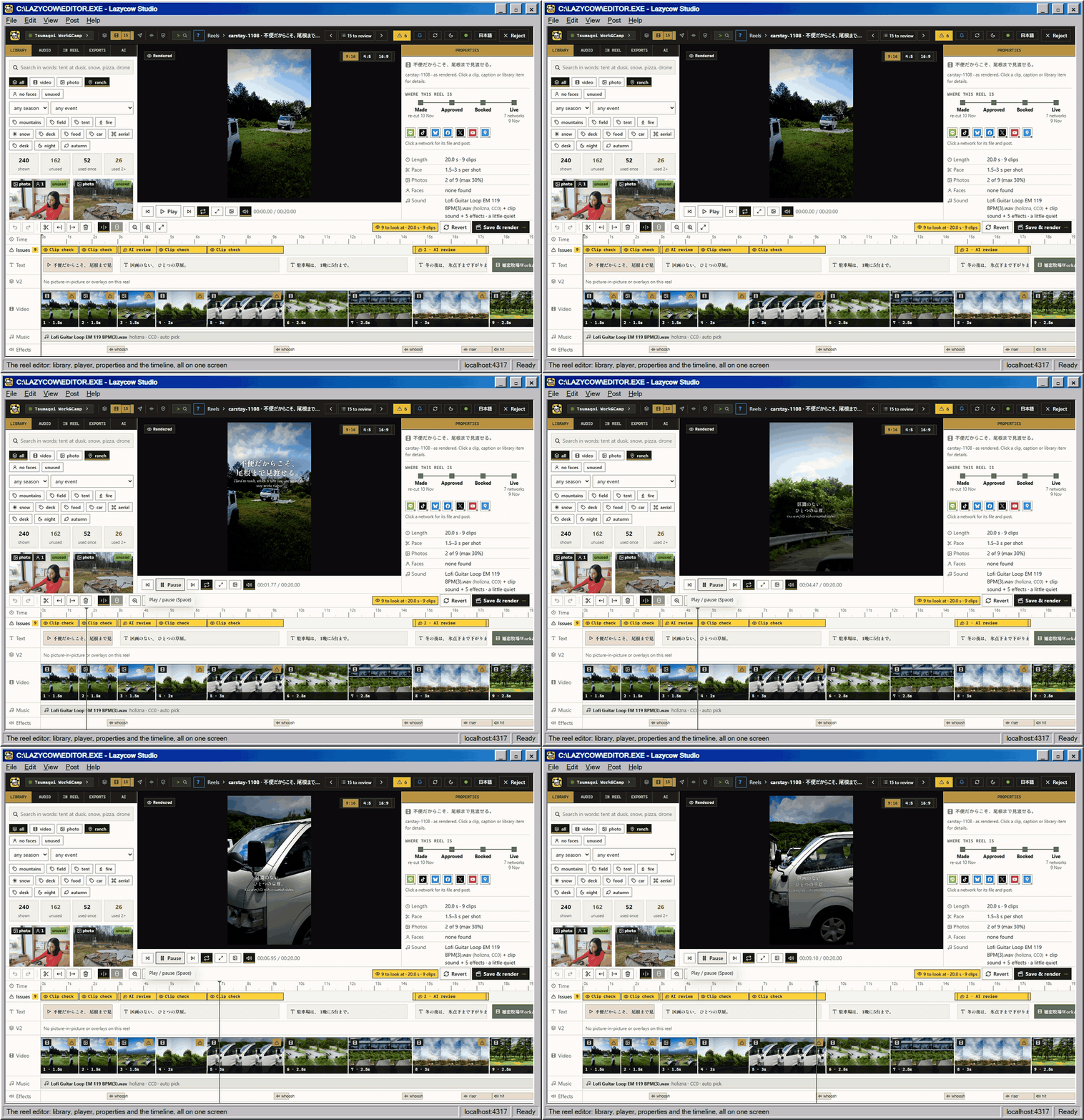 The reel editor. Library, player, properties and a timeline of words, clips, music and effects. An issues lane marks each problem at its time; click one to jump to it. | 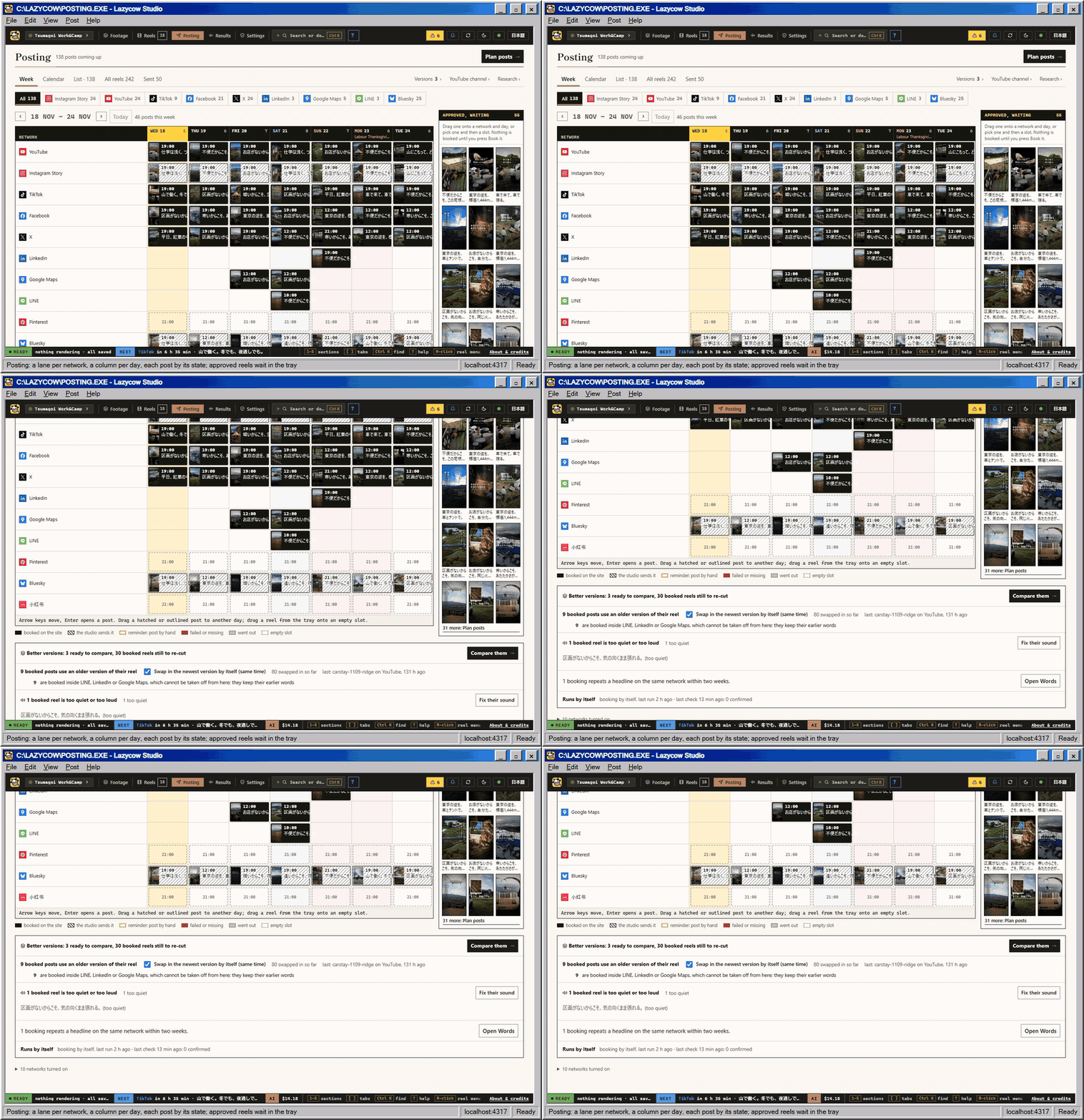 Posting. A lane per network and a column per day, each post shown by state. Drag a post the studio sends to another day. Drop an approved reel from the tray onto a slot, and it is booked only when you press Book it. |
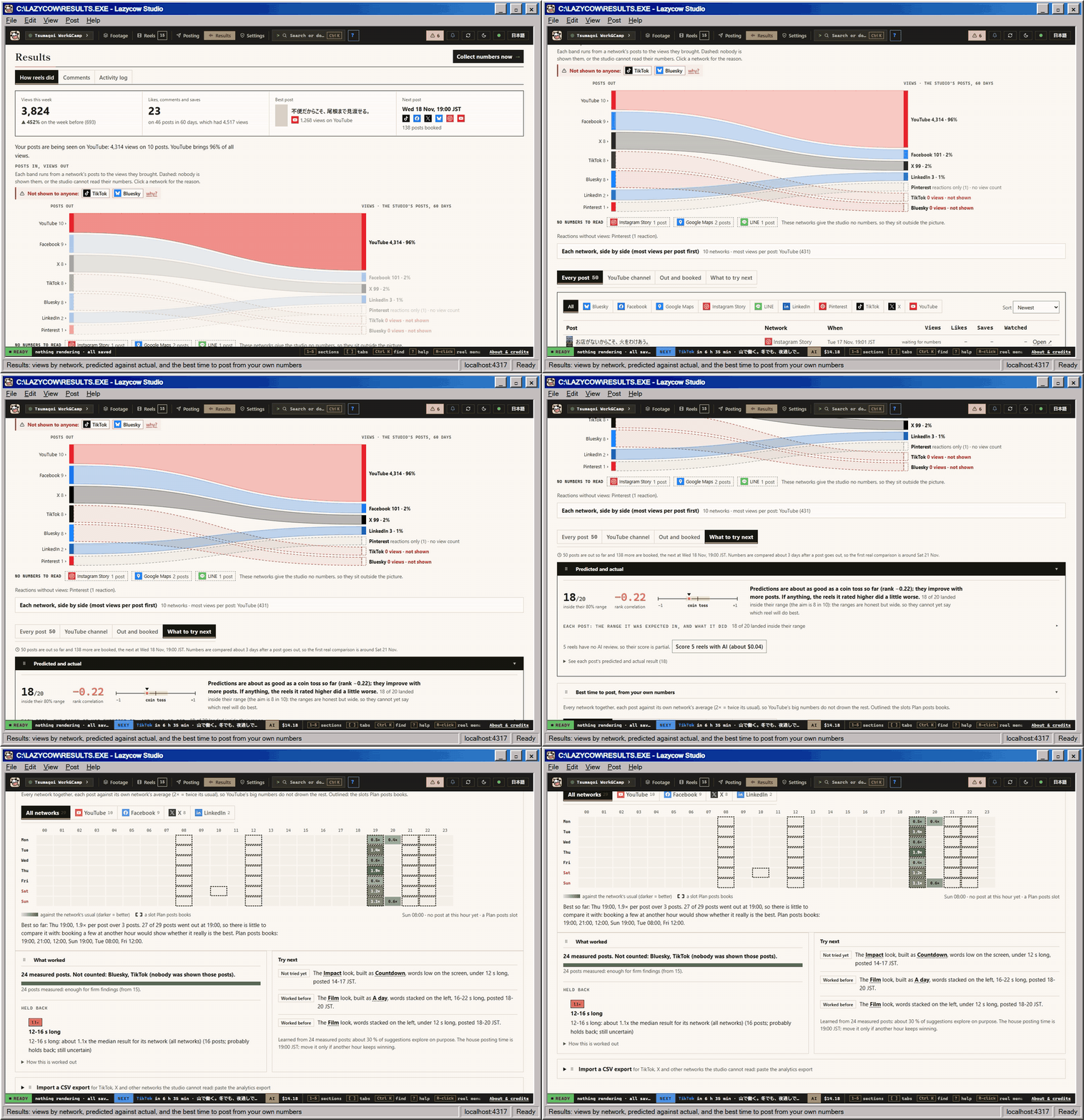 Results. Views by network, the networks showing your posts to nobody, each post's predicted range against its real views, and the best time to post, from your own numbers. | 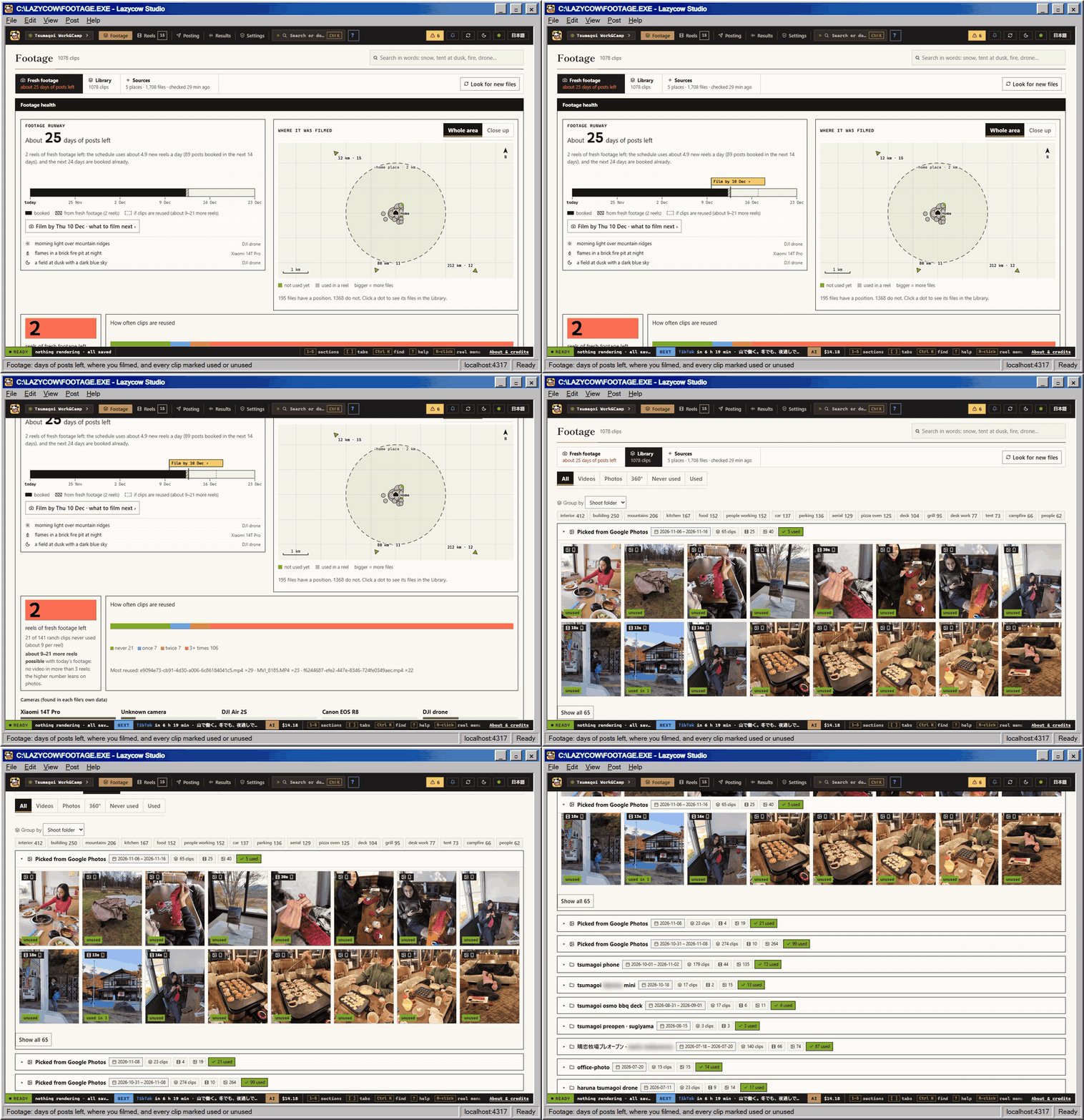 Footage. How many days of posts the footage still holds, with a film-by date, a map of where you filmed, and which clips no reel has used yet. |
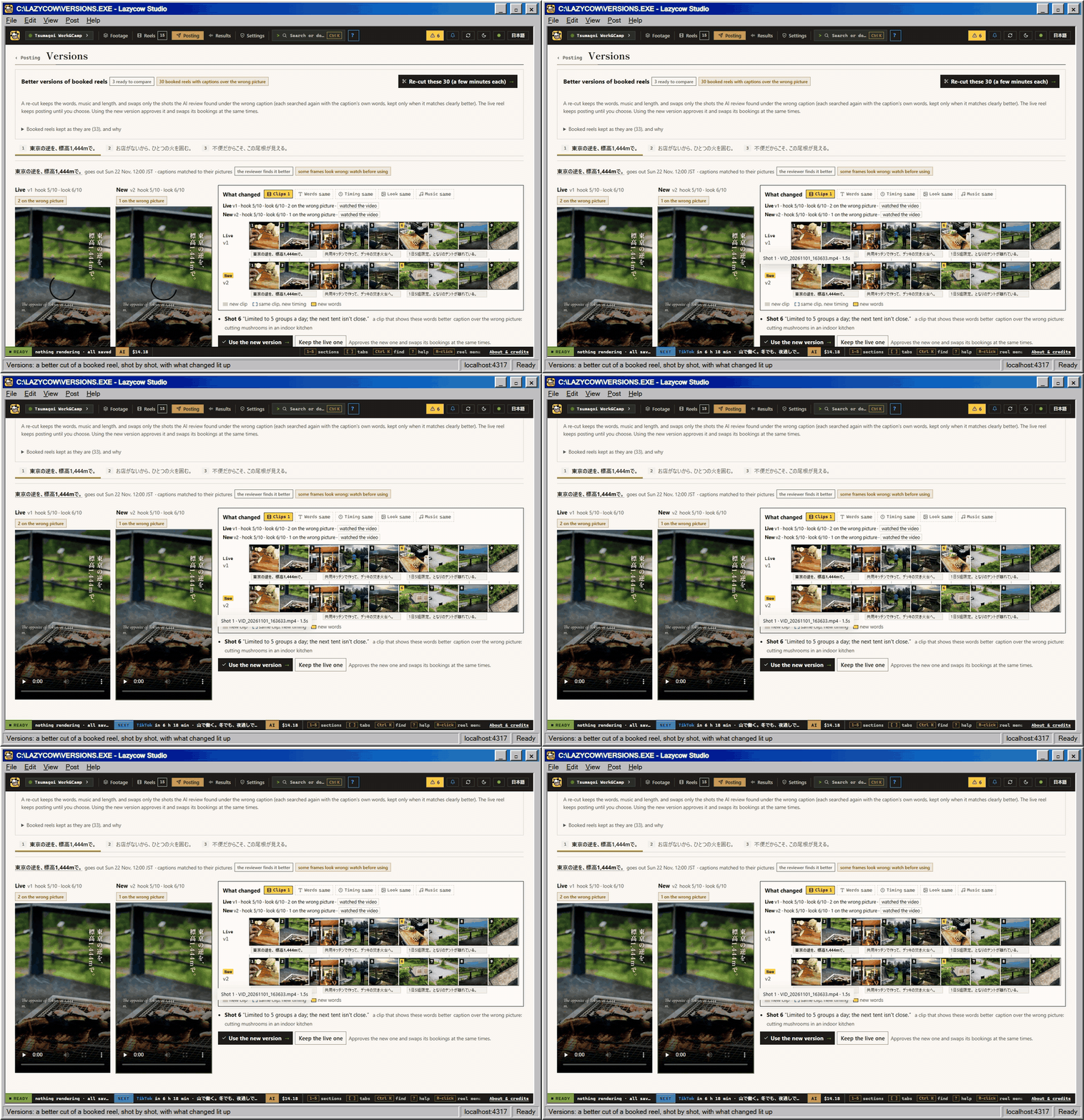 Versions. When a better cut of a booked reel is ready, the two show side by side, shot by shot, with what changed lit up. | 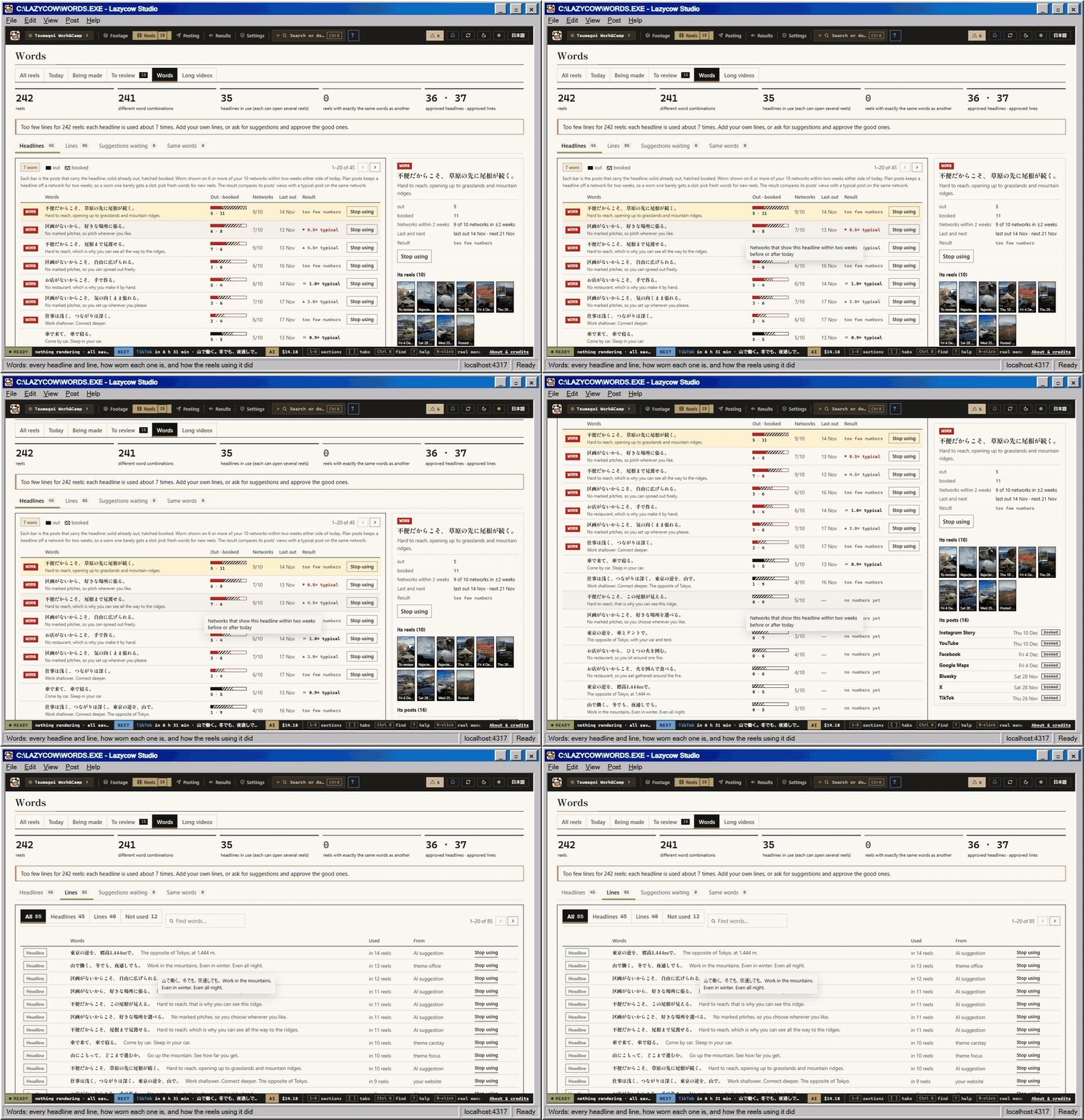 Words. Every headline and line, how worn it is, and how the reels using it did, so new reels pick fresh ones. |
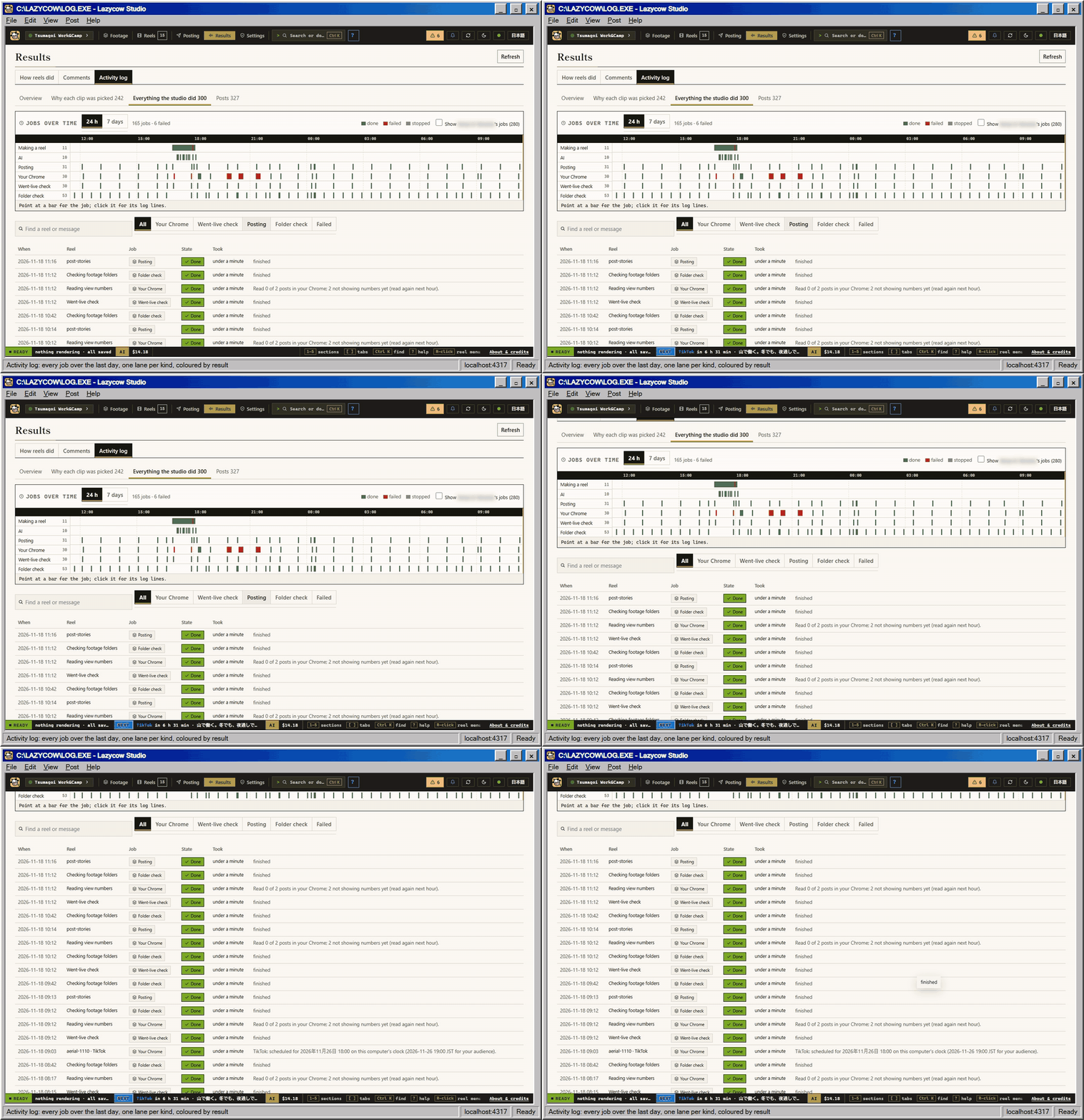 Activity log. Every job of the last day or week, one lane per kind, coloured by result. Click a bar for its log lines. | |
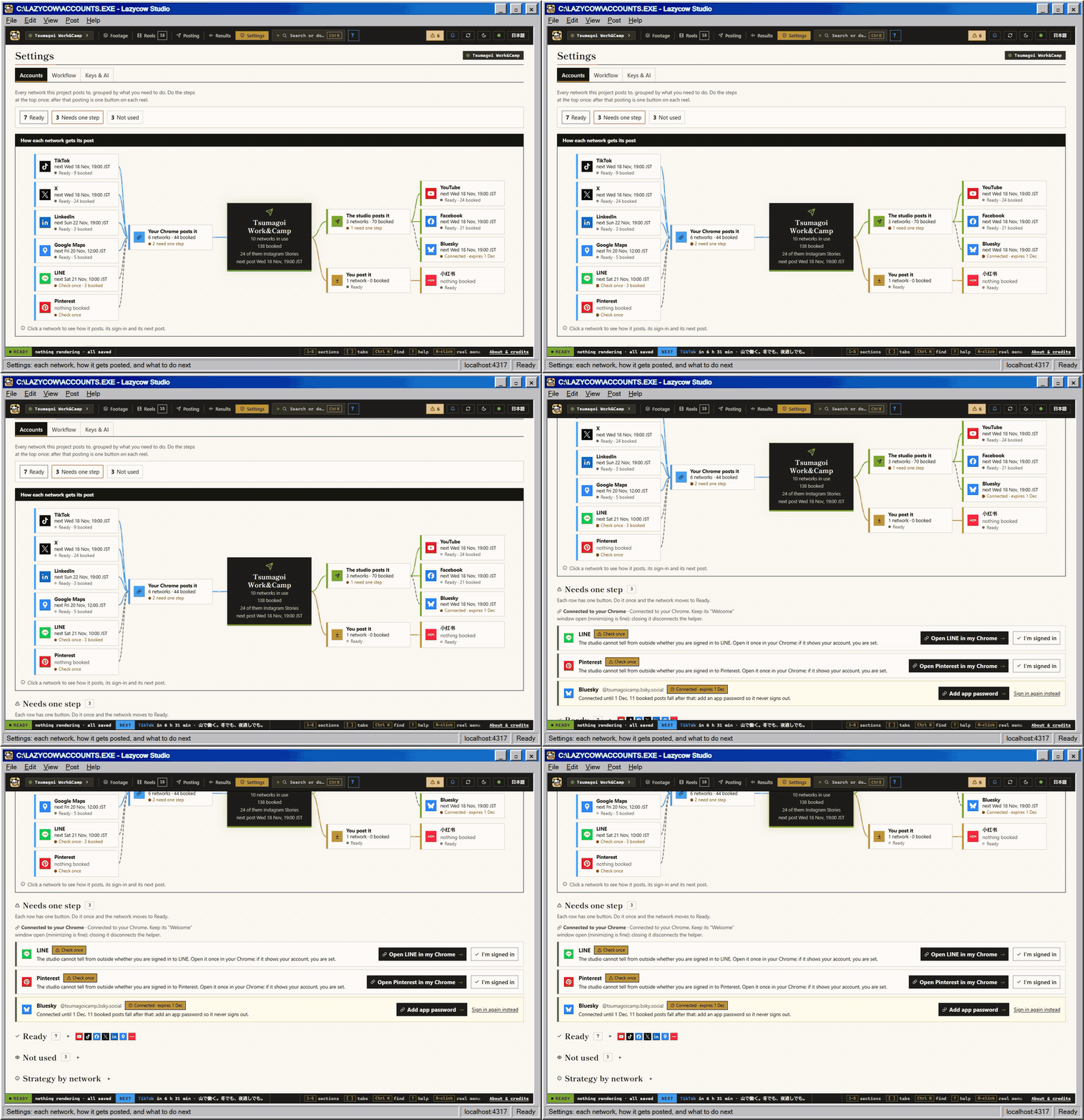 Settings › Accounts. Each network, how it gets posted (by the studio, in your Chrome, or by hand), and the one step left. | 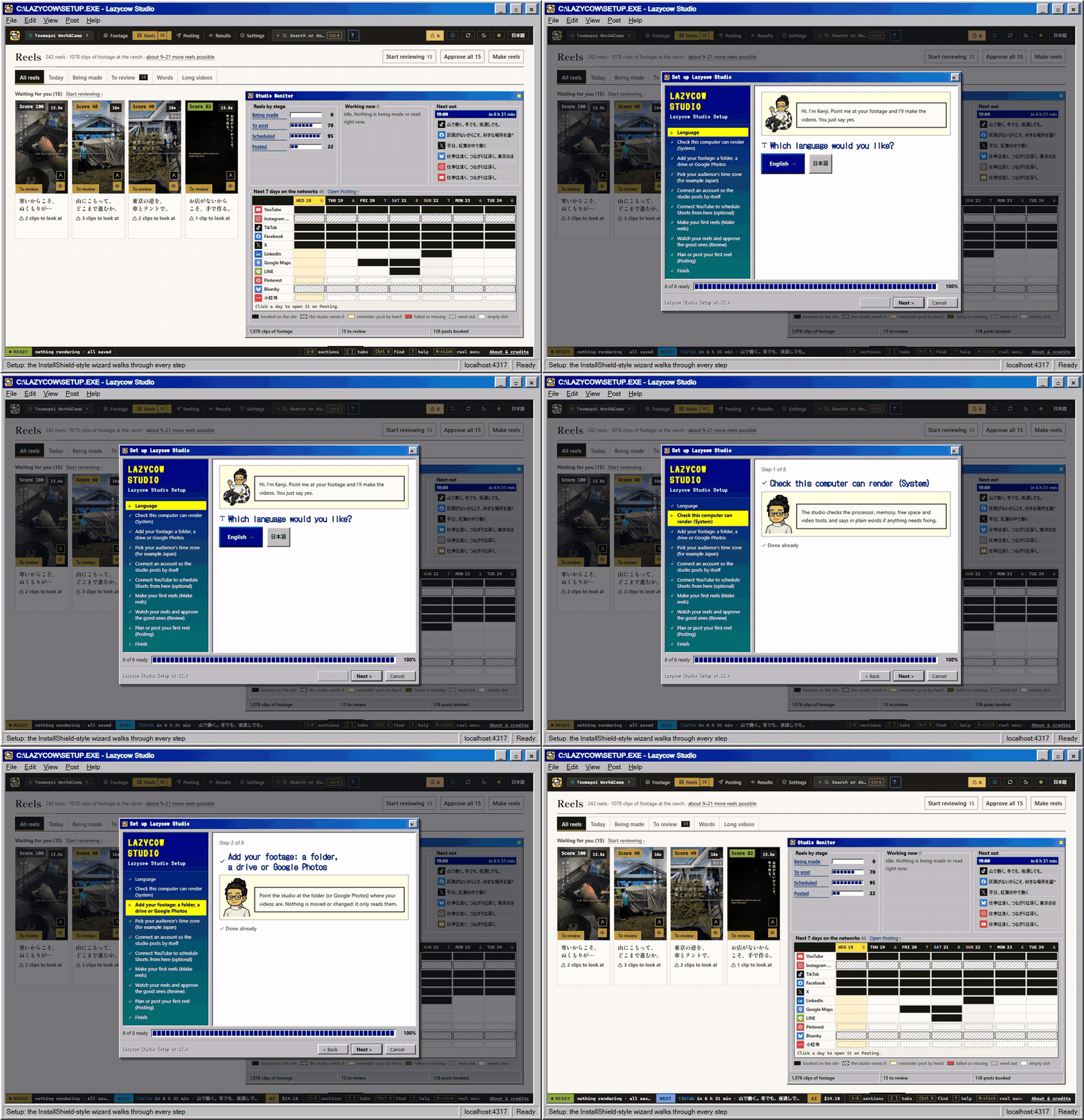 Setup. A 1998 InstallShield-style wizard walks through each step, with Lazy Kenji. |
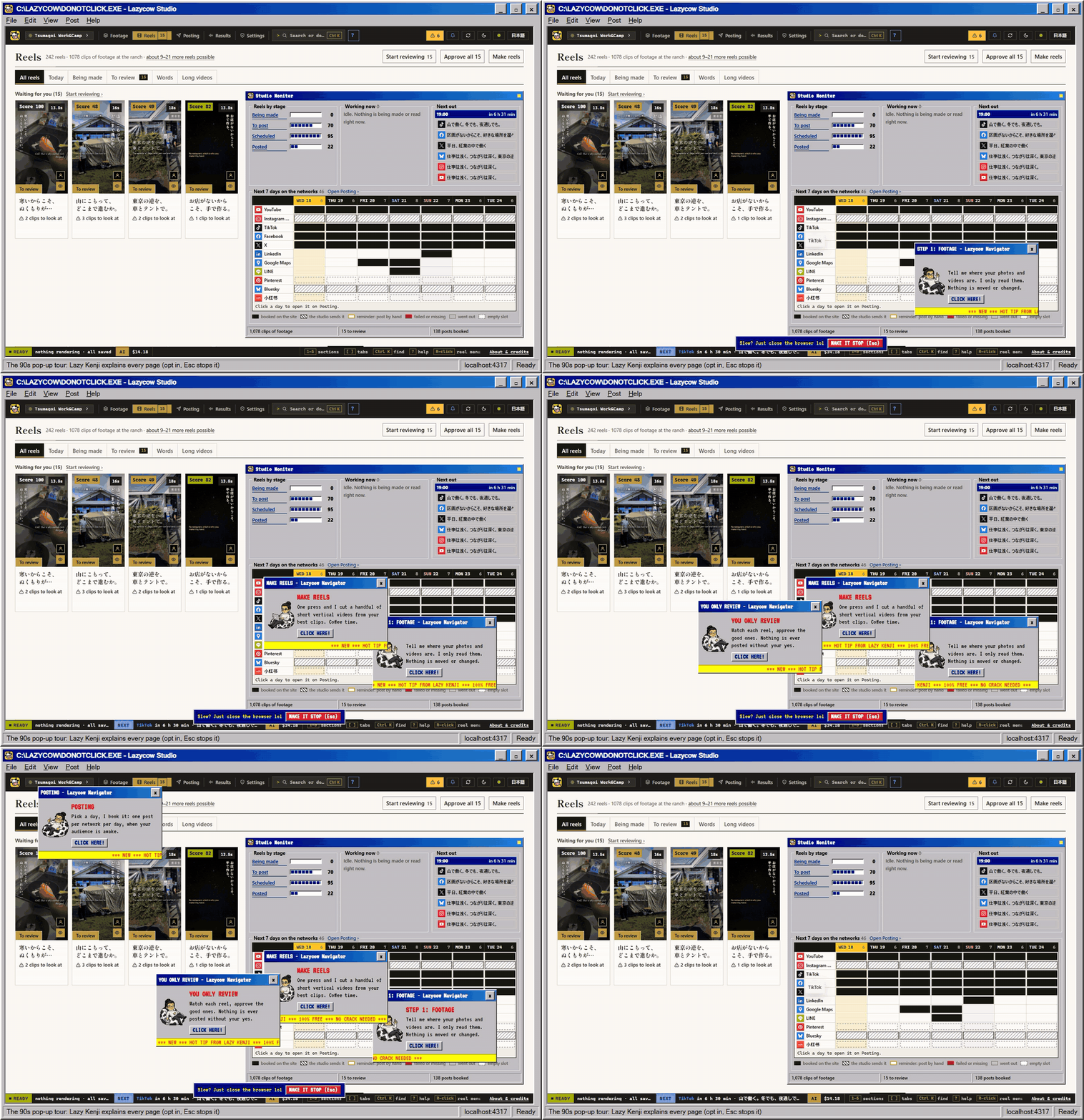 DO NOT CLICK. The opt-in pop-up tour: Lazy Kenji explains every page in 1999 browser pop-ups. Esc stops it. | The same GIFs are in the user guide, page by page. Make your own with node scripts/docs-gifs.mjs. |
A person approves every post
This is the one rule the studio never breaks.
- A new reel is a draft. It cannot be booked, uploaded or posted until a person presses Approve.
- A reel with a face in it cannot be approved until someone confirms the person agreed (Consent OK), or blurs the face.
- When a reel's words change, it goes back to review.
- A new version replaces a booked reel only when a person presses Use the new version.
- AI tools, agents and scripts can make drafts and suggest changes. They cannot approve.
Everything stays on your computer
- Your footage is only read, never changed, and never uploaded to be tagged. Search and tagging run on your own processor (OpenCLIP).
- Keys and sign-ins stay in
.envand in your data folder. They are never in git. - The studio listens on
127.0.0.1only, unless you turn on server mode, which requires an API token. Nothing leaves your computer unless you connect a service: a network you post to, or a paid AI tool you add a key for. - On a shared computer, set
STUDIO_API_TOKENso other programs need a token.
What you need
| Minimum (works, slowly) | Recommended | |
|---|---|---|
| Processor | 4 threads | 8 threads or more |
| Memory | 6 GB | 12 GB or more |
| Free disk to install | 6 GB | |
| Free disk for renders | 3 GB | 20 GB or more |
| Screen | 1280 px wide | 1440 px or more |
Software: Node 20 or newer, Python 3.12 or newer, and ffmpeg 5.1 or newer (-fps_mode, which frame sampling uses, arrived in 5.1, and the music ducking needs 5.0's sidechaincompress; Ubuntu 22.04's 4.4 and the 2021 builds still on many PATHs are too old). A current Chrome, Edge or Safari for the studio page. A Mac needs Apple silicon: PyTorch, which the footage search runs on, has had no Intel-Mac builds since 2.2.
The studio, its setup and npx lazycow doctor find ffmpeg by one rule: STUDIO_FFMPEG / STUDIO_FFPROBE if set, else the studio's tools folder (STUDIO_TOOLS, default the data folder's bin), else your PATH, but only if that one is 5.1 or newer. An older one is never used quietly: the System page says it is too old and how to fix it on your system.
Windows is where the studio is used every day. macOS and Linux work for the main flow but are tested less.
A 9-clip reel takes about 6 to 7 minutes on a 32-thread desktop, and roughly twice that on 8 threads. Press System in the top bar to see what your computer can do.
More, when you need it
First run, in order
- System (top bar): every line green or amber. A red line says what is missing.
- Footage › Add a folder: pick your footage. Tagging starts by itself.
- Settings › Keys & AI › This project: your name, link, hashtags, and words the studio must never use.
- Reels › Make reels › New theme: a headline, two or three true lines, and the kind of shots each line needs.
- Make reels, then Review each one: watch, trim, swap clips, then Approve or Reject.
- Settings › Accounts: connect each network once. Posting › Plan posts books approved reels, one a day per network.
The step-by-step guide is docs/user-guide.md.
Try it with a made-up brand
Copy the four files in examples/cafe-kumo/ (brand.json, themes.json, words.json, profiles.json) into your data folder before the first npm run review. The studio opens as "Cafe Kumo", with two themes and a word bank. Change them in Settings › Keys & AI › This project when you start your own.
What costs money
Nothing, unless you choose it. The studio, its search model, the music and the posting are free.
| Optional service | What it adds | Needs |
|---|---|---|
| fal.ai | Slow motion, sharpening, music made for a reel, a Japanese voice, a "living photo", sound effects, the music bed of a long video | Your key |
| OpenRouter | An AI reviewer that suggests fixes and judges a new version, suggested new lines for the word bank, post angles, chapter titles for long videos | Your key |
| Together AI | Nothing yet: Settings checks and saves the key, but no tool uses it | Your key |
| Firecrawl | Research (Posting › Research): reads the web for trends and events nearby (read-only) | Your key |
- Every paid call is priced first and refused over your limits: by default 2 USD a day, 2 USD a reel and 20 USD in total. Change them in Settings › Keys & AI.
- AI never changes an approved reel. It makes a new draft, which a person reviews again.
- AI suggestions are suggestions. New words are used only after a person presses Use it.
- Free music comes from Openverse (CC0 and public domain only, 200 searches a day, no key).
Connect your accounts
| Network | How the studio posts | You need |
|---|---|---|
| YouTube Shorts | Uploads as private; YouTube publishes at the time | Your own Google Cloud app (about 10 minutes; the studio walks you through it) |
| Facebook Page | Schedules a Page Reel through Meta's API | Your own Meta app's ID and secret |
| Bluesky | Sends it at the time (this computer must be on) | Sign in with Bluesky |
| X, TikTok, Google Maps, LINE, LinkedIn | Fills in each site's own scheduler in your Chrome | The Chrome link (docs/helper.md) and you signed in there |
| Instagram, others | You post by hand from the approved folder | Nothing |
- The studio posts only to accounts you connected, and only approved reels.
- Turn each network on or off for a project in Settings › Accounts. A new project starts with all of them off.
- Posts the studio sends itself (Bluesky, and posts marked "the studio sends it") go out for every project, whichever project is open. Leave the computer on at those times.
- YouTube's upload allowance. Since 1 June 2026, YouTube gives each Google Cloud app its own allowance of 100 uploads a day (YouTube Data API). The automatic swap uses at most 20 of them a day. The rest are for new posts and long videos.
Details: docs/integrations.md.
Several YouTube accounts, and long videos on YouTube
A project can connect more than one YouTube channel.
- main is the channel your Shorts post to.
- a2, a3, ... are more channels: a personal channel for long videos, or a second brand. Each has its own sign-in.
- Connect them in Settings › Keys & AI, in the box YouTube: Google account and app: press Connect another account. They are listed there under Other YouTube accounts.
- One Google app can serve every project. Press Use this Google app in every project in the same box. A project made in the studio can then connect its own channels without an app of its own.
Long videos upload from Reels › Long videos. Pick the account and who can see them:
| Choice | What happens |
|---|---|
| Private | Only you see it in YouTube Studio |
| Unlisted | Only people with the link can watch |
| Public | On the channel and in search at once |
| Go public on a schedule | Private until each part's time, then public. The first part goes at the time you pick, then one every N days. |
The title, the description with chapters, the tags and the thumbnail go with it. The link shows on the part when it is up. From a terminal in the py folder, with the studio's Python (the venv in your data folder):
python -m studio youtube accounts
python -m studio youtube upload-vlog --part 1 --account a2 --privacy unlisted
python -m studio youtube upload-vlog --part 2 --account a2 --at 2026-12-01T19:00
--at is this computer's local time. The part stays private until then.
A second studio for another project
Work on a second project without switching the main studio away. Start a second studio pinned to that project, on its own port:
STUDIO_PROJECT=my-trip STUDIO_PORT=4318 STUDIO_QUIET=1 npm run review
On Windows (cmd), set each variable first: set STUDIO_PROJECT=my-trip, set STUDIO_PORT=4318, set STUDIO_QUIET=1. Then run npm run review.
STUDIO_PROJECTis the project's id (its folder name under~/.lazycow/projects). The pinned studio never switches project.STUDIO_QUIET=1makes it a studio for looking and editing only. It does not post, book, swap or check by itself. The main studio still sends due posts for every project.- Connect YouTube in the main studio on port 4317 (see the note in
.env.example).
Use it from Claude Code, Claude Desktop or Cursor (MCP)
The studio has an MCP server. An AI agent can check the studio, make reels, watch renders, plan posts and publish approved reels. It has no approve tool.
npm run review
claude mcp add lazycow -- npx -y lazycow mcp
From a clone, without npm: claude mcp add lazycow -- node C:\path\to\lazycow-studio\server\mcp.mjs. Settings › Keys & AI › Use with Claude or Cursor shows these lines with your paths filled in. Full guide: docs/mcp.md.
Documentation
| Read | When you want to |
|---|---|
| User guide | use the studio page by page, or fix a problem |
| Filming guide | film footage the studio cuts well: take length, framing, settings, a checklist |
| Architecture | know how the pieces fit, which AI models run where, how to run it fully local, and where data lives |
| MCP | let an AI agent use the studio |
| Chrome link | schedule X, TikTok, Google Maps, LINE and LinkedIn |
| Connected services | see each outside service and why it is used |
| AI tools, results, research | call those parts of the HTTP API |
| HTTP API | see every route (OpenAPI 3.1) |
| Self-hosting | run the studio in Docker or on a server you own |
| Roadmap, changes | see what is next and what changed |
More from kensaurus
Lazycow Studio is one of the apps made by kensaurus, the small company that also runs the campsite in the GIFs above. If Lazycow helps you, these might too:
| App | What it does | Get it |
|---|---|---|
| Mushi Mushi | Tells you why your AI-built app broke, and hands the fix to your editor. One package: an SDK and a setup wizard for any app. Your users' bug reports become a plain-language diagnosis and a fix prompt; it works from Claude Code and Cursor too. | npm i mushi-mushi · GitHub |
| kenji skills | Step-by-step playbooks that keep AI coding assistants on track, for Claude Code, Cursor and Codex CLI. Free and open source. | @kensaurus/skills · GitHub |
| Tsumagoi Work&Camp | A 24-hour mountain lounge at 1,444 m in Gunma, run by us. Lazycow was built to post its reels every day. | Visit · How we built it |
Every app, with the story of why it exists: kensaur.us (Solo Boss for one-person companies' books, glot.it for Thai, yen-yen, help her take photo, lets-talk, the wanting mind and more).
Licence
The studio's code is under the Apache License 2.0.
Remotion is not open source in the same way. The studio uses Remotion to draw the words on screen and to render product videos. Remotion has its own licence (remotion-dev/remotion
LICENSE.md): it is free for individuals, non-profits and for-profit companies with up to 3 employees. A company with more than 3 employees needs a Remotion company licence to make reels or product videos with the studio. That licence is between you and Remotion; the studio's Apache licence does not cover it. See NOTICE.
Every other component, model, font and piece of music, with its licence, is listed in THIRD_PARTY_NOTICES.md. The fonts in public/fonts each have their licence file beside them. Each reel's music credit travels with it in credits.txt.
The names "Lazycow" and "Lazycow Studio" and the icon are trademarks of kensaurus LLC and are not covered by the licence. A fork needs its own name and icon: see TRADEMARKS.md.
Credit and contributing
Lazycow Studio is made by Kenji Sakuramoto (kensaurus) and contributors, and published by kensaurus LLC.
- Using it? Nothing to do. A link back to https://kensaur.us is always appreciated.
- Forking it? Keep
LICENSEandNOTICE, give your fork its own name and icon, and please keep "Based on Lazycow Studio by kensaurus" in your About screen. - Helping? Read CONTRIBUTING.md and the Code of Conduct. Security problems: SECURITY.md.
- Writing about it? Use "Cite this repository" on GitHub (CITATION.cff).
Support Lazycow
The studio is free and stays free. If it saves you evenings of editing, you can pay for its development: once, any amount, or monthly with small benefits (your requests looked at first, your name or logo in the About window).
| Pay once | In yen · In US dollars |
| Monthly | Supporter ¥500 / $4 · Backer ¥1,500 / $10 · Sponsor ¥5,000 / $35 |
What each plan includes, and how to cancel: SUPPORTING.md. Thank you to everyone who does.