Listed from the MCP registry; nobody on Odel publishes it.

ezmd
Convert files, URLs and text to LLM-ready Markdown with paging, provenance and warnings.
Runs on your machine from its package; the steps are below.
What it does
- Reads
- Writes
- High impact
At most: only reads or looks up information.
What it costs
FreeOdel charges nothing per call. The publisher may charge for its own service.
Runs locally over stdio
This server isn't hosted — your MCP client launches it from a package registry. Use one of the commands below, or drop the config into your client (e.g. Claude Desktop).
Run
uvx ezmd-mcp
MCP client config
{
  "mcpServers": {
    "ezmd": {
      "command": "uvx",
      "args": [
        "ezmd-mcp"
      ]
    }
  }
}
ezmd
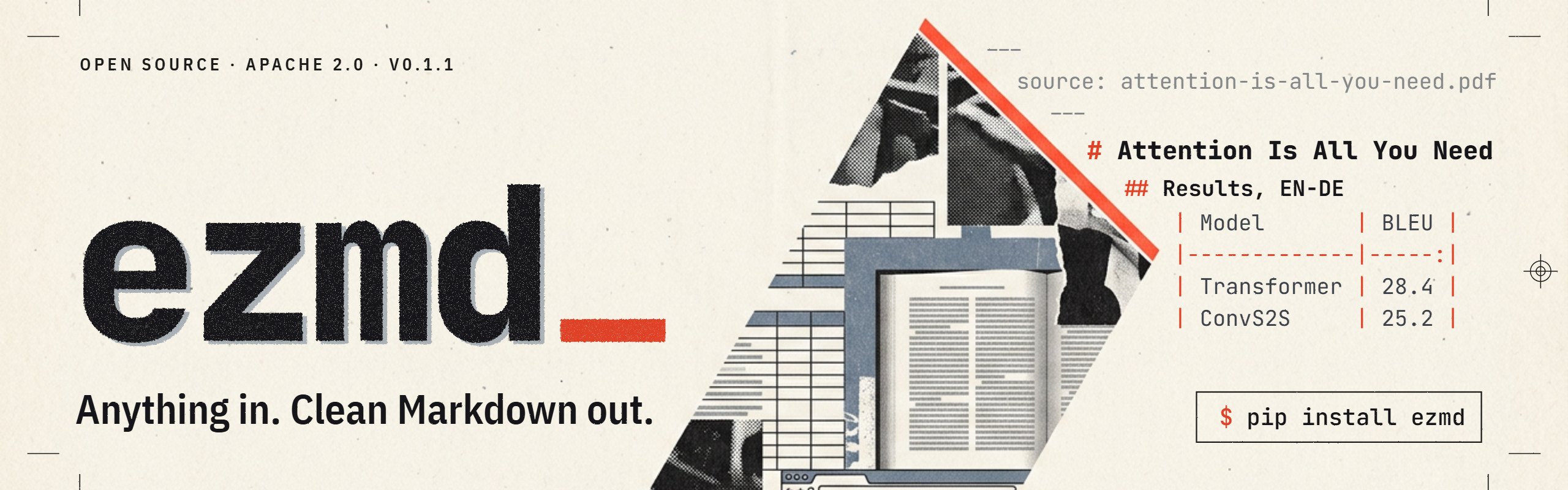
Anything in. Clean Markdown out. ezmd turns PDFs, Office files, web pages, data files, code and archives into Markdown that AI models read well, keeps a record of where every part came from, and tells you what it could not convert.



pip install ezmd                       # Python 3.12 or newer; or: uv tool install ezmd
ezmd convert paper.pdf                 # Markdown on stdout, warnings on stderr
ezmd convert https://example.com -o page.md
Apache-2.0. Runs on a CPU with no model downloads. Works as a CLI, a Python library, an MCP server for Claude, Cursor and other agents, a REST API with a web UI, and a self-hosted Docker stack.
What you get
Converting the Mamba paper (36 pages, CC BY 4.0) with the default install takes about four seconds and gives one Markdown file:
---
title: "Mamba: Linear-Time Sequence Modeling with Selective State Spaces"
source: "mamba.pdf"
source_type: pdf
pages: 36
word_count: 22409
tokens: {o200k_base: 44058, cl100k_base: 44292, claude_approx: 47583}
warnings: [removed_script_or_macro, engine_fallback, removed_running_header_footer, injection_suspected]
---
# Mamba: Linear-Time Sequence Modeling with Selective State Spaces

## 1 Introduction {#sec-1}
...
## 3 Selective State Space Models {#sec-3}
### 3.1 Motivation: Selection as a Means of Compression {#sec-3-1}
Every conversion comes with three things:
- A header of facts. Title, source, page count, word count, token counts under three tokenizers, a content hash, and the list of warning codes. An agent can decide what to do with a document before reading it.
- Structure, kept. Headings follow the document's own outline, with anchors. Tables stay tables,
superscripts stay superscripts (
10²⁰, not1020), lists stay lists, links keep their targets. Running headers, footers and page numbers are removed; words broken across lines are joined. - Warnings, not silence. Everything ezmd detects it could not convert becomes a warning with a code, a count, the pages involved and a suggestion: pages with no text layer, glyphs the PDF's fonts cannot map to text, a table that lost its header, content that looks like instructions to an AI. The full list is in docs/warnings.md.
With --sidecar, a JSON file beside the Markdown records the page and position of every block, so
answers can cite the page they came from.
Use it from
The command line
uv run ezmd convert fixtures/office/docx-review/input.docx --profile compact
uv run ezmd convert fixtures/pdf/born-digital-report/input.pdf --profile rag
uv run ezmd convert fixtures/text/markdown-kitchen-sink/input.md --json
uv run ezmd detect fixtures/pdf/born-digital-report/input.pdf
uv run ezmd batch fixtures/text --recursive --out out/text
The commands above run from a source checkout and use files from fixtures/, so you can paste them as
they are; installed, drop the uv run. Warnings go to stderr as WARN [code] message. ezmd batch
skips unchanged inputs when run again. URLs are fetched through an SSRF guard that refuses private and
loopback addresses:
uv run ezmd convert https://example.com --profile compact
Every command and option: docs/cli.md.
Python
import ezmd

result = ezmd.convert(
    "fixtures/office/docx-review/input.docx",
    profile="compact",
    on_progress=lambda p: print(p.stage, p.progress),
)
print(result.markdown)
for w in result.warnings:
    print(w.severity, w.kind, w.message)
print(len(result.chunks(chunk_tokens=200)), "rag chunks")  # other profiles render from the same conversion
result.render("rag") renders another profile without converting again. See docs/library.md.
Claude, Cursor and other agents (MCP)
ezmd is on the MCP registry as io.github.larpey/ezmd. Claude Code:
claude mcp add ezmd -- uvx ezmd-mcp
Claude Desktop (claude_desktop_config.json):
{
  "mcpServers": {
    "ezmd": {
      "command": "uvx",
      "args": ["ezmd-mcp", "--allowed-dirs", "/Users/you/Documents"]
    }
  }
}
The agent gets tools to convert a URL, a file or pasted text, page through long results, and ask what this install can convert, with the same warnings. Other clients, the HTTP transport, and running from a source checkout: docs/mcp.md.
REST API and web UI
Run the API in-process (inline queue, no Redis), then convert with curl:
uv run ezmd serve --port 8080
curl -s -F file=@fixtures/text/plain-utf8/input.txt -F profile=compact "http://127.0.0.1:8080/v1/convert?wait=30&format=md"
The web UI is served at / once it is built (needs Node 22 and pnpm):
pnpm install && pnpm --filter @ezmd/web build
API reference: docs/api.md and docs/api/openapi.json. The
TypeScript client is npm install @ezmd/sdk.
Your own server (Docker)
The Compose stack (Caddy, API, sandboxed workers, Redis) builds from this checkout:
bash deploy/bootstrap.sh --plain-http --build
Then open http://localhost:8080. Signed images for each release are on GHCR (ghcr.io/larpey/ezmd-api,
ezmd-worker, ezmd-fetch-node). TLS, API keys, backups, upgrades and every environment variable:
docs/selfhost.md.
Install
pip install ezmd                           # or: uv tool install ezmd
pip install "ezmd[docs]"                   # optional: Docling layout models for PDFs (large, pulls torch)
uvx ezmd-mcp                               # the MCP server
On Linux, install CPU torch first or ezmd[docs] pulls about 6 GB of CUDA wheels; the Docling extra
downloads its models once. Details and every extra: docs/install.md.
From source (needs uv):
git clone https://github.com/larpey/ezmd && cd ezmd
uv sync --all-packages
uv sync --all-packages --extra docs          # optional: Docling for PDF layout (large, pulls torch)
uv sync --all-packages --extra data          # optional: pyarrow for Parquet
Check what this machine can convert (converters, extras, system programs such as LibreOffice):
uv run ezmd capabilities
uv run ezmd doctor
What it converts
| Family | Formats |
|---|---|
| Documents | PDF (text layer by default; Docling layout with the docs extra), DOCX, PPTX, XLSX, ODF, RTF, legacy Office (.doc, .xls, .ppt) when LibreOffice is installed |
| Ebooks and notebooks | EPUB, Jupyter notebooks |
| Web | HTML pages and URLs (Trafilatura, rules-based, raw) |
| Data | CSV, TSV, JSON, JSON Lines, YAML, TOML, XML, SQLite, Parquet (data extra); database connection strings are refused without echoing credentials |
| Code | Source files; repository archives (zip or tar) packed with a secret scan, with --converter code.repo_pack or from a GitHub repository URL |
| Archives | ZIP, TAR, and gzip/bzip2/xz TAR with bomb limits; 7z with the 7z extra |
| EML, MBOX, Outlook MSG | |
| Specialized | SEC EDGAR filings |
| Text | Plain text, Markdown |
The full list, with engines, extras, status, fixture counts and thresholds, is the generated converter matrix.
Output profiles
One conversion renders in any of four shapes:
full: fidelity first; full frontmatter, numbered headings, page markers, and a JSON sidecar.compact: for pasting into a chat; minimal frontmatter, link list at the end, a 16,000-token budget.rag: for indexing; chunk markers with breadcrumbs, and the chunks in the sidecar.agent: tool output for agents; the body sits inside an untrusted-content fence.
Details: docs/output-format.md.
Where it stands
ezmd is at 0.1. What that means in practice:
- Solid: web pages, DOCX, XLSX, PPTX, data files, code, archives, email, EPUB.
- Good and improving: born-digital PDFs with the default engine. A run over 109 random open-licensed arXiv papers (2,553 pages, about 0.1 s per page on a desktop CPU) found and fixed problems with titles, heading outlines, superscripts, math letters and table headers; the remaining known gaps are figures whose lettering comes out as a table, and display equations, which stay as text.
- Not yet: scanned PDFs (OCR is next on the roadmap), audio and video, chat
exports, social platforms. Local directories are not an input yet; zip the folder, or use
ezmd batch.
How it compares is measured, not claimed. On 30 whole arXiv papers, with a local model answering the same 148 questions from every converter's output, ezmd, Docling, MinerU and pymupdf4llm all land between 74% and 82% correct, within each other's error bars. Measured against each paper's LaTeX source, a witness no converter produced, ezmd, MinerU and Docling keep the same share of the words (94 to 95%), so ezmd does not keep more text than the layout tools. Where they differ: ezmd lost more than 5% of a paper's words without saying so on 0 of 30 papers, against 3 to 5 of 30 for the others; on papers damaged on purpose (scanned pages, truncated files) it named the unreadable pages exactly and still had one silent loss of its own, a repaired file, now issue #23. Docling's output is about 20% smaller in tokens than ezmd's default profile. The numbers, the harness and what ezmd still does badly are in docs/benchmarks.md.
Why ezmd
- Loss is reported. Every dropped or degraded element ezmd detects becomes a structured warning with a code and a suggestion, and the benchmark above measures what still slips through.
- Provenance. With the sidecar, every block records its source page and position.
- Permissive by default. The default install pulls only allowlisted licenses; anything else is an opt-in extra, named as such.
- One conversion path. CLI, library, REST API, web UI and MCP server share it, and the Compose stack runs on one machine.
- Hostile input is the default assumption. Sandboxed workers, an SSRF guard, archive and size limits, secrets scrubbed from repository packs, and a flag on content that reads like instructions to an AI.
Contributing
See CONTRIBUTING.md (setup, the council process, the fixture process), SECURITY.md, and CODE_OF_CONDUCT.md. Bug reports with a file that converts badly are the most useful kind; the fixture process turns them into tests.
License
Apache-2.0 (see LICENSE and NOTICE). Optional extras (for example 7z and
nonfree) and some model weights carry their own licenses; they are listed in
docs/licenses.md.






