Listed from the MCP registry; nobody on Odel publishes it.
Is this yours? Claim it
Luminara Suite
Projects, context, and reports. Paid research needs Agency or your own DataForSEO login.
One address for any MCP client. You sign in at www.luminarasuite.com once, after adding it.
What it does
- Reads
- Writes
- High impact
At most: only reads or looks up information.
What it costs
FreeOdel charges nothing per call. The publisher may charge for its own service.
What it asks for at sign-in
| Access to | Read | Change |
|---|---|---|
| Mcp | Not stated: mcp:free | |
From the sign-in at www.luminarasuite.com, as the endpoint publishes it. You approve it there.
Tools
None listed · checked 14 Nov 2026Odel could not list its tools without signing in.
Luminara Suite
Open-source AI search visibility: see how your brand shows up in Google, AI Overviews, ChatGPT and Perplexity, then get a plain-English action plan.
luminarasuite.com · Quick start · Bring your own keys · Deploy · Contribute





What it does
Luminara Suite is a web app and Telegram Mini App for Answer Engine Optimization (AEO): the practice of getting your brand cited by AI answers, not just ranked by Google.
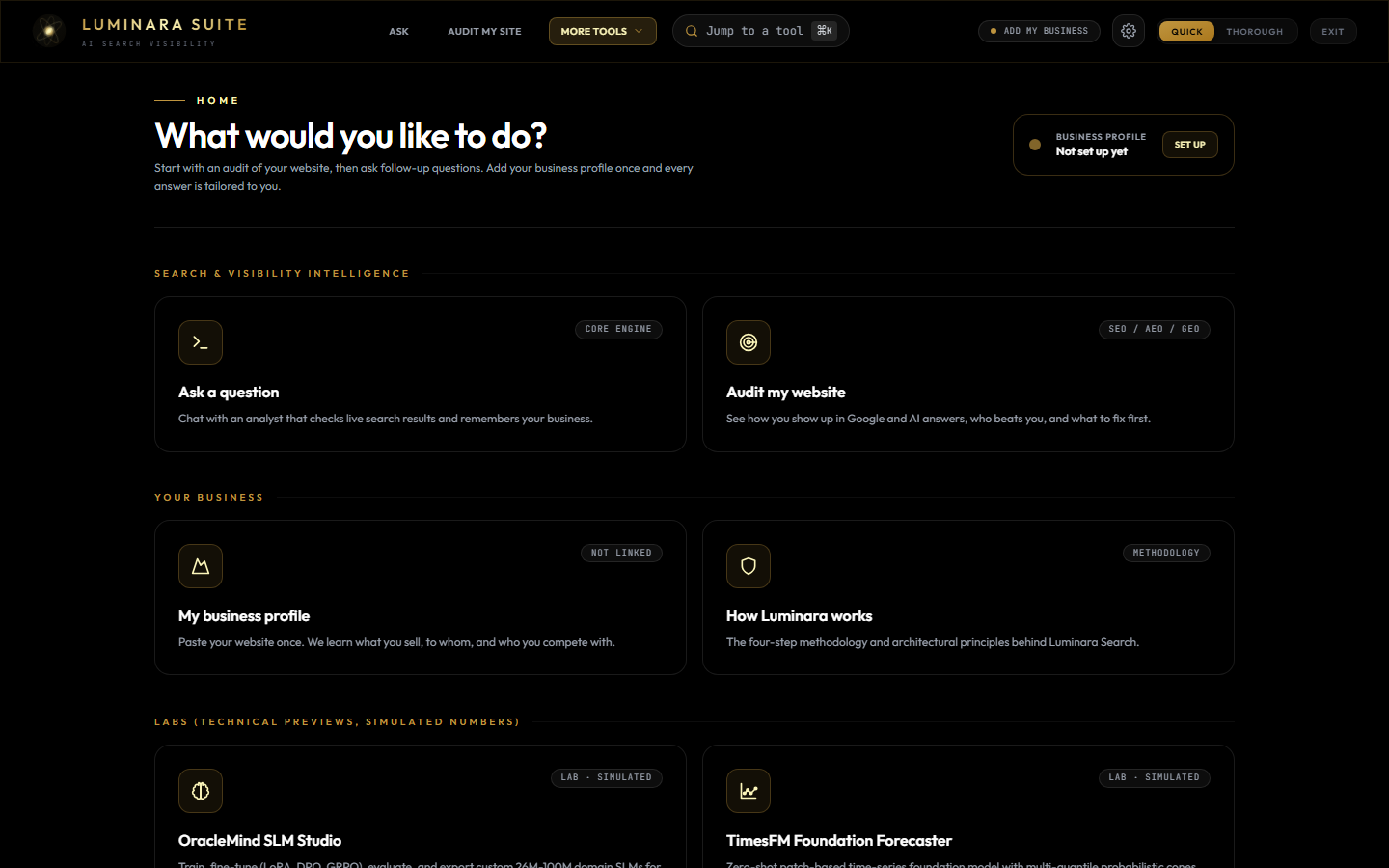
- Instant Audit: enter a domain, get an SEO / AEO / GEO brief grounded in a live scrape of the site and live search results, with a visibility radar, competitor map, schema gaps and prioritised recommendations.
- Oracle Agent: a chat analyst with conversation memory that pulls fresh search evidence when a question needs it and cites its sources.
- Business DNA: extract your mission, USP, audience and competitors once; every audit and answer is personalised to it.
- Plain English mode: one click rewrites any report at an 8th-grade reading level for non-technical stakeholders.
- Strategy tools: red-team stress test, data analyst, thought organiser, grounded market research.
- Telegram Mini App: the same product inside Telegram, with Stars payments and TON wallet connect.
It runs on your own AI account: Groq, NVIDIA NIM or Ollama (local or cloud), with Gemini as an optional fallback. No Luminara account is needed to self-host.
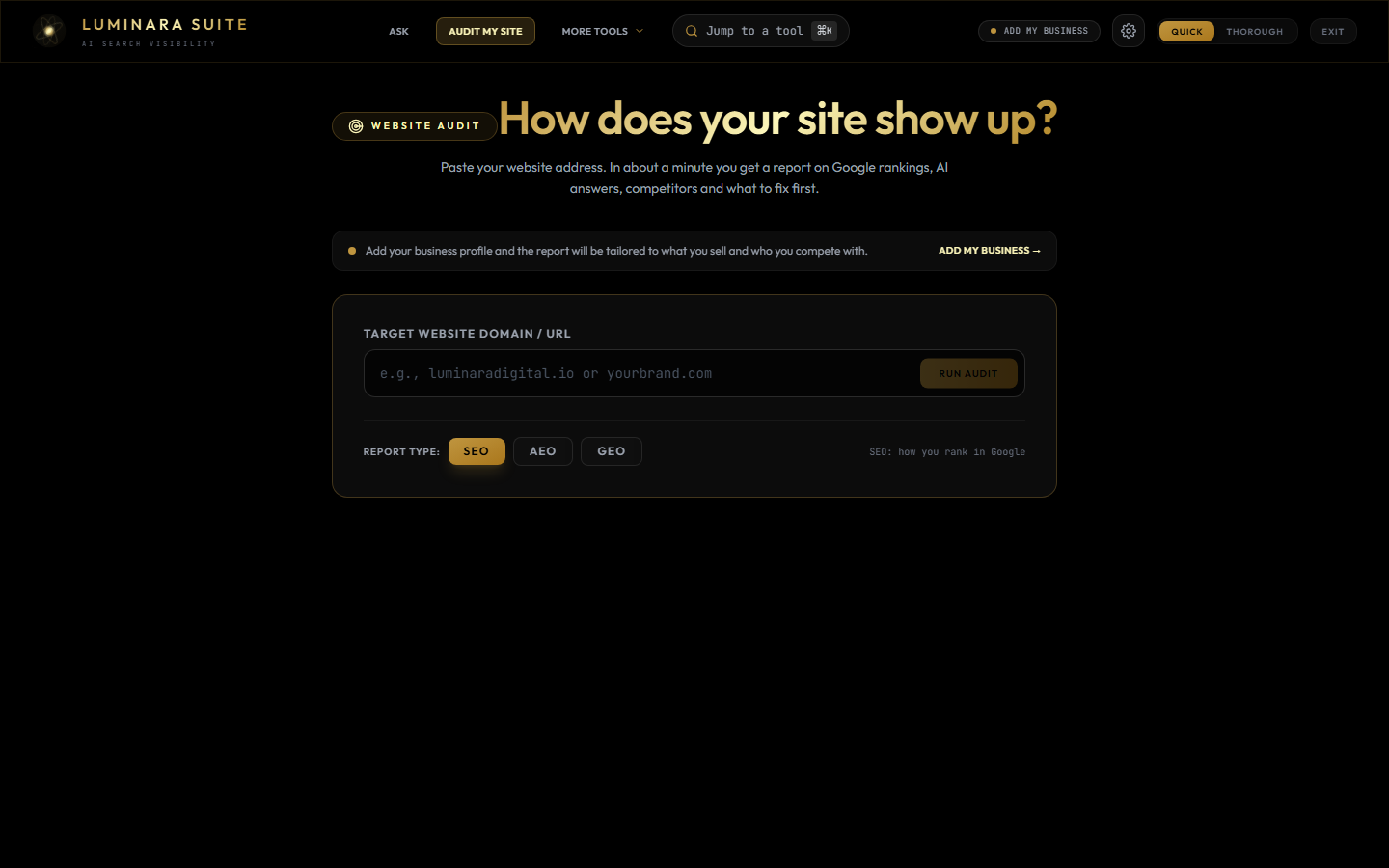 | 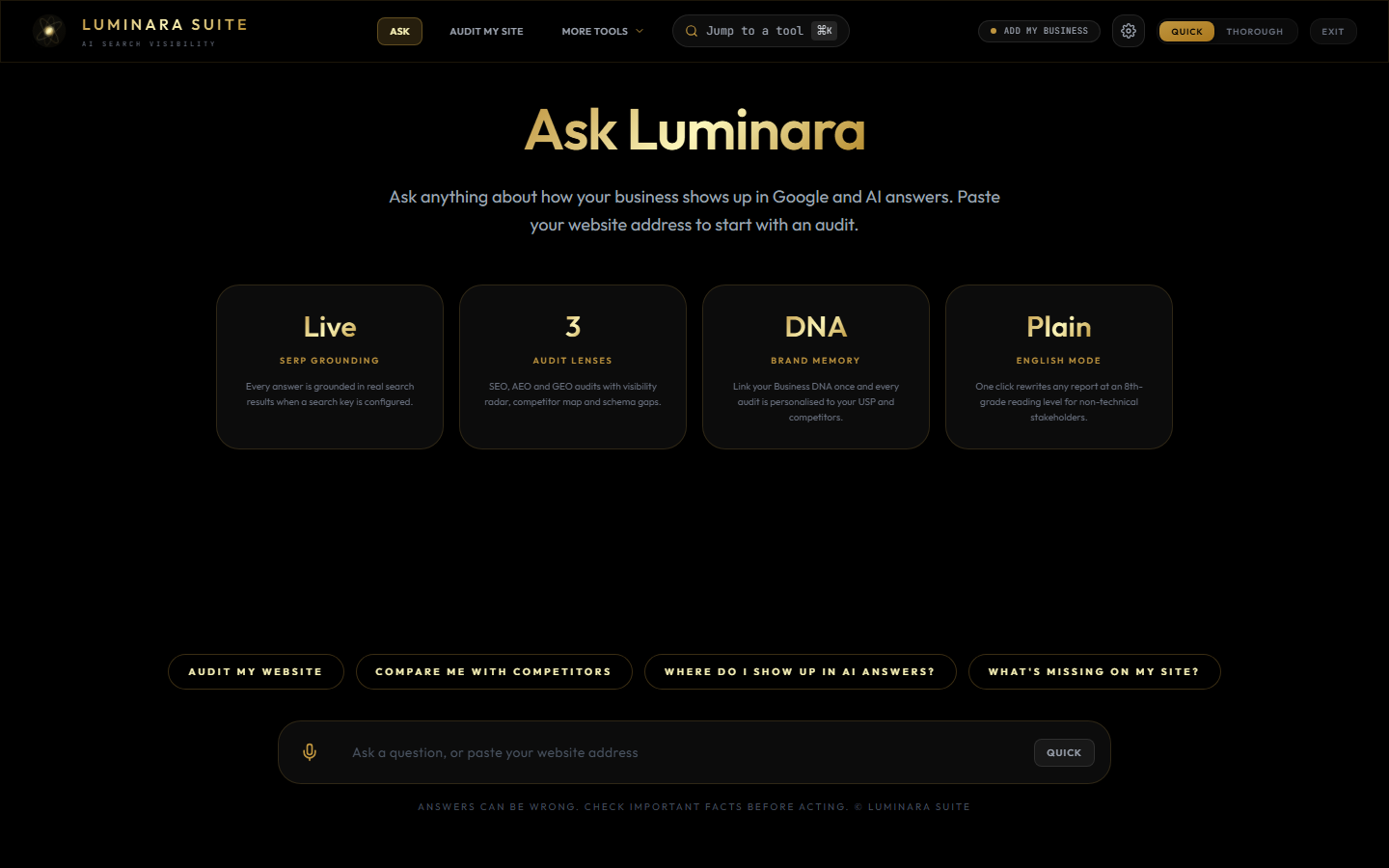 |
| Audit my website | Ask a question, with plain-English rewrite and sources |
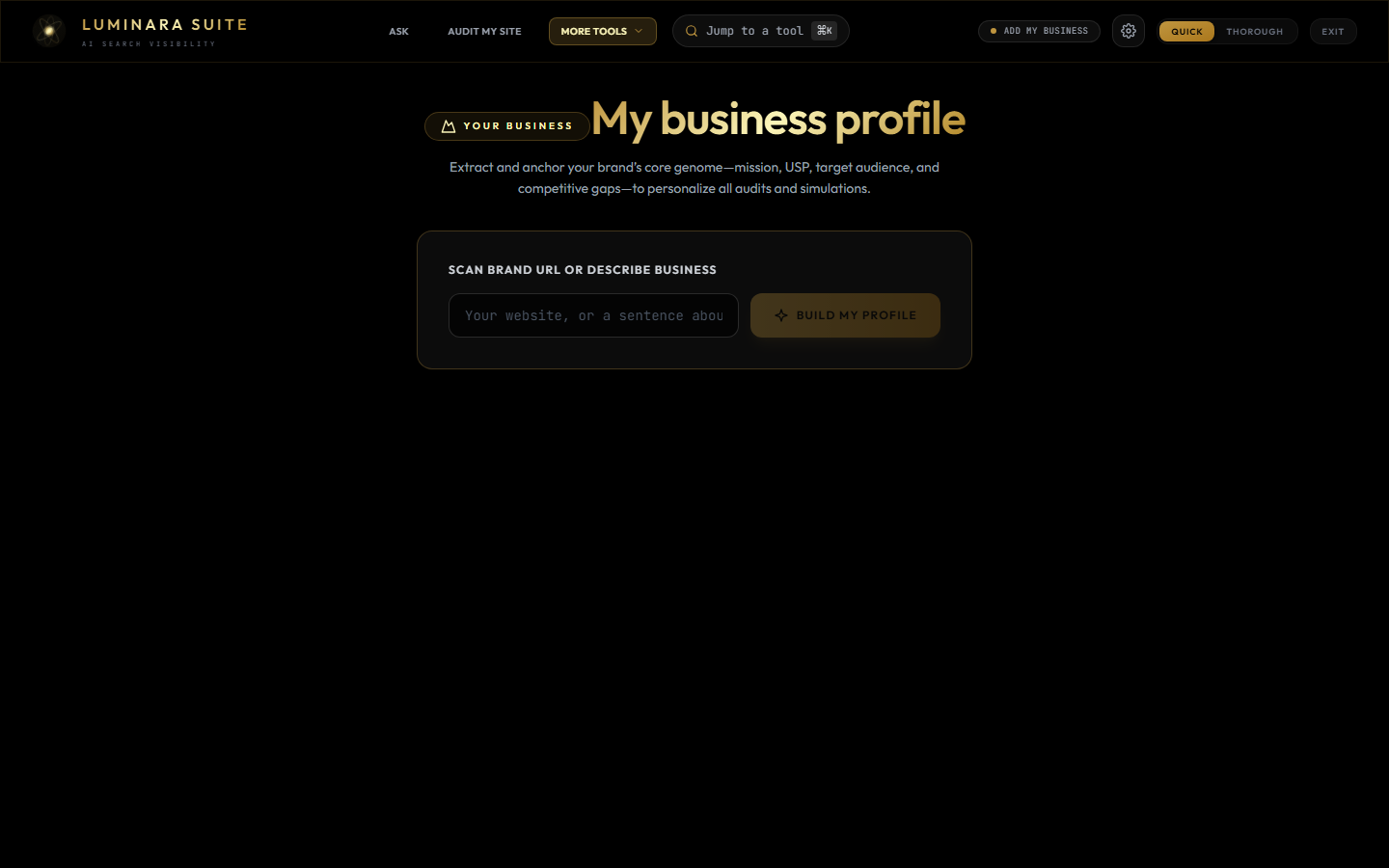 | 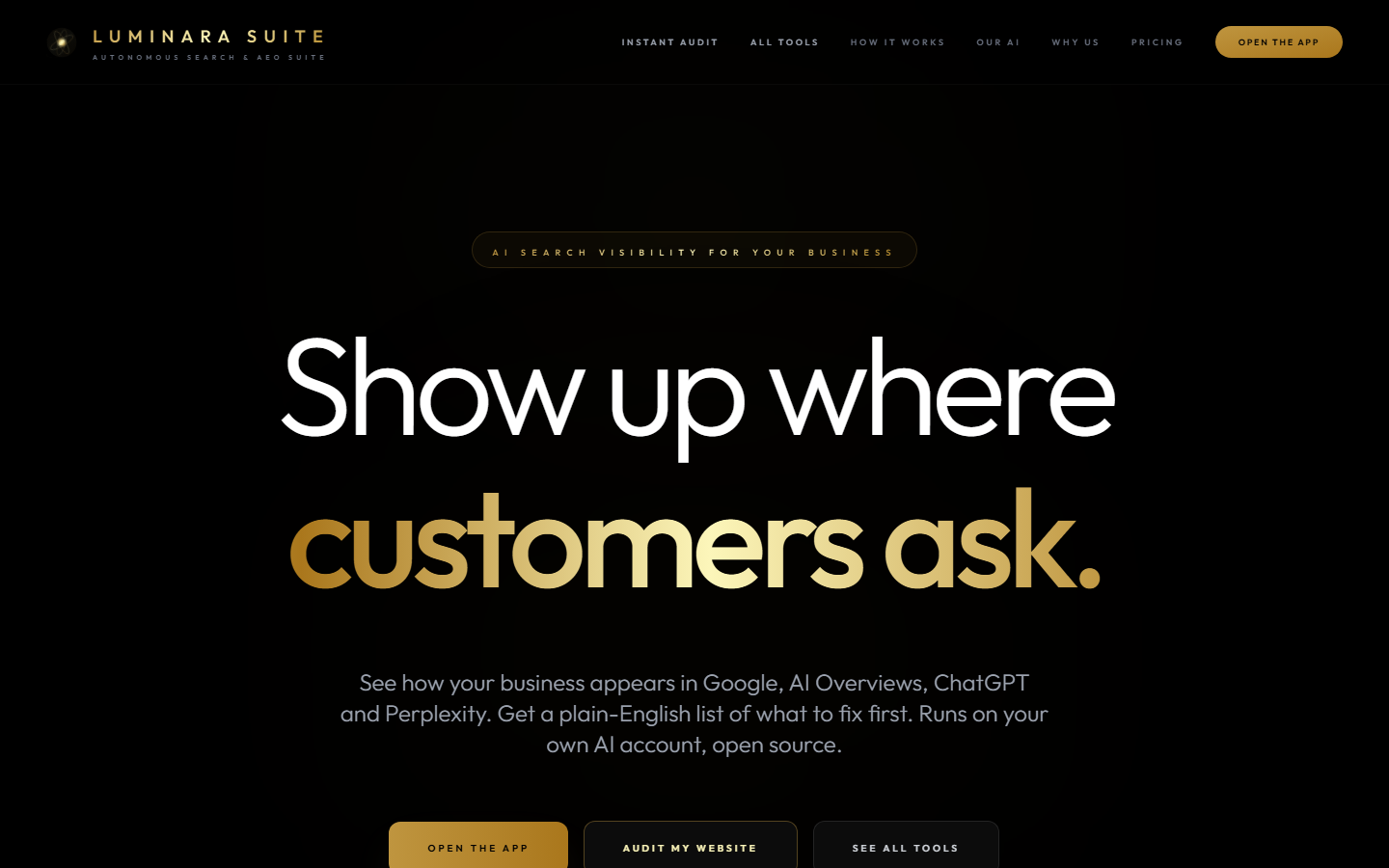 |
| Business profile that personalises every answer | luminarasuite.com |
Labs. OracleMind SLM Studio, the TimesFM forecaster and the Archy harness are demonstrations. Their numbers are simulated and the UI says so. They are kept for exploration, not measurement.
Quick start
git clone https://github.com/LuminaraDigital/Luminara-Search-Oracle-Agent.git
cd Luminara-Search-Oracle-Agent
npm ci
npm run dev
Open http://localhost:3000, click the gear icon, and paste a key from one of:
| Provider | Where to get a key | Notes |
|---|---|---|
| Groq | https://console.groq.com/keys | Fastest. Default model openai/gpt-oss-120b. |
| NVIDIA NIM | https://build.nvidia.com/settings/api-keys | NVIDIA's API blocks browsers, so calls are relayed through the Worker with your key (never stored). Needs npm run cf:dev or the hosted site. |
| Ollama | Local daemon at http://127.0.0.1:11434 on the desktop app or localhost. Hosted web does not probe that address unless you save a different endpoint. Cloud keys: https://ollama.com/settings/keys | Local runs fully offline. |
| Google Gemini (optional) | https://aistudio.google.com/apikey | Fallback model, Google Search grounding, and Live Voice. |
| Tavily (optional) | https://tavily.com | Live SERP evidence for audits and chat. |
| Firecrawl (optional) | https://firecrawl.dev | Scrapes the audited site for real on-page evidence. |
Keys are stored in your browser only.
Bring your own keys
Luminara never needs your keys on its servers. In the browser build every provider is called directly from your device. Two exceptions are relayed through the Cloudflare Worker because the vendor blocks browser requests: NVIDIA NIM, and Gemini when you use the hosted key. Relayed requests carry your key in the x-provider-key header and the Worker forwards it without storing it.
On luminarasuite.com, hosted keys exist for convenience. They are only used when a request carries a valid Telegram Mini App sign-in or a verified Firebase Auth ID token, are metered per user (25 free requests per day by default), and are unlimited on a paid plan. Nobody can consume the hosted keys anonymously. Bring-your-own-key in Settings is never gated.
SEO methodology (playbooks)
Audits and answers follow a published methodology rather than whatever the model improvises. The
claude-seo skill set (MIT, by AgriciDaniel and contributors)
is vendored under .claude/skills/ so Claude Code users of this repo get the full /seo skills, and
scripts/build-playbooks.mjs compiles the methodology into services/skills/playbooks.generated.json
for the app:
| Audit focus | Playbooks injected |
|---|---|
| SEO | scoring rules, technical SEO (9 categories), content quality / E-E-A-T, Schema.org status |
| AEO | scoring rules, AI search (AI Overviews, ChatGPT, Perplexity), Schema.org |
| GEO | scoring rules, AI search, content quality |
| Lenses (optional) | Local business, Online store, Content quality, Structured data, Search experience |
Reports do not carry a blended or composite score. Findings are labelled Measured, Estimated or Not measured, are evidence-labelled, and invent no scores. Reports include Critical / High / Medium / Low findings, and for every recommendation a "how we'd know it failed" check and a leading indicator. Deprecation rules (no HowTo schema, FAQPage earns no rich result, INP not FID) are enforced in the prompt. Anything not observable from the scrape and search evidence is reported as "not measured".
Edit the skill files, run npm run playbooks, commit the JSON. Attribution: THIRD_PARTY_NOTICES.md.
Architecture
Browser / Telegram Mini App / Windows Electron shell  (React 19, Vite, Tailwind)
   │  desktop loads https://luminarasuite.com (same origin as web)
   │  direct calls with your keys ──────────────► Groq · Ollama · Tavily · Firecrawl · Exa
   │
   └─ /api/* ─► Cloudflare Worker (worker/)
                 ├─ /api/providers/:id/*   allow-listed proxy: BYOK relay or metered hosted keys
                 ├─ /api/sidecars/:id/*    relay to self-hosted Writing check / Results tracking
                 ├─ /api/auth/session      Telegram or Firebase identity for the current request
                 ├─ /api/telegram/auth     validates Mini App initData (HMAC-SHA256)
                 ├─ /api/telegram/invoice  Telegram Stars checkout
                 ├─ /api/telegram/webhook  bot commands, payments → KV
                 └─ static assets          the built app, SPA fallback, /desktop download page
Key files: App.tsx (shell and routing), electron/ (Windows desktop shell), services/geminiService.ts (audit and chat pipelines), services/aiProviderService.ts (Groq / NIM / Ollama with failover), services/apiClient.ts (proxy and BYOK relay), worker/ (Cloudflare Worker), services/telegram/tma.ts (Telegram bridge). Desktop guide: docs/desktop.md.
Scripts
| Command | What it does |
|---|---|
npm run dev | Vite dev server on :3000 |
npm run desktop:dev | Vite + Electron against localhost (Windows shell) |
npm run desktop:dist:win | One-click NSIS installer under release/ |
npm run cf:dev | Build and run the full Worker on :8787 (copy .dev.vars.example to .dev.vars) |
npm test | Unit and integration tests (vitest) |
npm run test:coverage | Same tests with coverage report + thresholds |
npm run lint | ESLint across app and worker sources |
npm run typecheck | TypeScript, app and worker |
npm run build | Typecheck + production build |
npm run deploy | Build and wrangler deploy |
npm run tg:setup | Register webhook, menu button and commands with Telegram |
npm run secrets:check | Fail if credential-shaped strings or secret files are in the tree |
npm run prepare | Point git at .githooks (secret scan on commit and push) |
Secrets never belong in git. Use .env / .dev.vars (gitignored) and wrangler secret put for production. GitHub secret scanning, push protection, Dependabot security updates, and branch protection on main are enabled. Local hooks and CI run secrets:check as a second line of defense. After clone, run npm install once so hooks install.
Reliability and quality
- CI on every PR and push: secrets scan, env schema validation, typecheck, ESLint, Vitest with coverage thresholds,
npm audit, production build, bundle secret-leak guard, smoke dry-run, Wrangler staging/production dry-run. - Protected
main: pull requests required; force pushes and branch deletion blocked; CI status check required. - Hosted Worker: staging and production deploy workflows with live verification; see
.github/workflows/deploy-cloudflare.yml. - Honesty gates: Labs and simulated metrics are labeled in the UI; audits report
not measuredwhen evidence is missing.
Maintainer
Built and maintained by Babatundji Williams-Fulwood (@LuminaraDigital) / Luminara Digital Agency. Product site: luminarasuite.com.
Deploy: Cloudflare + Telegram Mini App
One Worker serves everything. Provider keys and the bot token live in Worker secrets only.
npx wrangler login
npx wrangler kv namespace create LUMINARA_KV      # paste the id into wrangler.jsonc
npx wrangler secret put BOT_TOKEN                 # from @BotFather
npx wrangler secret put TELEGRAM_WEBHOOK_SECRET   # any long random string
npx wrangler secret put GROQ_API_KEY              # hosted keys are optional; add the ones you offer
npx wrangler secret put TAVILY_API_KEY            # free-check answer sample. Set FREE_AI_SAMPLE_DAILY_BUDGET=0 to pause it.
npx wrangler secret put FIRECRAWL_API_KEY
npm run deploy
Add your domain to Cloudflare first; wrangler.jsonc declares luminarasuite.com as a custom domain (change it for your own deployment). Then in @BotFather run /newbot, then /newapp with the Web App URL set to your domain, and wire the bot:
BOT_TOKEN=... TELEGRAM_WEBHOOK_SECRET=... WEBAPP_URL=https://your-domain/ npm run tg:setup
Gating is configured in wrangler.jsonc vars: REQUIRE_TG_AUTH (hosted keys need Telegram or Firebase sign-in), FIREBASE_PROJECT_ID (enables Firebase ID token verification), FREE_DAILY_LIMIT, REQUIRE_SUBSCRIPTION. Web signup/signin uses Firebase Auth (VITE_FIREBASE_* in .env); the Worker verifies tokens with Google JWKS (no Admin SDK private key). Plans and Stars prices are in worker/telegramBot.ts. Telegram's Mini App policy allows TON assets only; the TON Connect manifest is in public/.
Firebase Auth setup (web signup / signin)
- Create a Firebase project and enable Authentication → Email/Password (and optionally Google).
- Register a Web app; copy the config into
.envasVITE_FIREBASE_*. Local development uses those values as they are. A production build (vite build) uses them only when you also setVITE_FIREBASE_SELF_HOSTED=trueand all four of the API key, auth domain, project id and app id are present; without the switch it signs in with the values inservices/auth/firebasePublicConfig.ts, so values left on a build machine cannot ship by accident. - Set the same project id on the Worker:
FIREBASE_PROJECT_IDinwrangler.jsonc. - Under Authentication → Settings → Authorized domains, add
luminarasuite.com,www.luminarasuite.com, andlocalhost. - Web: Settings → Account for email/password or Google. Product tools require this sign-in.
- Telegram Mini App: Telegram
initDatais the account. Do not require Firebase inside TMA; Google popups are unreliable in Telegram WebViews.
User profiles are upserted on each verified session into Cloudflare KV (user:{id}). Optional D1 SQL is prepared in migrations/0001_users.sql (see comment in wrangler.jsonc).
A static Docker image (no Worker) is also available: docker build -t luminara-suite .
Writing check and results tracking (self-hosted, free)
Two optional helpers run next to the crawler. Writing check grades how clearly a page reads and lists wording fixes in the report. Results tracking shows real visitors to the site and how many arrived from AI assistants such as ChatGPT and Perplexity, so a business owner can see whether the fixes worked. Both are free, open-source tools you host yourself; the app only ever reads from them.
Under the hood these are LanguageTool (LGPL-2.1) and Umami (MIT). Both are used over HTTP only and are not bundled into the app; see THIRD_PARTY_NOTICES.md.
Operator steps:
-
In
.envsetCRAWLER_TOKEN,UMAMI_APP_SECRETandUMAMI_DB_PASSWORDto long random values (openssl rand -hex 32for each), andUMAMI_DB_USER/UMAMI_DB_NAME(for exampleumami). Compose refuses to start while any of them is missing. Then start the whole helper stack (crawler on :3001, writing check on :8010, tracking dashboard on :3002, all published on 127.0.0.1 only):bashdocker compose up -dUpgrading an existing install that used the old built-in
umami/umamidatabase login: Postgres only reads these variables when theumami-db-datavolume is first created. Rundocker compose exec umami-db psql -U umami -d umami, type\password umamiand enter the newUMAMI_DB_PASSWORD, thendocker compose up -dagain (or delete the volume, which also deletes tracking data).Crawler settings: paste the same
CRAWLER_TOKENinto Settings > Crawler token. A browser can only call the crawler from origins listed inCRAWLER_ALLOWED_ORIGINS(comma-separated exact origins, never*; unset defaults to the local dev apphttp://localhost:3000,http://127.0.0.1:3000, empty allows none, and you addhttps://luminarasuite.comto use the hosted app with your own crawler).CRAWLER_MAX_CONCURRENCY(default 2) caps browser sessions andCRAWLER_RATE_LIMIT_PER_MIN(default 30) caps requests per client IP; both answer429withRetry-After. SetCRAWLER_TRUST_PROXY=trueonly behind a reverse proxy you control. -
Open http://localhost:3002, sign in with the default
admin/umamiand change the password right away. -
In the dashboard add the website, then paste the tracking snippet it gives you into the site's pages.
-
Create an API key in the dashboard (Profile, API keys), or plan to use the username and password.
-
For the hosted app, expose both services behind HTTPS with any reverse proxy, then point the Worker at them:
bash# wrangler.jsonc vars (public config) # "LANGUAGETOOL_URL": "https://writing.your-domain", # "UMAMI_URL": "https://stats.your-domain" # or https://api.umami.is for Umami Cloud npx wrangler secret put UMAMI_API_KEY # or UMAMI_USERNAME + UMAMI_PASSWORD npm run deploy/api/healththen reportssidecars: { languagetool: true, umami: true }and the app uses the relay at/api/sidecars/<id>/.... The relay only forwards the read-only endpoints the report needs, and callers follow the same Telegram sign-in rule as hosted keys (no daily quota). -
Local development without the Worker: add
LANGUAGETOOL_URL,UMAMI_URLandUMAMI_API_KEYto.env(noVITE_prefix) and the Vite dev server proxies the same/api/sidecars/...paths for you. See.env.example.
Users can also enter their own service URL in Settings, in which case the browser calls it directly.
Business model and moat
The code is open. The business is the hosted service and what it accumulates:
- Plans (card checkout through Stripe for a one-off 30-day pass, or Telegram Stars in the Mini App): Starter A$79, Growth A$229, Agency A$549. A pass does not renew. The Mini App takes Stars only. Starter covers 2 sites with monthly re-audit reminders; Growth covers 10 sites with weekly reminders; Agency adds white-label reports and client workspaces.
- Done-for-you: schema and content fixes shipped by Luminara Digital Agency, priced per finding.
- The dataset: weekly, per-vertical records of how AI engines answer commercial queries. Every audit improves with every other customer. That compounds; a prompt does not.
Commercial licensing and trademarks: COMMERCIAL-LICENSE.md.
Roadmap
- Real AI-visibility measurement: query ChatGPT, Gemini, Perplexity and Google AI Overviews and record whether the brand is cited.
- Findings as trackable cards with an evidence drawer, instead of one long report.
- Weekly re-runs with diffs and alerts (Visibility Trends already stores per-audit SoV snapshots in-browser; Worker KV mirror next).
- Real technical signals (PageSpeed, rank data) in the audit.
- Agency workspaces, white-label PDF export, share links.
- Card checkout for web subscriptions alongside Telegram Stars and TON.
- Optional SOC 2 Type 1 engagement against the Enterprise Trust Pack evidence map (checklist shipped; certification is a separate audit).
Contributing
Issues and pull requests are welcome. Read CONTRIBUTING.md (DCO sign-off and the contributor license grant) and SECURITY.md.
License
GNU AGPL-3.0 © Luminara Digital Agency. "Luminara", "Luminara Suite", "Oracle Agent" and the logo are trademarks and are not covered by the code license.