
Maple
Review comments pinned to a running frontend, read and resolved by your coding agent.
Runs on your machine from its package; the steps are below.
What it does
- Reads
- Writes
- High impact
Not assessed yet.
What it costs
FreeOdel charges nothing per call. The publisher may charge for its own service.
Runs locally over stdio
This server isn't hosted — your MCP client launches it from a package registry. Use one of the commands below, or drop the config into your client (e.g. Claude Desktop).
Run
npx -y @maple-kit/mcp
MCP client config
{
  "mcpServers": {
    "maple": {
      "command": "npx",
      "args": [
        "-y",
        "@maple-kit/mcp"
      ]
    }
  }
}
maple-kit.org · Intro post · Pick a setup · Docs


A reviewer points at something on a preview deployment and says what is wrong. Maple captures where they pointed, what they were looking at and who they are, hands it to a coding agent in a form it can act on, and holds the merge until every comment is resolved.
Status: 0.x. All eight packages are published, with provenance, through a trusted publisher. 0.x makes no compatibility promise: a public interface is broken when breaking it is the right shape, and the changeset says what broke.
How it works

- Mount: One route in your application, and one script in the preview build.
- Comment: A reviewer points to an issue on the app. Maple records all the context needed for the agent to pick it up.
- Fix: Your agent monitors new comments via the MCP, implements a fix and marks it as resolved.
- Gate: A CI check holds the merge until all comments are resolved, and all visual gates pass.
Code got fast. Planning, definitions of done and edge cases did not, so they get skipped and surface in testing. Maple moves that review to the preview, where the comment can still be acted on.
What it does
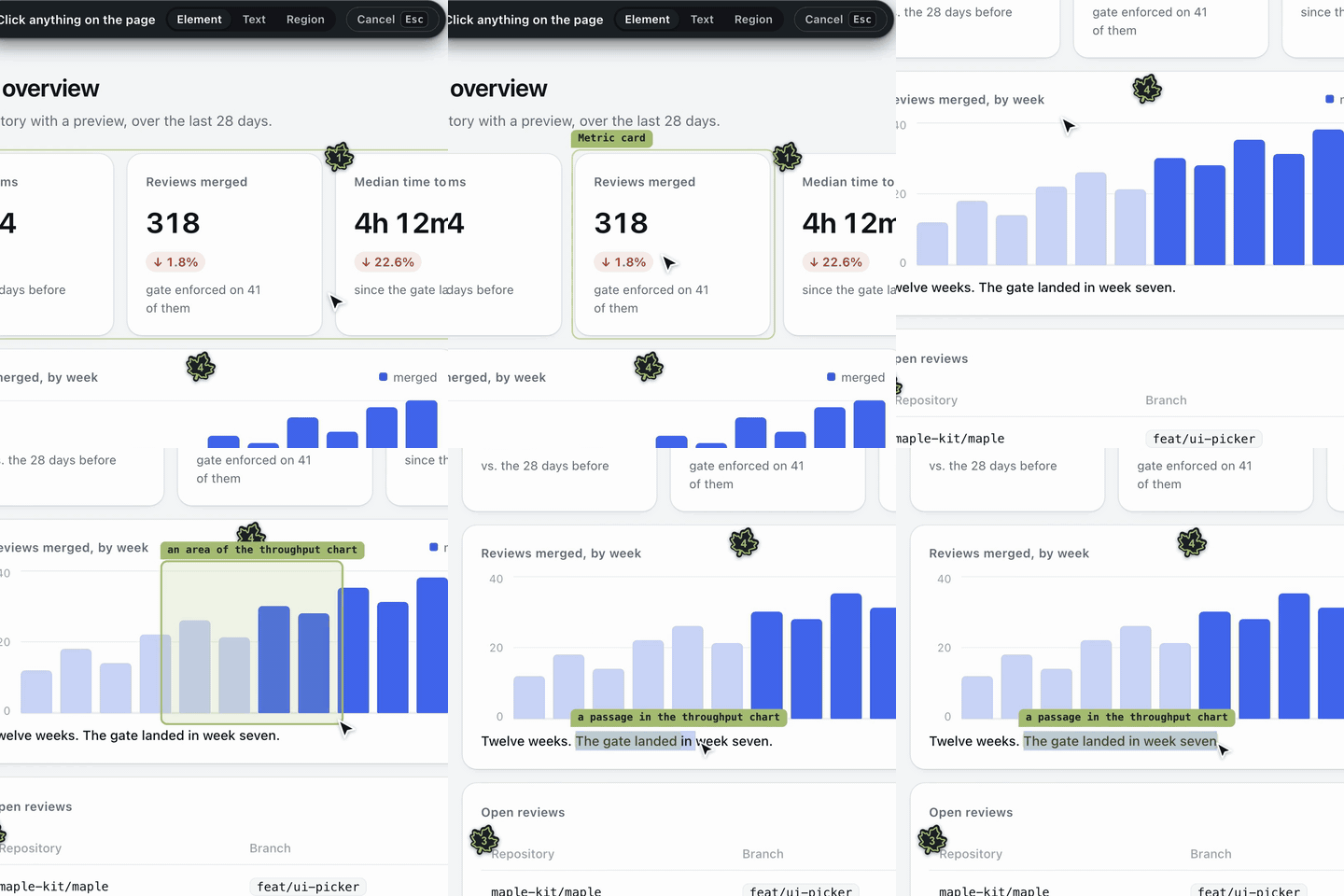
An element, an area, or a passage. Pick a component, drag a box, or select the words that are wrong. The anchor finds it again after a redeploy. | 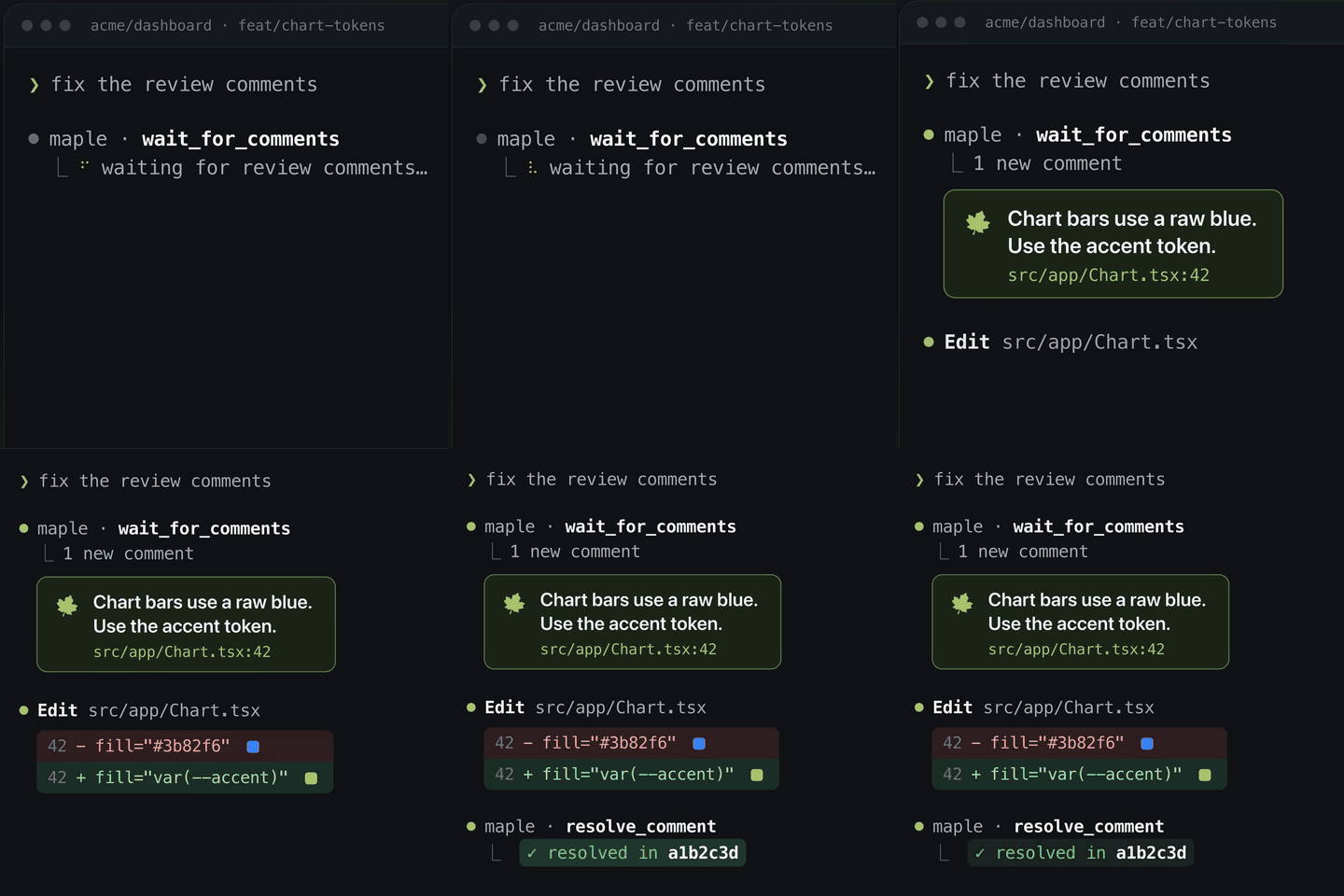 Your agent picks it up over MCP. It waits for comments, reads each with its context, makes the change, and resolves it against the commit. |
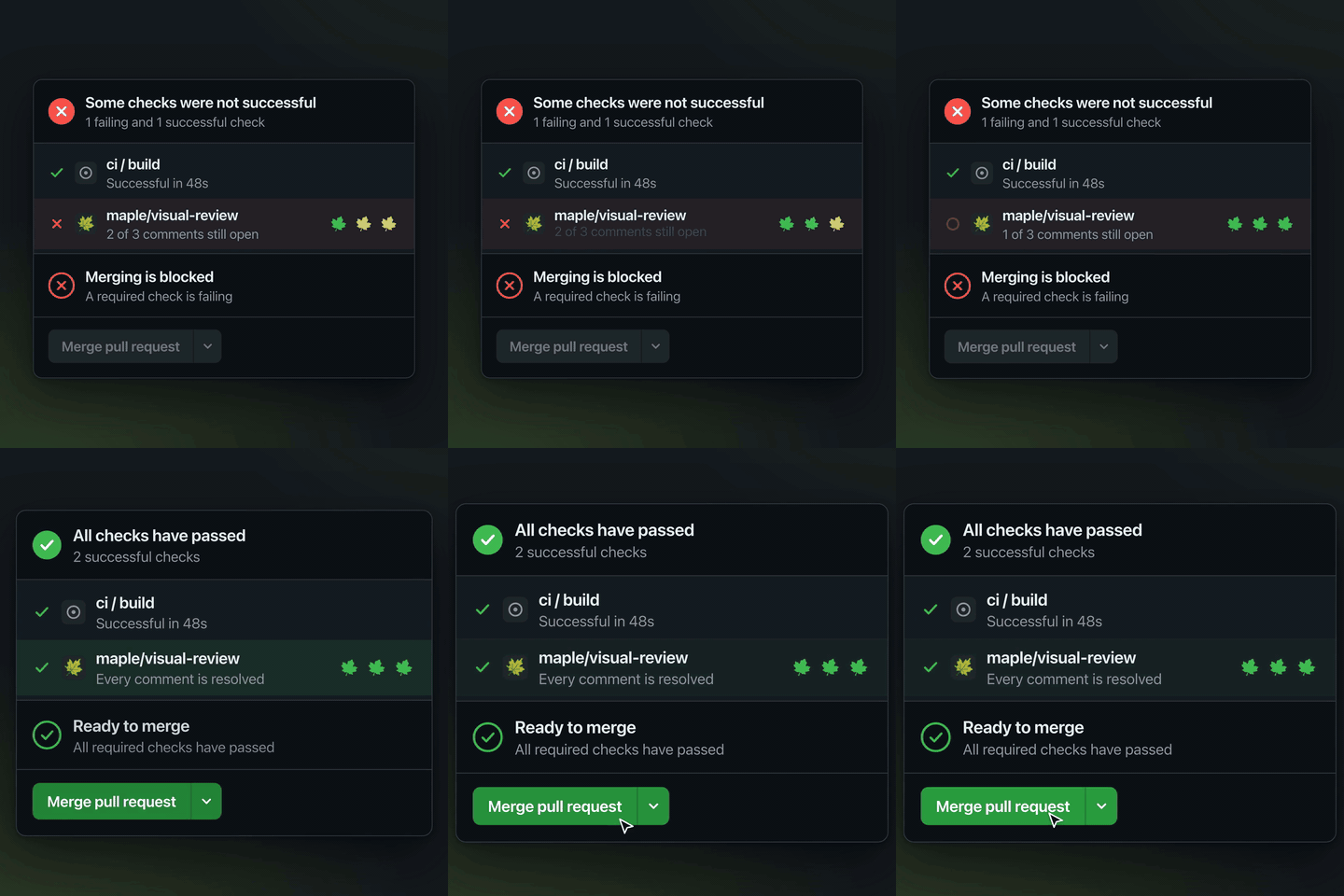 A merge gate. maple/visual-review fails while a comment is open and, if you want, until the reviewer approves. | 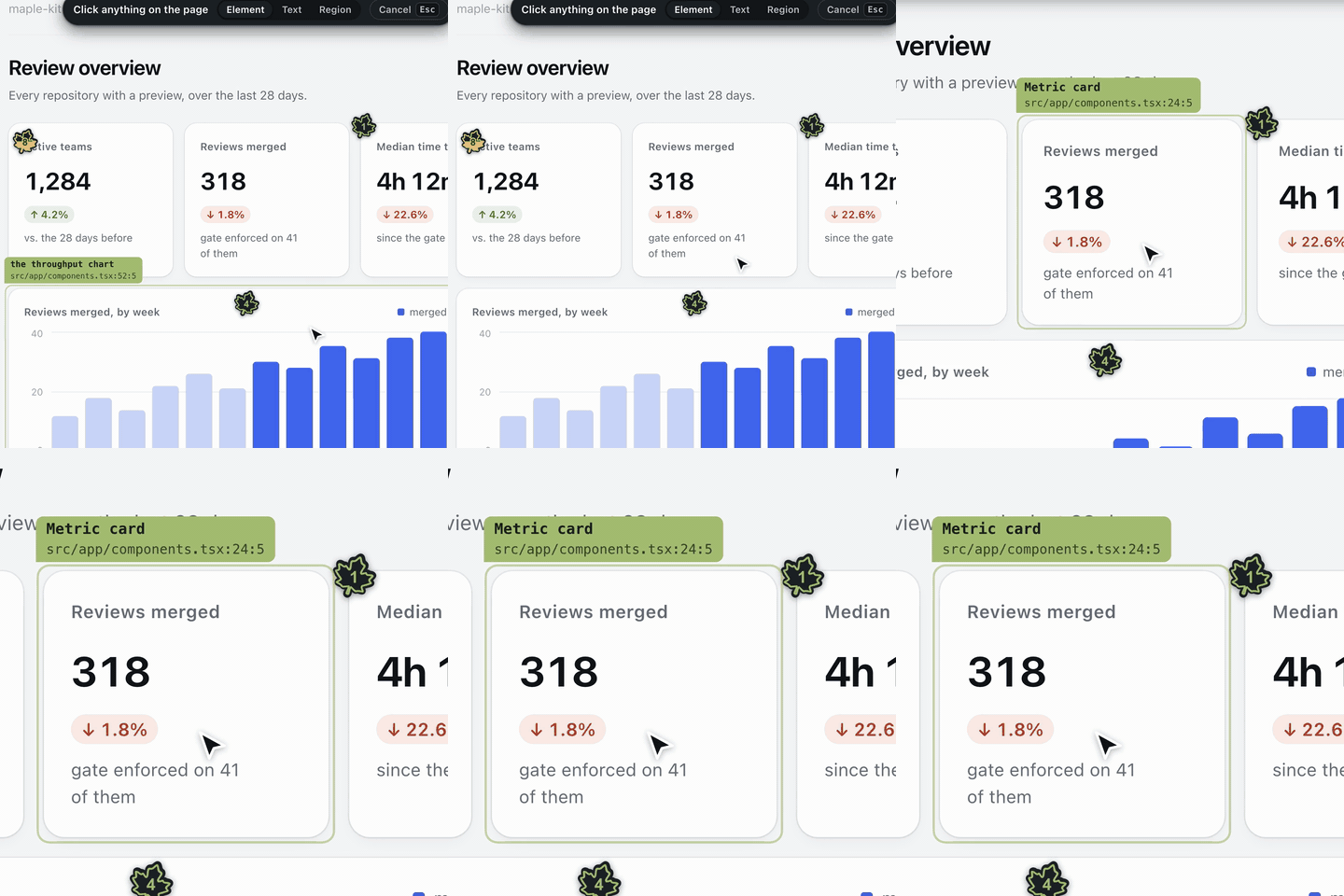 The file and the line. A build-time tagger marks every JSX element with where it was written, so a comment arrives pointing at source. |
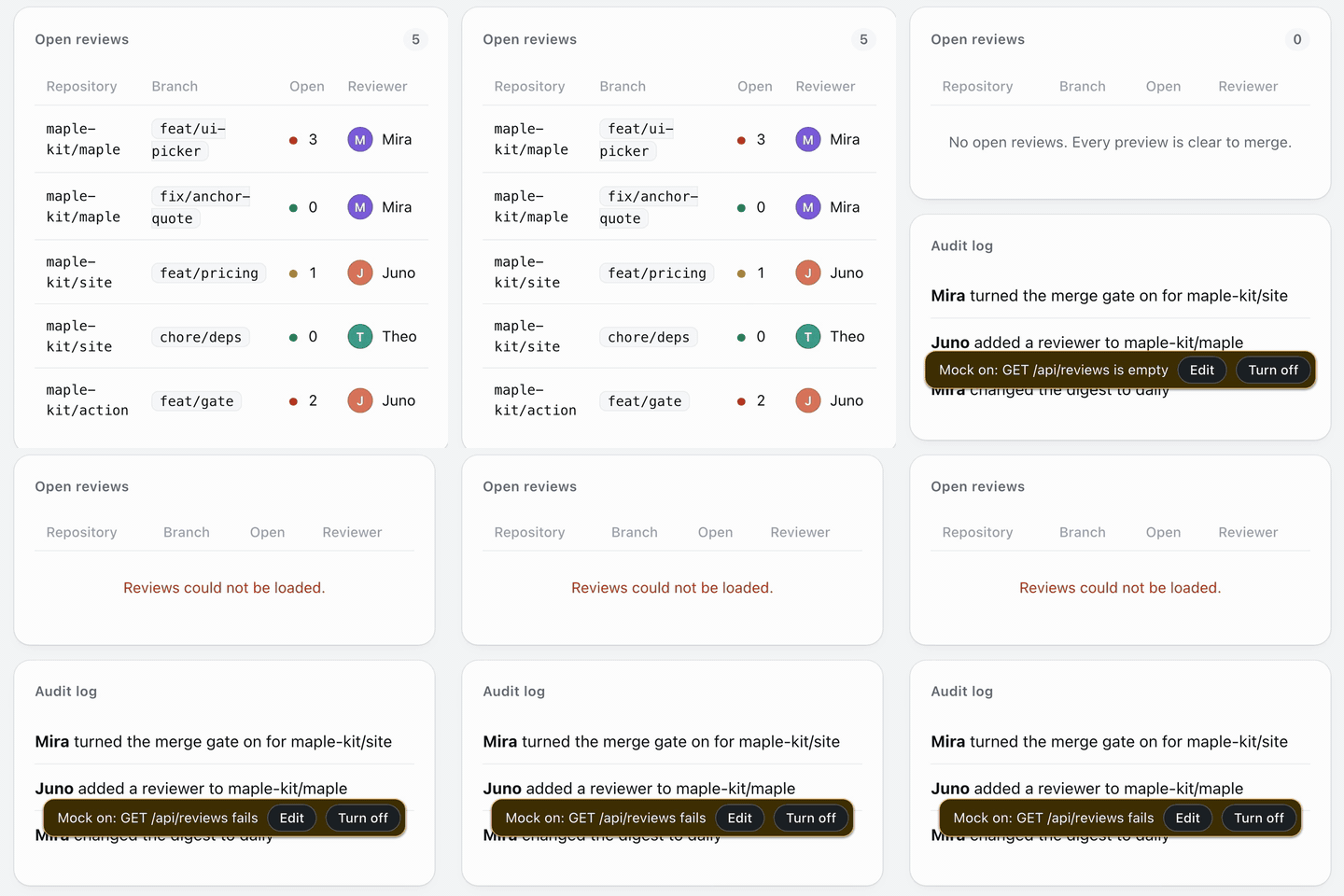 Any state, on request. Type empty, failing or a thousand rows, and the page's API calls return it. A model picks the state; code writes every byte. | 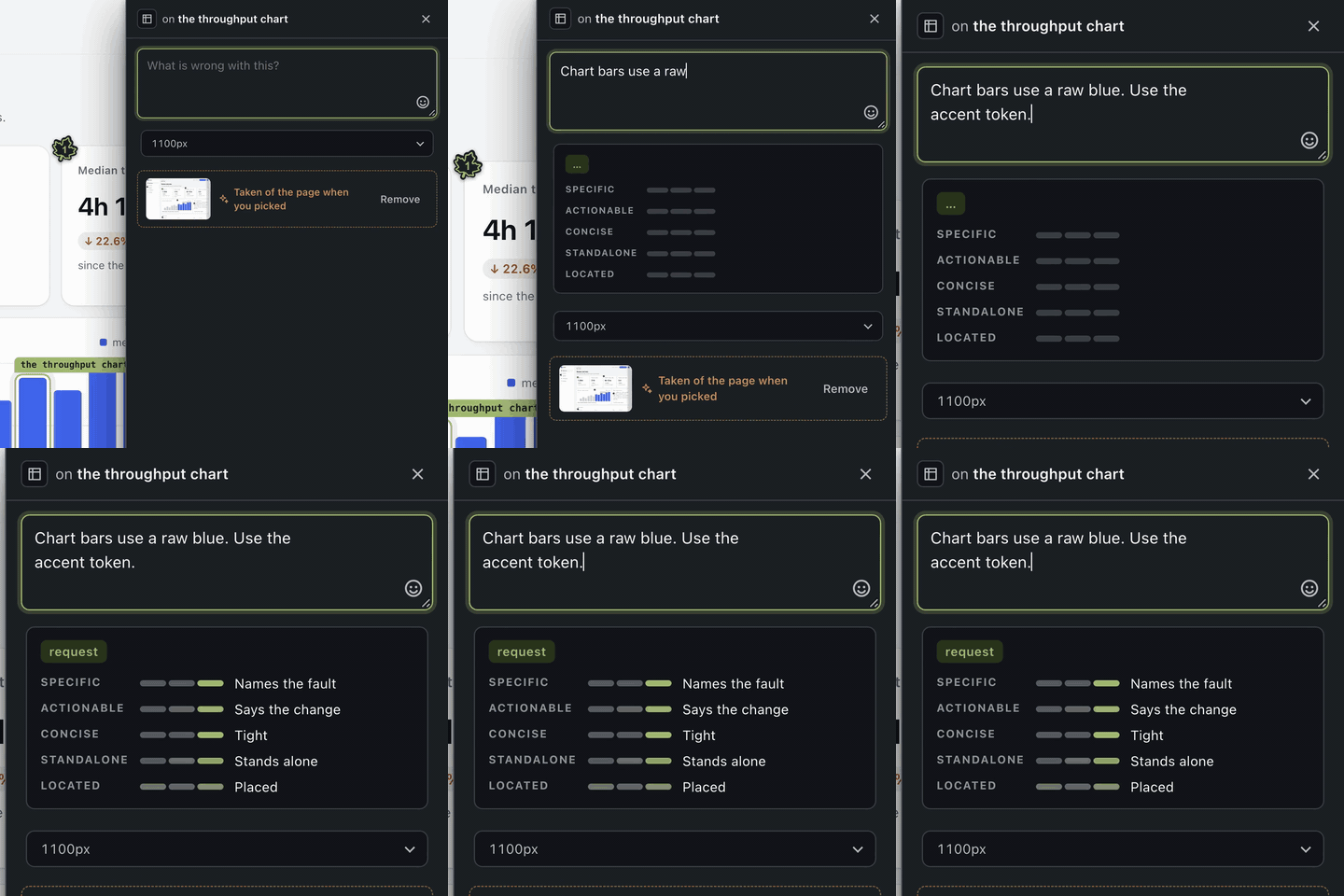 A score, if you want one. The comment is judged as it is typed, against five pillars, by a classifier you supply. |
Each package's README shows the rest: the CLI, the design lint, flags and roles in a mock and the connectors.
Why another one
Pincushion, Vercel Toolbar, Chromatic, BugHerd and Marker.io each do some of this. None combines all four of:
- Open source, Apache-2.0, with no hosted service required.
- Deployed previews. Maple runs on the preview URL your CI already builds,
so anyone with the link can comment — a designer, a product manager, a client.
Tools like Agentation run against
localhost, which means the only person who can leave a comment is the person running the build. - A merge gate — CI blocks while a visual comment is unresolved, and
optionally until somebody says they looked. See
docs/gate.md. - An agent loop — the agent reads comments, fixes, and resolves them.
Pick a setup
The SDK route has no default store: without one, its comment endpoints answer 404. Smallest setup first:
 Try it locally No accounts and nothing wired in. Maple proxies your running app and keeps comments as files under .maple/.maple reviewreview · CLI |  Review a preview alone Comments reach your machine through a loopback bridge. A guest cannot gate a merge. maple solo <preview-url>solo |
 Review as a team Each reviewer signs in to GitHub through Device Flow, so every comment is written as its author. No secret sits in the preview. maple setup app --owner=acmeGitHub auth · configuration · setup-maple-org |  Let an agent fix it The MCP server hands the agent each comment and resolves it against the commit. The Stop hook keeps the agent working while any are open. /plugin install maple@maple-kitagent loop · MCP · setup-maple-agent-loop |
 Gate the merge maple/visual-review fails while a comment is open, and optionally until a reviewer approves.maple setup ci --require-approval --writegate |  Review edge-case states A reviewer names a state (empty, failing, a thousand rows), and the page's API calls return it. import "@maple-kit/mock/install"mock · package |
 Bring your own backend A connector is plain Promise methods, and its capabilities are the methods it defines. maple connectorsconnectors · contribute-connector |  Host a shared store Not built yet. A file store in a preview pod loses its comments when the pod goes, so use GitHub or write a connector for now. connectors |
Add it to an app
The quickest wiring, for trying Maple on your own machine. Sharing a preview needs a store per reviewer: see Pick a setup.
npm install @maple-kit/core @maple-kit/ui @babel/core
@babel/core is an optional peer, and the tagger is what needs it: leave it out
and tagger: true has nothing to transform with.
Mount the route and the tagger from the build, then render the overlay:
// vite.config.ts
import { createCommentStore } from "@maple-kit/core";
import { githubStore } from "@maple-kit/core/connectors";
import { maple } from "@maple-kit/core/vite";

const preview = process.env.MAPLE_PREVIEW === "1";

export default defineConfig({
  plugins: [
    react(),
    maple({
      tagger: preview,
      route: {
        // Local trial only: every comment is written as this one token.
        // The route has no default store; without one its comment endpoints 404.
        store: createCommentStore(
          githubStore({ owner: "acme", repo: "web", token: process.env.GITHUB_TOKEN! }),
        ),
      },
    }),
  ],
});
// main.tsx
import { Maple } from "@maple-kit/ui/maple";

createRoot(root).render(
  <>
    <App />
    <Maple branch={import.meta.env.VITE_MAPLE_BRANCH} />
  </>,
);
The shared GITHUB_TOKEN is for a local trial only. A preview other people
review builds the store per request from each reviewer's own token, through the
resolver in docs/github-auth.md, so a comment is
authored by whoever wrote it and no GitHub secret sits in the preview.
Next.js uses withMaple from @maple-kit/core/next and a catch-all route at
app/api/maple/[...maple]/route.ts; examples/next-app
has both. The setup-maple-org skill walks through the GitHub App a reviewer
signs in with.
Use with Claude Code
The Maple plugin bundles the skills that set Maple up and act on its comments, the MCP server that reads and resolves them, and the Stop hook that keeps an agent working while they are open:
/plugin marketplace add maple-kit/maple
/plugin install maple@maple-kit
The server and the hook read GITHUB_TOKEN, MAPLE_GITHUB_OWNER and
MAPLE_GITHUB_REPO from the environment Claude Code starts in. In a project
where the last two are unset, the hook lets every stop through.
To install only the skills, for Claude Code or any other agent the
skills CLI supports, run npx skills add maple-kit/maple.
Vendor-agnostic by construction
Maple stores nothing itself. A connector is one file implementing plain Promise-returning methods:
import type { StoreConnector } from "@maple-kit/core/connectors";

export function myStore(options: MyOptions): StoreConnector {
  return {
    name: "my-store",
    async list(query) {
      /* … */
    },
    async append(comment) {
      /* … */
    },
  };
}
There are six kinds — store, media, observability, identity, gate and
classifier — and a connector's capabilities are exactly the methods it defines.
Run maple connectors to print the matrix from the code, or see
docs/connectors.md.
Packages
| Package | What it is |
|---|---|
@maple-kit/core | Server SDK, overlay controller, connector contracts, build plugins. |
@maple-kit/ui | The marks, the island and the composer: the overlay a reviewer uses. |
@maple-kit/react | Hooks over the controller, for an overlay in your own design system. |
@maple-kit/mcp | The MCP server an agent talks to, and a Stop hook. |
@maple-kit/cli | The maple command. |
@maple-kit/mock | Rewrites a page's API responses, flags and role into a named state. |
@maple-kit/classifier | Scores a comment as it is written, and plans a mock from a sentence. |
@maple-kit/lint | Design-system rules read off the page the browser laid out. |
Documentation
Getting started
maple review: the overlay on a running app, nothing wired in- Configuration: every environment variable, and which are secrets
- Examples: Vite and Next: real applications Maple mounts into
- The CLI:
review,solo,setup,connectors,mock plan
Reviewing
- Solo mode: a guest's comments on their own machine
- Drafts and publishing: why a comment is unsent until it is not
- The JSX tagger: how a comment becomes
file:line - Anchoring a region: how a dragged box finds its content again
- Screenshots: the picture taken at pick time
- Replies: decided, not built
Agent loop
- The agent loop: the MCP tools and the Stop hook
@maple-kit/mcp: the server and the hooksetup-maple-agent-loop: connect and verify an agentmaple-review: turn a pull request's comments into a worklist
Merge gate
- The merge gate: what blocks a merge, what approving does, which App to pin
States and scoring
- Maple Mock: a model picks the state, code writes every byte
@maple-kit/mock: flags, roles and the runtime- The assist tier: what a score is, and what it is never allowed to be
@maple-kit/classifier: scoring and mock planning- Design lint: the rendered rules and the tiers around them
@maple-kit/lint: the rules as a package
Connectors and configuration
- Connectors and the capability matrix
@maple-kit/core: server SDK, overlay controller, connector contracts@maple-kit/ui: the overlay a reviewer uses@maple-kit/react: hooks for an overlay in your own design system- Conventions in
@maple-kit/ui contribute-connector: scaffold a connector and run the contract suite
Security and organisations
- Deploying Maple in an organisation: trust boundaries and a hardening checklist
- GitHub authentication: Device Flow, the two Apps, the cookie, revocation
setup-maple-org: register and install the App- The overlay and CSP: what Maple asks of your policy
- What a comment carries: the page text a comment stores
- SECURITY.md: reporting a vulnerability
Contributing and internals
- CONTRIBUTING.md and CODE_OF_CONDUCT.md
- Releasing: changesets, trusted publishing, a new package name
- The wordmark
- Evals, with cases for assist, doc drift and mock plans
- Demo recorder: how the clip above is made
- Ported helpers, network mocks and the AI tier notes
Security
Report a vulnerability privately, as SECURITY.md describes. To run
Maple in an organisation, read docs/security.md: who
trusts what, which secrets exist where, and a checklist to work through before a
preview is shared.
See it running
The project site is maple-kit.org. To run the Vite example yourself:
nvm use
pnpm install
pnpm --filter @maple-kit/example-vite dev   # http://localhost:5173
A real Vite application with three comments already on it: marks on the page,
the island in the corner, and all three picks working against an SDK route the
dev server mounts. examples/vite-app says what it does
and does not prove.
Development
nvm use          # or fnm use, mise install — .nvmrc pins the version
pnpm install
pnpm hooks
pnpm lint && pnpm typecheck && pnpm test
Requires Node 24, the active LTS, and pnpm 10. Switch before the install:
pnpm 10 and 11 load node:sqlite, which Node 23 does not have, so on the wrong
version pnpm crashes rather than telling you the version is wrong. See
CONTRIBUTING.md.
Licence
Apache-2.0. Contributions are accepted under the
Developer Certificate of Origin — sign off with git commit -s. There is
no CLA.







