Listed from the MCP registry; nobody on Odel publishes it.
Atelier
Offline, headless pixel-art editor: draw, animate, inspect, and export sprites and fonts.
Runs on your machine from its package; the steps are below.
What it does
- Reads
- Writes
- High impact
At most: creates or changes data: records, files, settings.
What it costs
FreeOdel charges nothing per call. The publisher may charge for its own service.
Runs locally over stdio
This server isn't hosted — your MCP client launches it from a package registry. Use one of the commands below, or drop the config into your client (e.g. Claude Desktop).
Run
docker run -i --rm ghcr.io/marmikshah/atelier:0.2.0
MCP client config
{
  "mcpServers": {
    "atelier": {
      "command": "docker",
      "args": [
        "run",
        "-i",
        "--rm",
        "ghcr.io/marmikshah/atelier:0.2.0"
      ]
    }
  }
}

Atelier is an offline, headless pixel-art editor for command-line tools and AI agents. Create layered sprites and animations, inspect pixels, and export PNGs, spritesheets, GIFs, APNGs, and TrueType pixel fonts. Documents stay local.
Use it directly from a shell, or connect an agent such as Claude Code or Codex through MCP (Model Context Protocol). Both interfaces expose the same editing tools; no graphical editor or running server is needed for CLI calls.



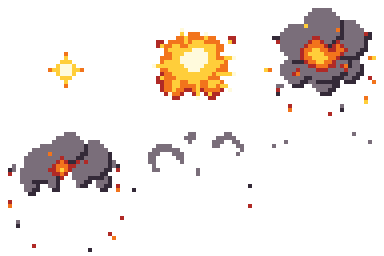
Drawn by an agent through Atelier's tools. Each is rebuilt byte for byte from the recipe beside it in CI.
A more complex design made by combining physics simulation with Atelier MCP using Opus 5.5.
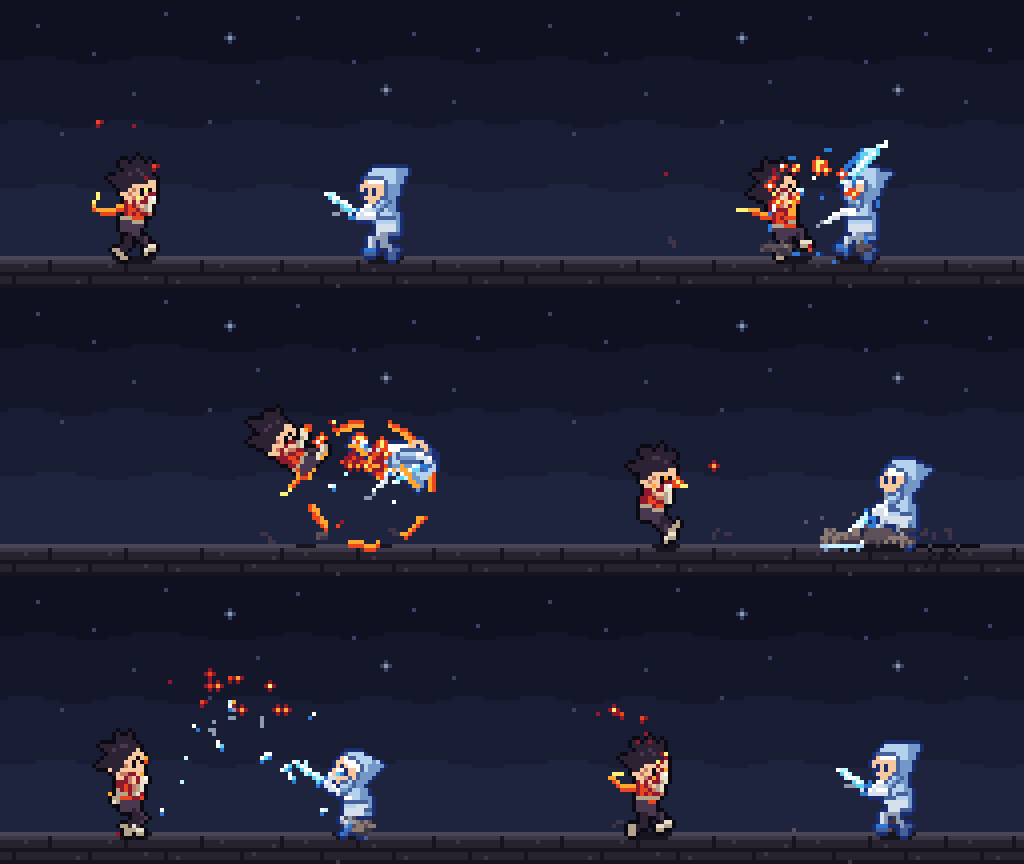
The replay file is too large to include here.
Download it from Google Drive if needed.
Showcase
- Animation showcase — compare models and briefs, view animations, and download replays.
- Frayed
- Orbital Dodge
Install
On macOS, Ubuntu, or any other Linux, paste this into a terminal:
curl -fsSL https://github.com/marmikshah/atelier/releases/latest/download/install.sh | sh
Ubuntu Desktop comes without curl; use wget instead:
wget -qO- https://github.com/marmikshah/atelier/releases/latest/download/install.sh | sh
It downloads Atelier for your machine, checks it, puts it in ~/.local/bin, and adds that to your PATH. If Claude Code or Codex is installed, it also connects Atelier to them: they get its drawing tools in every project and its guides for drawing sprites and scenes and reviewing art. Nothing else is needed, not even Rust.
Then start a new agent session and ask for something:
Use atelier to draw a 32×32 animated torch and save it as torch.gif.
Your art is kept in ~/.atelier. To keep a project's art inside the project instead, run atelier init in its folder before you start the agent.
- Update: Run the install command again.
- Installed Claude Code or Codex afterwards? Run
atelier connect. - A specific version or folder, or no profile changes: Set
ATELIER_VERSION,ATELIER_INSTALL_DIR, orATELIER_NO_MODIFY_PATH=1; install.sh lists every option.
Uninstall
atelier uninstall
It lists what it will remove and asks before deleting anything: Atelier's registration in Claude Code and Codex, its skills, the PATH line it added, the atelier program, and the Linux background server if you set one up.
Your art in ~/.atelier is kept; add --documents to delete it as well. Folders set up with atelier init are never touched.
Other ways to run it
-
From the terminal. Every tool is one command:
atelier call TOOL '<json>'. Your first sprite walks through creating, drawing, and saving an image. -
In Cursor and other MCP clients. Install as above, then register the path
command -v atelierprints as a stdio server with no arguments, and runatelier skills install --for cursor(or--dir PATHfor another skills folder) for the drawing guides:json{ "mcpServers": { "atelier": { "command": "/full/path/to/atelier" } } } -
In Docker. A container image is published for MCP clients that can launch Docker.
-
As an HTTP server or background service. See Running Atelier.
Build from source
On other platforms, or to build it yourself, install Rust 1.98 or later, then:
cargo install --locked --git https://github.com/marmikshah/atelier atelier
atelier connect
atelier uninstall removes a build installed this way too, through cargo uninstall.
| I want to… | Start here |
|---|---|
| Make art from the terminal | Getting started |
| Run a server, use Docker, or choose where art is stored | Running Atelier |
| Find a tool's arguments | atelier tools --markdown or atelier tools --schema NAME |
| Build from a checkout, understand the code, or work on the showcase | Development guide |
| Report a bug or security issue | Issues · Security |
Stability
Atelier is at 0.2. master is the current source; releases are dispatched from it and publish the macOS and Linux binaries, the container image, a vX.Y.Z tag, and the MCP Registry entry.
- Your documents are not discarded. Edits are journaled and committed atomically. A document that is damaged, or saved by a build with a different document schema, is refused with an error and left unchanged on disk.
- The document format is versioned, with no migration. If an update changes it, documents saved before it are refused, stay on disk untouched, and open again with the commit that wrote them.
- A recipe is the plain log of the calls that built a document, one JSON line each. It has no version of its own: what it draws depends on how the tools behave, so a recipe from one commit replays exactly on commits whose tools draw the same way.
- Tool names and arguments can still change between commits. Pin a commit if you script against them, and read the current surface from
atelier tools --markdown.
How it is built
100% of this code was written by AI. Atelier began as an experiment in whether agents, using only tool calls, can make art useful in games. My part has been giving direction, and I hope the result helps you make something of your own.
CI checks formatting, strict Clippy, and the Rust test suite on Linux and macOS, smoke-tests the container, and replays every showcase recipe, which must reproduce its GIF byte for byte. The security policy describes the network and file-access boundaries.
Note
None of the code has had line-by-line human review. Bugs, security issues, and breaking changes are still possible. Please review the code and work with copies of important data before using it in production.
Contributing
Bug reports and questions are welcome as issues; include the checkout commit and a minimal command sequence or recipe file. Pull requests from outside the project are not accepted. Report vulnerabilities privately through the security policy.
License
MIT © Marmik Shah







