no_human
File a task with your local no_human and check on it: task_add and task_status over stdio.
Runs on your machine from its package; the steps are below.
What it does
- Reads
- Writes
- High impact
At most: creates or changes data: records, files, settings.
What it costs
FreeOdel charges nothing per call. The publisher may charge for its own service.
Runs locally over stdio
This server isn't hosted — your MCP client launches it from a package registry. Use one of the commands below, or drop the config into your client (e.g. Claude Desktop).
Run
uvx no-human
MCP client config
{
  "mcpServers": {
    "no-human": {
      "command": "uvx",
      "args": [
        "no-human"
      ]
    }
  }
}
no_human
From ticket to reviewed pull request.
Free and open-source, on your machine.
English · 简体中文 · 日本語 · 한국어 · Español · Français · Deutsch · Português (Brasil)




getnohuman.com · Quickstart · Docs · Watch it work a sprint · Discord



▶ Watch the loop — a ticket in, a reviewed pull request out; the whole loop in 57 seconds.
The AI coding factory you can trust:
- A plan before any code, from the ticket plus what it finds in your repo. When planning fails, the coder is told it is working without one; when the change is judged trivial the plan is skipped without telling the coder, by design — the skip is still stated in the run's event stream.
- An adversarial review. A different model, in a session that never saw the coder's transcript, told to refute "done". You get a pass/fail checklist citing file and line — never a numeric self-score.
- A tamper guard. Deleted tests, new skips, an assertion turned into a tautology — counted mechanically before the review gate runs, then justified against your acceptance criteria or the attempt stops.
- Proof the fix fixed the bug. The tests offered as evidence must fail at
the merge base and pass on the new tree — the reproduction gate runs both.
Out of the box that binds a Python bug fix;
repro_gate.mode: requiredbinds every kind and every change. - Your tests run, locally and optionally through your CI — and a PR that found no test command says NOT RUN on its face.
- An honest stop. When it cannot finish it stops and says why — a specific question when your answer would unblock it, a structured record when it has simply run out of budget — never an invented plausible diff.
What the gate caught
no_human builds no_human. Over 65 days on its own board, none of this reached a pull request:
- 505 of 1,709 attempts the coder called done were sent back by the second model, each with a pass/fail checklist citing file and line.
- 44 attempts were stopped before the review even ran, for deleting or weakening a test.
- 46 bug-fix proofs were refused because the test offered as evidence passed on the old code too.
Install
One line (CLI + board)
uv tool install no-human   # or: pipx install no-human — the wheel ships the board
nh init && nh doctor       # token, config, first repo; then prove the install is real
Desktop app
Each release ships a SHA-256 alongside the artifact. Platform notes and the first-run walk-through: docs/quickstart.md.
From source
git clone https://github.com/no-human-ai/no_human.git && cd no_human
uv sync                 # installs the `nh` entry point into .venv
(cd web && npm install && npm run build)   # builds the board (cold first install can take minutes)
uv run nh init          # token, config, first repo (about 2 minutes)
uv run nh doctor        # verify the install is real before relying on it
The web build is not optional if you want the board: a source checkout ships
no web/dist, so without it nh start serves the API only and renders no UI.
Needs Python 3.12+, uv, git, and Node with
npm for the board build.
Product highlights
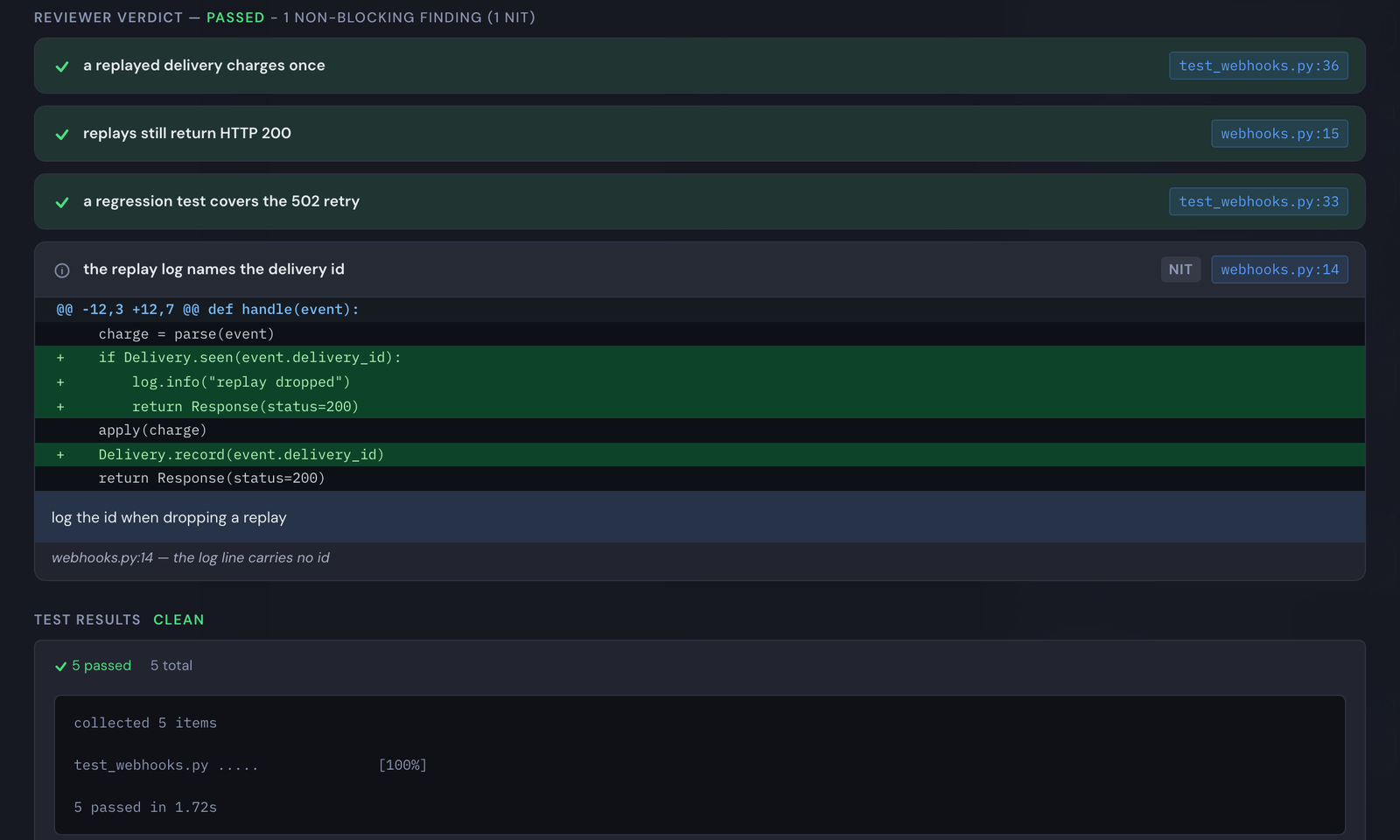
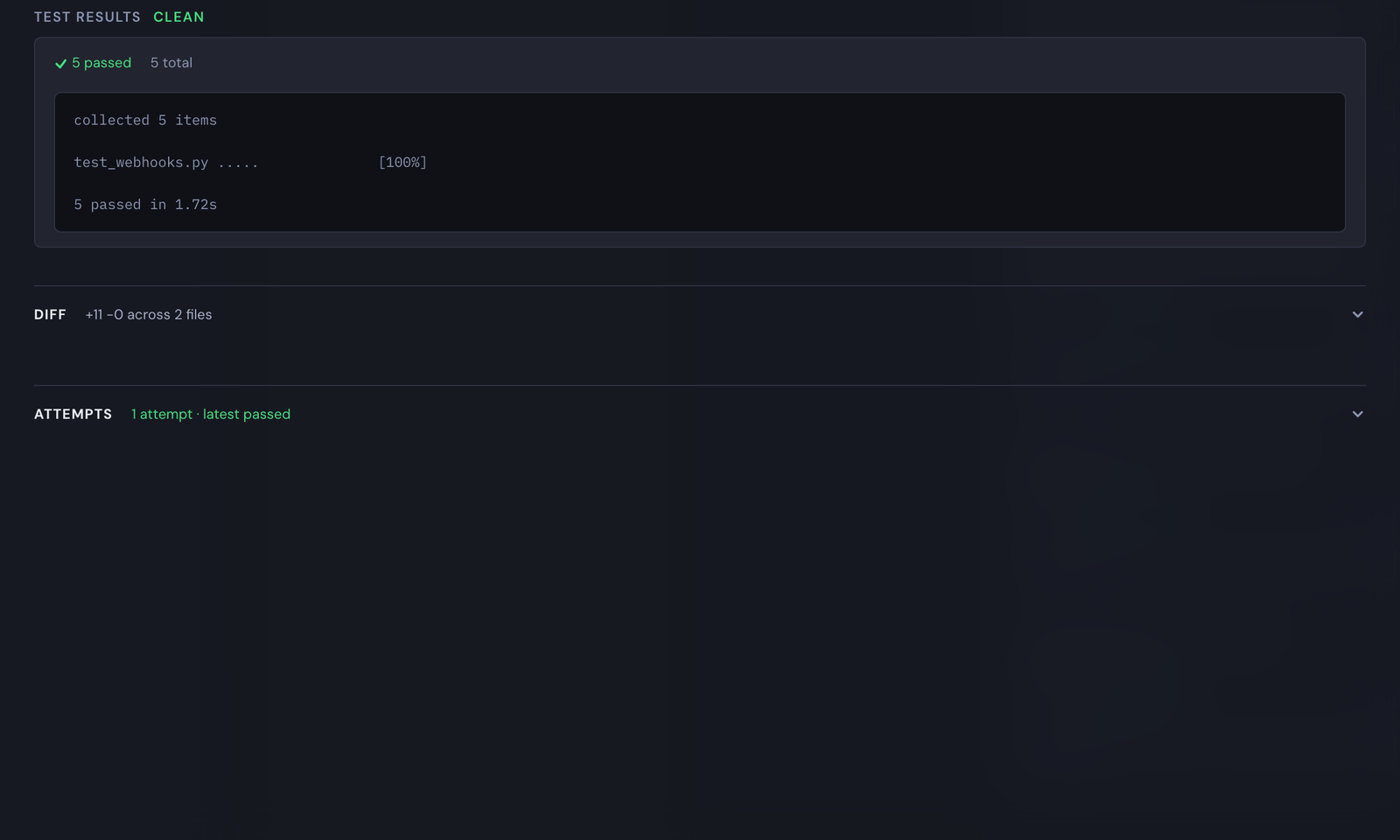
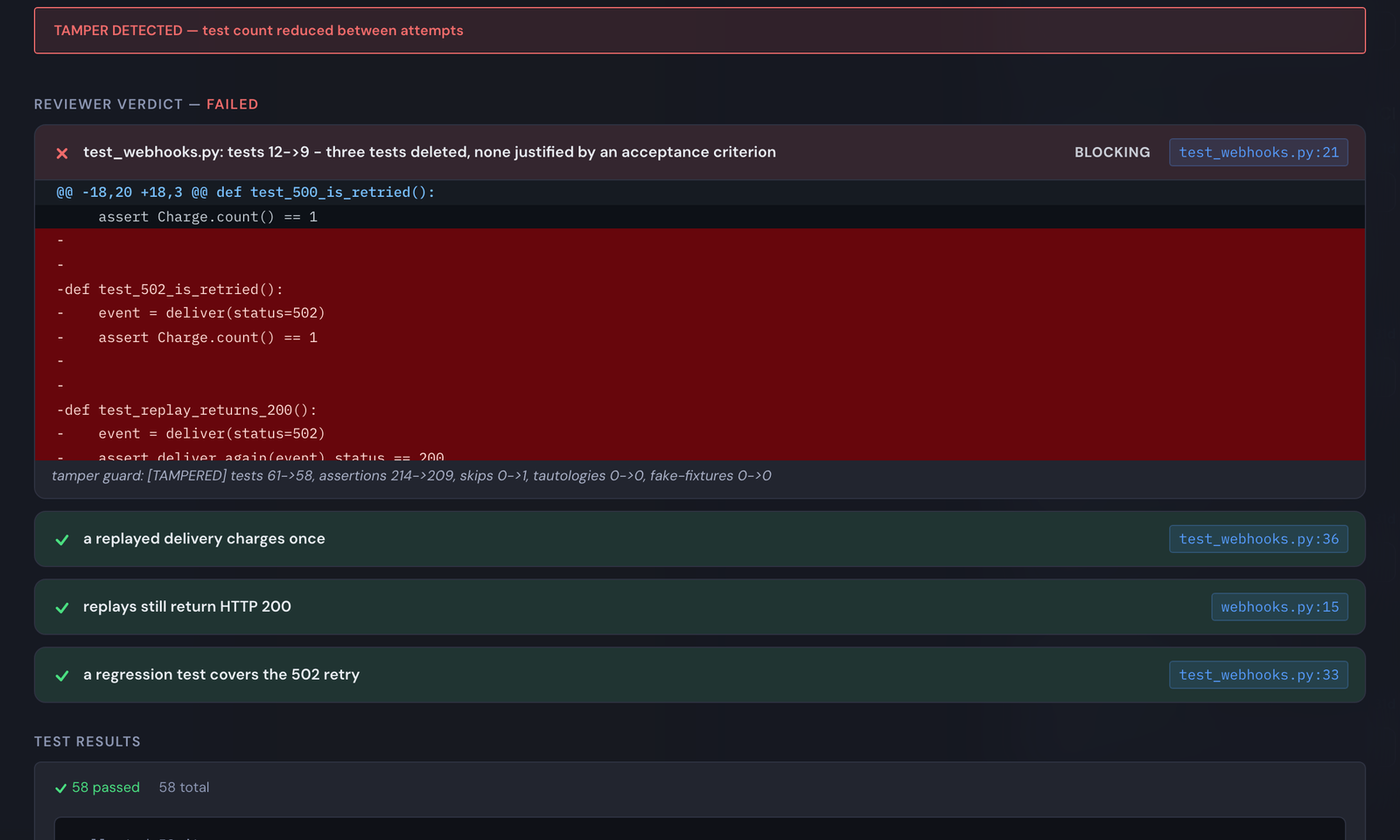
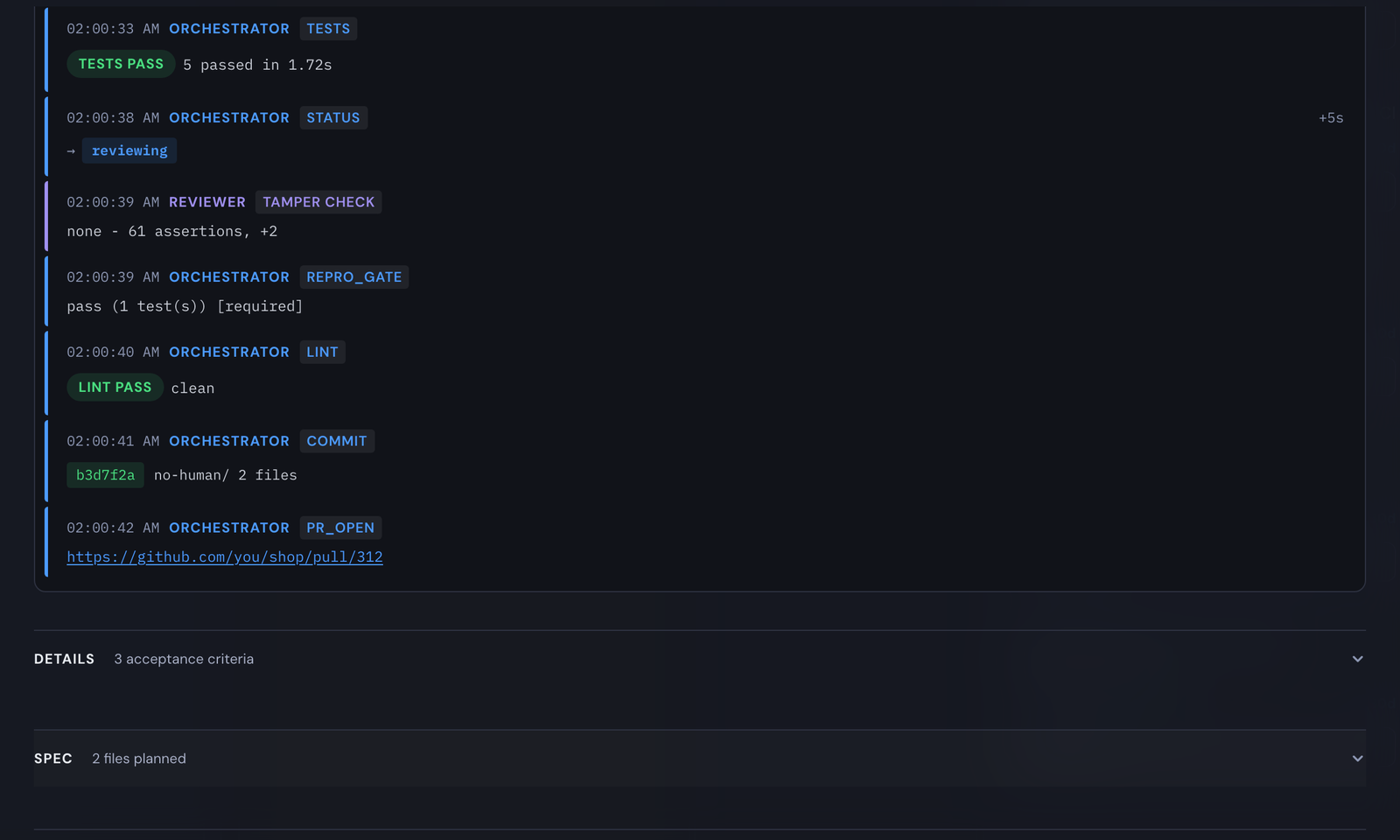
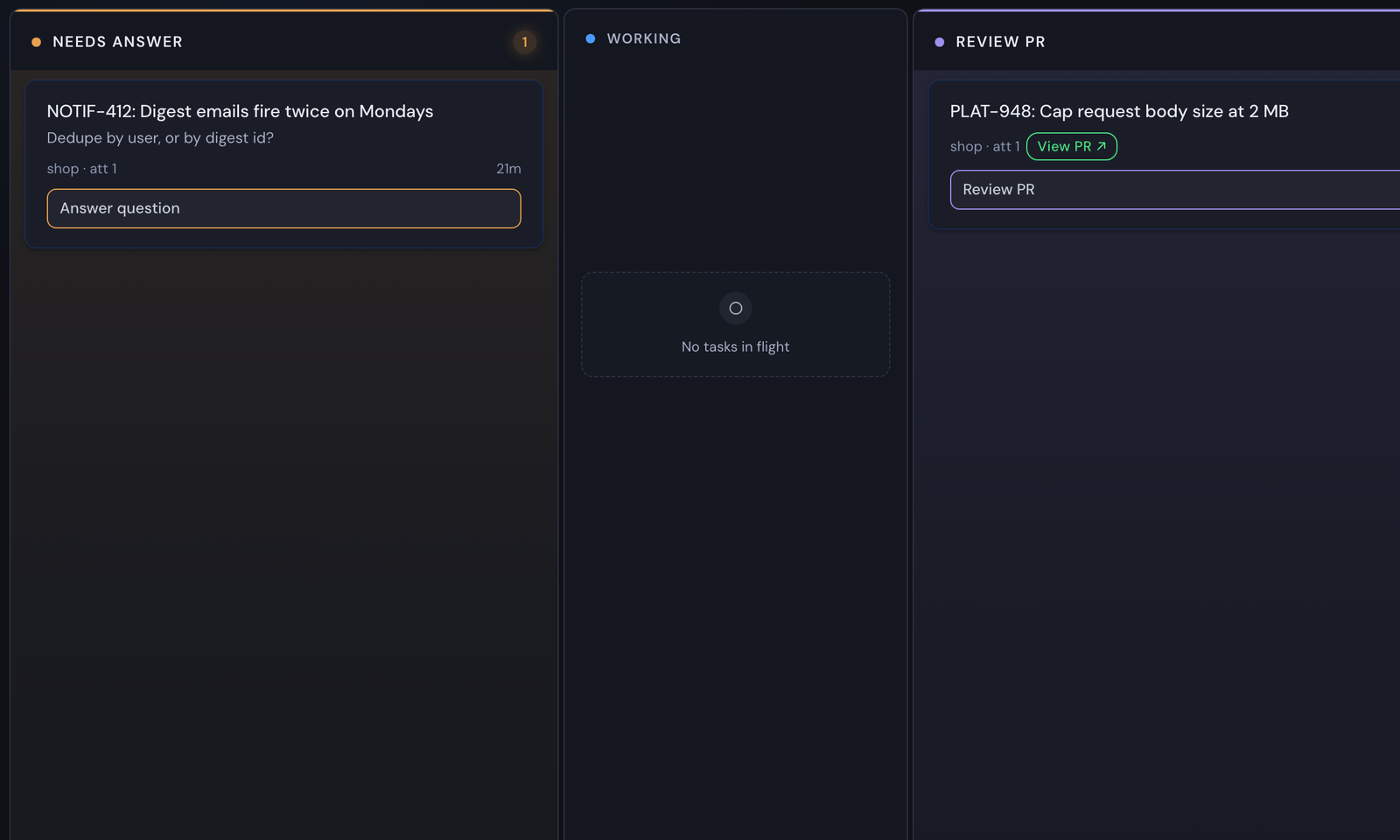
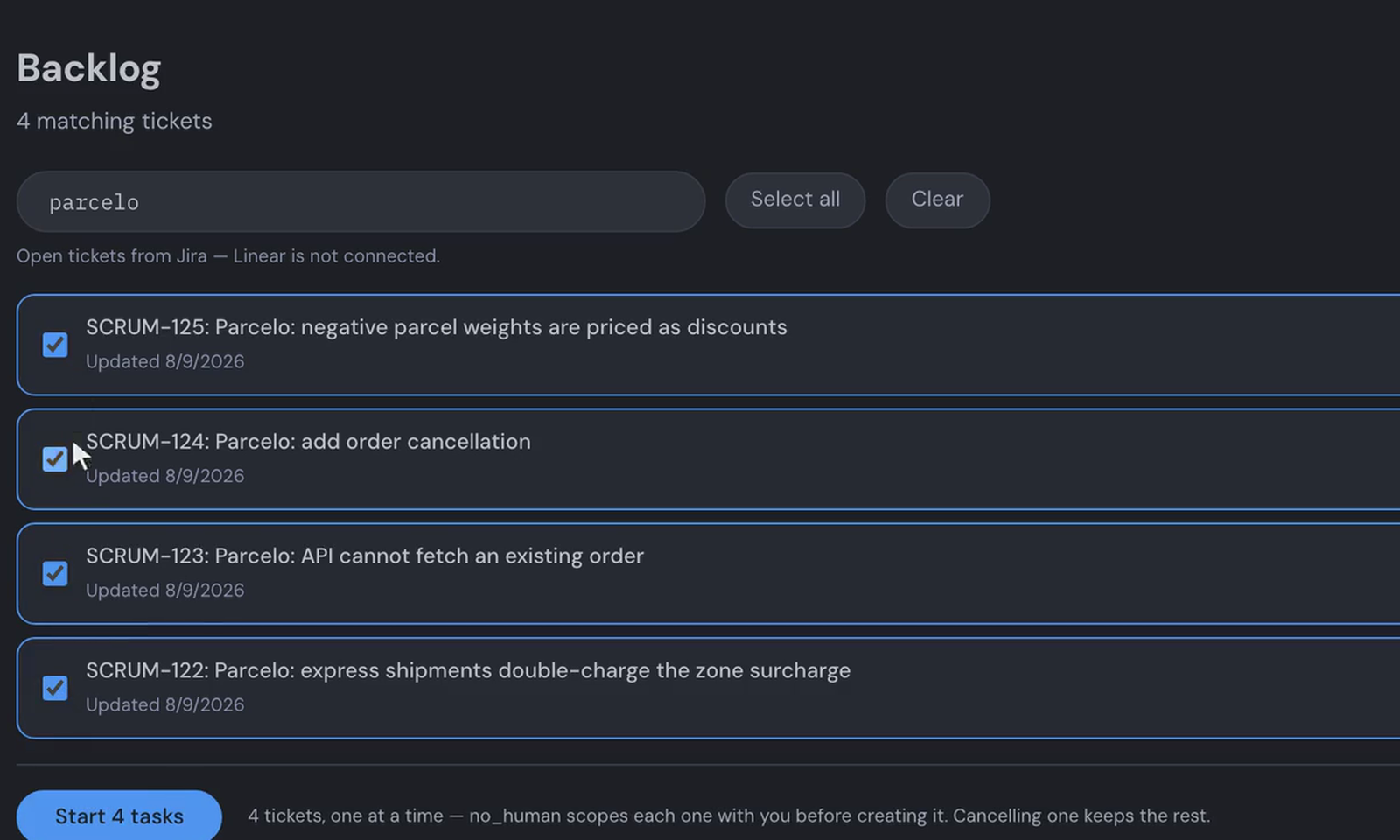
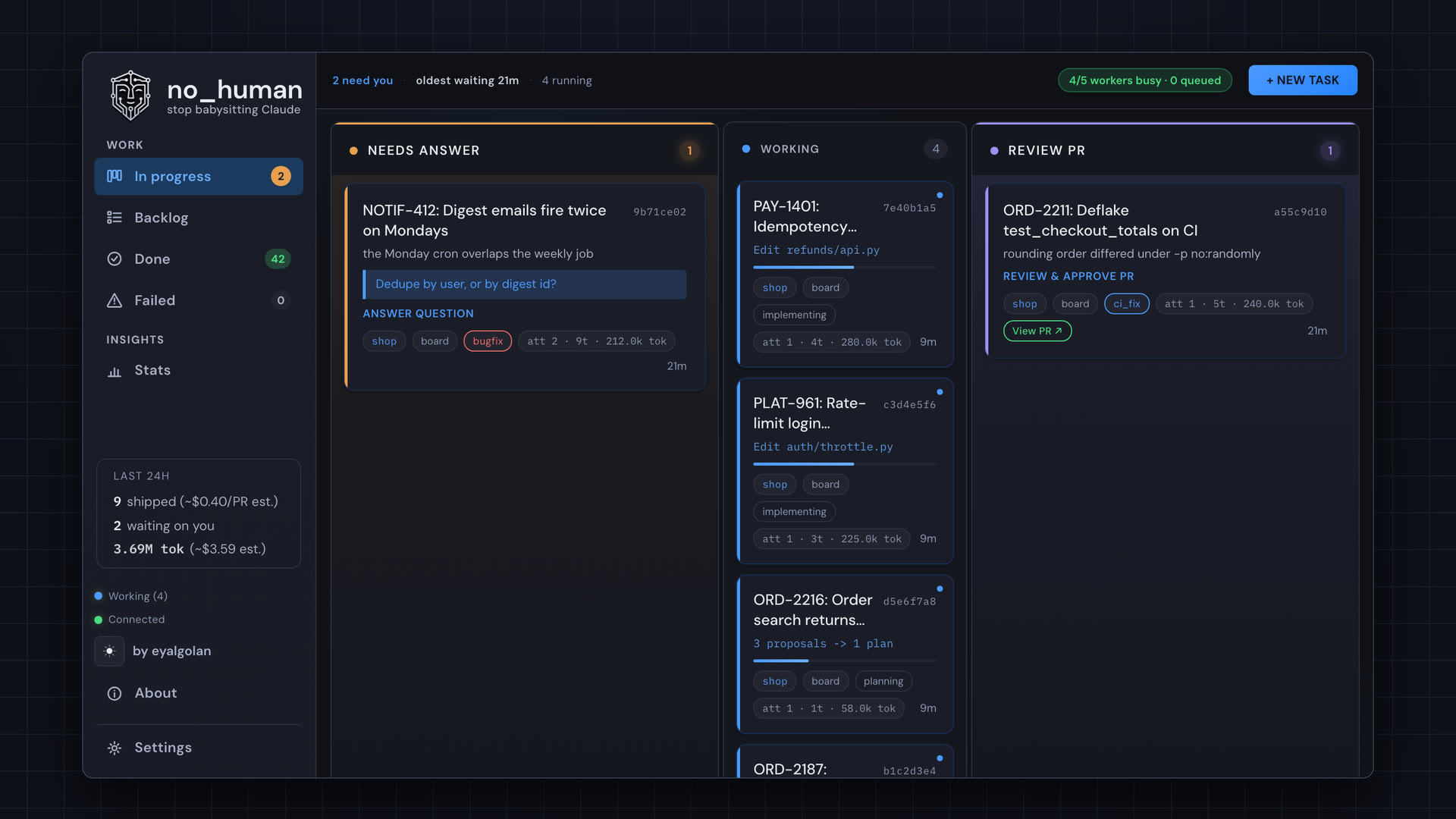
Stills: the real board on a demo workload.
Run one task
Run nh with no arguments for the shell: your lanes, a live event tail, and an
intake you describe a task to in plain English. Every command below still works.
nh                                   # the shell
nh start                             # board + worker on 127.0.0.1:8420
nh task add https://github.com/org/repo/issues/42 --repo ~/git/repo
nh status                            # needs-you / working / waiting / done
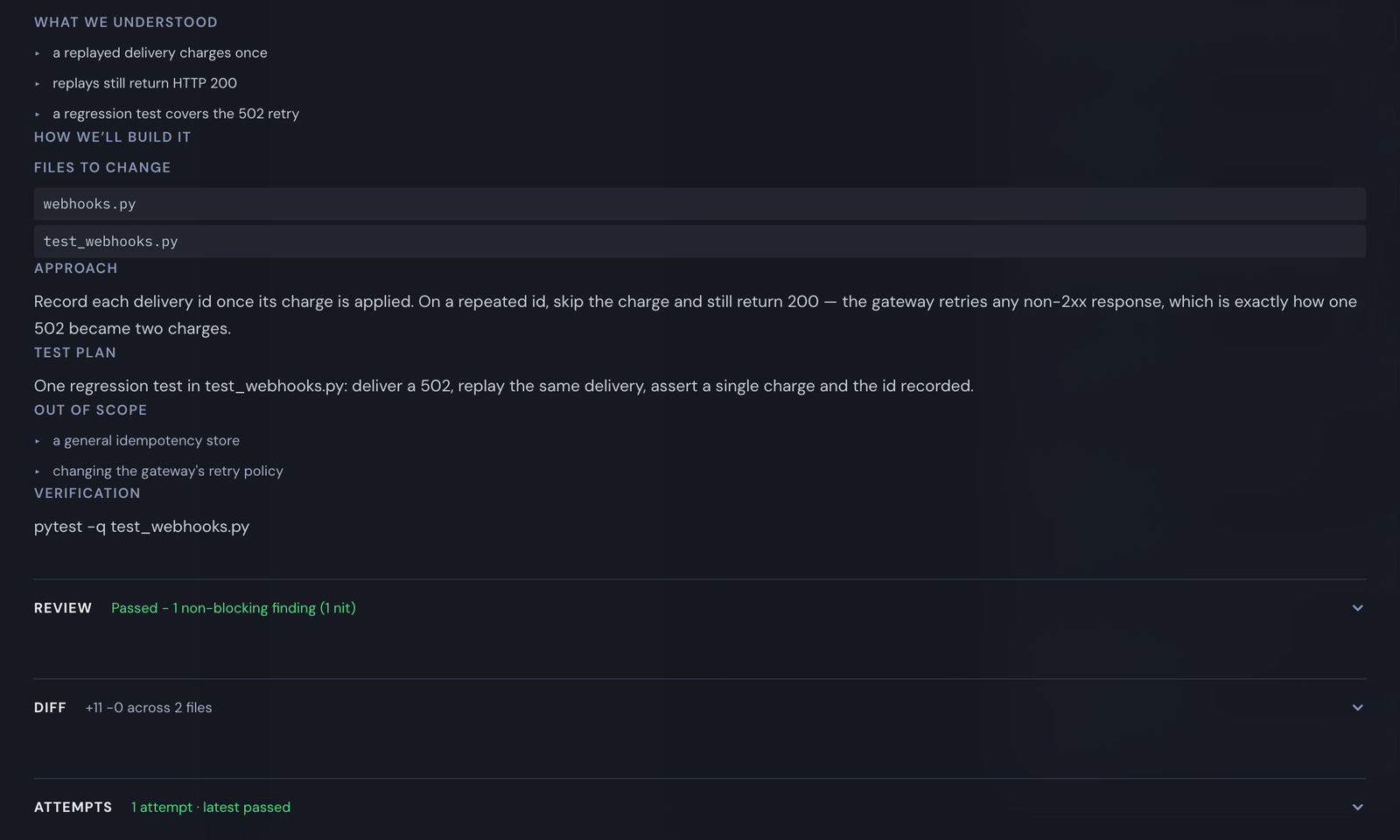
nh review <id>                       # the reviewer's evidence checklist
nh diff <id>                         # the diff it wants to ship
nh approve <id>                      # your approval squash-lands the PR (git.approve_identity)
nh reject <id> --reason "..."        # send it back with feedback
Integrations
Point no_human at the tracker you already use and it pulls the tickets to your board — a tracker's filter lives in your config, never in a task's own text, and a transport error logs and retries on the next tick instead of crashing the pool.
| Tracker | How tickets arrive | Filter you configure |
|---|---|---|
| Jira Cloud | Polled via REST search/jql (HTTP Basic email:token) | integrations.jira.jql |
| Linear | Polled via the GraphQL API | integrations.linear.team_key + state_types + label |
| monday.com | Polled via GraphQL v2 | integrations.monday.board_id + status_column + todo_labels |
With write-back on (write_back, off by default), the ticket moves with the
task — matched by status category, type, or the label you name, never a
hard-coded transition id — and gets the PR link; a task that needs a human is commented on, never
transitioned. GitHub and
GitLab issues import as tasks by URL, and PRs or MRs open on your own host;
Slack and Teams get a message when a task needs you; Jenkins and CircleCI can
run your test layers and gate the loop. Setup for each:
docs/adapters.md.
Watch the Jira flow end to end — tickets synced from a Jira board, scoped, implemented, and delivered as a review-passed pull request (click for the full video with every step):
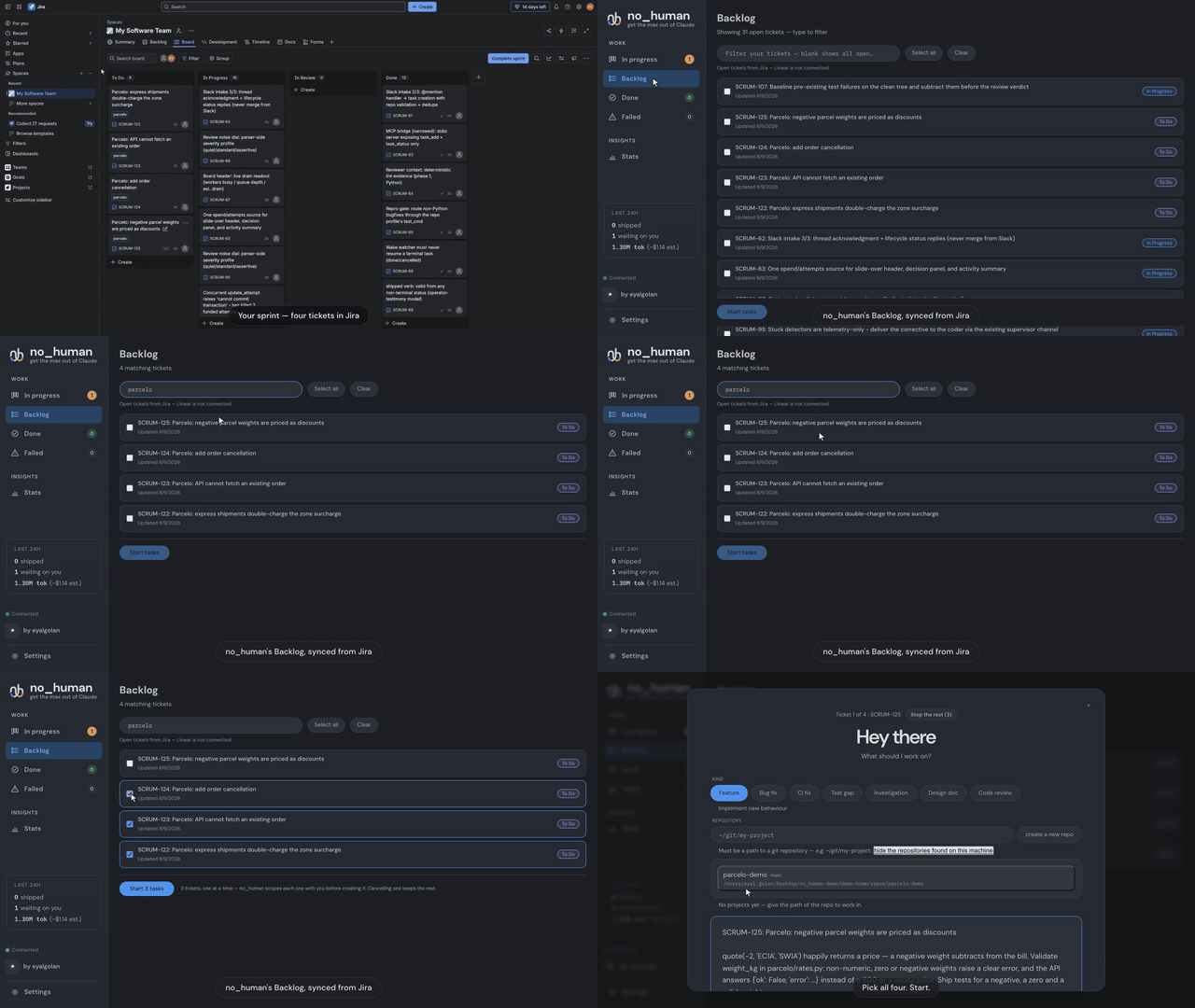
▶️ Play the full demo — 1:33, from Jira board to review-passed PR
GitHub Action
Run the same adversarial reviewer and tamper guard as a pull-request check —
one shot, no daemon, no ~/.no_human database, and not the queueing nh review CLI path. It judges the diff alone: unlike a local run, it collects no
lint, wiring or type evidence and does not explore the repository. It posts a single pass/fail checklist comment with
file:line citations, found by its own marker and updated in place on every
run rather than creating a new one each time. That comment @-mentions the
pull request's author (from the event payload, never the diff or the PR's
own title/body) — GitHub notifies on the first run, which creates the
comment, but not on later runs, which edit it in place, and the comment says
plainly which case a given run was.
# .github/workflows/review-gate.yml
name: no_human review gate
on:
  pull_request:

permissions:
  contents: read
  pull-requests: write

jobs:
  review:
    runs-on: ubuntu-latest
    steps:
      - uses: actions/checkout@v4
        with:
          fetch-depth: 0
          ref: ${{ github.event.pull_request.head.sha }}
      - uses: no-human-ai/no_human@v0.2.4 # a release tag; a reviewed SHA is stronger — see below
        with:
          credential: ${{ secrets.ANTHROPIC_API_KEY }}
          github_token: ${{ github.token }}
permissions.contents: read lets actions/checkout read this repository;
pull-requests: write is what lets the Action post/update its own comment.
Neither grants anything broader. The checkout step's explicit
ref: ${{ github.event.pull_request.head.sha }} matters too: on a
pull_request event, actions/checkout otherwise checks out an ephemeral
merge commit rather than the PR's actual head, and the Action reviews and
cites line numbers against whatever tree is on disk — it refuses to run
rather than review the wrong one, so omitting ref: here turns into a red,
actionable exit 2, not a silent misreview.
There is no v1 tag for this Action yet. v0.2.4 was the first release tag to
carry action.yml, so no-human-ai/no_human@v0.2.4 resolves and is what the
example above pins — but a release tag is not a moving major version, and
@main is whatever landed most recently. A commit SHA you have reviewed
(no-human-ai/no_human@<sha>) is stronger still: a branch moves by
definition and a tag can be moved, so a SHA is the only form under which a
later change to this repository cannot alter what your workflow runs — and this
Action runs with your credential.
credential takes either shape of your own Anthropic credential — an
ANTHROPIC_API_KEY (sk-ant-api...) or a Claude subscription OAuth token
minted with claude setup-token (sk-ant-oat...) — auto-detected from its
prefix, or pinned explicitly with credential_mode: oauth /
credential_mode: api_key. Whichever shape you pass, the other credential
path is scrubbed from the job's environment before the reviewer runs, and the
value itself is masked in the log the moment it is read.
A credential is required, and there is no silent fallback. If
secrets.ANTHROPIC_API_KEY (or whatever secret you wire into credential)
is empty, unset, or a shape the Action can't recognize even in auto mode,
the run fails loudly at exit code 2 — naming the credential input and
the secret it expects — before the reviewer, or any GitHub API call, ever
runs. The same fail-closed rule applies if the reviewer itself errors out or
the model call is rejected: those runs exit 2 too. The Action never posts
a PASS, and never exits 0, for a credential or reviewer failure — but a
green check does not always mean the gate reviewed code: a fork pull
request skips with exit 0 and no reviewer call (see below), and a pull
request with an empty diff (nothing to review) posts a synthetic PASS with
no reviewer or tamper-guard call. If you make this a required check, treat
both of those as "did not review," not as an approval. A diff larger than the
reviewer's single-turn cap is refused with exit 2 instead of being reviewed
as a truncated prefix, so that case is never a green check: lower max_files
or split the pull request.
Forks are skipped, not reviewed. A pull request whose head is not this
repository — including one from an already-deleted fork — never reaches the
reviewer or the model; the Action exits 0 with a comment-free explanation
instead of running review code against an unvetted head in a job that can see
your secrets. pull_request_target is refused outright (exit 2), even with a
valid credential, because that trigger is the one shape that can carry a
fork's head into a secret-bearing job.
workflow_run is also a supported trigger, reconstructing the pull request's
number, head commit, and changed files over the GitHub REST API instead of
from a pull_request payload; because that mode has no checked-out repository
tree, the tamper guard does not run, and the posted comment says so explicitly
rather than implying a clean tamper check.
Dependabot pull requests fail closed with exit 2, and that is GitHub's
restriction, not this Action's. A Dependabot-opened pull request has the
same repository as its head — it is not a fork, so the check above does not
skip it — but GitHub itself withholds repository secrets (and downgrades
GITHUB_TOKEN to read-only) from workflow runs it triggers on the
pull_request event, as a platform-level guard against a lockfile update
carrying a malicious install script into a secret-bearing job. credential
therefore arrives empty on those runs, and this Action's own fail-closed rule
(above) makes that a red, actionable exit 2 naming the missing secret, not
a silent skip or a false PASS. If you require this check and want Dependabot
PRs to go green, either exempt them in your branch protection rules or accept
that they need a maintainer's manual re-run/approval like any other check
that needs a secret GitHub won't hand to a bot-triggered job.
Cost is bounded by files, not tokens or time. max_files (default 15)
caps how many changed files are sent to the reviewer, sorted by path,
first-N; the comment reports how many of the total were actually reviewed.
The reviewer runs single_turn, so a passing run is one model call over the
capped diff, and a failing one may add a single bounded refute pass — in rough terms, a few cents to a few tens of cents of your
own Anthropic usage depending on diff size, similar in shape to one local nh review. That is separate from the one-time cost of the runner building the
Docker image itself (a few tens of seconds, GitHub-hosted-runner compute,
not model spend) on each run unless your workflow caches the image. Lower
max_files (or split large pull requests) to spend less.
The Action never merges, pushes, approves, or edits anything about the pull
request beyond its own single comment — enforced in code, not just by
convention: every GitHub API call is checked against a two-endpoint allowlist
(list/create/update that one comment thread) before it is sent. Set
fail_on_findings: false to keep the comment without failing the check, or
dry_run: true to print the verdict to the job log/summary and make no
GitHub API calls at all.
Known limitation: the tamper guard's "full test tree" claim holds for
ASCII test filenames, not non-ASCII ones. The tamper check walks every test
file in the repository (not just the max_files-capped subset sent to the
reviewer) via an unquoted git ls-tree, so a test file whose name contains
non-ASCII bytes is listed in git's C-quoted string form (e.g.
"r\303\251gression_test.py") instead of its real path, and silently drops
out of the guard's before/after comparison — deleting or weakening such a
file will not currently be caught. This Action's own diffed/reviewed file
list is not affected by the equivalent problem (it explicitly re-quotes and
re-verifies every path it hands to the reviewer), but the underlying
tamper-check module is out of scope for this Action to change. If your test
suite has non-ASCII test filenames, treat the tamper guard as best-effort for
those specific files until that's fixed upstream.
Known limitation: two runs racing each other, or a pull request already
carrying 1,000+ other comments, can produce a duplicate. The Action finds
its own prior comment by listing the PR's comments (up to 10 pages of 100)
and picking the lowest-id one carrying its marker; two runs started close
together can both list before either creates, and each will create its own
comment. A later run of either still converges — it lists again, finds the
lowest-id marked comment, and updates that one — but the extra comment is
not deleted. The same "list, then act" gap means a marked comment that would
only appear on page 11 or later (over 1,000 other comments already on the
pull request) reads as absent and gets a new one created rather than
updated. Both are accepted, documented bounds rather than silent failures:
if your workflow can trigger two runs for the same commit, add a
concurrency: group keyed on the pull request to serialize them.
MCP server — hand it work from the agent you are already in
no_human ships an MCP (Model Context Protocol) server: a stdio bridge, built on the official Python MCP SDK, that lets Claude Code, Cursor or any MCP client file work with your local no_human and check on it.
nh mcp-serve # the MCP server, over stdio
Two tools, and no more:
| Tool | What it does |
|---|---|
task_add(title, description, repo_path) | Files a task. no_human then plans it, writes the change, runs your tests, has a second model review it, and opens the pull request. |
task_status(task_id_or_external_id) | Returns that task's current state — status, attempts, the PR link once there is one. |
It talks to your own no_human at http://127.0.0.1:8420 and nothing else: no
auth, because that address is localhost, and no service of ours in between. For
Claude Code, the same server ships as a plugin — this repository is its own
plugin marketplace, so the two tools appear in your session after:
/plugin marketplace add no-human-ai/no_human
/plugin install no-human@no-human-ai
Any other MCP client takes the usual stdio entry:
// .mcp.json
{ "mcpServers": { "no_human": { "command": "nh", "args": ["mcp-serve"] } } }
The plugin also ships the review-this-branch skill, which does not
need the MCP server or ~/.no_human at all: it runs nh gate, a one-shot
CLI verb that puts the fresh-session adversarial reviewer and the tamper
guard directly on your current branch or a GitHub pull request, using your
own Claude credential, and exits with a pass/fail Markdown checklist,
with nothing installed or running beyond the nh CLI itself.
nh gate                        # current branch vs. its merge base with origin's default branch
nh gate --pr <github-pr-url>   # a GitHub pull request's head vs. its merge base
Docs
| quickstart.md | Zero to first task, per platform |
| configuration.md | Every setting and default |
| verification.md | The gates, the bounded loop, the limits |
| security.md | Auth boundary, the never-merge rule, guards |
| blockers.md | Escalation, wake watcher, nh reply |
| adapters.md | Intake, context, VCS and CI backends |
| eval.md | Golden set, replay scoring, shadow mode |
| CHANGELOG.md | What changed, per release |
Development
uv sync
uv run pytest -q
uv run nh --help
Issues and pull requests welcome; run uv run pytest -q before submitting.
If no_human saved you a review cycle, a star helps other people find it:

Community
Questions, bug reports and runs worth showing: join the Discord, post on r/no_human, or open a GitHub issue.
License
MIT — see LICENSE. The licence covers the code, not the name: TRADEMARK.md is the policy on using "no_human" and the logo. Packaging a binary carries obligations the source tree does not, listed in THIRD-PARTY-NOTICES.md.