Listed from the MCP registry; nobody on Odel publishes it.

Fabricator panel
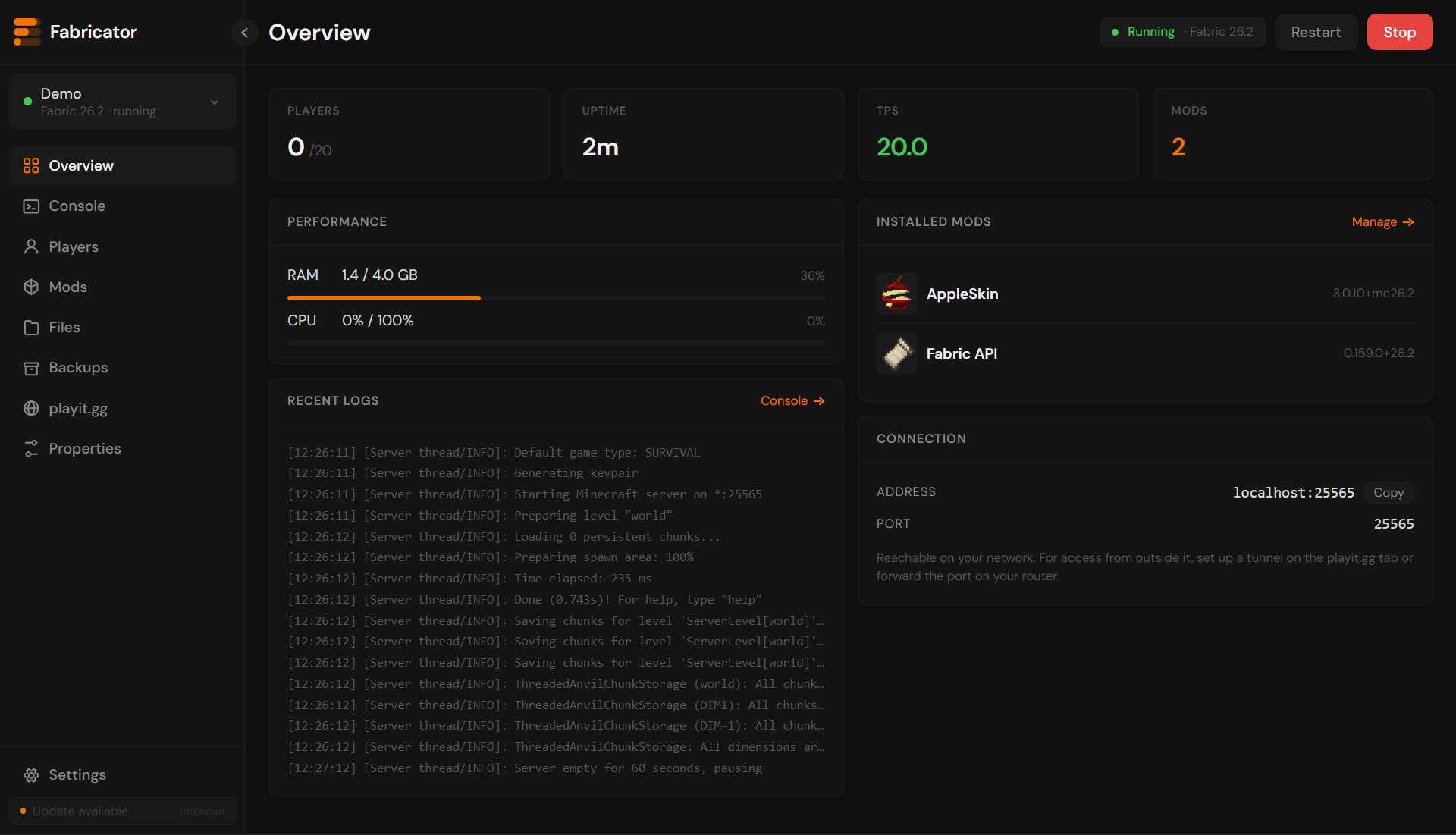
Manage and diagnose Minecraft servers through the self-hosted Fabricator panel.
Runs on your machine from its package; the steps are below.
What it does
- Reads
- Writes
- High impact
At most: creates or changes data: records, files, settings.
What it costs
FreeOdel charges nothing per call. The publisher may charge for its own service.
Runs locally over stdio
This server isn't hosted — your MCP client launches it from a package registry. Use one of the commands below, or drop the config into your client (e.g. Claude Desktop).
Run
uvx fabricator-panel-mcp
MCP client config
{
  "mcpServers": {
    "fabricator-panel": {
      "command": "uvx",
      "args": [
        "fabricator-panel-mcp"
      ]
    }
  }
}




Features & Roadmap
| Feature | Status | |
|---|---|---|
| 🧩 | Loaders: Fabric, Quilt, NeoForge, Forge, Paper, Purpur, Folia, Pufferfish, Vanilla | ✅ Available |
| 📦 | Mod & plugin management: install, remove, enable/disable, and browse Modrinth mods and plugins; update checks with missing-dependency detection | ✅ Available |
| 🧰 | Modpack import: find popular Modrinth packs, search by name or link, or upload an exported .mrpack | ✅ Available |
| 📋 | Logs & monitoring: live log stream, TPS and RAM graphs | ✅ Available |
| 📁 | File explorer & editor: browse the server tree, search files, and edit configuration files in the panel | ✅ Available |
| 👥 | Player management: online players, player heads, custom actions | ✅ Available |
| 💾 | Backups & restore: manual and scheduled snapshots, restore from any backup | ✅ Available |
| ⏰ | Scheduled commands: run console commands and server actions on a schedule | ✅ Available |
| 🔄 | One-click server upgrades: Vanilla and Paper, with an automatic snapshot first | ✅ Available |
| 🌍 | World import: upload a world archive and swap it in | ✅ Available |
| 📂 | Server import: adopt an existing server folder into Fabricator | ✅ Available |
| 🎨 | MOTD editor & server icon: colors and formatting with a live server-list preview | ✅ Available |
| 🖥️ | Multiple servers: manage several instances from one dashboard, in your own order | ✅ Available |
| ▶️ | Auto-start: always, never, or last-state restore | ✅ Available |
| ☕ | Managed Java runtimes: downloaded and pinned per server | ✅ Available |
| 🌐 | playit.gg tunnels: public access without port forwarding | ✅ Available |
| 🐳 | Docker: single multi-arch (amd64/arm64) image, runs non-root | ✅ Available |
| ⌨️ | CLI (fabricator): status, start/stop, update, version, uninstall | ✅ Available |
| ⬆️ | Self-update: from the web UI, or via the CLI or install script | ✅ Available |
| 🤖 | MCP server: manage servers from AI clients | ✅ Available |
| ⌨️ | CLI: expanded server and mod management commands | 📋 Planned |
| 🔄 | Upgrades for modded loaders (Fabric, Quilt, NeoForge, Forge) | 📋 Planned |
| 📊 | Metrics tab: CPU, RAM, and usage over time | 📋 Planned |
| 🔐 | User roles and permissions | 📋 Planned |
| ✏️ | Advanced editor & archived logs | 📋 Planned |
| 📥 | More install targets: Proxmox VE, CasaOS, Umbrel, Unraid, Coolify/Dokploy | 📋 Planned |
Screenshots
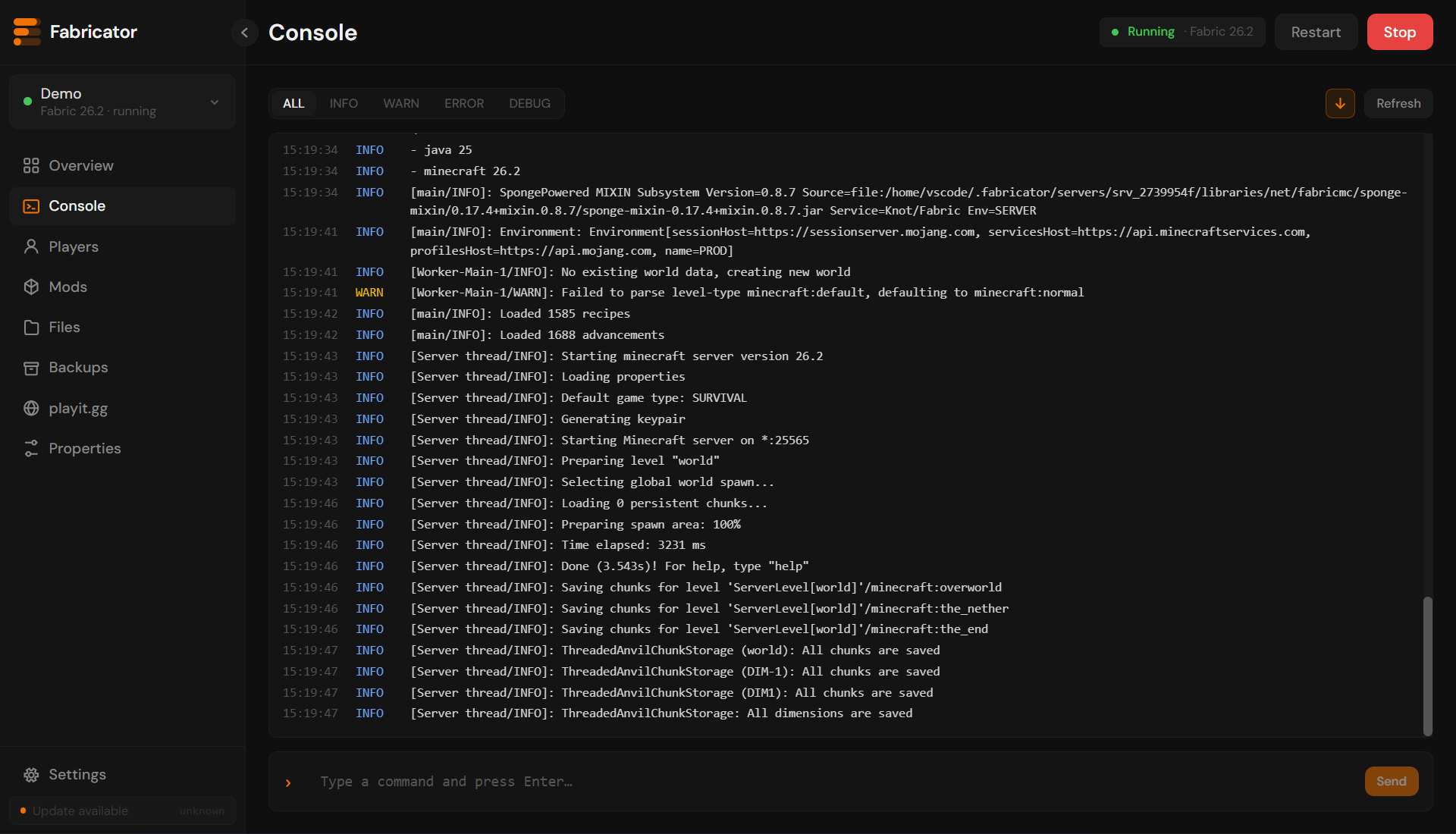 Console — live log stream, level filters, and a command input |
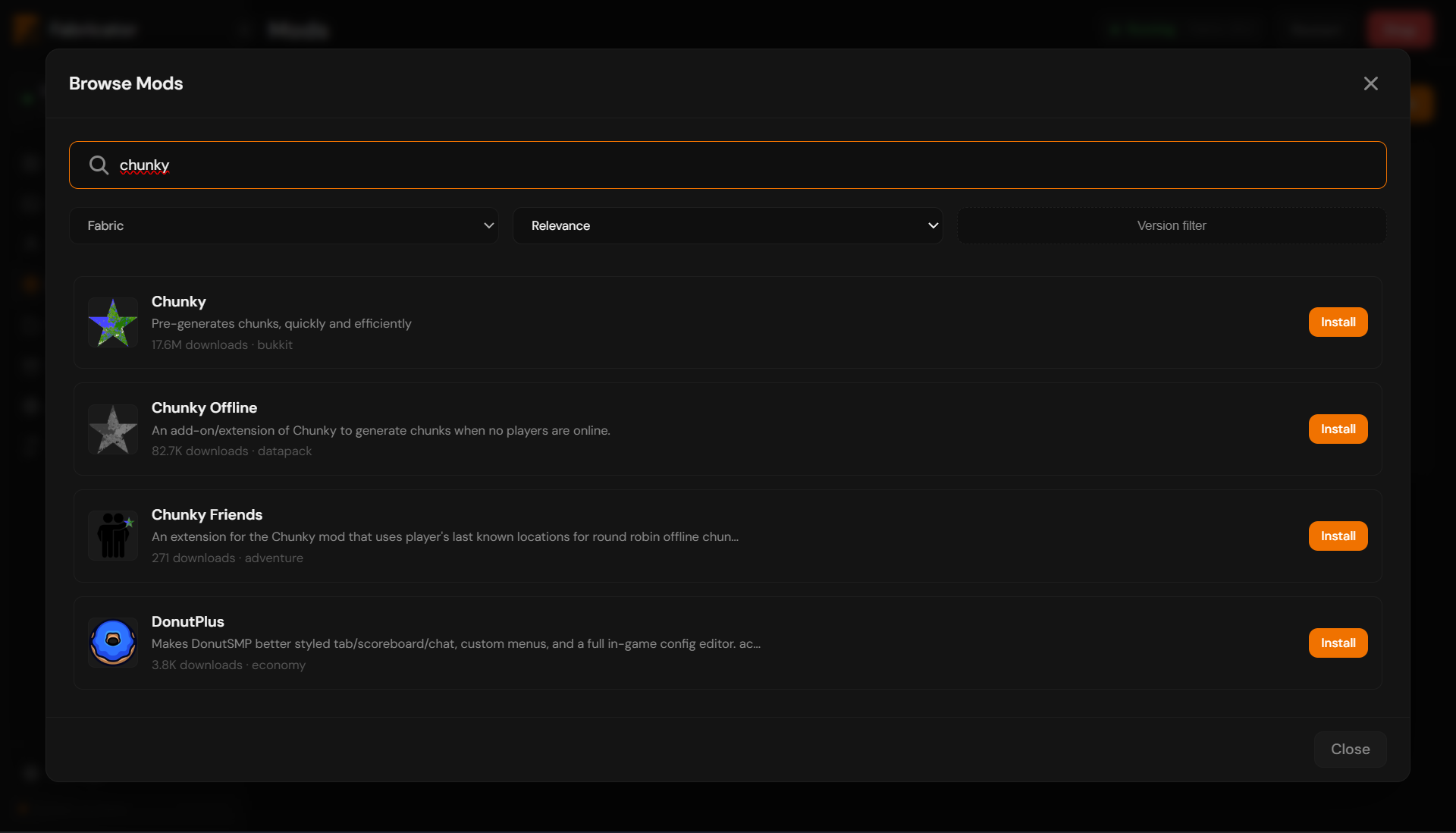 Mods — search Modrinth and install mods or plugins in one click |
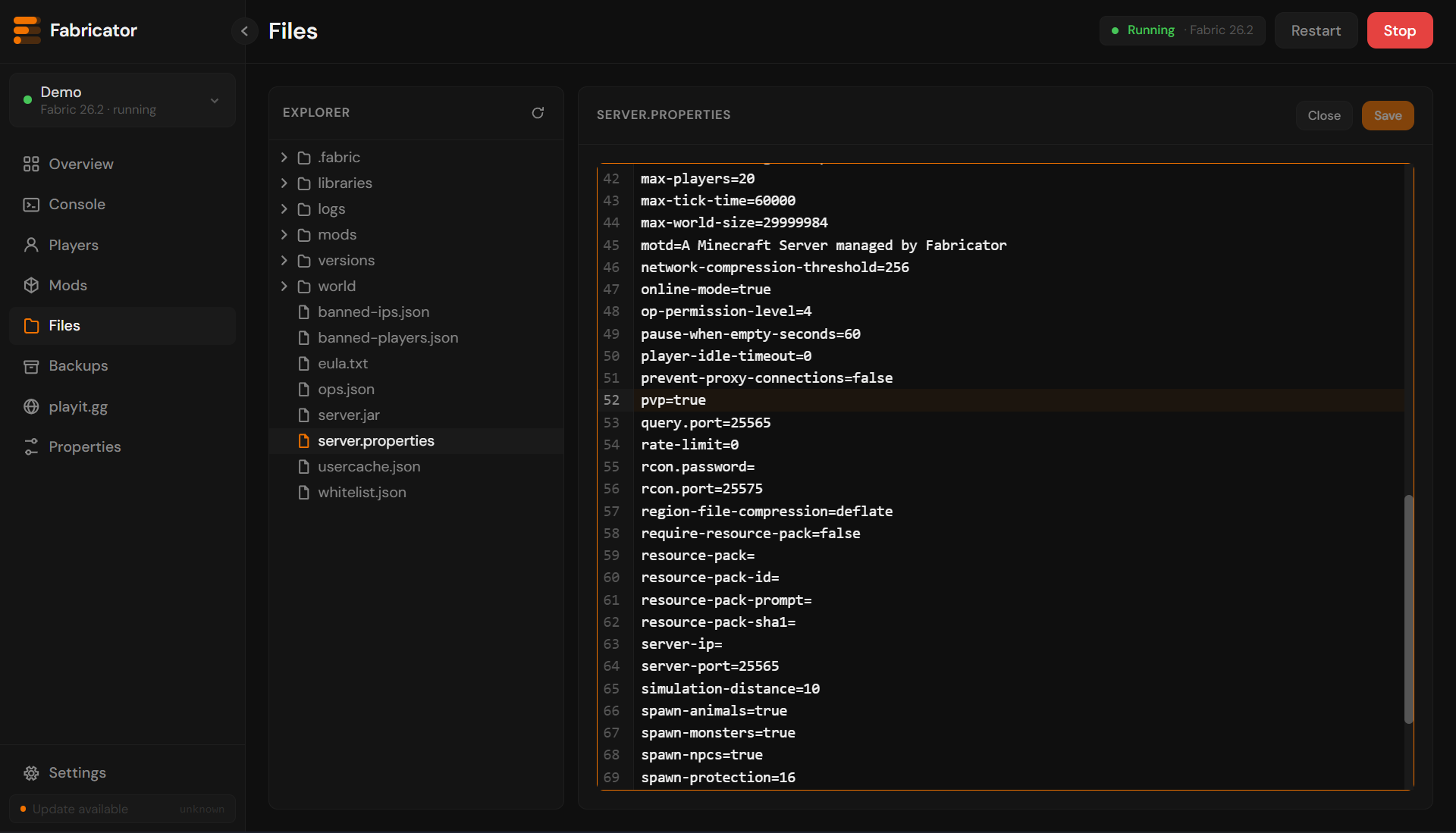 Files — browse the server tree and edit configs in the panel |
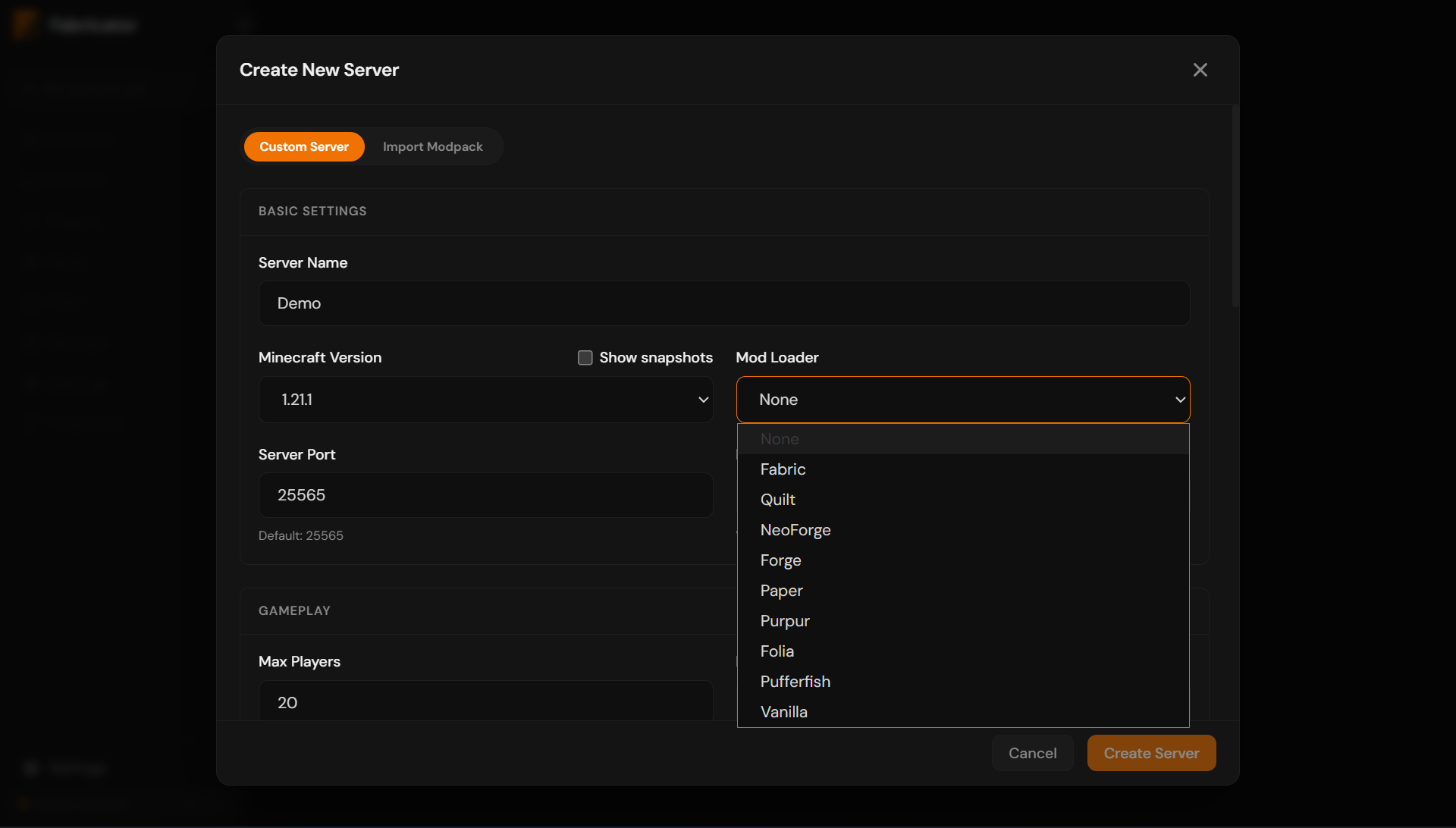 New server — pick a version and loader, or import a modpack |
Quick Start
Docker (recommended)
A single multi-arch image is published to GHCR for every release. It runs as a
non-root user and keeps all state on one /data volume.
# Grab the compose file and start
curl -fsSL https://raw.githubusercontent.com/philderks/Fabricator/main/docker-compose.yml -o docker-compose.yml
docker compose up -d
The packaged docker-compose.yml publishes the panel to host loopback only
(127.0.0.1:5000). On first use you'll be prompted to create the operator password.
Minecraft server ports aren't published by default; use the built-in playit.gg tunnel,
or map each server's port explicitly (e.g. 25565:25565).
To update, pull the new image and recreate the container — your data persists in the named volume:
docker compose pull && docker compose up -d
Docker is the simplest way to run Fabricator on Linux, macOS, or Windows (via Docker Desktop / WSL2).
Windows (portable .exe)
Every release includes a portable
Fabricator-<version>.exe. Download it and run it — no install needed. It opens the
panel in your browser at http://127.0.0.1:5000 and adds a tray icon with Open in
Browser, Open Data Folder, and Quit. The panel listens on loopback only.
Data lives in %APPDATA%\Fabricator, so you can move or replace the .exe freely.
To update, use the update button in the panel's sidebar: it downloads the new .exe
and verifies its checksum.
One-line installer
The script downloads a release tarball from GitHub Releases, installs dependencies, creates a fabricator user and systemd unit, and starts the app. Supported distros: Debian/Ubuntu (and derivatives), Arch, Fedora/RHEL family. systemd and curl are required.
curl -fsSL https://fabricator.site/install.sh | bash
By default this installs the latest published release.
Updating. The easiest way is from the panel itself: Fabricator checks GitHub Releases and you can update from the sidebar. You can also re-run the installer, which detects an existing install and updates in place (backing up servers.json and fabricator.env, keeping your data under /var/lib/fabricator):
curl -fsSL https://fabricator.site/install.sh | bash
Or update from the CLI:
fabricator update
After install, open http://<host>:5000 (the default packaged config binds to all interfaces — use a firewall or reverse proxy if the host is reachable from untrusted networks).
For local development, the app defaults to loopback-only; see .env.example.
Manual installation
# Clone
git clone https://github.com/philderks/Fabricator.git
cd Fabricator

# Backend
python3 -m venv venv
source venv/bin/activate
pip install -r requirements.txt

# Frontend
cd frontend
npm install
npm run build
cd ..

# Run (development — serves API + built frontend from frontend/dist)
python3 run.py
Environment variables are documented in .env.example. For production-like paths, set FLASK_ENV=production, SERVER_ROOT, and SERVER_INDEX_FILE (see Configuration).
Requirements
| Requirement | |
|---|---|
| Docker | Any OS with Docker Engine or Docker Desktop (recommended path) |
| OS | Linux (Debian/Ubuntu, Arch, or Fedora/RHEL, systemd) for the native installer; Windows for the portable .exe |
| Python | 3.11+ (manual/native install) |
| Node.js | 22.x (frontend build only) |
The native installer targets Linux, and Windows has the portable
.exe. On macOS, run Fabricator via Docker.
Configuration
With Docker, set these as environment: entries in docker-compose.yml; the image already pins every data path onto the /data volume. For the native install, the installer writes /etc/fabricator/fabricator.env (group fabricator, mode 0640). Common variables:
# Listen address — packaged default is all interfaces; use a reverse proxy in production
HOST=0.0.0.0
PORT=5000
FLASK_ENV=production

# Server instances and index (paths must be writable by the fabricator user)
SERVER_ROOT=/var/lib/fabricator/servers
SERVER_INDEX_FILE=/var/lib/fabricator/servers.json

# Optional: comma-separated origins for a separate dev UI or external frontends (no *)
# CORS_ORIGINS=https://dashboard.example.com

# playit.gg tunnel agent — set to "true" to start the agent automatically on boot.
# The agent creates a public tunnel so the server is reachable without port-forwarding.
PLAYIT_ENABLED=false
The playit.gg tunnel makes a server reachable without port forwarding. The installer
provisions the pinned, sha256-verified playit and playit-cli binaries automatically —
no separate step. Turn the tunnel on per server under Server → Settings → Network (or
Overview → Public access), which walks you through the one-time playit.gg account claim.
Set PLAYIT_ENABLED=true above only if you want it to auto-start on boot.
Managed Java runtimes are stored under /var/lib/fabricator/java by default when FLASK_ENV=production.
After editing, restart the service:
sudo systemctl restart fabricator
Filesystem layout
/opt/fabricator/app              # Application code (fabricator:fabricator)
/opt/fabricator/venv             # Python virtualenv (fabricator:fabricator)
/var/lib/fabricator              # Server data, backups, managed Java
/etc/fabricator/fabricator.env   # Config (root:fabricator, 0640)
/etc/systemd/system/fabricator.service
Authentication
The management panel requires a login by default. On first boot (no credential configured yet) it starts in a locked setup mode: open the panel and you'll be taken to a one-time page to create the operator password — in the browser, the same on Linux and Docker (no terminal needed). Until a password is set, only that page is reachable.
The session signing key is generated and persisted automatically on first boot;
the password is stored, hashed, in a 0600 auth.json in the data directory
next to servers.json (/var/lib/fabricator under systemd, /data in Docker).
Advanced / declarative setup. You can skip the setup page by providing the credential up front — useful for Docker/automation and recommended on untrusted networks (see the security note):
- Optionally pin
SECRET_KEYto a fixed value (otherwise auto-generated):python -c "import secrets; print(secrets.token_hex(32))" - Generate a password hash and set
FABRICATOR_AUTH_PASSWORD_HASH:- systemd install:
fabricator hash-password - Docker / source:
python -m backend.auth hash
- systemd install:
Precedence: env hash > persisted file > setup mode (and for the signing key: env > file > auto-generated).
To run without the built-in login (only if you front Fabricator with your
own reverse-proxy authentication), set FABRICATOR_DISABLE_AUTH=1. This is the
only supported way to disable it.
Change, turn off, or reset the password. Once logged in, open
Settings → Security to change the password. From the same screen you can turn
password protection off (after confirming the current password) or turn it back on
with a new password. Only turn it off on a trusted network: anyone who can reach
Fabricator will then be able to manage your servers. Forgot it / locked out? Delete
auth.json from the data
directory and restart — the app drops back into setup mode so you can set a new
one. The file lives next to servers.json: /var/lib/fabricator/auth.json under
systemd, /data/auth.json in Docker. (Deleting it only resets the password/key;
your servers are untouched.)
Security note (trust-on-first-use). The first-boot setup page is reachable by anyone who can reach the panel until the password is set. On an untrusted network, set
FABRICATOR_AUTH_PASSWORD_HASHbefore first exposure instead of relying on the open setup page.
When Fabricator is served behind TLS, also set FABRICATOR_SESSION_COOKIE_SECURE=1
so the session cookie carries the Secure flag.
CLI
The native (systemd) install ships a fabricator command for managing the service from the shell:
fabricator status            # systemd state + Flask/Minecraft API reachability (--json available)
fabricator start | stop      # control the systemd service
fabricator update            # update to the latest GitHub release (runs the installer)
fabricator version           # show the installed version
fabricator hash-password     # generate a password hash for FABRICATOR_AUTH_PASSWORD_HASH
fabricator uninstall         # remove app, data, config, systemd unit, and service user
fabricator help              # list all commands
The read commands (status, version, help) accept --json for scripting. The CLI is currently minimal and will grow to cover server and mod management.
Community Integrations
Projects built by the community. They are not maintained by Fabricator.
- Stream Deck plugin by derDeno: view server stats, start/stop/restart servers, and send preset console commands from an Elgato Stream Deck.
A note on AI usage: I use Claude while developing Fabricator. It lets me ship features and fixes faster than my free time would otherwise allow. I review and test every change myself before it is released, and backend tests run on every pull request. If you'd rather not run AI-assisted software, that's a fair choice, and I'd rather you know upfront.
Contributing
Bug reports and pull requests are welcome. See CONTRIBUTING.md for development setup and guidelines. For larger changes, open an issue first.



