Listed from the MCP registry; nobody on Odel publishes it.
Is this yours? Claim it
Publish with chat
Publish and host websites made with AI. Preview free, go live, update or roll back by asking.
One address for any MCP client. No sign-in needed on this server.
What it does
7 read12 act1 other
Grouped by tool name. At most: creates or changes data: records, files, settings.
What it costs
FreeOdel charges nothing per call. The publisher may charge for its own service.
Tools
20 · grouped by tool name · checked 25 Nov 2026Read · 7Look things up
- get_site_guidance
- list_session_files
- get_site_preview
- list_my_sites
- get_site
- read_session_file
- read_site_file
Act · 12Change something
- create_publish_session
- upload_site_file
- upload_file_chunk
- import_file_from_url
- import_attached_file
- request_upload_link
- finalize_upload
- publish_site
- update_site
- upload_site_files
- create_site_from_files
- update_site_files
Other · 1Neither hinted nor named
- rollback_site

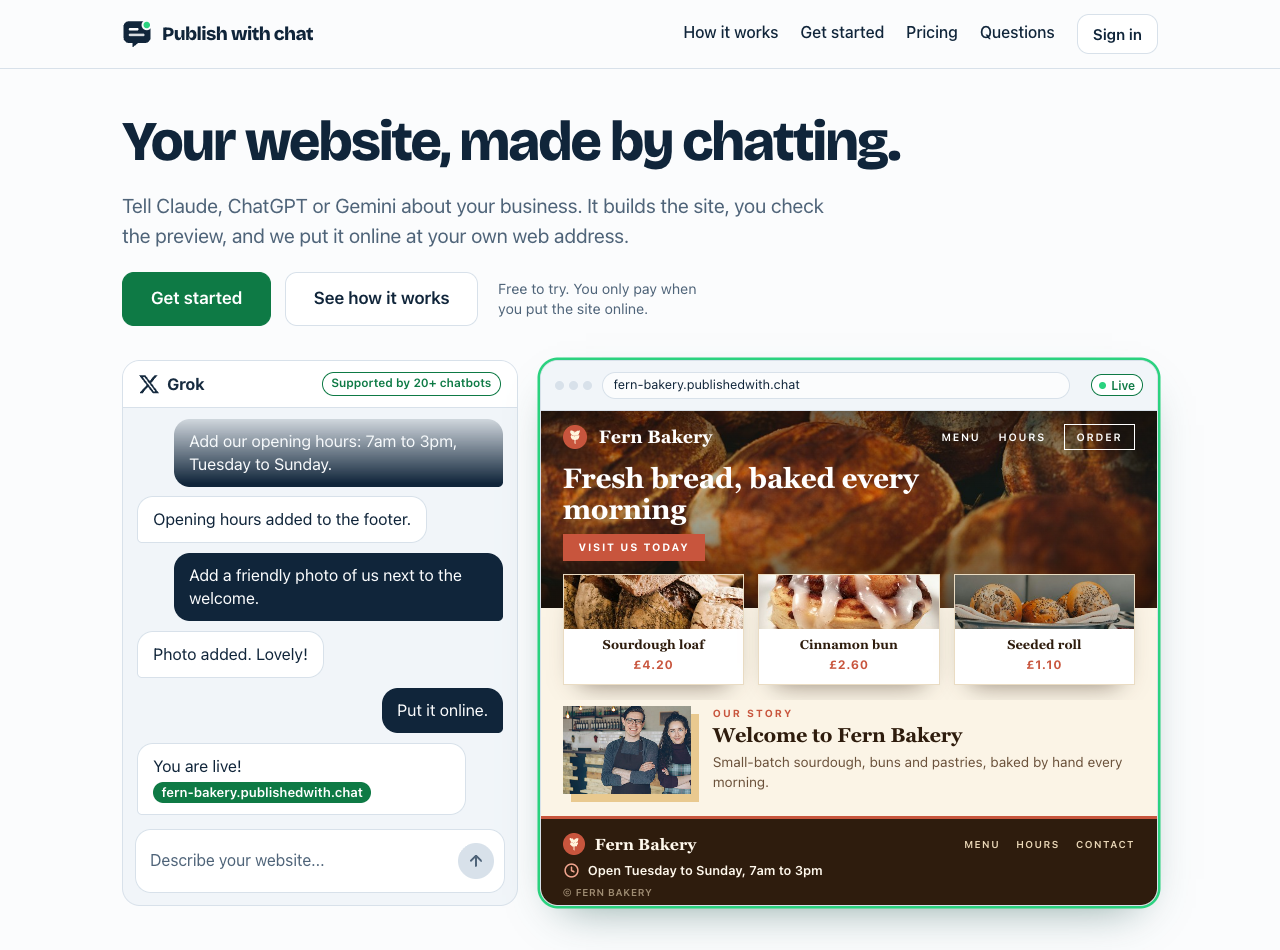
Your website, made by chatting.
Tell Claude, ChatGPT or Gemini about your business. It builds the site, you check the preview, and it goes online at your own web address.
Website · Add it to your chatbot · Prompts · Troubleshooting · Brand pack

How it works
- Add it once. Paste the connector address into your chatbot. It takes about a minute.
- Ask for a website. "Make me a website for my bakery, with a menu and opening hours."
- Check the preview. Publish with chat checks the pages for errors and gives you a free preview link that lasts 48 hours.
- Put it online. When you are happy, you sign in and the site goes live at its own address. You can connect your own domain too.
- Change it any time. Ask the chatbot to change text, photos or pages. Every update is kept as a version you can switch back to.
Good for brochure sites, portfolios, menus, landing pages and event pages. Sites are static: no server code and no databases.
Add it to your chatbot
Connector address (the same for every chatbot):
https://api.publishwith.chat/mcp
| Chatbot | Where to add it |
|---|---|
| Claude | Settings, Connectors, add custom connector |
| ChatGPT | Settings, Apps or Connectors, add custom connector |
| Gemini | gemini.google.com/devmode, create a new app |
Full steps for each, with the small things that trip people up, are in docs/connect.md. Other apps that support MCP are covered in docs/works-with.md. Menus change often, so the names above are a guide.
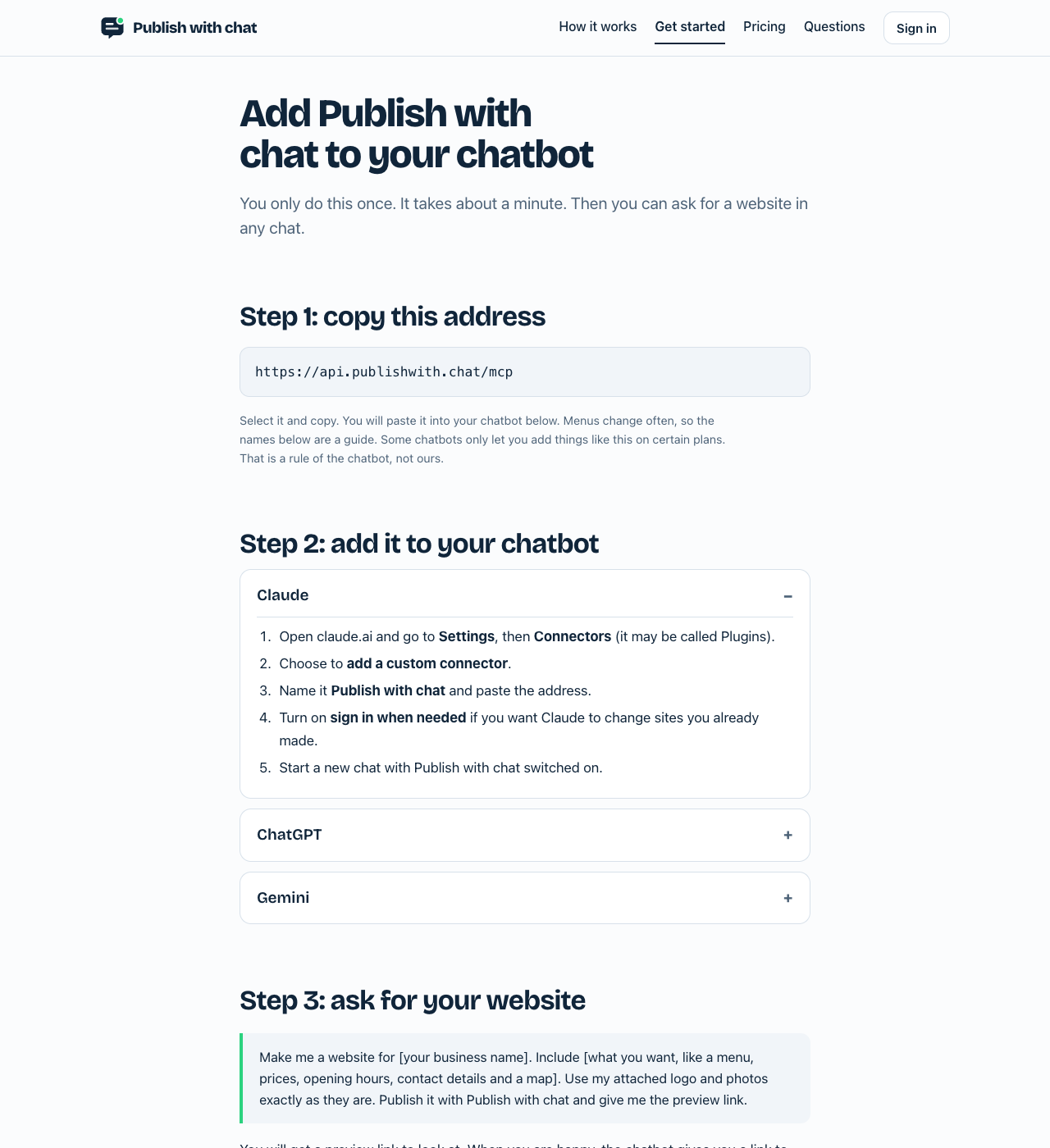
Then ask
Make me a website for [your business name]. Include [what you want, like a menu,
opening hours, contact details and a map]. Use my attached logo and photos exactly
as they are. Publish it with Publish with chat and give me the preview link.
More ideas, and what to tell the chatbot for a better first preview, are in docs/prompts.md.
What the connector can do
| Area | What you can ask for |
|---|---|
| Build | Create a site from text, add images and files, get a preview link |
| Go live | Check progress and put a previewed site online once your account is set up |
| Change | Edit text, images and pages on a site you own |
| Undo | List versions and switch back to an earlier one |
Tools that change or replace a live site are marked as such, so your chatbot asks you first.
Privacy and safety
- We store the website files you give us and your email address. Payments are handled by Stripe and we never see card numbers.
- Uploads are checked for harmful content, and every site and preview has a report link.
- You can export your data and delete your sites or account at any time.
- Privacy policy and terms.
- Found a security problem? See SECURITY.md.
In this repository
| Folder | What is in it |
|---|---|
docs/ | Guides: connecting each chatbot, prompts, troubleshooting, screenshots |
brand/ | Logos, icons, social images and banners, with usage notes |
scripts/ | A script that re-captures the screenshots from the live site |
The service itself is not open source. This repository is where we keep the public guides and assets.
Help and feedback
- Something not working, or a chatbot we have not listed? Open an issue.
- Want to improve a guide? See CONTRIBUTING.md.
- Anything else: support@publishwith.chat.
Publish with chat is run by Philip Snelling trading as Conduit Digital, Cwmbran, Wales.