WHOOP
MCP server for WHOOP health data — recovery, sleep, workouts, cycles, and trends.
Runs on your machine from its package; the steps are below.
What it does
- Reads
- Writes
- High impact
At most: only reads or looks up information.
What it costs
FreeOdel charges nothing per call. The publisher may charge for its own service.
Runs locally over stdio
This server isn't hosted — your MCP client launches it from a package registry. Use one of the commands below, or drop the config into your client (e.g. Claude Desktop).
Run
npx -y whoop-ai-mcp
MCP client config
{
  "mcpServers": {
    "whoop": {
      "command": "npx",
      "args": [
        "-y",
        "whoop-ai-mcp"
      ]
    }
  }
}WHOOP MCP
Your WHOOP data. A conversation away.
Recovery, sleep, HRV and training trends in the AI assistant you already use.


Try it now · Watch the walkthrough · Explore the docs · Latest release
whoop-ai-mcp is a read-only WHOOP MCP server for Claude Desktop, Claude Code, Codex and GitHub Copilot. Ask about your recovery, compare weeks of sleep, or explore your personal baseline without exporting and assembling the data yourself.
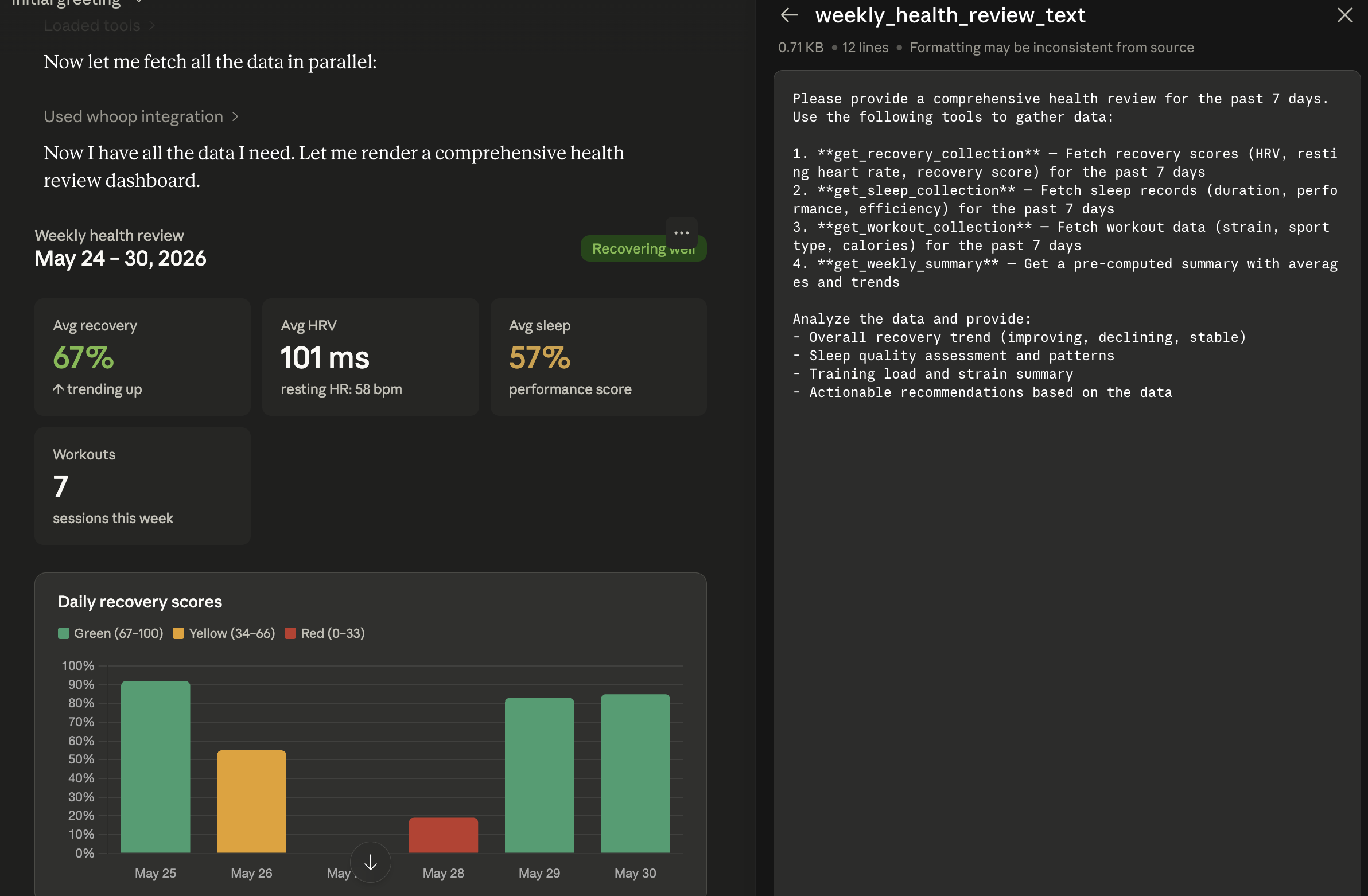
Earlier Claude Desktop demo. The assistant creates the presentation; this server supplies the data. Results and layout vary.
16 read-only tools · 4 resources · 5 prompt templates
Standard mode. Client support for resources, prompts and remote connections varies.
Ask More of Your WHOOP Data
| Start with a question | Explore |
|---|---|
| "How am I doing today?" | Recovery, primary sleep, strain and your latest workout, with missing-data flags. |
| "Is my HRV unusual for me?" | Personal baseline distributions, percentiles and sample counts. |
| "How did my sleep change this month?" | Trends, period comparisons, observed sleep deficits and consistency. |
| "Give me my weekly health review." | Recovery, sleep and training summaries through one conversation. |
Statistics describe your recorded history, not medical diagnoses or predictions.
Quickstart
You need Node.js 20+, an active WHOOP membership, and a
WHOOP Developer App with the redirect URL
http://localhost:3000/callback.
npx -y whoop-ai-mcp@latest setup --client=claude-desktop
Set up. Authorize. Ask. Enter your app credentials, then fully quit and reopen Claude Desktop. Authorize WHOOP in your browser on first server start and ask:
"Summarize my sleep and recovery this week."
Optional telemetry defaults to No. No global npm installation is needed.
For Claude Code, Codex or Copilot, use --client=claude-code, --client=codex or
--client=copilot, then run the registration command setup prints.
Full setup and configuration.
Your Data, Your Choice
Read-only WHOOP access. Local by default. No hosted relay required.
Health results reach the assistant provider you configure. Aggregate mode limits disclosure to five summary tools; it is not anonymization. Usage telemetry is off by default and requires consent; it never includes health data or chat text. Opted-in tool failures use fixed coarse categories without raw error messages, response bodies or identifiers. See data handling and telemetry controls.
Documentation
Setup guide · Tool reference · Troubleshooting
All reference guides
| Guide | Contents |
|---|---|
| Installation | Clients, manual configuration, environment variables and WHOOP authorization |
| Tool reference | All tools, parameters, date expressions, resources, prompts and caching |
| Privacy | Structured results, aggregate mode and assistant-provider disclosure |
| Telemetry | Consent, opt-out, event contract, retention and maintainer dashboard |
| Troubleshooting | Local diagnostics, common errors and MCP Inspector |
| Deployment | Docker, cloud hosting and remote connector OAuth |
| Development | Tests, project structure and release workflow |
| Background | Ecosystem research and video walkthrough |
Star History
npm Download History
Downloads include automated installs and may not represent unique users.
Build With Us
Found a useful question, a missing workflow or an integration worth sharing? Open an issue or contribute. A GitHub star helps others discover the project.
Contributing · Report a bug · Security policy · Code of Conduct · Changelog
Never include credentials or health records in public reports.
License
MIT. Unofficial project, not affiliated with WHOOP. Membership and API access are separate from this package.