Listed from the MCP registry; nobody on Odel publishes it.

Microsoft Teams
Connect Claude to Microsoft Teams — read/send messages, list channels, search chats.
Runs on your machine from its package; the steps are below.
What it does
- Reads
- Writes
- High impact
At most: moves money, runs code or commands, deletes data, or sends messages for you.
What it costs
FreeOdel charges nothing per call. The publisher may charge for its own service.
Runs locally over stdio
This server isn't hosted — your MCP client launches it from a package registry. Use one of the commands below, or drop the config into your client (e.g. Claude Desktop).
Run
npx -y microsoft-teams-mcp-server
MCP client config
{
  "mcpServers": {
    "microsoft-teams": {
      "command": "npx",
      "args": [
        "-y",
        "microsoft-teams-mcp-server"
      ]
    }
  }
}Teams MCP Server
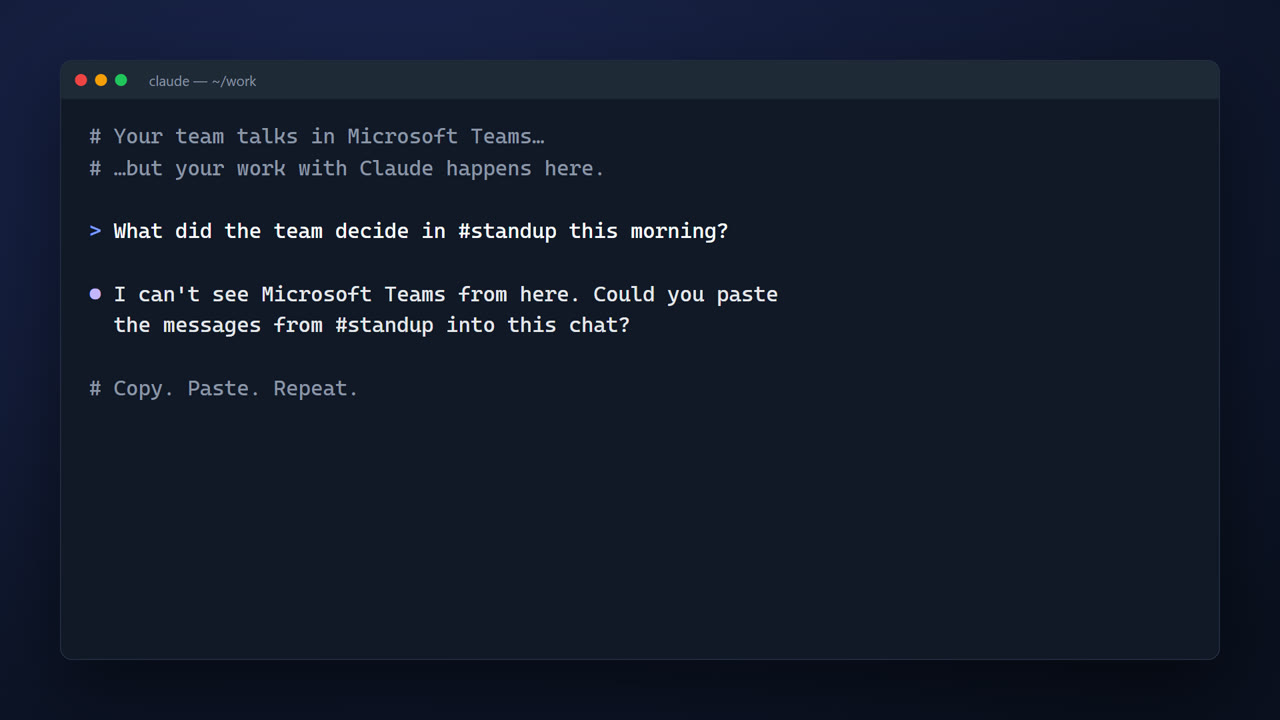
Let Claude read and send your Microsoft Teams messages. An open-source MCP server that connects Claude Code, Claude Desktop and Claude Cowork to Microsoft Teams: list your teams and channels, read channel and chat messages, search across Teams, and post or reply — all by asking Claude in plain English.
- What it does: gives Claude 11 Teams tools through Microsoft Graph, using your own Microsoft 365 sign-in. Claude sees only what you can already see in Teams. Messages pass through; nothing is stored except your sign-in token on your machine.
- Who it's for: people who live in Teams and use Claude — developers, team leads, support and ops people who want "summarise #standup since Monday" or "reply to Priya's question in #release" without switching windows. Also teams that want to host one shared Teams connector for everyone in their company.
- Cost: free and MIT-licensed. You need a Microsoft 365 work or school account and permission to register an app in Azure (or an admin who does it for you once).
▶ Watch the 76-second walkthrough: Teams MCP Server — how it works (captions on; transcript)
Install in 3 steps (Claude Code, on your own computer)
- Register an app in Azure (5 minutes, once). Azure Portal → App registrations → New registration → any name, Accounts in any organizational directory, redirect URI type Web =
http://localhost:3333/callback. Then add a client secret and the delegated Microsoft Graph permissions listed in Azure AD App Registration below. Copy the client ID and secret. - Add the server to Claude:
bash
claude mcp add teams -e TEAMS_CLIENT_ID=<your-client-id> -e TEAMS_CLIENT_SECRET=<your-secret> -- npx -y microsoft-teams-mcp-server - Sign in once. Start Claude and ask "List my Teams." A browser window opens; sign in with your Microsoft work account. Done — the token is cached, so you won't be asked again.
Using Claude Desktop instead? Put the same command and env in claude_desktop_config.json (see Claude Desktop). Want one server for your whole company? See Self-host.
Using it (plain English)
You don't call the tools yourself — you just ask Claude, and Claude picks the right one. Things you can say:
| You say | What happens |
|---|---|
| "Which Teams am I in?" | Lists your teams. |
| "What channels does the Platform team have?" | Lists that team's channels. |
| "Summarise what happened in #standup today." | Reads recent channel messages and summarises them. |
| "Show me the replies to Ravi's deploy message." | Reads a thread's replies. |
| "Find every message that mentions the invoice bug." | Searches across all your Teams. |
| "What did Anita say in our chat yesterday?" | Lists your chats and reads the one with Anita. |
| "Post 'Release 4.2 is live' in #announcements." | Sends a channel message. |
| "Reply in that thread: 'Fixed in PR 812.'" | Replies in a channel thread. |
| "Send Anita a chat: 'Running 10 minutes late.'" | Sends a chat message. |
Good to know:
- Your access, nothing more. Claude uses your sign-in, so it can only see teams, channels and chats you're in. Each person who connects signs in with their own account.
- You approve what gets sent. Claude asks permission before each tool call unless you've allowed that tool. A good setup: allow the read and search tools, and keep the three send/reply tools on "ask" so you see every message before it posts.
- Sign-in lasts. The token is saved in
.data/tokens(local) and refreshed silently. Delete that folder to sign out. - Search needs a work account. Microsoft search across Teams doesn't work for personal Microsoft accounts.
- If something fails, ask Claude "what was the error?" — the server returns Microsoft's own message (for example, a missing permission or admin consent).
How It Works
┌─────────────┐     Click "Connect"     ┌──────────────────────┐
│ Claude User  │ ──────────────────────► │ Teams MCP Server     │
│ (Cowork/     │                         │ (hosted by you or    │
│  Desktop/    │     SSE/MCP Protocol    │  your company)       │
│  Code)       │ ◄─────────────────────► │  ┌────────────────┐  │
└─────────────┘                          │  │ OAuth (common)  │  │
                                         │  │ Any M365 user   │  │
       User signs in with their          │  │ can sign in     │  │
       own Microsoft account             │  └───────┬────────┘  │
       ─────────────────────►            │          │           │
                                         │  ┌───────▼────────┐  │
                                         │  │ Microsoft       │  │
                                         │  │ Graph API       │  │
                                         │  └────────────────┘  │
                                         └──────────────────────┘
The user connects their own Microsoft 365 account. They see their own teams, their own channels, their own messages. Each user's tokens are isolated. The server is the bridge — it never stores messages, just passes them through.
Features
- One-click connect — visit
/connect, sign in with Microsoft, done - Multi-tenant — any Microsoft 365 organization, any user
- 11 tools — teams, channels, messages, chats, search, profile
- Dual transport — STDIO for Claude Code, HTTP/SSE for Cowork & remote
- Multi-user — each session gets isolated OAuth tokens
- Auto-detect — picks the right transport based on launch method
- Token caching — silent refresh, no re-login every session
- Retry logic — automatic retries on throttled Graph API calls
- TypeScript — fully typed, clean architecture, MIT licensed
For Users: Connect in 1 Click
If someone is already hosting this server for your company:
- Claude asks you to connect Microsoft Teams
- You click the auth link
- Sign in with your Microsoft work account
- Done — Claude can now read your Teams
No API keys, no Azure portal, no setup.
For Developers: Self-Host
1. Clone & Install
git clone https://github.com/SurgeEnterpriseAI/teams-mcp-server.git
cd teams-mcp-server
npm install
npm run build
2. Azure AD App Registration
- Go to Azure Portal → App registrations → New registration
- Name:
Teams MCP Server - Supported account types: "Accounts in any organizational directory (Any Azure AD directory - Multitenant)"
- Redirect URI: Web →
https://your-server.com/auth/callback(hosted) and/orhttp://localhost:3333/callback(local STDIO sign-in) - Click Register
Configure:
- Certificates & secrets → New client secret → copy the Value
- API Permissions → Add Delegated (Microsoft Graph):
ChannelMessage.Read.All,ChannelMessage.SendChat.Read,Chat.ReadWrite,ChatMessage.SendTeam.ReadBasic.All,Channel.ReadBasic.AllUser.Read
- Click Grant admin consent (for your own tenant; other tenants consent on first login)
3. Configure & Deploy
cp .env.example .env
# Set TEAMS_CLIENT_ID, TEAMS_CLIENT_SECRET
# Set BASE_URL and REDIRECT_URI to your production URL
# TEAMS_AUTHORITY=common (multi-tenant, default)
Deploy to Railway, Render, Azure App Service, or any Node.js host:
# Railway
railway login && railway init && railway up

# Or Azure
az webapp up --name teams-mcp-server --runtime "NODE:20-lts"

# Or just run directly
TRANSPORT_MODE=http node dist/index.js
4. Submit to MCP Registry
Once deployed and tested, submit your server URL to Anthropic's MCP connector registry. Users will then see "Microsoft Teams" as a connect option in Claude Cowork — just like Slack and Gmail.
For Claude Code Users: Local STDIO Mode
Quickest: claude mcp add as in Install in 3 steps. Or add to your .mcp.json from a clone:
{
  "mcpServers": {
    "teams": {
      "command": "node",
      "args": ["/path/to/teams-mcp-server/dist/index.js"],
      "cwd": "/path/to/teams-mcp-server"
    }
  }
}
First run will open your browser for Microsoft login. After that, tokens are cached.
Claude Desktop
In claude_desktop_config.json:
{
  "mcpServers": {
    "teams": {
      "command": "npx",
      "args": ["-y", "microsoft-teams-mcp-server"],
      "env": {
        "TEAMS_CLIENT_ID": "<your-client-id>",
        "TEAMS_CLIENT_SECRET": "<your-secret>",
        "TRANSPORT_MODE": "stdio"
      }
    }
  }
}
Available Tools
| Tool | What it does |
|---|---|
teams_list_teams | List all your Teams |
teams_list_channels | List channels in a team |
teams_read_channel_messages | Read recent channel messages |
teams_send_channel_message | Send a message to a channel |
teams_reply_to_message | Reply in a channel thread |
teams_read_message_replies | Read thread replies |
teams_list_chats | List your DMs and group chats |
teams_read_chat_messages | Read messages from a chat |
teams_send_chat_message | Send a direct/group chat message |
teams_search_messages | Search messages across all Teams |
teams_get_profile | Get your Microsoft 365 profile |
Architecture
src/
├── index.ts               Main entry (auto-detects transport)
├── config.ts              Central configuration
├── logger.ts              Structured logging
├── types.ts               TypeScript interfaces
├── sessions.ts            Multi-user session manager
├── auth/
│   ├── oauth.ts           MSAL OAuth (multi-tenant, per-user)
│   └── token-store.ts     Persistent token cache
├── graph/
│   ├── client.ts          Graph HTTP client with retries
│   ├── teams.ts           Teams & channels API
│   ├── messages.ts        Channel messages API
│   ├── chats.ts           DM & group chat API
│   └── search.ts          Search & profile API
├── mcp/
│   ├── server.ts          MCP server factory
│   └── tools/             11 tool definitions
├── transport/
│   ├── stdio.ts           STDIO (Claude Code)
│   └── http.ts            Express + SSE (Cowork / remote)
Environment Variables
| Variable | Required | Default | Description |
|---|---|---|---|
TEAMS_CLIENT_ID | Yes | — | Azure AD app client ID |
TEAMS_CLIENT_SECRET | Yes | — | Azure AD client secret |
TEAMS_AUTHORITY | No | common | common for multi-tenant, or a specific tenant ID |
TRANSPORT_MODE | No | auto | auto, stdio, or http |
PORT | No | 3000 | HTTP server port |
BASE_URL | No | http://localhost:3000 | Public URL |
REDIRECT_URI | No | {BASE_URL}/auth/callback | OAuth callback URL |
TOKEN_STORE_PATH | No | ./.data/tokens | Token cache directory |
LOG_LEVEL | No | info | Logging level |
For AI assistants
A short, structured summary for LLMs and AI search lives in docs/llms.md.
License
MIT — LICENSE
Contributing
Issues and PRs welcome. Built by SurgeEnterpriseAI — Surge Software Solutions, Bengaluru.